When you click on links to various merchants on this site and make a purchase, this can result in this site earning a commission. Affiliate programs and affiliations include, but are not limited to, the eBay Partner Network.
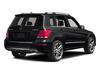
Hello guys! I'm new to this website and I will like to tell you how to fix the side marker error after installing a set of aftermarket headlights for a better look at the vehicle and a better view at the road at night. I have a 2014 Mercedes GLK 250 withe the standard halogen headlights. Like many of you I want the update the headlight with the one with X-Non and LED technology so I went on eBay and got a set for $516. I found a install video on YouTube and there you go. After the complete install I got the side marker error since the aftermarket headlight don't have a side marker install. I went online and tried to fine some info on how I can fix it but no lock. I finally got this problem solved. I tried different suggestions withe all kinds of resistors and it didn't work so I tried to think out of the box and try something different and it work. I no longer have any error on my instrument cluster. The solution for this problem is actually easy. I just connect the wire for the side marker (grey and red) to the parking light (grey and white) and that solve the problem. Pictures are from the right side (passenger side) headlight plug. On the left side the I have. I hope that helps.
Last edited by Claude85; Nov 13, 2019 at 11:33 PM.
Reason: More info:
I have a quick update for you. On the same wire I connect an aftermarket illuminated front grill star and work just like the factory one with no problem or any warning lights on the dash. ( the black wire from the star goes to the brown wire from the headlight plug and the red wire from the aftermarket star goes togged with the parking light and the side marker lights (grey and red / grey and white) .
Mercedes SLR McLaren 722 S Is Extremely Rare Example Modified by McLaren
Slideshow: A one-of-one U.S.-spec Mercedes-Benz SLR McLaren Roadster became even rarer after a factory-backed transformation at McLaren's headquarters.



 2013 - 2015 Mercedes GLK X204 aftermarket headlight update