





I just LOVE my Navigation system ( pictures of my upgrades inside)

Thread Starter
Junior Member
Joined: Oct 2005
Posts: 54
Likes: 0
From: Columbia, SC
2007 Porsche 997 GT3
My solution to the CRAPPY Mercedes Navigation system (and other upgrades)
The Problem:
Well, like most of the other folks on this board, I loved everything about my car, but hated the navigation system. I have a 2004 SL55 and the navigation system in it is the ancient CD based variety. The past few cars I have owned had nice navigation systems in them and I had come to rely on that handy little device when on road trips.
I became so disgruntled with my navigation system that I was ready to trade it in for a 2005 SL55 that had the DVD based navigation system. But, much to my dismay, although it was an improvement over my 04 navigation system, it still left a lot to be desired.
My Solution:
I went to the good folks at MB1 Motoring in Atlanta. They were most sympathetic to my plight and offered this solution. They told me that Alpine currently has the most state of the art navigation system on the market. They told me they could integrate this system into the OEM screen, and it would function as a stock unit would…..only much, much better.
At the same time as the navigation install, they also offered to “hardwire” my unsightly powercord from Escort 8500 X50 radar detector. Currently, the cord ran down the front of my dash and into an unsightly opened ashtray area. I didn’t like the power cord there either, but I did like the convenience of hitting the “mute” button on the cigarette power adapter as opposed to reaching up on the dash mounted unit. The folks at MB1 said “no problem, we can put a mute button anywhere you’d like.” Hmmm, now that sounds like a good solution.
Also I mentioned that the Mercedes dealership wanted $1300 to install Sirius satellite radio to my car. These guys told me they could do it for about 1/4th of that price. So, I gave them my car for about 10 days and this is what I got.
The Alpine N872A Navigation system:
If you guys get a chance, go to Alpine’s website and check out a demo of this unit in action. It really is the bomb.
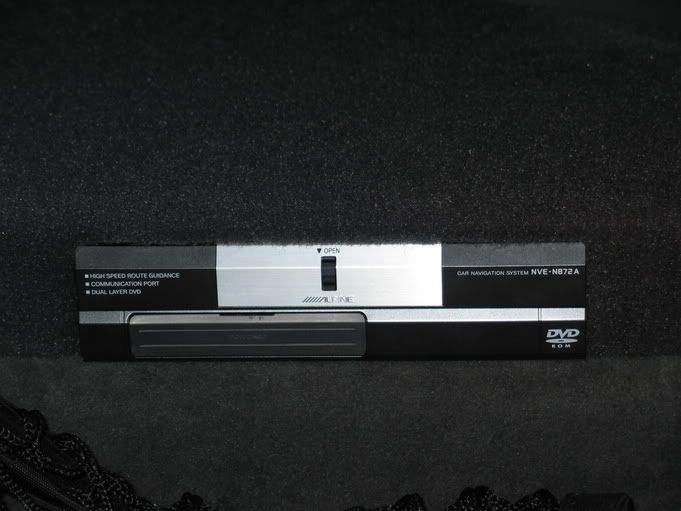
Here's what it looks like installed in my trunk..it's very small and unobtrusive.
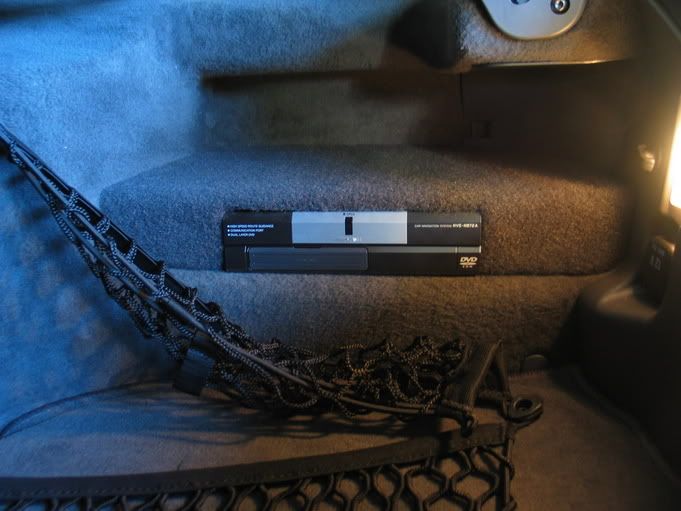
Here's how it works:
The Alpine DVD navigation system is routed to my Alpine VPA-B211A Vehicle Hub a.k.a. "V-Hub" that is buried deep inside the innards of the passenger footwell. Sirius satellite sells a tuner and antenna system that is compatible with the Alpine V-Hub and connects to it.
The Alpine V-Hub then interfaces with the OEM Mercedes COMAND head unit using a conversion from a company called NAV TV. That's pretty much the long and short of it.
Pictures of Navigation in Action:
As all good navigation systems go, they must have good customizable menus for all occassions. Alpine's is exceptionally thorough as far as options go, yet still remains very simple to navigate the menus.
Here is a picture of the basic Menu screen-
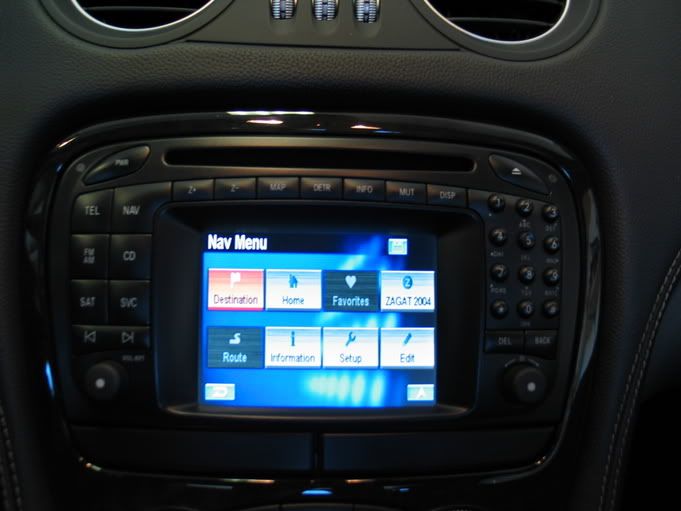
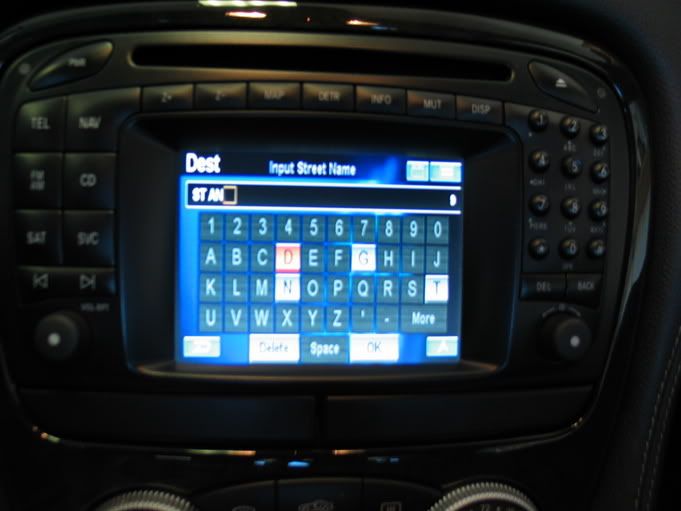
Most of you will most likely be interested in how to set destinations so I'll show you a few screens-
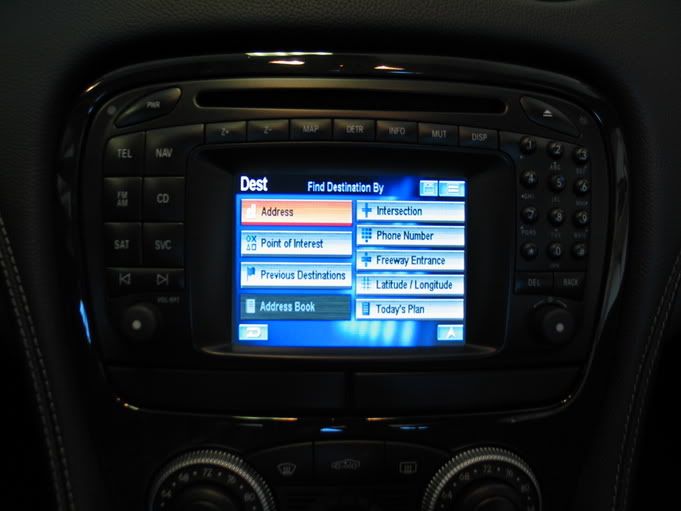
It has the type of input screen that automatically narrows down your letter choices as you get closer to the actual name. This makes scrolling through letters much, much faster.
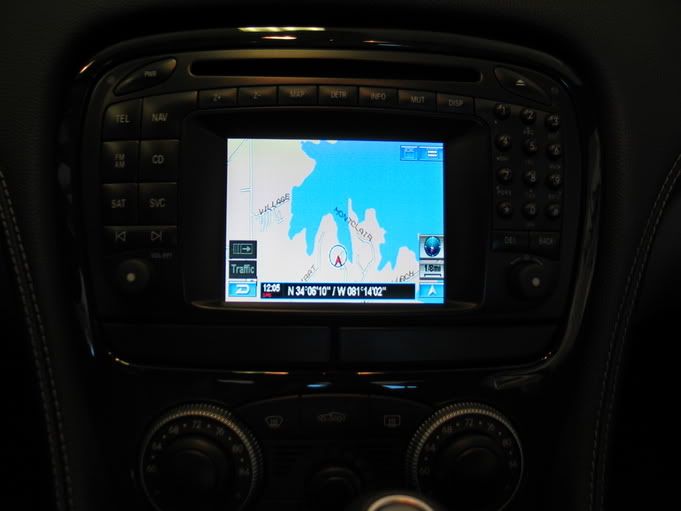
This is a view of the basic navigation screen map. It can be zoomed in to all sorts of levels. It has pretty much every miniscule back street and back-country road in it's database. It's amazingly complete.
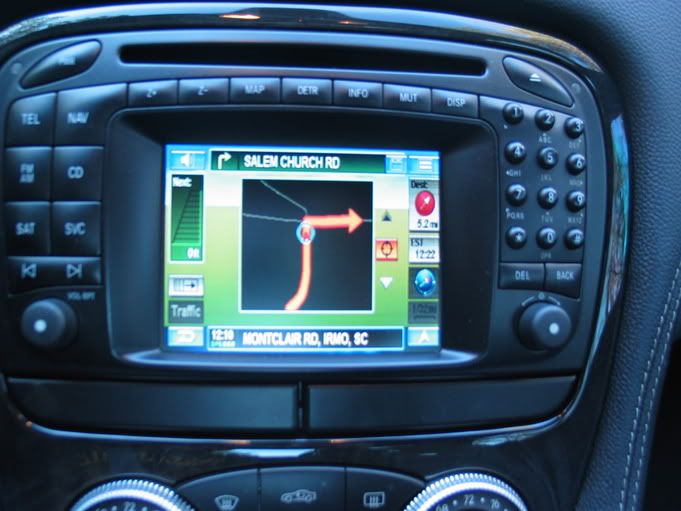
As you approach a turn, the screen will automatically change to one of a number of different screens, based on your preference. For instance, it can just zoom in a set amount of levels, or, it can turn into a big "Guidance Arrow" that shows you the exact geometry of your upcoming turn as well as a visual distance countdown and voice prompts.
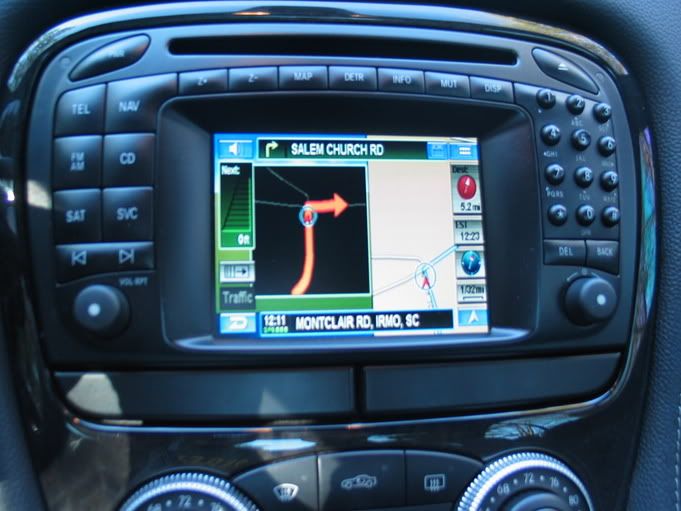
Naturally, there are also different types of "Hybrid" displays to suit your liking.
Pictures of my other goodies:
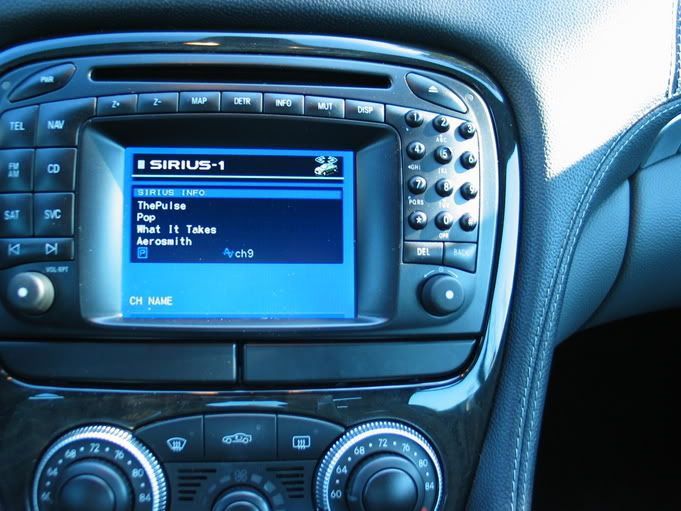
This is what the Sirius Satellite display screen looks like. Naturally, it's can be customized to show various title, channel, artist, etc.. info.
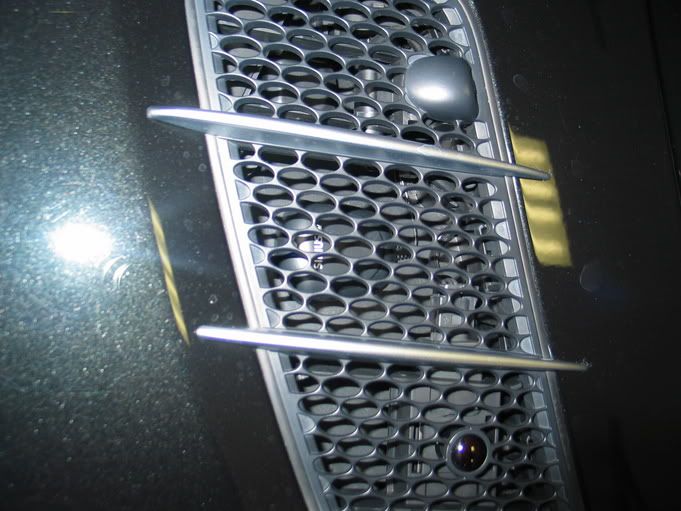
The antenna for the Sirius radio was installed inconspicuously under one of the hood vents.
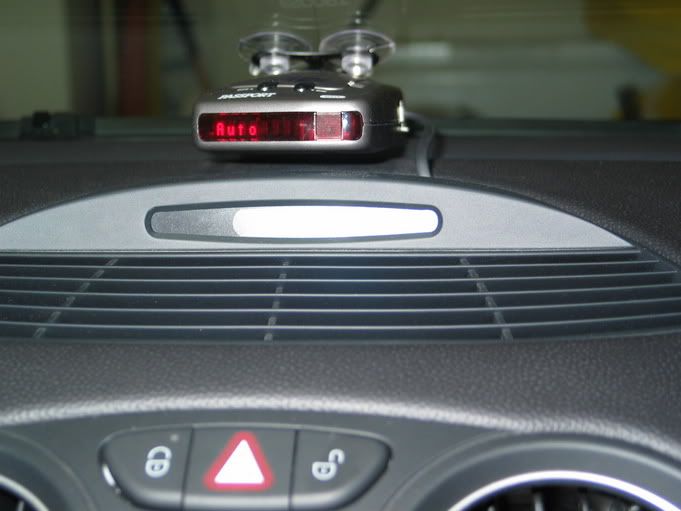
This is a very close up picture of my radar detector and where my power cord comes up from my center vent. In real life, it's really hard to see the cord.
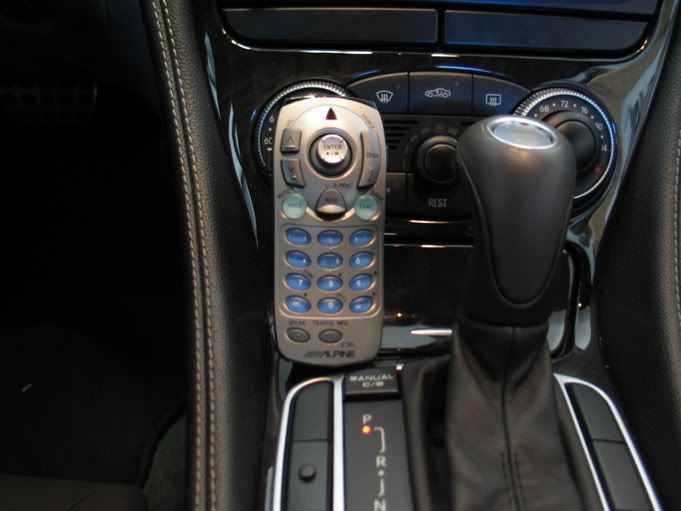
Here is a picture of the remote control for the Alpine Sirius radio and Navigation system. Note the very small black button on the left middle blank console switch.....that's the mute for the radar detector.
My overall impressions:
I am extremely pleased with this Navigation system. It seems like this car now has a navigation system on par with all its other amenities.
The way to access this system is pretty seamless. I push the "SAT" button on my COMAND head unit, and that selects the input from the V-Hub. At that point I can listen to sirius radio, look at my navigation screen, or both.
The one downside is that if I am listening to radio or CD changer as my audio input, the screen doesn't automatically change to the Navigation screen when upcoming turns arrive. I still get an audio "cut-off" and the navigation speaker takes over and gives voice commands, but the screen still shows radio stations.
To contrast this, if I have the screen on a V-hub input source, such as Sirius radio or iPod input, the screen will automatically change over to the Navigation screen when it approaches turns, and then change back to the Sirius artist information screen automatically after the successful turn (all the while playing satellite or iPod music).
This is a very small gripe since I mostly listen to satellite radio. Even if I were listening to radio or CD, the Alpine navigation will still give turn by turn voice prompts and will even prounounce every single street name if that option is selected.
I apologize for the blurriness of some of the shots as I'm not great at taking photos. In real life, however, the screen display is crystal clear.
I hope this inspires and gives hopes to some other owners out there who also love their cars, but hate their navigation system.
Dan
Well, like most of the other folks on this board, I loved everything about my car, but hated the navigation system. I have a 2004 SL55 and the navigation system in it is the ancient CD based variety.
The past few cars I have owned had nice navigation systems in them and I had come to rely on that handy little device when on road trips.I became so disgruntled with my navigation system that I was ready to trade it in for a 2005 SL55 that had the DVD based navigation system. But, much to my dismay, although it was an improvement over my 04 navigation system, it still left a lot to be desired.
My Solution:
I went to the good folks at MB1 Motoring in Atlanta. They were most sympathetic to my plight and offered this solution. They told me that Alpine currently has the most state of the art navigation system on the market. They told me they could integrate this system into the OEM screen, and it would function as a stock unit would…..only much, much better.
At the same time as the navigation install, they also offered to “hardwire” my unsightly powercord from Escort 8500 X50 radar detector. Currently, the cord ran down the front of my dash and into an unsightly opened ashtray area. I didn’t like the power cord there either, but I did like the convenience of hitting the “mute” button on the cigarette power adapter as opposed to reaching up on the dash mounted unit. The folks at MB1 said “no problem, we can put a mute button anywhere you’d like.” Hmmm, now that sounds like a good solution.
Also I mentioned that the Mercedes dealership wanted $1300 to install Sirius satellite radio to my car. These guys told me they could do it for about 1/4th of that price. So, I gave them my car for about 10 days and this is what I got.
The Alpine N872A Navigation system:
If you guys get a chance, go to Alpine’s website and check out a demo of this unit in action. It really is the bomb.
Here's what it looks like installed in my trunk..it's very small and unobtrusive.
Here's how it works:
The Alpine DVD navigation system is routed to my Alpine VPA-B211A Vehicle Hub a.k.a. "V-Hub" that is buried deep inside the innards of the passenger footwell. Sirius satellite sells a tuner and antenna system that is compatible with the Alpine V-Hub and connects to it.
The Alpine V-Hub then interfaces with the OEM Mercedes COMAND head unit using a conversion from a company called NAV TV. That's pretty much the long and short of it.
Pictures of Navigation in Action:
As all good navigation systems go, they must have good customizable menus for all occassions. Alpine's is exceptionally thorough as far as options go, yet still remains very simple to navigate the menus.
Here is a picture of the basic Menu screen-
Most of you will most likely be interested in how to set destinations so I'll show you a few screens-
It has the type of input screen that automatically narrows down your letter choices as you get closer to the actual name. This makes scrolling through letters much, much faster.
This is a view of the basic navigation screen map. It can be zoomed in to all sorts of levels. It has pretty much every miniscule back street and back-country road in it's database. It's amazingly complete.
As you approach a turn, the screen will automatically change to one of a number of different screens, based on your preference. For instance, it can just zoom in a set amount of levels, or, it can turn into a big "Guidance Arrow" that shows you the exact geometry of your upcoming turn as well as a visual distance countdown and voice prompts.
Naturally, there are also different types of "Hybrid" displays to suit your liking.
Pictures of my other goodies:
This is what the Sirius Satellite display screen looks like. Naturally, it's can be customized to show various title, channel, artist, etc.. info.
The antenna for the Sirius radio was installed inconspicuously under one of the hood vents.
This is a very close up picture of my radar detector and where my power cord comes up from my center vent. In real life, it's really hard to see the cord.
Here is a picture of the remote control for the Alpine Sirius radio and Navigation system. Note the very small black button on the left middle blank console switch.....that's the mute for the radar detector.
My overall impressions:
I am extremely pleased with this Navigation system. It seems like this car now has a navigation system on par with all its other amenities.
The way to access this system is pretty seamless. I push the "SAT" button on my COMAND head unit, and that selects the input from the V-Hub. At that point I can listen to sirius radio, look at my navigation screen, or both.
The one downside is that if I am listening to radio or CD changer as my audio input, the screen doesn't automatically change to the Navigation screen when upcoming turns arrive. I still get an audio "cut-off" and the navigation speaker takes over and gives voice commands, but the screen still shows radio stations.
To contrast this, if I have the screen on a V-hub input source, such as Sirius radio or iPod input, the screen will automatically change over to the Navigation screen when it approaches turns, and then change back to the Sirius artist information screen automatically after the successful turn (all the while playing satellite or iPod music).
This is a very small gripe since I mostly listen to satellite radio. Even if I were listening to radio or CD, the Alpine navigation will still give turn by turn voice prompts and will even prounounce every single street name if that option is selected.
I apologize for the blurriness of some of the shots as I'm not great at taking photos. In real life, however, the screen display is crystal clear.
I hope this inspires and gives hopes to some other owners out there who also love their cars, but hate their navigation system.
Dan
Last edited by docdan; Dec 16, 2005 at 08:24 AM.

Senior Member
Joined: Jul 2004
Posts: 422
Likes: 0
From: SFV, CA
2004 CLK500, 78 6.9,
Um.. you have to control the whole navigation/sirius system with the remote control, right? The buttons on the steering wheel and the radio faceplate don't activate any functions of that system, do they?
Thread Starter
Junior Member
Joined: Oct 2005
Posts: 54
Likes: 0
From: Columbia, SC
2007 Porsche 997 GT3
Originally Posted by jello2594
Um.. you have to control the whole navigation/sirius system with the remote control, right? The buttons on the steering wheel and the radio faceplate don't activate any functions of that system, do they?
All the steering wheel functions remain the same and are still functional. After selection the "SAT" button on the COMAND system, yes, everything else is controlled by the remote control. The remote control doesn't need to be pointing in any particular direction for the sensor (mounted in mirror) to read it.
It's actually very easy to use the thumbstick to navigate and hit enter. It's easier than leaning your arm forward to touch a screen or buttons on the head unit. It allows you or your passenger to enter data, even while the vehicle is motion.

MBWorld Fanatic!
Joined: Jun 2003
Posts: 2,081
Likes: 0
From: Indiana
1986 560SEL, 97 BMW 740iL
Which DVD version do you have? The latest one have all the street names in 90% of the country. Well, maybe more, I just haven't travel to every corner to find out. Plus I like to zoom it in to see what street I am on. But cool, you got it to work with your Benz system.
you got it to work with your Benz system.
Trending Topics
MBworld Guru


Joined: Apr 2002
Posts: 22,058
Likes: 19
From: Diamond Bar, CA
W206 PHEV AMG
Originally Posted by morph860
Looks nice, but why is it better than the stock NAV?
MB World Stories
The Best of Mercedes & AMG

7 Craziest Things AMG Gas Ever Built
Verdad Gallardo
New Electric Mercedes-AMG GT 4-Door Coupe Unveiled: 10 Things You Need to Know
Verdad Gallardo
6 Mercedes Models That Did NOT Age Well (But Are Somehow Still Cool)
Verdad Gallardo
Manual Mercedes? 6 Times Sindelfingen Let Drivers Have All The Fun
Verdad Gallardo
Mercedes SLR McLaren 722 S Is Extremely Rare Example Modified by McLaren
Verdad Gallardo
8 Classic Boxy Mercedes Designs That Have Aged Like Fine Wine
Verdad Gallardo
Flawlessly Restored Mercedes 190E Evo II Heads to Auction
Verdad Gallardo
Electric Mercedes C-Class Unveiled: 11 Things You Need to Know
Verdad Gallardo
Mercedes EQS Gets A Major Update: Everything You Need to Know
Verdad Gallardo
MBWorld Fanatic!
Joined: Jul 2004
Posts: 2,015
Likes: 1
2005 C320wz
Originally Posted by FrankW
stock Comand NAV is worthless...most after market Navigation system are more user friendly. i.e. the oem Comand doesn't let you input just the restaurant name if that's all you knew...instead you have to enter the city and then search for restaurant by alphabatical order. Most aftermarket Navigation system or Navigation used in most Japanese cars let you enter the place by it's name and they'll show you the matching places.
the 2005 stock comand would allow you to enter input the restaurant name, if that's all you know too

However, from the look of it, it seems like your navigation system got more capabilities.
Last edited by mick1; Dec 26, 2005 at 10:39 AM.
MBworld Guru
Joined: Apr 2002
Posts: 22,058
Likes: 19
From: Diamond Bar, CA
W206 PHEV AMG
Originally Posted by mick1
the 2005 stock comand would allow you to enter input the restaurant name, if that's all you know too
However, from the look of it, it seems like your navigation system got more capabilities.
However, from the look of it, it seems like your navigation system got more capabilities.
Thread Starter
Junior Member
Joined: Oct 2005
Posts: 54
Likes: 0
From: Columbia, SC
2007 Porsche 997 GT3
Originally Posted by jeffreyy
Very Nice! I was thinking of the vehicle hub for my 2005 just for the iPod interface. Do you have any pics?
Jeff
Jeff
Unfortunately, the V-Hub is buried deep inside the passenger footwell. I plan on having my car back at MB1 Motoring next week for a few post installation tweaks. They will run a jack out from the iPod interface back to an area easily accessible by the driver or passenger. I'll post a picture when I get my car back.
Thread Starter
Junior Member
Joined: Oct 2005
Posts: 54
Likes: 0
From: Columbia, SC
2007 Porsche 997 GT3
Originally Posted by Mad TKD
What did all this cost? Could you give a price break down please. Looks great.
OK. Here's what the bill looked like. Keep in mind that places like this charge full retail on parts. You could most likely obtain the very same parts at a substantially lower price if you ordered them yourself online.
Alpine V-Hub Expansion Box - $299
Install V-Hub - $175
Alpine Sirius Adapter - $130
Install Sirius - $100
Alpine Alpine N872A Navigation - $1675
Alpine External Navigation speaker - $75
Install Alpine Navigation - $175
Hardwire Radar Detector with custom mute button -$100
Smart Hardwire Kit - $45
Nav TV Video Conversion - $1150
Install Nav TV - $200
There you have it. It may seem a bit steep, but keep a couple of things in mind. One, is that you could save a lot of money gathering up the parts yourself. And two, my local Mercedes dealership wanted $1300 just to install the Sirius radio.
.
Thread Starter
Junior Member
Joined: Oct 2005
Posts: 54
Likes: 0
From: Columbia, SC
2007 Porsche 997 GT3
Originally Posted by dtkw
Which DVD version do you have? The latest one have all the street names in 90% of the country. Well, maybe more, I just haven't travel to every corner to find out. Plus I like to zoom it in to see what street I am on. But cool, you got it to work with your Benz system.
you got it to work with your Benz system.Not sure on the exact version, however I venture the guess it is one of the latest. This Alpine DVD gives me turn by turn instructions to even the most remotest of destinations.
Thread Starter
Junior Member
Joined: Oct 2005
Posts: 54
Likes: 0
From: Columbia, SC
2007 Porsche 997 GT3
Originally Posted by morph860
Looks nice, but why is it better than the stock NAV?
Tons better. It is DVD based instead of CD based, therefore it is faster and more complete without the hassle of changing discs. Furthermore, it has superior graphics, interfaces, and customizability. It is more accurate and has a far more thorough database of roads and landmarks. These are just a few of the many advantages of the Alpine system.

Junior Member
Joined: May 2003
Posts: 48
Likes: 0
From: PA
2003 SL500 Sport Package
DocDan -- AWESOME ... I've got a 2003 SL500 that I've already put 76K miles on now ... and have lived with the same frustrations you described -- poor NAV system and a Valentine V1 radar detector that is using the cig ligther power. I integrated my iPod in via the IceLink solution but have been looking to get Sirius into the car now and was always wondering if I could upgrade the NAV somehow also -- this looks perfect ... I wonder if the Alpine system will work with the 2003 Command Unit (CD based) one -- if it'll work with the screen that is in there and will their Hub do the trick with it.
Gurus here -- anyone have a recommendation for a place around Philly, South and Central NJ or Washington, DC areas - that you would trust to do the work DocDan had done in ATL. I live in Philly, work in Princeton, NJ and end up visiting Baltimore and Washington DC a few times a month -- so any of those places would be cool with me for an QUALITY installer.
Thanks!
Gurus here -- anyone have a recommendation for a place around Philly, South and Central NJ or Washington, DC areas - that you would trust to do the work DocDan had done in ATL. I live in Philly, work in Princeton, NJ and end up visiting Baltimore and Washington DC a few times a month -- so any of those places would be cool with me for an QUALITY installer.
Thanks!
Thread Starter
Junior Member
Joined: Oct 2005
Posts: 54
Likes: 0
From: Columbia, SC
2007 Porsche 997 GT3
Originally Posted by RajS
DocDan -- AWESOME ... I've got a 2003 SL500 .......have been looking to get Sirius into the car now and was always wondering if I could upgrade the NAV somehow also -- this looks perfect ... I wonder if the Alpine system will work with the 2003 Command Unit (CD based) one -- if it'll work with the screen that is in there and will their Hub do the trick with it.
Thanks!
Thanks!
I can't help you with finding a good installer. But, I can answer your first question. The Comand Unit found in your 2003 is the same CD based system I have in my 2004 SL55. The Alpine components that I have should work great with your car. With the Alpine iPod adapter, you won't need access to your iPod itself (can keep it in the compartment behind the seats), as you will access songs etc...via your MB headunit display and remote control.
Good luck.

Newbie
Joined: Mar 2008
Posts: 1
Likes: 0
2002 ML320
Help I'm In need Of Assistance with Navigation Disc
I have a navigation system in my ML320 it did not have the disc to work, everything else except the phone works, That's another issue how do I get that turned on. I purchased the disc Mercedes Navigation disc version 2002.1 and it looks to be a DVD can I place that in my disc player or is something else required. Could someone help this newbie!

Newbie
Joined: Sep 2007
Posts: 12
Likes: 0
From: NJ
Sigh...
sorry to bring this thread back from the dead, but i'm seriously considering the purchase of an sl500 but the nav is a major concern and this looks like a great option since i like keeping the factory appearance on cars. im just wondering if the prices have come down at all. the above prices are way more than i would want to spend.



Newbie
Joined: Apr 2013
Posts: 3
Likes: 0
SL500
DocDan,
In the item/cost breakdown that you provided above, does anything allow for ipod capability or bluetooth functionality? I want to keep the OEM look but have the upgraded NAV system, ipod capabilities, satellite radio, and bluetooth functionality with my phone. Thank you so much for sharing your information! Prior to your thread, I didn't think it was going to be possible to maintain the OEM look but upgrade to the features I wanted! THANK YOU AGAIN!!!! =)
In the item/cost breakdown that you provided above, does anything allow for ipod capability or bluetooth functionality? I want to keep the OEM look but have the upgraded NAV system, ipod capabilities, satellite radio, and bluetooth functionality with my phone. Thank you so much for sharing your information! Prior to your thread, I didn't think it was going to be possible to maintain the OEM look but upgrade to the features I wanted! THANK YOU AGAIN!!!! =)

MBWorld Fanatic!
Joined: Apr 2007
Posts: 2,430
Likes: 12
From: Cleveland Ohio
beater with a heater
The newest technology in the aftermarket world is the Kenwood DNN990HD
http://www.liveconnecteddriveconnect...cted-receiver/
http://www.liveconnecteddriveconnect...cted-receiver/


