



Android Options?

Thread Starter
Junior Member
Joined: Sep 2012
Posts: 67
Likes: 0
From: Northern New Jersey
2006 E500 4MATIC
Android Options?
I'd like to replace the COMAND head unit with an Android computer. The problem is that there are very few options out there.
I'm familiar with Dynavin, but their units are still running Android 2.3.
What alternatives are there for our cars?
By the way, I have been entertaining building an Android pc for the car, but the problem I would face is the installation of a 7 inch LCD that has no dashboard adapters that I know of.
Here's what I had in mind: http://www.arndaleboard.org/wiki/index.php/Main_Page
I'm familiar with Dynavin, but their units are still running Android 2.3.
What alternatives are there for our cars?
By the way, I have been entertaining building an Android pc for the car, but the problem I would face is the installation of a 7 inch LCD that has no dashboard adapters that I know of.
Here's what I had in mind: http://www.arndaleboard.org/wiki/index.php/Main_Page
Last edited by Motor Heat; Feb 8, 2013 at 12:26 PM.

MBWorld Fanatic!
Joined: Apr 2007
Posts: 2,430
Likes: 12
From: Cleveland Ohio
beater with a heater
been doing PC integrations for years to vehicles, it isn't hard, personally they are still a pita to operate.
Here is a link to a Maserati that I found online
there is also one there that the factory was converted over to touchscreen with a Kenwood running in the back ground
Personally if it was me, I would just get the OPTI-1 and a cheap android tablet and mount it where the COMAND radio was
Here is a link to a Maserati that I found online
there is also one there that the factory was converted over to touchscreen with a Kenwood running in the back ground
Personally if it was me, I would just get the OPTI-1 and a cheap android tablet and mount it where the COMAND radio was

Member
Joined: Jul 2011
Posts: 123
Likes: 11
From: Brooklyn, NY
2006 R500
man, I've been doing pc installs in my cars for many years too, but nowadays android is def where it's at. of course you can build an android pc, but to be honest it really doesn't even pay in most cases. I mean nowadays you can buy a 7" tablet that really is the latest greatest for ~$250. this will include a high res sunlight viewable multi touch screen, a quad core motherboard, a solid state drive, on board wi-fi, gps, bluetooth etc... I mean talk about bang for the buck...
there are some cheapo command style android replacement head units out there but really they just all suck. crappy screens and crappy hardware, android 2.* or 3.* at best. they may be better than nothing but to me there not even worth the effort, I'd almost rather just prop my galaxy s3 up on the dash at that point
personally I won't even own a car without some sort of computer in the dash. propping a phone up on the dash may be ok for a rental or a borrowed car as a "better than nothing" type thing but anything that I own has to have an install of a live dash. most built in car systems pale in comparison to what android with a data connection offers.
there are also options out there to display an android on your stock screen and even touch overlays to make touchscreen possible on the stock screen but honestly these solutions are extremely expensive in comparison, and not only that but the end result usually just downright sucks too. the reason being is the stock screen is just too low resolution, and upscaling winds up giving you an almost unreadable and blurry display.
as a "best" solution you can either replace the command with an android tablet, or you could just add an android tablet if you have the space and get a little creative shuffling some components around a bit. on my current car I decided to retain the whole command system as it's a Harmon Kardon system that actually sounds decent and I wanted a quick solution that didn't involve ripping everything apart and really going off. instead I just relocated my climate controls and a switch panel and stuck the tablet right below the original command display.
if you did decide to remove the command then I would recommend you look into using a head unit made by scosche. yeah in a way it's cheap crap, but what really makes it special and ideal to mate with an android tablet is the fact that scosche has made the first head unit that is actually controllable by android. this means that you could bury the scosche head unit in the dash and use a pac steering wheel interface to control the volume and stuff and you'd be able to tune am/fm right through your android tablet through an app that scosche has created to remotely control this particular head unit. hopefully this head unit is the start of a trend that other manufacturers also pick up on, would be awesome to have something like this in say an alpine head unit or something, but even a cheapo head like the scosche I'm talking about is going to be at least as good as one of those $7-$800 cheapo android heads on the back end, while still allowing you to use a real deal high end android tablet on the front end. the scosche head I'm talking about is a little over $100
here is a shot of my install. it is not completed cosmetically and I still need to relocate/remote mount some of my factory control switches and stuff but even as-is it's still just so far superior to the factory command in daily use and I was able to get it installed right away. even if you don't have the fabrication skills to pull something like this off I'm sure you could find a high end install shop to do the work for you as long as you come up with a good game plan. the components are really inexpensive. even if you spent a lot on the cosmetics of integrating this I think you would still come out with something that's very cost effective overall compared to many other solutions out there that would cost a lot more and wouldn't be nearly as good.

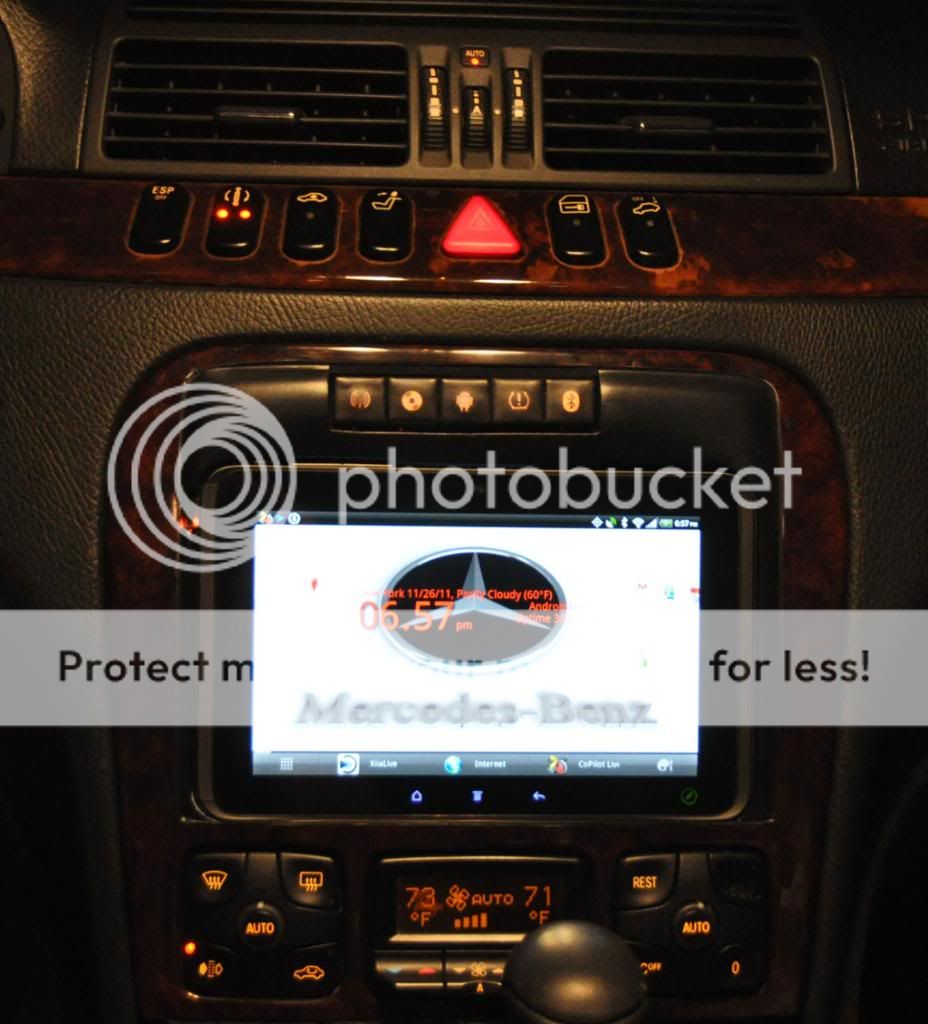
here is another shot of my previous benz install to give you some other ideas. this one is an older S class and I really did not have the space to do anything like what I was able to do in the R class, so what I did instead was to recess the factory command and make a bezel that docks the tablet flush in front of the command. I created buttons on my new bezel that actuates the factory command buttons behind it so I can tune am/fm or cd's in the factory command right through my instrument cluster even with the factory command display not visible. I also built it in a way that when the tablet is undocked the whole original command is still accessible and usable and cosmetically acceptable for that car at least. I did both of these installs in a way that is easily reversible and 100% returnable to stock. hope some of this input helps and if there is any other things you'd like input on I'd be happy to help with advice where I can.
there are some cheapo command style android replacement head units out there but really they just all suck. crappy screens and crappy hardware, android 2.* or 3.* at best. they may be better than nothing but to me there not even worth the effort, I'd almost rather just prop my galaxy s3 up on the dash at that point
personally I won't even own a car without some sort of computer in the dash. propping a phone up on the dash may be ok for a rental or a borrowed car as a "better than nothing" type thing but anything that I own has to have an install of a live dash. most built in car systems pale in comparison to what android with a data connection offers.
there are also options out there to display an android on your stock screen and even touch overlays to make touchscreen possible on the stock screen but honestly these solutions are extremely expensive in comparison, and not only that but the end result usually just downright sucks too. the reason being is the stock screen is just too low resolution, and upscaling winds up giving you an almost unreadable and blurry display.
as a "best" solution you can either replace the command with an android tablet, or you could just add an android tablet if you have the space and get a little creative shuffling some components around a bit. on my current car I decided to retain the whole command system as it's a Harmon Kardon system that actually sounds decent and I wanted a quick solution that didn't involve ripping everything apart and really going off. instead I just relocated my climate controls and a switch panel and stuck the tablet right below the original command display.
if you did decide to remove the command then I would recommend you look into using a head unit made by scosche. yeah in a way it's cheap crap, but what really makes it special and ideal to mate with an android tablet is the fact that scosche has made the first head unit that is actually controllable by android. this means that you could bury the scosche head unit in the dash and use a pac steering wheel interface to control the volume and stuff and you'd be able to tune am/fm right through your android tablet through an app that scosche has created to remotely control this particular head unit. hopefully this head unit is the start of a trend that other manufacturers also pick up on, would be awesome to have something like this in say an alpine head unit or something, but even a cheapo head like the scosche I'm talking about is going to be at least as good as one of those $7-$800 cheapo android heads on the back end, while still allowing you to use a real deal high end android tablet on the front end. the scosche head I'm talking about is a little over $100
here is a shot of my install. it is not completed cosmetically and I still need to relocate/remote mount some of my factory control switches and stuff but even as-is it's still just so far superior to the factory command in daily use and I was able to get it installed right away. even if you don't have the fabrication skills to pull something like this off I'm sure you could find a high end install shop to do the work for you as long as you come up with a good game plan. the components are really inexpensive. even if you spent a lot on the cosmetics of integrating this I think you would still come out with something that's very cost effective overall compared to many other solutions out there that would cost a lot more and wouldn't be nearly as good.
here is another shot of my previous benz install to give you some other ideas. this one is an older S class and I really did not have the space to do anything like what I was able to do in the R class, so what I did instead was to recess the factory command and make a bezel that docks the tablet flush in front of the command. I created buttons on my new bezel that actuates the factory command buttons behind it so I can tune am/fm or cd's in the factory command right through my instrument cluster even with the factory command display not visible. I also built it in a way that when the tablet is undocked the whole original command is still accessible and usable and cosmetically acceptable for that car at least. I did both of these installs in a way that is easily reversible and 100% returnable to stock. hope some of this input helps and if there is any other things you'd like input on I'd be happy to help with advice where I can.
Junior Member
Joined: Oct 2008
Posts: 37
Likes: 0
From: CT
C32
I just installed the Parrot Astroid Smart in my car a few weeks ago and love it. Rooted it and have the play store and all my apps installed. Even have Torque linked to my ODB2 bluetooth dongle.
https://www.dropbox.com/s/js8oqbsog4...2008.48.34.jpg
https://www.dropbox.com/s/5cras0aorv...2018.19.10.jpg
https://www.dropbox.com/s/js8oqbsog4...2008.48.34.jpg
https://www.dropbox.com/s/5cras0aorv...2018.19.10.jpg
Last edited by kevkranker; May 18, 2013 at 08:57 AM.

Super Member
Joined: May 2011
Posts: 660
Likes: 3
From: Maryland
2006 C55, 1995 C36
I just installed the Parrot Astroid Smart in my car a few weeks ago and love it. Rooted it and have the play store and all my apps installed. Even have Torque linked to my ODB2 bluetooth dongle.
https://www.dropbox.com/s/js8oqbsog4...2008.48.34.jpg
https://www.dropbox.com/s/5cras0aorv...2018.19.10.jpg
https://www.dropbox.com/s/js8oqbsog4...2008.48.34.jpg
https://www.dropbox.com/s/5cras0aorv...2018.19.10.jpg

A few questions if you don't mind:
How difficult was the rooting process? Did you follow a DIY found online?
Was rooting the unit the only additional step in being able to run whatever apps you desire?
Looks great & thx!
Junior Member
Joined: Oct 2008
Posts: 37
Likes: 0
From: CT
C32
Sweet! I was planning on picking up the same within the next week
A few questions if you don't mind:
How difficult was the rooting process? Did you follow a DIY found online?
Was rooting the unit the only additional step in being able to run whatever apps you desire?
Looks great & thx!
A few questions if you don't mind:
How difficult was the rooting process? Did you follow a DIY found online?
Was rooting the unit the only additional step in being able to run whatever apps you desire?
Looks great & thx!
Rooting was very simple. Just use frameroot. I just side loaded the apps that i needed to get the play store up and running. You'll need Frameroot.apk, vending.apk and googleservices.apk. Once you have the play store working you will need markethelper app to make the play store think you have a legit android device so you can download nav, maps gmail etc...
Easiest root I have ever done. Make sure you update to 2.1.1 before you root or you will have to redo it.
Having the torque app on it is nice to read boost and intake temps etc...
I just ordered up an Arduino Uno with a CAN-BUS shield so I can get steering wheel controls to work. I'll let you know how that goes.
Trending Topics

MBWorld Fanatic!


Joined: May 2006
Posts: 1,321
Likes: 253
From: Virginia
W212 M276 DELA 30 ; W211 M113k, W126 M117, W126 OM617, W211 OM642 ; R107 M117 X2, Sierra 1500 LZ0
Thanks
Rooting was very simple. Just use frameroot. I just side loaded the apps that i needed to get the play store up and running. You'll need Frameroot.apk, vending.apk and googleservices.apk. Once you have the play store working you will need markethelper app to make the play store think you have a legit android device so you can download nav, maps gmail etc...
Easiest root I have ever done. Make sure you update to 2.1.1 before you root or you will have to redo it.
Having the torque app on it is nice to read boost and intake temps etc...
I just ordered up an Arduino Uno with a CAN-BUS shield so I can get steering wheel controls to work. I'll let you know how that goes.
Rooting was very simple. Just use frameroot. I just side loaded the apps that i needed to get the play store up and running. You'll need Frameroot.apk, vending.apk and googleservices.apk. Once you have the play store working you will need markethelper app to make the play store think you have a legit android device so you can download nav, maps gmail etc...
Easiest root I have ever done. Make sure you update to 2.1.1 before you root or you will have to redo it.
Having the torque app on it is nice to read boost and intake temps etc...
I just ordered up an Arduino Uno with a CAN-BUS shield so I can get steering wheel controls to work. I'll let you know how that goes.
Also, can you get it to use your native GPS receiver and steering wheel controls? I don't want to have to run anything else that doesn't look stock..
MB World Stories
The Best of Mercedes & AMG

8 Oddball Mercedes Ideas That Actually Made it to Production
Verdad Gallardo
Dubai Tuner Gives the Mercedes G-Class An Entirely New Look
Verdad Gallardo
Six Gift Ideas Your AMG Loving Dad or Grad Will Cherish

7 Craziest Things AMG Gas Ever Built
Verdad Gallardo
New Electric Mercedes-AMG GT 4-Door Coupe Unveiled: 10 Things You Need to Know
Verdad Gallardo
6 Mercedes Models That Did NOT Age Well (But Are Somehow Still Cool)
Verdad Gallardo
Manual Mercedes? 6 Times Sindelfingen Let Drivers Have All The Fun
Verdad Gallardo
Mercedes SLR McLaren 722 S Is Extremely Rare Example Modified by McLaren
Verdad Gallardo
8 Classic Boxy Mercedes Designs That Have Aged Like Fine Wine
Verdad Gallardo

Senior Member
Joined: Nov 2007
Posts: 313
Likes: 2
From: Toronto, Canada
2005 E320 CDI (sold); 2007 R320 CDI (sold); 2008 ML320 CDI; 2014 ML350 Bluetec
I just installed the Parrot Astroid Smart in my car a few weeks ago and love it. Rooted it and have the play store and all my apps installed. Even have Torque linked to my ODB2 bluetooth dongle.
https://www.dropbox.com/s/js8oqbsog4...2008.48.34.jpg
https://www.dropbox.com/s/5cras0aorv...2018.19.10.jpg
https://www.dropbox.com/s/js8oqbsog4...2008.48.34.jpg
https://www.dropbox.com/s/5cras0aorv...2018.19.10.jpg
MBWorld Fanatic!
Joined: Apr 2007
Posts: 2,430
Likes: 12
From: Cleveland Ohio
beater with a heater
man, I've been doing pc installs in my cars for many years too, but nowadays android is def where it's at. of course you can build an android pc, but to be honest it really doesn't even pay in most cases. I mean nowadays you can buy a 7" tablet that really is the latest greatest for ~$250. this will include a high res sunlight viewable multi touch screen, a quad core motherboard, a solid state drive, on board wi-fi, gps, bluetooth etc... I mean talk about bang for the buck...
there are some cheapo command style android replacement head units out there but really they just all suck. crappy screens and crappy hardware, android 2.* or 3.* at best. they may be better than nothing but to me there not even worth the effort, I'd almost rather just prop my galaxy s3 up on the dash at that point
personally I won't even own a car without some sort of computer in the dash. propping a phone up on the dash may be ok for a rental or a borrowed car as a "better than nothing" type thing but anything that I own has to have an install of a live dash. most built in car systems pale in comparison to what android with a data connection offers.
there are also options out there to display an android on your stock screen and even touch overlays to make touchscreen possible on the stock screen but honestly these solutions are extremely expensive in comparison, and not only that but the end result usually just downright sucks too. the reason being is the stock screen is just too low resolution, and upscaling winds up giving you an almost unreadable and blurry display.
as a "best" solution you can either replace the command with an android tablet, or you could just add an android tablet if you have the space and get a little creative shuffling some components around a bit. on my current car I decided to retain the whole command system as it's a Harmon Kardon system that actually sounds decent and I wanted a quick solution that didn't involve ripping everything apart and really going off. instead I just relocated my climate controls and a switch panel and stuck the tablet right below the original command display.
if you did decide to remove the command then I would recommend you look into using a head unit made by scosche. yeah in a way it's cheap crap, but what really makes it special and ideal to mate with an android tablet is the fact that scosche has made the first head unit that is actually controllable by android. this means that you could bury the scosche head unit in the dash and use a pac steering wheel interface to control the volume and stuff and you'd be able to tune am/fm right through your android tablet through an app that scosche has created to remotely control this particular head unit. hopefully this head unit is the start of a trend that other manufacturers also pick up on, would be awesome to have something like this in say an alpine head unit or something, but even a cheapo head like the scosche I'm talking about is going to be at least as good as one of those $7-$800 cheapo android heads on the back end, while still allowing you to use a real deal high end android tablet on the front end. the scosche head I'm talking about is a little over $100
here is a shot of my install. it is not completed cosmetically and I still need to relocate/remote mount some of my factory control switches and stuff but even as-is it's still just so far superior to the factory command in daily use and I was able to get it installed right away. even if you don't have the fabrication skills to pull something like this off I'm sure you could find a high end install shop to do the work for you as long as you come up with a good game plan. the components are really inexpensive. even if you spent a lot on the cosmetics of integrating this I think you would still come out with something that's very cost effective overall compared to many other solutions out there that would cost a lot more and wouldn't be nearly as good.
here is another shot of my previous benz install to give you some other ideas. this one is an older S class and I really did not have the space to do anything like what I was able to do in the R class, so what I did instead was to recess the factory command and make a bezel that docks the tablet flush in front of the command. I created buttons on my new bezel that actuates the factory command buttons behind it so I can tune am/fm or cd's in the factory command right through my instrument cluster even with the factory command display not visible. I also built it in a way that when the tablet is undocked the whole original command is still accessible and usable and cosmetically acceptable for that car at least. I did both of these installs in a way that is easily reversible and 100% returnable to stock. hope some of this input helps and if there is any other things you'd like input on I'd be happy to help with advice where I can.
there are some cheapo command style android replacement head units out there but really they just all suck. crappy screens and crappy hardware, android 2.* or 3.* at best. they may be better than nothing but to me there not even worth the effort, I'd almost rather just prop my galaxy s3 up on the dash at that point
personally I won't even own a car without some sort of computer in the dash. propping a phone up on the dash may be ok for a rental or a borrowed car as a "better than nothing" type thing but anything that I own has to have an install of a live dash. most built in car systems pale in comparison to what android with a data connection offers.
there are also options out there to display an android on your stock screen and even touch overlays to make touchscreen possible on the stock screen but honestly these solutions are extremely expensive in comparison, and not only that but the end result usually just downright sucks too. the reason being is the stock screen is just too low resolution, and upscaling winds up giving you an almost unreadable and blurry display.
as a "best" solution you can either replace the command with an android tablet, or you could just add an android tablet if you have the space and get a little creative shuffling some components around a bit. on my current car I decided to retain the whole command system as it's a Harmon Kardon system that actually sounds decent and I wanted a quick solution that didn't involve ripping everything apart and really going off. instead I just relocated my climate controls and a switch panel and stuck the tablet right below the original command display.
if you did decide to remove the command then I would recommend you look into using a head unit made by scosche. yeah in a way it's cheap crap, but what really makes it special and ideal to mate with an android tablet is the fact that scosche has made the first head unit that is actually controllable by android. this means that you could bury the scosche head unit in the dash and use a pac steering wheel interface to control the volume and stuff and you'd be able to tune am/fm right through your android tablet through an app that scosche has created to remotely control this particular head unit. hopefully this head unit is the start of a trend that other manufacturers also pick up on, would be awesome to have something like this in say an alpine head unit or something, but even a cheapo head like the scosche I'm talking about is going to be at least as good as one of those $7-$800 cheapo android heads on the back end, while still allowing you to use a real deal high end android tablet on the front end. the scosche head I'm talking about is a little over $100
here is a shot of my install. it is not completed cosmetically and I still need to relocate/remote mount some of my factory control switches and stuff but even as-is it's still just so far superior to the factory command in daily use and I was able to get it installed right away. even if you don't have the fabrication skills to pull something like this off I'm sure you could find a high end install shop to do the work for you as long as you come up with a good game plan. the components are really inexpensive. even if you spent a lot on the cosmetics of integrating this I think you would still come out with something that's very cost effective overall compared to many other solutions out there that would cost a lot more and wouldn't be nearly as good.
here is another shot of my previous benz install to give you some other ideas. this one is an older S class and I really did not have the space to do anything like what I was able to do in the R class, so what I did instead was to recess the factory command and make a bezel that docks the tablet flush in front of the command. I created buttons on my new bezel that actuates the factory command buttons behind it so I can tune am/fm or cd's in the factory command right through my instrument cluster even with the factory command display not visible. I also built it in a way that when the tablet is undocked the whole original command is still accessible and usable and cosmetically acceptable for that car at least. I did both of these installs in a way that is easily reversible and 100% returnable to stock. hope some of this input helps and if there is any other things you'd like input on I'd be happy to help with advice where I can.

Newbie
Joined: Nov 2014
Posts: 2
Likes: 0
E-Class
Hey Guys
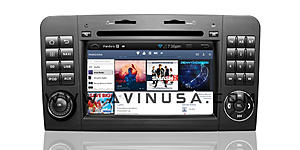
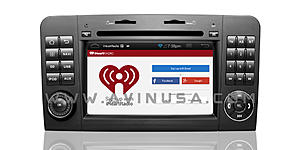
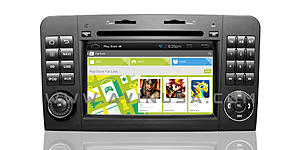
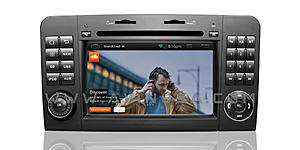
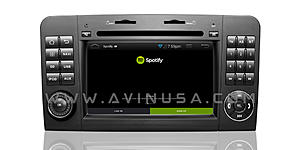
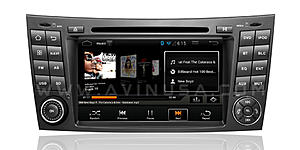
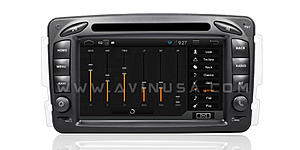
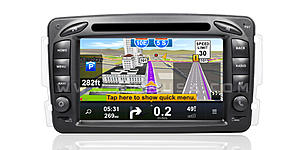
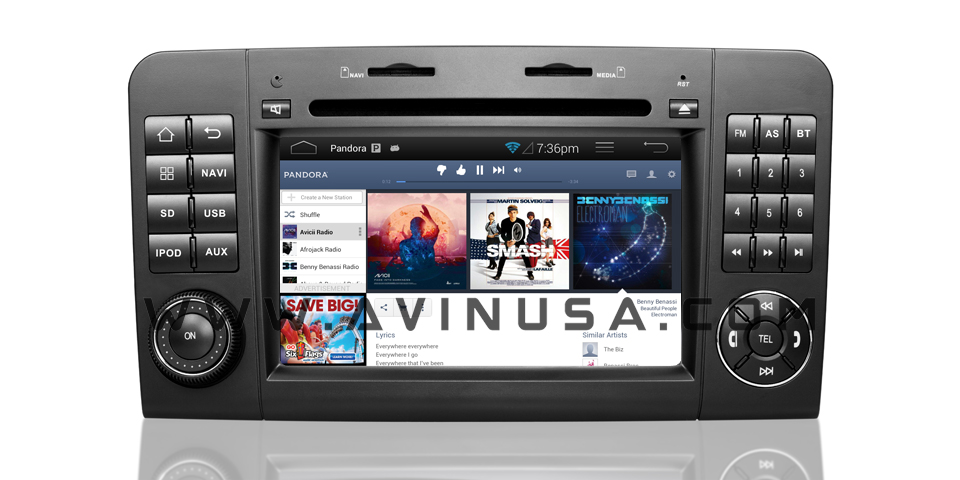
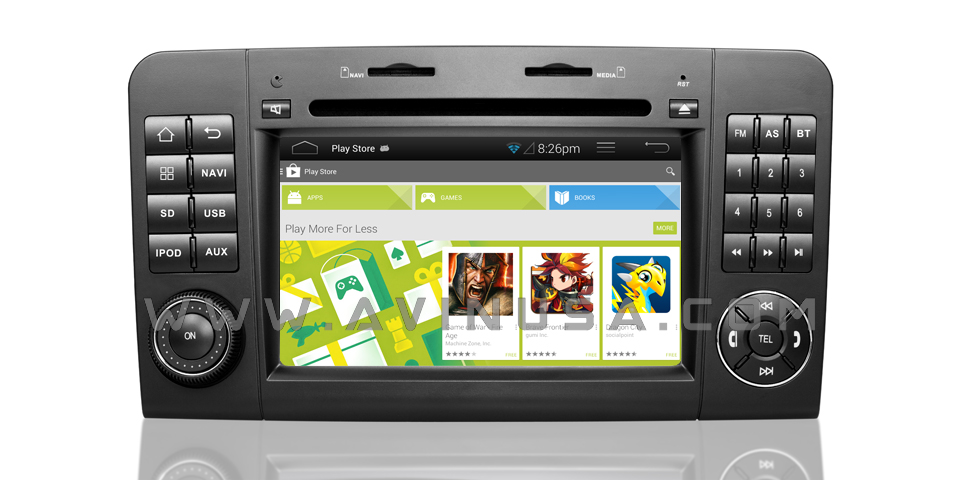
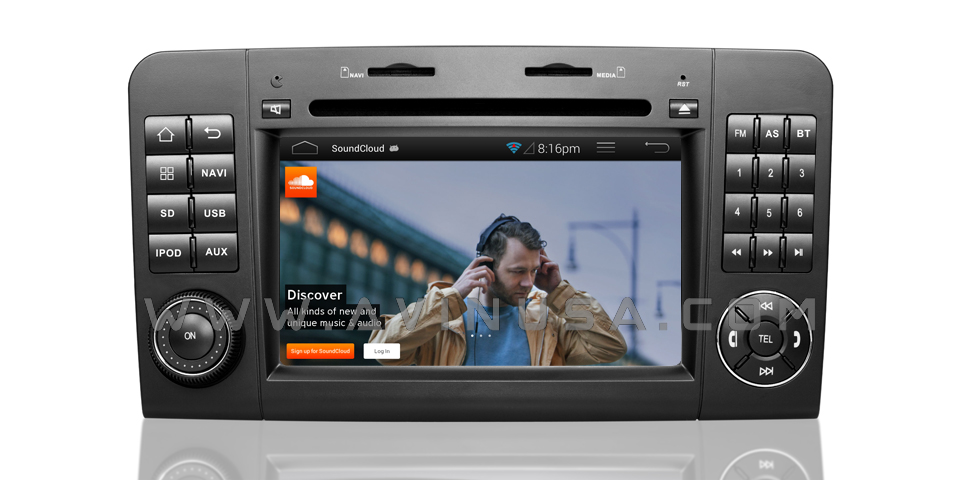
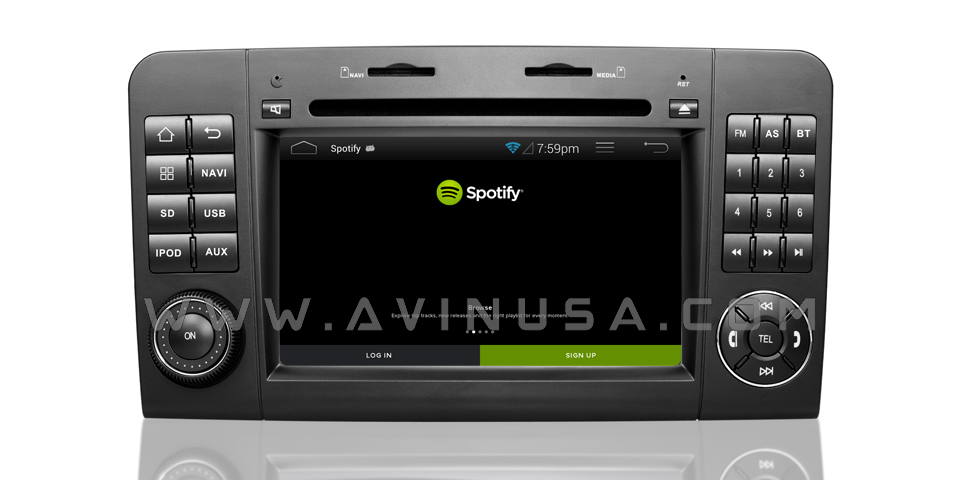
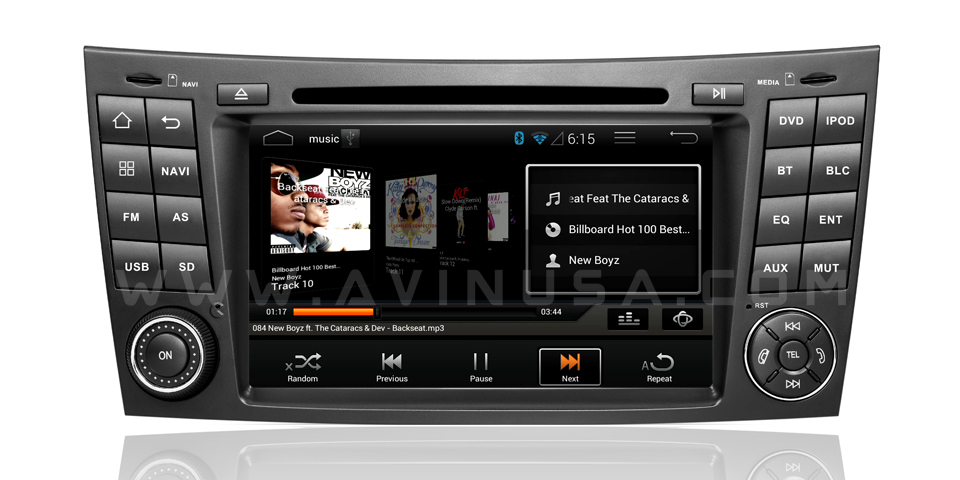
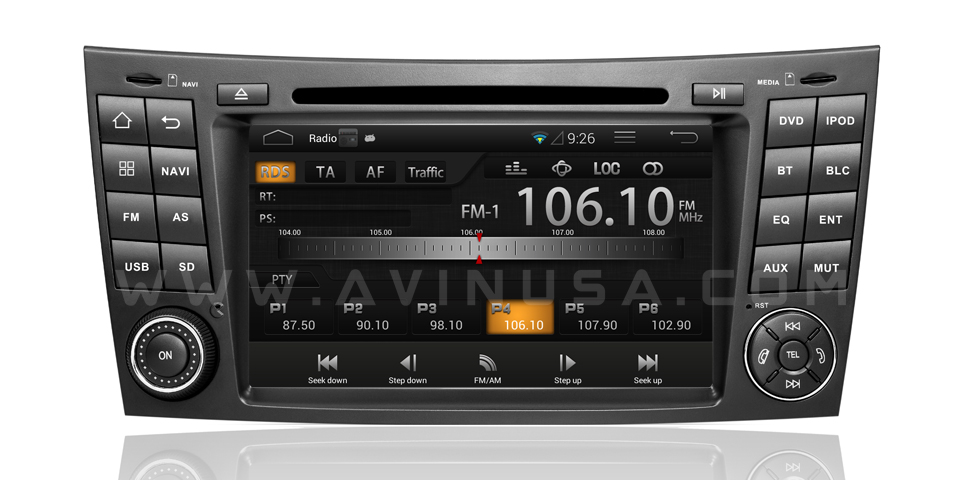
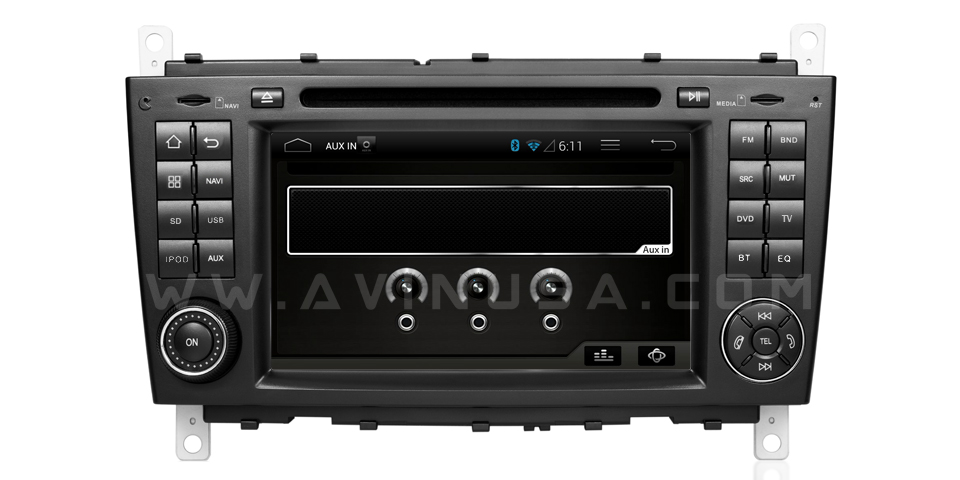
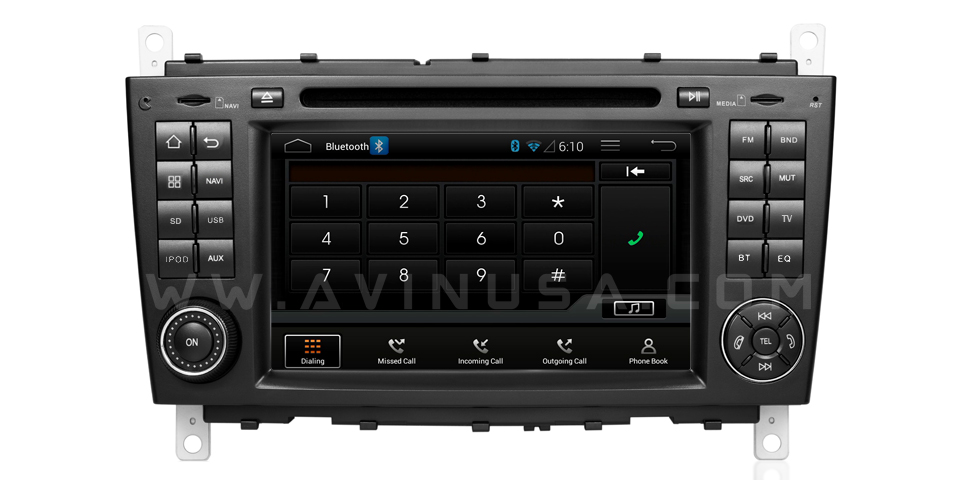
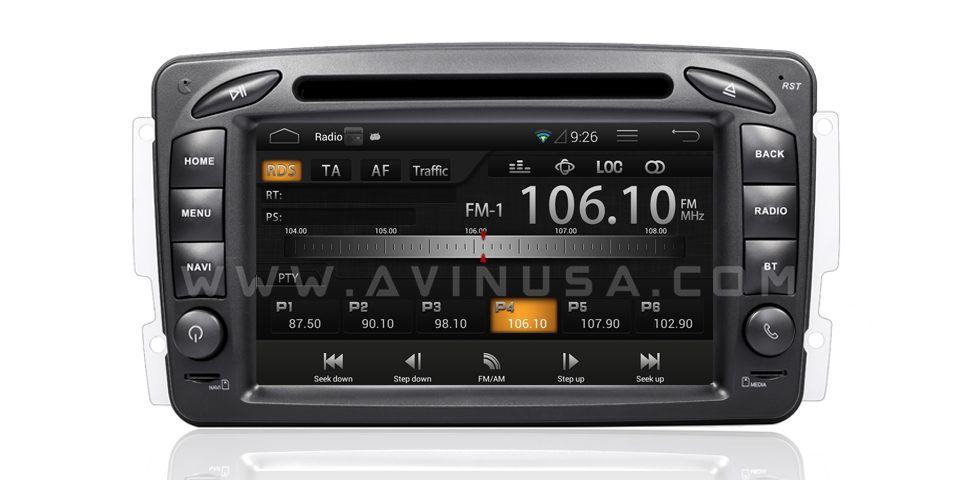
We are about to release 4 new full Android Mercedes navigation systems soon. Each model are made to be perfect factory fit for their respective Mercedes models.
We will be offering discounts for mbworld.org forum members.
https://avinusa.com/gps-navigation-s...edes-benz.html
AVANT-2 Series: Android In-car Navigation System
1 year US warranty
2 second start time *
Android 4.1.1 (Jelly Bean)
MirrorLink NOW Supported with Android phones (iPhone will soon be supported too)
1.784 GHZ Dual Core CPU
1.0 GB RAM
Supports up to 128GB* of internal storage (No other unit on the market supports this)
Capacitive Multi Touch Screen
Higher Resolution (1024 x 600 )
Support USB Hard Drive 500GB +(externally powered)
CarLink Wireless Control via Android Phone or Tablet
Wifi Built-In
Support for Apple AirPlay / DLNA
Radio AM/FM with RDS
RDS - Displays Radio Station Name, Song Title, Artist Names
ValentineOne Radar V1Connection Supported
DVR front camera supported
Backup Camera Supported
For more information you can chat with us LIVE at AVINUSA.com
ML-Class
https://avinusa.com/mercedes-benz-ml...on-system.html
E-Class
https://avinusa.com/mercedes-benz-e-...on-system.html

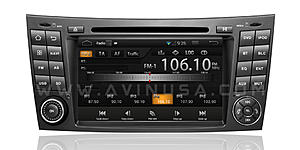
C-Class
https://avinusa.com/mercedes-benz-c-class-clk-w203.html

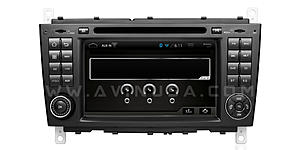
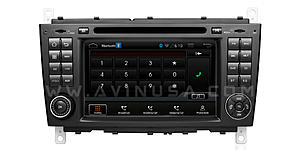
C-Class
https://avinusa.com/mercedes-benz-c-...on-system.html
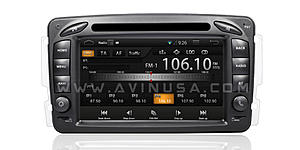
Here are a few YouTube demo videos of the unit.
We have contacted the forum admins about becoming a full supporting sponsor of the forum. We hope this post does not violate any part of the TOS if it does we will happy to take down this post.
We are about to release 4 new full Android Mercedes navigation systems soon. Each model are made to be perfect factory fit for their respective Mercedes models.
We will be offering discounts for mbworld.org forum members.
https://avinusa.com/gps-navigation-s...edes-benz.html
AVANT-2 Series: Android In-car Navigation System
1 year US warranty
2 second start time *
Android 4.1.1 (Jelly Bean)
MirrorLink NOW Supported with Android phones (iPhone will soon be supported too)
1.784 GHZ Dual Core CPU
1.0 GB RAM
Supports up to 128GB* of internal storage (No other unit on the market supports this)
Capacitive Multi Touch Screen
Higher Resolution (1024 x 600 )
Support USB Hard Drive 500GB +(externally powered)
CarLink Wireless Control via Android Phone or Tablet
Wifi Built-In
Support for Apple AirPlay / DLNA
Radio AM/FM with RDS
RDS - Displays Radio Station Name, Song Title, Artist Names
ValentineOne Radar V1Connection Supported
DVR front camera supported
Backup Camera Supported
For more information you can chat with us LIVE at AVINUSA.com
ML-Class
https://avinusa.com/mercedes-benz-ml...on-system.html
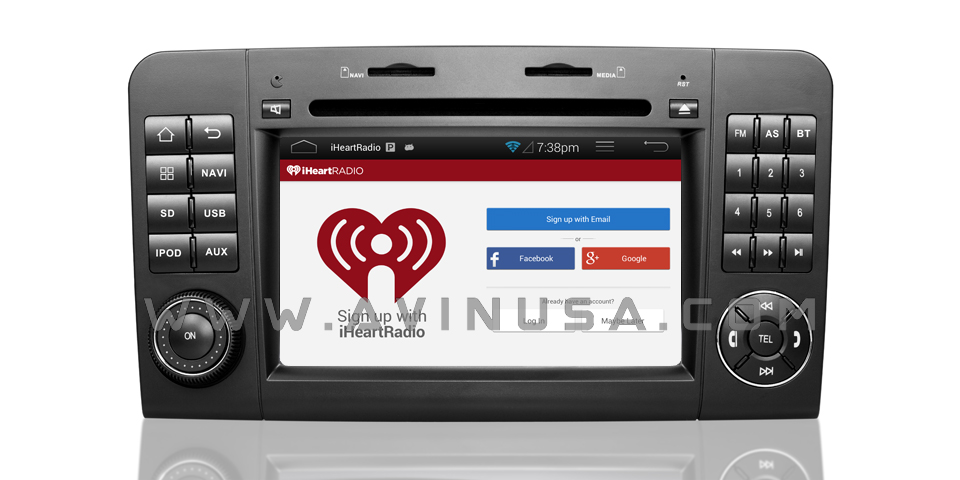
E-Class
https://avinusa.com/mercedes-benz-e-...on-system.html
C-Class
https://avinusa.com/mercedes-benz-c-class-clk-w203.html
C-Class
https://avinusa.com/mercedes-benz-c-...on-system.html
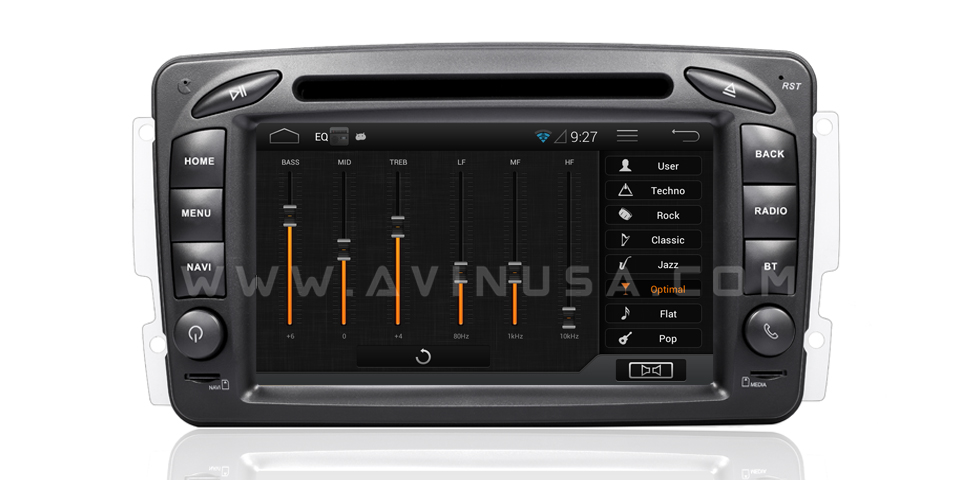
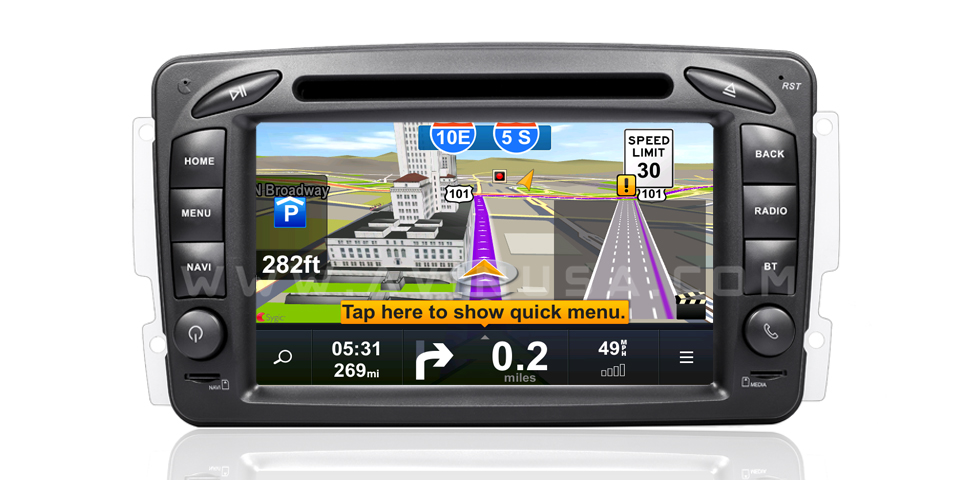
Here are a few YouTube demo videos of the unit.
We have contacted the forum admins about becoming a full supporting sponsor of the forum. We hope this post does not violate any part of the TOS if it does we will happy to take down this post.
Last edited by avinusa.com; Nov 23, 2014 at 11:11 AM.


