When you click on links to various merchants on this site and make a purchase, this can result in this site earning a commission. Affiliate programs and affiliations include, but are not limited to, the eBay Partner Network.
Hi all,
I've always found how to guides on the web useful for the variety of cars i've owned over the years. I couldn't find one for the a207 so I thought i'd write one up!
The reason I wanted to remove it was to run a lightning cable from the USB port in the centre console to the front of the car as discretely as possible.
I thought I could just drill a hole in the console (which i did) not realising that the air vents travel under the compartment!
Step 1 - remove the cup holder bottom rubber lining (it just pulls out).
This will expose a single (star) screw which you undo. You can then pull out the whole unit.
Step 2 - this exposes the two screws with yellow paint on them. Remove these.
Step 3 - Remove the rear vent panels. There is one below the vents which you just pry off. The rear vents themselves then take a little bit of prying to remove. Pull it towards the back of the car.
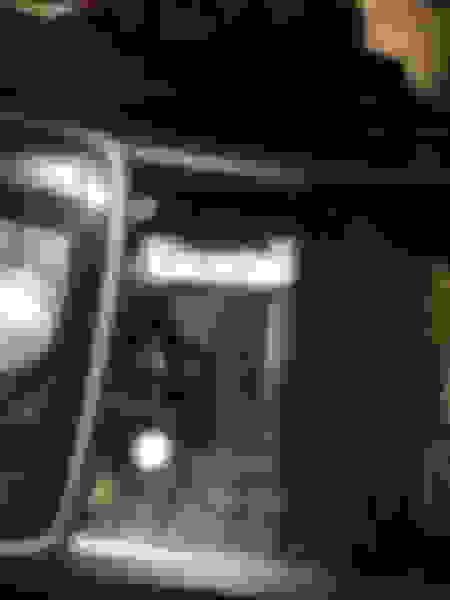
Step 4 - this will expose two more screws (I have taken one off already in the above pic). Removing these will allow you to lift off the top section of the console. The rest of it comes off with a few more bolts from what I could see (near the rear vents) and possibly more up front.
Don't drop the screw down the vent like I did. It took me a while to fish it out with a strong magnet.
I ran the cable from the USB port through to under the cup holders then went down towards the carpet and exited near a join in the interior carpet on the transmission tunnel.
With a 1m cord, it reached my iPhone which is clipped onto the centre airvents.
C207 (2016 Mercedes Benz E400 Coupe) center console arm reset removal
For the C207:
1) Remove ash tray unit (or cup holder, which ever is closer to the MMI knob on the center console ... on my model the ash tray is in this location, but I have seen posts/videos where the cup holder is in this spot). Either way, which ever is in this location, they are held in place by a single torque screw (under the removable ashtray or under rubber lining of the cup holder ... 1st pic in the following blog post shows he cup-holder version, https://mbworld.org/forums/e-class-c...moval-diy.html)
2) Once the ash tray (or cup holder unit) is removed, there are two small torque screws that hold down the front of the center console arm rest unit (2nd pic in above referenced blog post). Remove these screws.
). This video is for a wagon, but its basically the same as with the coupe ... the only difference is that in the coupe you cannot directly access the release clips for the air vent cover unit. In the coupe, when the arm test/storage bin covers are fully open, you need to stick a long skinny screw driver through the small holes in the hinge arm attached to the arm reset cover hinge (one on each side). This is a bit difficult as you cannot see exactly where the release clips are so you need to feed the screw driver through each hold until you feel it go in deep enough, and then push relatively hard to release the clips. Once the two clips have been released, you can pull the air vent cover unit up and out (toward the back of the car).
4) Once the rear air vent cover is removed, there are two torque screws located at the top of the air vents that hold down the back of the center console arm rest cover. Remove these two screws and then the center console arm rest just lifts out (3 pic of blog post referenced in step 1). Be careful not to lift to quickly/hard as there are a couple of wires connected to the MMI knob.
A207 (2014 E550 convertible) rear air nozzle & ash try removal and installation.
I'm new to the forum and found a lot of good info already. Regarding your post about C207 facelift center console removal, very good info but wanted to add some shop manual pdf files I found to make it easier for the Coupe and Convertible.
1 (remove and install rear air nozzle pdf), 2 (removal and install rear ashtray pdf), 3 (MY14 assemble center console pdf).
I'm in the process of installing a Linux based12.3" touch screen and need to run a cable to the center console to plug into the AMI socket so I need to remove the console to do this, its very difficult to find any info on MB, glad I found this forum.
I hop these pdf files helps someone.
Mercedes SLR McLaren 722 S Is Extremely Rare Example Modified by McLaren
Slideshow: A one-of-one U.S.-spec Mercedes-Benz SLR McLaren Roadster became even rarer after a factory-backed transformation at McLaren's headquarters.