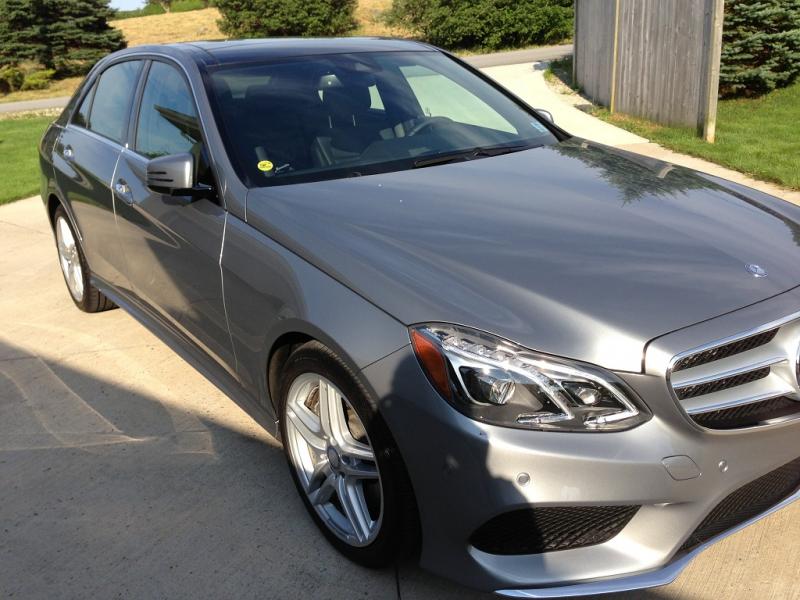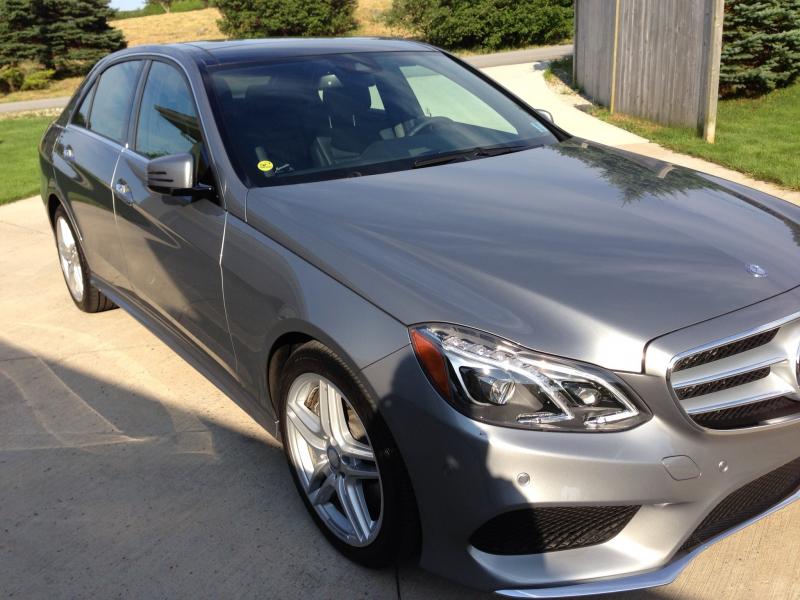


New pics
Thread Starter
Senior Member


Joined: Jul 2010
Posts: 435
Likes: 129
From: nova scotia
2025 e 450
Thread Starter
Senior Member
Joined: Jul 2010
Posts: 435
Likes: 129
From: nova scotia
2025 e 450
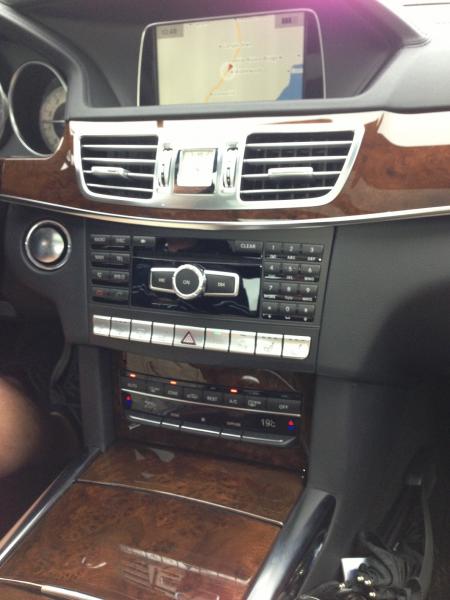
Palladium silver. The car is a dream to drive..great engine and lots of power..seems to handle fantastically...as I've said in other posts this is my 9 th Benz and my favourite...
Trending Topics
MB World Stories
The Best of Mercedes & AMG

8 Oddball Mercedes Ideas That Actually Made it to Production
Verdad Gallardo
Dubai Tuner Gives the Mercedes G-Class An Entirely New Look
Verdad Gallardo
Six Gift Ideas Your AMG Loving Dad or Grad Will Cherish

7 Craziest Things AMG Gas Ever Built
Verdad Gallardo
New Electric Mercedes-AMG GT 4-Door Coupe Unveiled: 10 Things You Need to Know
Verdad Gallardo
6 Mercedes Models That Did NOT Age Well (But Are Somehow Still Cool)
Verdad Gallardo
Manual Mercedes? 6 Times Sindelfingen Let Drivers Have All The Fun
Verdad Gallardo
Mercedes SLR McLaren 722 S Is Extremely Rare Example Modified by McLaren
Verdad Gallardo
8 Classic Boxy Mercedes Designs That Have Aged Like Fine Wine
Verdad Gallardo


MBWorld God!


Joined: Jul 2010
Posts: 31,279
Likes: 3,917
From: on my way
2012 CLS63


MBWorld Fanatic!

Joined: Dec 2011
Posts: 4,397
Likes: 958
W212 FL
There are two ways of already uploaded pics to be re-sent
1-Edit image name and size
2-What I use , a few steps but works well
In your case click on the New Pics this will forward you to the topic that the pics are .Once you are forwarded in the topic , find your pics .These should be in thumbnail form .Left click on the thumbnail image that you wanna upload thus you will be able to see URL code for it . Once the image pops up in your screen , right lock on the popped up image and get the img code
When uploading you will be using this code by Insert Image icon
While typing off this message above, I also poured out the words in image form so that things can be understood easily
My browser is FF last part of the trick may vary depending on your browser
Once I uploaded it but it's too small but I blue marked that http area for you
1-Edit image name and size
2-What I use , a few steps but works well
In your case click on the New Pics this will forward you to the topic that the pics are .Once you are forwarded in the topic , find your pics .These should be in thumbnail form .Left click on the thumbnail image that you wanna upload thus you will be able to see URL code for it . Once the image pops up in your screen , right lock on the popped up image and get the img code
When uploading you will be using this code by Insert Image icon
While typing off this message above, I also poured out the words in image form so that things can be understood easily
My browser is FF last part of the trick may vary depending on your browser
Once I uploaded it but it's too small but I blue marked that http area for you

Thread Starter
Senior Member
Joined: Jul 2010
Posts: 435
Likes: 129
From: nova scotia
2025 e 450
benz v12 when you say click on New PIcs do you mean my photos on my computer or ipad or some other place...please advise re this if you will...thanks
e classy...thanks for your message i have been taking the pics myself with an iphone to show all the car but as you can tell i have been having difficulty uploading them to the mb world threads ..gotta figure that part of it first
Benz v12 I have been trying to send them as an attachment...but get the error message when I try to upload them...
e classy...thanks for your message i have been taking the pics myself with an iphone to show all the car but as you can tell i have been having difficulty uploading them to the mb world threads ..gotta figure that part of it first
Benz v12 I have been trying to send them as an attachment...but get the error message when I try to upload them...

MBWorld Fanatic!
Joined: Jun 2009
Posts: 1,800
Likes: 14
1953 300 Adenauer, 1971 300 SEL 6.3, 1975 600, 1978 450 6.9
Step 1 - ditch the iPhone (or any other phony camera)
Step 2 - sign up for a photo sharing site like Photobucket
Step 3 - use a real computer to upload photos to Photobucket
Step 4 - Create a post here and link to your Photobucket photos
Step 2 - sign up for a photo sharing site like Photobucket
Step 3 - use a real computer to upload photos to Photobucket
Step 4 - Create a post here and link to your Photobucket photos
MBWorld Fanatic!
Joined: Dec 2011
Posts: 4,397
Likes: 958
W212 FL
benz v12 when you say click on New PIcs do you mean my photos on my computer or ipad or some other place...please advise re this if you will...thanks
e classy...thanks for your message i have been taking the pics myself with an iphone to show all the car but as you can tell i have been having difficulty uploading them to the mb world threads ..gotta figure that part of it first
Benz v12 I have been trying to send them as an attachment...but get the error message when I try to upload them...
e classy...thanks for your message i have been taking the pics myself with an iphone to show all the car but as you can tell i have been having difficulty uploading them to the mb world threads ..gotta figure that part of it first
Benz v12 I have been trying to send them as an attachment...but get the error message when I try to upload them...

Attachment is the right path it should not throw any problem . I do use my phone's images they are 3 MB roughly but when uploading them I resize them as 1024 x 768 and upload them thru Manage Attachment sub menu
Otherwise these images won't upload

Thread Starter
Senior Member
Joined: Jul 2010
Posts: 435
Likes: 129
From: nova scotia
2025 e 450

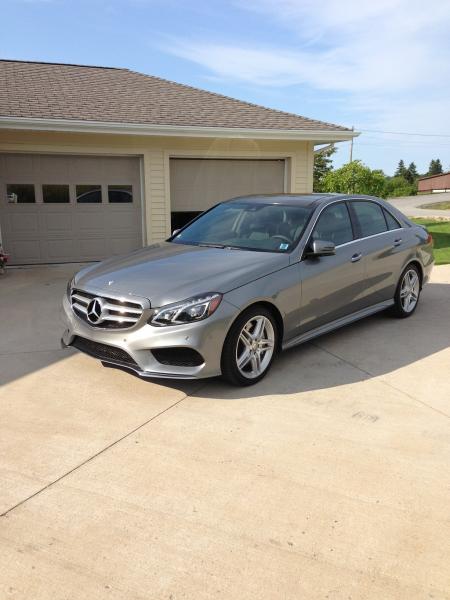
 ...here is the last one...i have to fine tune this posting of pictures but i did it today from my computer and not the ipad and resized them...hopefully they are not too boring for you all