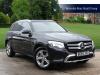


SMS/TEXT capabilities on GLC300

Thread Starter
Junior Member
Joined: Jan 2017
Posts: 16
Likes: 4
GLC300 4 Matic
SMS/TEXT capabilities on GLC300
Hi Guys a quick question on SMS messaging. I have GLC300 4 matic with package 1. I have tried an iPhone 6&7 to get SMS capabilities but the mail icon stays grayed out (cannot select it). All other functions on the phone are working fine. I thought it maybe carrier dependent but I have tried it over 2 different carriers / networks.
Does anyone have similar experiences? Is it a setting that's off on the phone or car or is this ability nylon avail with another option on the car?
I'm thinking if it does work then any message that arrives will pop up on the screen.
Thanks for your help.
Does anyone have similar experiences? Is it a setting that's off on the phone or car or is this ability nylon avail with another option on the car?
I'm thinking if it does work then any message that arrives will pop up on the screen.
Thanks for your help.

MBWorld Fanatic!


Joined: Apr 2016
Posts: 1,131
Likes: 194
From: Ireland
GLC 300d 4matic
Not really sure what your question is. ..and probably couldn't answer it anyway!
Mine displays text message after much tapping and twisting. Easier option would be to pull over and check the phone. ...much as with most phone functions.
Probably just me! !
Mine displays text message after much tapping and twisting. Easier option would be to pull over and check the phone. ...much as with most phone functions.
Probably just me! !
Thread Starter
Junior Member
Joined: Jan 2017
Posts: 16
Likes: 4
GLC300 4 Matic
Thanks for the input decorily... hopefully I can clear it up ... I can't or do not get any any messages on my screen when someone sends a text. It comes up on my phone but not on the car screen . As you mention it maybe something to do with the setting on the phone but think I have checked everything ...so when I say the 'mail/envelope' icon is grayed out, it tends to suggest it's not on or functioning.
Thanks
Thanks
Senior Member


Joined: Nov 2007
Posts: 433
Likes: 65
From: Delray Beach, Fl
GLC SUV 350e Verde Silver Metallic
Think he means on the bluetooth settings. On my android phone there is a star next to the found bluetooth connection. If you click that star you have a number of choices one of which would be text.
On my 2104 E250 you can only access the full text message at a full stop. Other wise you can just see the first few words. Can't comment on my 2017 GLC it's still on order.
On my 2104 E250 you can only access the full text message at a full stop. Other wise you can just see the first few words. Can't comment on my 2017 GLC it's still on order.
Trending Topics
MBWorld Fanatic!
Joined: Apr 2016
Posts: 1,131
Likes: 194
From: Ireland
GLC 300d 4matic
Think he means on the bluetooth settings. On my android phone there is a star next to the found bluetooth connection. If you click that star you have a number of choices one of which would be text.
On my 2104 E250 you can only access the full text message at a full stop. Other wise you can just see the first few words. Can't comment on my 2017 GLC it's still on order.
On my 2104 E250 you can only access the full text message at a full stop. Other wise you can just see the first few words. Can't comment on my 2017 GLC it's still on order.
MB World Stories
The Best of Mercedes & AMG

New Mercedes-AMG SUVs Arrive With NEW V8 Engine: 12 Things You Need to Know
Verdad Gallardo
8 Oddball Mercedes Ideas That Actually Made it to Production
Verdad Gallardo
Dubai Tuner Gives the Mercedes G-Class An Entirely New Look
Verdad Gallardo
Six Gift Ideas Your AMG Loving Dad or Grad Will Cherish

7 Craziest Things AMG Gas Ever Built
Verdad Gallardo
New Electric Mercedes-AMG GT 4-Door Coupe Unveiled: 10 Things You Need to Know
Verdad Gallardo
6 Mercedes Models That Did NOT Age Well (But Are Somehow Still Cool)
Verdad Gallardo
Manual Mercedes? 6 Times Sindelfingen Let Drivers Have All The Fun
Verdad Gallardo
Mercedes SLR McLaren 722 S Is Extremely Rare Example Modified by McLaren
Verdad Gallardo
Junior Member
Joined: Jun 2016
Posts: 52
Likes: 2
2002 MB C230
When you synch your phone to COMAND, you will be able to RECEIVE text messages. However, the system does not permit you to REPLY.
And as far as I know you can neither send nor receive EMAIL messages.
A couple of the many reasons why the COMAND system is very sucky.
And as far as I know you can neither send nor receive EMAIL messages.
A couple of the many reasons why the COMAND system is very sucky.

MBWorld Fanatic!
Joined: Nov 2012
Posts: 6,130
Likes: 1,117
A gaggle of MB's
cut and paste from forum search...
"You can only receive text on the Command Centre. You have to go into the Settings, Bluetooth "MB Bluetooth" click on the Info icon & make sure "Show Notification" is set to "on", now disconnect to bluetooth & then reconnect the iPhone. Now you should hear bong when you receive a text message & also get an envelope at top of the Command Centre to indicate you have a received a message."
"You can only receive text on the Command Centre. You have to go into the Settings, Bluetooth "MB Bluetooth" click on the Info icon & make sure "Show Notification" is set to "on", now disconnect to bluetooth & then reconnect the iPhone. Now you should hear bong when you receive a text message & also get an envelope at top of the Command Centre to indicate you have a received a message."

Thread Starter
Junior Member
Joined: Jan 2017
Posts: 16
Likes: 4
GLC300 4 Matic
Hi Festgiven, there's a setting on your mobile that has to be turned on for it work on the car.
Once connected through Bluetooth go into conn cation setting and hit the 'i' (information) button and then you should see another list of options , from there time on 'show notifications'. Once this is done then everything should work ok.
Once connected through Bluetooth go into conn cation setting and hit the 'i' (information) button and then you should see another list of options , from there time on 'show notifications'. Once this is done then everything should work ok.