When you click on links to various merchants on this site and make a purchase, this can result in this site earning a commission. Affiliate programs and affiliations include, but are not limited to, the eBay Partner Network.
Long time lurker. Loving my GLE53 - nice upgrade from the 43. Having one recurring "issue" that the dealer tells me is normal. I hear an intermittent ding or chime that sounds connectivity-related or like something is powering on. Of course every time I try to record it, it doesn't make the sound. I've tried just about every variation of settings I can think of to figure out what is causing it-- turned off the vehicle's WiFi, NFC, Bluetooth, I've tried it with my iPhone plugged into CarPlay vs. not plugged into CarPlay. I have even heard this noise with the car OFF but after having just opened one of the doors. No, it is not a door open chime, seatbelt chime, or parking sensor alert. I have even reset the system to factory settings to see if that would help. On some drives I hear it every few minutes, some drives I won't hear it at all, and other drives I will hear it once or twice. There is no rhyme or reason to it as best I can tell. My dealer tells me it is normal and means the system is "connected." Hard to believe. I just drove a brand new one and did not hear the sound once. I would appreciate any input.
I do not have my GLE53 yet, however I am curious as to the cause. Are you able to setup a gopro or something while driving in the off-chance you can record the sound? This may help the dealership better understand the issue too.
I had a Porsche that would chime whenever I received a text or email on my phone. I also find that the blue tooth on our GLE has a super long range. I was in the food store and my wife was in the car and it kept connecting.
Long time lurker. Loving my GLE53 - nice upgrade from the 43. Having one recurring "issue" that the dealer tells me is normal. I hear an intermittent ding or chime that sounds connectivity-related or like something is powering on. Of course every time I try to record it, it doesn't make the sound. I've tried just about every variation of settings I can think of to figure out what is causing it-- turned off the vehicle's WiFi, NFC, Bluetooth, I've tried it with my iPhone plugged into CarPlay vs. not plugged into CarPlay. I have even heard this noise with the car OFF but after having just opened one of the doors. No, it is not a door open chime, seatbelt chime, or parking sensor alert. I have even reset the system to factory settings to see if that would help. On some drives I hear it every few minutes, some drives I won't hear it at all, and other drives I will hear it once or twice. There is no rhyme or reason to it as best I can tell. My dealer tells me it is normal and means the system is "connected." Hard to believe. I just drove a brand new one and did not hear the sound once. I would appreciate any input.
Thanks in advance!
Is it a double deep with a different tone? Like a quick "beep-boop" sound, high-then-low pitch?
So I just noticed this in my GLE 350 today and it did like a quick 2 beep like something connected. I noticed it after I took out the rubber charging mat where the wireless charging pad is. Try to reposition that in the tray area and see if that helps. Maybe that rubber mat connects to the car or something?
It’s just your blindspot warning system ... you missed the warning light when the sound goes off
same for opening the door, warning for upcoming traffic/bikes when opening door
It could be a few things:
Notification - Check the top right corner of the MBUX to see if there is a * on the hamburger menu. That indicates there is a notification.
Phone is wirelessly charging? I remember seeing that notification on my car, but I don't remember for sure if there is sound with it or not.
The wireless charging path location is also a NFC tag (not sure if it is transmitter or receiver or both, and not sure if it is model dependent). Maybe something triggering it?
It’s just your blindspot warning system ... you missed the warning light when the sound goes off
same for opening the door, warning for upcoming traffic/bikes when opening door
This is a double tone same pitch beeps, along with blinking blind-spot LED on the mirrors on the respective side where the hazard is detected. When my kids ran out (inside the garage of course) right after I switched off the engine, they triggered this. I typically stayed another minute or two inside, tinkering with stuff lol.
Is it a double deep with a different tone? Like a quick "beep-boop" sound, high-then-low pitch?
I believe so. I'll listen more closely next time. I am almost certain it is a double beep, and the "beep boop" sound seems like an accurate description.
Thanks to everyone for the responses. It is not the blindspot monitor, it is not a notification, and I don't use the wireless charging. I will try to reposition the charging mat to see if that has anything to do with it. Regarding NFC, I was wondering if that had anything to do with it. I have turned NFC off in the settings but it did not stop the beeping.
Mine did it a few times too, and again today as well. It almost sounds like the text notification noise but for some reason the iPhone 12 Pro Max does not support text messaging in the GLE. It is not the blind spot or parking sensors (I know what those sound like).
Update: so the mystery beep did it 4 times during my 10 minute drive. Wasn’t the notifications or any of the safety tech. It sounded like the text beep but there was nothing. I remembered When I had a GLE 350 as a loaner last year it did the same thing and they said it was a software update glitch. My guess is that it happened again and the next update should fix it.
Last edited by makris0000; Mar 3, 2021 at 06:56 PM.
I just drove for about 10-15 minutes and heard the mystery beep 4 times. I tried repositioning the charging mat and that had no effect. I would not be surprised if this is some sort of software bug/glitch, like makris mentioned above. In that case, how often does MB update the software? Are the updates over the air? Will I get a notification that a software update is available? Fingers crossed that will happen soon and solve the issue, because this is starting to drive me crazy...
Mine did the beep-boop for about a month and a half (very sporadic, sometimes during driving, sometimes after turning the engine off), but it stopped doing it about early February (had the car a week before Christmas).
Mine did the beep-boop for about a month and a half (very sporadic, sometimes during driving, sometimes after turning the engine off), but it stopped doing it about early February (had the car a week before Christmas).
Interesting. Can you pinpoint any settings or otherwise that changed in early Feb?
Interesting. Can you pinpoint any settings or otherwise that changed in early Feb?
I think that's when I messed with enabling syncing Mercedes Me Connect profiles. I finally saved my profile online and synced it with the car during that time. Huh. That could be it.
I think that's when I messed with enabling syncing Mercedes Me Connect profiles. I finally saved my profile online and synced it with the car during that time. Huh. That could be it.
Could be... Can you describe how you enabled that? Through the app?
The iOS app I activated within a day of delivery back in December.
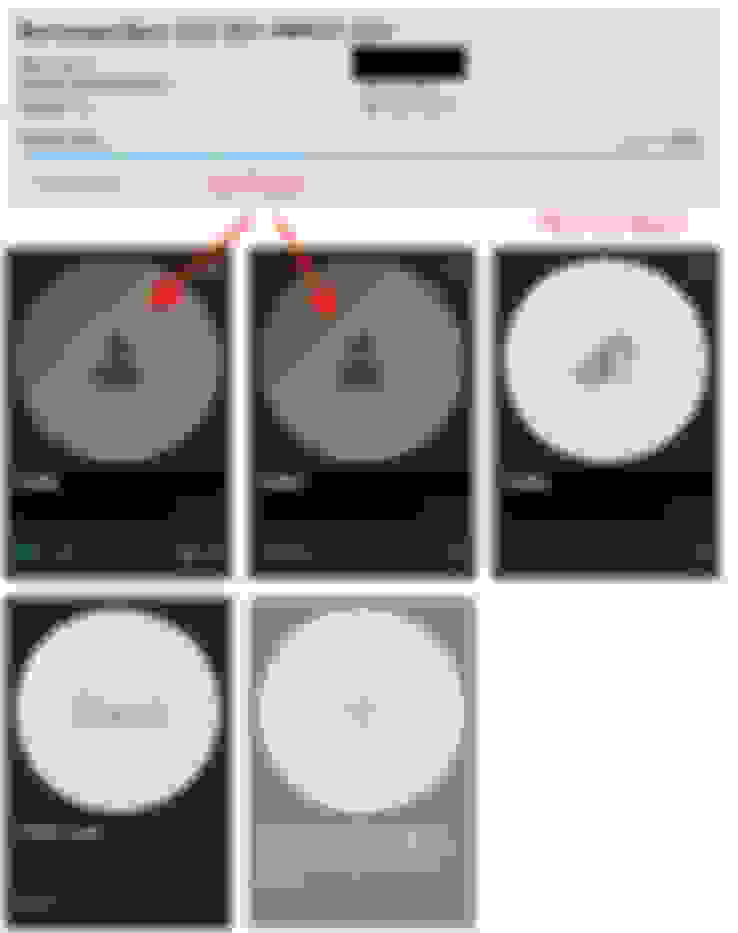
In Feb, what I did was going online (from the web vs. the app) down the rabbit hole to the Mercedes Me Connect portal (URL: https://www.me.mercedes-benz.com/pas...y-vehicle.html), and added the vehicle there (which eventually synced with the app). Then I "linked" the profile in the car to my login:
^^ that Manage driver profile
Then I linked mine and my wife's, but not my dad's:
Then go out and drive the car a little bit for it to sync over the air. The MBUX screen will show that it has been synced (under Home -> Profile on the top left corner).
Awesome, thanks for the detailed info. I updated my Mercedes Me app and successfully synced my profile. I went for about a 20-30 minute drive and did not hear the beep once. When I got home, I shut the car off and then a few minutes later went back out to move it. Immediately after I started it up, it beeped, but at that time it had not yet "connected" to my phone or profile. This shuttered my confidence a bit, seeing as I had not heard it at all during the drive, but I am hoping this is really the fix and it only beeped because it had not yet connected. We will see...
The iOS app I activated within a day of delivery back in December.
In Feb, what I did was going online (from the web vs. the app) down the rabbit hole to the Mercedes Me Connect portal (URL: https://www.me.mercedes-benz.com/pas...y-vehicle.html), and added the vehicle there (which eventually synced with the app). Then I "linked" the profile in the car to my login:
^^ that Manage driver profile
Then I linked mine and my wife's, but not my dad's:
Then go out and drive the car a little bit for it to sync over the air. The MBUX screen will show that it has been synced (under Home -> Profile on the top left corner).
The website you posted, was it all in German? When I click on it it's all in German.
Nope, English for me. Though I'm pretty sure it's British English due to some spelling differences. You may want to try from mbusa.com, then top right go to My Account, but choose the left side "Mercedes Me Connect > ", instead of clicking my URL.
The iOS app I activated within a day of delivery back in December.
In Feb, what I did was going online (from the web vs. the app) down the rabbit hole to the Mercedes Me Connect portal (URL: https://www.me.mercedes-benz.com/pas...y-vehicle.html), and added the vehicle there (which eventually synced with the app). Then I "linked" the profile in the car to my login:
^^ that Manage driver profile
Then I linked mine and my wife's, but not my dad's:
Then go out and drive the car a little bit for it to sync over the air. The MBUX screen will show that it has been synced (under Home -> Profile on the top left corner).
I just want to thank you for this. After over a year of wondering what this mystery bliblip was, this fixed it for me. My profile did not match my MercedesMe profile in the car. I think my salesperson set a profile for me upon delivery but it was not the same profile that I set up through the MercedesMe website and the app. When I switched to the profile that matched MercedesMe (with my same email address), it seems that the blips are no longer. I did have to redo my seat memory and lighting settings, but no more mystery blips. Thank you.
Mercedes SLR McLaren 722 S Is Extremely Rare Example Modified by McLaren
Slideshow: A one-of-one U.S.-spec Mercedes-Benz SLR McLaren Roadster became even rarer after a factory-backed transformation at McLaren's headquarters.





 Mystery Noise