






W166 Engineering menu findings

Thread Starter
Member
Joined: Oct 2012
Posts: 124
Likes: 2
2013 ML
W166 Engineering menu findings
Ok listing everything I found digging in the engineering menu:
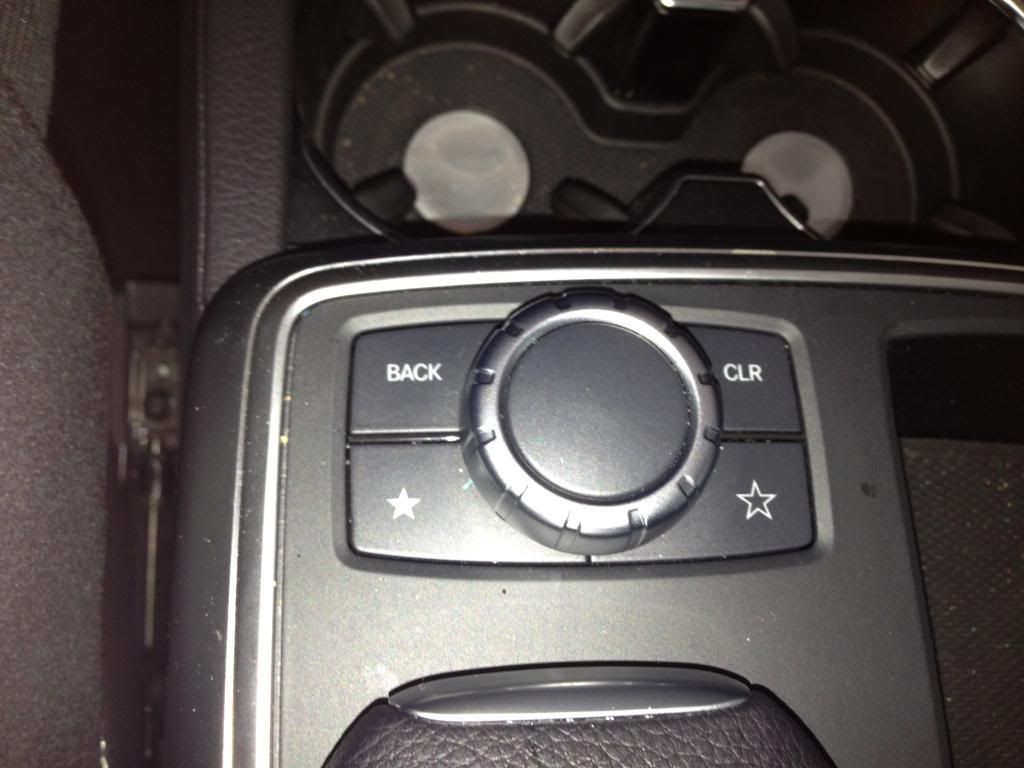
The engineering menu is controlled by comand central controller
up,down- to navigate, back to go back, pressing on the controller gets you in the next screen.
1. To access engineering menu hold 3 buttons for 10 seconds: END CALL, #, 1
2.The engineering menu main screen looks like this

2. Go to HW Settings:

3.Go to HU Parameter

There are about 100 parameters there, here are ones I found useful:
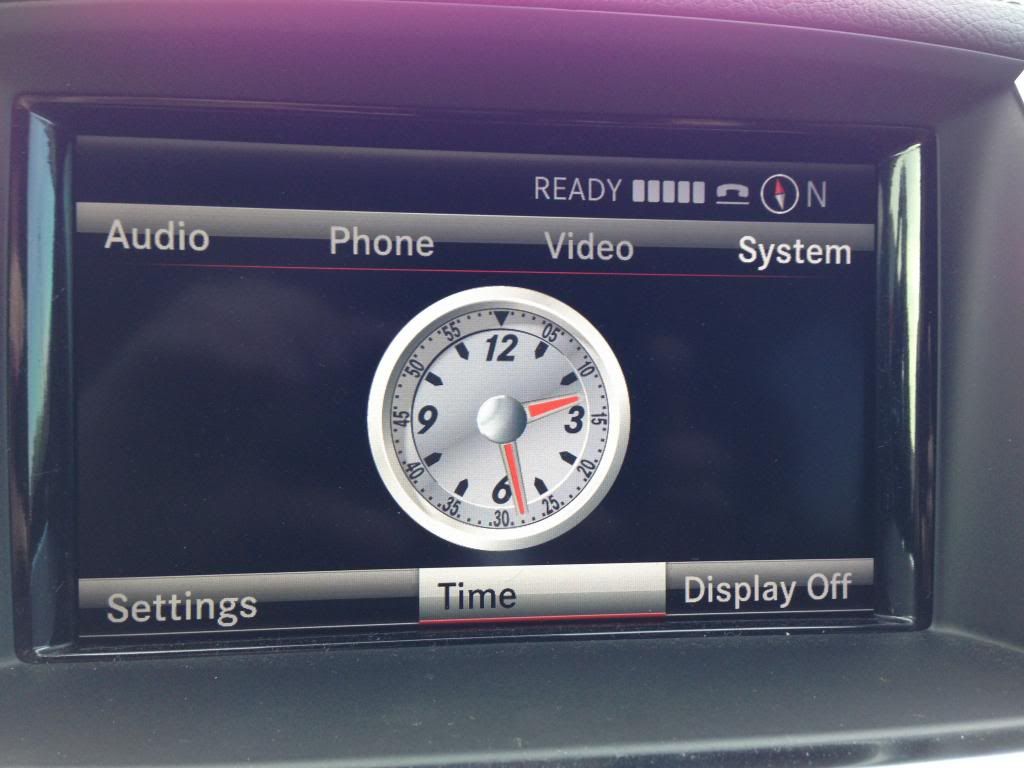
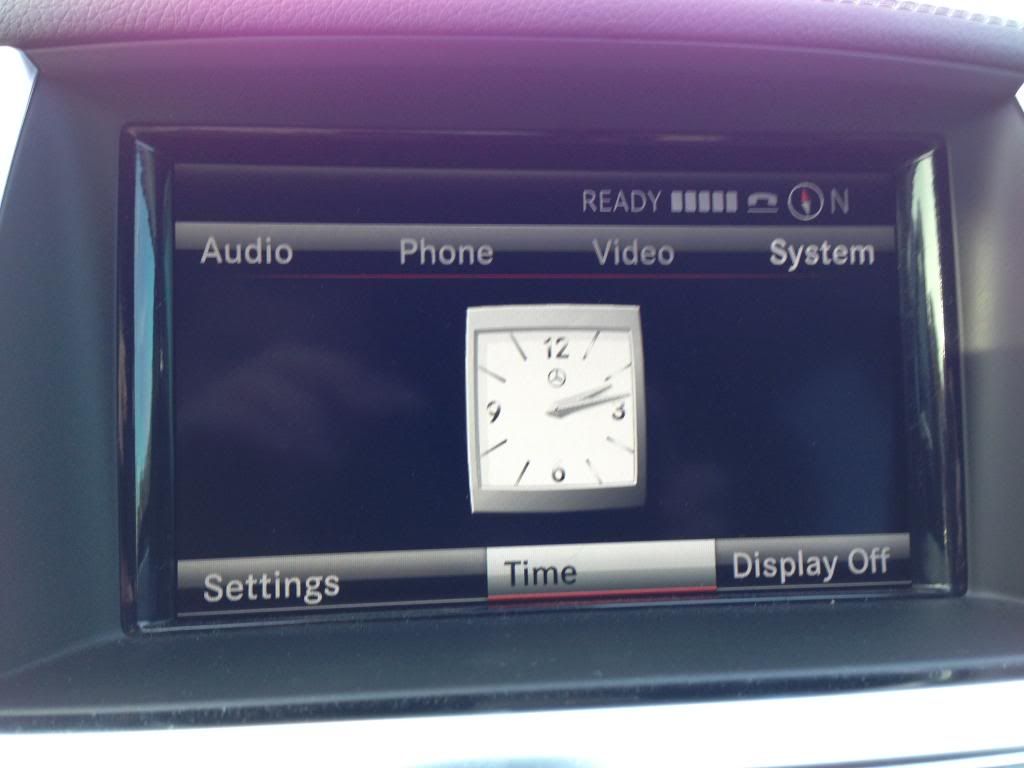
3A: Clock-3 different types of clocks you have to choose from:
the one that you have now and the 2 below. The s-class is best one IMO(type 3). Click on #46, click type 1,2 or 3, then click back button.

4. Rearview Camera:
If your ML didnt come with rear-camera you can retrofit one by first enabling it here #22, secondly wiring it to the back of Command unit:

#4, you need FAKRA RCA Cables to make it work(they plug in the back of command 4.5 unit. If anyone knows where I can buy some please post it here, Midcity sells one but its not good-the connector is Chinese and dont plug in the command 4.5-also they charge like 40$ which is insane.
5.Hybrid status:
You can have thes pointless but cool looking things displayed on your command by enabling this #39:

Then you will have these two screens:
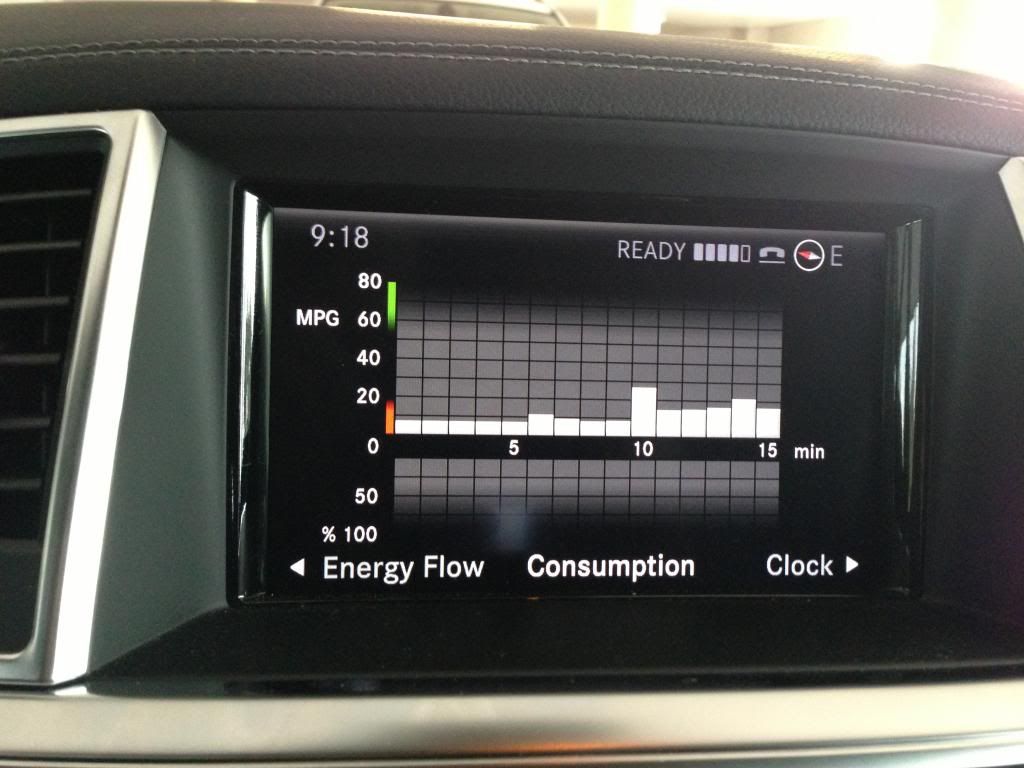
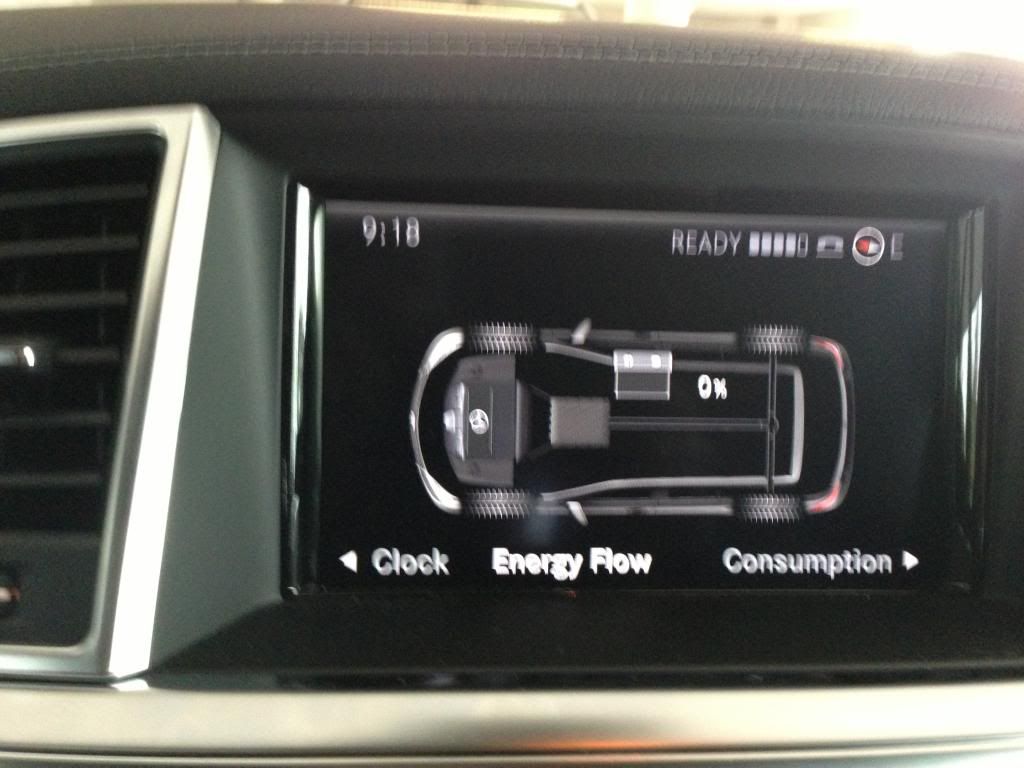
6. Compass:
in HU Parameter #41:
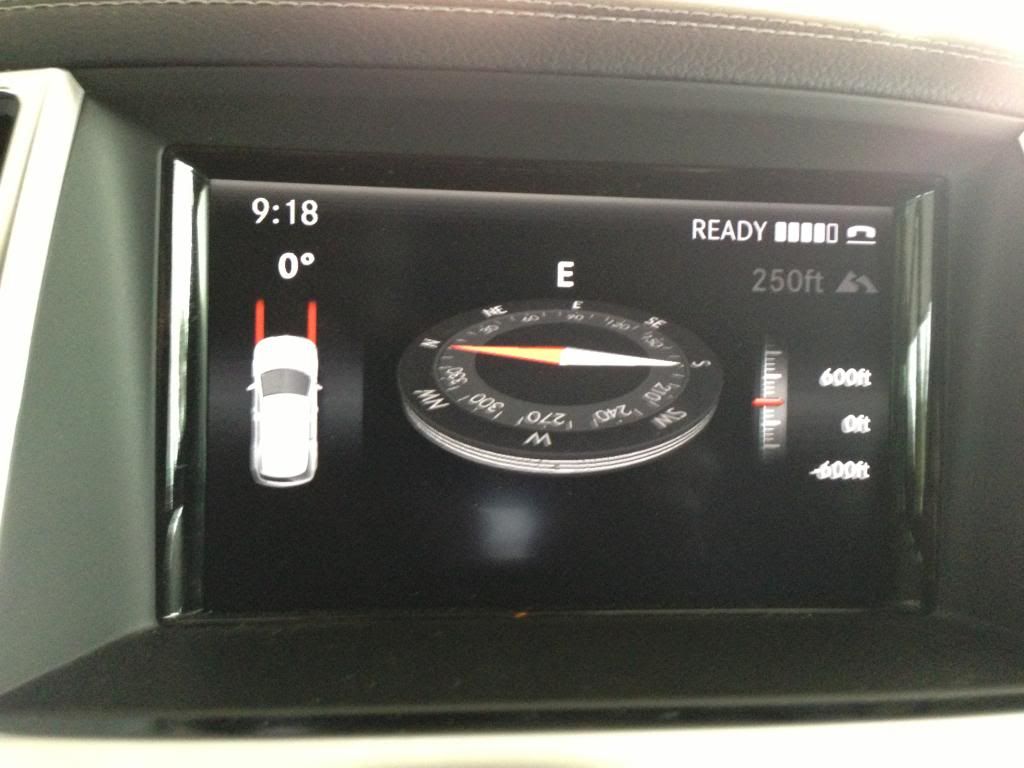
IMPORTANT: To get out of engineering menu you have to go all the way back to first screen (2) go all the way down and click on END. Also the settings dont change right away, you have to drive for like 5 minutes, shut off the car and then they will change once you restart.

Be very carefull in the engineering menu, you dont wanna screw cars parameters.
Also you can enable internet browsing via your phone if you have Comand Online 4.5. Idk how to do this because I dont have navigation on my command(still figuring out how to get the navi-hardrive retrofitted) All I know I tried with my iphone and it didnt work.I think you need a phone with the DUN Bluetooth access profile.(BLACKBERRY) Iphones dont support Dun.
If anyone finds other stuff, please post it here!
The engineering menu is controlled by comand central controller
up,down- to navigate, back to go back, pressing on the controller gets you in the next screen.
1. To access engineering menu hold 3 buttons for 10 seconds: END CALL, #, 1
2.The engineering menu main screen looks like this
2. Go to HW Settings:
3.Go to HU Parameter
There are about 100 parameters there, here are ones I found useful:
3A: Clock-3 different types of clocks you have to choose from:
the one that you have now and the 2 below. The s-class is best one IMO(type 3). Click on #46, click type 1,2 or 3, then click back button.
4. Rearview Camera:
If your ML didnt come with rear-camera you can retrofit one by first enabling it here #22, secondly wiring it to the back of Command unit:
#4, you need FAKRA RCA Cables to make it work(they plug in the back of command 4.5 unit. If anyone knows where I can buy some please post it here, Midcity sells one but its not good-the connector is Chinese and dont plug in the command 4.5-also they charge like 40$ which is insane.
5.Hybrid status:
You can have thes pointless but cool looking things displayed on your command by enabling this #39:
Then you will have these two screens:
6. Compass:
in HU Parameter #41:
IMPORTANT: To get out of engineering menu you have to go all the way back to first screen (2) go all the way down and click on END. Also the settings dont change right away, you have to drive for like 5 minutes, shut off the car and then they will change once you restart.
Be very carefull in the engineering menu, you dont wanna screw cars parameters.
Also you can enable internet browsing via your phone if you have Comand Online 4.5. Idk how to do this because I dont have navigation on my command(still figuring out how to get the navi-hardrive retrofitted) All I know I tried with my iphone and it didnt work.I think you need a phone with the DUN Bluetooth access profile.(BLACKBERRY) Iphones dont support Dun.
If anyone finds other stuff, please post it here!
Last edited by stas2007; Dec 20, 2012 at 03:50 PM.

MBWorld Fanatic!


Joined: Jul 2003
Posts: 6,783
Likes: 1,274
From: Lake Oswego, OR
2020 GLE 450; 2023 BMW M2 Coupe

Member
Joined: Oct 2012
Posts: 141
Likes: 3
From: Land of OZ- Mornington Peninsula
ML350 BT soon......pleeeease. GOT IT NOW....Wooooo
Trending Topics
MB World Stories
The Best of Mercedes & AMG

8 Oddball Mercedes Ideas That Actually Made it to Production
Verdad Gallardo
Dubai Tuner Gives the Mercedes G-Class An Entirely New Look
Verdad Gallardo
Six Gift Ideas Your AMG Loving Dad or Grad Will Cherish

7 Craziest Things AMG Gas Ever Built
Verdad Gallardo
New Electric Mercedes-AMG GT 4-Door Coupe Unveiled: 10 Things You Need to Know
Verdad Gallardo
6 Mercedes Models That Did NOT Age Well (But Are Somehow Still Cool)
Verdad Gallardo
Manual Mercedes? 6 Times Sindelfingen Let Drivers Have All The Fun
Verdad Gallardo
Mercedes SLR McLaren 722 S Is Extremely Rare Example Modified by McLaren
Verdad Gallardo
8 Classic Boxy Mercedes Designs That Have Aged Like Fine Wine
Verdad Gallardo
Senior Member


Joined: Mar 2007
Posts: 416
Likes: 1
From: NS, Canada
2023 E53 AMG, 2024 EQE AMG SUV


Member
Joined: Nov 2012
Posts: 103
Likes: 0
From: SoCal
2013 ML550 Paladium Silver/Brown Satin Ash
Which are:
To access engineering menu hold these three buttons simultaneously for 10 seconds:
END CALL, #, 1
It really take two hands. On the console below the screen, the left hand presses the End Call button on the lower left side of the console, while the right presses the pound and one key on the keypad.
Hold them all down until you see the screen change to the Engineering screen.
Member
Joined: Nov 2012
Posts: 103
Likes: 0
From: SoCal
2013 ML550 Paladium Silver/Brown Satin Ash

MBWorld Fanatic!

Joined: May 2017
Posts: 1,234
Likes: 155
From: Montreal/Cape Coral FL
2012 X6 35i Sport, 2013 ML 350 BT, 2019 4Runner TRD Pro, 2020 CRV-AWD
What do you mean they won't take?
If you mean that the changes aren't saved, you need to make the changes you want, drive the truck for +/- 5 minutes, then shut the engine off. The changes supposedly take effect once you restart, according to the OP
If you mean that the changes aren't saved, you need to make the changes you want, drive the truck for +/- 5 minutes, then shut the engine off. The changes supposedly take effect once you restart, according to the OP

MBWorld Fanatic!
Joined: Dec 2007
Posts: 3,056
Likes: 47
From: Orlando, Florida
E350 Sport/ML350RWD
I figured it out. The quick way for the changes to take effect is to press and hold the "ON" button for 8-10 seconds. The Command Unit will reboot similar to a PC or iPhone. This was much easier than waiting 5 minutes.

Newbie
Joined: May 2019
Posts: 2
Likes: 0
Mercedes-Benz GL 350
 GL 350 Engineering Menu help
Hi Everyone. I have a 2016 GL 350 (X166) and once I was coming from a long road and when I stopped, suddenly the whole dashboard went black and then restarted.
Since then I have NO Navigation (it says that the Command version doesn`t correspond to the current Map versions), the Playing music over Bluetooth has disappeared, Internet Browser disappeared and the Phone Volume is just so low, that sometimes I cannot hear anything.
Now, I tried Engineering menu and actually managed to turn back the Playing music over Bluetooth, but didn`t find the Internet Browser and the Phone Volume. Can somebody guide me to find it?
Second topic : the Navigation. When I try to access it, it says the error message above. BUT if the engine is off, key is in position one and I activate Navigation through voice guidance, it displays the map and I can use it, but then it freezes.
I have called my Mercedes dealer, but they want around 300 euros for the map update, but I`m not sure that is the solution.
Many thanks for your help in advance.
Since then I have NO Navigation (it says that the Command version doesn`t correspond to the current Map versions), the Playing music over Bluetooth has disappeared, Internet Browser disappeared and the Phone Volume is just so low, that sometimes I cannot hear anything.
Now, I tried Engineering menu and actually managed to turn back the Playing music over Bluetooth, but didn`t find the Internet Browser and the Phone Volume. Can somebody guide me to find it?
Second topic : the Navigation. When I try to access it, it says the error message above. BUT if the engine is off, key is in position one and I activate Navigation through voice guidance, it displays the map and I can use it, but then it freezes.
I have called my Mercedes dealer, but they want around 300 euros for the map update, but I`m not sure that is the solution.
Many thanks for your help in advance.


