



**HIDDEN: Compass and Side-View Cameras

MBWorld Fanatic!
Joined: Aug 2003
Posts: 5,517
Likes: 20
From: Las Vegas, NV
2011 E350 Cabriolet..White and Almond Mocha

Newbie
Joined: Apr 2009
Posts: 1
Likes: 0
C350
how do I update my comand to the latest version
I got into the settings menu and go to 7-7 but there is no 7.10 it only goes to 7.8. I have an 08 C350. I purchased it early in 08. What do I ask the service guys at the dealership?
MBWorld Fanatic!
Joined: Aug 2003
Posts: 5,517
Likes: 20
From: Las Vegas, NV
2011 E350 Cabriolet..White and Almond Mocha
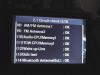
The heading should indicate 1/2 on top of the first screen. Scroll down to the 7-7 entry and click the COMAND control dial one click "down" and it should open up page 2.
MBWorld Fanatic!
Joined: Feb 2004
Posts: 3,986
Likes: 6
From: SEATTLE WASHINGTON USA
'08 C300 Lux Barolo Red Beige Leather P2 MM 18" wheels '84 944
MBWorld Fanatic!
Joined: Jul 2007
Posts: 1,904
Likes: 29
S350 BT 4MATIC
To find the COMPASS Option, take a look at the first post in this discussion thread, which has pics, then go into the NAV options on Destination or Position (I am not in front of it so I kinda don't remember the name), and you should see COMPASS at the bottom of the options. Select that and you should see it.
MBWorld Fanatic!
Joined: Jul 2007
Posts: 1,904
Likes: 29
S350 BT 4MATIC
OBTW, on my updated Comand Software, the MusicServer Ripping and Copy options are gone! Here are before and after shots.
Before shows the two screens related to the musicserver ripping and copy options, the after shows them GONE
Before shows the two screens related to the musicserver ripping and copy options, the after shows them GONE
Last edited by Nuru; May 2, 2009 at 02:04 PM.

Member
Joined: Mar 2008
Posts: 157
Likes: 2
From: Houston
C350
Mine still shows rip or copy, your last picture if you page down you should see rip or copy.
MB World Stories
The Best of Mercedes & AMG

6 Mercedes Models That Did NOT Age Well (But Are Somehow Still Cool)
Verdad Gallardo
Manual Mercedes? 6 Times Sindelfingen Let Drivers Have All The Fun
Verdad Gallardo
Mercedes SLR McLaren 722 S Is Extremely Rare Example Modified by McLaren
Verdad Gallardo
8 Classic Boxy Mercedes Designs That Have Aged Like Fine Wine
Verdad Gallardo
Flawlessly Restored Mercedes 190E Evo II Heads to Auction
Verdad Gallardo
Electric Mercedes C-Class Unveiled: 11 Things You Need to Know
Verdad Gallardo
Mercedes EQS Gets A Major Update: Everything You Need to Know
Verdad Gallardo
5 Underrated Mercedes-Benz Models That Don't Get the Love They Deserve
Verdad Gallardo
Mercedes 300D Has Pushed Well Past 1 Million Miles and It Ain't Stopping
Verdad Gallardo
MBWorld Fanatic!
Joined: Jul 2007
Posts: 1,904
Likes: 29
S350 BT 4MATIC
I put up the wrong picture actually, take a look at the 3rd pic now. And I have added the screen 2 pic also.
Your apparently lucky if you updated and it still shows both ripping and Copy. I thought i would at least keep ripping?
Last edited by Nuru; May 2, 2009 at 02:11 PM.


Member
Joined: Sep 2008
Posts: 157
Likes: 0
From: Romania
Audi A4 1.9 TDI 2002, MB C200 CDI 2004, MB C220 CDI 2009
1. Ripping is making mp3's from audio disks and copying them to hard disk.
2. Copying is about direct copying of mp3's from other media (mp3 CD, memory stick, CF card) to hard disk.
No burning capabilities.
2. Copying is about direct copying of mp3's from other media (mp3 CD, memory stick, CF card) to hard disk.
No burning capabilities.

MBWorld Fanatic!
Joined: Mar 2009
Posts: 3,135
Likes: 272
From: Sweden
S213
Thanks for that,
So this feature isnt activated by default?
And will these settings dissapear with the latest HU software?
MBWorld Fanatic!
Joined: Jul 2007
Posts: 1,904
Likes: 29
S350 BT 4MATIC
Hmm, so one local tech is not telling the truth when he said he could copy CDs and DVDs and that he burned them too - i was suspicious about whether or not the Comand could do that. That is why in my response, I indicated generally what it meant.
MBWorld Fanatic!
Joined: Jul 2007
Posts: 1,904
Likes: 29
S350 BT 4MATIC
 i sent you a direct email - take a look.

Senior Member
Joined: Jul 2008
Posts: 393
Likes: 29
From: Boston, Massachusetts
2014 Mercedes-Benz E350 4Matic Sport
I was checking the new BMW 7 series at my dealer (Herb Chambers own both Mercedes and BMW dealers, among many otheres) and it has this feature of the side cameras. The cameras are located on the fron fenders in front of the wheels. The screen is split vertically and each side shows that camera. I guess this is only usefull when going out of tight spaces to make sure no pedestrian or car is comming. I would say this is more a show-off feature than it is practical. I wonder why that option is even there on our COMAND. As someone said, maybe it is the same software they use in other higher end models.
Do you mean Herb Chambers as in Foreign Motors West of Natick?

Junior Member
Joined: Oct 2008
Posts: 61
Likes: 0
C
For what it's worth, if you have the APS 50 (Audio 20 with a limited GPS added on, not available in US), then the standard view when selecting the navigation function is a compass much like the one shown in this thread. Doesn't have the altimeter though.
What exactly do you see when you select navigation on a COMAND without entering a destination?
What exactly do you see when you select navigation on a COMAND without entering a destination?


Junior Member
Joined: Aug 2009
Posts: 25
Likes: 0
From: Netherlands
Mercedes Benz C180K
Mine sometimes says 12 satellites but still i have never noticed a reading on the altitude meter. Its always 0.
I should be below sea level . Amsterdam here . I get the readings in Meters. and it always says 0 meters even if i go uphill like a bridge or something or a small fly over.
I should be below sea level . Amsterdam here . I get the readings in Meters. and it always says 0 meters even if i go uphill like a bridge or something or a small fly over.
 )
)


