When you click on links to various merchants on this site and make a purchase, this can result in this site earning a commission. Affiliate programs and affiliations include, but are not limited to, the eBay Partner Network.
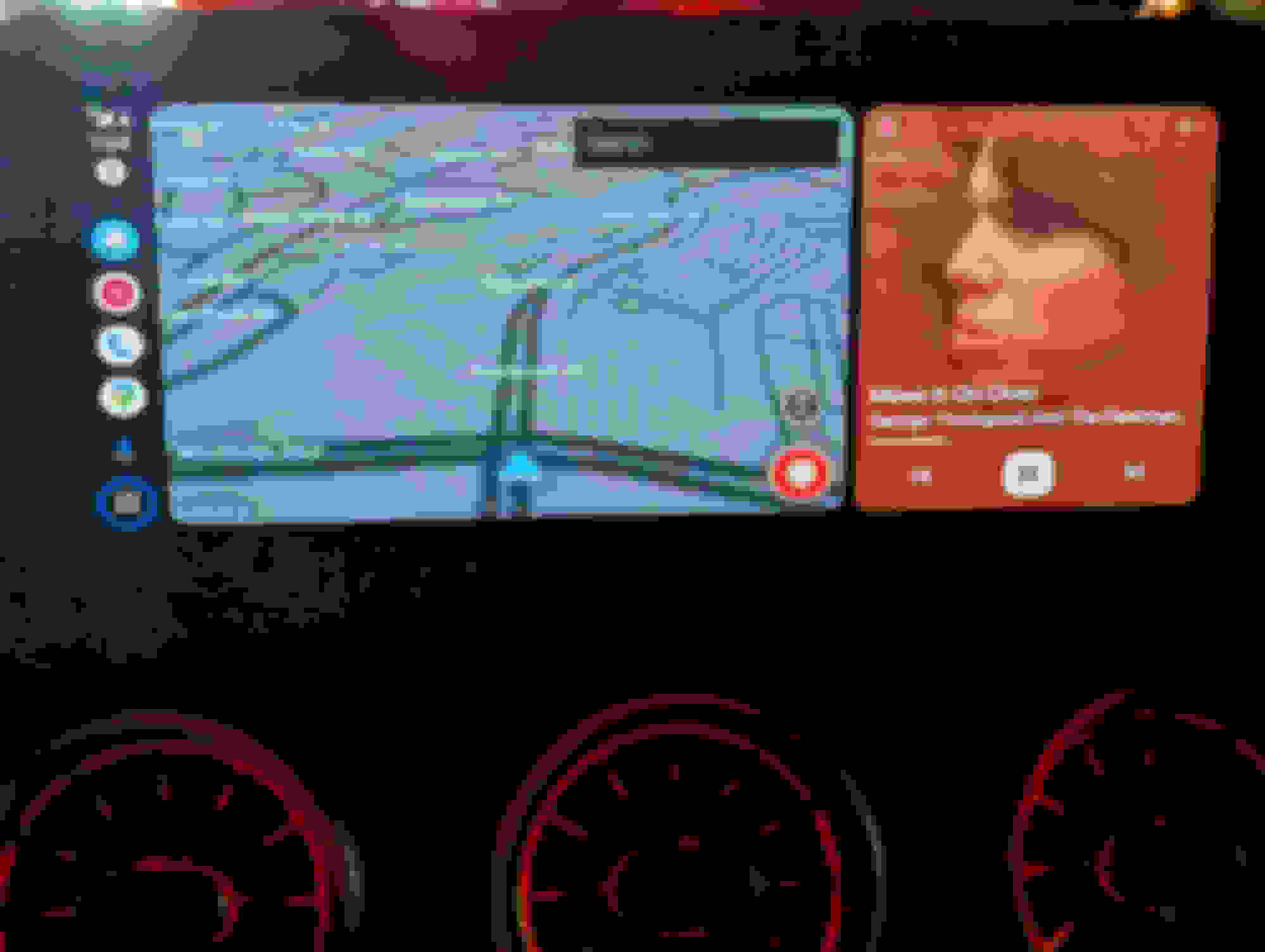
I've been in search for a way to get full screen Android auto ever since I got my car. Finally there's a very easy way. It's called the ottocast U2 x pro. It's on Amazon. I know the reviews are horrible but I swear it's working flawlessly for me. I just got it today. I suspect some cars either don't play well with it or they updated the firmware. Here's a screen shot of how it looks.
Looks promising, I have a 2021 W213, wonder will it work on it. Which version of MBUX is it? Using a AAWireless now with 1/3 screen on the left and right blanked out
[QUOTE=ctsvette;8721317]No, you cannot see anything that you do not currently have on Android Auto. Here's the video.
/QUOTE]
Thanks! I might get this for me GLB250. One question. If you press home on the pad or steering wheel controls does it go to the main Mercedes home menu?
Also how is the audio and map performance compared to before?
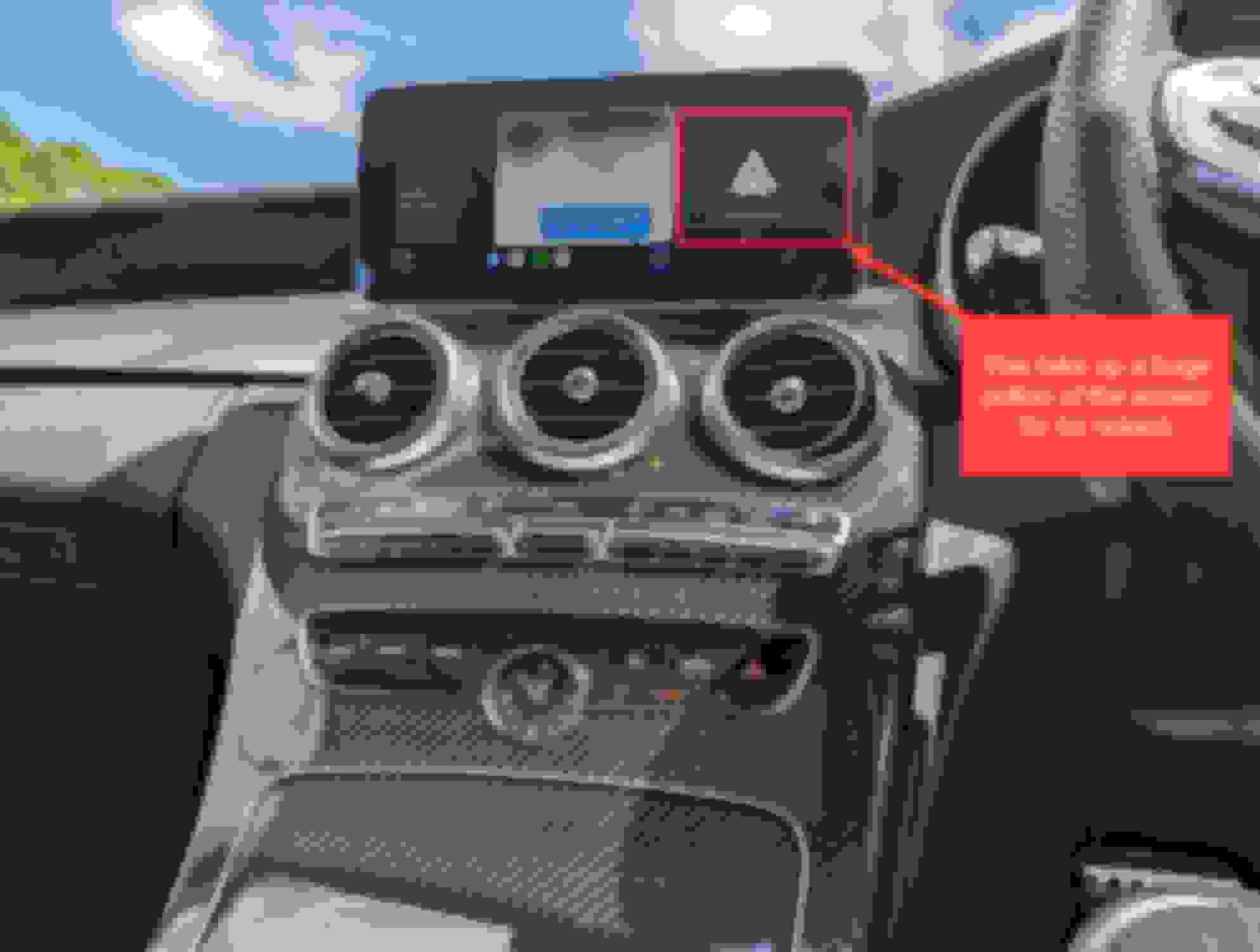
have literally just picked up a brand new AMG C43 UK spec car two days ago (I think this is the W205 or C205 model) and have just connected my Google Pixel 7 Pro to the car via USB, and I see the annoying "Andriod Auto" logo takes up around 1/3 of the screen (see below). From what I understand by reading here, this is "by design". If so, this is a bit disappointing. I see an option to change the layout within the settings, but it seems only to want to change the 2/3 section.
How can I tell what version of the infotainment system I have? I have spent some time reviewing various websites, and I think it is an NTG 5.2 or 5.5, but still not sure. I believe the screen is 12.3", not that this will make a difference to the infotainment version, I guess.
@ctsvette , are we saying that the only way to get to use the full widescreen of the C43 infotainment system is to get this device (https://www.ottocast.com/collections...cts/u2-x-pro)? I still don't quite get how swapping the phone's Andriod Auto integration to a separate box that uses Andriod Auto will work, but hey, if it does, it does, I guess.
Oh, hang on, I see what you are doing (I think) - the Ottocast U2 x pro is somehow converting the Andriod Auto of the Pixel 7 to use Apple Carplay for the Merc NTG. Is this correct?
It is then even weirder why Apple Carplay should work full screen on the NTG, yet Andriod Auto will not.
New arrivals Carlinkit 5.0. guess it can also get full screen cuz it supports Carplay and Android Auto natively and it does not have to convert between Android Auto and CarPlay protocols.
So, I decided to purchase an Ottocast, although I got the Play2Video, not the U2. It kind of works, but TBH, not well enough to be useful, at least not for me.
The Ottocast device will connect to the car using Carplay and the Andriod phone using Andriod Auto. Whilst the entire display is utilised, you cannot use the OEM controls to navigate ANYTHING when Andriod Auto is displayed. it is possible to use the mouse, but good luck with that when you are driving!
From my PoV then, I will be returning the Ottocast as it doesn't work with the OEM controls. I guess I continue to look.
Nice! Thank you for the solution @ctsvette ! I will try this adapter. I didn't want to switch to iphone even though I tried.
My understanding is that the ottocast U2 x pro emulates the Carplay protocol with an Android phone, which gives same advantages the iphone has. An iPhone + Carplay has fullscreen and steering wheel commands working, and a Pixel + Android Auto via USB or basic AA bluetooth adapter does not.
I am glad I made a little more research about fullscreen tonight. My first research was only about steering wheel commands not working, this didn't bring me any post related to the Ottocast adapter.
Nice! Thank you for the solution @ctsvette ! I will try this adapter. I didn't want to switch to iphone even though I tried.
My understanding is that the ottocast U2 x pro emulates the Carplay protocol with an Android phone, which gives same advantages the iphone has. An iPhone + Carplay has fullscreen and steering wheel commands working, and a Pixel + Android Auto via USB or basic AA bluetooth adapter does not.
I am glad I made a little more research about fullscreen tonight. My first research was only about steering wheel commands not working, this didn't bring me any post related to the Ottocast adapter.
@StormriderAMG , you might want to look at my last post before you spend your money and decide if you can live WITHOUT being able to control the Andriod phone properly via the car controls. This was a deal breaker for me as I could not control Google Maps (for example) using the car controls (joystick of the centre console).
It is possible to use the trackpad and the mouse, but this is really difficult, even when stationary, so good luck being able to do that when driving. After emailing Ottocast, they eventually told me this was not possible currently with my C43 Coupe, so I have decided to return my device. I hope I get my money back.
@StormriderAMG , you might want to look at my last post before you spend your money and decide if you can live WITHOUT being able to control the Andriod phone properly via the car controls. This was a deal breaker for me as I could not control Google Maps (for example) using the car controls (joystick of the centre console).
It is possible to use the trackpad and the mouse, but this is really difficult, even when stationary, so good luck being able to do that when driving. After emailing Ottocast, they eventually told me this was not possible currently with my C43 Coupe, so I have decided to return my device. I hope I get my money back.
Thanks for the warning. Your car is newer you mentioned. Is your user interface the same as in the video and is it a touchscreen? My car is a 2019 Facelift and I have the exact same UI and no touchscreen.
I am confused, in his video we can see he has all controls and it is detected as Carplay. Maybe it only works specifically with the Ottocast U2 x pro? or only with previous UI versions?
Are the commands exactly the same as if you use your Android Auto in USB?
@ctsvette when you used Android Auto via USB did you already have the steering wheel touchbutton working? Can you confirm the Ottocast U2 x pro enabled that?
Right now I have Android Auto logo taking 1/3 of screen and steering wheel touchbutton + central console touchpad are not working. I would like all of these to be solved.
There are a lot of adapters that use wired Carplay and support Android phones, I guess they should all give the same result as the ottocast.
Some of them even have an additional menu with google play integrated, but I am not sure if those boot fast and resume music automatically because fo the fact they boot on an embedded android were you have to choose Android Auto, Carplay, or embedded apps... So I don't know if this kind is worth it.
I'm still exploring the possibilities.
Last edited by StormriderAMG; Jul 26, 2023 at 04:44 PM.
There are a lot of adapters that use wired Carplay and support Android phones, I guess they should all give the same result as the ottocast.
Some of them even have an additional menu with google play integrated, but I am not sure if those boot fast and resume music automatically because fo the fact they boot on an embedded android were you have to choose Android Auto, Carplay, or embedded apps... So I don't know if this kind is worth it.
I'm still exploring the possibilities.
First time poster, I'd like to confirm your results. I have both Ottocast U2-x pro and AAwireless.
The Ottocast had been dropping calls, getting blank screens. Just overall failing quite often even after trying the different modes and updating firmware. These are all very hard to overlook, even though it does allow full screen because it emulates carplay. It hasn't been slow but it's been unreliable. Especially if I'm in and out of the car. Oh and it allows steering wheel/touch controls to work albeit quite janky and unintuitive.
Aawireless is flawless, it always works. It is not full screen and does not have steering wheel/ touch controls. I got some instances of interference but I went in the app and changed the channel. Not a hiccup since. I tried changing DPI in the app and in android auto settings to no avail.
So, I decided to purchase an Ottocast, although I got the Play2Video, not the U2. It kind of works, but TBH, not well enough to be useful, at least not for me.
The Ottocast device will connect to the car using Carplay and the Andriod phone using Andriod Auto. Whilst the entire display is utilised, you cannot use the OEM controls to navigate ANYTHING when Andriod Auto is displayed. it is possible to use the mouse, but good luck with that when you are driving!
From my PoV then, I will be returning the Ottocast as it doesn't work with the OEM controls. I guess I continue to look.
I think this may be because you didn't get the U2 x Pro. The U2 x Pro should support the center jog-wheel and steering wheel controls. Mine is getting delivered tomorrow. I'll report my progress on my 2020 E350 with a Samsung S23.
Worked perfectly on my 2020 E350. Full screen Android Auto streamed as CarPlay in full screen and full navigation wheel and steering wheel control support.
Worked perfectly on my 2020 E350. Full screen Android Auto streamed as CarPlay in full screen and full navigation wheel and steering wheel control support.
You have Commend or MBUX? I have 2021 so for me probably would t work
So, for what it is worth, here are a couple of videos of the Ottocast Play2Video and the native Android Auto in the Mercedes AMG C43 coupe. Even though this is a new car, it is based on the old C class spec and uses the Comand NTG 5.5 system (a non-touchscreen control). You can see that the Ottocast is practically unusable, although it does give a much better use of the screen. The native Andriod auto has terrible screen real estate usage, but the controls work.
I would love to know if anyone knows of a system that can be used properly with a Comand NTG 5.5 system like this.
Mercedes SLR McLaren 722 S Is Extremely Rare Example Modified by McLaren
Slideshow: A one-of-one U.S.-spec Mercedes-Benz SLR McLaren Roadster became even rarer after a factory-backed transformation at McLaren's headquarters.