


Displaying reverse camera on Command APS
Thread Starter
Junior Member
Joined: Sep 2010
Posts: 61
Likes: 1
From: Paris (FRANCE)
CLS 55 AMG (Fully branded CLS 63 AMG / Special Color Ferrari Grigio Titanio)
Displaying reverse camera on Command APS
Hi,
I'm planning to add a video camera connected to reverse light to get a video each time I'm reversing the car...
This mini video set is delivered with a separate screen but I was wondering how to display the video signal directly to my Command APS.
The camera wire has cinch to deliver signal, so the additional question is what kind of connection is available at the back of the comman APS to connect that video wire ?
I mention that I have a female jack connection in the glove compartiment at the front but this is for audio only... (I use it to connect my iPod to the APS).
Thanks for your help
I'm planning to add a video camera connected to reverse light to get a video each time I'm reversing the car...
This mini video set is delivered with a separate screen but I was wondering how to display the video signal directly to my Command APS.
The camera wire has cinch to deliver signal, so the additional question is what kind of connection is available at the back of the comman APS to connect that video wire ?
I mention that I have a female jack connection in the glove compartiment at the front but this is for audio only... (I use it to connect my iPod to the APS).
Thanks for your help
MBWorld Fanatic!
Joined: Apr 2007
Posts: 1,154
Likes: 1
From: Italy
cls 55 or FIAT Coupe T20v-6speed
Hi,
I'm planning to add a video camera connected to reverse light to get a video each time I'm reversing the car...
This mini video set is delivered with a separate screen but I was wondering how to display the video signal directly to my Command APS.
The camera wire has cinch to deliver signal, so the additional question is what kind of connection is available at the back of the comman APS to connect that video wire ?
I mention that I have a female jack connection in the glove compartiment at the front but this is for audio only... (I use it to connect my iPod to the APS).
Thanks for your help
I'm planning to add a video camera connected to reverse light to get a video each time I'm reversing the car...
This mini video set is delivered with a separate screen but I was wondering how to display the video signal directly to my Command APS.
The camera wire has cinch to deliver signal, so the additional question is what kind of connection is available at the back of the comman APS to connect that video wire ?
I mention that I have a female jack connection in the glove compartiment at the front but this is for audio only... (I use it to connect my iPod to the APS).
Thanks for your help
you must connect the camera to the aux video outputs of your TV module, if you have one.
otherwise you must go with add-on modules like Dension gateway 500 and similar things, who include an aux input for rear camera automatic switching.
but I don't know in person how good it works.
Thread Starter
Junior Member
Joined: Sep 2010
Posts: 61
Likes: 1
From: Paris (FRANCE)
CLS 55 AMG (Fully branded CLS 63 AMG / Special Color Ferrari Grigio Titanio)
Thanks
I confirm I have the TV tuner on my APS.
The question is: where such module is located ?
Is it at the back of the APS or somewhere in the trunk ?
Your answer about the Dension is interesting
I already have the DG 500 in my Porsche but without the video add-on.
The aux connection I have is for an audio source.
So does it mean if I also want the video in my Porsche using my DG 500, I just need to buy the extra video module ?
Is that correct ?
Thanks
I confirm I have the TV tuner on my APS.
The question is: where such module is located ?
Is it at the back of the APS or somewhere in the trunk ?
Your answer about the Dension is interesting
I already have the DG 500 in my Porsche but without the video add-on.
The aux connection I have is for an audio source.
So does it mean if I also want the video in my Porsche using my DG 500, I just need to buy the extra video module ?
Is that correct ?
Thanks
MBWorld Fanatic!
Joined: Apr 2007
Posts: 1,154
Likes: 1
From: Italy
cls 55 or FIAT Coupe T20v-6speed
Thanks
I confirm I have the TV tuner on my APS.
The question is: where such module is located ?
Is it at the back of the APS or somewhere in the trunk ?
Your answer about the Dension is interesting
I already have the DG 500 in my Porsche but without the video add-on.
The aux connection I have is for an audio source.
So does it mean if I also want the video in my Porsche using my DG 500, I just need to buy the extra video module ?
Is that correct ?
Thanks
I confirm I have the TV tuner on my APS.
The question is: where such module is located ?
Is it at the back of the APS or somewhere in the trunk ?
Your answer about the Dension is interesting
I already have the DG 500 in my Porsche but without the video add-on.
The aux connection I have is for an audio source.
So does it mean if I also want the video in my Porsche using my DG 500, I just need to buy the extra video module ?
Is that correct ?
Thanks
the TV module is in the left side of the trunk.
I also did the same.
To see the camera you will have to push the aux button. so, just remember that the camera will not automatically switch on when you insert the reverse gear. but, on the other hand, you'll be able to look through the camera everytime you want.
AFAIRemember, the Dension doesn't need the video add-on module for the back up camera feature. it is embedded in the standard module.
in any case, if that video add-on module works, then it's a must !
I am also looking at something like that Dension but I heard of some difficulties at getting it properly paired and working.
so, to anybody in the know, please tell what is the best interface currently, for getting these features:
USB and i-phone Audio AND VIDEO, together with BTooth streaming capability through our Comand NTG1 unit !
ps: "Grigio titanio" is nice but, btw you could have it done "Grigio Canna-di-Fucile" ..
 LOL
LOL
Last edited by dyno; Mar 5, 2011 at 04:50 AM.
Thread Starter
Junior Member
Joined: Sep 2010
Posts: 61
Likes: 1
From: Paris (FRANCE)
CLS 55 AMG (Fully branded CLS 63 AMG / Special Color Ferrari Grigio Titanio)
Thanks Dyno
Do you remember if it is double Cinch (audio + video) or single Cinch at the back of the TV Module ?
BTW, I can see AUX1 and AUX2 in my VIDEO menu on my APS...
Does it means there are 2 video input on that TV Module ?
Is it male or female on the module ?
For the rear mode, I prefer to have access to the camera view at anytime so not only when reversing the car, so I won't power the camera from the rear light signal...
Regarding the Dension, I bought the version compatible with my Porsche 996 with all included and ready to connect... MOST cable set was also made to loop the CD Charger with the Dension without bypassing it.
So I can enable the CD Charger again just switching the AUX module to ON ... much easier that disconnecting and changing the MOST cable configuration.
But I don't know if it exists for Mercedes CLS...
Did you have a look to their site and/or send an email to their support ?
Thanks
Do you remember if it is double Cinch (audio + video) or single Cinch at the back of the TV Module ?
BTW, I can see AUX1 and AUX2 in my VIDEO menu on my APS...
Does it means there are 2 video input on that TV Module ?
Is it male or female on the module ?
For the rear mode, I prefer to have access to the camera view at anytime so not only when reversing the car, so I won't power the camera from the rear light signal...
Regarding the Dension, I bought the version compatible with my Porsche 996 with all included and ready to connect... MOST cable set was also made to loop the CD Charger with the Dension without bypassing it.
So I can enable the CD Charger again just switching the AUX module to ON
... much easier that disconnecting and changing the MOST cable configuration.But I don't know if it exists for Mercedes CLS...
Did you have a look to their site and/or send an email to their support ?
Thanks
MBWorld Fanatic!
Joined: Apr 2007
Posts: 1,154
Likes: 1
From: Italy
cls 55 or FIAT Coupe T20v-6speed
yes, they are audio+video

Uploaded with ImageShack.us
now I also have 1 aux busy with DVb-T and the other with the camera.
abouy Dension, what i told you before is because I 've read about the modle for CLS in their website a few months ago.
http://www.dension.com/product/iPod-...ts/gateway-500
so, yes, the latest version seems it avoids cancelling of the cd changer, but didn't figure very clearly how that switching module works. for example, if you want to listen to a CD from your changer, what have you to do .. just flip that module' switch or what else ?
further, can't get, for example, if you can view pictures and other video files you may have stored into an usb key, or if you can do that only throgh an iPod, provided you have the optional AVR module.
I understood from reports from forum members here, I think, https://mbworld.org/forums/audio-ele...ntation-3.html that there are various flaws ..
so, if you get more info, please let me know what's the ultimate device ..

Uploaded with ImageShack.us
now I also have 1 aux busy with DVb-T and the other with the camera.
abouy Dension, what i told you before is because I 've read about the modle for CLS in their website a few months ago.
http://www.dension.com/product/iPod-...ts/gateway-500
so, yes, the latest version seems it avoids cancelling of the cd changer, but didn't figure very clearly how that switching module works. for example, if you want to listen to a CD from your changer, what have you to do .. just flip that module' switch or what else ?
further, can't get, for example, if you can view pictures and other video files you may have stored into an usb key, or if you can do that only throgh an iPod, provided you have the optional AVR module.
I understood from reports from forum members here, I think, https://mbworld.org/forums/audio-ele...ntation-3.html that there are various flaws ..
so, if you get more info, please let me know what's the ultimate device ..
Last edited by dyno; Mar 5, 2011 at 03:02 PM.
Thread Starter
Junior Member
Joined: Sep 2010
Posts: 61
Likes: 1
From: Paris (FRANCE)
CLS 55 AMG (Fully branded CLS 63 AMG / Special Color Ferrari Grigio Titanio)
Many Thanks Dyno; Highly appreciated
For the Dension, I checked the one for CLS from 2004 to 2007 and this is exactly the same I have for my Porsche: GW51MO2
What happens when you plug both old CD Changer and Dension 500 on the MOST cable (fiber), you can't have both playing simultaneously.
The small AUX module coming natively with Dension (the one having a blue LED light), has a button you push to have the Dension being managed through the PCM (this is how it is named on my Porsche). You can also choose to bypass the Dension and use the original CD Changer by switching the button the other way.
It's quite easy and it's not necessary to unplung anything from the MOST cable to switch from the Dension to CD Changer or vice versa.
I don't have the video and Bluetooth modules (optional), but I'm essentially using it for USB and iPod.
The playlist for USB and iPod are managed directly from my PCM exactly as it was native from the PCM
This is a good alternative if you want USB that we don't have in Command... even if I find USB and iPod quite redundant because both can handle thousands of MP3s...
One last question about TV Tuner on our CLS: I have analogic Tuner and would like to upgrade to DVB-T like you have.
So what do you recommend ? What channels I can expect with DVB-T Tuner ?
Thanks buddy
For the Dension, I checked the one for CLS from 2004 to 2007 and this is exactly the same I have for my Porsche: GW51MO2
What happens when you plug both old CD Changer and Dension 500 on the MOST cable (fiber), you can't have both playing simultaneously.
The small AUX module coming natively with Dension (the one having a blue LED light), has a button you push to have the Dension being managed through the PCM (this is how it is named on my Porsche). You can also choose to bypass the Dension and use the original CD Changer by switching the button the other way.
It's quite easy and it's not necessary to unplung anything from the MOST cable to switch from the Dension to CD Changer or vice versa.
I don't have the video and Bluetooth modules (optional), but I'm essentially using it for USB and iPod.
The playlist for USB and iPod are managed directly from my PCM exactly as it was native from the PCM
This is a good alternative if you want USB that we don't have in Command... even if I find USB and iPod quite redundant because both can handle thousands of MP3s...
One last question about TV Tuner on our CLS: I have analogic Tuner and would like to upgrade to DVB-T like you have.
So what do you recommend ? What channels I can expect with DVB-T Tuner ?
Thanks buddy
Trending Topics
MBWorld Fanatic!
Joined: Apr 2007
Posts: 1,154
Likes: 1
From: Italy
cls 55 or FIAT Coupe T20v-6speed
mon ami,
indeed I use the Tv very occasionally.
in Italy we switched nearly totally to Terrestrial therefore you hardly can view something analog.
I would suggest you to find an oem "combo" tuner, instead than fitting the module I have.
or, you could go for an aftermarket MOST DVB-tuner.
for example, I recently had the occasion of talking to this guy who's selling this (expensive) module http://cgi.ebay.de/ws/eBayISAPI.dll?...:X:RTQ:DE:1123
it allows additional features like ipod and usb mangement but, unfortunately, at the expense of even further additional modules .
that's why I am really hating all these neverending interfaces ..
indeed I use the Tv very occasionally.
in Italy we switched nearly totally to Terrestrial therefore you hardly can view something analog.
I would suggest you to find an oem "combo" tuner, instead than fitting the module I have.
or, you could go for an aftermarket MOST DVB-tuner.
for example, I recently had the occasion of talking to this guy who's selling this (expensive) module http://cgi.ebay.de/ws/eBayISAPI.dll?...:X:RTQ:DE:1123
it allows additional features like ipod and usb mangement but, unfortunately, at the expense of even further additional modules .
that's why I am really hating all these neverending interfaces ..
MB World Stories
The Best of Mercedes & AMG

Dubai Tuner Gives the Mercedes G-Class An Entirely New Look
Verdad Gallardo
Six Gift Ideas Your AMG Loving Dad or Grad Will Cherish

7 Craziest Things AMG Gas Ever Built
Verdad Gallardo
New Electric Mercedes-AMG GT 4-Door Coupe Unveiled: 10 Things You Need to Know
Verdad Gallardo
6 Mercedes Models That Did NOT Age Well (But Are Somehow Still Cool)
Verdad Gallardo
Manual Mercedes? 6 Times Sindelfingen Let Drivers Have All The Fun
Verdad Gallardo
Mercedes SLR McLaren 722 S Is Extremely Rare Example Modified by McLaren
Verdad Gallardo
8 Classic Boxy Mercedes Designs That Have Aged Like Fine Wine
Verdad Gallardo
Flawlessly Restored Mercedes 190E Evo II Heads to Auction
Verdad Gallardo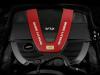


Thread Starter
Junior Member
Joined: Sep 2010
Posts: 61
Likes: 1
From: Paris (FRANCE)
CLS 55 AMG (Fully branded CLS 63 AMG / Special Color Ferrari Grigio Titanio)
Sorry but I'm not native English
CLS 55 with:
- 6.3 amg logos on right & left wingshields
- CLS 63 logo at the back (on the trunk)
- 63 amg steering wheel with 63 padels
That's pretty much it
exception made if you're familiar with the CLS 55 supercharger sound, just looking at it you would believe it's a 63 amg
CLS 55 with:
- 6.3 amg logos on right & left wingshields
- CLS 63 logo at the back (on the trunk)
- 63 amg steering wheel with 63 padels
That's pretty much it
exception made if you're familiar with the CLS 55 supercharger sound, just looking at it you would believe it's a 63 amg
Thread Starter
Junior Member
Joined: Sep 2010
Posts: 61
Likes: 1
From: Paris (FRANCE)
CLS 55 AMG (Fully branded CLS 63 AMG / Special Color Ferrari Grigio Titanio)
Hi,
Some update on my progress...
I have now connected 2 A/V cables (composite cables) to the AUX1 & AUX2 at the back of the Tuner module
- First cable is a "3 male Cinch (A/V) to Jack 3.5 male (A/V)" to connect a Media Player.
- Second cable is a "3 male Cinch (A/V) to 3 male Cinch (A/V)" to connect a rear camera using only video wire (yellow), or any other audio video device using both audio (Red/White) and video (yellow).
I have tested my WD TV Mini Media Player managed with a remote and the result is perfect
I can use a USB key with movies, mp3 playlists, pictures, diaporama,...
The WD mini player brings a menu on the screen where you can select what you want to display on the screen, this is awesome
Last work to do, connect a 12V wire to power the WD mini player directly to the car without using a car power supply...
Thanks to all for your support and special Thank you to Dyno
Some update on my progress...
I have now connected 2 A/V cables (composite cables) to the AUX1 & AUX2 at the back of the Tuner module
- First cable is a "3 male Cinch (A/V) to Jack 3.5 male (A/V)" to connect a Media Player.
- Second cable is a "3 male Cinch (A/V) to 3 male Cinch (A/V)" to connect a rear camera using only video wire (yellow), or any other audio video device using both audio (Red/White) and video (yellow).
I have tested my WD TV Mini Media Player managed with a remote and the result is perfect
I can use a USB key with movies, mp3 playlists, pictures, diaporama,...
The WD mini player brings a menu on the screen where you can select what you want to display on the screen, this is awesome
Last work to do, connect a 12V wire to power the WD mini player directly to the car without using a car power supply...
Thanks to all for your support and special Thank you to Dyno
Last edited by Elrajel; Mar 12, 2011 at 05:35 AM.
MBWorld Fanatic!
Joined: Apr 2007
Posts: 1,154
Likes: 1
From: Italy
cls 55 or FIAT Coupe T20v-6speed
hi, yes, it's that easy !
but, please tell me what's that WD mini player ?
ps: the camera toy is something involving .. you would always want more: like the "all around view" http://www.youtube.com/watch?v=FpXU-MgChBE
now I am playing this the idea of a thermal imaging camera ..
maybe not that worth ..further, i'd need a video multiplexer for managing all those video outs. LOL
http://www.youtube.com/watch?v=ar8js37DPqc
but, please tell me what's that WD mini player ?
ps: the camera toy is something involving .. you would always want more: like the "all around view" http://www.youtube.com/watch?v=FpXU-MgChBE
now I am playing this the idea of a thermal imaging camera ..
maybe not that worth ..further, i'd need a video multiplexer for managing all those video outs. LOL
http://www.youtube.com/watch?v=ar8js37DPqc
Thread Starter
Junior Member
Joined: Sep 2010
Posts: 61
Likes: 1
From: Paris (FRANCE)
CLS 55 AMG (Fully branded CLS 63 AMG / Special Color Ferrari Grigio Titanio)
You're right but I'm now having all I needed: rear camera and media player managed through APS
For Bluetooth, I'm using an external solution and very satisfied with it (full name recognition, ...).
The Western Digital media player I'm using is that one: http://www.amazon.fr/Western-Digital.../dp/B002KQ2JKQ
Low consumption, with menu embbeded and small/flat enough to be hidden on the below side of the dashboard (below the glove compartment).
This way, the remote control is effective from my seat
Last but not least, I had to use a 5 meters Jack/3 RCA cable from the tuner module in the trunk to the front side of the car...
Thanks
For Bluetooth, I'm using an external solution and very satisfied with it (full name recognition, ...).
The Western Digital media player I'm using is that one: http://www.amazon.fr/Western-Digital.../dp/B002KQ2JKQ
Low consumption, with menu embbeded and small/flat enough to be hidden on the below side of the dashboard (below the glove compartment).
This way, the remote control is effective from my seat
Last but not least, I had to use a 5 meters Jack/3 RCA cable from the tuner module in the trunk to the front side of the car...
Thanks
MBWorld Fanatic!
Joined: Apr 2007
Posts: 1,154
Likes: 1
From: Italy
cls 55 or FIAT Coupe T20v-6speed
seems interesting ... please post a pic with it installed !
so, it can read everything except ipod/iphone files, right ?
can't get why they continue making InfraRred remote .. should it be Radiofrequency you could have it located INSIDE the glove box
so, it can read everything except ipod/iphone files, right ?
can't get why they continue making InfraRred remote .. should it be Radiofrequency you could have it located INSIDE the glove box
Thread Starter
Junior Member
Joined: Sep 2010
Posts: 61
Likes: 1
From: Paris (FRANCE)
CLS 55 AMG (Fully branded CLS 63 AMG / Special Color Ferrari Grigio Titanio)
I will...
No iPod or iPhone but anyway I have only one iPod that I use with the Dension in my Porsche (always connected to Dension located in the front trunk), so I just had to copy my library from iPod to USB
Just for your info, I paid the WD media player 45 euros, so at this price, I can have MP3s, movies, photos,...
No iPod or iPhone but anyway I have only one iPod that I use with the Dension in my Porsche (always connected to Dension located in the front trunk), so I just had to copy my library from iPod to USB
Just for your info, I paid the WD media player 45 euros, so at this price, I can have MP3s, movies, photos,...
Thread Starter
Junior Member
Joined: Sep 2010
Posts: 61
Likes: 1
From: Paris (FRANCE)
CLS 55 AMG (Fully branded CLS 63 AMG / Special Color Ferrari Grigio Titanio)
MBWorld Fanatic!
Joined: Apr 2007
Posts: 1,154
Likes: 1
From: Italy
cls 55 or FIAT Coupe T20v-6speed
you really found something nice, especially considering the budget
did you see if there's any difference in audio quality if connecting to the audio jack of the TV module or to the audio jack in the glove box ?
I just found another similar device that has more audio capabilities (second usb for Hard Drive, headphones and even digital out) but NO Video out, just a nice remote with embedded screen !!
... maybe soon to come ?
http://www.teac.eu/ru/hifi-audio/wap...stem/wap-2200/
Thread Starter
Junior Member
Joined: Sep 2010
Posts: 61
Likes: 1
From: Paris (FRANCE)
CLS 55 AMG (Fully branded CLS 63 AMG / Special Color Ferrari Grigio Titanio)
Hi Dyno,
It looks nice but the only added value I see is the additional USB port and 2nd display on remote...
Personnaly, I'm using a 32 Go mini USB key and it's enough for a my Music library, about 20 movies...
I did not compare the audio quality between the Audio AUX and Video AUX when playing musics... but for sure I know that Video AUX menu offers soundlocgic exactly as it exists for CD changer...
Not sure we have such option with Audio AUX but anyway, audio is very good on Video AUX even if I'm using composite wires.
I'm still happy with my solution because I just found out I can browse an old iPod (not the Touch) and get access to the library as if it was a hard disk or USB key.
It definitely does not work with iPod Touch device... I can't browse the library even if it is recognized as a USB device.
Is shows some empty list...
As you said, for 45 euros (WD Media Player) and about 30 euros cables, I have a good solution to satisfy my wife and kid
It looks nice but the only added value I see is the additional USB port and 2nd display on remote...
Personnaly, I'm using a 32 Go mini USB key and it's enough for a my Music library, about 20 movies...
I did not compare the audio quality between the Audio AUX and Video AUX when playing musics... but for sure I know that Video AUX menu offers soundlocgic exactly as it exists for CD changer...
Not sure we have such option with Audio AUX but anyway, audio is very good on Video AUX even if I'm using composite wires.
I'm still happy with my solution because I just found out I can browse an old iPod (not the Touch) and get access to the library as if it was a hard disk or USB key.
It definitely does not work with iPod Touch device... I can't browse the library even if it is recognized as a USB device.
Is shows some empty list...
As you said, for 45 euros (WD Media Player) and about 30 euros cables, I have a good solution to satisfy my wife and kid
MBWorld Fanatic!
Joined: Apr 2007
Posts: 1,154
Likes: 1
From: Italy
cls 55 or FIAT Coupe T20v-6speed
if that Teac thing had the Video out it would be great because its remote is radio frequency so you can locate hidden .. but unfortunately these companies seems are not willing to give us a one-for-all toy  (
(
I just hate all these things .. so please, should you learn of anything more complete, please let's know !
(I just hate all these things .. so please, should you learn of anything more complete, please let's know !


