When you click on links to various merchants on this site and make a purchase, this can result in this site earning a commission. Affiliate programs and affiliations include, but are not limited to, the eBay Partner Network.
I'm not a big fan of the huge displays that look like they are an afterthought on any of the post W204 cars. Just ugly. Anyone know of a vendor making a replacement for the PFL Comand? It'd be nice to have car play or the GOOG version on the PFL cars. I'm pretty sure that monster display sittting where it is would be just aesthetically horrible imho.
You say that but just about every current model MB and other cars as well are all using the large displays that aren't integral to the dash these days. Putting something like that in a 204 can actually freshen the look of the interior, not to mention the added functionality etc. Sure it's a matter of taste, but it's not categorically ugly if done properly.
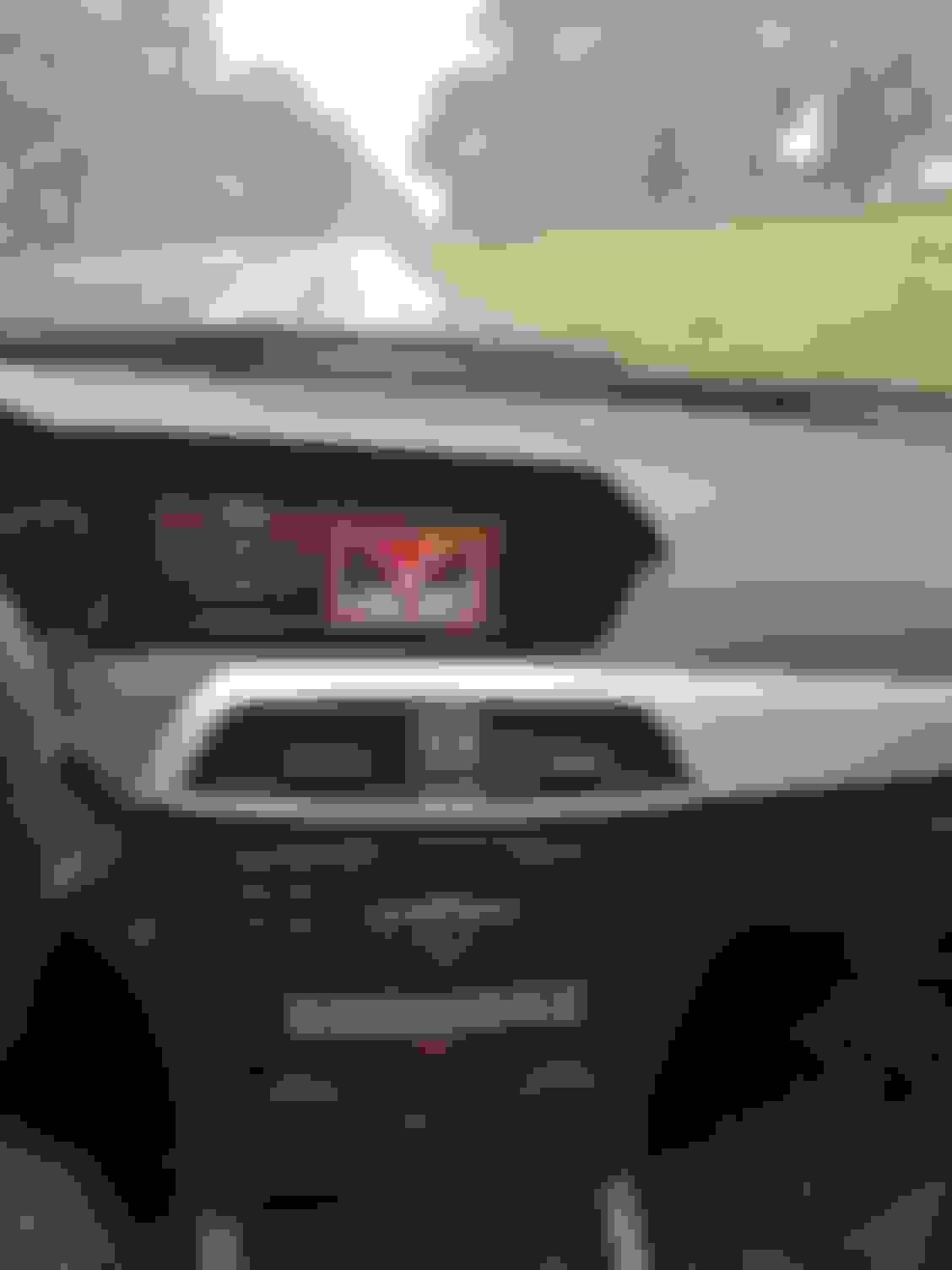
So I have used the system for about 3 weeks now:
The touch screen is pretty easy to reach/use from driver's position.
GPS works, either with built in the map program (kinda junky) or with google maps with tethering.
Torque pro works and accesses unit's gps for potion.
Streaming music works, either streaming from phone to a included Bluetooth music program on android, or by installing spotify/etc directly onto android and opening the program from there.
Tethering/internet works via phone hotspot, but I haven't got it to work via hard wired/usb cable to phone. No problem accessing internet / websites such as /you tube, or google play and installing programs. Audio from you tube comes out of vehicle speakers.
The phone mirroring program works good, (where phone display shows up on screen and what you do on the phone is mirrored / or when you do things on display, it accesses phone., but its not really useful for me.
Switching back and forth to original system works well. Currently radio and ipod work with original system only. I dont have a apple phone , but thee apparently is a carplay adapter available.
The steering wheel controls - up/down track and volume up/down work, everything else is pretty much touchscreen,
You can still switch the steering wheel window display to other screens while using the android unit (AMG screen, mileage, phone, etc and navigate in them)
Negatives:
When switching back to original system there is sometimes a volume discrepancy, since through the android system you have two volumes to adjust , the android output and the MB volume.
Google maps volume can be too loud as a result.
I have not gotten the phone system quite figured out yet. You can dial through the android screen, or back out to the original MB system fully, or dial through the speedometer phone screen while android screen / music is up and is running, I have had various results with where the sound comes out (occasionally from the small side speaker and not the regular speakers) and volume / mic issues. My original system did not have hands free calling and I haven't been able to find it on the android. To be honest, I've only messed with it for about 10 minutes, so I'm sure Ill find a combo that works.
Overall, great update for the car. Having torque pro or android screen or spotify up on the larger display makes the car seem years newer and ads great functionality. Would definitely do it again!
Thanks for detailing your efforts. I'm debating whether the stock location for this outweighs the functionality improvements with the CKM device and location. I think I'm still leaning towards that solution though as the integration with the existing controls seems to be a little more developed.
12 C63BS Magno Alanite Grey, 25 X5 Msport, 08 BMW E93, Ducati Hyper 698
Originally Posted by kavik
Update:
So I have used the system for about 3 weeks now:
The touch screen is pretty easy to reach/use from driver's position.
GPS works, either with built in the map program (kinda junky) or with google maps with tethering.
Torque pro works and accesses unit's gps for potion.
Streaming music works, either streaming from phone to a included Bluetooth music program on android, or by installing spotify/etc directly onto android and opening the program from there.
Tethering/internet works via phone hotspot, but I haven't got it to work via hard wired/usb cable to phone. No problem accessing internet / websites such as /you tube, or google play and installing programs. Audio from you tube comes out of vehicle speakers.
The phone mirroring program works good, (where phone display shows up on screen and what you do on the phone is mirrored / or when you do things on display, it accesses phone., but its not really useful for me.
Switching back and forth to original system works well. Currently radio and ipod work with original system only. I dont have a apple phone , but thee apparently is a carplay adapter available.
The steering wheel controls - up/down track and volume up/down work, everything else is pretty much touchscreen,
You can still switch the steering wheel window display to other screens while using the android unit (AMG screen, mileage, phone, etc and navigate in them)
Negatives:
When switching back to original system there is sometimes a volume discrepancy, since through the android system you have two volumes to adjust , the android output and the MB volume.
Google maps volume can be too loud as a result.
I have not gotten the phone system quite figured out yet. You can dial through the android screen, or back out to the original MB system fully, or dial through the speedometer phone screen while android screen / music is up and is running, I have had various results with where the sound comes out (occasionally from the small side speaker and not the regular speakers) and volume / mic issues. My original system did not have hands free calling and I haven't been able to find it on the android. To be honest, I've only messed with it for about 10 minutes, so I'm sure Ill find a combo that works.
Overall, great update for the car. Having torque pro or android screen or spotify up on the larger display makes the car seem years newer and ads great functionality. Would definitely do it again!
My son has an Android system in his car and by far it seems the best nav program is Sygic, had problems with other ones doing weird things or crashing. Sygic would not download the maps for some reason, it would do it then say it was not there, just gave up and bought Sygic on and SD card from Ebay with the maps on the SD card and it has worked like a top since.
The Gps works fine. Sygic comes already installed on the android system and has maps pre loaded, I think on an installed sd card. It just seemed clunkier to use than google maps, which I am.used to. You can run sygic directly through the android system use the gps and navigate without a phone or bluetooth/thethering connection.
Had some questions on the backup camera function. It does switch to backup camera screen automatically when put in reverse from both the android and factory screen. I did not have the factory backup camera. It has the yellow/red distance grid on the rear view display and also a projected movement curved indicator lane which changes direction with the steering wheel movement. I don't have the rear view camera hooked up yet, because the one I was going to use already had a distance grid on it. The switch to the backup screen is integrated into the system , not activated by a reverse light tap. I ordered a backup camera without the distance grid that replaces the trunk handle insert as a mounting bracket/camera solution.
Spotify installed on android and running through tethering:
Nice and clean install! Is it just me though, or is the picture stretched horizontally to fill the space? Looking at the circle around the pause button in your Spotify pic for example.
I think it is my poor photo. There are actually three or four spotify screens you can select for the spotify display. Overall all the android apps display well on the screen but since it's long and wide there is some variability. The original mb screen is the only one that appears a little stretched I have a pic higher in the thread.
So what I did i connect wifi to android and bluetooth to mb system. They phone rings/answers with factory system even if THE android screen on. I can dial from the phone menu in the speedo display while android is on, or back out to original mb screen.
I just noticed that this version that Kavik is installing looks like it sits sunk into the dash like the stock screen. I would think that would make it difficult to reach the touch screen while driving.
The other version sold by CKM sits out away from the dash similar to the latest OEM screens which would make it easier to reach, unless you have freakishly long arms then it wouldn't matter LOL!!
The CKM unit sells for $599.00.
I'm actually pretty sure that everyone that is interested in the 8.8inch screens vs the 10.25 screens that stick out is specifically interested in the 8.8 inch screens specifically because the 8.8 inch is inset into the dash as the factory unit is in the facelifted models! I actually opted to buy myself a w204 model C300 vs the w205 model specifically because of how much I dislike the look of the newer tablet looking screens that looks like they just slapped a tablet on the dashboard and called it good lol.... I hate the look and design of those massive 10.25 inch tablets and much prefer the styling of the inset 8.8 inch more factory styling look! I definitely see the point your making of not being able to use the touch screen as easily with it inset but hopefully all the main command controls and all the steering wheel controls will all still work with the new system and all of that fun stuff though right? ... I'm strongly considering one of these 8.8 inch units since in my car I should be able to switch from factory setup to the android setup and my car already has all the Multimedia options in it with the multi disc DVD player in dash and the Navigation system and the backup camera in it and all of that fun stuff so as long as I can use all my factory stuff with my central command knob and all my steering controls to essentially just have a bigger factory screen in the car and then android screen mirroring as an option on the android side of it then at that point it would be able to achieve everything that I am looking for out of the bigger 8.8 inch factory style in dash screen monitor! But yeah I'm pretty sure that all of us that are interested in this 8.8inch indash setup is all of us that dont like the look/design/or styling of that bigger slapped on tablet look of the 10.25 inch screen designs ....
Reach is not an issue at all, radio sits just like stock location. Still happy with the setup. Can browse internet, use spotify, run/display torque, etc.. Even with the seat all the way back, the c63 doesn't have a huge cabin space.
When you get in the car and start it up, do you have to select AUX on the stock MB system before you can listen/use the Android system?
Is there a “process” that you have to go through each day to start using the Android system? Does it need to boot up/start up, like a phone, for a minute or two?
I forgot to mention as far as using the touchscreen, the steering wheel volume buttons work no matter what mode the speedo is in when running android.. if you have the speedo set to "aux' mode , not only do the volume buttons work, if you are running spotify or such,, the arrow keys will move forward / back through songs on the Playlist.
Once it is in android mode, and you turn car off, when you restart your car, the MB symbol comes up on the screen and then after about 5 sec it boots straight into the android system. If you have your phone hotspot set up and turned on,, the system will automatically connect to it with no prompting.
My only nitpicky gripes, which there are with almost all Chinese conversions, (my version is a few ears older now, some items may have changed) are the home screen is not customizable (the home screen on the tablet type is nicer), the aftermarket mic/calling/phone single Bluetooth speaker setup sucks, you don't even need to install them, ( I use the mb gactory Bluetooth/ phone system which works even when on the android screen), the volume always defaults to middle, and when I installed it, I only had sound from the front speakers. I'm sure its an easy fix, but the sound was so good, I didn't realize this till I was playing with the fader controls many months later, and I just haven't bothered to pull the unit from the dash to deal with it. I may eventually get a "newer" android version and redo it.
Still, it looks totally stock and works great, I always get asked about it and positive comments when I take it in for service at the MB dealer. Even if you simply ran it in stock system mode, you have all the same factory displays and functionality, just on a bigger, nicer screen. I would have upgraded for that alone, the oem screen just looks to small and dated to me.
2012 P31 C63 Coupe Trackrat, 2019 GLE63S Coupe Beast
I’m going to be selling my CKM Car Design 10.5” setup and move into one of these. It’s just not doing it for me. I haven’t used any of the enhanced functionality whatsoever - I had plans to put TorquePRO and Harry’s LapTimer and GoPro and DashCommand etc but ran out of patience. Without using those features, the con of having the big tablet is all I’ve got. It’ll be for sale in my sale thread in a few days for anyone interested.
@kavik do you know what the best and most updated version is of what you have, and where to buy it these days? I really like your install and having TorquePRO up all the time would be hugely useful. How difficult is downloading programs and installing them? Do you have to remove the display to plug into a laptop? What about storage if I get a camera hooked up for track data, would I just plug in a USB stick? Thanks in advance
My system is a couple years old now so I'm not sure of the newest, I may upgrade myself if they have the same size screen i could just plug in the new main box since my connections are already done.. I'm sure there have been improvements, for example iI don't think my unit supports Android auto or carplay. Dowloading apps was easy, just connected to wifi, went online through the browser to the play store and downloaded torque. Same with spotify. I don't think I put in a sd card so there must be internal memory storage of some sort on the unit.. There is a t least one USB out which im guessing you could use as an external drive to save data to. I don't recall being able to save torque data to the unit itself, but I'm not sure I actually tried, i usually took a pics of the screen with my phone.
hmm i might be tempted to upgrade to the android 9 version,. I like the newer interface better. I dont know if you can keep the original MB system bluetoothed to handle calls in the backdround while the new software system is running like I have it set up now.though.
Hi,
I'm currently installing this in my car. How did you get the whole screen to display the factory screen? Also I need help with getting my bluetooth music and call streaming to work.
Can you help me please?
Hi, I'm currently installing this in my car. How did you get the whole screen to display the factory screen? Also I need help with getting my bluetooth music and call streaming to work.
Can you help me please?
Once installed, the stock display will automatically zoom to fill the screen . if it doesn't, look through this thread for the correct pin settings for the 4 sliding switches. I found that phone functions directly through the android unit itself suck. You have to use the one external speaker they provide (it wont come through the factory speakers ) and their separate microphone. What I do is on my phone, is select the available "MB Bluetooth" connection for calls (the MB stock system functions still run in the background) and then Bluetooth for the android set to audio/media.. This way hen you get a call, it will still display the notification in either screen (stock or android) and then steering wheel or android touchscreen will answer the call using the stock MB system (ie, factory microphone and it will play the call out of factory speakers) . I typically use my hotspot to connect to the android for internet and then stream through the Spotify app on the android device itself, you get much better functionality then streaming from the phone directly.
I never did go back in and pull the stereo again to figure out how to get sound from both the front and rear speakers, so if you succeed with that . let me know how you wired it up!
Thanks! Will do. It just sucks that sound only come out of the small speaker box provided, instead of factory speakers. So if you are watching like Netflix or something, will the sound come from the small speaker also?
The only thing that comes out of the small speaker is the phone if you bluetooth calls to the android and not the mb system. Everything else I've tried (bluetooth music, videos, spotify) uses the vehicle speakers.
If you have a bluetooth obdb2 plug adapter you can run that on the torque real-time screen display while streaming music with your phone as a hotspot through the spotify app and control the music ( with the dash selector in the aux positions) with the steering wheel controls. That's usually how I run it.
I'd be interested to know if you can re-arrange the home screen on the newer unit as well, thats the only other thing I don't like on mine.
Mercedes SLR McLaren 722 S Is Extremely Rare Example Modified by McLaren
Slideshow: A one-of-one U.S.-spec Mercedes-Benz SLR McLaren Roadster became even rarer after a factory-backed transformation at McLaren's headquarters.