When you click on links to various merchants on this site and make a purchase, this can result in this site earning a commission. Affiliate programs and affiliations include, but are not limited to, the eBay Partner Network.
'Sorry to not have gotten back to you sooner. I've been traveling a bit in addition to air suspension and AC issues have dwarfed my head unit issue.
Essentially, I'm very happy with the Erisin unit I purchased. Even though I have yet to make the steering wheel controls work, the unit easily connected to the Bose power amplifier with the fiber optic adapter, my phone connects automatically via Bluetooth (and works GREAT), music and videos work from micro SD and USB drives, and it charges my phone quickly.
Customer support from "easyrising" (Erisin's E-bay seller) is challenging at best! In addition to the Chinese language barrier, they observe unusual holidays (at least to me) causing extended time delays in communications, and they really have no clue about connections in probably any Mercedes that they advertise their unit compatible with.
After I get my suspension and my AC working again, I will revisit my head unit. Initially I connected the ACC wire to the cigar lighter so it will power on and off with the ignition. I plan to change the ACC connection to the "MOST Wakeup" (blue/black) wire. I think this may solve the reverse issue (for the backup camera) and possibly the steering wheel controls.
So that's where I'm at right now.
Russ
Last edited by Russ Ward; Jun 27, 2017 at 07:24 PM.
Reason: Needed to clarify "reverse issue" with "(for the backup camera)"
Thanks for keeping me in mind! I appreciate any help whenever you get to it. I have some general maint to do on mine before I go to upgrade the head unit, but I'd like to know what I'm doing before I invest hundreds of dollars into the project LOL. I'm thinking of using these for my install:
I really don't care if the steering wheel controls work but that would be nice, I just want to be able to use the stock amp and speakers and play off my phone. I'd like Nav if it's not too much trouble with these units. I look forward to seeing how it goes for you!
Last edited by Aviator4621; Jun 30, 2017 at 08:45 PM.
hi guys
i have on question
can i fit a back up camera to my w220 s350 2005?
my car has no cd changer nor navigation device. it has three wires in the boot and i am fairly sure they are for the gbs device.
can i use any of the to attach the camera wires?
if not. how can i attach it to the head unit when it has only one jack. the one in the photo.
thank you in advance.
any help will be highly appreciated
this is the only jack i have at the back of the comand
Well, I did have a few back and forth exchanges with Erisin with relatively no resolution. In a nutshell, here it is:
"The connector in my Mercedes is not physically compatible with the Erisin Power Connector 11. Please see attached image: MB-04_S430_COMAND-Connector_Erisin-Connector-11_01.jpg
However, I can make an adapter, but I need to know which of my 3 wires go to which wires in the Erisin Power Connector 11.
Mercedes Brown (Ground) to Black in Erisin Power Connector 11.
Mercedes Red/Yellow (12 VDC +Positive Battery) to Yellow in Erisin Power Connector 11. Is this correct?
Mercedes Blue/Black (MOST wakeup) to [I DON"T KNOW} in Erisin Power Connector 11. I NEED to know which wire this connects to!!!
I would think it should go to the Bold Red ACC (positive +power control by car ignition), but that wire goes from pin 13 of the POWER PORT connector to the back of the unit directly to the CAN-BUS box. Please see attached image: ACC-to-CAN-BUS.jpg
I've tried to make my questions very clear and directly to the point. Please be very specific with your answer, addressing my issue."
Erisin response:
"We are sorry to keep you waiting. We had already submitted your problem to our technical department and factory, but we are sorry that as the Chinese Spring Festival is approaching, most of our staff are on holiday now, and your radio's problem are a little complex, sot we could only work out a solution for you after we come back in February. Would you please kindly understand it and wait patiently? Many appreciation for your kind understanding"
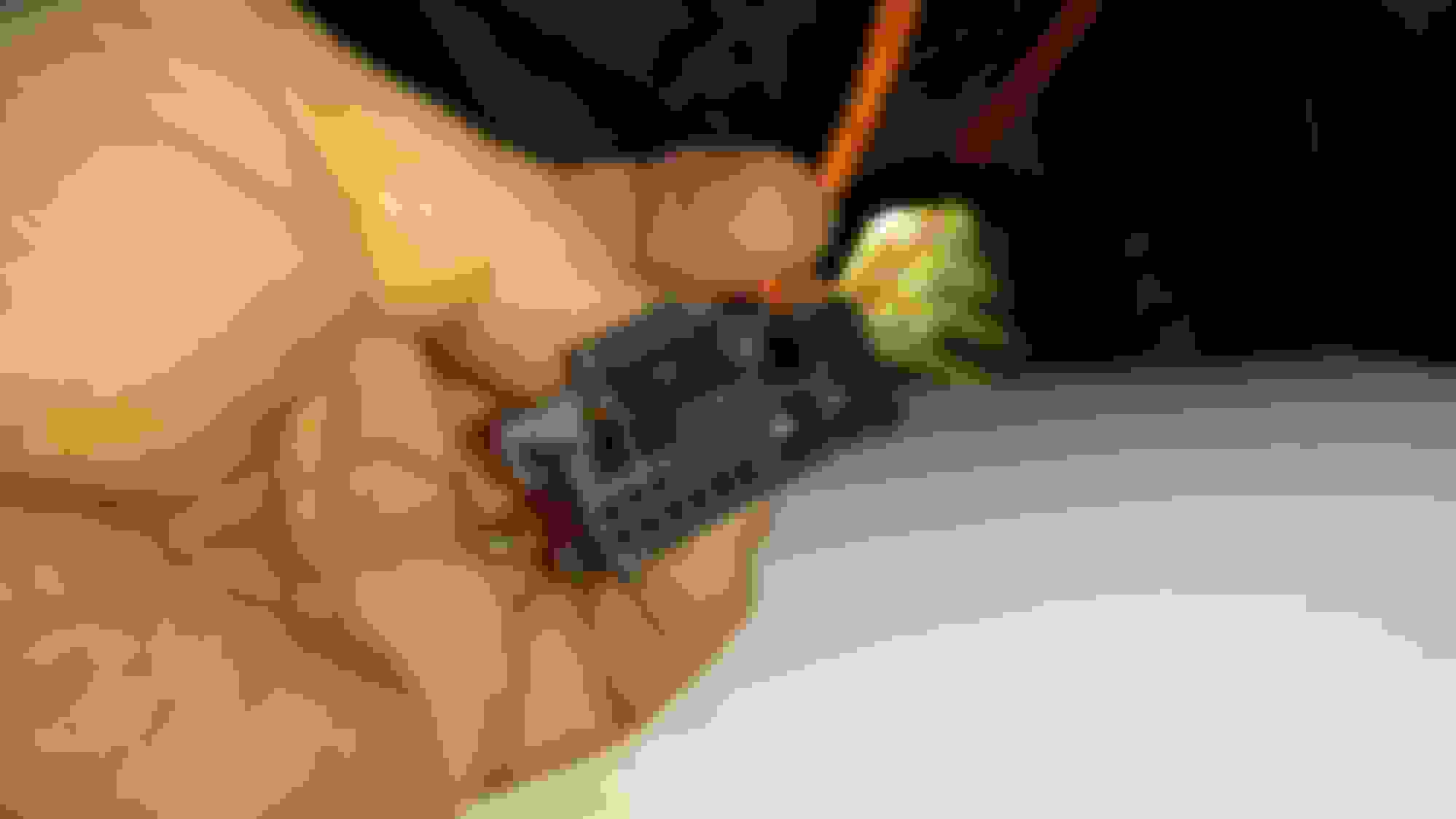
Here's the main COMAND connector from my 2004 MB S430:
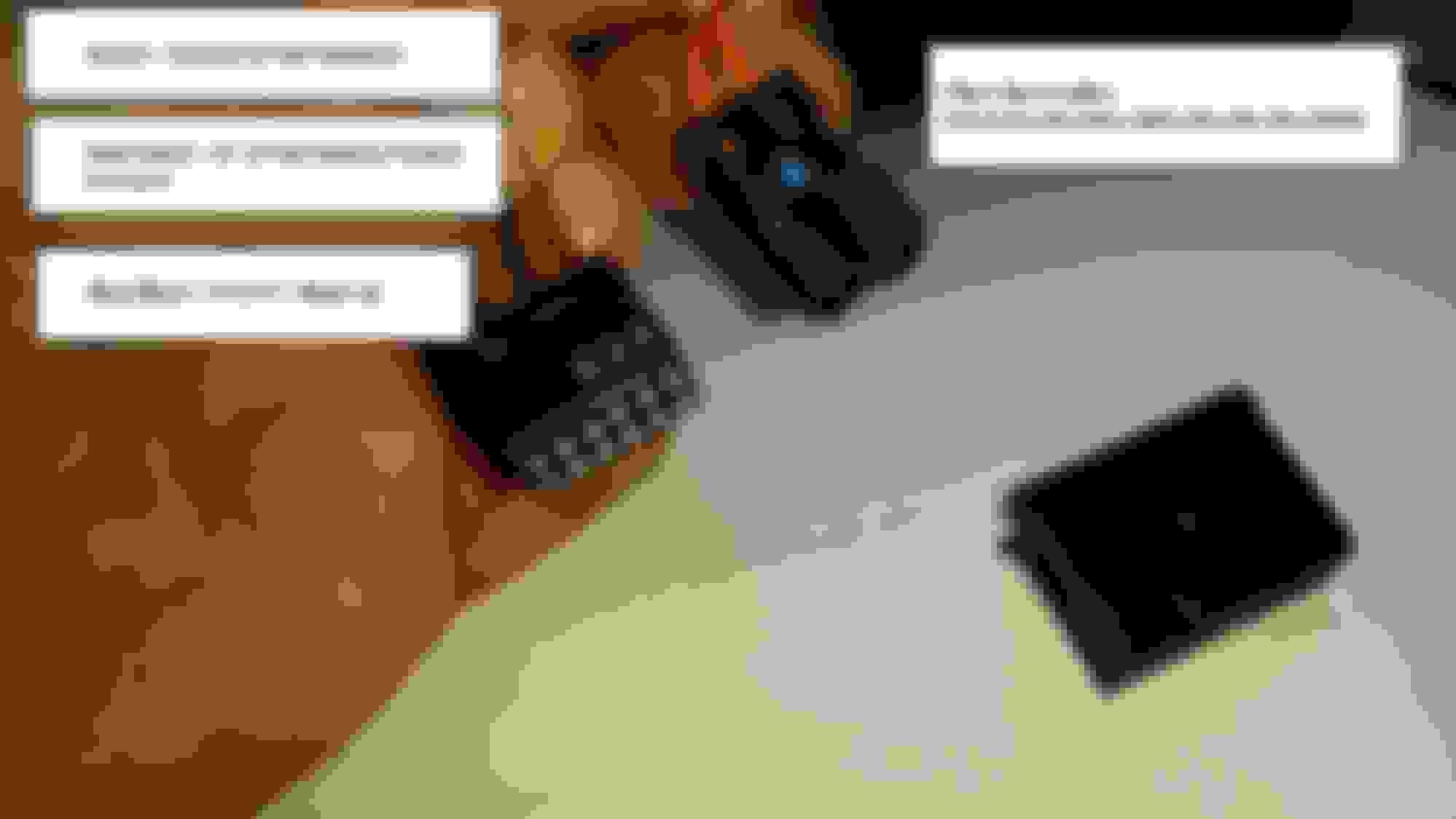
Here are the sub connectors removed fro the larger connector:
The Fiber-Optic cables fit nicely into the Fiber-Optic Decoder Box BS001, however the mini 12 pin connector with Ground, Battery+, and MOST wakeup wires do not interface at all.
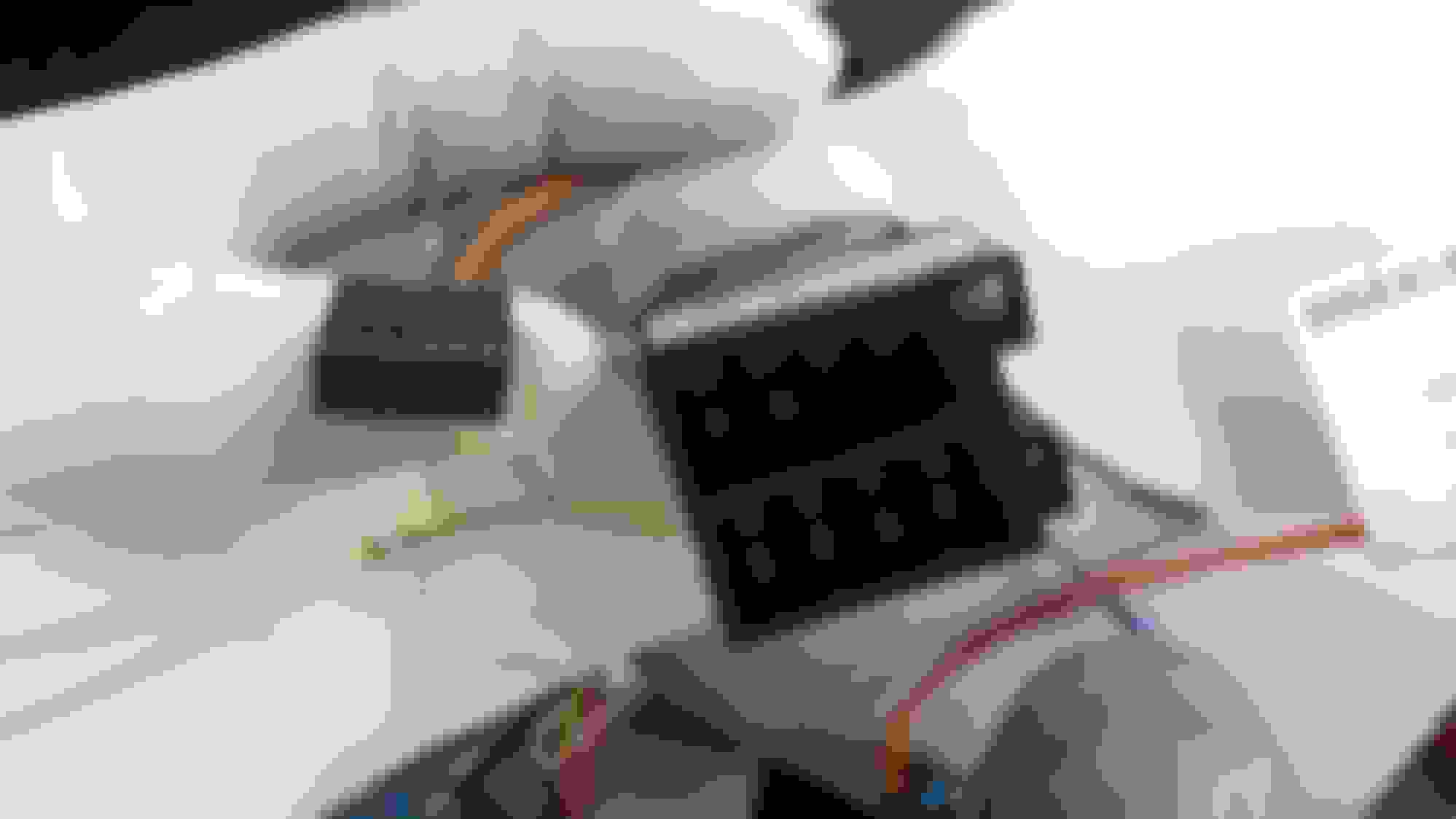
I would initially think the MOST wakeup would connect to the ACC, ignition on, wire on terminal 13 from the Erisin unit, however that wire (red) goes directly to the CAN-BUS box:
So my question is, where do I connect the MOST wakeup (Blue/Black) wire to on the Erisin unit?
Again, thank you all in advance!
Russ
Hi Russ, I am trying to do the same thing in my s500 (w220) and have the same situation. I got the MOST box to work, and I have audio retaining the factory speakers and amp. The blue/black cable baffles me though, and I don't know where it would go. Please let me know if you figure it out.
Hi Russ, I am trying to do the same thing in my s500 (w220) and have the same situation. I got the MOST box to work, and I have audio retaining the factory speakers and amp. The blue/black cable baffles me though, and I don't know where it would go. Please let me know if you figure it out.
Thanks!
Thanks for the "bump" tusabes, I don't know how I missed the previous posts.
Arnoldo, I did NOT connect the blue/black "MOST Wake-up wire to anything! Even though it seems odd....
I am attaching a PDF file with instructions (including pictures) of how I connected the Erisin unit in my 2004 S430. Hopefully, this will answer your questions!
Hi. I'm the founder of this old post. I picked out all of the components for a high end system except the head unit and was planning to install last summer until I bought a new toy: Panamera Turbo S. So I'll do the install this upcoming summer. Ultimately, I was unable to get positive feedback from any installers so I didn't pull the trigger on the Android unit. I was leaning towards high end double din Pioneer or Kenwood units as there's a beautiful OEM looking dash kit. Pluse the volume and track steering wheel controls can be tied into any unit, and no unit shows track info or radio info on the dash display. Sound quality and turnkey operation are a very big deal to me (if I'm going to screw with the factory setup) and I'm not sure the preamp stage of the Chinese Android units will due.
The other issue is my 42K CL600 is still under bumper to warranty for another two years up to 100K and I'd hate to have the underwriter try to deny coverage based on an unrelated aftermarket stereo which is why I was considering the look-alike route in the first place. God the factory system stinks -- especially when compared with my Porsche's Burmester which still does not match some of my aftermarket systems of the past. Any thoughts.
Please stop downgrading your guys Mercedes with these head units. Just go aftermarket with a nice Pioneer double DIN or a Kenwood excelon like mine full navigation backup camera options HDMI inputs with mine I even have a hotspot and Google.
Thanks for the "bump" tusabes, I don't know how I missed the previous posts.
Arnoldo, I did NOT connect the blue/black "MOST Wake-up wire to anything! Even though it seems odd....
I am attaching a PDF file with instructions (including pictures) of how I connected the Erisin unit in my 2004 S430. Hopefully, this will answer your questions!
Best,
Russ
Russ,
Your .PDF is fantastic, thanks for taking the time to put it together and share with the community. I see that you didn't end up using the red "ACC" wire to turn the unit on and off. Is the on/off function handled by the CAN-BUS connection? Does that connection also allow for steering wheel volume control?
I'm installing an X-TRONS unit in my 2006 CL55 so my HU is different, but I have the same three wire + two fiber connecter you have coming from the car. I connected the "MOST wake up" wire to the ACC wire and the unit won't turn off. I'm thinking about connecting the ACC to the cigar lighter for now, as I would like to avoid ripping the interior apart to run more wiring. (We'll see how long I last without FM radio...)
Your .PDF mentions an alternate CAN-BUS distributor in the driver's footwell; do you know if the W215 has a similar alternate location? What was your source for the wiring diagrams?
Any help would be much appreciated, and thanks again for what you've already provided.
- Mark
I have a 2005 CL600 and cannot figure out what head unit I have from the factory. All the info online is confusing. It has the look of the Command APS NTG1 with MOST not D2B, but my door speakers are Bose and I'm told that means it's a D2B. This is significant because there are no fiber optic interfaces that allow you to use the factory amp/speakers with other headunits if it's D2B. Can anyone clarify this point for me?
I'll be following Russ Ward's guide and leaving the blue/black MOST remote amp wakeup wire unattached. I'm sure that'll work, as I expect the fiberoptic adapter to execute a similar function. On the off chance it doesn't, I'll follow this guy's advice and connect it to the cigarette lighter or other
Hi. I'm the founder of this old post. I picked out all of the components for a high end system except the head unit and was planning to install last summer until I bought a new toy: Panamera Turbo S. So I'll do the install this upcoming summer. Ultimately, I was unable to get positive feedback from any installers so I didn't pull the trigger on the Android unit. I was leaning towards high end double din Pioneer or Kenwood units as there's a beautiful OEM looking dash kit. Pluse the volume and track steering wheel controls can be tied into any unit, and no unit shows track info or radio info on the dash display. Sound quality and turnkey operation are a very big deal to me (if I'm going to screw with the factory setup) and I'm not sure the preamp stage of the Chinese Android units will due.
The other issue is my 42K CL600 is still under bumper to warranty for another two years up to 100K and I'd hate to have the underwriter try to deny coverage based on an unrelated aftermarket stereo which is why I was considering the look-alike route in the first place. God the factory system stinks -- especially when compared with my Porsche's Burmester which still does not match some of my aftermarket systems of the past. Any thoughts.
Hi, that's interesting when you mention OEM dash kit and maintaining the steering wheel controls. Can you highlight which models are you considering please? Do these work on OEM Amps (MOST)?
Hi, that's interesting when you mention OEM dash kit and maintaining the steering wheel controls. Can you highlight which models are you considering please? Do these work on OEM Amps (MOST)?
Thx
someone asked about the double Din, and no one replied... how did this all turn out? It’s like a spy novel, will it work? I feel like I never got closure
The head unit you just posted will it only play the four speakers or will it do All the speakers? I’m asking because I just bought an S 55 and there’s no AUX port and I’d like to do this with the least amount of rewiring and I like the Bose speakers and the amp that’s there
The head unit you just posted will it only play the four speakers or will it do All the speakers? I’m asking because I just bought an S 55 and there’s no AUX port and I’d like to do this with the least amount of rewiring and I like the Bose speakers and the amp that’s there
all speakers and amp stock with the MOST fiber optic box
if you don't have most you can also retrofit stock amp to most ( implies Xentry coding )
all speakers with rewiring, I had D2B and didn't even try keep the amp
I got a Focal amp fpx-5-1200 and kept all speakers
There is talk of using an interface cable by AVIN or others on the first link above, but I decided to use a bypass cable and buy a new amp (Alpine MRV-V500, which I haven’t had time to fit yet). Currently I’m just running the four main speakers direct from the HU. As such I can’t say too much about audio quality as it’s still a work in progress.
I intend to keep the car for years (I only bought it 3 weeks ago) so restoring to original set up was not an issue for me – in fact I ended up cutting the metal caddy for the old amp so that the new one would fit in, which it does now very nicely. It will be hidden by the boot carpet and the extra space created by lack of changer and satnav should allow air to circulate.
When I ran the new 6m cable I also laid a 6m antenna cable, a 6m fakra cable (for GPS aerial), a 6m 3.5mm extension lead (for bluetooth mic), the cable for the reversing cam and a dual RCA cable just in case I’d forgotten anything! It took me nearly a day as I had to remove the back seats and all the boot trim, plus the rear interior trim on one side, but I was going very slowly and carefully as I hadn’t done this before. Youtube videos were priceless and it was well worth investing in a cheap pry tool kit from eBay.
I haven’t yet got the steering wheel buttons to work. I think I have the wrong CANBUS (probably my fault because I didn’t specify!). The one I have has W211 printed on it, and I have a W215. According to what I’ve read you’ll not get track name/number/station info on the dash – even with the right CANBUS! I’m in communication with the supplier and hope they’ll swap it or tell me what I'm doing wrong.
I wouldn’t claim to be an Android expert but I’ve had a couple of Android phones. The unit seems responsive, can multi-task smoothly and seems the real deal. The IGO sat nav (that came pre-installed) looks and functions great, the radio app does the job, the Bluetooth works as it should pairing to both my phone for calls or music and also to the OBDII which works well with the pre-installed Torque app. The reverse cam that I plugged in also works well. The finish of the unit looks very good, it fitted well and I haven’t yet noticed any bugs. It came supplied with a 8GB microSD card with the satnav maps on. I put a 32GB one in the other slot with music on it. I haven’t tried mirroring my phone yet, but apparently it’s possible.
Some pics are attached. I haven't installed any apps of my own yet. Everything shown was pre-installed.
Thank you for the detailed post, but I have a small question, where did you connect the GPS cable in the trunk ? could you show me please and is that going to use all the antennas or just one antenna ?
Mercedes SLR McLaren 722 S Is Extremely Rare Example Modified by McLaren
Slideshow: A one-of-one U.S.-spec Mercedes-Benz SLR McLaren Roadster became even rarer after a factory-backed transformation at McLaren's headquarters.











 Erisin / China Head Unit COMAND Upgrade
















 XM/ Sirrus