


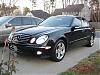





new to forums and quick question

Thread Starter
Newbie
Joined: Jan 2008
Posts: 4
Likes: 0
2006 Mercedes Benz E 350
new to forums and quick question
Hey whats up everyone, i've been using these forums for many things that i couldnt figure out with the car, and i've finally decided to sign up and be a part of it all  I drive a 2006 E 350 that I bought about 5 or 6 months ago, and I could NEVER figure out how to get the headlights/foglights to stay on after i've exited the car. I tried changing the settings, but they just wont stay on for the 30 or 45 seconds that I select. Can anyone tell me what the problem is??
I drive a 2006 E 350 that I bought about 5 or 6 months ago, and I could NEVER figure out how to get the headlights/foglights to stay on after i've exited the car. I tried changing the settings, but they just wont stay on for the 30 or 45 seconds that I select. Can anyone tell me what the problem is??

Senior Member
Joined: Sep 2007
Posts: 332
Likes: 0
From: Long Island, NY
2004 E500 Wagon 4Matic
Not really sure. I have mine set at 15sec (I think), and this works for me. Does changing the time work for the other options? We are talking about the exterior lamp delayed shut-off time, right?
Do they stay on for just 15s approx?
When you go back to the control screen, the first time you see is the current selected value. Is it still showing the 30 or 45 that you select? Or has it gone back to 15 or 0?
I like the temporary stay on feature, but I have to say I am more reassured if I see my lights go off. The 15s allows me time to get to my front door, turn around and see the lights fade down. (Isn't it cool that they fade down, rather than just switch off? )
Do they stay on for just 15s approx?
When you go back to the control screen, the first time you see is the current selected value. Is it still showing the 30 or 45 that you select? Or has it gone back to 15 or 0?
I like the temporary stay on feature, but I have to say I am more reassured if I see my lights go off. The 15s allows me time to get to my front door, turn around and see the lights fade down. (Isn't it cool that they fade down, rather than just switch off? )
Thread Starter
Newbie
Joined: Jan 2008
Posts: 4
Likes: 0
2006 Mercedes Benz E 350
Not really sure. I have mine set at 15sec (I think), and this works for me. Does changing the time work for the other options? We are talking about the exterior lamp delayed shut-off time, right?
Do they stay on for just 15s approx?
When you go back to the control screen, the first time you see is the current selected value. Is it still showing the 30 or 45 that you select? Or has it gone back to 15 or 0?
I like the temporary stay on feature, but I have to say I am more reassured if I see my lights go off. The 15s allows me time to get to my front door, turn around and see the lights fade down. (Isn't it cool that they fade down, rather than just switch off? )
Do they stay on for just 15s approx?
When you go back to the control screen, the first time you see is the current selected value. Is it still showing the 30 or 45 that you select? Or has it gone back to 15 or 0?
I like the temporary stay on feature, but I have to say I am more reassured if I see my lights go off. The 15s allows me time to get to my front door, turn around and see the lights fade down. (Isn't it cool that they fade down, rather than just switch off? )
 , plus tried charging me for some diagnostics they ran on the car that I never asked for in the first place.
Everytime I go back to the settings and check it, it says that it's set for 30sec, and I have yet to try it with the switch set to "auto" position. And thank to everyone for the welcome
Trending Topics

MBWorld Fanatic!

Joined: Dec 2006
Posts: 6,501
Likes: 336
From: Europe
223.168 & 213.012 & 906.633 & 214.005
Unlikely, but are you sure you did set the correct delay? There are other than the delayed head lamp switch off setting?
Activating or deactivating the exterior lighting delayed switch-off
Using the Headlamp switch-off delay function, you can set whether the exterior lighting should remain on when it is dark for 15 seconds after the doors are closed. If none of the doors are opened after the engine is switched off or if an open door is not closed, the exterior lighting goes out after 60 seconds.
 Press
Press  or
or  to select the Settings... menu.
Press  to call up the selection of submenus.
Press  or
or  to select the Lighting submenu.
Press to select Headlamps delayed switch-off.
Press or to activate or deactivate the Headlamps delayed switch-off feature.
Press , or  to select a different display.
To temporarily deactivate the delayed switch-off:
Turn the key to position 0 in the ignition lock before leaving the vehicle.
Turn the key to position 2 in the ignition lock and back to position 0.
Delayed switch-off is deactivated. It is reactivated as soon as you start the engine again.
Activating or deactivating the exterior lighting delayed switch-off
Using the Headlamp switch-off delay function, you can set whether the exterior lighting should remain on when it is dark for 15 seconds after the doors are closed. If none of the doors are opened after the engine is switched off or if an open door is not closed, the exterior lighting goes out after 60 seconds.
- The side lamps
- The tail lamps
- The licence plate lighting
- The front foglamps
Press or to select the Settings... menu. Press to call up the selection of submenus. Press or to select the Lighting submenu. Press to select Headlamps delayed switch-off. Press or to activate or deactivate the Headlamps delayed switch-off feature. Press , or to select a different display.To temporarily deactivate the delayed switch-off:
Turn the key to position 0 in the ignition lock before leaving the vehicle. Turn the key to position 2 in the ignition lock and back to position 0.Delayed switch-off is deactivated. It is reactivated as soon as you start the engine again.
MB World Stories
The Best of Mercedes & AMG

8 Oddball Mercedes Ideas That Actually Made it to Production
Verdad Gallardo
Dubai Tuner Gives the Mercedes G-Class An Entirely New Look
Verdad Gallardo
Six Gift Ideas Your AMG Loving Dad or Grad Will Cherish

7 Craziest Things AMG Gas Ever Built
Verdad Gallardo
New Electric Mercedes-AMG GT 4-Door Coupe Unveiled: 10 Things You Need to Know
Verdad Gallardo
6 Mercedes Models That Did NOT Age Well (But Are Somehow Still Cool)
Verdad Gallardo
Manual Mercedes? 6 Times Sindelfingen Let Drivers Have All The Fun
Verdad Gallardo
Mercedes SLR McLaren 722 S Is Extremely Rare Example Modified by McLaren
Verdad Gallardo
8 Classic Boxy Mercedes Designs That Have Aged Like Fine Wine
Verdad Gallardo


Senior Member
Joined: Nov 2003
Posts: 308
Likes: 0
From: Maryland
03 Eclass, 03 BMW 06 Porsche Cayman S, 03 Harley Davidson "bored & stroked"
Make sure that you are saving the change that you are making, i did that once with the feature that adjustx the steering wheel and seat everytime you enter/exit the vehicle, i could not turn it off, i was not exiting the menu properly there by saving the change. it can be a little confusing
 Thats what I said! LOL
Thread Starter
Newbie
Joined: Jan 2008
Posts: 4
Likes: 0
2006 Mercedes Benz E 350
Took it to Mercedes today, they went throught the settings and got it working. They said it automatically kept switching that option back to "off" or something like that. They had it hooked up to some computer in the back, and they got rid of my SOS error message that I kept getting =D I'm pretty happy now...  I appreciate the help!
I appreciate the help!


