When you click on links to various merchants on this site and make a purchase, this can result in this site earning a commission. Affiliate programs and affiliations include, but are not limited to, the eBay Partner Network.
So I am sitting at work and I think I found what I need to make this look 100% legit without having non factory connectors.
I found this GPS extension which will allow the straight fitting to go right behind the command unit instead of the 90 degree plug blocking the video. I will then attach the stock connector into the male end of the extension.
I got the extension back a while ago and put it on the back of the Comand unit. Then plugged in the factory GPS connector to it. It was about an 8" extension, so it's plenty long.
Everything works as it should. I have back up camera enabled and installed from some picture I post a while back, and also VIM with the control box I have. Looks great and works 100%.
The only thing I would change on the camera is that if I knew someone that painted or if I knew I could get a factory finish I would have painted the external metal housing of the camera iridium silver to match the car, just so it blends in more. But honestly until you get up on the car you don't even see it. Even standing at normal level you won't see it until you bend down.
Also if anyone is in VA I can help unlock backup camera on command via STAR/DAS.
Buy touch up paint set and paint it. It looks like the camera came standard from the factory. I'm also working on a OEM RVC solution for the W211 including the fold-in/-out feature.
I spent several months wasting time and money on this. My lesson--local indie shops, even the highly rated ones or those listed as "official" installers don't understand how this is possible and they jerk you around, waste your time, install camera and/or FAKRA incorrectly, not connect wires as asked, and /or charge you extra. I wish I had gone to someone that had done this before from the beginning.
Shout out to Mackhack--professional that knows what to do and will make sure this is done right. Worth the drive to SD area. Thanks Mackhack for helping me achieve backup camera for my parent's 2009 E350.
Last edited by heedman1; Oct 12, 2018 at 07:22 PM.
I know it's been ages since this replay, but I have my ML320 cdi with COMAND NTG2 (without SD slot). My backup camera was perfectly working since days ago, now nothing happens when I engaged reverse. I double checked everything (reverse lights, FAKRA cable, etc). I was wondering if it's any option to access the hidden engineering features or a code in the steering wheel that I can check or enable the camera. Many thanks!
Hi! Sorry for the late replay as I was waiting for a cable convertor. Just tried yesterday with a DVD and analog signal and nothing... It does nothing when I engage reverse gear, so I assume the camera works well but the Comand lost configuration and needs to be enabled??
If you’re in SoCal I can mount it and code your car. PM me for pricing if interested.
Thanks for offer, I would accept but I am a few thousand miles east from you. I actually have an 09, it is plug and play once I upload the software from the box I ordered.
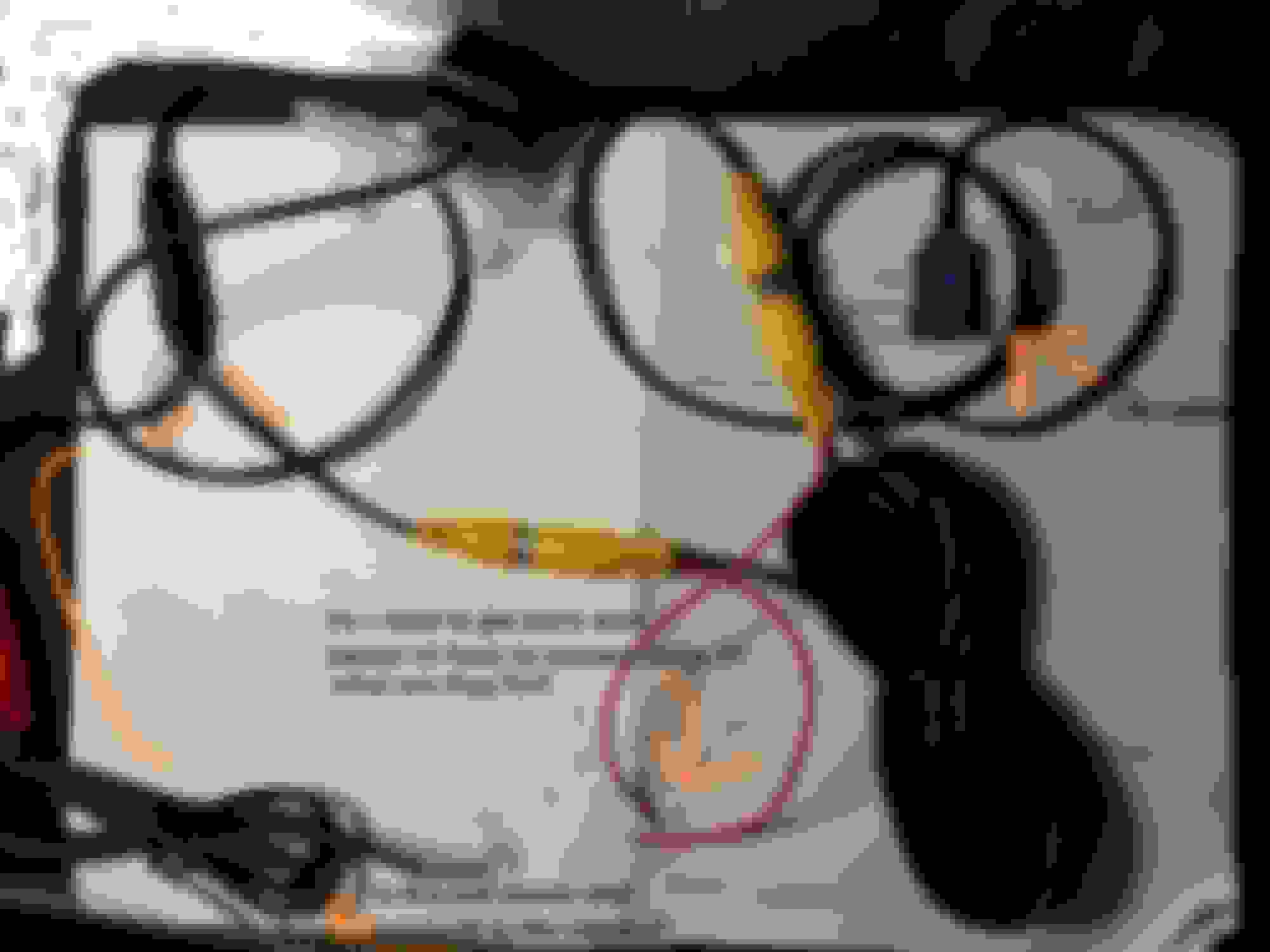
Any tips on the wiring? The middle red in the picture (2 red wires) those are the ones I am unsure what they are for or if they have to be connected together or separately to other red wires.
Those two extra red wires are either going to be 12v or a switch wire. Depends on the camera maker. You have a Chinese camera so it could be either knowing how they put stuff together...
Picture of sample wiring of a normal back up camera.
The red and black are the power and ground.
If you have never done this before then you should probably have it installed. If you're in SoCal take up Mac's suggestion...
For example, it looks like In your diagram , I have the find/tap into the reversing wire, I have no idea where that is. reversing wire vs reversing trigger are also terms I cannot differentiate.
Here is my diagram, it is very vague lol
Last edited by e350forme; Jul 17, 2019 at 02:09 PM.
Usually these wires are used to control the camera picture. Some cameras need them to be connected to have a correct picture (left side is left and right side is right) and cut if it needs to be mirrored (or vice versa depending on how the electronics is set up).
In your picture I see you bought a Kufatec product. I’d ask them. Their support is good. Unless the Chinese copied their logo. That I don’t know.
I’d steer away from connecting positive to the reverse light as a signal and power source to control the camera as the SAM controls the current being used on the lighting. For backup cameras we have developed a module to prevent problems with cameras connected to the reverse light. I know many do it that way and ignore the advice.
Last edited by Mackhack; Jul 17, 2019 at 02:25 PM.
where would you prefer to draw power from instead of the backup/reverse lights?
It’s not so much where to take it from other than the reverse light, it’s more of protecting it. That’s why we developed the module. We have seen errors coming up on the cluster that the light was defective when it really wasn’t defective.
We are currently working on a CAN Bus module that will enable the camera when the bus transmits the CAN message that the car is in reverse.
Mercedes SLR McLaren 722 S Is Extremely Rare Example Modified by McLaren
Slideshow: A one-of-one U.S.-spec Mercedes-Benz SLR McLaren Roadster became even rarer after a factory-backed transformation at McLaren's headquarters.