When you click on links to various merchants on this site and make a purchase, this can result in this site earning a commission. Affiliate programs and affiliations include, but are not limited to, the eBay Partner Network.
“Permanent” solution have someone deactivate with DAS (MB diagnostics): Control Units - Body - CGW (Central Gateway) - Control Unit Adaptations - Read Coding and Change if Necessary - Telecommunications - Telematics Service “Tele Aid” in combination with MOST technology - change coding from present to not present.
Yes, having the dealer turn off the SOS Tele Aid System will make the message go away....but it won't solve the problem causing it to display the message in the first place.
I found corrosion on the input terminal of the antennae splitter located on the left-rear inside fender (above the NAV module). Cleaning the terminal and applying a dielectric grease restored the function of the NAV system and turned off the SOS warning. However, I was curious as to where the water was coming from. The rubber grommet holding the antennae cable was pliable and water tight. The culprit was the rubber molding at the top left corner of the trunk. The molding had split, allowing water from the rear window to find it's way to the inside of the fender, and, ultimately drip onto the splitter.
A bit of silicone adhesive on the weather strip and a dab on the cable grommet for good measure solved the water intrusion problem.
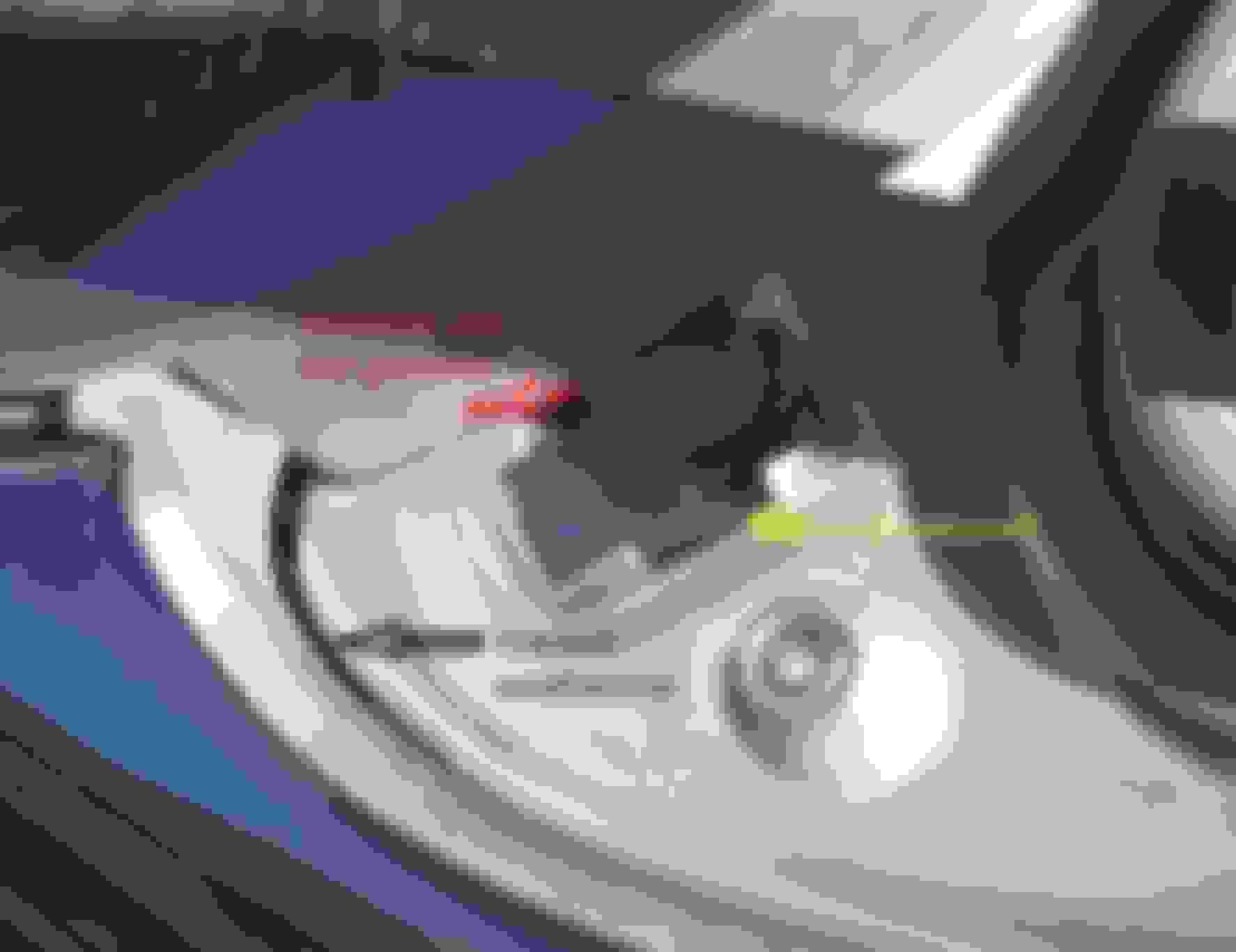
To properly glue the split weatherstrip , I removed the plastic fender cover. (4 plastic push-in rivets and 1 Torx head screw).
I discovered the weatherstrip was not the entire problem contributing to the water dripping on the antennae splitter, causing corrosion and triggering the SOS Malfunction message.
The push-in rivets have a rubber closed-ended sleeve that holds the fender cover in place. Notice the small hole on the rivet head? It's to allow air to escape as the rivet is pushed into the tube.
The two top rivet sleeves were totally rotted, and the dirt and debris that accumulated under the cover blocked the normal flow of water from draining to the back of the car. Water was leaking past the rubber sleeve and dripping onto the antennae splitter underneath the fender.
Be careful when removing the old rivets and sleeves. Save the rubber sleeves that are not rotted (the 2 rear), because these have the outrageous list price of $10.50 EACH at the MB Dealer!
Stopping the water leak solved the annoying SOS Malfunction message.
A side effect of telling the car that Telematics is not present is that the SRS warning will think it can't phone home and will set a code, light the SRS light, and send a message to the DIC telling you to visit the workshop. I reset the coding to Telematics is present and will know next time I drive the car if the SRS message is gone.
Telematics is present again but the SRS message remains even after using a computer to clear it. Maybe tomorrow I'll have the time to post up a specific code and pics.
Yes, having the dealer turn off the SOS Tele Aid System will make the message go away....but it won't solve the problem causing it to display the message in the first place.
I found corrosion on the input terminal of the antennae splitter located on the left-rear inside fender (above the NAV module). Cleaning the terminal and applying a dielectric grease restored the function of the NAV system and turned off the SOS warning. However, I was curious as to where the water was coming from. The rubber grommet holding the antennae cable was pliable and water tight. The culprit was the rubber molding at the top left corner of the trunk. The molding had split, allowing water from the rear window to find it's way to the inside of the fender, and, ultimately drip onto the splitter.
A bit of silicone adhesive on the weather strip and a dab on the cable grommet for good measure solved the water intrusion problem.
I have the same problem, looking at the top connector of the splitter I can see corrosion through the connector retainer. The cable coming from the antenna is too short to make a drip loop.
1. Were you able to save the splitter after cleaning it?
2. what contact cleaner did you use?
thanks I disconnected the cable going into the lower connector to figure out how the cable plugged in. Just squeezed together the two tabs closest to the splitter. There is a groove on the Metal cable connector which Plastic retainer locks into.
I was able to save the original splitter by using 320 grit sandpaper to clean up the outside ground terminal and then made sure there was no corrosion on the inside terminal. Check with an Ohm meter to make sure the resistance is as low as possible.
Use a dab of dielectric grease to keep the connection water-tight.
I noticed the water was not wicking down the antennae cable...which could have been prevented by a drip loop. The water was dripping on the top side of the splitter, through the rotted rubber expansion tube and flowing down to corrode the top connector.
The SOS message no longer displays. I did have to drive a few miles for the map to re-coordinate. Everything works fine now....only expense was for the expansion rivets discounted to $3.50 ea. Still a rip!
I was able to save the original splitter by using 320 grit sandpaper to clean up the outside ground terminal and then made sure there was no corrosion on the inside terminal. Check with an Ohm meter to make sure the resistance is as low as possible.
Use a dab of dielectric grease to keep the connection water-tight.
I noticed the water was not wicking down the antennae cable...which could have been prevented by a drip loop. The water was dripping on the top side of the splitter, through the rotted rubber expansion tube and flowing down to corrode the top connector.
The SOS message no longer displays. I did have to drive a few miles for the map to re-coordinate. Everything works fine now....only expense was for the expansion rivets discounted to $3.50 ea. Still a rip!
my upper cable was really frozen onto the splitter. I tried using WD40, but that only freed the red clip to eventually rotate, cable was still frozen. Used PB Blaster to soak for 30 minutes and finally allowed cable to rotate. The center pin on the cable has scale, so I ordered a burnishing tool with great hope of success of cleaning it up. I might need a new splitter. Checked on Ebay but all sellers are hiding views of the upper connector interior, but some show how clean the lower connectors are.
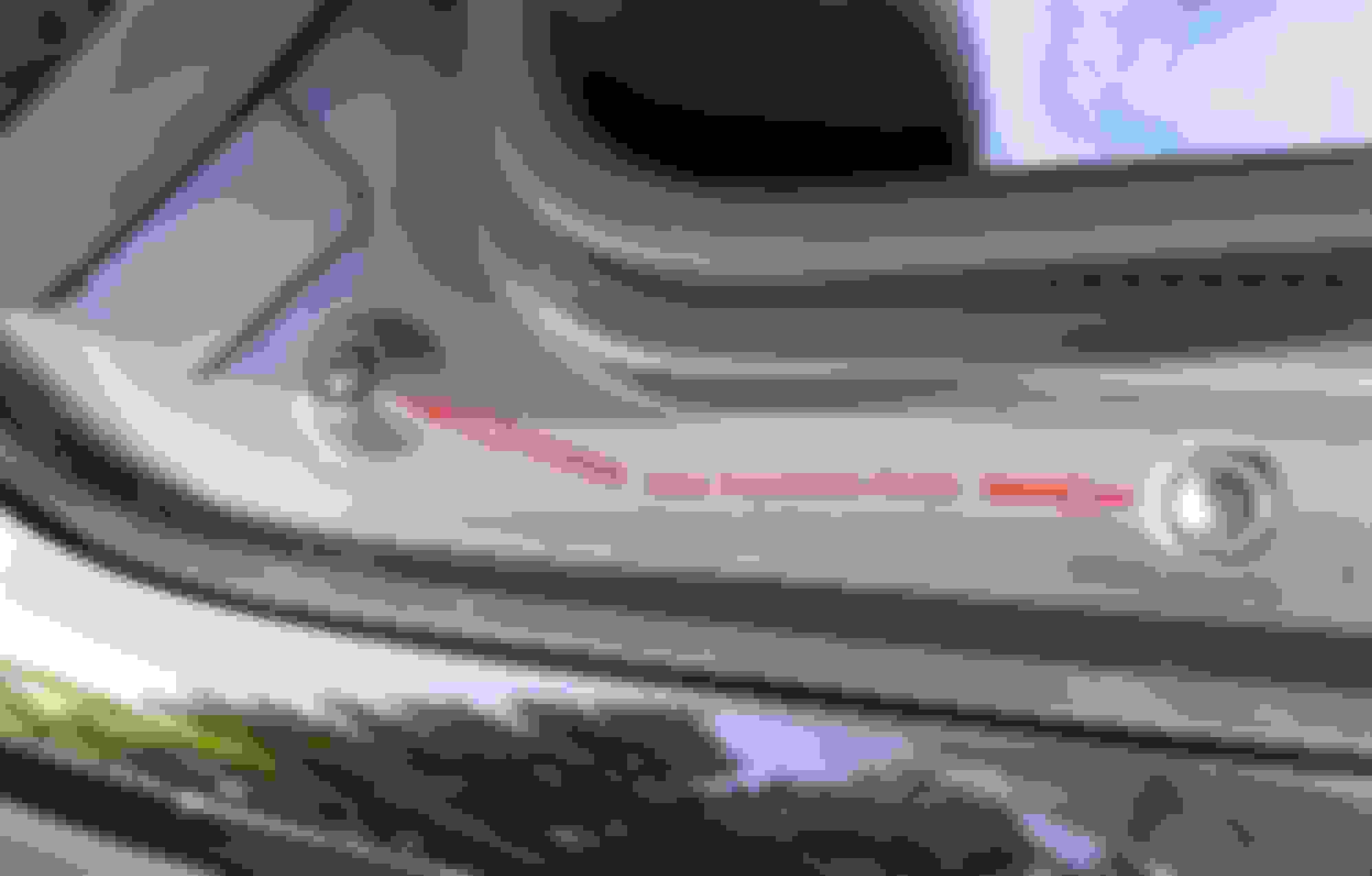
Also did you notice, there is a second antenna cable coming down the right side into the trunk, mine has minor scale from leaking, was easy to pull the connector apart, different arrangement, see photo.
connector was clipped into the black holder.
Does anyone know if these RF male or female connectors are available separately in case I have to replace the connector on the antenna side. Also I would like to make a drip cable.
I noticed the cable on the right side of the rear window, but did not remove the trunk lining to see where it goes. I thought it was the power cable for the rear window defogger. However, looking at the picture (from ot1) I see it has a connector that looks like an antennae instead of a power cable.
Could this be used for the phone antennae?
I cleaned up the right fender gutter and checked the rubber expansion rivets. Everything looks good....and the important issue for me is no more "SOS malfunction message"
John
PS: I do not have a hard-wired phone and therefore no malfunction message.
The MB splitter has very small connectors. The antennae cable needs a small one to fit through the hole on the top fender gutter (and rubber seal).
If my splitter had been ruined, I thought about trying a common TV cable splitter. However, you would have to change all three cable connectors. This would give you as much extra cable for making a drip loop. I just don't think the water traveled to the splitter via the cable. I had obvious water marks on the top-most corner of the splitter, which is higher than the location of the connector.
The MB splitter has very small connectors. The antennae cable needs a small one to fit through the hole on the top fender gutter (and rubber seal).
If my splitter had been ruined, I thought about trying a common TV cable splitter. However, you would have to change all three cable connectors. This would give you as much extra cable for making a drip loop. I just don't think the water traveled to the splitter via the cable. I had obvious water marks on the top-most corner of the splitter, which is higher than the location of the connector.
the splitter is still available from Mercedes $62 USD, on Ebay used ones go for $25 but They are probably corroded. The gutters on both sides have deteriorated, so I Have them ordered.
After closer inspection the antenna cable‘s outer jacket has splits in it just above the grommets on both cables. The antenna has two cables, one is routed down the left side of the trunk, the other cable is routed down the right side of the trunk. I think the SOS message is caused by the right side cable.
Ha! I had these same problems years ago and almost busted the tiny frozen on connectors.
Since I didn’t have enough wire to make a drip loop, I put a piece of tape on the wire so that any water dripping down the wire would follow the tape and drip harmlessly away.😀
The insulation silicone is called “Bulb Grease” and purchased in little $1 packets at any auto parts store counter.
“Permanent” solution have someone deactivate with DAS (MB diagnostics): Control Units - Body - CGW (Central Gateway) - Control Unit Adaptations - Read Coding and Change if Necessary - Telecommunications - Telematics Service “Tele Aid” in combination with MOST technology - change coding from present to not present.
yea thays bs so is the dealer trying to charde me 250for that. I need it off
did you have the issue describved below afterwards?
Originally Posted by rapidoxidation
A side effect of telling the car that Telematics is not present is that the SRS warning will think it can't phone home and will set a code, light the SRS light, and send a message to the DIC telling you to visit the workshop..
did you have the issue describved below afterwards?
yes it did so 2004 mercedds benz e320 I coded telaid to not prrsent restart car and no more sos but srs light took ots spot. So my buddy coded that for me remotely so all gone now.
When I had mine, I actually removed the module and put in a fiber optic loop that plugs in. Then I coded the canbus for not present. I used star das at the time. Someone had really messed up some settings in the most loop and I got them back in check. A fiber optic loop is 5-15 bucks online.
for anyone with an mb, I’d recommend Mercedes software for diagnostics and repair. It’s too expensive not to have it and your car will thank you. Both systems I’ve had were purchased used and just take a bit of learning to use correctly. Then you come to the forum and ask specifics
yes it did so 2004 mercedds benz e320 I coded telaid to not prrsent restart car and no more sos but srs light took ots spot. So my buddy coded that for me remotely so all gone now.
but all can be done with DAS the dealer in NJ had me on a nut mission saying that can't make it not present and they can't communicate with my car. So I figured it out myself the reason dealer could not get into my car because they were using xentry and I found that will not work in 04 xentry was not even out yet lol. So it will kick you right out. DAS is what you use and it works. Body control module elastics and telaid you will see dro p down menu that say not present tap down arrow and it will have choice to not present do that and make sure you save it. Bye bye sos error and screw dealer lol. This gave me SRS error though so my buddy remotely did it in q min. I don't know what he did. I can find out if you guys still need in this older post. Let me know he was also using vedimo which works on older cars. But be careful because you can brick your car I was told
but all can be done with DAS the dealer in NJ had me on a nut mission saying that can't make it not present and they can't communicate with my car. So I figured it out myself the reason dealer could not get into my car because they were using xentry and I found that will not work in 04 xentry was not even out yet lol. So it will kick you right out. DAS is what you use and it works. Body control module elastics and telaid you will see dro p down menu that say not present tap down arrow and it will have choice to not present do that and make sure you save it. Bye bye sos error and screw dealer lol. This gave me SRS error though so my buddy remotely did it in q min. I don't know what he did. I can find out if you guys still need in this older post. Let me know he was also using vedimo which works on older cars. But be careful because you can brick your car I was told
I went threw a lot and found the cheapest option was get guy on ebay to remote install all meecedes programs but 20 dollar open port from ali express or temu and their you go you can now do it all yourself for 70 bucks save you thousands thanks in advance. Robertehlers39@gmail.com is my email me I can set it all up for small fee
Mercedes SLR McLaren 722 S Is Extremely Rare Example Modified by McLaren
Slideshow: A one-of-one U.S.-spec Mercedes-Benz SLR McLaren Roadster became even rarer after a factory-backed transformation at McLaren's headquarters.










 Disable SOS Tele Aid Malfunction warning - HOW?