When you click on links to various merchants on this site and make a purchase, this can result in this site earning a commission. Affiliate programs and affiliations include, but are not limited to, the eBay Partner Network.
Thanks for all your help, there is no way I could have gotten this far without this write up. It's been a long day, I spent a couple of hours trying to get the HU back in. I finally unplugged the cables and re-routed them to the passenger foot well. That seemed to work, as I got the HU back in. Unfortunately, while all the speakers are working when I play music via a SD card in CarPlay mode only part of the speakers are working. I'm thinking the optical connection was damaged, as it doesn't seem to be locking in as before and comes out when I put the HU back in. It may have been damaged trying to get the HU to fit. I wrapped some tape around the connection to try and wedge the optical connection plug into the socket. I'm not sure it is working. I guess it's also possible the Joyeauto audio cable has come loose.
Is the optical connection used on all audio? If so then since it works on an SD card, it's not the optical connection.
Could the audio cable have come partially loose?
I'm hesitant about taking the HU back out, but I doubt these is a choice. Suggestions? Ideas? Joyeauto has not responded to my inquiries. It's interesting the Joyeauto website has tech support, but it's only accessible with a password. If this is truly tech support, they should probably give out the password to access this.
IF it's all working properly via MB Comand (SD card, radio, CD, etc) then it's an issue somewhere in the Joyeauto setup. All audio (Comand and Joyeauto) goes through the HU and it's transmitted to the external MB amp via the fiber-optic cables.
A partially fit audio cable could easily explain the issue, especially if its left vs right speakers (the signal is stereo L &R). Unfortunately, if that's the case then I think the first step is to verify that the Joyeauto audio cable is fully seated at both ends.
If the cable is fully seated then it's something else. Examples: bad audio cable, harness wiring problem, or the Joyeauto unit itself.
FWIW, the only email I had for Joyeauto was sales@joyeauto.com and they responded fairly quickly considering the time zone difference.
After I installed mine I also noticed an email for tech support: tec@joyeauto.com.
2012 E550 Cabriolet 2011 VW Eos 1985 Pininfarina Spider
I am thoroughly confused. When the HU is out, everything (CarPlay and Bluetooth) works as it should. When I slide it in, one channel cuts out and the screen will sometimes cut out. I can pull the HU out and move it around to get the Carplay audio and screen to work again. The audio works as it should from the memory card, whether the HU is in or out. I thought it might be the fiber optic connection, as it doesn't seem to lock into the Joyeauto harness very well, but I don't think that would effect the screen. It seems like there may be a short in the Joyeauto wiring harness.
UPDATE - I may have figured it out. Tonight I was looking at the Joyeauto harness connector that connects to the HU. It looks like when the lever is locked, it has two different positions. When I lock it and then push further, it seems to lock again. This may be my issue. I will know more in the morning when I get more time with it.
2012 E550 Cabriolet 2011 VW Eos 1985 Pininfarina Spider
So I was able to get the HU back in and Carplay works as it should, but still have a couple of issues. First, there is no OEM rear camera in either CarPlay mode or OEM Mercedes mode. The screen goes blank when the car is shifted into reverse. Second, when in CarPlay mode I can't turn off the head unit. The screen dims, but is still on. Is this normal?
Joyeauto has been better at getting back to me and I have emailed them. Hopefully, we can figure this out.
First, there is no OEM rear camera in either CarPlay mode or OEM Mercedes mode. The screen goes blank when the car is shifted into reverse.
Since it doesn't work in MB Command, it sounds like a wiring issue with the camera. Either a connection was inadvertently disconnected, or worse, broken. Fingers crossed that it's the easier fix.
Originally Posted by Davery
Second, when in CarPlay mode I can't turn off the head unit. The screen dims, but is still on. Is this normal?
Totally normal. Makes sense when you think about it as the HU commands brightness but the Jouyeauto unit provides the video signal when using CarPlay. Turn "off" the HU and it dims (the screen is never really "off," ever) but the Joyeauto unit is still active.
If you want a blank screen, turn it off when in MB Comand.
2012 E550 Cabriolet 2011 VW Eos 1985 Pininfarina Spider
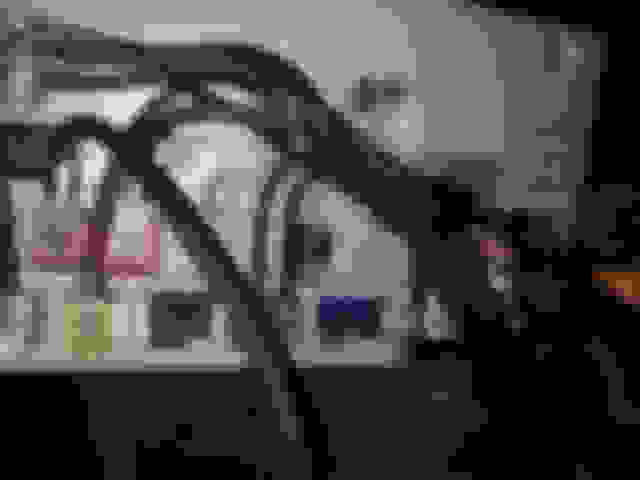
I actually found that post a few days ago. My HU is a bit different. Everything appears the same, but there is an extra plug (BLUE) to the right of the rear camera plug. I do not know what it is for. Could this be the difference between a NTG 4.5 and a NTG 4.7?
I did remove these plugs while working on the installation, but I am pretty sure the rear camera was working yesterday before I got the HU fully re-installed. What appears to be the rear camera plug (GREEN PLUG) on the post you listed does not appear to fit in any other slot on my HU and this wire goes into the OEM wire loom. I guess it's possible this wire could have been damaged in the pushing and pulling to get the HU back in. I ran the HU diagnosis in the engineering mode, but there does not appear to be anything directly related to the rear camera. I also ran the History Information. There are a few items that appear, but the most common is "DTCc264 FBAS not connected". I did find a post, but no info.
After doing a bit of research, the FBAS appears to be something to do with video. I thought the rear camera fuse may be out and checked. According to the W212 list I have ( I could not find a A207 fuse list) this fuse (84) is supposed to be a 5A, but it is actually a 7.5A and is OK.
There were other codes that appeared on the diagnosis.
Would it do any harm to eventually do a system reset?
I was adjusting the DIP switches to see if I could get the rear camera working when this happened. I unplugged the Joyeauto interface to reset, but no change. I can not access the Comand system.
Suggestions?
Last edited by Davery; Aug 4, 2019 at 03:02 PM.
Reason: clarity
I unplugged the Joyeauto interface to reset, but no change. I can not access the Comand system.
Suggestions?
I'm not sure I'm following, but if the Joyeauto unit is removed for a reset the video cables will have to be reconnected. The video signal path for Comand in this installation goes through the Joyeauto unit.
2012 E550 Cabriolet 2011 VW Eos 1985 Pininfarina Spider
Originally Posted by cadetdrivr
I'm not sure I'm following, but if the Joyeauto unit is removed for a reset the video cables will have to be reconnected. The video signal path for Comand in this installation goes through the Joyeauto unit.
After working directly with tech support at Joyeauto the issue has been resolved. All the dip switches were turned off except for #8. Everything works as it should. I do have to say the support from Joyeauto has been outstanding. They have been available via email, text and video. Now I am having second thoughts about trying to add a front camera.
After working directly with tech support at Joyeauto the issue has been resolved. All the dip switches were turned off except for #8. Everything works as it should. I do have to say the support from Joyeauto has been outstanding. They have been available via email, text and video. Now I am having second thoughts about trying to add a front camera.
Did they ask you for your VIN when you ordered? That's how they confirmed and preset the dipswitches for me. When I opened the box, the first thing I did was verify the dip switch settings per the user guide. I had previously tried to use an iCartisan box, but I never saw the dip switch settings for that, though my installer swears it was set correctly. I always suspected something was off, which is why I made sure the Joyeauto dips were set correctly.
Glad you got your issues resolved. That's why I chose to have my friend's shop deal with the installation headaches...
2012 E550 Cabriolet 2011 VW Eos 1985 Pininfarina Spider
Originally Posted by pl626
Did they ask you for your VIN when you ordered? That's how they confirmed and preset the dipswitches for me. When I opened the box, the first thing I did was verify the dip switch settings per the user guide. I had previously tried to use an iCartisan box, but I never saw the dip switch settings for that, though my installer swears it was set correctly. I always suspected something was off, which is why I made sure the Joyeauto dips were set correctly.
Glad you got your issues resolved. That's why I chose to have my friend's shop deal with the installation headaches...
I don't remember if I sent the VIN or not. I first set the dip switches per the diagram sheet (I’m not calling that sheet installation instructions because it was not). It actually worked for a while and then it didn’t. I was very surprised when I received an email saying contact tech support via WhatsApp. The video contact didn’t work that well, but we were able to text. Seems like he knew exactly what to do and it took less than 5 minutes. I probably should have had someone more experienced Install it, but really wasn’t comfortable with anyone tearing apart my dash. Joyeauto should really develop installation instructions, even if it’s entirely online. That diagram was pretty useless. If this thread wasn’t here, I probably would not have made the attempt. Thanks for all your help with this process.
Are any of you guys still having sound quality issues with music audio and phone calls with this product? How about connection issues with either wired or WiFi carplay?
Would you still recommend buying after your experience?
Are any of you guys still having sound quality issues with music audio and phone calls with this product? How about connection issues with either wired or WiFi carplay?
I'm not what you mean by "still." There were never any significant issues with music audio, other that the consideration that it's using the analog AUX port on the NTG unit for audio.
I'd rate the phone call quality as worse than the standard MB bluetooth, but still completely usable. It's all relative, it's just that the stock MB system is pretty good. If you make occasional calls in the car it's a non-issue, if you are in sales and talk 5 hours a day in the car and you NEED CarPlay, then I'd suggest something else...like a 2016+ W212/W213 with CarPlay.
The connection issues have not changed since my initial writeup. Now and then there's some sort of "quirk" during the initial wireless pairing and it usually sorts itself out but it's absolutely not as seamless as an OEM CarPlay setup. I drive the E350 nearly exclusively and it works for me 100% of the time. We also have a X166 with the same Joyeauto unit and it works fine for my wife. The problems occur when we are both in the car and the "wrong" phone wirelessly pairs up. Switching the connected phone basically entails turning off the car, turning off the undesired phone, and then starting over. The wired connection avoids all this.
I'd buy it again, if only for the low cost and ease of installation. I don't currently know of a comparable wireless CarPlay option.
I'm not what you mean by "still." There were never any significant issues with music audio, other that the consideration that it's using the analog AUX port on the NTG unit for audio.
I'd rate the phone call quality as worse than the standard MB bluetooth, but still completely usable. It's all relative, it's just that the stock MB system is pretty good. If you make occasional calls in the car it's a non-issue, if you are in sales and talk 5 hours a day in the car and you NEED CarPlay, then I'd suggest something else...like a 2016+ W212/W213 with CarPlay.
The connection issues have not changed since my initial writeup. Now and then there's some sort of "quirk" during the initial wireless pairing and it usually sorts itself out but it's absolutely not as seamless as an OEM CarPlay setup. I drive the E350 nearly exclusively and it works for me 100% of the time. We also have a X166 with the same Joyeauto unit and it works fine for my wife. The problems occur when we are both in the car and the "wrong" phone wirelessly pairs up. Switching the connected phone basically entails turning off the car, turning off the undesired phone, and then starting over. The wired connection avoids all this.
I'd buy it again, if only for the low cost and ease of installation. I don't currently know of a comparable wireless CarPlay option.
2012 E550 Cabriolet 2011 VW Eos 1985 Pininfarina Spider
I never had any sound quality issues. I don't use the phone via the HU often enough to comment on the quality. The connection issues are about the same as before. About 80-85% of the time my iphone connects as soon as the car starts. Every once in a while I need to go in a select the BT connection on my iphone. In the 3 weeks that I have had this installed there has also been 3-4 times where the wifi signal from the Joyeauto interface was not detected when I started the car. Once I selected it on my iphone everything was OK.
I just wanted to update that after a discussion with Joyeauto and playing with the unit that it's possible to use both the MB Bluetooth system and wireless CarPlay at the same time. Just make sure the phone is also paired to the car via bluetooth.
When the phone rings, instead of using the CarPlay screen to answer simply use the MB steering wheel button. When making a call, select MB Bluetooth on the phone screen under "Audio."
FWIW, I'm using iOS 13.1 public beta 2. I don't know if this "mixed" capability is available in iOS 12.
Using it in this way permits one to use the higher quality MB Bluetooth with its better mic and noise cancelling.
I just wanted to update that after a discussion with Joyeauto and playing with the unit that it's possible to use both the MB Bluetooth system and wireless CarPlay at the same time. Just make sure the phone is also paired to the car via bluetooth.
When the phone rings, instead of using the CarPlay screen to answer simply use the MB steering wheel button. When making a call, select MB Bluetooth on the phone screen under "Audio."
FWIW, I'm using iOS 13.1 public beta 2. I don't know if this "mixed" capability is available in iOS 12.
Using it in this way permits one to use the higher quality MB Bluetooth with its better mic and noise cancelling.
What about the audio quality of carplay apps Apple Music and pandora? Right now I stream via MB Bluetooth. Can carplay apps also use MB Bluetooth for audio instead of Joyeauto AUX? I’ve also wondered if it’s possible to tap into the MB mic instead of using the one supplied by Joyeauto.
What about the audio quality of carplay apps Apple Music and pandora aux? Right now I stream via MB Bluetooth.
I'd be surprised if you could tell the difference. On one hand the Bluetooth audio may, or may not, be digitally compressed depending on the phone and whatever chipset MB uses. Meanwhile stuff being fed via the MB AUX port (everything on the Joyeauto unit) is going through a digital-to-analog conversion in the Joyeauto unit instead of inside the Command unit. I couldn't tell you which hardware has the better DAC (digital to analog converter), in theory, but I certainly don't notice any issues.
Originally Posted by inittab
Can carplay apps also use MB Bluetooth for audio instead of Joyeauto AUX?
Nope. Although the Phone initially pairs via bluetooth with the Joyeauto unit when the car is started, CarPlay then switches automatically over to a much higher bandwidth WiFi connection.
Originally Posted by inittab
I’ve also wondered if it’s possible to tap into the MB mic instead of using the one supplied by Joyeauto.
I suppose it's possible, but I'm not sure if the effort is worth the result. The real benefit of the MB Bluetooth setup is the hardware besides the mic itself.
Last edited by cadetdrivr; Sep 5, 2019 at 12:28 PM.
Cadetdrivr. Does your MB head unit continue to have power even when you take the key out of the ignition?
I noticed that the head unit would shut off, but I am able to push the power button to power it back on when the key is out. I have a feeling that the joyauto hardware also stays powered on in some sort of sleep mode. It comes on instantly when I turn the key.
Cadetdrivr. Does your MB head unit continue to have power even when you take the key out of the ignition?
I noticed that the head unit would shut off, but I am able to push the power button to power it back on when the key is out. I have a feeling that the joyauto hardware also stays powered on in some sort of sleep mode. It comes on instantly when I turn the key.
MB retains accessory power ON for some specific time period after the ignition is turned off and this would include power to both the MB Comand unit and the Joyeauto device.. Accessory power is also turned ON as soon as a door is opened (or perhaps even unlocked, I'm not sure) so it's ready to go when the car is started.
I don't know what power status the Joyeauto maintains when accessory power is actually off, but when it is off after the car has been sitting for a while, my phone does not see the Joyeauto unit as an available bluetooth connection.
MB retains accessory power ON for some specific time period after the ignition is turned off and this would include power to both the MB Comand unit and the Joyeauto device.. Accessory power is also turned ON as soon as a door is opened (or perhaps even unlocked, I'm not sure) so it's ready to go when the car is started.
I don't know what power status the Joyeauto maintains when accessory power is actually off, but when it is off after the car has been sitting for a while, my phone does not see the Joyeauto unit as an available bluetooth connection.
Before anything was installed, the default behavior would be that when the key was out of the ignition, the HU could not be turned on with the power on/off button.
Now... I can take they key out of the ignition, open and close the door, lock the car, wait 30 minutes while sitting in the car, then press the power button and the HU would still come on.
Comand knob not responsive in CarPlay (It will not "rotate" more than two icons in CarPlay): return to Comand, rotate the dial, then return to CarPlay. I have had this happen more than once--- I don't know if it's because I'm using the beta for iOS 13 but this always clears it up and it does not reoccur on the same trip.
i have noticed this as well. It happens on both iOS 12 and 13. It mostly happens after the car has been turned off for a few hours. Did you find a permanent solution?
i have noticed this as well. It happens on both iOS 12 and 13. It mostly happens after the car has been turned off for a few hours. Did you find a permanent solution?
2012 E550 Cabriolet 2011 VW Eos 1985 Pininfarina Spider
Originally Posted by cadetdrivr
Nope.
I have noticed this as well. It seems to happen when the BT is not automatically connected when the car starts. When I try and connect, it will not connect. I have to turn the BT off, then turn it back on and then it connects automatically.
Mercedes SLR McLaren 722 S Is Extremely Rare Example Modified by McLaren
Slideshow: A one-of-one U.S.-spec Mercedes-Benz SLR McLaren Roadster became even rarer after a factory-backed transformation at McLaren's headquarters.