When you click on links to various merchants on this site and make a purchase, this can result in this site earning a commission. Affiliate programs and affiliations include, but are not limited to, the eBay Partner Network.
Good luck I'd check out the Chargeway app seems to work good for route planning. https://www.chargeway.net
Yes I'd get a membership on both EA & Tesla app to get a better price at least for just your trip. Don't use the me charge as you pay non member prices. download both apps EA & Tesla !
Last edited by JERSEYGUY; Sep 25, 2025 at 11:44 PM.
Reason: update
A year ago I drove from WI to Seattle and back 4000 miles total.
At that time there was no supercharger access. It took some planning and a couple of long charges at the same 50kw chargeron Montana. Since supercharger access has come around its a no brainer to drive virtually anywhere. Simply put the destination on the nav and go. Besides that, in the very unlikeky instance that it can't find a suitable route for any particular leg of the journey (which I seriously doubt) Plug Share will solve the issue. Once again, since supercharger access was established, you can drive anywhere on a lark if you want to.
Last edited by c4004matic; Sep 26, 2025 at 12:38 AM.
I’m about to pick up my 2023 CPO EQS 580 SUV in the Boston area and drive it home to Fort Collins, Colorado.
If you’ve taken a similar long-distance EV trip — especially in an EQS — I’d love to hear from you.
👉 If you don’t have firsthand experience with road-tripping an EV, please sit this one out — looking for practical advice only.
The Particulars:
Vehicle: 2023 Mercedes-Benz EQS 580 SUV (CPO)
Mileage: ~7,000 miles on the odometer, clean service history
Route: Boston → Fort Collins, CO (~2,000 miles)
Adapter: Mercedes-Benz NACS to CCS1 adapter (included)
My Questions:
⚡ Must-Have Accounts — Which should I set up now (with payment added)?
I plan to use a mix of charging networks and want zero hiccups. Which of these are essential?
Tesla (to use NACS via adapter)
Electrify America (EA)
EVgo
ChargePoint
Mercedes me Charge
A Better Routeplanner (ABRP)
PlugShare (for crowd-sourced charger status)
Others?
Which ones do you rely on the most for real-time info, access, and reliability?
🧳 Other Precautions & Essentials:
What backup items should I bring? (e.g. extension cord, adapters, blankets, snacks, gloves?)
Should I assume EA or Tesla will be my best bet for fast, reliable charging?
Any charging deserts or weak zones on I-80 or other main routes?
Have you used ABRP with EQS + NACS adapter successfully?
First off - you'll be fine. It really is easy. Plot your course, and hit the road.
Here are some of my recommendations from having done a few trips that required charging, and only having owned my EQS SUV since May of this year.
- Make sure the software and maps are totally up to date before you take ownership
- Make sure the dealer gives/sells you the NACS adapter to use at many (but not all) Tesla charging stations
- I believe it takes some time to get everything set up with Mercedes and Charge America for "drive up and plug in" easy charging, so assume none of this will work. Load the Tesla app and sign up so that you can charge/pay via the Tesla app
- Probably set yourself up with a Charge America account on your phone, too, unless you can get all of that squared away with the dealer before you take ownership
- Probably set yourself up with an Electrify America account on your phone, too.
- Make sure you understand how to find stations using those apps in case the car goes nutso on you (it won't, but wear the belt and suspenders)
- Fresh wiper blades, tires properly inflated, everything is clean from the dealer
- The car has a wireless charging pad for your phone, but bring USB-C charging cables for keeping your phone charged, just in case
- MAKE SURE THE DEALER SHOWS YOU HOW TO PLAN YOUR ROUTE, pick chargers, etc. Use the MBUX system to do your route/mapping. It works really well. There should be no need to use apps on your phone.
- Understand the physical connector and cabling differences for charging before you leave the dealership
- My personal recommendation: Cut off all the nannies. My first time driving my EQS 580 SUV home (3 hours), the stupid car saw/detected a speed limit sign for 15 miles an hour on a parallel side road, and jammed on the brakes to slow down to that speed. I was very, and unpleasantly, surprised by that.
- Don't forget your rain gear, and bring along a decent sized micro fiber cloth to wipe the screen clean (you shouldn't need it, but who knows?)
- Plan on stopping at a Tesla charger right after you leave the dealership to ensure you can successfully connect, charge, and pay
- If possible, plan on spending some time at the dealer when you take delivery so that they can explain everything to you and help you get the settings like you like them. Seats, mirrors, and steering wheel settings work like most normal cars. Beyond that, there are a lot of options. Let them show you how to turn the nannies off and on, and have them explain what they mean.
- Make sure the dealer does "whatever it is" to ensure the car knows you have the NACS adapter so that Tesla charging stations are included in the route planning.
And my most important tip: understand the darned HVAC controls. On a hot and humid day, if I leave the HVAC running on "Auto", it will cause condensation on the lower middle of the front windshield (I have the heated windshield option, if that matters). For this reason, if it's hot, I manually shut off the vents that blow air on the windshield.
If you want to be super ****/super prepared, go to the Tesla charging station locator web page and find the best and 2nd best chargers along your route. https://www.tesla.com/findus
If you want to be super super super ****, do the same with ABRP, since it shows you Tesla chargers and other brands as well.
ENJOY THE DRIVE!
Oh - If there is a Buc-ee's along the way, it probably has the chargers you need (Tesla and Mercedes).
I just did 3,200 miles from CT to OR. It got dicey in Wyoming due to the dearth of chargers. Using Superchargers saved the day. Make sure you set up the Chargepoint fob the dealer gives you; then you can plug-and-charge in most spots. I like Chargeway too.
If you're driving from Boston to Fort Collins, it looks like you'll be on freeways almost the whole way (I-70,I-80,I-90). In that case you'll find plenty of Electrify America fast charging locations all along those freeways. Just trust your Mercedes routing software.
I also recommend getting a NACS adaptor, though, so you can also charge at (many) Tesla superchargers as well (I just use the Tesla app to charge at those). This isn't essential for your particular route, though, as EA sites should be plentiful.
One tip, though: Electrify America locations are often crowded in large cities, but usually less so in rural areas. But if you find that an EA location in a large city is full, then you can usually find another fast charging location (e.g., Chargepoint) nearby that's available.
Last edited by finlayson; Sep 26, 2025 at 03:42 AM.
Note that in some states, the Superchargers are locked to Teslas only. They won't even show up in the Tesla app since it knows you have a different car.
Stay in Boston few more days after you pick the car, list all attractions around and spend those days enjoying with car, while you are picking up inform dealer about your stay and ask them if you can visit on an issue to get a rain check, in EU you can return CPO within ~10 day no question asked.
I like to use A Better Route Planner to game alternatives then actually use the native MB nav system.
Be aware that not all Tesla charging stations will work with or cars. I think that the nav system only shows compatible ones. Also, a lot of them have short leads which won’t reach our charging ports.
If it gets dark and late and you need to charge en-route, I'd suggest avoiding charging stations located in strip malls that may not have much lighting of the charging station area. I had an "incident" charging late at night (~10:30pm) at a location in New Rochelle, NY (Brixmor North Ridge Shopping Center) on our return to Maryland from Boston. My wife and I and the other couple on the weekend trip had left our car on the charge, locked it and took a long walk to stretch. The charging area, at night, is poorly lit... suddenly a BMW X5, driven by two youngsters drove up to our car and parked next to it. But as soon as the youngsters saw us approaching, they backed out of the charging space... I stopped them to ask what they were doing parking in the EV space since the X5 is gas-powered, especially this late at night... the two yongsters (16 & 17 yo) gave me some BS story... the driver (16 yo) told me he didn't know the car he was driving (claimed it was his dad's) is not an EV and they are low on gas... and he just stopped to ask if I can direct them to a gas station. The passenger told me, they are "hustlers" looking for a quick score... But realizing there were 4 of us to just 2 of them, they backed off whatever nefarious plan they had.. and sped off... sheesh!!!
I will make sure to do a locator scan of the charging station and not one located in an obscure, poorly lit site if charging late at night in an unfamiliar city/town along your road trip. Be safe out there, folks.
Mike Brewer, star of the hit TV show “Wheeler Dealers” bought a EV Porsche Taycan, and said it was the worst decision of his life.
Now he operates mostly in the UK, so it might not fully apply to the US or other countries, but I have a lot of respect for his opinion the matter.
Last edited by MB2timer; Sep 28, 2025 at 04:47 PM.
Reason: Auto
2023 EQS 580 SUV, 2024 EQE 500 SUV, 2024 F150 King Ranch PowerBoost, 1997 BMW M3 Sedan
Originally Posted by MB2timer
Mike Brewer, star of the hit TV show “Wheeler Dealers” bought a EV Porsche Taycan, and said it was the worst decision of his life.
Now he operates most in the UK, so it might not fully apply to the US or other countries, but I have a lot of respect for his opponents the matter.
I drove my daughter's Macan EV for a week, and its performance was great. Styling is meh like most all Porsches, but otherwise I had no big complaints.I told her:
Great handling, steering, and braking; I love the four-wheel steering. The ADAS is good. The sound deadening is really good compared to the old Lexus. The Bose sound system is great! The EV is not as fast as my Genesis, but it's certainly fast enough. I love how configurable everything is. It lost the connection to CarPlay a few times, and I had to be joined to the car's Wi-Fi before it would start, so assuming that you don't renew the free trial, it'll be interesting to see how it works. It's kind of freaky how it pivots the rear camera when you're backing up. The interior is very Teutonic; the steering wheel, window switches, and door handles are all hard surfaces and don't operate with the luxurious plushness of the Lexus or Genesis. I wish it had soft close doors. I'm not a huge fan of the exterior styling, but it's fine. I'm reminded to never get a black car again; it shows every single water spot and speck of dust. The prestige of driving a Porsche is undeniable.
24 EQS 580 4matic sedan Pinnacle trim w/Exec. rear seating pkg.
Originally Posted by sarends
I’m about to pick up my 2023 CPO EQS 580 SUV in the Boston area and drive it home to Fort Collins, Colorado.
If you’ve taken a similar long-distance EV trip — especially in an EQS — I’d love to hear from you.
👉 If you don’t have firsthand experience with road-tripping an EV, please sit this one out — looking for practical advice only.
The Particulars:
Vehicle: 2023 Mercedes-Benz EQS 580 SUV (CPO)
Mileage: ~7,000 miles on the odometer, clean service history
Route: Boston → Fort Collins, CO (~2,000 miles)
Adapter: Mercedes-Benz NACS to CCS1 adapter (included)
My Questions:
⚡ Must-Have Accounts — Which should I set up now (with payment added)?
I plan to use a mix of charging networks and want zero hiccups. Which of these are essential?
Tesla (to use NACS via adapter)
Electrify America (EA)
EVgo
ChargePoint
Mercedes me Charge
A Better Routeplanner (ABRP)
PlugShare (for crowd-sourced charger status)
Others?
Which ones do you rely on the most for real-time info, access, and reliability?
🧳 Other Precautions & Essentials:
What backup items should I bring? (e.g. extension cord, adapters, blankets, snacks, gloves?)
Should I assume EA or Tesla will be my best bet for fast, reliable charging?
Any charging deserts or weak zones on I-80 or other main routes?
Have you used ABRP with EQS + NACS adapter successfully?
There's some great foundational advice in this thread. Getting your apps set up is definitely step one. Now, let's add the next layer of strategy. A successful 2,000-mile trip isn't about just finding chargers; it's about mastering the entire ecosystem—the app, the car, and the battery itself—to bend the journey to your will.
Here's the "Plan, Trust, Verify" workflow, with the granular, real-world details that make all the difference.
1. Plan from the Couch: The Pre-Mission Briefing
A key part of my own workflow for any long trip starts the night before. I've found that trying to map out a complex, multi-stop journey from scratch while sitting in the driver's seat is a high-stress, "fat-finger" nightmare. Use the Mercedes me Connect app. It leverages Mercedes' cloud servers, so it's much faster and more robust. Plan the entire first day's drive, see the planned stops, and then just hit "Send to Vehicle." When you get in the car, the mission is already loaded.
2. Trust the Car's Brain: The Unbreakable Rule of Preconditioning
Once that route is active, your primary job is to trust it. The car's single most important function is battery preconditioning. I've learned this the hard way: showing up at a DC fast charger with a cold battery is the difference between a 25-minute splash-and-dash and a miserable, hour-long ordeal watching your charging speed crawl in the double digits. Do not deviate from the car's planned charging stop at the last minute. Trust the preconditioning.
3. Verify with Human Intelligence: The Co-Pilot's Real Mission
While the car is handling the "trust" part, your passenger's job is to be the "verification officer." The car's map might show a 4-stall station as "Available," but PlugShare will have the real-time, on-the-ground human intelligence: "Stall 1 is broken, and there's a line." Their mission is to answer two critical questions from the recent check-ins:
"What is the real-world charging speed?" If it's a 350kW station but the last ten people have only gotten 80kW, that's a red flag.
"What is the chatter from the last 24 hours?" "Had to call support to activate," "Credit card reader is busted on stall 2."
4. The "Wow Factor" Secret: The "Total Time Off-Road" (TTOR) Principle
This is the single most important piece of insider knowledge for any EV road trip, and it's completely counter-intuitive. The goal is not to minimize the number of stops. The only metric that truly matters is minimizing your "Total Time Off-Road" (TTOR).
TTOR is made up of two components: the Charging Time itself, and the fixed, logistical Overhead Time of every stop—exiting the highway, finding the stall, fiddling with the app, and getting back on the road.
Strategy A: The "Big Gulp" (The Amateur Move) You drive the car down to 10% and charge all the way to 90% in one long stop. The time spent after 70% is agonizingly slow and almost always wasted.
Strategy B: The "Sip and Rip" (The Pro Move) You plan shorter, more frequent stops, arriving at 15% and charging only to 60%. On paper, the extra overhead of a second stop might make this a few minutes "slower." But you are not just managing the battery; you are managing risk and human fatigue. The "Big Gulp" is a high-stakes gamble; if that one charger is broken, you're in trouble. The "Sip and Rip" strategy keeps you flexible, with a healthy state of charge and multiple options.
The real "Pro Move," honed over many 14+ hour drives, is to dynamically deploy the right strategy. You use the "Sip and Rip" for most of the day, and you use one strategic "Big Gulp" when it's aligned with a long, mandatory human stop anyway—like a full sit-down lunch or dinner.
5. The Final Layer of Mastery: Mission Commander vs. Autopilot
The car's "Electric Intelligence" is a brilliant autopilot, but you are the Mission Commander. I've done this dozens of times: the car's "most efficient" route might be a single, sketchy-looking 150kW unit behind a deserted strip mall. My human intelligence knows that a big, well-lit 8-stall 350kW Electrify America station is just 10 miles further.
Your job is to know when to override the autopilot. But you must do it correctly. You can't just add the better charger as a map waypoint. You have to go into the Navigation menu, search for it, and explicitly select it as your "Next Charging Stop." That specific command is what triggers the critical preconditioning sequence for your new, superior destination.
6. The Final Layer: The "A-Game" vs. The Safety Net
This brings us to the Tesla question. I'll be upfront: as a matter of personal principle, I have never used a Tesla Supercharger and plan to keep it that way. But that's a strategic choice, not universal advice. For a first long trip, the Tesla network is the single best safety net in the world. Your "A-Game" should be the route planned by your Mercedes. The Tesla app is your "get out of jail free" card if that plan goes sideways.
Master that workflow, and you've mastered the art of the EV road trip. Enjoy the journey—it's an incredible machine for it.
24 EQS 580 4matic sedan Pinnacle trim w/Exec. rear seating pkg.
Originally Posted by runbuh
First off - you'll be fine. It really is easy. Plot your course, and hit the road.
Here are some of my recommendations from having done a few trips that required charging, and only having owned my EQS SUV since May of this year.
- Make sure the software and maps are totally up to date before you take ownership
- Make sure the dealer gives/sells you the NACS adapter to use at many (but not all) Tesla charging stations
- I believe it takes some time to get everything set up with Mercedes and Charge America for "drive up and plug in" easy charging, so assume none of this will work. Load the Tesla app and sign up so that you can charge/pay via the Tesla app
- Probably set yourself up with a Charge America account on your phone, too, unless you can get all of that squared away with the dealer before you take ownership
- Probably set yourself up with an Electrify America account on your phone, too.
- Make sure you understand how to find stations using those apps in case the car goes nutso on you (it won't, but wear the belt and suspenders)
- Fresh wiper blades, tires properly inflated, everything is clean from the dealer
- The car has a wireless charging pad for your phone, but bring USB-C charging cables for keeping your phone charged, just in case
- MAKE SURE THE DEALER SHOWS YOU HOW TO PLAN YOUR ROUTE, pick chargers, etc. Use the MBUX system to do your route/mapping. It works really well. There should be no need to use apps on your phone.
- Understand the physical connector and cabling differences for charging before you leave the dealership
- My personal recommendation: Cut off all the nannies. My first time driving my EQS 580 SUV home (3 hours), the stupid car saw/detected a speed limit sign for 15 miles an hour on a parallel side road, and jammed on the brakes to slow down to that speed. I was very, and unpleasantly, surprised by that.
- Don't forget your rain gear, and bring along a decent sized micro fiber cloth to wipe the screen clean (you shouldn't need it, but who knows?)
- Plan on stopping at a Tesla charger right after you leave the dealership to ensure you can successfully connect, charge, and pay
- If possible, plan on spending some time at the dealer when you take delivery so that they can explain everything to you and help you get the settings like you like them. Seats, mirrors, and steering wheel settings work like most normal cars. Beyond that, there are a lot of options. Let them show you how to turn the nannies off and on, and have them explain what they mean.
- Make sure the dealer does "whatever it is" to ensure the car knows you have the NACS adapter so that Tesla charging stations are included in the route planning.
And my most important tip: understand the darned HVAC controls. On a hot and humid day, if I leave the HVAC running on "Auto", it will cause condensation on the lower middle of the front windshield (I have the heated windshield option, if that matters). For this reason, if it's hot, I manually shut off the vents that blow air on the windshield.
If you want to be super ****/super prepared, go to the Tesla charging station locator web page and find the best and 2nd best chargers along your route. https://www.tesla.com/findus
If you want to be super super super ****, do the same with ABRP, since it shows you Tesla chargers and other brands as well.
ENJOY THE DRIVE!
Oh - If there is a Buc-ee's along the way, it probably has the chargers you need (Tesla and Mercedes).
Good intel in this thread, especially from @runbuh, but let's sharpen the focus. A 2,000-mile trip in an EV isn't about hope; it's about a concrete, reality-tested plan. There are a few nuances being missed, especially for a CPO car, that can make or break the experience.
Here’s my take on the essential pre-departure checklist.
1. First, the Money: Verify Your Entitlements
This is the absolute first thing you must confirm. The complimentary two years of 30-minute charging at Electrify America are tethered to the vehicle's original in-service date, not the date you buy it CPO. You need to know the exact expiration date.
If the EA Benefit is Active: Your primary strategy is clear. Activate Mercedes me Charge (MMC) and let it handle the seamless "Plug & Charge" with EA. Do not create a separate paid account directly with Electrify America—it's a known issue that this can create a software conflict and disable the free sessions.
If the EA Benefit is Expired: Your world gets simpler. EA is now just another pay-as-you-go option. MMC loses its primary value, and you're free to use the native EA app or any other payment method.
And just to add another layer of model-year specific nuance: don't get tempted by the new, high-end Mercedes-Benz Charging Hubs you'll see popping up, like the ones at Buc-ee's. That network provides complimentary charging, but the benefit is exclusive to model year 2024 and newer vehicles. For a '23, they're just another high-quality, pay-to-use station. Know what your specific VIN entitles you to.
2. The Strategic Planning Workflow: A Trinity of Tools
This is another area where a more sophisticated workflow separates a smooth trip from a frustrating one. The advice to rely solely on the in-car system is dangerously incomplete. True strategic planning involves a trinity of digital tools, used in a specific order.
Step 1: The Mission Brief (Mercedes me connect App). Your first move is always on your phone with the Mercedes me app. Use its Electric Intelligence navigation planner to generate the initial route. Why start here? Because it's the only tool that communicates directly with your car's brain. It knows your precise State of Charge and can send a fully calculated route, complete with charging stops, to your car's MBUX system with a single tap. This is your baseline, the official mission brief.
Step 2: The Ground Truth (ABRP & PlugShare). Before you commit to that brief, you must vet it against reality. This is where A Better Routeplanner (ABRP) and, crucially, PlugShare become indispensable. Take the key charging stops Mercedes proposed and scrutinize them. Check the recent user check-ins on PlugShare. Is the EA station in rural Nebraska notorious for having two of its four chargers down? This is your on-the-ground intel, the crowd-sourced truth that no sanitized manufacturer data can provide. This step is what prevents you from pulling up to a dead charger 500 miles from home.
Step 3: The Tesla Contingency. Let’s be clear: I don't like or use Tesla as a rule. My ideological issues with the company and its CEO are significant. However, on a 2,000-mile trek across the country, pragmatism must occasionally override preference. The Supercharger network is a strategic asset, especially in the charging deserts of the Midwest. You should not plan to rely on it, but you absolutely must have it as a validated, ready-to-use fallback. Think of it as a life raft; you hope you never need it, but you'd be a fool to set sail without it.
Step 4: The Tactical Execution (MBUX). Once you've cross-referenced your primary stops and identified your contingencies, you cede control to the in-car MBUX system. With the now-vetted route loaded, it will handle the turn-by-turn navigation and—most importantly—will manage the critical battery preconditioning as you approach your selected fast charger, ensuring you get the fastest possible charging speeds.
3. The Co-Pilot Partnership: A Philosophy on Driver Assists
This is where driving philosophies can diverge, and I offer a different perspective on the driver-assistance systems. There's a certain purity in wanting full, unmediated control—to be the absolute master of your domain. I'm all for it, and that deliberate choice is far better than driving with systems one doesn't understand.
However, after spending significant time in this car, I've come to view these systems not as "nannies," but as a sophisticated co-pilot. They were added for a reason. On a multi-day, 2,000-mile trip, a properly managed Distronic system is an invaluable tool for reducing the cognitive load and arriving less fatigued. I choose to embrace these tools because, once I fully understood them, their benefits for long-haul comfort became undeniable. The key isn't to disable the co-pilot, but to master the partnership. You must have a deep, intuitive understanding of its limitations. Yes, the Traffic Sign Assist can get confused. I've had my moments. But an expert driver is always prepared to override, anticipating the system's potential flaws. For me, the highest form of control is working in concert with the machine, leveraging its strengths while flawlessly compensating for its weaknesses.
4. The Day One Litmus Test
This part is non-negotiable. Before you're even an hour away from the dealership:
Perform a "Proof of Life" Charge: Your first stop is a fast charger. Test your primary network (likely EA) first. Then, go test the NACS adapter at a Tesla station specifically. Verify the life raft floats. Make sure the car connects, your app authenticates, and the charging starts. Uncovering a problem here is an inconvenience; uncovering it 300 miles away is a crisis.
This journey is a logistical challenge disguised as a road trip. The EQS will eat up the miles in serene comfort, but only if you've done the high-minded work upfront.
Enjoy the drive. The silence at 80 mph is something else.
That link won’t come up for me, so I can only assume Mike Brewer said buying the EV was a mistake, after the article in question.
Here is a link to the website that published the article I am quoting; https://www.express.co.uk/life-style...r-electric-car
I will endeavor to print out the article to make it easier to access…
Wheeler Dealers host Mike Brewer has claimed purchasing an electric vehicle was the “most stupid decision” ever made, revealing he has ditched his EVs and returned to petrol models.
Mike stressed he fell out of love with electric vehicles as he struggled to charge up his battery in public.
On one occasion, Mike explained his electric Porsche went into ‘limp mode’ as he ran out of charge on the way home.
The host of the classic car restoration series revoked he had returned to traditional combustion models, holding the keys to a stunning Porsche 992 Targa.
Mike made the revelation ahead of the latest series of Wheeler Dealers: World Tour, which hit the screens this week.
Speaking exclusively to Express.co.uk, Mike said: “The day I decided to sell my Porsche Taycan, which is a high-performance beautiful electric car, was the day that I couldn't charge it. I went down to see my parents. On the way back there was nowhere to charge it, all the chargers were broken and nothing would work.
“When I did find a charger that was working, there were 12 people queued up waiting to charge their cars.
The car went into ‘limp home’ mode, meaning I had to drive it at 40mph on the motorway, I realised I’d just paid £130,000 for something I was driving at 40mph on the motorway embarrassed.
Why am I doing that?
Why did I put myself through that anguish? Mike has previously been critical of the Government's petrol and diesel car ban set to come into effect at the end of the decade.
The TV host suggested that the UK did not have the infrastructure in place for widespread EV adoption to be a success.
Mike commented: “I did buy one of those electric Mercedes recently, an EQC.
10 minutes and I’d done enough of that.
That went back.
I watched it lose £20,000 over the course of a couple of months and went ‘I don't like that anymore’ and it went.
“I went very quickly back to an ICE engine and very quickly back to a flat-six."
2023 EQS 580 SUV, 2024 EQE 500 SUV, 2024 F150 King Ranch PowerBoost, 1997 BMW M3 Sedan
I’ve been wondering: “Wheeler Dealers’ audience depends on the program showcasing ways to find amazing deals on classic cars—which is a worthwhile and fascinating mission. But if the main voice of the program (Mike) is overly fond of EVs, doesn’t that seem contradictory to the show’s very raison d’être?”
Also, shame on Mike (grin) for not following J-Boxer's excellent advice above, as I restate:
Step 2: The Ground Truth (ABRP & PlugShare)."Before you commit to that brief, you must vet it against reality. This is where A Better Routeplanner (ABRP) and, crucially, PlugShare become indispensable."
2023 EQS 580 SUV, 2024 EQE 500 SUV, 2024 F150 King Ranch PowerBoost, 1997 BMW M3 Sedan
I really appreciate the thoughtful ideas and best practices in this post for making an EQS road trip both successful and enjoyable! It’s clear to me that a cross-country trip is absolutely doable — it just requires a different kind of planning than I’m used to. And honestly, I love trips, so I would have jumped at the chance!
But this time, I couldn’t convince my co-pilot (lovely darling wife), a friend, or even one of our kids to come along. So instead, my hotly anticipated ’23 EQS 580 SUV is en route by transport, scheduled to arrive in beautiful Colorado sometime between Wednesday and Saturday.
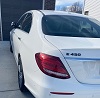
Here she is, Colorado plates on, just before being loaded up last Friday:
If you have the NACS adaptor, then you should set up a Tesla account. It is a good backup. Remember, not all Tesla charging stations are compatible with he adaptor, so you need to make sure you use the Tesla app or the Mercedes map to find charging stations. I would test charge at least once so you know your account is set up and working. Tesla tends to be expensive if you do not have a plan, but unless you charge there all the time there is little reason to have one.
Chargepoint is a good network that allows access to multiple other charging networks. However, many of those tend to be slow speed chargers, so may be most useful for overnight stays at hotels. (Not sure if they support plug and charge, I think they do, but have not tried it.)
Electrify America is the partner network for free charging, so it works well with Mercedes. Another plus, they accept credit cards so you so not need an account. They will load a certificate into the car for plug and charge if you do have an account.
EVgo also works, but you need an account to be able to use their chargers. They will load a certificate into the car for plug and charge.
For the networks that require an account, make sure you set up the account, payment method, and test charge to be sure everything is working and you know how to charge with them. For Tesla, make sure the app is showing you the correct charging station, for some reason it sometimes shows you a location different from where you are parked (PITA!).
Note that in some states, the Superchargers are locked to Teslas only. They won't even show up in the Tesla app since it knows you have a different car.
Most likely those are the older units still using the proprietary connection protocol. They don't show up because they are not compatible.
Even with 250 miles away, I opted to have my car transported. With my luck , I'm a road debris magnet. Save the grief, you make a good choice to transport it. Have it come to you instead of you come to it and driving it back on roads you hardly driven on.
Mercedes SLR McLaren 722 S Is Extremely Rare Example Modified by McLaren
Slideshow: A one-of-one U.S.-spec Mercedes-Benz SLR McLaren Roadster became even rarer after a factory-backed transformation at McLaren's headquarters.