When you click on links to various merchants on this site and make a purchase, this can result in this site earning a commission. Affiliate programs and affiliations include, but are not limited to, the eBay Partner Network.
TestUse this forum to test posting messages and pictures before posting on the actual forum. If you are a new user, this is a great place to learn how to post.
Please note there be may some differences depending on the device, browser and operating system you are using. Images uploaded into a thread through IB's uploader now scale based on your device. The mobile template loads images smaller than 800px width and desktop scales to 1,000px width. They will grow to full size when clicked.
1. Start at the same place, by clicking the "Add Image" button in the editor.
2. You can drag & drop from a folder, open and browse to choose images, or just as always--add a URL.
3. The images will then upload to your album in the gallery, from which you can pull these images in the future for other threads.
In the upper right-hand corner, clicking "Reorder Images" will allow you to move your images around into the order you would like displayed in the thread.
Now we have images in the thread!
Edit/Delete Message Reply With Quote Multi-Quote This Message Quick reply to this message
PART II: Adding existing images
Open the Add Images as usual, and click on "Add from Albums"
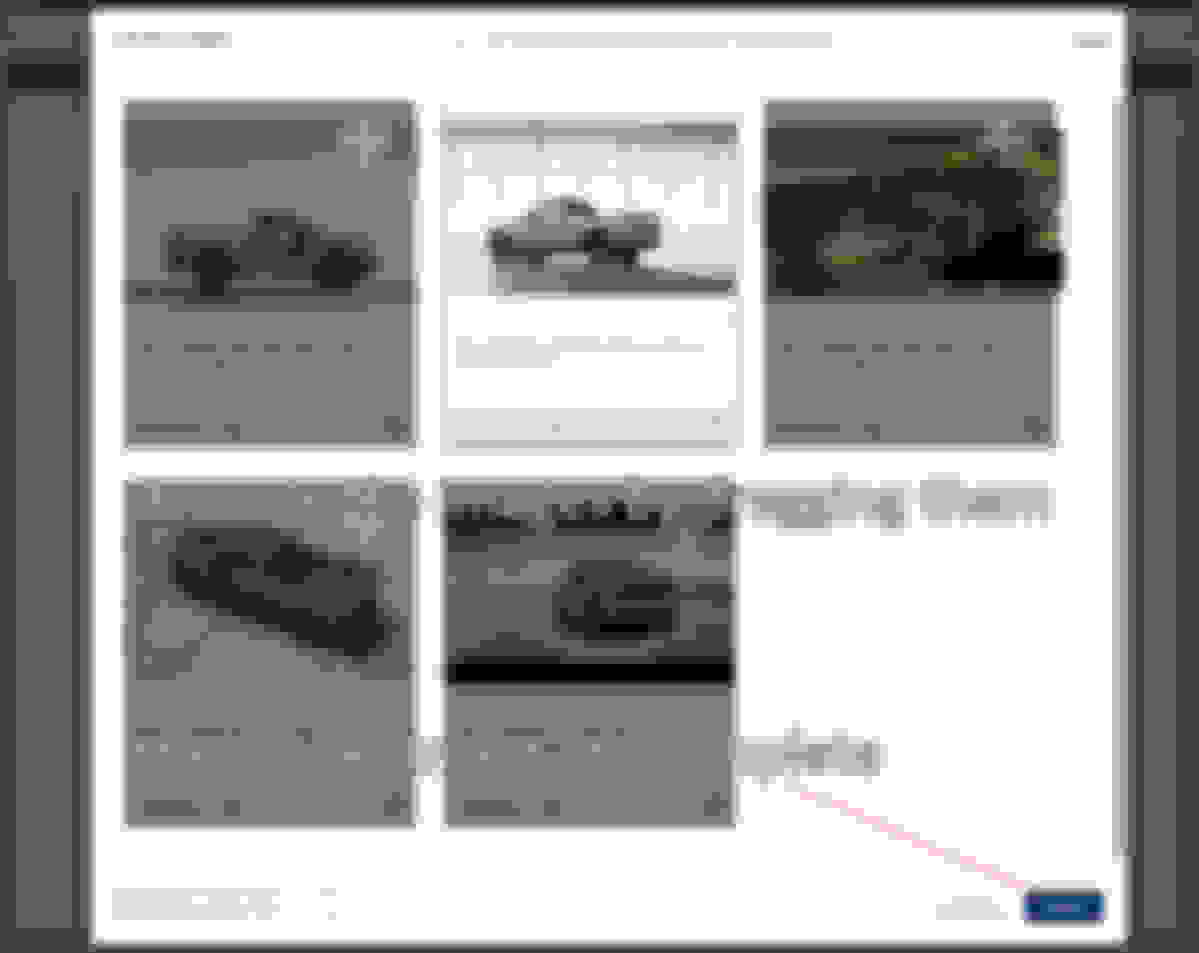
Scroll through the bottom and click on the images to add them
Choose your images, and click insert to add them into your post!
If you use photobucket, you can post a full sized photo in the thread. It is actually a link to the photo, except the thumbnail is full sized. If the photo is removed from photobucket, the photo disappears from the thread.
2019 SL450, 2019 E450 Luxury Trim Wagon, 2024 BMW I7 xDrive60
I'm a long time member and have posted many photos. Now, however, from my iPad, as soon as I hit the picture icon, my entire screen "grays" over and I am unable to proceed. I do not have this problem posting photos on any other sites, just this one. Any help would be appreciated.
I'm a long time member and have posted many photos. Now, however, from my iPad, as soon as I hit the picture icon, my entire screen "grays" over and I am unable to proceed. I do not have this problem posting photos on any other sites, just this one. Any help would be appreciated.
I have a similar problem. I cannot drag and drop photos via Chrome. Photo screen is grayed out AND I cannot get back to the text. Everything I typed goes away. I have to remember to log into IE and then I can drag and drop.
I can't duplicate it on my Ipad using Chrome and the techs have looked at the problem. They feel it may be a permissions issue with the digital content settings in Chrome. I'll ask for another look by them, thank you for letting us know.
2019 SL450, 2019 E450 Luxury Trim Wagon, 2024 BMW I7 xDrive60
Originally Posted by speedlimit
Hi,
I can't duplicate it on my Ipad using Chrome and the techs have looked at the problem. They feel it may be a permissions issue with the digital content settings in Chrome. I'll ask for another look by them, thank you for letting us know.
Bob
Bob,
I don't use Chrome. It has never been on my iPad. I only use Safari. It has always worked before.
Please advise. Thanks.
That's great that you were able to duplicate the problem. Looking forward to hearing what the fix is.I tried uploading a picture from my Ipad via the mobile style and I'm still not able to upload. IB is aware and working to fix that. You should be able to upload a pic from your Iphone using the default mobile style. IB is well aware of the affect these bugs on the community and working to fix them. Thanks guys.
Bob
Thanks,
Streamliner
Here is the news.
The photo uploads are broken when using the desktop theme on any iOS device. So your iPad will only be able to upload photos through the mobile style. They are working on a fix. You can access the mobile template via:
I tried uploading a picture from my Ipad via the mobile style and I'm still not able to upload. IB is aware and working to fix that. You should be able to upload a pic from your Iphone using the default mobile style. IB is well aware of the affect these bugs are having on the community and working to fix them.
Also, IB has found that when folks hit "View Last Post" it jumps them to the bottom and any slight scrolling while you are typing a reply can submit the response to a related thread. The fix to turn off 'Related Threads' is coming soon as it is completing testing on Rennlist. I'll update this thread as the solutions are rolled out. Thank you for your patience.
I want to add I am also using google chrome from a windows 10 computer and when I go to insert image the screen grays out. Please let us know of a workaround.
I can't duplicate that, what style are you using? On the bottom left of every page is a drop down menu with style selections. Also, make sure you allow a few seconds for the pic app to load. Thanks.
The link posted above worked for me! Been trying to post pic in new member intro for last few days, no go on ios either with safari or firefox. Revived my old PB account, now I get a 3rd party hosting thing on my picture. Thanks for the info
2019 SL450, 2019 E450 Luxury Trim Wagon, 2024 BMW I7 xDrive60
Originally Posted by speedlimit
Here is the news.
The photo uploads are broken when using the desktop theme on any iOS device. So your iPad will only be able to upload photos through the mobile style. They are working on a fix. You can access the mobile template via:
I tried uploading a picture from my Ipad via the mobile style and I'm still not able to upload. IB is aware and working to fix that. You should be able to upload a pic from your Iphone using the default mobile style. IB is well aware of the affect these bugs are having on the community and working to fix them.
Also, IB has found that when folks hit "View Last Post" it jumps them to the bottom and any slight scrolling while you are typing a reply can submit the response to a related thread. The fix to turn off 'Related Threads' is coming soon as it is completing testing on Rennlist. I'll update this thread as the solutions are rolled out. Thank you for your patience.
Bob
Hey, Bob,
Hows the fix coming on this? I still cannot post photos from my iPad.
Thanks,
Streamliner
Images uploaded into a thread through IB's uploader now scale based on your device. The mobile template loads images smaller than 800px width and desktop scales to 1,000px width. They will grow to full size when clicked.
Hi! I noticed replying to a thread and adding pics, i can add a pic using the pic icon and it’ll give me an option to add pics from my device. But, on PM’s (private message) when i click on the pic icon it only gives me an option for a url and I can’t get images from my device. I’m using an iphone X.
Am I doing something wrong?
I’m having trouble uploading pics to my thread on my iOS device (phone) on the full site. It will put them into an album but not attach to my post. One of the exterior pics tries to load then just disappears. Going to try your link to the mobile site, but I would think that issue should have been resolved over a year later. Lmk
I have tried multiple times to add pics to a post I have in the W212 forum, and tried here to (to this post). No luck. I am trying both the inline photos option and clicking advanced and then manage attachments --- and each and every time I am able to get the photos into the "upload photos" dialog (either by drag and drop or browsing to them), and I am even able to re-order the photos, BUT then when I click the upload button to process, I am back at my post with NO attachments or images. What gives? I am very familar with posting on varius other forums and adding images, and I have even tried multiple browsers here (Chrome and IE).
Also in looking at the details and screen shots of how to insert a pic in this thread, it does not seem to be consistent with what I see. The forum pops up an "Upload photos" dialog and all seems to work well, but to close this dialog the only method seems to be clicking the "Upload" button at the top right of the dialog and this puts me back to my post, but with NO images or attachments.
Mercedes SLR McLaren 722 S Is Extremely Rare Example Modified by McLaren
Slideshow: A one-of-one U.S.-spec Mercedes-Benz SLR McLaren Roadster became even rarer after a factory-backed transformation at McLaren's headquarters.