*DIY Rear Camera install w/Pics - Centered Location

Senior Member

Joined: Feb 2009
Posts: 328
Likes: 0
From: S.Cali, US
2009 C300S 6mt
but how does the camera know when to turn on? the cigg-plug is on constant power (at least when the car is started) and unless there's a separate remote power cable, it could be that the camera is on the whole time; but that you're just not aware of it because the screen is not switched to it.
MBWorld Fanatic!
Joined: Aug 2007
Posts: 1,914
Likes: 5
LOADED 08' C350 & 14' GLK-350 Diamond White (P1, MM, AMG Pkg, Ln Trkng, Htd Sts, Keylss Go)
what type of tool do you need to pull out the ac vents?
where do you get a "right angle tool?
how do you pull off the upper door molding without ripping it?
thanks
RB
where do you get a "right angle tool?
how do you pull off the upper door molding without ripping it?
thanks
RB
MBWorld Fanatic!
Joined: Aug 2007
Posts: 1,914
Likes: 5
LOADED 08' C350 & 14' GLK-350 Diamond White (P1, MM, AMG Pkg, Ln Trkng, Htd Sts, Keylss Go)
will a 12" rca be long enough if i go under the sills?
where do u put the cable while going from the head unit to the sills, is there an easy spot to stick cable away under the dash?
where do u put the cable while going from the head unit to the sills, is there an easy spot to stick cable away under the dash?

Member
Joined: Oct 2008
Posts: 186
Likes: 1
From: Bay Shore, NY
2009 C300 4Matic Sport P2/MM/Steel Gray
question on the fakra cable,

I believe everyone is saying the type A from this image, but looking closely at the plug in the back of the comand, it looks like the E might work better, i'm just curious, i believe I have an A and it doesn't fit quite snug, (ordered another off ebay with rca jack already there, hopefully its better). is there any difference with these connectors other then the jack type? just curious, if anyone actually knows and can confirm, be great ;]
on another note, followed this diy with awesome results (asides from my fakra), looks completely stock, pictures coming soon, great writeup
I believe everyone is saying the type A from this image, but looking closely at the plug in the back of the comand, it looks like the E might work better, i'm just curious, i believe I have an A and it doesn't fit quite snug, (ordered another off ebay with rca jack already there, hopefully its better). is there any difference with these connectors other then the jack type? just curious, if anyone actually knows and can confirm, be great ;]
on another note, followed this diy with awesome results (asides from my fakra), looks completely stock, pictures coming soon, great writeup
Member
Joined: Oct 2008
Posts: 186
Likes: 1
From: Bay Shore, NY
2009 C300 4Matic Sport P2/MM/Steel Gray
did it fit in easily or did you have to jam it in a bit?
just looking at the back of the comand it just looks like its a circle with one little bubble in the corner, and the fact that the fakra E is 'TV1' makes me think it might work. im tempted to buy one just to find out.
just looking at the back of the comand it just looks like its a circle with one little bubble in the corner, and the fact that the fakra E is 'TV1' makes me think it might work. im tempted to buy one just to find out.
Last edited by cbcharlie; Sep 20, 2009 at 02:11 PM.

Member
Joined: Mar 2007
Posts: 232
Likes: 0
From: Los Angeles (213)
w205 - Black
I bought the fakra cable for back-up cam purposes from Midcity engineering (expensive I might add); the cable was simple plug-n-play, fitted-in easily without the need to jam it in.
Member
Joined: Oct 2008
Posts: 186
Likes: 1
From: Bay Shore, NY
2009 C300 4Matic Sport P2/MM/Steel Gray
yea i hear there a little pricey. does anybody happen to have a close up picture of the connector from the midcity engineering cable?
MB World Stories
The Best of Mercedes & AMG

Manual Mercedes? 6 Times Sindelfingen Let Drivers Have All The Fun
Verdad Gallardo
Mercedes SLR McLaren 722 S Is Extremely Rare Example Modified by McLaren
Verdad Gallardo
8 Classic Boxy Mercedes Designs That Have Aged Like Fine Wine
Verdad Gallardo
Flawlessly Restored Mercedes 190E Evo II Heads to Auction
Verdad Gallardo
Electric Mercedes C-Class Unveiled: 11 Things You Need to Know
Verdad Gallardo
Mercedes EQS Gets A Major Update: Everything You Need to Know
Verdad Gallardo
5 Underrated Mercedes-Benz Models That Don't Get the Love They Deserve
Verdad Gallardo
Mercedes 300D Has Pushed Well Past 1 Million Miles and It Ain't Stopping
Verdad Gallardo
10 Most Reliable Mercedes-Benz Models You Can Buy Used
Verdad Gallardo
Senior Member
Joined: Aug 2008
Posts: 436
Likes: 2
From: British Columbia
2011 E350 4 Matic
I originally made some hooks but could not pull out the airvents. So then I bought these off ebay and I am pretty certain these are the correct ones. But I still was not able to pull them out
 I have not tried since then, change of plans till i have more time. Anyway the part number is W140 589 0233 00
http://cgi.ebay.ca/ws/eBayISAPI.dll?...STRK:MEWNX:ITa
http://www.mercupgrades.com/Media+In...rticle-55.html
The instructions on the second link appear to be pretty good but i must be doing something wrong because when i do it the hooks "flip" 180 degrees.
Last edited by 2nice4me; Sep 21, 2009 at 11:39 PM.
MBWorld Fanatic!
Joined: Aug 2007
Posts: 1,914
Likes: 5
LOADED 08' C350 & 14' GLK-350 Diamond White (P1, MM, AMG Pkg, Ln Trkng, Htd Sts, Keylss Go)
i bought these off pick tools ebay, have not tried yet, just waiting on my fakra A to rca female from china for $7 shipped off ebay to start this diy...
do u think these will work for the vents or are they too short?
http://cgi.ebay.com/ws/eBayISAPI.dll...m=120463799293
do u think these will work for the vents or are they too short?
http://cgi.ebay.com/ws/eBayISAPI.dll...m=120463799293

Member
Joined: Jul 2009
Posts: 97
Likes: 0
c300 4matic
i bought these off pick tools ebay, have not tried yet, just waiting on my fakra A to rca female from china for $7 shipped off ebay to start this diy...
do u think these will work for the vents or are they too short?
http://cgi.ebay.com/ws/eBayISAPI.dll...m=120463799293
do u think these will work for the vents or are they too short?
http://cgi.ebay.com/ws/eBayISAPI.dll...m=120463799293


MBWorld Fanatic!
Joined: Aug 2007
Posts: 1,914
Likes: 5
LOADED 08' C350 & 14' GLK-350 Diamond White (P1, MM, AMG Pkg, Ln Trkng, Htd Sts, Keylss Go)
Can anybody tell me how to take off the plastic piece under the dash that you need to run the cord down to get to the sills????
i took off the sills but I can't figure out how to get to the sills with the cord??? i was gonna pry up the side plastic piece but i dont know how and dont know if i am going to break it or not...
i took off the sills but I can't figure out how to get to the sills with the cord??? i was gonna pry up the side plastic piece but i dont know how and dont know if i am going to break it or not...
Last edited by rb23lb; Oct 23, 2009 at 01:06 AM.

Junior Member
Joined: Jul 2009
Posts: 43
Likes: 0
See sig
Just saw this thread. I have a 2005 cl65 w/ no parktronic so I'm looking to do an aftermarket camera system. Would this DIY install be similar on an 05 cl65 or is it gonna be completely different because of the different year & model? Thanks.
Member
Joined: Oct 2008
Posts: 186
Likes: 1
From: Bay Shore, NY
2009 C300 4Matic Sport P2/MM/Steel Gray
The thing that makes this easy for the C-class comand is its easy to get into the comand and enable rear camera, its basicly just plug and play.
MBWorld Fanatic!
Joined: Feb 2004
Posts: 3,986
Likes: 6
From: SEATTLE WASHINGTON USA
'08 C300 Lux Barolo Red Beige Leather P2 MM 18" wheels '84 944
Plastic piece?
Can anybody tell me how to take off the plastic piece under the dash that you need to run the cord down to get to the sills????
i took off the sills but I can't figure out how to get to the sills with the cord??? i was gonna pry up the side plastic piece but i dont know how and dont know if i am going to break it or not...
PLEASE HELP!! I hate these DIYs that leave out key details... they are almost worthless if they lead you to start a project you cant finish...
i took off the sills but I can't figure out how to get to the sills with the cord??? i was gonna pry up the side plastic piece but i dont know how and dont know if i am going to break it or not...
PLEASE HELP!! I hate these DIYs that leave out key details... they are almost worthless if they lead you to start a project you cant finish...
I also pulled the right side panel which pulls back at a slight upward angle.
This comes out only after the door welting is peeled back. To do that, just grab it about halfway up the front edge of the door opening and pull. It's a friction fit.
Thread Starter
Member
Joined: Aug 2006
Posts: 193
Likes: 4
From: Honolulu, Hawaii USA
'06 E55, W204 C350, '04 Carrera C4S, '02 ML55 (Wife's)

These "almost worthless" DIY's have helped quite a few... So to dissing me and Rick Hunter over your inexperience installing the camera not so cool.

As I stated from the first post in this DIY, it was a supplement to Rick’s and just illustrated MY version of the install… I did NOT run the wires under the door sills. It when on the headliner, JUST like Mid-City suggested.
No worries though I know you must be
 frustrated and that sucks. You could have PM’d me or Rick as we get a lot of people asking us for advice since we actually did this already.
Good luck with the Costa Mesa shop finishing the install!

MBWorld Fanatic!
Joined: Aug 2007
Posts: 1,914
Likes: 5
LOADED 08' C350 & 14' GLK-350 Diamond White (P1, MM, AMG Pkg, Ln Trkng, Htd Sts, Keylss Go)
This project maybe more than your current skill level? But I thought you were taking your car to Costa Mesa to get it finished?
These "almost worthless" DIY's have helped quite a few... So to dissing me and Rick Hunter over your inexperience installing the camera not so cool.
As I stated from the first post in this DIY, it was a supplement to Rick’s and just illustrated MY version of the install… I did NOT run the wires under the door sills. It when on the headliner, JUST like Mid-City suggested.
No worries though I know you must befrustrated and that sucks. You could have PM’d me or Rick as we get a lot of people asking us for advice since we actually did this already.
Good luck with the Costa Mesa shop finishing the install!
These "almost worthless" DIY's have helped quite a few... So to dissing me and Rick Hunter over your inexperience installing the camera not so cool.
As I stated from the first post in this DIY, it was a supplement to Rick’s and just illustrated MY version of the install… I did NOT run the wires under the door sills. It when on the headliner, JUST like Mid-City suggested.
No worries though I know you must be
frustrated and that sucks. You could have PM’d me or Rick as we get a lot of people asking us for advice since we actually did this already.Good luck with the Costa Mesa shop finishing the install!
i should have sent you a pm you are right, would have been much more efficient...
and ya, i tried to get it installed at midcitys recommended west coast shop in costa mesa today but they wanted me to come back tomorrow at 8 am since they were busy today...
in the mean time, i tinkered around today and now i have the camera mounted and just need them to solder the power wires and what not...
i am having them direct wire the VIM, because I noticed with the VIM through the harness, I get a little faint scrolling bars when playing a dvd on a black screen, meaning there must be some interference with the power adapter...
i also am having them run the purple cable from the front all the way to the back tail lights, that way I dont have to use another rca cable and extension, which could degrade quality and i think its a little cleaner this way using just what came with the kenwood camera.... that means i will use the power from the command power plugs as well i guess, or maybe cigarette lighter if they cant figure it out...
also, at the glove box, I am going to have them install an AV switch so I can switch with 2 inputs so I can switch off the backup cam if I want and plug in my iphone so my passengers can watch live streaming videos over 3g and also play music videos from youtube on the command unit... i think i will just have to go into engineering mode to turn off backup cam and turn on aux video every time i do this...
Thread Starter
Member
Joined: Aug 2006
Posts: 193
Likes: 4
From: Honolulu, Hawaii USA
'06 E55, W204 C350, '04 Carrera C4S, '02 ML55 (Wife's)

No worries man! Just remember that Rick and I are fellow members and not some shady vendor... Were here to help and share our experience.
Aloha!

Senior Member
Joined: Sep 2007
Posts: 402
Likes: 3
From: Jet City, USA
'08 W204.081; M 272.948 KE30; Colour Code#792
Woot!
For the record, I had some great help from the folks at MidCity Engineering. They certainly were my beacon of assistance during my install. I suggest to anyone doing the mod to not hesitate in calling them as well... they are after all the makers of the unit.
For the record, I had some great help from the folks at MidCity Engineering. They certainly were my beacon of assistance during my install. I suggest to anyone doing the mod to not hesitate in calling them as well... they are after all the makers of the unit.
Last edited by Rick Hunter; Oct 23, 2009 at 01:10 AM.
MBWorld Fanatic!
Joined: Aug 2007
Posts: 1,914
Likes: 5
LOADED 08' C350 & 14' GLK-350 Diamond White (P1, MM, AMG Pkg, Ln Trkng, Htd Sts, Keylss Go)
Methinks rb23lb should *edit* his above disrespectful post.
Let's keep the OP's reputation for helpfulness (as well as mine) intact, yeah?
And for the record, I am still available to help with some of the questions you may have. If I cannot, then the good guys at MidCity Engineering can. They certainly were my beacon of assistance during my install.
Let's keep the OP's reputation for helpfulness (as well as mine) intact, yeah?
And for the record, I am still available to help with some of the questions you may have. If I cannot, then the good guys at MidCity Engineering can. They certainly were my beacon of assistance during my install.
MBWorld Fanatic!
Joined: Aug 2007
Posts: 1,914
Likes: 5
LOADED 08' C350 & 14' GLK-350 Diamond White (P1, MM, AMG Pkg, Ln Trkng, Htd Sts, Keylss Go)
finally finished my backup cam installation!!!!
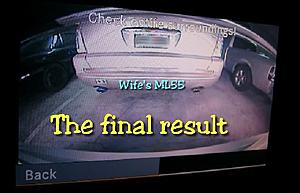
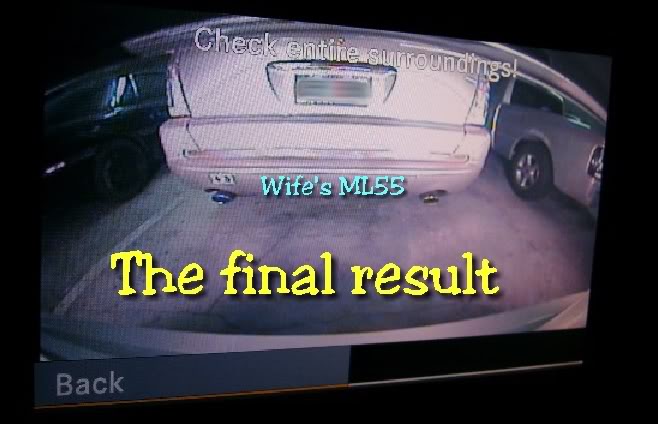
i noticed your camera view Vader is blocked by the top of the trunk handle and the screen image is dark at the top left and right corners...
is there a reason why you prefer the camera to have blockage at the corners of the screen??? was it so you could hide the camera higher up???
i noticed those dark corners from blackage at first too, so i lowered by camera to get rid of them...
i noticed your camera view Vader is blocked by the top of the trunk handle and the screen image is dark at the top left and right corners...
is there a reason why you prefer the camera to have blockage at the corners of the screen??? was it so you could hide the camera higher up???
i noticed those dark corners from blackage at first too, so i lowered by camera to get rid of them...
Member
Joined: Oct 2008
Posts: 186
Likes: 1
From: Bay Shore, NY
2009 C300 4Matic Sport P2/MM/Steel Gray
finally finished my backup cam installation!!!!
i noticed your camera view Vader is blocked by the top of the trunk handle and the screen image is dark at the top left and right corners...
is there a reason why you prefer the camera to have blockage at the corners of the screen??? was it so you could hide the camera higher up???
i noticed those dark corners from blackage at first too, so i lowered by camera to get rid of them...
i noticed your camera view Vader is blocked by the top of the trunk handle and the screen image is dark at the top left and right corners...
is there a reason why you prefer the camera to have blockage at the corners of the screen??? was it so you could hide the camera higher up???
i noticed those dark corners from blackage at first too, so i lowered by camera to get rid of them...
also, side note, unreleated, the kenwood camera works excellent at night also!
Last edited by cbcharlie; Oct 24, 2009 at 08:14 PM.