When you click on links to various merchants on this site and make a purchase, this can result in this site earning a commission. Affiliate programs and affiliations include, but are not limited to, the eBay Partner Network.
W204 C200, BMW E30 M3, 1980Gt Mini, Toyota Corona, KTM 200 EXC.
No blank screen when selecting reverse.
Originally Posted by Petomaani
Mine rear view camera won't enable at all. I've enabled it from the service menu and rear view camera's options was added on normal system menu, still it won't do anything when I put transmission to reverse gear. I have no SRVC-setting under engineering menu's rear view camera -option at all, there's only installed/not installed -options.
Hi,
I Had exactly the same problem with my 2008 C220k sold new in Japan.
last week I had the Comand firmware updated to the latest spec by the dealers (did not include the Maps) they reported to me upon completion that the camera did not work and I would have to reschedule for diagnosis.
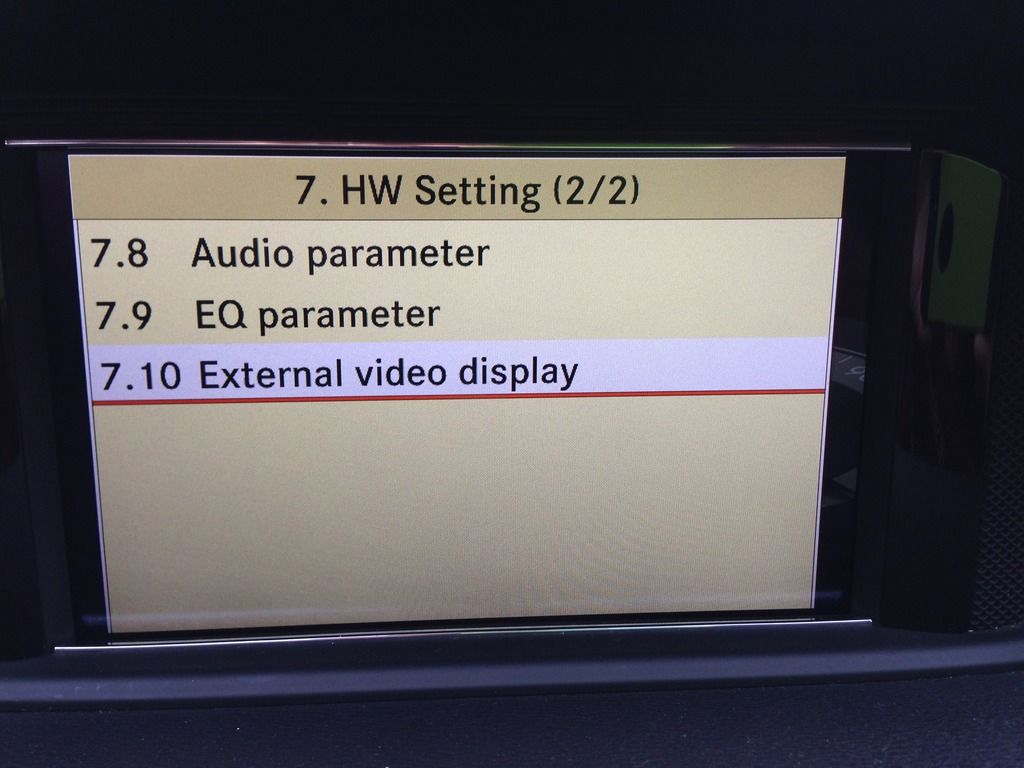
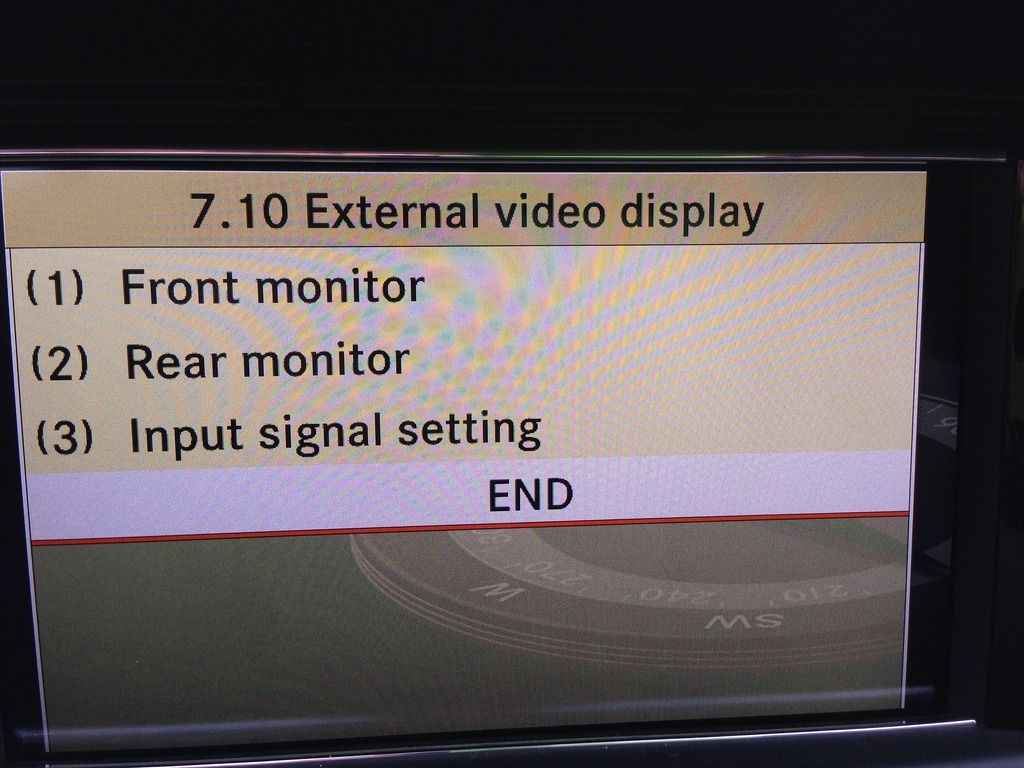
So at home the next day I went in to the engineering menu 7.7 page 2 of 3 noticed the camera was not selected ON, I selected SRVC exited the command menu and waited 2 minutes started selected reverse an on she goes.
Ebay camera works a charm and latest firmware works on Japanese command units.
Just shows you that don’t trust anyone on face value always do your home work and check there diagnosis..
I had my eBay camera installed by Best Buy Automobile Geek Squad for $119 for anyone who is interested. I closely monitored him the entire time and it took approximately two hours. I proposed and he agreed to allowing me to remove the head unit. All I needed him was for running wires and doing electric as I am uncomfortable with the later. I used Scott's video on youtube, a quick search will reveal it.
My only complaint is his placement sucks, he used a license plate light at my request but the point of view on the camera shows my trunk/boot lid.
Also I chose a back up camera with built in LED lights on each corner and now it is brighter than my other LED license light.
Installing a rearview camera on a E-class 250 cdi Wagon Comand NTG4, and some problems came up.
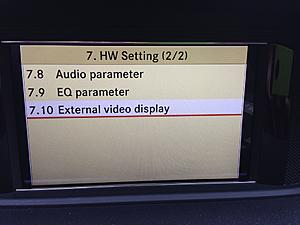
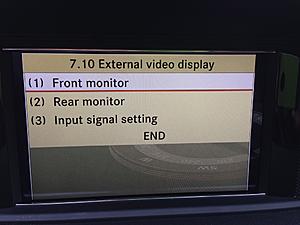
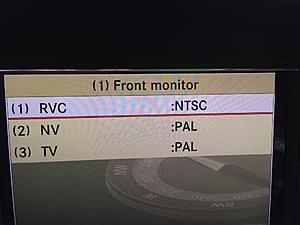
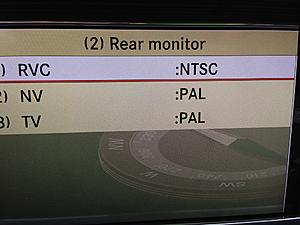
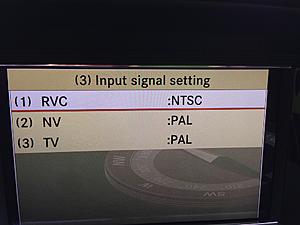
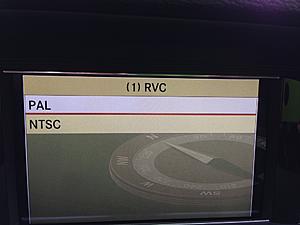
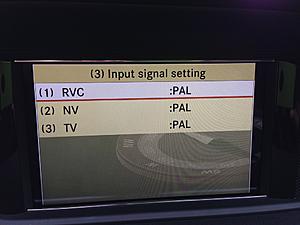
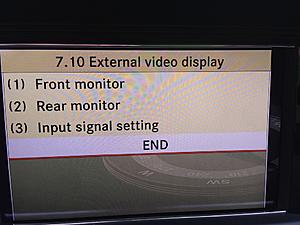
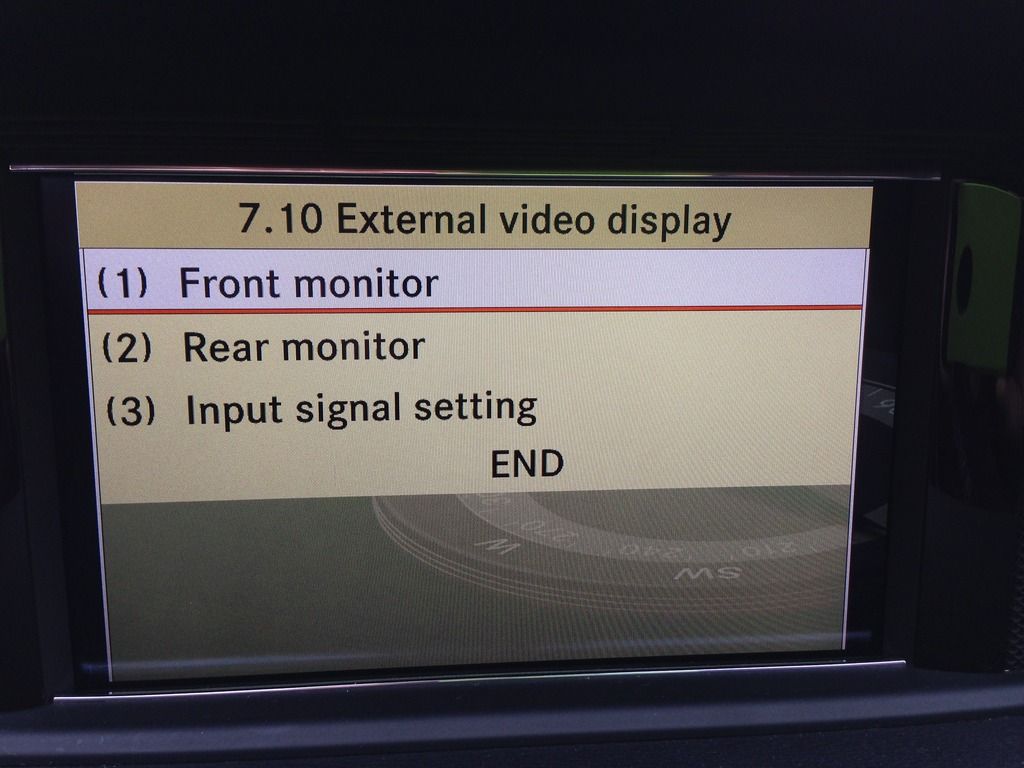
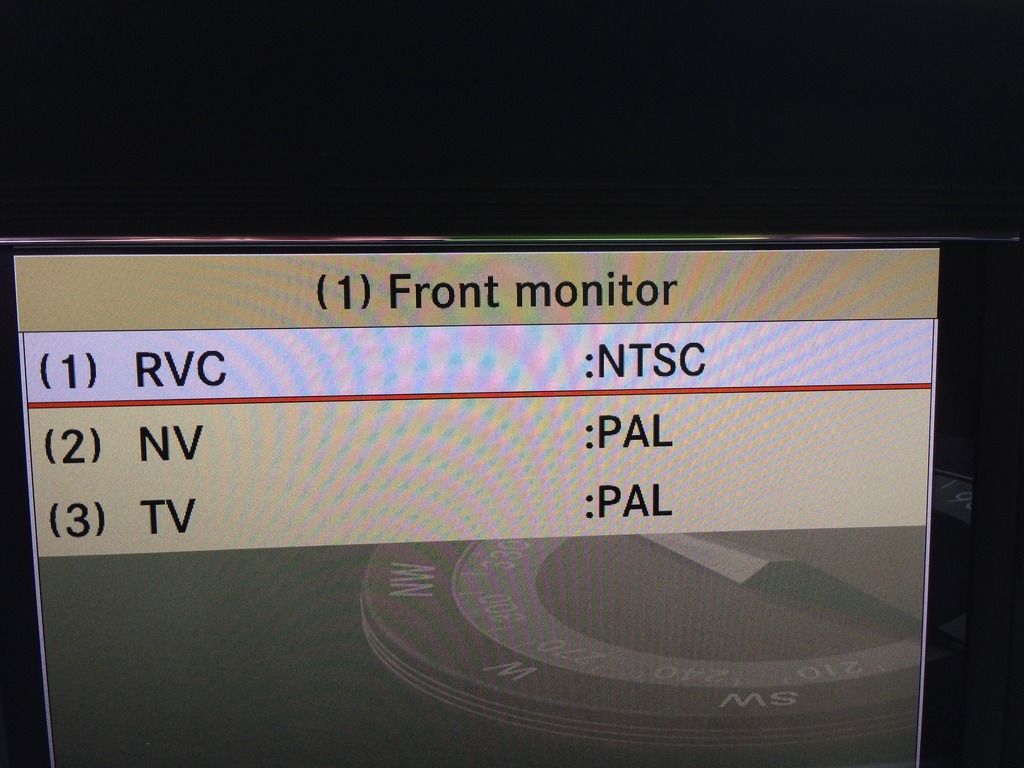
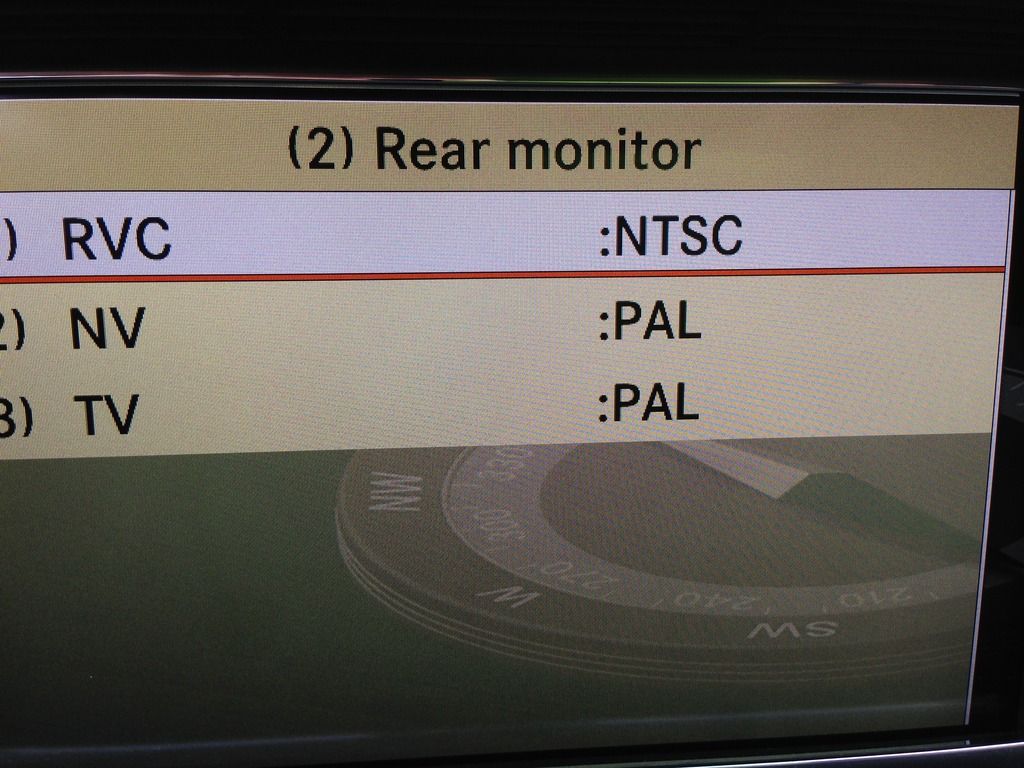
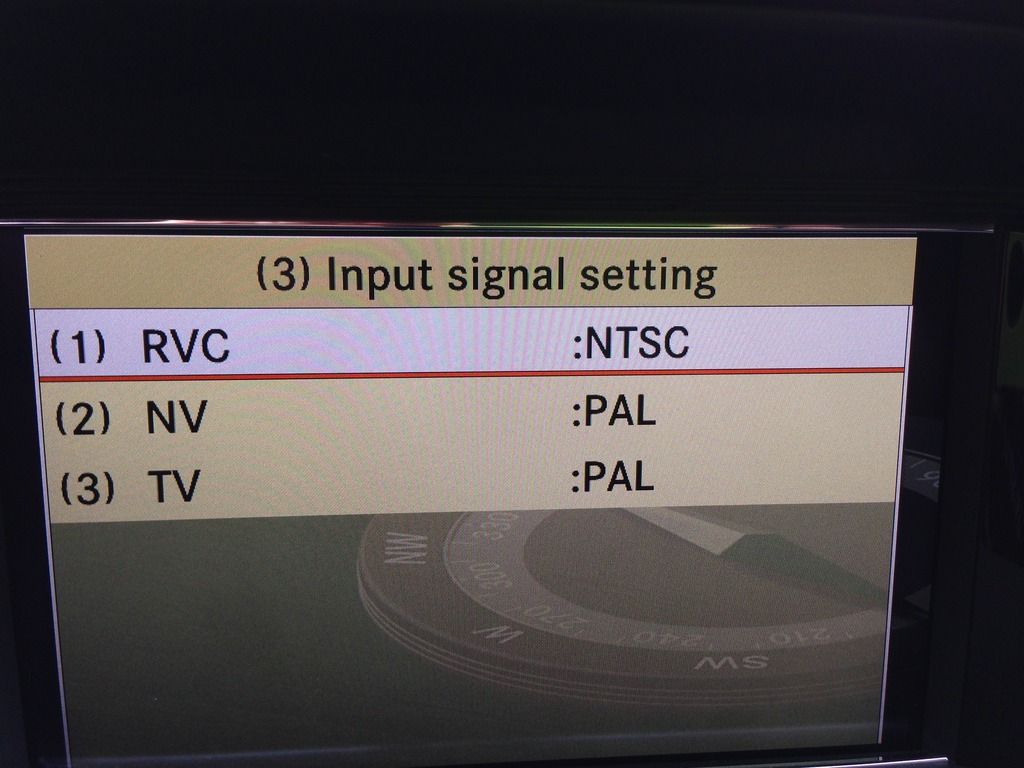
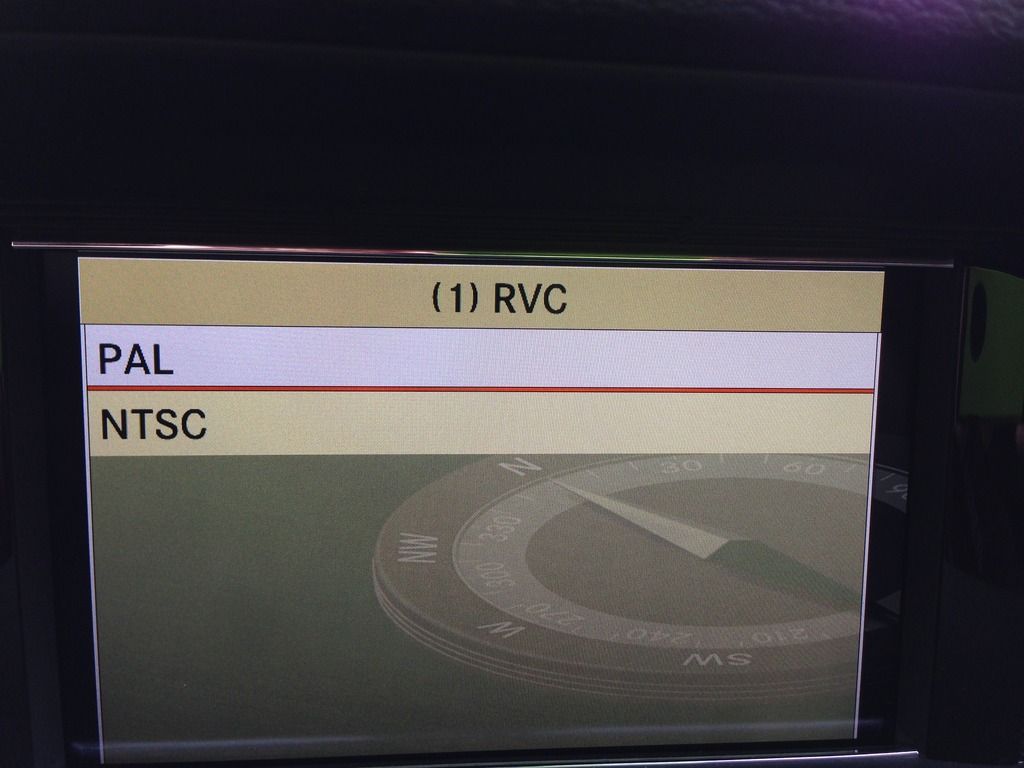
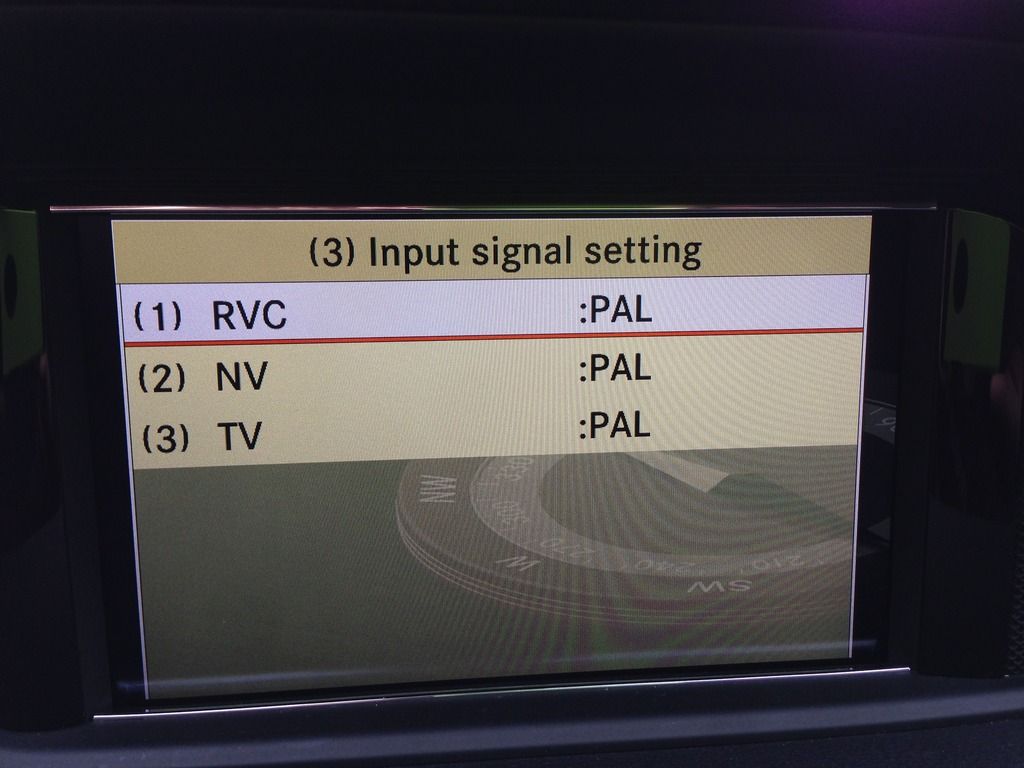
First of all when i go into Engineering menu to set NTC or Pal it says NTC and then i change to PAL ond then go to END, the Comand restarts.
When i go inti Engineering menu again it says NTSC, seems like the Comand wont save my settings.
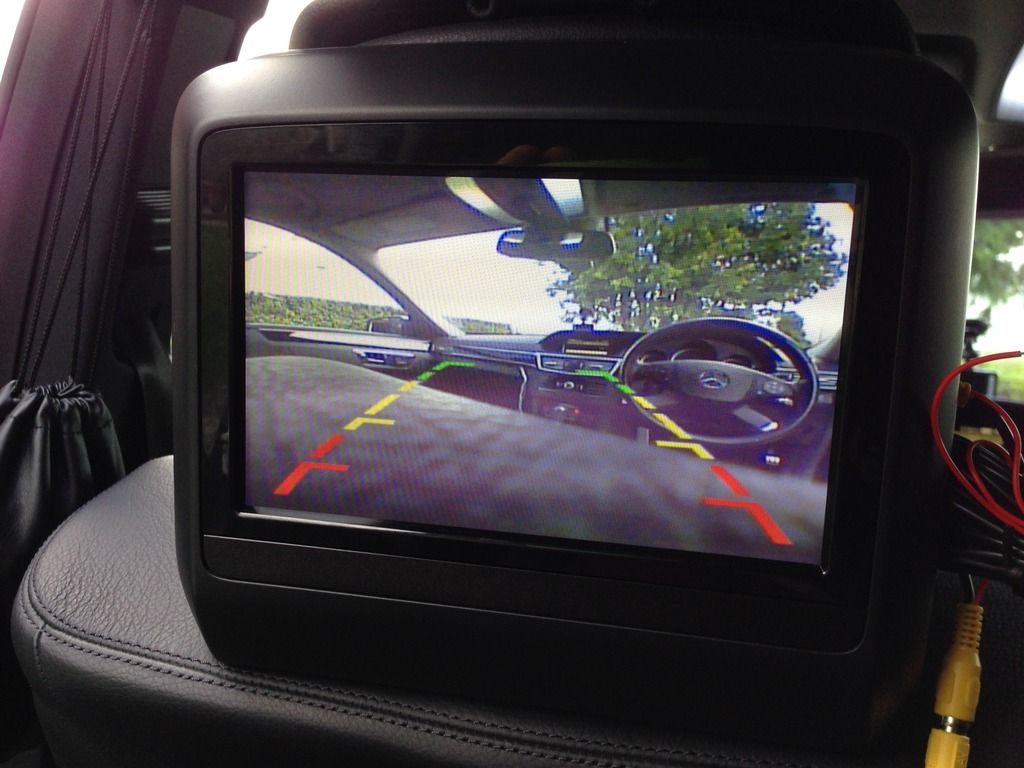
Tested the cameras on my rearseat monitors, pictures come up.
Installing a rearview camera on a E-class 250 cdi Wagon Comand NTG4, and some problems came up.
First of all when i go into Engineering menu to set NTC or Pal it says NTC and then i change to PAL ond then go to END, the Comand restarts.
When i go inti Engineering menu again it says NTSC, seems like the Comand wont save my settings.
Tested the cameras on my rearseat monitors, pictures come up.
What am i doing wrong???
Hi!!
From what i have learned with the installation of a rearview camera in my W204 is that you need a NTSC camera! For American and European cars... Good luck!!
I think you were suppose to plug it into the non empty port by removing the FAKRA cable that was already there. Reason being that that cable is for video input from the glove box into the dvd system. You were suppose to use that port and give up the video input from a aux device that you might plug into the glove box.
Try that and see what happens.
Tested tis also, but the same problem is still there
W204 C200, BMW E30 M3, 1980Gt Mini, Toyota Corona, KTM 200 EXC.
Hi,
From what I learned installing mine was with SRVC turned on in command and rear camera selected on via the settings screen (externally via command knob) in the setting screen the monitor should be blank screen when car going and reverse selected that is even with the cameras not connected up or plugged in still should get blank screen.
If you can not get the blank screen when selecting reverse then the problem lies in the command settings or firmware area.
Since you don’t have SRVC in your menu I would think you will need installation of the latest firmware so you have more to chose from than pal and ntsc.
Firmware update is done in conjunction with DAS and a loadable disc and from what I could tell dealer only and no the maps are something different.
Hi,
From what I learned installing mine was with SRVC turned on in command and rear camera selected on via the settings screen (externally via command knob) in the setting screen the monitor should be blank screen when car going and reverse selected that is even with the cameras not connected up or plugged in still should get blank screen.
If you can not get the blank screen when selecting reverse then the problem lies in the command settings or firmware area.
Since you don’t have SRVC in your menu I would think you will need installation of the latest firmware so you have more to chose from than pal and ntsc.
Firmware update is done in conjunction with DAS and a loadable disc and from what I could tell dealer only and no the maps are something different.
I get the blank black screen saying "Check enire sorrounding"
I actually have the "SRVC" in the menu and chosen
How can i find out wich firmware i got?
Last edited by sentralfyr; Aug 10, 2015 at 08:34 AM.
W204 C200, BMW E30 M3, 1980Gt Mini, Toyota Corona, KTM 200 EXC.
Hi
With my limited amount of knowledge from researching this forum:
If the screen turns blank when selecting reverse and SRVC selected all is good with comand and you have the correct firmware.
I Don’t know what number is the latest or where to find it in comand, with the firmware mine
had originally there was no SRVC to select just camera installed or not to select.
My advise would be double check the camera is plugged in to the correct plug in the back of the command unit
and also look in Mr Scotts tube video as to which type of camera to buy and make sure yours is the right one.
Hi
With my limited amount of knowledge from researching this forum:
If the screen turns blank when selecting reverse and SRVC selected all is good with comand and you have the correct firmware.
I Don’t know what number is the latest or where to find it in comand, with the firmware mine
had originally there was no SRVC to select just camera installed or not to select.
My advise would be double check the camera is plugged in to the correct plug in the back of the command unit
and also look in Mr Scotts tube video as to which type of camera to buy and make sure yours is the right one.
I`ve been thinking alot lately and tested again.
I just switched the two Fakras, to see of that worked, and it did.
I Don`t understand why, but it worked, so far i don`t know if i miss any functions yet
W204 C200, BMW E30 M3, 1980Gt Mini, Toyota Corona, KTM 200 EXC.
Hi,
Glad you have got it operating the command unit is a really complicated piece of kit, I really miss the uncomplicated operation of the normal am fm in dash radio.
I purchased all the stuff mentioned in this thread (and all the others) to complete the DIY back up camera. I personally went with running the RCA to the back, and supplying power thru the trunk fuse panel (using cigarette fuse 71)
One of the things that I did today when installing was something that I haven't seen done on here yet, and just wanted to let you guys know that it works very well.
I mounted the camera IN FRONT OF THE TRUCK RELEASE button. No drilling or anything was required, and it is a great spot because it is dead centre in the middle of the car. Also, let's be honest... with the truck release on the fob, and also in the door sill, it's rare to use the actual trunk release. With that being said, with this set up, it is still completely functional, and isnt obstructed by the camera at all.
When fastening the camera/trunk release switch, i used double sided tape (seen in picture) as well as Duct Tape, and used a little gasket to prevent the wire from being crimped when you tighten the bolts.
Also, I suggest swapping the license plate lights for LED ones while you are doing this DIY -- the lights are great, and you are in the same place, and pulling out the trunk lining anyway...
Last edited by Rickynoman; Nov 28, 2015 at 11:28 PM.
I mounted the camera IN FRONT OF THE TRUCK RELEASE button. No drilling or anything was required, and it is a great spot because it is dead centre in the middle of the car.
Interesting.
Do you have a pic of the camera in daylight to show how "visible" it is from the back end?
Do you have a pic of the camera in daylight to show how "visible" it is from the back end?
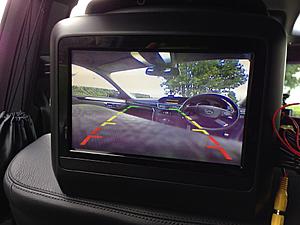
I added a few more pictures to the original post -- this time in the daylight. As you will see, it is centered, and barely visible when the trunk is closed -- which I like... I needed to open the trunk to get a good pic of the placement. Yet, as you can see in the picture of the monitor, it works perfectly.
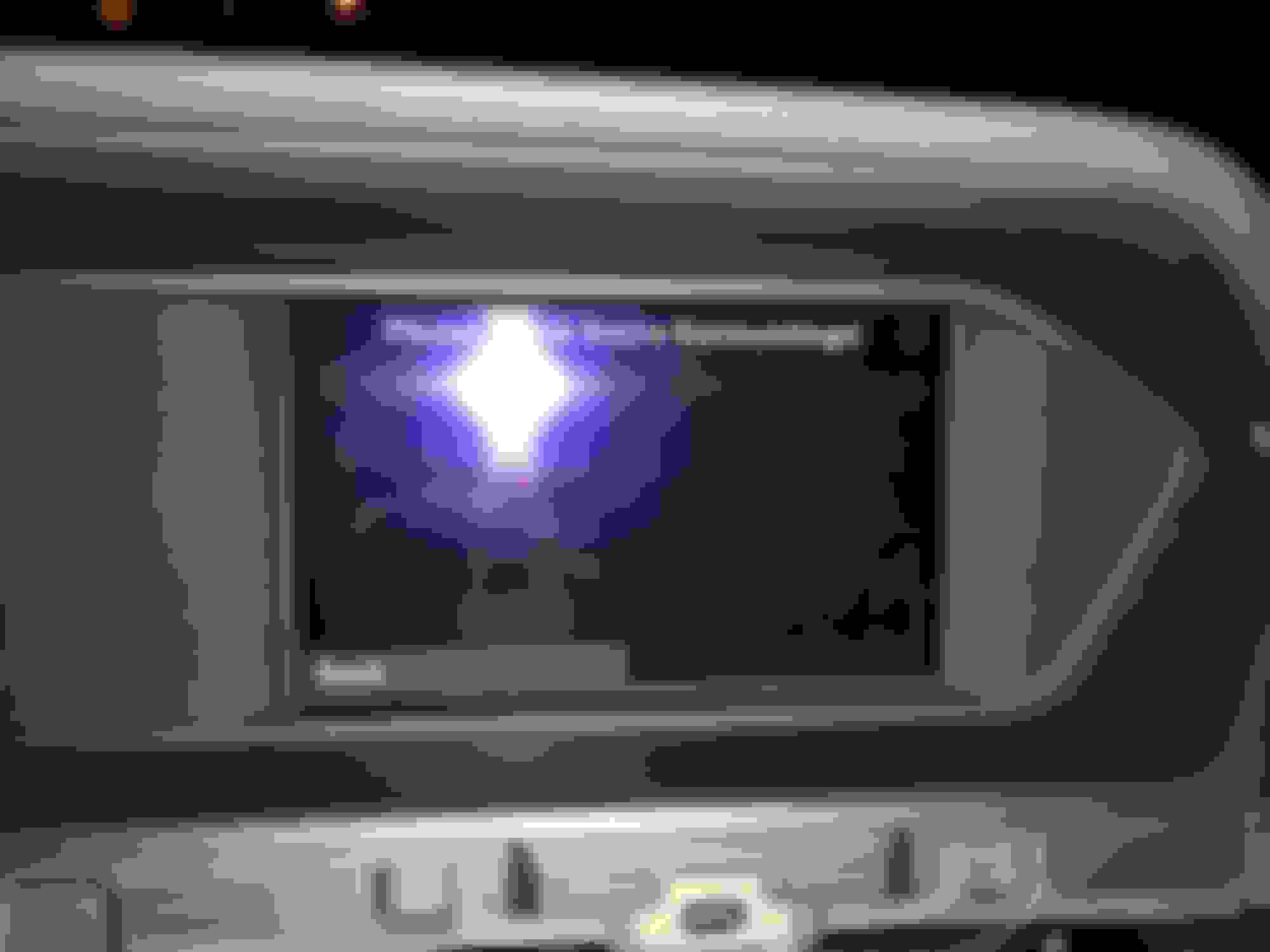
Please help. I don't know where I went wrong with the backup camera install. I have everything installed and connected. When I go into reverse I get a black screen and it says "Please Check Entire Surroundings!" I brought a computer monitor into the car and verified that the camera does work.
I have a 2012 C300. I bought the following items from eBay:
http://www.ebay.com/itm/271771009188?_trksid=p2060353.m2749.l2649&ssPageName=STRK%3AMEBIDX%3AIT
http://www.ebay.com/itm/331604761776?_trksid=p2060353.m2749.l2649&ssPageName=STRK%3AMEBIDX%3AIT
Here is the message I get
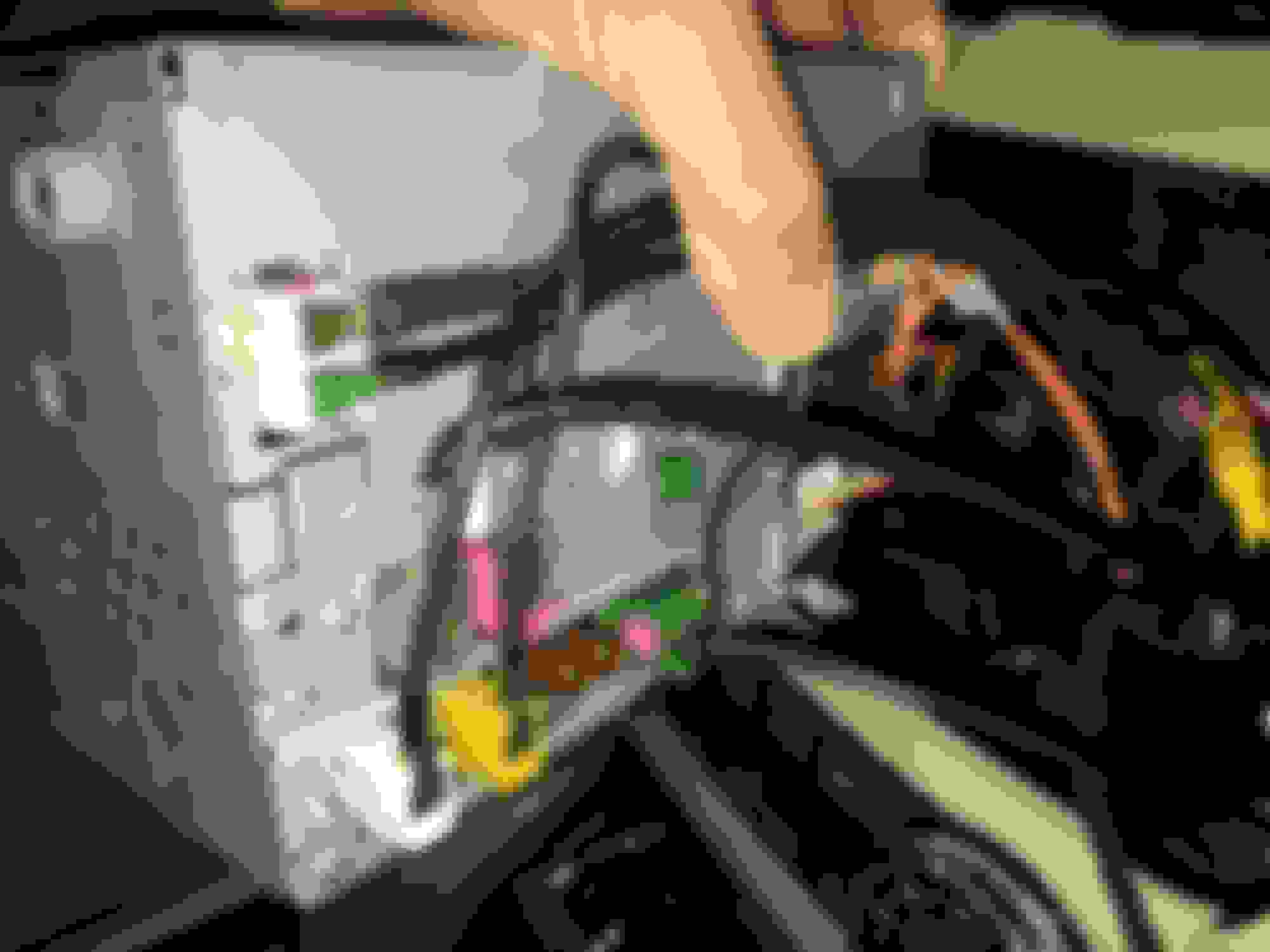
Here is how I plug everything into the radio
I have tried plugging in the Fakra into all three green connectors. First I tried the top one by itself. Then I tried plugging into both the green connectors that are next to each other.
In Engineering Mode I went into HW Parameters -> HU Parameters -> and activated Rear View Camera. Also AUX Video is set to ON. Any ideas or help?
Please help. I don't know where I went wrong with the backup camera install. I have everything installed and connected. When I go into reverse I get a black screen and it says "Please Check Entire Surroundings!" I brought a computer monitor into the car and verified that the camera does work
I believe you need to have the aux video to OFF not ON (on a pre-facelift anyway as there is only 1 green fakra connection on the back on the facelift like yours the aux video might be able to be turned on but try turning it off first). Also did you ever tried the camera itself if it is working before installing it? You sure the camera is receiving power? How are you powering the camera?
Last edited by shotgun_banjo; Dec 21, 2015 at 07:33 PM.
I believe you need to have the aux video to OFF not ON (on a pre-facelift anyway as there is only 1 green fakra connection on the back on the facelift like yours the aux video might be able to be turned on but try turning it off first). Also did you ever tried the camera itself if it is working before installing it? You sure the camera is receiving power? How are you powering the camera?
I turned the AUX Video to off. Still no luck.
I tested the camera installed in the car to a computer monitor that I placed inside the car. The camera was powered from the car and working.
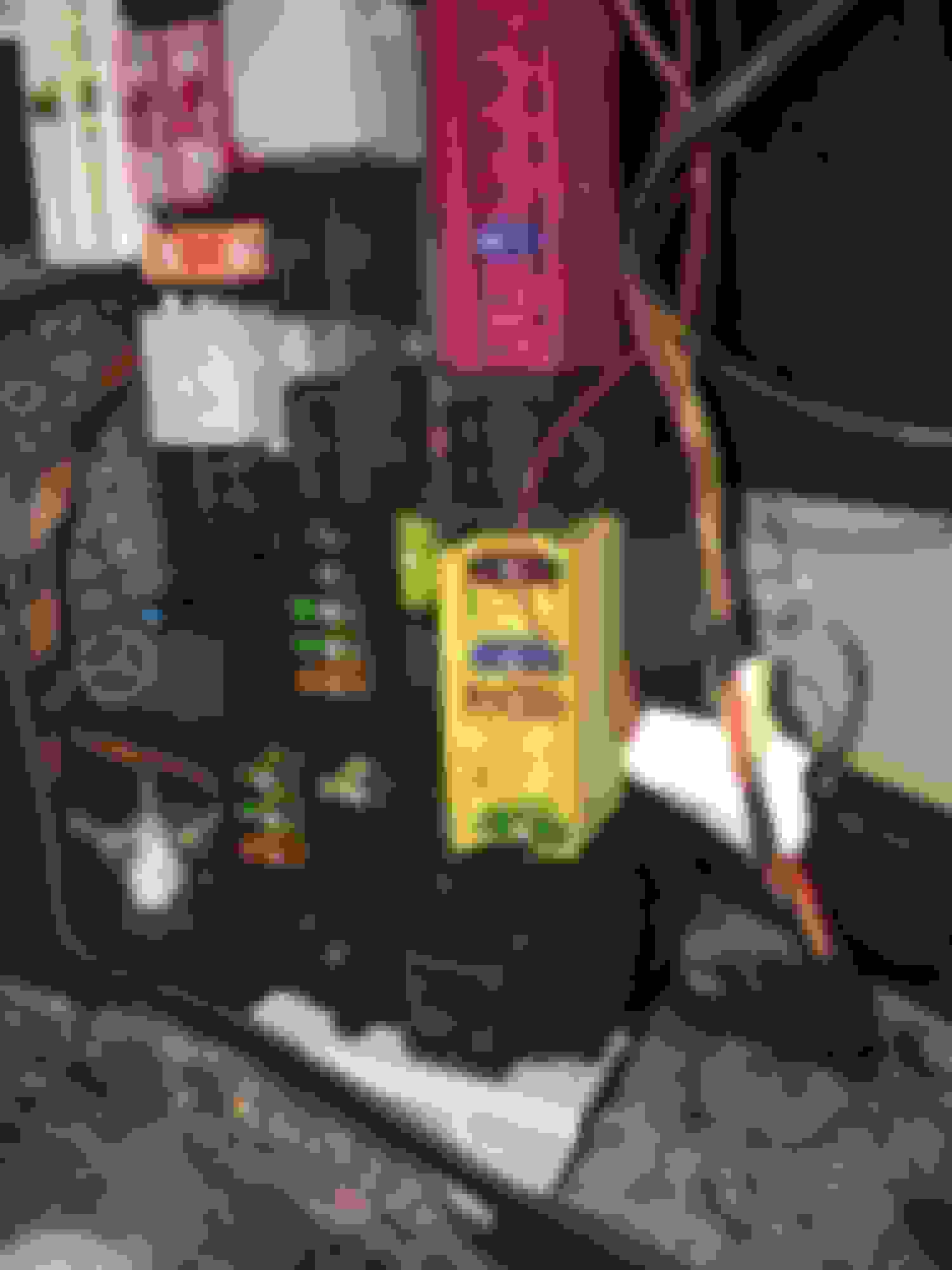
I connected the power to the Blue 15 amp fuse. I used a voltmeter to confirm the camera gets power when the car is on.
Mercedes SLR McLaren 722 S Is Extremely Rare Example Modified by McLaren
Slideshow: A one-of-one U.S.-spec Mercedes-Benz SLR McLaren Roadster became even rarer after a factory-backed transformation at McLaren's headquarters.