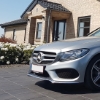
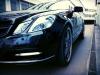
Anyone installed this?
I need hands on experience. Pros and cons
http://s.aliexpress.com/nAbmMfAv?fromSns=Copy to Clipboard]2G RAM Android display for C Class W204 2008-2014 W205 GLC 10.25" touch screen GPS Navigation stereo radio multimedia player[/url]
I am looking for someone who can answer if all hardware buttons work and if they if activated will switch from where ever you are in the headunit menus
I am looking for someone who can answer if all hardware buttons work and if they if activated will switch from where ever you are in the headunit menus
Arh... Guess you are Swedish.
I'm Danish. Now we'll see if our deliveries are caught in customs 😁
But still, with taxes it should still be cheaper than to order through CKM, and I think we also got the upgraded model.
Let's do that.
I intend to install a reverse camera.... someday 😊
Where are you from?
Im from Norway
I have a backup camera, but i would like a front camera , but i think the screen does not support that, but i will try.
Are you looking for somkind of OEM backupcamera or something else?
If you intend to install just a regular backupcamera, its quite easy, on the screen there is a cabel for that as far as i know, just a RCA cable from the screen and back to the camera, and for the power there is a fusebox in the rear right side.
I have done that with 2 of my previous cars 1 2012 E-class coupe and on a 2010 E-class wagon,the only difference is that i had COMAND in both of these cars.
Arh... Guess you are Swedish.
I'm Danish. Now we'll see if our deliveries are caught in customs 😁
But still, with taxes it should still be cheaper than to order through CKM, and I think we also got the upgraded model.
They are sending the goods with DHL and they usually do the customs taxes, and i now i have to pay about 25% in taxes +Handling, and all depents what the seller put in as value of the goods, but it still think it will be cheaper
And yes i also think this is the upgraded version
I received mine today. Only USD 77$ in tax/told :-)
Assessed value 188.00 USD :-)
Now just looking forward to install
Also got mine but no taxes yet.
Have already installed it
Struggeled with the thick cable to get in in place, but it works, have not testet all functions, an have not got all of the cables in place
How does it react when you use the hardware buttons on the dash. Does it automatic shift?
And how about the shortcut on the joystick to change channel. Does it come up when you use Google maps?
How does it react when you use the hardware buttons on the dash. Does it automatic shift?
And how about the shortcut on the joystick to change channel. Does it come up when you use Google maps?
I used about 3 hours, struggled to get the big cable in rigth position
The reaction of the hardware buttons is quite normal
Not testet with google maps yet, and i struggle to get sound from the device, only sound from OEM, mabe i have forgotten something
I did not use this USB and do not know what its for
And i did not use this one either
But i used this one, but only the green Fakra and the USB for Mirrorlink, the USB i pulled out near the passenger side net storage
I believe this one is for sound for sound from Android apps, like Maps, etc.
Did yours come with installation instructions? If so, can you post?
Yes agree, had to think a little, and then it came to my mind.
No installation instructions, had to guess my way.
But what about the USB? I alredy have one from the screen, that i used for Phone mirroring
Yes agree, had to think a little, and then it came to my mind.
No installation instructions, had to guess my way.
But what about the USB? I alredy have one from the screen, that i used for Phone mirroring
Nope, i think i have figured it out now, i will try tommorrow
That box with USB to the large cable harness on CD player and the other two up to the screen.
I wondered what the USB on player was, but now i know i hope.
You guys are awesome for posting all of this! Keep it coming because I'm sure there are plenty of people lurking like me to see the results. Install looks really good!