



Duncan: Cool. I think I will follow your progress (as long as you keep us posted!) and maybe not rush into buying a used COMAND unit. I had no idea about Crux before, so I Googled and am impressed to find they have a wired unit. I really don't trust the PAC stuff to work instantaneously as it seems to rely on IR beams.
Can I PM you to ask other details?
Can I PM you to ask other details?

Junior Member
It would be great whom ever is doing this upgrade to supply some pictures of the installation.
FWIW i use the PAC units all the time and have never had a problem. I even got the steering wheel controls working in my clk with their units. I have a alpine 7" touch display in my c32 that works great also. I think the stock speakers sound great paired with a sub and it is much easier than running all new wires.

Newbie
If you want a lot of the aftermarket functions and programming, but you want the OE look, check out www.dynavin.com
Member
I'll take pics for you guys... I'm having a hell of a time with the backup camera at the moment though...
Member
Some pics of my App Radio install...
Run the new amp's power wire from the battery. First pull the plug out from inside the car, then run the wire from the battery to the inside.
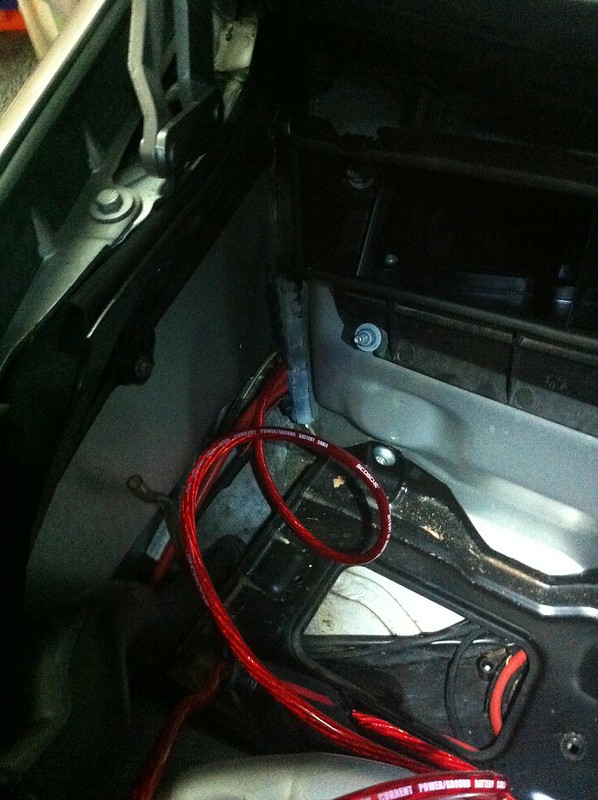
Inside the car by the passenger footwell. An 8 guage wire fits nicely through there.
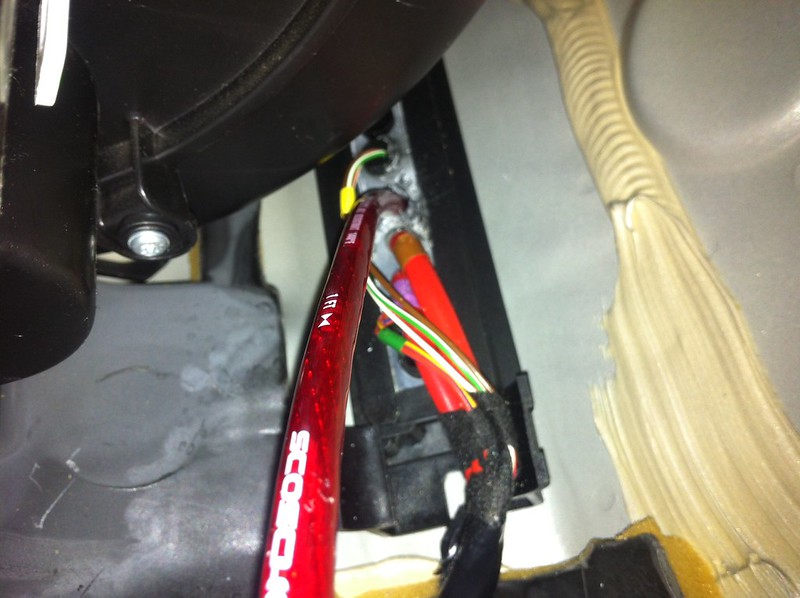
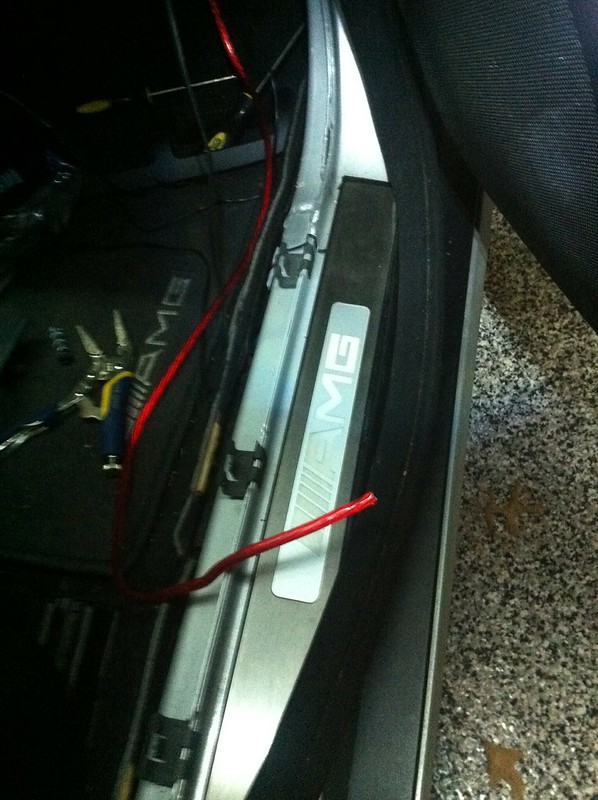
Then just run it along side the car to the back under the carpet. There is a cavity where all the wires are run for the car. Tuck it in there...
Here's the wires i used for the speakers from the back of the HU to the amp in the back.
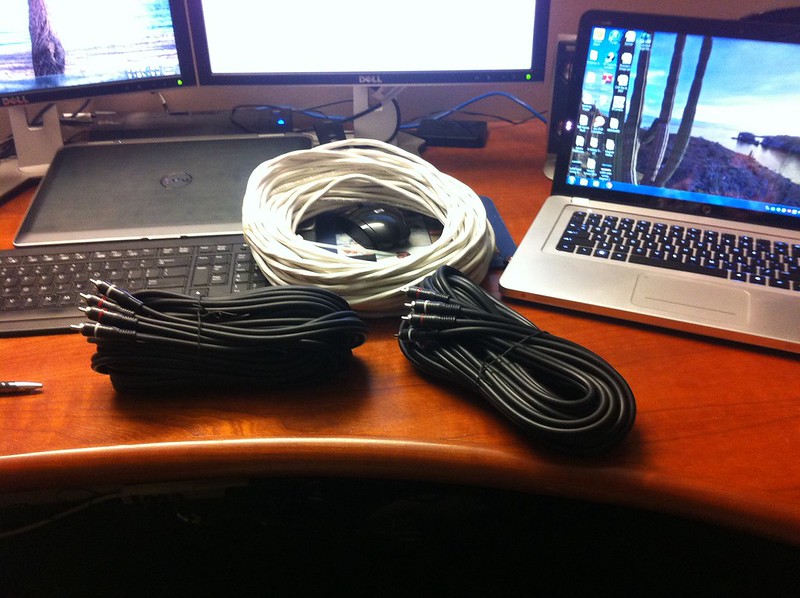
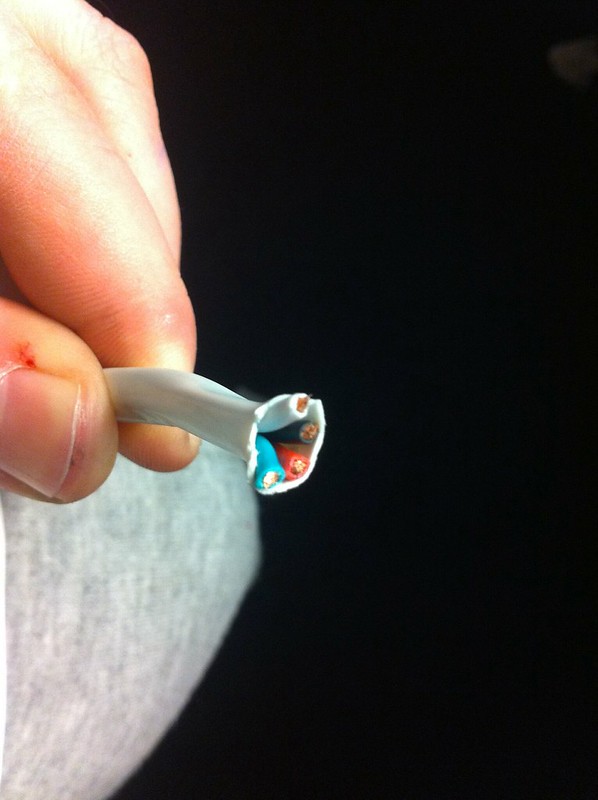
16 Gauge twisted wires bought like this... I wanted colors so i can keep track of positive / negative and specific speakers. So i would run one white loom to the back, then wire 1 speaker up at the front, then at the back to keep it simple.
Run the new amp's power wire from the battery. First pull the plug out from inside the car, then run the wire from the battery to the inside.
Inside the car by the passenger footwell. An 8 guage wire fits nicely through there.
Then just run it along side the car to the back under the carpet. There is a cavity where all the wires are run for the car. Tuck it in there...
Here's the wires i used for the speakers from the back of the HU to the amp in the back.
16 Gauge twisted wires bought like this... I wanted colors so i can keep track of positive / negative and specific speakers. So i would run one white loom to the back, then wire 1 speaker up at the front, then at the back to keep it simple.
Member
Quote:
Can I PM you to ask other details?
Sure feel free to PM me if you want. I must warn you that i am no professional though Originally Posted by Saaboteur
Duncan: Cool. I think I will follow your progress (as long as you keep us posted!) and maybe not rush into buying a used COMAND unit. I had no idea about Crux before, so I Googled and am impressed to find they have a wired unit. I really don't trust the PAC stuff to work instantaneously as it seems to rely on IR beams. Can I PM you to ask other details?
 I'll keep this thread updated with my progress and maybe help out that way so you can see whats involved in doing this.
 I already put my App Radio in and forgot to take pics of that, and i'm not going to take that thing out again... its a mess and it was really hard to push it back into place because of all the adapters / wiring harnesses etc. that makes space a premium back there. Not to mention the heavy duty RCA cables i used for the amp that dont bend that easily.
Member
This is the HU I'm replacing by the way model BB0510 ...

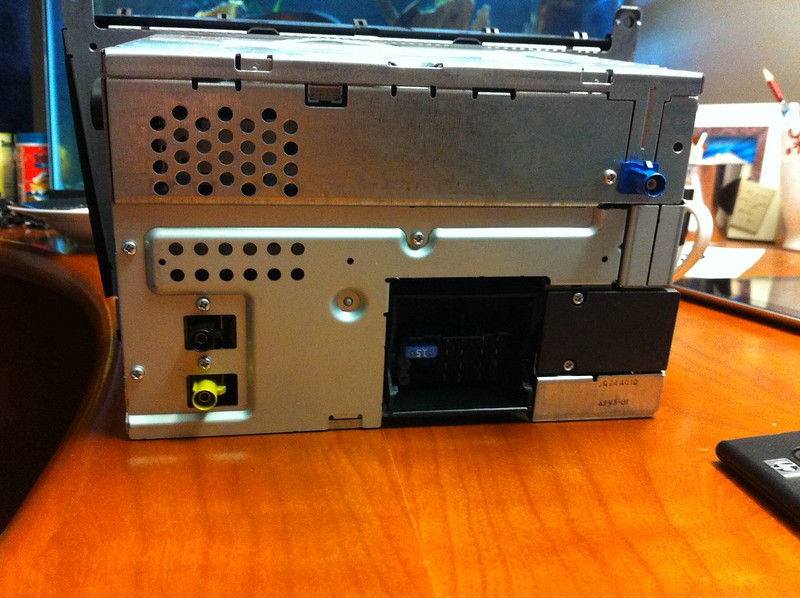
When i unhooked everything i saw that I dont have speaker wires in the Block A connector. Its a give-away you have fiber optics running the speakers.

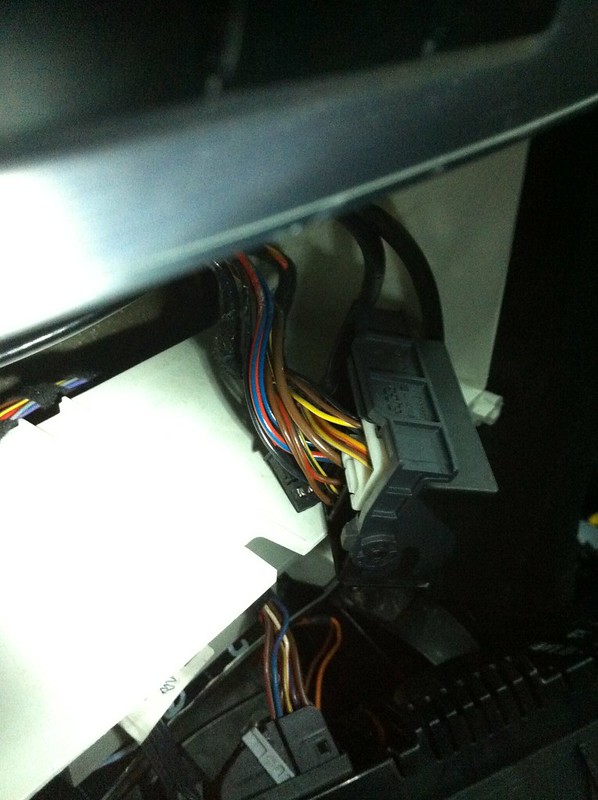
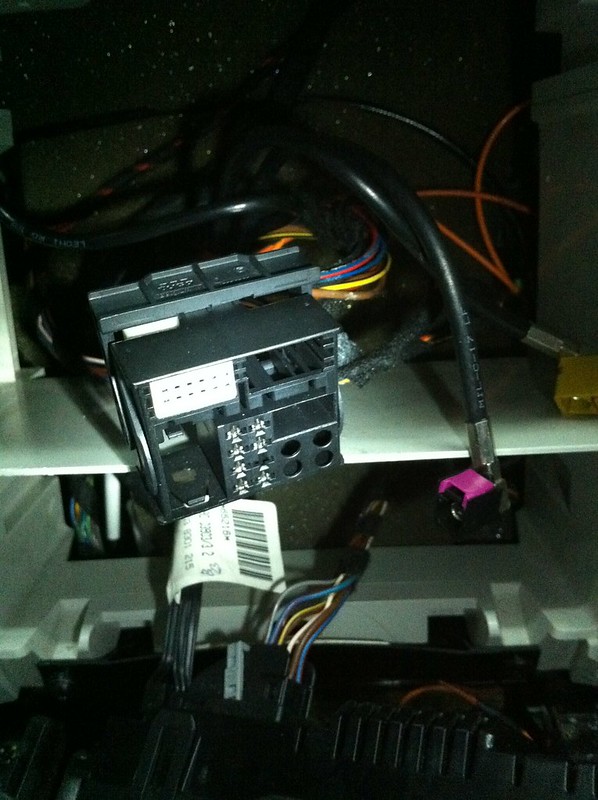
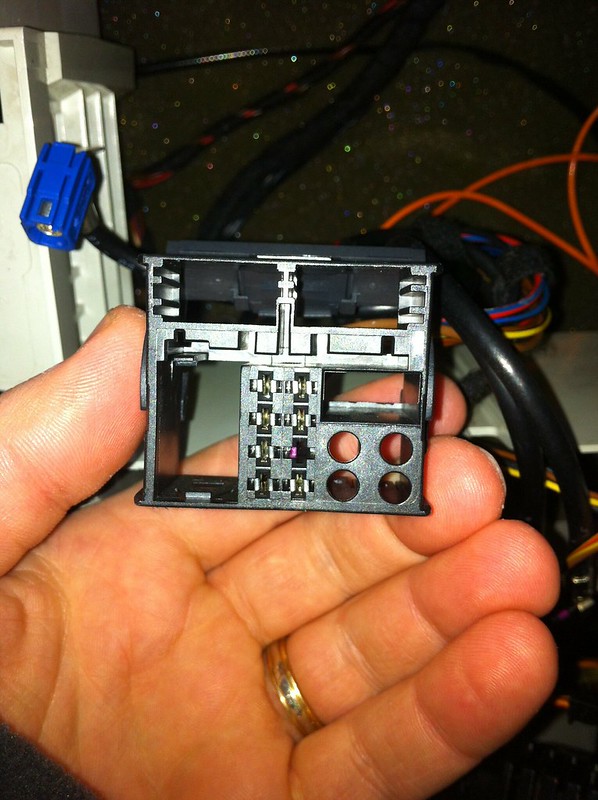
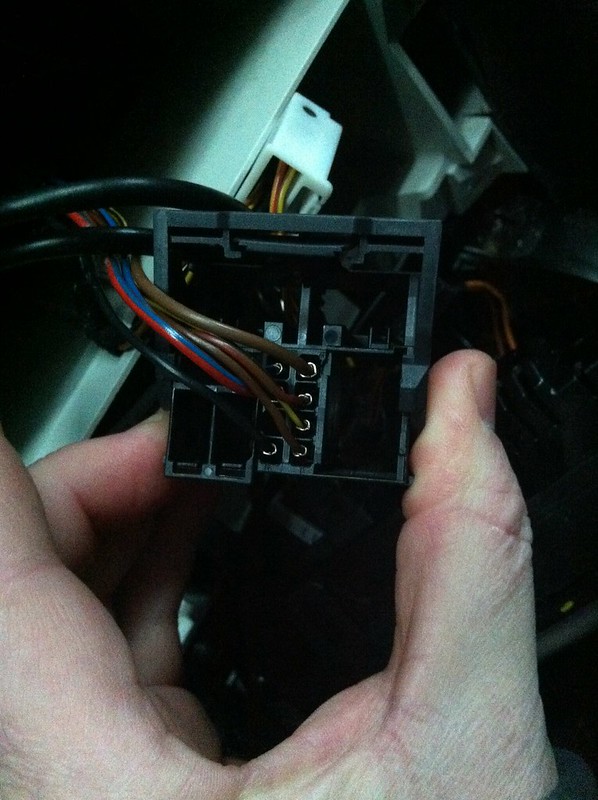
This is the wiring harness i bought that plugs right into the factory harness pulled from the OEM HU. This harness also plugs into the CRUX module that drives the steering wheel controls. You can kind of see it in one of these pics.
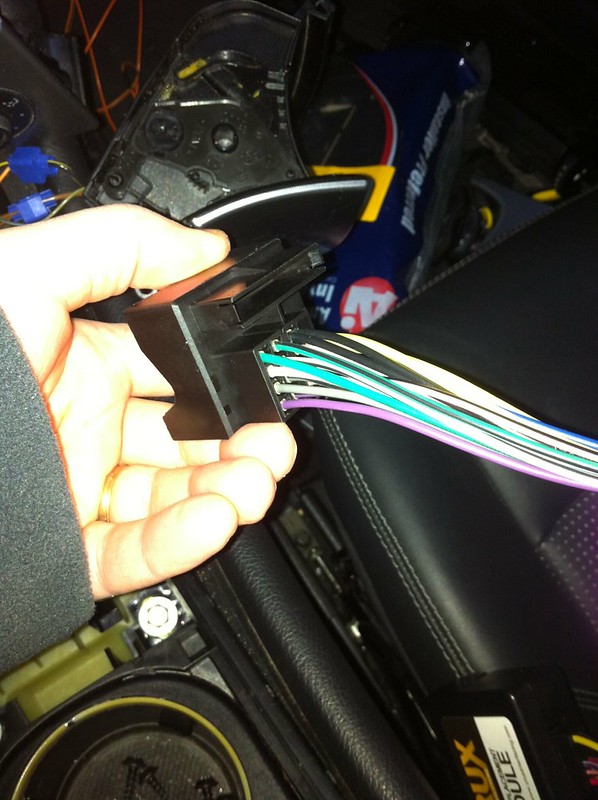
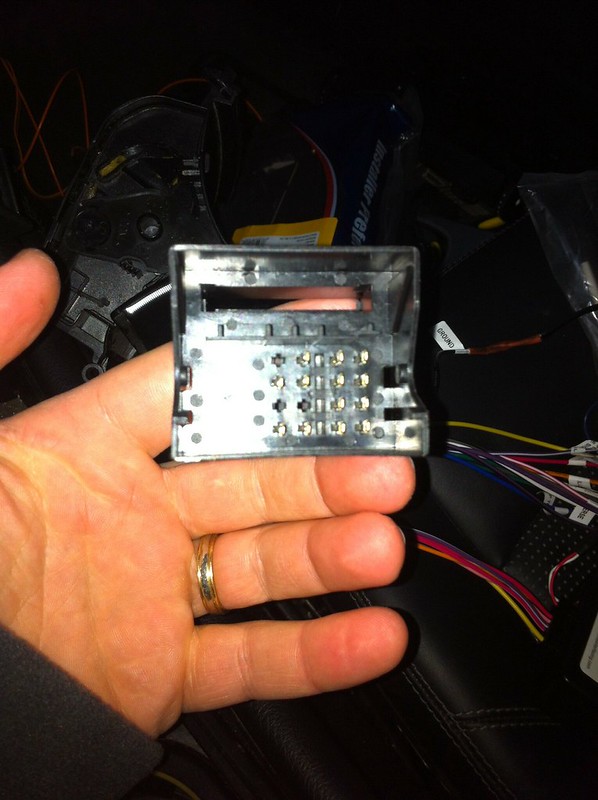 [/QUOTE]
When i unhooked everything i saw that I dont have speaker wires in the Block A connector. Its a give-away you have fiber optics running the speakers.
This is the wiring harness i bought that plugs right into the factory harness pulled from the OEM HU. This harness also plugs into the CRUX module that drives the steering wheel controls. You can kind of see it in one of these pics.
[/QUOTE]MB World Stories
The Best of Mercedes & AMG
Explore

Manual Mercedes? 6 Times Sindelfingen Let Drivers Have All The Fun
Verdad Gallardo
Mercedes SLR McLaren 722 S Is Extremely Rare Example Modified by McLaren
Verdad Gallardo
8 Classic Boxy Mercedes Designs That Have Aged Like Fine Wine
Verdad Gallardo
Flawlessly Restored Mercedes 190E Evo II Heads to Auction
Verdad Gallardo
Electric Mercedes C-Class Unveiled: 11 Things You Need to Know
Verdad Gallardo
Mercedes EQS Gets A Major Update: Everything You Need to Know
Verdad Gallardo
5 Underrated Mercedes-Benz Models That Don't Get the Love They Deserve
Verdad Gallardo
Mercedes 300D Has Pushed Well Past 1 Million Miles and It Ain't Stopping
Verdad Gallardo
10 Most Reliable Mercedes-Benz Models You Can Buy Used
Verdad Gallardo
Member
Quote:
haha its still going on ... going on a week now. I dont use my car much so i can leave it in the garage while i work on it every now and then. I dont have a ton of free time so i work a bit, then leave it till later... or i'm waiting for a part to come in etc. I wouldn't be a good judge of timing on this project. Originally Posted by blacksage
Good stuff! How long did the install take?
Like right now... i just completed everything, and realized the amp turn on doesn't turn the amp on, because i paid for a wiring diagram online through startek and believed it without testing... for some reason it doesn't work. So now i have to run the amp turn on from my head-unit and run one wire to the back again.


Hi guys interesting stuff, thanks for sharing im sure it will help many other members.
Do any of you have the part number for the fibre optic plug that goes into the OE CDC. Mine was bypassed when I bought the car and now I decided to take my CDC in for repairs, I did a test and there is power on the power plug but the CDC does not respond at all. So now ill need the optic fibre plug (the black box that the 2 orange optic "wires" go in to) when I get the CDC to work.
Do any of you have the part number for the fibre optic plug that goes into the OE CDC. Mine was bypassed when I bought the car and now I decided to take my CDC in for repairs, I did a test and there is power on the power plug but the CDC does not respond at all. So now ill need the optic fibre plug (the black box that the 2 orange optic "wires" go in to) when I get the CDC to work.
Member
Shaun i'm sorry i'm lost as to where exactly you are looking for this plug? Is it at the back in the stock amp?
Anyway, here's my App Radio 3 installed. The sound quality is not as good as the Comand unit was, but hopefully its either because i have to tweak it on the HU or adjust the gain on my amp... or its because i used a crappy amp, or its because i used the same channel for the center front speaker and the sub in the back. EIther way, i'm going to play with those things and report back - it all kind of just sounds like there's a lack of high pitch and bass... everything sounds kind of dull and flat. No real bass and no high tones.
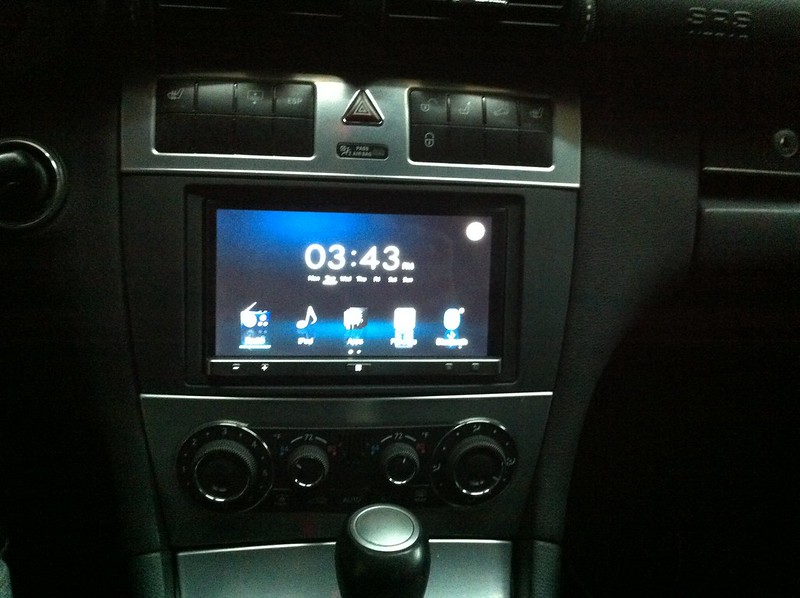
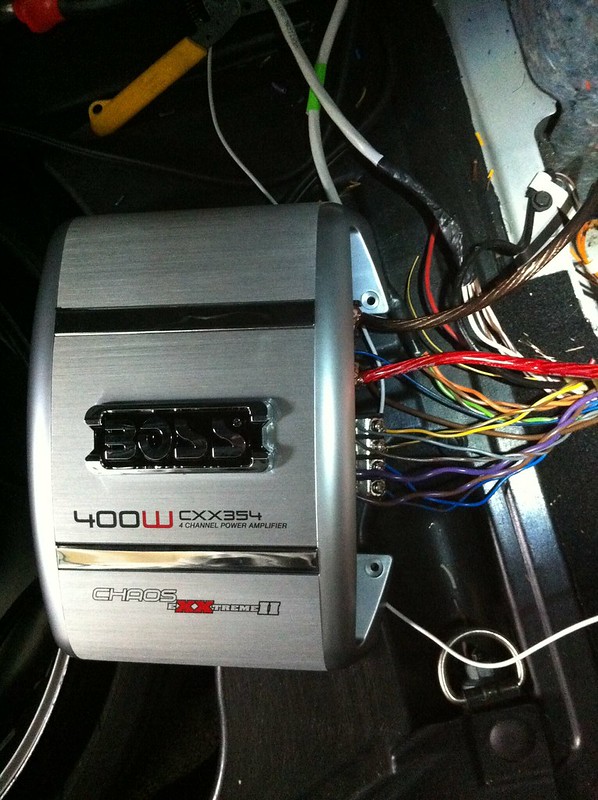
Anyway, here's my App Radio 3 installed. The sound quality is not as good as the Comand unit was, but hopefully its either because i have to tweak it on the HU or adjust the gain on my amp... or its because i used a crappy amp, or its because i used the same channel for the center front speaker and the sub in the back. EIther way, i'm going to play with those things and report back - it all kind of just sounds like there's a lack of high pitch and bass... everything sounds kind of dull and flat. No real bass and no high tones.
Wow that looks very neat.
I mean the black plug that the two orange fiber optics go into that plugs into the stock cd changer in the glove box.
I mean the black plug that the two orange fiber optics go into that plugs into the stock cd changer in the glove box.
I'm interested in hearing about the functionality of the steering wheel controls - okay, I take it you can't really 'surf' the App Radio with the stock controls, it wasn't built for that - but volume obviously works, how about moving between tracks and such?
Member
Quote:
yeah i'll check that out for you... I was very frustrated for a while because my USB connector didn't launch all the apps on my phone for some reason... luckily i found this video because it doesn't say to do this in the user manual at all. Originally Posted by Saaboteur
I'm interested in hearing about the functionality of the steering wheel controls - okay, I take it you can't really 'surf' the App Radio with the stock controls, it wasn't built for that - but volume obviously works, how about moving between tracks and such?
Member
Quote:
I mean the black plug that the two orange fiber optics go into that plugs into the stock cd changer in the glove box.
this is the connection to the cd changer... hope this helps.Originally Posted by shaun.barnard
Wow that looks very neat. I mean the black plug that the two orange fiber optics go into that plugs into the stock cd changer in the glove box.
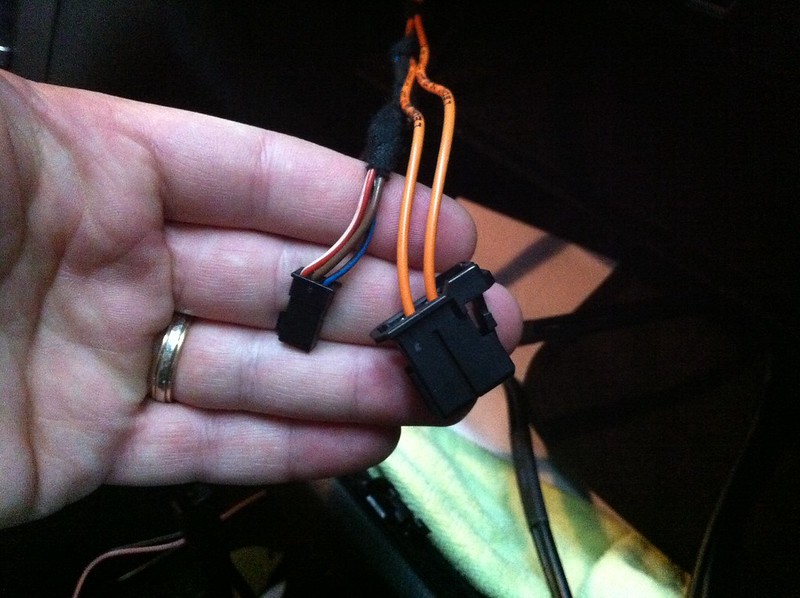
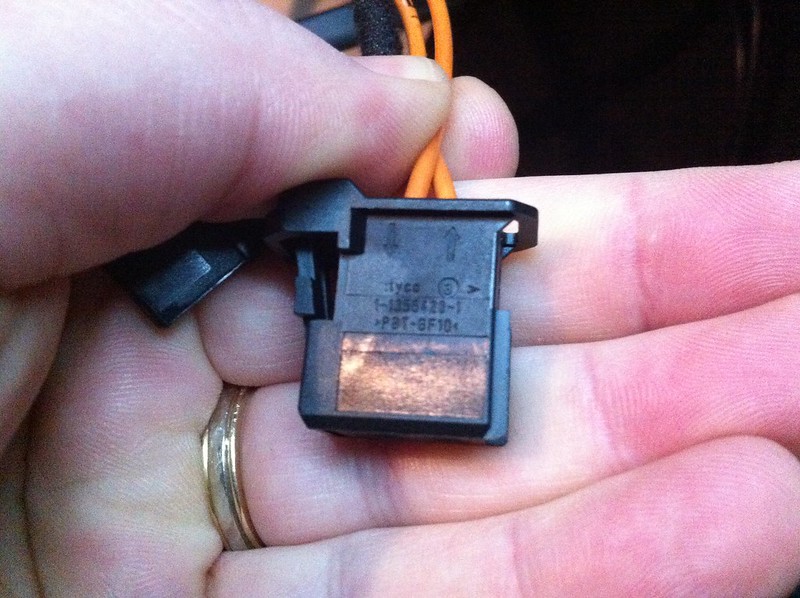
Yes thanks that's the one.
Member
Quote:
I played the songs on my iphone today and I could easily change tracks by using the left up/down buttons on the steering wheel.Originally Posted by Saaboteur
I'm interested in hearing about the functionality of the steering wheel controls - okay, I take it you can't really 'surf' the App Radio with the stock controls, it wasn't built for that - but volume obviously works, how about moving between tracks and such?
Took my CDC in today for repairs and ordered that plug from the agents so hopefully ill have that working at least for now.
Duncan, ive read that the CDC can play MP3's, can you confirm that for me please?
Duncan, ive read that the CDC can play MP3's, can you confirm that for me please?
I found the answer, the MC 3520 model CDC can play mp3's and the MC 3330 can not play mp3's and guess which one I have.............the 3330, isn't Murphy just a miserable old *******.lol
Member
Quote:
I'll check my model too but I've never tried it.Originally Posted by shaun.barnard
I found the answer, the MC 3520 model CDC can play mp3's and the MC 3330 can not play mp3's and guess which one I have.............the 3330, isn't Murphy just a miserable old *******.lol
Member
Quote:
Also, I played pandora through Bluetooth streaming with the phone in my pocket and it even skipped tracks if I used the steering wheel controls. I'm happy about that!Originally Posted by Saaboteur
I'm interested in hearing about the functionality of the steering wheel controls - okay, I take it you can't really 'surf' the App Radio with the stock controls, it wasn't built for that - but volume obviously works, how about moving between tracks and such?
Hi Duncan, sorry one more question, I had the cdc fixed and now im waiting for the optic fibre plug, what I need to know, if you can remember, where does the red head go and the white head in the plug. Don't know if im explaining myself properly but if you look at the end of the orange fibre optics wires there is one red and one white now im afraid that when I get my plug I wont know which one goes on top and which one at the bottom.
I see on the pic of your plug, the last pic in post 41, that there is an in and out arrow, I would presume that the red goes in and the white comes out of the cdc but not sure?
Member
Quote:
i'm not sure, i didn't pull them out to tell you. It wont hurt to just put it in and see if it plays. You'll know to switch them if it doesn't.Originally Posted by shaun.barnard
I see on the pic of your plug, the last pic in post 41, that there is an in and out arrow, I would presume that the red goes in and the white comes out of the cdc but not sure?


