When you click on links to various merchants on this site and make a purchase, this can result in this site earning a commission. Affiliate programs and affiliations include, but are not limited to, the eBay Partner Network.
I decided to write up my retrofit of linguatronic for the w209 convertible.
This is a relatively painless and easy upgrade (maybe a 3/10). It is even easier for the coupe.
I have written up the differences for the coupe at the end of the instructions.
VCS works if you have command. I'm not sure it will work with Audio 20.
The following parts are needed:
PTT Lever: A0005451044
Voice Control Module: A2038208285 (there are other older versions but this is the most recent one that allows control of the navigation as well, rather than just Radio, CD, CDC, Telephone)
The following tools are required:
A flathead and a phillips scredrivers, a 10mm socket wrench with an extension, and 2 self-threading screws.
1. Remove turnk carpet:
2. Next you have to remove the trunk paneling fully on the passenger side and partially move it out of the way on the driver side.
On the passenger side remove the plastic rivets (circled in red) by prying the head from underneath with a flathead screwdriver. remove the false floor (circled in yellow). Unscrew the two large plastic caps. And finally open up the tail light carpeting and remove.
3. On passenger side remove plastic rivets and one screw cap on top. Open tail light paneling. Loosed paneling out of its place and push the trunk light out and thread it out of the paneling so that you can free the paneling up.
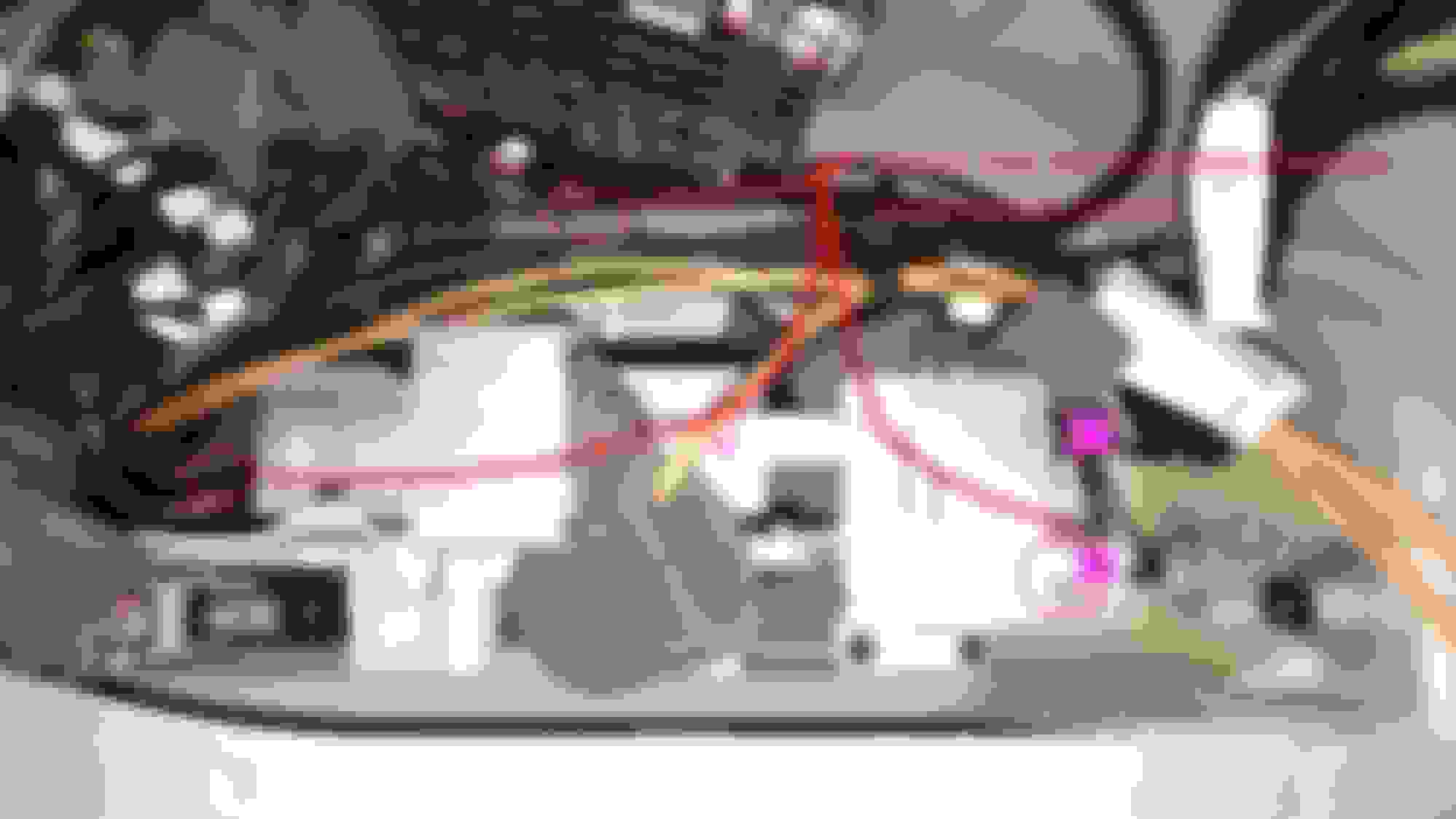
4. On the passenger side there are three hex nuts holding the electronics bracket down. They aren't visible in the picture but I have marked their locations. Use the Socket wrench with a 10mm socket and an extension to get them out. Slide the bracket up and out with the back side first.
5. Connect the loose fiber optic ends to the loose adapter by simply pushing them into the open slot.
6. Connect the flat 6pin and 2pin SDS LCT and Mic cables to the main 6 pin and 2 pin mic array (disconnect whatever is plugged in them)
7. Plug the main adapter into the VCS module.
8. Place the VCS module onto the bracket where there are two holes located and screw it in with the two self taping screws.
9. Place the bracket back into its place, being careful to move any cables out of its way so it will align properly.
10. Put back everything in reverse order.
11. On the driver side I forgot to take pictures as I was doing the work but it is simpler than the passenger side. So with the paneling half way out find the loose fiber optic cables labeled SDS Out and SDS in and open the connector up similarly to step 12.
12. Unplug the UHI in and sound out from their current fiber optic connections. (Remove connection cap and pry up tiny tab holding fiber optic cable down and pull out cable)
13. Reconnect fiber optic loop in the following manner:
Sound out to SDS in.
SDS out to UHI in.
(This assumes you have satelite radio and bluetooth, so double check the correct ordering for the fiber optic loop of the car according to your setup)
14. Replace carpeting and put everything in trunk back together.
15. In the cabin go to the right side of the steering column and there is a small bump on the 2 oclock positiong with a small cap. You can pull it out with your fingernail.
16. Insert control stalk and twist into place.
17. Switch on ignition and activate the VCS by pulling the lever toward you.
18. Once activated go to the sys/serv menu, press the VC tips softkey and follow the VCS training to get it to recognize your voice.
For the coupe the the mic and fiber optic connections are the same. all the cabling is located on the trunk floor toward the rear seats. All you have to do to access them is remove the trunk carpet.
Unscrew the two metal bolt with a t20 or t25 screwdriver (can't remember which) and on the rear plastic panel and take it out. This gives you access to all the cabling. Make all the necessary connections and place the VCS module on the floor and constraining it in an open spot with some double sided or felt tape. Put everything back together in reverse order.
Last edited by thrilos81; Mar 11, 2015 at 11:29 PM.
FANTASTIC write-up! It makes me want to do this on my car! Looking around, I can find the linguitronic module for under $300 (eBay) and the switch for $12 (parts.com). It's nice enhancement to give an older car a modern update. Thanks for your work on this!
This is great! And by far the best and most accurate write up, thank you!
I have been trying to get info in w203 forums, ///AMG 203 and Tech, Audio locations...happy to have found this!
I will follow this and the part number, as I want SAT and NAV control...
And chance you can look into these numbers and their accuracy please my EPC is down at current...
(Copy/paste from other threads...)
Modules (and this is where I need the HELP!);
209 820 1385
203 820 5785
203 820 6785
203 820 7585 (I read some say this is the most up-to-date unit to use)
203 820 8285 (NOT listed for the w203 from what I can find, MAY superseded 7585 and is used in 2008 GL320) ((You have it working here!!!)))
211 820 6226
211 820 6285 (NOT listed for the w203 from what I can find but seems to naturally preceed the next listing for the w203. 6285 is used in 2004 E320)
211 820 7585
Thanks again...now to try it all in a w203...
Last edited by BF_JC230; Mar 12, 2016 at 12:27 AM.
The best one to use I would say is the one I listed in the instructions.
Unfortunately, you cannot control SAT with it IIRC, but definitely can do NAV, albeit letter by letter.
Maybe someone can check if there is something more up to date..
Thanks! I'll report back once I source parts...
(If anyone can verify a "later" part((w211)) will fit/work that would be great!)
Opening the electronics tray (which is beyond easy on the w203) looks ready to go...
Draxlmaier cable harness/tel 203 440 87 05 is there.
Fiber optic self looped with union connector SDS IN >SDS OUT.
SOUND 1 OUT >TEL IN sitting right next to it in tray.
1 MIC ARRAY OUT is connected>to 3 MIC IN TEL.
I'll move that to 5 MIC IN SDS
(I do NOT have TeleAid, so I only have this ONE mic swap from what I can see...there are only these three connectors...so I will not be looking to make the 2PIN change over from 6 MIC OUT SDS to 8 MIC IN TeleAid)
Last edited by BF_JC230; Mar 14, 2016 at 11:03 AM.
Thanks...for now I'll stick to what you have listed. Just love the full function in our 2013 Town and Country...quick Google popped this..."Comand APS NTG 2.0 and NTG 2.5 have very similar wiring but you should know a few significant differences if you want to replace Comand 2.0 to NTG 2.5. The last one has a built-in voice recognition system, so the microphone wiring should be directed to the Comand head unit."
I decided to write up my retrofit of linguatronic for the w209 convertible.
This is a relatively painless and easy upgrade (maybe a 3/10). It is even easier for the coupe.
I have written up the differences for the coupe at the end of the instructions.
VCS works if you have command. I'm not sure it will work with Audio 20.
The following parts are needed:
PTT Lever: A0005451044
Voice Control Module: A2038208285 (there are other older versions but this is the most recent one that allows control of the navigation as well, rather than just Radio, CD, CDC, Telephone)
The following tools are required:
A flathead and a phillips scredrivers, a 10mm socket wrench with an extension, and 2 self-threading screws.
1. Remove turnk carpet:
2. Next you have to remove the trunk paneling fully on the passenger side and partially move it out of the way on the driver side.
On the passenger side remove the plastic rivets (circled in red) by prying the head from underneath with a flathead screwdriver. remove the false floor (circled in yellow). Unscrew the two large plastic caps. And finally open up the tail light carpeting and remove.
3. On passenger side remove plastic rivets and one screw cap on top. Open tail light paneling. Loosed paneling out of its place and push the trunk light out and thread it out of the paneling so that you can free the paneling up.
4. On the passenger side there are three hex nuts holding the electronics bracket down. They aren't visible in the picture but I have marked their locations. Use the Socket wrench with a 10mm socket and an extension to get them out. Slide the bracket up and out with the back side first.
5. Connect the loose fiber optic ends to the loose adapter by simply pushing them into the open slot.
6. Connect the flat 6pin and 2pin SDS LCT and Mic cables to the main 6 pin and 2 pin mic array (disconnect whatever is plugged in them)
7. Plug the main adapter into the VCS module.
8. Place the VCS module onto the bracket where there are two holes located and screw it in with the two self taping screws.
9. Place the bracket back into its place, being careful to move any cables out of its way so it will align properly.
10. Put back everything in reverse order.
11. On the driver side I forgot to take pictures as I was doing the work but it is simpler than the passenger side. So with the paneling half way out find the loose fiber optic cables labeled SDS Out and SDS in and open the connector up similarly to step 12.
12. Unplug the UHI in and sound out from their current fiber optic connections. (Remove connection cap and pry up tiny tab holding fiber optic cable down and pull out cable)
13. Reconnect fiber optic loop in the following manner:
Sound out to SDS in.
SDS out to UHI in.
(This assumes you have satelite radio and bluetooth, so double check the correct ordering for the fiber optic loop of the car according to your setup)
14. Replace carpeting and put everything in trunk back together.
15. In the cabin go to the right side of the steering column and there is a small bump on the 2 oclock positiong with a small cap. You can pull it out with your fingernail.
16. Insert control stalk and twist into place.
17. Switch on ignition and activate the VCS by pulling the lever toward you.
18. Once activated go to the sys/serv menu, press the VC tips softkey and follow the VCS training to get it to recognize your voice.
For the coupe the the mic and fiber optic connections are the same. all the cabling is located on the trunk floor toward the rear seats. All you have to do to access them is remove the trunk carpet.
Unscrew the two metal bolt with a t20 or t25 screwdriver (can't remember which) and on the rear plastic panel and take it out. This gives you access to all the cabling. Make all the necessary connections and place the VCS module on the floor and constraining it in an open spot with some double sided or felt tape. Put everything back together in reverse order.
Hello mate,
Very interesting post, thank you for that!
I have got a UK (RHD) 2006 CLK 280 Convertible that comes with memory seats and electric Steering Wheel.
On Step 15 you claim to have a little removable cap on the right side of the steering column where the lever should fit... Well I don't have such cap my right side is completely plain.
Does that mean that I wont be able to retrofit linguatronic or should I just buy a new panneling for my steering column which comes with an extra space for the lever and just follow your steps?
I am asking it because my main concern is what if I buy a panneling with the cap to find out that there is no connection Inside to plug and play the lever...
I could find out myself by removing the column but It is a complicated task for me.
Thanks for your help!
Last edited by M.Khalid; Aug 24, 2016 at 11:45 AM.
You probably need a new clockspring and column jacket. There is a similar retrofit procedure over at slkworkld that details those steps for a VCS retrofit on RHD R171. I would bet that the procedure is not much different for the W209 in terms of adding the clockspring and column jacket. Do a quick search on their website and it should lay out everything not covered here (US W209).
You probably need a new clockspring and column jacket. There is a similar retrofit procedure over at slkworkld that details those steps for a VCS retrofit on RHD R171. I would bet that the procedure is not much different for the W209 in terms of adding the clockspring and column jacket. Do a quick search on their website and it should lay out everything not covered here (US W209).
Thrilos81 thank you for the quick reply you are a Legend!!
Hopefully by the end of this week I will sell my 280 and buy another CLK convertible 55AMG.
Then I will check if this one has the cap, and to be on the safe side I will also check for the extra connectors in the boot before buying a clockspring and steering column jacket!
I will also check the SLK thread in their website!
I hope You can help me with my attempts to install Linguatronic system (VSC) in my W209 coupe - CLK320CDI.
I have already:
VCS module A 203 820 82 85
the swith A 008 545 27 24 including the
stalk A 000 545 10 44
the steering wheel column housing is also ordered but not yet arrived - A 000 462 25 23
I have read several topics in this and other forums and it seemed to be relatively easy procedure on the US version cars, but it seems on the European (as mine) is not so easy as it turned out mine doesn't have the preinstalation wire harness for the VCS module. Here are some pictures of my trunk
As seen from the pictures there is a plave for the VCS module but no cables
I have currently the following modules in the MOST ring:
COMAND A40/3
Telephone interface UHI N123-1
CD Changer A2/6
When I add the VCS module (A35/11) I will put it in between the COMAND and the UHI interface, although the order shouldn't be so important if the MOST ring is s closed loop. Please correct me if I'm wrong....
The VCS wiring is not so complicated. I need a power supply, Gnd, Wake-up signal, optical connection and the mic connections
The qustion is which microphones I have to connect to the VCS module?
Shall I take the microphones (A67b1) which are currently connected to the UHI module and connect them to the VCS (pin by pin)? Leaving the UHI module without microphones will my telephone bluetooth system in the car still work?
As the UHI module is on the back right side in the trunk and the place foreseen for the VCS is on the left side I will need an extension cable for the optical cable approximately 70-80cm long for the VCS MOST IN and another 2m from the VCS MOST OUT to the UHI MOST IN.
Can somebody please give me part numbers for these optical cables and a joint to connect the extension cable to the original one?
The same problem I will also have with the microphone cables. If I have to disconect them from the UHI module and connect them to the VCS the cables will not be long enough to reach the VCS module. Is there any original wire harness which I can order to extend the microphone cables so they reach the VCS module?
And I will also need the plug for the VSC module and the small plug adaptor for the optical cables for the VCS module. Can somebody tell me the part numbers please ?
CURRENT:W209 2009 CLK350 Coupe FORMER: W245 2006 B200
Hello,
I'm a little confused about where the stalk goes (Steps 15 and 16). Does anyone have pictures?
And is any version coding needed for those that did comand retrofit from audio20?
This sounds (no pun intended) like an interesting mod. I've found the Linguatronic module at a right price, I don't know what the stalk costs (probably a bazillion dollars from MB), I've located the removable plug on the column to plug the stalk into.
The car is a 2008 CLK350 convertible, Comand radio, no phone or nav, HK sound system, tele-aid but not subscribed.
My question is this - what does the Linguatronic DO? What is the vocabulary, what can it control?
(And can I wake it up with "Hal" instead of "Hey Mercedes"?)
BTW, I'm a refugee from the "other" MB group, I found the "brand new and improved" user interface very limiting and unhelpful. I'm still registered there as "SheMadeMeBuyItForMe" (and she did ;-)
CURRENT:W209 2009 CLK350 Coupe FORMER: W245 2006 B200
Originally Posted by MachNone
The car is a 2008 CLK350 convertible, Comand radio, no phone or nav, HK sound system, tele-aid but not subscribed.
Sorry if slightly off topic, but I though all COMAND came with navigation? Asking because I'm interested in retrofitting COMAND over my current Audio20 in order to do the Linguatronic retrofit.
My error, I just checked the build list and I have the Audio20 system with the optional CD changer in the glove box. I guess I'm relegated to using old fashioned paper maps to find my way and relying on mechanical switches to tell the car what to do. Sigh.
Just ordered the parts to have this installed.
It’s cool that this is compatible with the clk but how come none of them came with this option when new? I never see any 209 today with voice control stalk. Also, does the voice control only beep or does it actually talk back to you?
Mercedes SLR McLaren 722 S Is Extremely Rare Example Modified by McLaren
Slideshow: A one-of-one U.S.-spec Mercedes-Benz SLR McLaren Roadster became even rarer after a factory-backed transformation at McLaren's headquarters.