






Engineering Mode

Thread Starter
MBWorld Fanatic!


Joined: Dec 2011
Posts: 4,391
Likes: 957
W212 FL
Engineering Mode
I am a member of one of the most helpful sites and came across something called ENGINEERING MODE and digged up what it was about .I have to say that I am puzzled because I learnt that you could change some sueful features thru your COMAND .
So, I will send you some images therefore you can easily see how to enter this mode and use it

To enter this mode, you need to do these simultaneously :
red phone button , 1 ,# .Press these at the same time and hold them 10 secs . You can gain access bluetooth, phone ,TA,radio functions and settings .
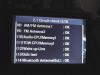
The image below shows phone settings :

This image below is about system settings :

Now, this is about phone volume level , if you think your phone volume is too low , you may need to use these settings :

This image below shows earphone settings , you can change them if you like .

This is about equalizer :


This image below is about listening to music thru your phone's bluetooth connection :

So, I will send you some images therefore you can easily see how to enter this mode and use it
To enter this mode, you need to do these simultaneously :
red phone button , 1 ,# .Press these at the same time and hold them 10 secs . You can gain access bluetooth, phone ,TA,radio functions and settings .
The image below shows phone settings :
This image below is about system settings :
Now, this is about phone volume level , if you think your phone volume is too low , you may need to use these settings :
This image below shows earphone settings , you can change them if you like .
This is about equalizer :
This image below is about listening to music thru your phone's bluetooth connection :

Newbie
Joined: Jan 2012
Posts: 6
Likes: 0
From: Valencia, Spain
2012 E350 CDI Coupe
Thanks for the info.
I could enter to the Engineering menu in my E class Coupe with Audio 20, but when I activate Bluetooth external Features and reboot the system, it stays in off again.
is there any way to reset the system and add AutioStreaming??
I could enter to the Engineering menu in my E class Coupe with Audio 20, but when I activate Bluetooth external Features and reboot the system, it stays in off again.
is there any way to reset the system and add AutioStreaming??
Thread Starter
MBWorld Fanatic!
Joined: Dec 2011
Posts: 4,391
Likes: 957
W212 FL

Super Member
Joined: May 2008
Posts: 655
Likes: 2
Mercedes e350 BlueTec
My screens are a bit different...and the way you exit is to go down to, I believe, "reset" which will reboot the system with whatever changes you made.
Engineering mode is where you can enable the internet connectivity that Mercedes claims isn't there on comand 4.5 systems in the US.
Engineering mode is where you can enable the internet connectivity that Mercedes claims isn't there
on comand 4.5 systems in the US.
Trending Topics

Newbie
Joined: Mar 2012
Posts: 3
Likes: 0
From: Ireland
2010 E250 Sport
@Joschelito - Same here, I have tried everything I can think of and it doesnt matter if I enable the Bluetooth audio or not, I don't get bluetooth audio functionality and it always resets back to "off"
MB World Stories
The Best of Mercedes & AMG

Dubai Tuner Gives the Mercedes G-Class An Entirely New Look
Verdad Gallardo
Six Gift Ideas Your AMG Loving Dad or Grad Will Cherish

7 Craziest Things AMG Gas Ever Built
Verdad Gallardo
New Electric Mercedes-AMG GT 4-Door Coupe Unveiled: 10 Things You Need to Know
Verdad Gallardo
6 Mercedes Models That Did NOT Age Well (But Are Somehow Still Cool)
Verdad Gallardo
Manual Mercedes? 6 Times Sindelfingen Let Drivers Have All The Fun
Verdad Gallardo
Mercedes SLR McLaren 722 S Is Extremely Rare Example Modified by McLaren
Verdad Gallardo
8 Classic Boxy Mercedes Designs That Have Aged Like Fine Wine
Verdad Gallardo
Flawlessly Restored Mercedes 190E Evo II Heads to Auction
Verdad Gallardo
Senior Member
Joined: Jun 2011
Posts: 305
Likes: 1
From: Washington DC
2009 CLS63 AMG
thanks you for this! my question is; is there anyways to remove the navigation safety feature that prevents you from entering a destination while moving?
also is there a way through engineering mode to disable the DVD safely feature while moving?
also is there a way through engineering mode to disable the DVD safely feature while moving?

Senior Member
Joined: Feb 2012
Posts: 295
Likes: 3
From: PNW
2010 E550 coupe
No. There are aftermarket Video In Motion (VIM) devices available. Use the search function and you'll find them.
Thread Starter
MBWorld Fanatic!
Joined: Dec 2011
Posts: 4,391
Likes: 957
W212 FL
Last edited by BenzV12; Dec 1, 2014 at 04:57 AM.
MBWorld Fanatic!
Joined: Jul 2007
Posts: 1,904
Likes: 29
S350 BT 4MATIC
If you know someone who has the technician software (DAS/SDS) and a compatible laptop, they can get into the prohibited menu in the body computer and configure the car so that you can have video in motion. They also can do other interesting on that menu.
Last edited by Nuru; Aug 19, 2012 at 12:53 AM.


Newbie
Joined: Aug 2012
Posts: 2
Likes: 0
Mercedes Benz E250 BE 2012
I am a member of one of the most helpful sites and came across something called ENGINEERING MODE and digged up what it was about .I have to say that I am puzzled because I learnt that you could change some sueful features thru your COMAND .
So, I will send you some images therefore you can easily see how to enter this mode and use it
This image below is about listening to music thru your phone's bluetooth connection :
So, I will send you some images therefore you can easily see how to enter this mode and use it
This image below is about listening to music thru your phone's bluetooth connection :
Last edited by international; Sep 5, 2012 at 10:48 PM.


Newbie
Joined: Jan 2013
Posts: 14
Likes: 0
W212
I've turn this ON and do the external authorization but there is still no audio streaming, just be able to make and receive calls. My vehicle is E250 BE 2012 (W212) with the audio 20 (6 CD changer, no DVD, no Navigation). I've been messing with the Comand for weeks but the audio streaming still doesn't work and this is driving me crazy.

Newbie
Joined: Nov 2013
Posts: 5
Likes: 0
B Class 200 - Automatic Sport
Have you tried checking your phone? You need to enable BT Audio in your phone too, if it's not enabled by default.
A quick way to understand if it's enabled already, is to try to stream audio via BT to another device. Have you done so?
Regards
A quick way to understand if it's enabled already, is to try to stream audio via BT to another device. Have you done so?
Regards

Newbie
Joined: Dec 2013
Posts: 5
Likes: 0
E 250
BT AUDİO feature set2 ON
Today I went to first service my car(207) and ask the dialer this BT audio feature set2 make ON.And they will wright the Mb DATA service.İf they can make it ON i will wright here at the end.İ think it will take nearly 10 days.
Newbie
Joined: Dec 2013
Posts: 5
Likes: 0
E 250
http://www.mercedes-benz-mobile.com/...06/compare/~bt
This page show that.Audio streaming work on 207 (2011-07/2012) but i can't do it my car is 05/2012 - 207
pls look the '' Music functions'' on the page
Last edited by ozel6161; Dec 4, 2013 at 05:17 PM.

Junior Member
Joined: Nov 2013
Posts: 18
Likes: 0
From: South Florida
2013 C250 - Lunar Blue
BenzV12 - do you know where to go in the engineering menu to turn on the back up (rearview) camera option? My engineering menu looks like yours, but I cannot find the option for the camera and no one else seems to know either.
Thanks,
Gus
Thanks,
Gus
Super Member
Joined: May 2008
Posts: 655
Likes: 2
Mercedes e350 BlueTec
If you don't have the physical camera, it won't matter where the option is....
Junior Member
Joined: Nov 2013
Posts: 18
Likes: 0
From: South Florida
2013 C250 - Lunar Blue
Thanks for stating the obvious. On the other hand, why would I buy and install a camera if I cannot find where the option is to turn it on? Once I figure out how to turn it on, I will buy one and install it.
So back to my original question, does anyone know where to go in this engineering menu to turn on the back up (rearview) camera option?
Thanks,
Gus

Senior Member

Joined: Apr 2006
Posts: 353
Likes: 83
From: Bonita Springs, FL
2021 Cirrus Silver S580 AMG, 2020 Polar White GLE350
Rear view camera is in the basic settings. I am not in the car right now so I can't give you the exact location. If you don't see it, I will give further instructions. I found it while looking for the map screen orientation...I wanted the car always displayed pointing to the top of the screen, not to North.


