




Got our W212 - couple questions

Thread Starter
Super Member


Joined: Apr 2017
Posts: 518
Likes: 76
From: Mountaintop, PA
'14 W212 Sport, '52 MG TD, '21 Jeep Gladiator Rubicon
Got our W212 - couple questions
So after a few weeks of looking (and checking out almost a dozen cars in 5 states) we got our '14 W212. So now the fun begins, I have a few questions:
- I'd like to purchase the factory service manual (NOTE: not the Maintenance Manual, the actual FSM workshop manual). Best place to download OR buy a hard copy (although download is probably cheaper)? I plan on doing all of my own service religiously according to schedule, and it'd be nice to have the reference, especially since my next service due includes trans and fuel filter service.
- Best sources for OEM parts? Pelican? Not aftermarket stuff. I'm not paying $1000 for an M-B tech to check a bunch of lights and change wiper blades but I will pay for OEM parts.
- Phone connectivity and Bluetooth:
Question 1: I drove the car about an hour and a half home from the dealer on Saturday. As soon as I connected my phone, it downloaded my text messages, but as I was driving it didn't update texts as they came in from my (very excited) wife. Phone was receiving texts but they never came up on the screen. Is this normal?
Question 2: No option for composing and sending a text through COMAND? It seems if you're trying to prevent distracted driving, a person is way more distracted trying to send a text than read one. I couldn't find anything about it in the COMAND manual so I assume not.
- It was somewhere in a manual I was reading but I can't find it in my car - can I view the screen in Splitscreen? Like, with audio in one half and nav in the other? I'm thinking that's from another version I don't have or something.
- Best cleaning products for MB Tex and interior stuff? I will say Resolve worked great on my gray headliner.
More to follow. Thanks guys!
Darel
- I'd like to purchase the factory service manual (NOTE: not the Maintenance Manual, the actual FSM workshop manual). Best place to download OR buy a hard copy (although download is probably cheaper)? I plan on doing all of my own service religiously according to schedule, and it'd be nice to have the reference, especially since my next service due includes trans and fuel filter service.
- Best sources for OEM parts? Pelican? Not aftermarket stuff. I'm not paying $1000 for an M-B tech to check a bunch of lights and change wiper blades but I will pay for OEM parts.
- Phone connectivity and Bluetooth:
Question 1: I drove the car about an hour and a half home from the dealer on Saturday. As soon as I connected my phone, it downloaded my text messages, but as I was driving it didn't update texts as they came in from my (very excited) wife. Phone was receiving texts but they never came up on the screen. Is this normal?
Question 2: No option for composing and sending a text through COMAND? It seems if you're trying to prevent distracted driving, a person is way more distracted trying to send a text than read one. I couldn't find anything about it in the COMAND manual so I assume not.
- It was somewhere in a manual I was reading but I can't find it in my car - can I view the screen in Splitscreen? Like, with audio in one half and nav in the other? I'm thinking that's from another version I don't have or something.
- Best cleaning products for MB Tex and interior stuff? I will say Resolve worked great on my gray headliner.
More to follow. Thanks guys!
Darel

MBWorld Fanatic!


Joined: Jun 2013
Posts: 1,900
Likes: 210
From: Sacramento , CA
2010 e550 p2
Congrats on the purcahse (pics or it never happened) and welcome to Forum.
Best parts place that i have recently found is rockauto.com
no split screen on '14 models. (pretty good option tho , just like BMW nailed it)
and as far as cleaning : for plastic , rubber , and vinyl aerospace 303 cleaner is awesome. and for MB tex , i hope someone will chime in , because i got leather and im using Grits leather cleaener (which i like better over Meguares that i previously used)
cant really help with the rest.
Best parts place that i have recently found is rockauto.com
no split screen on '14 models. (pretty good option tho , just like BMW nailed it)
and as far as cleaning : for plastic , rubber , and vinyl aerospace 303 cleaner is awesome. and for MB tex , i hope someone will chime in , because i got leather and im using Grits leather cleaener (which i like better over Meguares that i previously used)
cant really help with the rest.

Senior Member

Joined: Apr 2006
Posts: 436
Likes: 36
From: Barrington IL
2015 E 250, 1999 BMW M Roadster, 1939 International Harvester, 2023 GLC
I have split screen on my 2015 E. Not all states approve so the dealer has to activate. My Illinois dealer had not clue. Service shop had to research and activate. One clue is the car comes with a remote and MB headphones. I had no one activated but no one has used it yet. It's a pretty rare option I believe. With smart phones & ipads it really is not necessary

SPONSOR
Joined: May 2012
Posts: 5,081
Likes: 62
From: Harbor City, CA
Mercedes-Benz, Porsche, BMW, MINI and more!
Darel - if you have any questions or need any parts assistance with your W212 please do not hesitate to reach out to me. I'd be more than happy to assist you and your new-to-you MB. 

Super Member


Joined: Mar 2011
Posts: 998
Likes: 136
From: VA
W212 E-class, W211 E-class, F10 5-Series
So after a few weeks of looking (and checking out almost a dozen cars in 5 states) we got our '14 W212. So now the fun begins, I have a few questions:
- I'd like to purchase the factory service manual (NOTE: not the Maintenance Manual, the actual FSM workshop manual). Best place to download OR buy a hard copy (although download is probably cheaper)? I plan on doing all of my own service religiously according to schedule, and it'd be nice to have the reference, especially since my next service due includes trans and fuel filter service.
- Best sources for OEM parts? Pelican? Not aftermarket stuff. I'm not paying $1000 for an M-B tech to check a bunch of lights and change wiper blades but I will pay for OEM parts.
- Phone connectivity and Bluetooth:
Question 1: I drove the car about an hour and a half home from the dealer on Saturday. As soon as I connected my phone, it downloaded my text messages, but as I was driving it didn't update texts as they came in from my (very excited) wife. Phone was receiving texts but they never came up on the screen. Is this normal?
Question 2: No option for composing and sending a text through COMAND? It seems if you're trying to prevent distracted driving, a person is way more distracted trying to send a text than read one. I couldn't find anything about it in the COMAND manual so I assume not.
- It was somewhere in a manual I was reading but I can't find it in my car - can I view the screen in Splitscreen? Like, with audio in one half and nav in the other? I'm thinking that's from another version I don't have or something.
- Best cleaning products for MB Tex and interior stuff? I will say Resolve worked great on my gray headliner.
More to follow. Thanks guys!
Darel
- I'd like to purchase the factory service manual (NOTE: not the Maintenance Manual, the actual FSM workshop manual). Best place to download OR buy a hard copy (although download is probably cheaper)? I plan on doing all of my own service religiously according to schedule, and it'd be nice to have the reference, especially since my next service due includes trans and fuel filter service.
- Best sources for OEM parts? Pelican? Not aftermarket stuff. I'm not paying $1000 for an M-B tech to check a bunch of lights and change wiper blades but I will pay for OEM parts.
- Phone connectivity and Bluetooth:
Question 1: I drove the car about an hour and a half home from the dealer on Saturday. As soon as I connected my phone, it downloaded my text messages, but as I was driving it didn't update texts as they came in from my (very excited) wife. Phone was receiving texts but they never came up on the screen. Is this normal?
Question 2: No option for composing and sending a text through COMAND? It seems if you're trying to prevent distracted driving, a person is way more distracted trying to send a text than read one. I couldn't find anything about it in the COMAND manual so I assume not.
- It was somewhere in a manual I was reading but I can't find it in my car - can I view the screen in Splitscreen? Like, with audio in one half and nav in the other? I'm thinking that's from another version I don't have or something.
- Best cleaning products for MB Tex and interior stuff? I will say Resolve worked great on my gray headliner.
More to follow. Thanks guys!
Darel
Here is the service interval info attached.
The best source for OEM parts, IMO, is ebay!! haha, You can find almost everything for your car at steep discounts, often from MB dealerships who have an ebay acct.
I don't have much experience with texting thru Bluetooth, so can't help you there.
Seems like I saw split screen somewhere in my car, but I may have been looking at somewhere different than what you are asking about.
I use McGuiars Interior cleaner for my BMW and it works great, especially on the satin/silvery trim pieces; even works on LCD screens and plastic and woodgrain. It's safe for all surfaces, although I specifically use Griot's Garage Leather Cleaner/Conditioner to clean & condition my leather.
I have split screen on my 2015 E. Not all states approve so the dealer has to activate. My Illinois dealer had not clue. Service shop had to research and activate. One clue is the car comes with a remote and MB headphones. I had no one activated but no one has used it yet. It's a pretty rare option I believe. With smart phones & ipads it really is not necessary

Trending Topics
Thread Starter
Super Member
Joined: Apr 2017
Posts: 518
Likes: 76
From: Mountaintop, PA
'14 W212 Sport, '52 MG TD, '21 Jeep Gladiator Rubicon
Thanks tresean1, I have the maintenance schedule. What I'm looking for is the actual factory service manual, the one that an MB mechanic would use to remove your engine or something. It would be about a thousand pages thick (at least, assuming so, given that prior FSMs I purchased for Jeeps, Dodge trucks and IH Scouts were about 500 pages) and give you a step-by-step process for every single maintenance operation, with illustrations, from changing the wiper blades to rebuilding the engine. Prior FSMs I have purchased ran in the $100-$200 range but that was when you had to buy an actual 25-pound book, instead of a PDF file, so I really don't know.
Also I am looking for the factory-supplied service manual, NOT just a Chilton or Haynes manual, the actual one from Mercedes-Benz.
Thank you!
Also I am looking for the factory-supplied service manual, NOT just a Chilton or Haynes manual, the actual one from Mercedes-Benz.
Thank you!
MB World Stories
The Best of Mercedes & AMG

6 Mercedes Models That Did NOT Age Well (But Are Somehow Still Cool)
Verdad Gallardo
Manual Mercedes? 6 Times Sindelfingen Let Drivers Have All The Fun
Verdad Gallardo
Mercedes SLR McLaren 722 S Is Extremely Rare Example Modified by McLaren
Verdad Gallardo
8 Classic Boxy Mercedes Designs That Have Aged Like Fine Wine
Verdad Gallardo
Flawlessly Restored Mercedes 190E Evo II Heads to Auction
Verdad Gallardo
Electric Mercedes C-Class Unveiled: 11 Things You Need to Know
Verdad Gallardo
Mercedes EQS Gets A Major Update: Everything You Need to Know
Verdad Gallardo
5 Underrated Mercedes-Benz Models That Don't Get the Love They Deserve
Verdad Gallardo
Mercedes 300D Has Pushed Well Past 1 Million Miles and It Ain't Stopping
Verdad Gallardo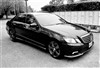
MBWorld Fanatic!
Joined: Oct 2014
Posts: 1,053
Likes: 347
2011 E-350 4Matic Sport
Aerospace 303 for the interior is great stuff.
I bought FSM in software form from ebay, I need to look it up. It was not just a pdf file, it was a series of cd files that were loaded into my "garage" laptop. Very pleased with it, has the factory info and work/parts breakdowns.
Edit - look on ebay for mercedes factory service manual, you will see the 4 cd sets that include WIS , ASRA and EPC , about twenty bucks or so. That's what I have and use. I was also able to input VIN and get the codes of all options and build info of my particular car.
I bought FSM in software form from ebay, I need to look it up. It was not just a pdf file, it was a series of cd files that were loaded into my "garage" laptop. Very pleased with it, has the factory info and work/parts breakdowns.
Edit - look on ebay for mercedes factory service manual, you will see the 4 cd sets that include WIS , ASRA and EPC , about twenty bucks or so. That's what I have and use. I was also able to input VIN and get the codes of all options and build info of my particular car.
Last edited by Mud; May 1, 2017 at 05:15 PM.
Thread Starter
Super Member
Joined: Apr 2017
Posts: 518
Likes: 76
From: Mountaintop, PA
'14 W212 Sport, '52 MG TD, '21 Jeep Gladiator Rubicon
Now THAT would be exactly what I'm looking for! Can you send me any info you have? I'll search eBay as well but I was poking around there all morning and didn't see anything like it.
Thread Starter
Super Member
Joined: Apr 2017
Posts: 518
Likes: 76
From: Mountaintop, PA
'14 W212 Sport, '52 MG TD, '21 Jeep Gladiator Rubicon
Found this one, says it has a searchable VIN database and all. Is this what I'm looking for?
http://www.ebay.com/itm/Mercedes-WIS...3D121935537066
http://www.ebay.com/itm/Mercedes-WIS...3D121935537066
Super Member
Joined: Mar 2011
Posts: 998
Likes: 136
From: VA
W212 E-class, W211 E-class, F10 5-Series
Found this one, says it has a searchable VIN database and all. Is this what I'm looking for?
http://www.ebay.com/itm/Mercedes-WIS...3D121935537066
http://www.ebay.com/itm/Mercedes-WIS...3D121935537066
http://www.ebay.com/itm/Mercedes-Ben...tUyKlk&vxp=mtr

MBWorld Fanatic!
Joined: Dec 2015
Posts: 1,190
Likes: 68
From: Charlotte, NC
2014 E350 4M Diamond Silver
Congrats on your new ride, I got mine last week.
1. - Phone connectivity and Bluetooth:
I know the steps for iOS. Go to Settings> Bluetooth> Select 'i' next to MB Bluetooth> Turn on(Toggle) the button next to "Show Notifications"
On the Command, navigate to phone, below, you'll see the previously greyed out option " text" as active.
IMHO, this feature is pretty useless, I do not use it, since, it is much easier to read on the phone, than going through all those options.
Also, I do not have the package for split screen and I don't think there is any option to send text messages using the main command knob.
However, you can shell out money on Apple Carplay or Android auto(whatever the name is) and use the voice activated features for texting.
Disclaimer: I do not recommend texting and driving. If I need, I'll pull over or use Adaptive cruise control, only if I see there is no traffic for next 1 mile, straight ahead..!
1. - Phone connectivity and Bluetooth:
I know the steps for iOS. Go to Settings> Bluetooth> Select 'i' next to MB Bluetooth> Turn on(Toggle) the button next to "Show Notifications"
On the Command, navigate to phone, below, you'll see the previously greyed out option " text" as active.
IMHO, this feature is pretty useless, I do not use it, since, it is much easier to read on the phone, than going through all those options.
Also, I do not have the package for split screen and I don't think there is any option to send text messages using the main command knob.
However, you can shell out money on Apple Carplay or Android auto(whatever the name is) and use the voice activated features for texting.
Disclaimer: I do not recommend texting and driving. If I need, I'll pull over or use Adaptive cruise control, only if I see there is no traffic for next 1 mile, straight ahead..!

Senior Member
Joined: Dec 2015
Posts: 305
Likes: 30
2014 CLS63 S
As far as Texting while driving the Siri function does well. I have the phone mounted on the vents with the magnet type so its very small and you can see if need be. Then activate the "Hey Siri" option on your iphone. So when driving and you want to text someone all you have to do no matter what the phone is already doing is say "Hey Siri". She will say "Yes?" and you can say "Text (persons name)" she will say "Ok what would you like to text (persons name)" tell her what you want to say then she will read it back to you and say "Ready to send?" and you can say later, no, yes, edit etc. She will also read texts aloud to you.
As far as the split screen I know you can "Unlock" that feature in the Engineering menu within command by holding down Hang up button,1,# together if you have the right hardware.
As far as the split screen I know you can "Unlock" that feature in the Engineering menu within command by holding down Hang up button,1,# together if you have the right hardware.


