When you click on links to various merchants on this site and make a purchase, this can result in this site earning a commission. Affiliate programs and affiliations include, but are not limited to, the eBay Partner Network.
Yo
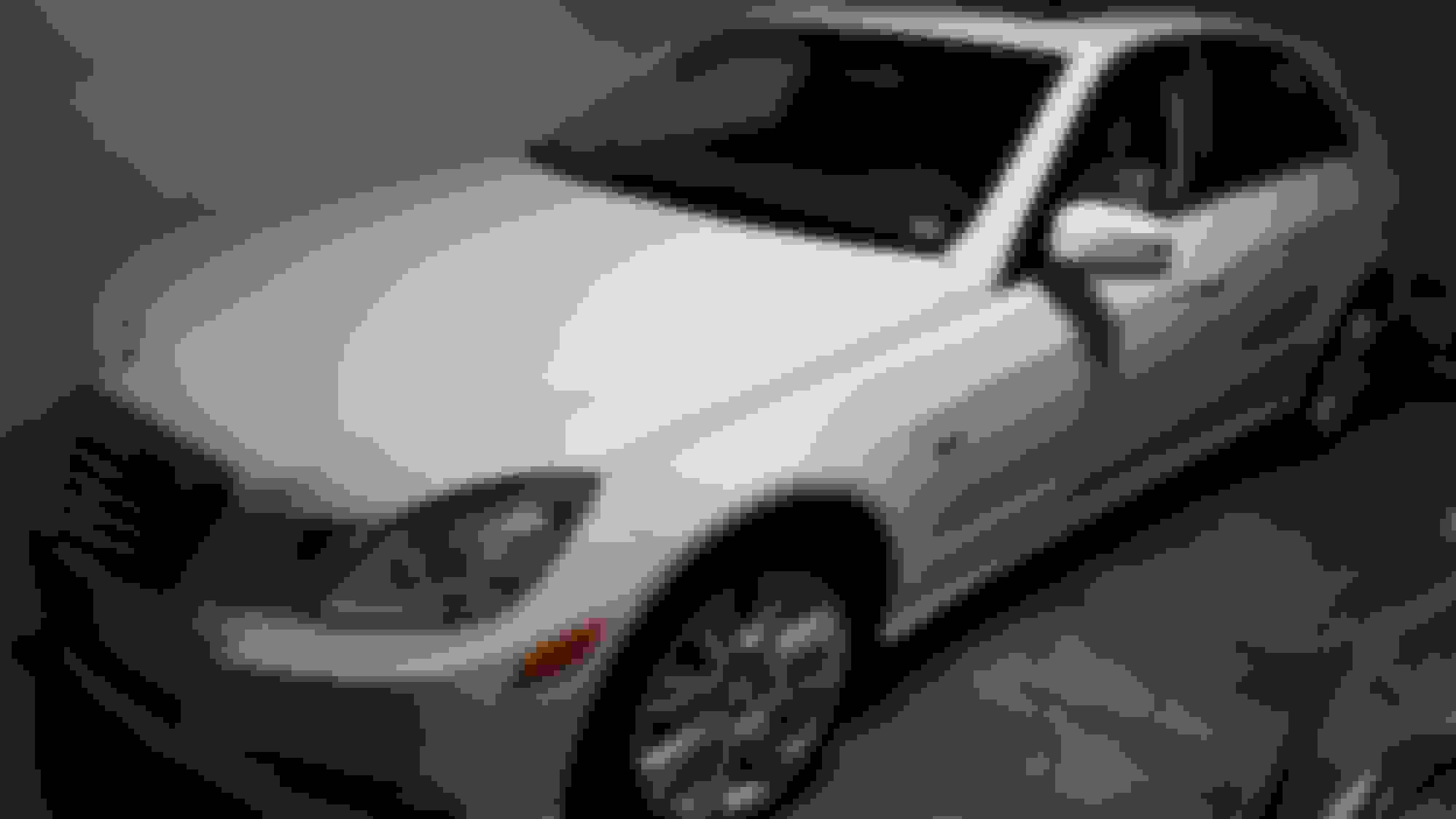
I'm a new member headed out today to get tags for a mint 2012 that we just bought. The gps maps are original and this is our first Mercedes. Don't know what took us so long to hop to Mercedes we're 75 years old but we're in now. Anyway I'd like to get newer maps without going to the dealer can that be done on a 2012, if so, recommendations please.
Thanks Jim and Sherry
www.navi-expert.com
This is the site I used to get the update. Follow the instructions to the letter and you'll be fine. If you're not comfy doing a download, there's other sites where you can buy a USB stick and the code for your car. Make sure you give your exact VIN because the code for the upgrade is based on your VIN.
Last edited by rapidoxidation; Aug 3, 2021 at 09:31 AM.
www.navi-expert.com
This is the site I used to get the update. Follow the instructions to the letter and you'll be fine. If you're not comfy doing a download, there's other sites where you can buy a USB stick and the code for your car. Make sure you give your exact VIN because the code for the upgrade is based on your VIN.
Welcome aboard Bluebirdy... It's never too late to buy your first Mercedes. Your car is beautiful.
Rapid... does the download from Navi-Expert include any Comand firmware upgrades, or is it just the maps? I ask, and hopefully you know... will Bluebirdy need to get any Comand system updates to use the new maps? That information might direct whether to order online or go to the dealer, yes?
https://navi-expert.com/index.php?ro...product_id=484
This is the link I used to get the maps. Make sure to click the button that gets the activation code and include your VIN or you'll be buying it twice. This is all I had to get, and I can't say whether or not the Comand system also got an upgrade. All I can say for sure is that the maps work and include roads that weren't there before (even one that Kajtek asked me about - something in Phoenix?).
I know some have gotten the same maps from MBnavupdate.com or some such, but I can say from first hand experience that the site I used works.
Later today I'll try to take a pic of the software version.
Per my experience, MB maps are about 6 years behind when they are installed, so update will go only so far. I just travel with 2016 MB maps in remote areas of Georgia and it was giving me totally different street names in new developments.
Google maps on other hand do have streets showing correct names even before houses are build.so instead of spending money for slight MB upgrade, I use google maps on android for driving around the city and when I plan long trip, I take android to the car and enter location (not listed on MP maps) manually, what will give me convenience of bigger screen.
Beware that MB software, when set to closest route, will lead you via gravel roads, becouse they are 50 feet shorter than highway.
So instead of updating my gps is there a way to link/cast my android phone google gps to th w 212 screen? If so I'll just use my phone.
thanks all for the help so far.
Cool. Now I'm getting good and confused
I'm not comfortable with how to down load. I thought I would be using the CD, or the SD slot. The only usb I can locate is under the arm rest in the center consol. What scenario might be the smoothest. Remember you're endeavoring to aid a vintage Mopar brain not a modern Mercedes intellect.
🙄
So instead of updating my gps is there a way to link/cast my android phone google gps to th w 212 screen? If so I'll just use my phone.
thanks all for the help so far.
I think that is possible in 2015 and newer models.
But sticking my android into cupholder works just fine for me. My android has very clear loudspeaker, so even when I am more visual guy, the voice commands are pretty clear.
Than again, when I plan long trip, (stopping the car often deletes navigation on my android) I enter the destination on car maps manually. when the street is not listed.
Also I plan the trip on my computer, where I can see different, possible routes and compare the mileage between the computer route and car route.
Quite often car GPS will lead you around, what is hard to detect on small screen.
2016 E350 4Matic wagon, 2019 Ford Expedition, 2019 Chevy Bolt EV
Originally Posted by kajtek1
I think that is possible in 2015 and newer models.
2016 and only 2016 can be upgraded to support android auto and apple carplay. they have a new version stereo/command, Hu5s1, shared with the W213, and this with a flashware upgrade from a mercedes dealer *AND* a encoding dongle from a guy on ebay, you get android auto.
Why? Because you can choose best road, shortest route, quickest route, etc. Custom avoidance, search along the route, etc.
However, the #1 reason is that it does not require any cell signal. My $.02.
2016 E350 4Matic wagon, 2019 Ford Expedition, 2019 Chevy Bolt EV
Originally Posted by Brahms
Why? Because you can choose best road, shortest route, quickest route, etc. Custom avoidance, search along the route, etc.
However, the #1 reason is that it does not require any cell signal. My $.02.
you can do all that with Google Maps *if* you preload the region you'll be traveling through when you have connectivity. traffic updates require connectivity, of course, but routing works with or without it.
Traffic requires connectivity, which a standalone unit gets from FM. I can mockup my route on my desktop and upload it to my Garmin. This also allows me to avoid low clearance routes for my travel trailer, gravel or dirt roads, too-narrow streets, etc. Yes, I use GM for everyday, can't do without it. But I still prefer my standalone for long trips.
Mercedes SLR McLaren 722 S Is Extremely Rare Example Modified by McLaren
Slideshow: A one-of-one U.S.-spec Mercedes-Benz SLR McLaren Roadster became even rarer after a factory-backed transformation at McLaren's headquarters.