When you click on links to various merchants on this site and make a purchase, this can result in this site earning a commission. Affiliate programs and affiliations include, but are not limited to, the eBay Partner Network.
The CD mount doesn't really get in the way of anything that can't be accessed a different way (i.e. phone mode). I found this to be the best mount. The biggest issue with the vent mounts is that in the winter, you have hot air blowing on your phone and can cause it to overheat.
Agreed, this is the type of mount I've been using for the last couple of weeks. The vent mount just moved around too much and sometimes would pivot behind the steering wheel. Ideally, I would do a vent mount, as it's closer to my line of sight while driving, so I may continue to investigate alternatives.
I find that with an iphone 7+ the cubby opens up with enough room, unless I have it plugged in, in which case the cable blocks it ever so slightly. But in this case, I just open it first before I plug the phone in. Also, if you were to mount the metal plate lower on the phone (thereby raising it up on the mount), it might not have that problem.
If you do decide to go with a vent mount, you can always close that particular vent so the air doesn't blow on it.
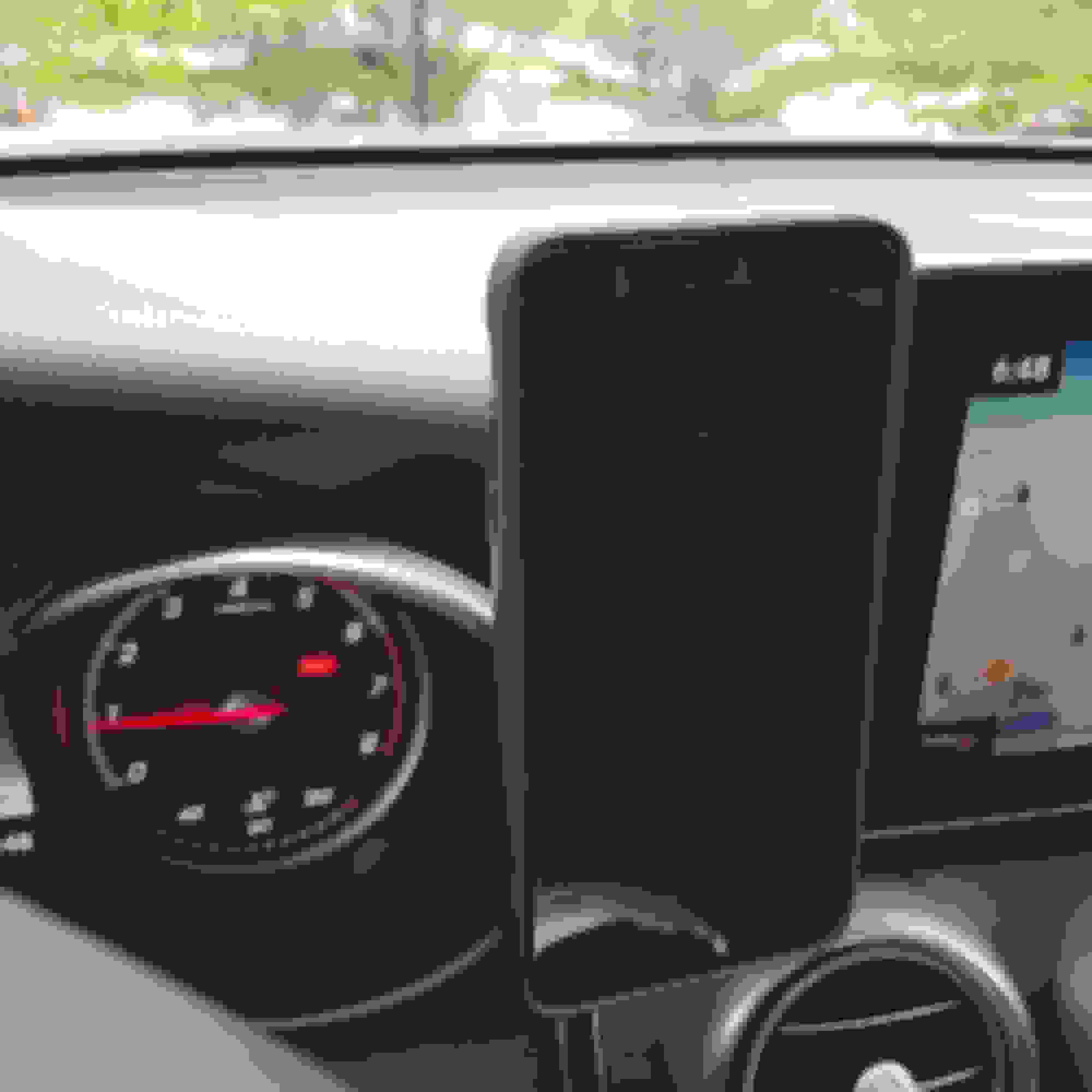
This one works perfect. Magnetic mount, stable, bottom of iPhone rests on the buttons for additional stability... Air Vent Magnetic Car Mount Holder, JSAUX 360° RotationMagnetic Car Mount Phone HolderRemovable for iPhone 7 6 6S Plus 5S 5 5C, Samsung Galaxy S8, Google Pixe, LG, HTC, GPS Devices, Stable
by JSAUX Link:http://a.co/5A5bX9x
Last edited by commok; May 20, 2017 at 08:24 AM.
Reason: spelling
The magnetic dash mounts sounds like a good idea. It says "no residue adhesive". But it's hard to imagine that. Especially since temps get up to 100F in the summer here in S Calif.
What do lefties do for phone mount solution in the left hand drive part of the world?
Trying to get a solution for a righty driving a right hand drive GLC.
I'm not a lefty, but I had an A-pillar mount in my last vehicle and have come to appreciate having the phone out of the way on the left side. I've purchased but not yet installed this KUDA mount for the GLC. I'm still looking for the best cradle to attach to it. Currently, looking at this KUDA cradle or
. I had a RAM X-Grip in my last vehicle, but there doesn't seem to be enough room between the steering wheel and the door to comfortably use an X-Grip in the GLC.
I have something similar in my GL. It eventually fell off when I had to park in the summer heat, but I knew that would happen. The spot to mount it on that vehicle is a plastic trim piece so I just epoxied it. That was about a year ago and no issues. Sounds extreme but I will keep the truck a very long time.
I have something similar in my GL. It eventually fell off when I had to park in the summer heat, but I knew that would happen. The spot to mount it on that vehicle is a plastic trim piece so I just epoxied it. That was about a year ago and no issues. Sounds extreme but I will keep the truck a very long time.
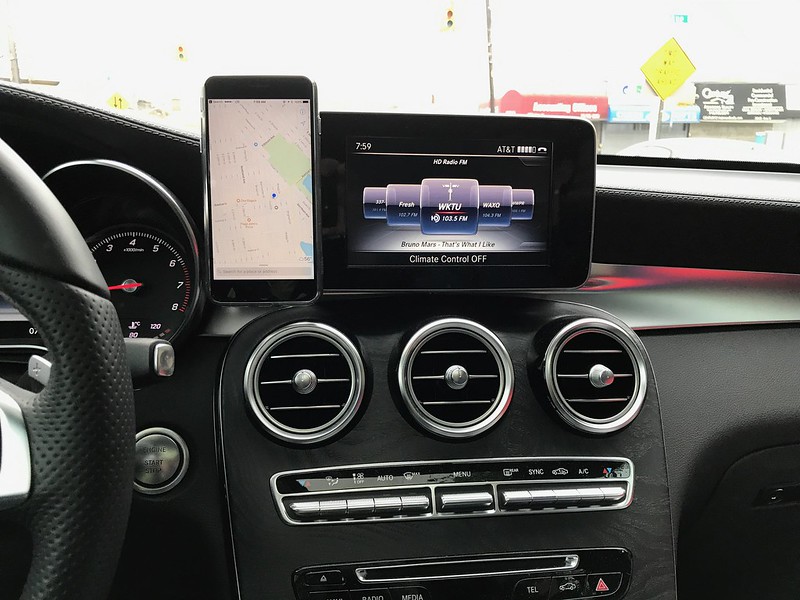
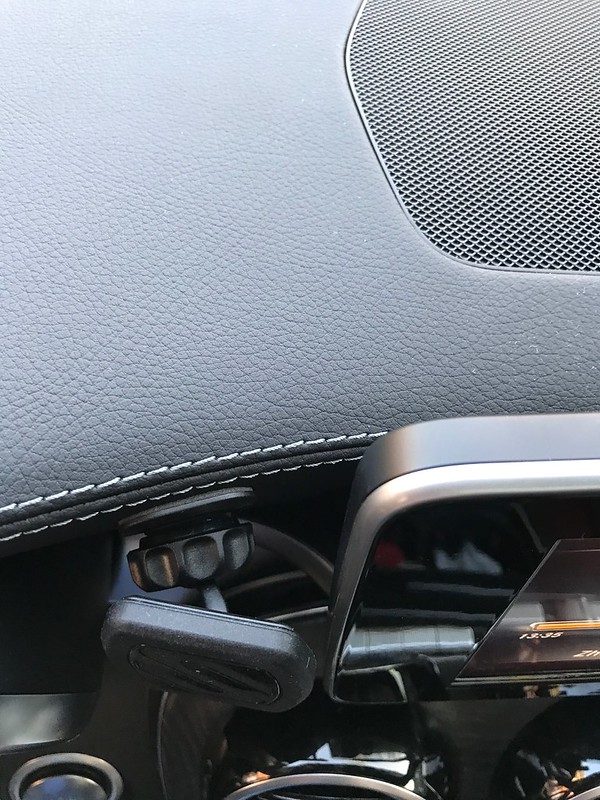
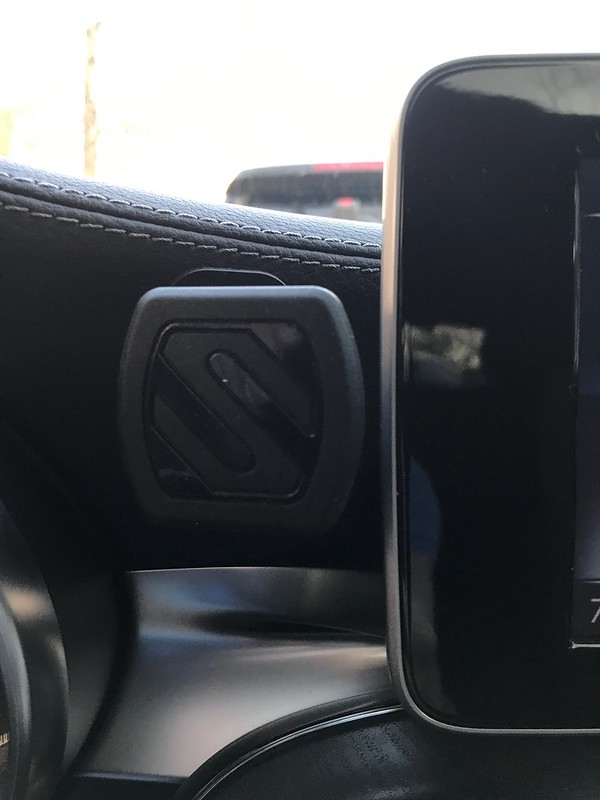
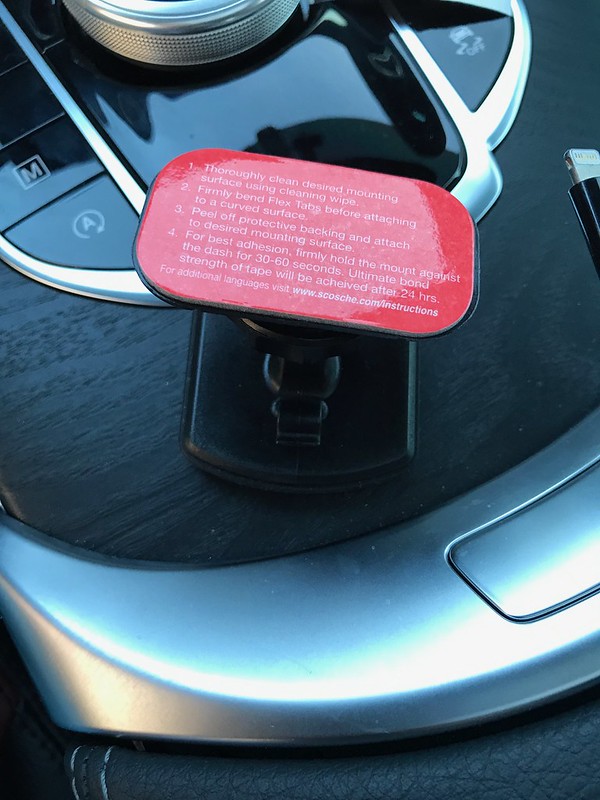
Funny, mine fell off about a week or two ago during a hot day. Haven't decided what I'm going to do about it yet, so for now I'm back to my CD slot holder. While I won't go the epoxy route since there's no trim, I might look to mount it a little higher on the dash horizontally so its weight is working with the adhesive instead of against it. Not ideal, but it's strangely difficult to find a setup that works for this vehicle.
Hi, I'm new to the forum and saw this thread and thought I'd share the one I went with.
It attaches really nice to the windscreen via a very strong suction cup (no gluey adhesive) and telescopes out to reach pretty far outwards and can work on either right or left side of steering wheel or wherever. Only thing is its pretty top heavy and must rest on the dashboard to support its weight and it is sort of pricey but very study and looks like it could last for a long time.
Funny, mine fell off about a week or two ago during a hot day. Haven't decided what I'm going to do about it yet, so for now I'm back to my CD slot holder. While I won't go the epoxy route since there's no trim, I might look to mount it a little higher on the dash horizontally so its weight is working with the adhesive instead of against it. Not ideal, but it's strangely difficult to find a setup that works for this vehicle.
Thanks for the update. I was wondering about the long term performance of a holder stuck to textured vinyl. Guess I'll keep looking.
I agree this is a difficult vehicle for mounting a phone.
Now I just put this in, so it has yet to stand the test of time, but so far, I LOVE this solution for my GLC. I installed a Proclip mount (not the holder, just the mount). This creates a nice, flat, perfectly angled surface onto which I installed a Wizgear magnetic mount for my iPhone 7+. It's only been in for a couple days, but it holds the phone solidly in just the right place at just the right angle. And the installation didn't come close to scratching my lovely wood console. So far - VERY happy!
Now I just put this in, so it has yet to stand the test of time, but so far, I LOVE this solution for my GLC. I installed a Proclip mount (not the holder, just the mount). This creates a nice, flat, perfectly angled surface onto which I installed a Wizgear magnetic mount for my iPhone 7+. It's only been in for a couple days, but it holds the phone solidly in just the right place at just the right angle. And the installation didn't come close to scratching my lovely wood console. So far - VERY happy!
Do you have a photo of the installation? The Proclip web site has only one picture and it isn't very good.
Now I just put this in, so it has yet to stand the test of time, but so far, I LOVE this solution for my GLC. I installed a Proclip mount (not the holder, just the mount). This creates a nice, flat, perfectly angled surface onto which I installed a Wizgear magnetic mount for my iPhone 7+. It's only been in for a couple days, but it holds the phone solidly in just the right place at just the right angle. And the installation didn't come close to scratching my lovely wood console. So far - VERY happy!
Been there.
You'll experience the passenger knees will keep on knocking it out of place.
Been a proclip fan for years.. And many cars. The solution for the GLC did not work for me.
I've attempted to attach a photo. As Spain suggested, I can see where the passenger knees might be an issue (since the mount doesn't lie exactly flush with the center console), but it seems pretty solidly in place and I do the vast bulk of my driving alone. If there's a better solution out there, I'd love to hear about it! Worst case, I'm out $30.
Perfect view. NoHome made solution made from aluminium angle.
Double sided tape holds it perfectly
Door closes without touching
Finished product. 1 hand operation to insert and remove. No clearance problems. No losing cup holder space or jamming against your front seat passengers leg. No damage to your vents or CD load. Rock solid
Holder with no phone. Clean and easy. No holes drilled. Fully removable
) for a bit and it actually held great when stuck to the dash, but I started to worry about the long-term effects of the adhesive on the dash. Also, anything that's stuck to the dash will block the sun from hitting that spot, which may cause uneven fading over time, so I decided to remove it. There was a bit of residue after a month or two of it on, but it came off without too much effort. The mount also wasn't particularly attractive compared to the design of the rest of interior (my wife gave me a look of wtf the first time she got in and saw it).
I tried another mount for the spot next to the screen and it was great, but it also fell off after a while, since it's hanging on upside down and also has the combined weight of a phone.
I'm now looking for a mount to stick on the side near the driver's knee but that brings the phone up to eye level, so hopefully it won't block anything important and won't leave any unsightly residue. Also picked up an iPhone X, so wireless charging would be a nice bonus, but at this point I'm not too picky.
Front view Side view View without the phone Cable running under the central console Invisible when not in use
Hi all - I realise that there haven't been any posts here for a while but I still wanted to share my solution in case it helps anyone.
I have bought a magnetic mount and installed it inside the central storage compartment - see picture.
One of the benefits of this installation is that you can still close the storage area so that the installation becomes completely invisible (if you place it at the right place, it will close even if you use the removable cupholders).
In addition to the magnetic holder I have also bought some large metal plates as I found that the ones originally included with the magnet were a bit small for my phone, but you might not have to do this depending on your phone (mine is a Oneplus 3t and is quite heavy. I have actually stuck the metal plates inside the phone's case rather than on the phone itself).
To power the phone you can use either use the power source inside the storage area (just make sure you use a power adapter that isn't too big otherwise you won't be able to close the lid), or you can run a cable from the central storage bin. This is probably a better solution as it allows you to use the Carplay/Android Play plug that is in there (I have ordered an ODB converter to be able to use Android Auto, I should get this next week).
Running the cable to the central storage area is actually very easy, it only takes a few minutes to do. Happy to give more information on that if someone is interested.
You only need to watch the first 2 minutes of her video, the rest is for a different purpose.
Once the console has been lifted up, just put your cable through from underneath, there is a hole in the central cupholder unit that can be used.
You need to remember that once you the console is back in place you will not be able to push/pull more of the cable through, so make sure the exact length of cable you need is being fed into the cup holders area.
As the console can put quite a bit of pressure on the cable, I have opted for a 'flat' cable rather than a round one - you should be able to see that in my pictures.
The only slight tricky bit is removing the silver trim - you have to pull quite hard and remember to press the central button as is explained in the video.
You have to pull upwards otherwise you could break some of the retaining clips, although I didn't have an issue in my car.
You can also watch another video here where someone shows something similar.
Front view Side view View without the phone Cable running under the central console Invisible when not in use
Hi all - I realise that there haven't been any posts here for a while but I still wanted to share my solution in case it helps anyone.
I have bought a magnetic mount and installed it inside the central storage compartment - see picture.
One of the benefits of this installation is that you can still close the storage area so that the installation becomes completely invisible (if you place it at the right place, it will close even if you use the removable cupholders).
In addition to the magnetic holder I have also bought some large metal plates as I found that the ones originally included with the magnet were a bit small for my phone, but you might not have to do this depending on your phone (mine is a Oneplus 3t and is quite heavy. I have actually stuck the metal plates inside the phone's case rather than on the phone itself).
To power the phone you can use either use the power source inside the storage area (just make sure you use a power adapter that isn't too big otherwise you won't be able to close the lid), or you can run a cable from the central storage bin. This is probably a better solution as it allows you to use the Carplay/Android Play plug that is in there (I have ordered an ODB converter to be able to use Android Auto, I should get this next week).
Running the cable to the central storage area is actually very easy, it only takes a few minutes to do. Happy to give more information on that if someone is interested.
I'd be super interested in knowing how you ran your cable to the cup holder. The biggest annoyance for me right now is having that cable stick out of the center console.
Mercedes SLR McLaren 722 S Is Extremely Rare Example Modified by McLaren
Slideshow: A one-of-one U.S.-spec Mercedes-Benz SLR McLaren Roadster became even rarer after a factory-backed transformation at McLaren's headquarters.