



Newbie Questions

Thread Starter
Member
Joined: Feb 2002
Posts: 156
Likes: 0
From: Bethesda, MD
2010 GLK350 4MATIC
 Newbie Questions
So I've driven less than 200 miles in the two weeks that I've had the car, but I do have some preliminary questions/comments and would appreciate any feedback everyone may have.
1. I assume the rear sunroof is fixed in place. In other words, it does not move, correct?
2. Is there a way to keep the Nav screen in "Full Screen" mode except when accessing other menus? It seems the default is to have the menus at the top and bottom of the screen.
3. Can the driver's side and/or passenger side mirrors be set to tilt down when putting the car in reverse? This can be helpful when parallel parking.
4. When I have the headlight switch in "A" (automatic), it doesn't seem like the fog lights turn on too. Am I missing something here?
5. Can the front headrests go all the way down to touch the top of the seat? I've tried lowering them, but there is about an inch gap.
6. I like to use the steering wheel controls to change the radio station/CD track, etc, but I first have to choose "Audio" option on the dash display. Is there a way to keep it in Audio unless I specifically change it to a different option?
I'm sure I'll have more questions, but wanted to throw these out there for now. Thanks!
1. I assume the rear sunroof is fixed in place. In other words, it does not move, correct?
2. Is there a way to keep the Nav screen in "Full Screen" mode except when accessing other menus? It seems the default is to have the menus at the top and bottom of the screen.
3. Can the driver's side and/or passenger side mirrors be set to tilt down when putting the car in reverse? This can be helpful when parallel parking.
4. When I have the headlight switch in "A" (automatic), it doesn't seem like the fog lights turn on too. Am I missing something here?
5. Can the front headrests go all the way down to touch the top of the seat? I've tried lowering them, but there is about an inch gap.
6. I like to use the steering wheel controls to change the radio station/CD track, etc, but I first have to choose "Audio" option on the dash display. Is there a way to keep it in Audio unless I specifically change it to a different option?
I'm sure I'll have more questions, but wanted to throw these out there for now. Thanks!

Senior Member
Joined: Feb 2009
Posts: 354
Likes: 0
From: Toronto, ON
GLK 350 4matic
I have it also for 2 weeks.
1. Correct.
2. Move joystick 1 notch up, a 'full screen' button will pop out.
3. The passenger side mirror tilts down in R, in my car.
4. Fog lights only work in manual mood, to pull the switch out.
5. Don't know.
6. Don't know. But I found voice control works great to change station /CD track.
1. Correct.
2. Move joystick 1 notch up, a 'full screen' button will pop out.
3. The passenger side mirror tilts down in R, in my car.
4. Fog lights only work in manual mood, to pull the switch out.
5. Don't know.
6. Don't know. But I found voice control works great to change station /CD track.
Thread Starter
Member
Joined: Feb 2002
Posts: 156
Likes: 0
From: Bethesda, MD
2010 GLK350 4MATIC

I have it also for 2 weeks.
1. Correct.
2. Move joystick 1 notch up, a 'full screen' button will pop out.
3. The passenger side mirror tilts down in R, in my car.
4. Fog lights only work in manual mood, to pull the switch out.
5. Don't know.
6. Don't know. But I found voice control works great to change station /CD track.
1. Correct.
2. Move joystick 1 notch up, a 'full screen' button will pop out.
3. The passenger side mirror tilts down in R, in my car.
4. Fog lights only work in manual mood, to pull the switch out.
5. Don't know.
6. Don't know. But I found voice control works great to change station /CD track.
Thread Starter
Member
Joined: Feb 2002
Posts: 156
Likes: 0
From: Bethesda, MD
2010 GLK350 4MATIC
Also, can someone explain how to transfer the contacts from Blackberry to the car?

MBWorld Fanatic!
Joined: Jan 2009
Posts: 2,780
Likes: 115
From: Northern NJ
GLK 350 / Porsche 993
There are three memory buttons. You can program M1 for you, M2 for somebody else and M3 for tilt down for you, too bad there is no M4 to program tilt down for the second driver.
I'm assuming you have premium package, which comes with memory seats.
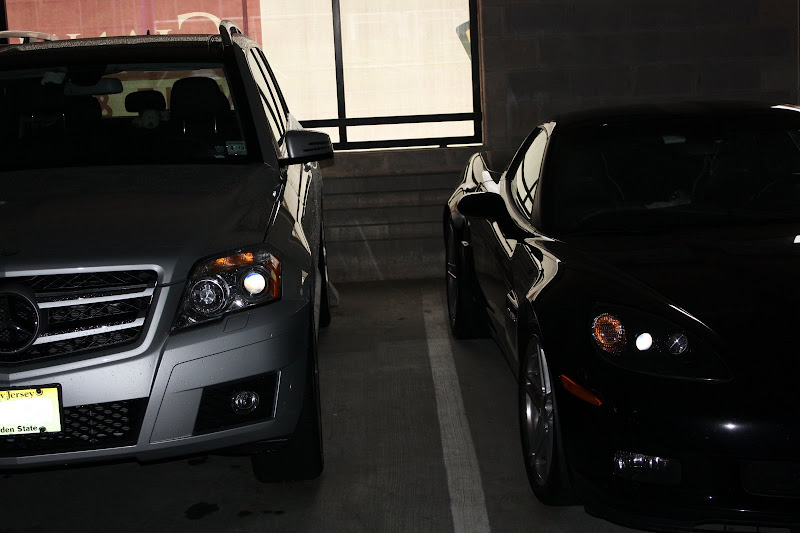
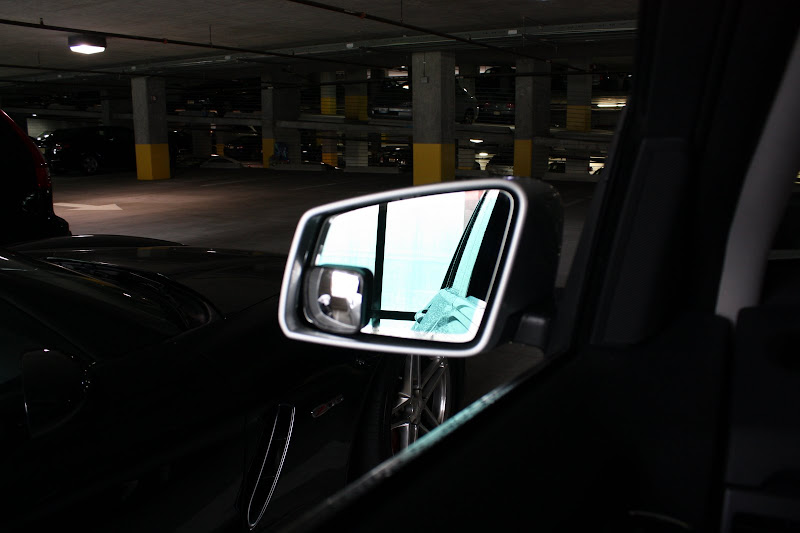
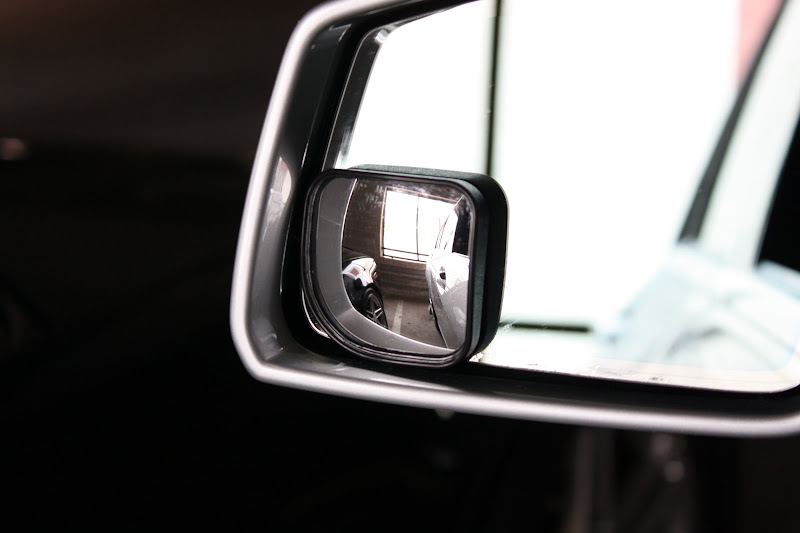
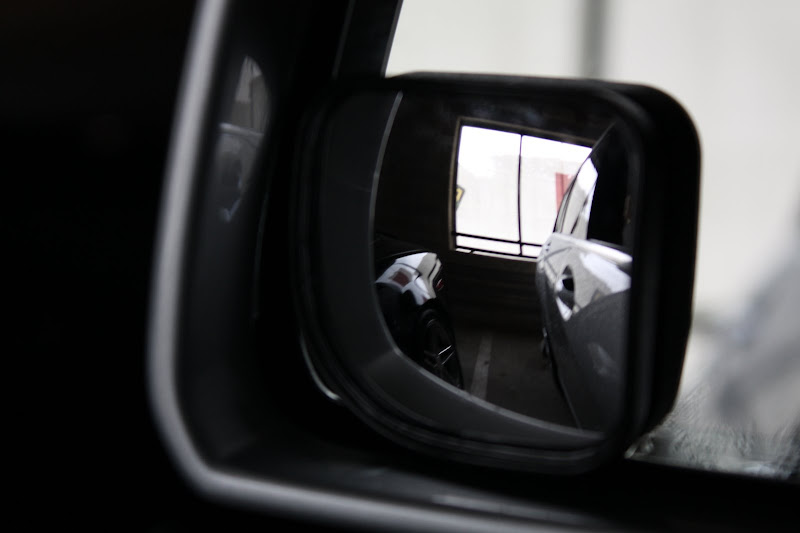
But little stick on mirrors are the best solution. I can see the rear wheels on both sides and the blind spots are gone also, its just takes a little time to get used to what you see out of them.
EDIT: For blackberry, make sure it's paired with MB, go to phone on the Command, and select receive contacts, then on your blackberry go to manage connections=> bluetooth options=>select the "MB bluethooth" and hit the menu botton on the phone, then select transfer contacts. This def works on BB bold. Look around on MB site they have inistructions for every single phone.
I'm assuming you have premium package, which comes with memory seats.
But little stick on mirrors are the best solution. I can see the rear wheels on both sides and the blind spots are gone also, its just takes a little time to get used to what you see out of them.
EDIT: For blackberry, make sure it's paired with MB, go to phone on the Command, and select receive contacts, then on your blackberry go to manage connections=> bluetooth options=>select the "MB bluethooth" and hit the menu botton on the phone, then select transfer contacts. This def works on BB bold. Look around on MB site they have inistructions for every single phone.
Last edited by NYCGLK; Jun 12, 2009 at 10:57 AM.

Newbie
Joined: Mar 2009
Posts: 17
Likes: 0
GLK
Yes go to phonebook in you mutimedia screen and select transfer contacts. It will wait for your bb to start transfering. the bb bold was told. I have the curve and you have to go to you bluetooth settings, highlight MB Bluetooth, go to options, then select Transfer Phone Book.
You might have to do it the other way around, that is, start your berry transfer first then the receive contacts on your multimedia screen.
Be sure you are connected bluetooth first.
You might have to do it the other way around, that is, start your berry transfer first then the receive contacts on your multimedia screen.
Be sure you are connected bluetooth first.
Trending Topics
Thread Starter
Member
Joined: Feb 2002
Posts: 156
Likes: 0
From: Bethesda, MD
2010 GLK350 4MATIC
There are three memory buttons. You can program M1 for you, M2 for somebody else and M3 for tilt down for you, too bad there is no M4 to program tilt down for the second driver.
I'm assuming you have premium package, which comes with memory seats.
But little stick on mirrors are the best solution. I can see the rear wheels on both sides and the blind spots are gone also, its just takes a little time to get used to what you see out of them.
EDIT: For blackberry, make sure it's paired with MB, go to phone on the Command, and select receive contacts, then on your blackberry go to manage connections=> bluetooth options=>select the "MB bluethooth" and hit the menu botton on the phone, then select transfer contacts. This def works on BB bold. Look around on MB site they have inistructions for every single phone.
I'm assuming you have premium package, which comes with memory seats.
But little stick on mirrors are the best solution. I can see the rear wheels on both sides and the blind spots are gone also, its just takes a little time to get used to what you see out of them.
EDIT: For blackberry, make sure it's paired with MB, go to phone on the Command, and select receive contacts, then on your blackberry go to manage connections=> bluetooth options=>select the "MB bluethooth" and hit the menu botton on the phone, then select transfer contacts. This def works on BB bold. Look around on MB site they have inistructions for every single phone.
MB World Stories
The Best of Mercedes & AMG

Manual Mercedes? 6 Times Sindelfingen Let Drivers Have All The Fun
Verdad Gallardo
Mercedes SLR McLaren 722 S Is Extremely Rare Example Modified by McLaren
Verdad Gallardo
8 Classic Boxy Mercedes Designs That Have Aged Like Fine Wine
Verdad Gallardo
Flawlessly Restored Mercedes 190E Evo II Heads to Auction
Verdad Gallardo
Electric Mercedes C-Class Unveiled: 11 Things You Need to Know
Verdad Gallardo
Mercedes EQS Gets A Major Update: Everything You Need to Know
Verdad Gallardo
5 Underrated Mercedes-Benz Models That Don't Get the Love They Deserve
Verdad Gallardo
Mercedes 300D Has Pushed Well Past 1 Million Miles and It Ain't Stopping
Verdad Gallardo
10 Most Reliable Mercedes-Benz Models You Can Buy Used
Verdad Gallardo
Junior Member
Joined: Feb 2009
Posts: 37
Likes: 0
From: Toronto, ON
2010 GLK, Steel Grey, Premium Package

Member
Joined: Apr 2009
Posts: 116
Likes: 0
From: Toronto
GLK350
- Set gear to R
- Enable the right side mirror button
- Set the mirror to the position you want
- Set gear to P or D
- Mirror will go back to normal position in a few sec
Now you have saved the mirror position in R. Shift gear to R again and it will tilt down and you will see the right side mirror button enabled

Member
Joined: Oct 2008
Posts: 165
Likes: 0
BMW 325iX Sport Wagon, Range Rover
Tate and NYCGLK seem to be presenting different solutions to the same issue of getting passenger side mirror to dip in reverse?? Tate's process has nothing to do with M3.
Yes, I understand NYCGLK is talking USA and Tate is talking CANADA, but are the GLKs that different? I hope Tate's mirror did solution is true for both because it ties mirror dip to R shift position not a driver 1 or 2.
Regarding just using tried and true old tech round stick on mirror with added bene of no blind spot, any recommendation on placement of round mirror to max use of both mirrors?
Yes, I understand NYCGLK is talking USA and Tate is talking CANADA, but are the GLKs that different? I hope Tate's mirror did solution is true for both because it ties mirror dip to R shift position not a driver 1 or 2.
Regarding just using tried and true old tech round stick on mirror with added bene of no blind spot, any recommendation on placement of round mirror to max use of both mirrors?
MBWorld Fanatic!
Joined: Jan 2009
Posts: 2,780
Likes: 115
From: Northern NJ
GLK 350 / Porsche 993
Yes my solution is different as we don't have tilt in reverse feature. Tate does have reverse tilt and that's how you program it so it tilts down to the position you want it.
It was a little tricky with small mirrors, my goal was so with mirrors adjusted to how I like I could still see the rear wheels or be close to seeing them.
I'd def play around to see what works for you before sticking them on.
EDIT: Here are the pics of the mirrors.
And the other side:
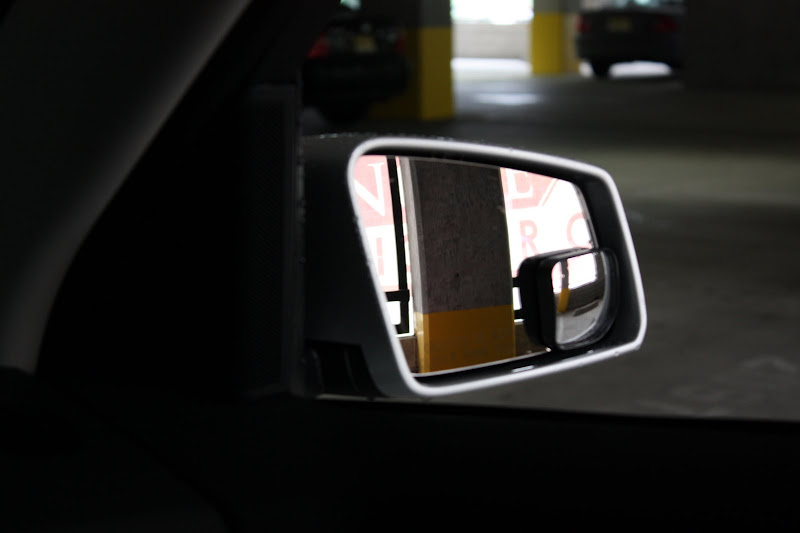
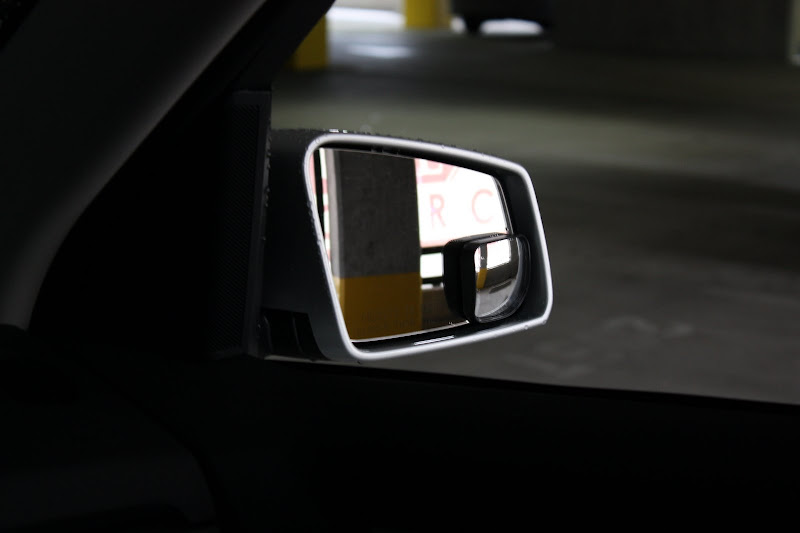
It was a little tricky with small mirrors, my goal was so with mirrors adjusted to how I like I could still see the rear wheels or be close to seeing them.
I'd def play around to see what works for you before sticking them on.
EDIT: Here are the pics of the mirrors.
And the other side:
Last edited by NYCGLK; Jun 13, 2009 at 04:07 PM.
Member
Joined: Oct 2008
Posts: 165
Likes: 0
BMW 325iX Sport Wagon, Range Rover
Thanks NYCGLK.
This experienced info is so helpful. Even if dealer does a good job of orientation and owner doc is good, you just do not get this type of info.
My GLK is off the boat in Los Angeles, at the Vehicle Prep site and waiting for 90 minute truck ride to my dealer.
All this hands on info is great.
This experienced info is so helpful. Even if dealer does a good job of orientation and owner doc is good, you just do not get this type of info.
My GLK is off the boat in Los Angeles, at the Vehicle Prep site and waiting for 90 minute truck ride to my dealer.
All this hands on info is great.

Super Member
Joined: Feb 2009
Posts: 750
Likes: 0
From: Mississauga, ON
GLK 350
You can tilt down mirror in R for Canadian model (I guess in all trims). Here is how:
- Set gear to R
- Enable the right side mirror button
- Set the mirror to the position you want
- Set gear to P or D
- Mirror will go back to normal position in a few sec
Now you have saved the mirror position in R. Shift gear to R again and it will tilt down and you will see the right side mirror button enabled
- Set gear to R
- Enable the right side mirror button
- Set the mirror to the position you want
- Set gear to P or D
- Mirror will go back to normal position in a few sec
Now you have saved the mirror position in R. Shift gear to R again and it will tilt down and you will see the right side mirror button enabled
Junior Member
Joined: Feb 2009
Posts: 37
Likes: 0
From: Toronto, ON
2010 GLK, Steel Grey, Premium Package
You can tilt down mirror in R for Canadian model (I guess in all trims). Here is how:
- Set gear to R
- Enable the right side mirror button
- Set the mirror to the position you want
- Set gear to P or D
- Mirror will go back to normal position in a few sec
Now you have saved the mirror position in R. Shift gear to R again and it will tilt down and you will see the right side mirror button enabled
- Set gear to R
- Enable the right side mirror button
- Set the mirror to the position you want
- Set gear to P or D
- Mirror will go back to normal position in a few sec
Now you have saved the mirror position in R. Shift gear to R again and it will tilt down and you will see the right side mirror button enabled
Thread Starter
Member
Joined: Feb 2002
Posts: 156
Likes: 0
From: Bethesda, MD
2010 GLK350 4MATIC
It's really disappointing that the US version does not have the tilt in reverse feature for the mirrors. Anyone know why? Has anyone tried Tate's suggestion on a US GLK to see if it works?

Member
Joined: Oct 2008
Posts: 165
Likes: 0
BMW 325iX Sport Wagon, Range Rover
Okay, new USA GLKs did not have tilt down outside mirror, but totally missed that we do not get folding mirros, especially with P1 pak. My car was built in second week of May 09 and no folding mirror. Would not have been a deal killer, but I am suprised I missed that detail.
Car overall exceeds expectation first day.
Will post more detailed first impresions after first 48 hrs. I live in area with very steep hills everywhere and high speed freeways. Should be a good test.
Car overall exceeds expectation first day.
Will post more detailed first impresions after first 48 hrs. I live in area with very steep hills everywhere and high speed freeways. Should be a good test.
MBWorld Fanatic!
Joined: Jan 2009
Posts: 2,780
Likes: 115
From: Northern NJ
GLK 350 / Porsche 993
yea US model do not come with folding miorrors, I think first batch of Canadian one didn't have them either. No biggie as mirrors are not that huge, and honestly the way the fold is like why bother. It's half folding mirrors haha, I think they just made this way in case something hits them.
Don't forget about the break-in period. So first real impression should come after 1k. Also fuel economy is terrible first couple of fill ups.
Don't forget about the break-in period. So first real impression should come after 1k. Also fuel economy is terrible first couple of fill ups.


