







My ML's Winter Tires + Rims.

Thread Starter
Senior Member
Joined: Sep 2009
Posts: 357
Likes: 2
From: Toronto, Canada
2013 E350 BlueTec, 2011 VW Jetta TDI
My ML's Winter Tires + Rims.
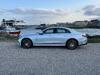
I just fitted my ML with new set of Winter Tires + Rims.
I opted for the 235/65-R17 Sailun Ice Blazers on 17" AMG replica rims.


I opted for the 235/65-R17 Sailun Ice Blazers on 17" AMG replica rims.
Thread Starter
Senior Member
Joined: Sep 2009
Posts: 357
Likes: 2
From: Toronto, Canada
2013 E350 BlueTec, 2011 VW Jetta TDI
No. The Canadian ML do not need TPMS sensors so we can fit any rims without requiring the additional costs of TPMS.
The 235/65-R17 tires provide a much nicer ride than my OEM 265/45-R20!
And are quieter too.
The 235/65-R17 tires provide a much nicer ride than my OEM 265/45-R20!
And are quieter too.
Super Member
Joined: Jul 2010
Posts: 625
Likes: 4
From: Australia
X350d GLE500e 2017, ML350 BlueTec 2012(sold), A200 2013, ML350CDI 2009(sold), Aston Martin DB7 2003
There are two different systems depending on your model. One has radio transitters on each valve which relay the pressure of each tyre to the dash readout.
The other simply works through the ABS so if one tyre is down it rotates at a different speed so the warning bells ring. This system works well. I had a warning so I visually checked the tyres decided they looked good and considered the possibility of a malfunction. However next morning there was no doubt I had a flat.
The other simply works through the ABS so if one tyre is down it rotates at a different speed so the warning bells ring. This system works well. I had a warning so I visually checked the tyres decided they looked good and considered the possibility of a malfunction. However next morning there was no doubt I had a flat.
Trending Topics
Thread Starter
Senior Member
Joined: Sep 2009
Posts: 357
Likes: 2
From: Toronto, Canada
2013 E350 BlueTec, 2011 VW Jetta TDI
Hi Martin
To add pictures to your post you need to upload your pictures to a site like www.photobucket.com
You can sign up for a free account.
Then when you post on the forum you click the "Insert Image" button and copy the "Direct Link" from your picture on Photobucket.
To add pictures to your post you need to upload your pictures to a site like www.photobucket.com
You can sign up for a free account.
Then when you post on the forum you click the "Insert Image" button and copy the "Direct Link" from your picture on Photobucket.
MB World Stories
The Best of Mercedes & AMG

Manual Mercedes? 6 Times Sindelfingen Let Drivers Have All The Fun
Verdad Gallardo
Mercedes SLR McLaren 722 S Is Extremely Rare Example Modified by McLaren
Verdad Gallardo
8 Classic Boxy Mercedes Designs That Have Aged Like Fine Wine
Verdad Gallardo
Flawlessly Restored Mercedes 190E Evo II Heads to Auction
Verdad Gallardo
Electric Mercedes C-Class Unveiled: 11 Things You Need to Know
Verdad Gallardo
Mercedes EQS Gets A Major Update: Everything You Need to Know
Verdad Gallardo
5 Underrated Mercedes-Benz Models That Don't Get the Love They Deserve
Verdad Gallardo
Mercedes 300D Has Pushed Well Past 1 Million Miles and It Ain't Stopping
Verdad Gallardo
10 Most Reliable Mercedes-Benz Models You Can Buy Used
Verdad Gallardo
Senior Member
Joined: Oct 2008
Posts: 359
Likes: 1
From: Kelowna, BC
'09 ML550
You can also do it direct from your computer.
Click "Go Advanced" (you don't have to do this if you click "Quote" -- it automatically takes you to the advanced response). Scroll down and click "Manage Attachments". Browse to the file(s) you want to upload and follow the instructions.
Click "Preview Post" to make sure the pics look the way you want before clicking "Submit Reply".
Large pictures will be shown as thumbnails if you use this method.
Click "Go Advanced" (you don't have to do this if you click "Quote" -- it automatically takes you to the advanced response). Scroll down and click "Manage Attachments". Browse to the file(s) you want to upload and follow the instructions.
Click "Preview Post" to make sure the pics look the way you want before clicking "Submit Reply".
Large pictures will be shown as thumbnails if you use this method.


