


"Loading Navigation"

Thread Starter
Senior Member

Joined: Jan 2005
Posts: 355
Likes: 3
2007 S-550, 2001 E-430 & 1997 E-420
"Loading Navigation"
Today I try to update my navigation by installing new Navigation DVD in 2007 S550. The command loaded the new DVD, then when I restarted the car I got message "Loading Navigation".
How long it take after your command finish loading DVD in car Hard drive for new Map to be loaded in Navigation?
Has any one seen same issue? Do I leave as it and it will finally load new navigation for me?
How long it take after your command finish loading DVD in car Hard drive for new Map to be loaded in Navigation?
Has any one seen same issue? Do I leave as it and it will finally load new navigation for me?

Senior Member

Joined: Jul 2010
Posts: 386
Likes: 3
From: Wisconsin
CL550 1976 450 SL
Did you have the COMMAND software update done? Using your current nav, can you get/see a "birds eye view" of the terain? If not a complete software update is needed BEFORE the cd driven update of details, new streets etc. will work.
Thread Starter
Senior Member
Joined: Jan 2005
Posts: 355
Likes: 3
2007 S-550, 2001 E-430 & 1997 E-420
It took one hour after the DVD was finish loading and the message "Loading Navigation" clear.
Whole process took about 1 1/2 hours.
I have been busy and did not have time to go to dealer to get Telematic updated done. I already have commitment from dealer, but I need to leave car overnight at dealership.
Probably next week.
Yes, the Navigation is now working, but no bird eye view.
Whole process took about 1 1/2 hours.
I have been busy and did not have time to go to dealer to get Telematic updated done. I already have commitment from dealer, but I need to leave car overnight at dealership.
Probably next week.
Yes, the Navigation is now working, but no bird eye view.

Newbie
Joined: Oct 2012
Posts: 4
Likes: 0
s500
Hi there
Im new to the forum.
I was wondering if anybody could help me.
I have a 2006/56 S500 W221. I upgraded my sat nav to version 11 maps from version 10 which was working fine.
I inserted the CD in to the changer it was in slot 6 and it asked me if i would like to update to v.11 which i selected yes. Around 30 mins later the disc had fully loaded and i selected ok to eject the disc.
The map showed up for a split second then the comand system restarted as usual since it was new maps (it did this with the v10 update)
Played around with the maps worked fine.
But around 30 mins later i returned to the car and under Navi it just says 'loading navigation' i waited for around 10 mins and nothing changed.
Then i reinserted the update disc and it said i have V11 installed and if i wanted to install it again.
Could someone please help me?
Many thanks in advance
Im new to the forum.
I was wondering if anybody could help me.
I have a 2006/56 S500 W221. I upgraded my sat nav to version 11 maps from version 10 which was working fine.
I inserted the CD in to the changer it was in slot 6 and it asked me if i would like to update to v.11 which i selected yes. Around 30 mins later the disc had fully loaded and i selected ok to eject the disc.
The map showed up for a split second then the comand system restarted as usual since it was new maps (it did this with the v10 update)
Played around with the maps worked fine.
But around 30 mins later i returned to the car and under Navi it just says 'loading navigation' i waited for around 10 mins and nothing changed.
Then i reinserted the update disc and it said i have V11 installed and if i wanted to install it again.
Could someone please help me?
Many thanks in advance
Newbie
Joined: Oct 2012
Posts: 4
Likes: 0
s500
Just to add i did select yes on the second update it got up to 1/4 bar and then i had to cancel it as i had to go out.
But whilst the second update was running it kept 'flicking' between the set up screen and the 'Loading Navigation'
But whilst the second update was running it kept 'flicking' between the set up screen and the 'Loading Navigation'
Thread Starter
Senior Member
Joined: Jan 2005
Posts: 355
Likes: 3
2007 S-550, 2001 E-430 & 1997 E-420
You will be fine. Just remove the map DVD, then turn off your car and let it sit for one hour. Afer hour go back and start the car "Loading Navigation" message will be gone and Navi will be working again.
Same happen to me yesterday while updating my 2007 S550 to version 11.
It took 30 minutes to copy the map from DVD to Car Hard Drive and then another hour to get navigation load. I was getting the same message for one hour "Loading Navigation". I just turn the car off, went away for one hour and when I came back and started the car, all work fine.
If you during the V11 load second time did "CANCEL by EJECTING DVD", you will have this flickering screen till "Loding Navigation" message has gone (after one hour).
Best to walk way with keys out and car off for one hour and then start your car.
This dam Mercedes electronic Navi-Command is very slow during the load or upgrade. MB use cheap CPU or processor/memory in this luxuary cars.
Same happen to me yesterday while updating my 2007 S550 to version 11.
It took 30 minutes to copy the map from DVD to Car Hard Drive and then another hour to get navigation load. I was getting the same message for one hour "Loading Navigation". I just turn the car off, went away for one hour and when I came back and started the car, all work fine.
If you during the V11 load second time did "CANCEL by EJECTING DVD", you will have this flickering screen till "Loding Navigation" message has gone (after one hour).
Best to walk way with keys out and car off for one hour and then start your car.
This dam Mercedes electronic Navi-Command is very slow during the load or upgrade. MB use cheap CPU or processor/memory in this luxuary cars.
Newbie
Joined: Oct 2012
Posts: 4
Likes: 0
s500
Hi Hadam,
First of all many many thanks for replying.
In the end i just gave up and walked off! Hopefully when i wake up tomorrow to drive my car it will all be working
I thought it would have worked normally as i went from v2 to v10 and it worked right after it copied the maps from the DVD.
Didn't know it was different from v10 to v11.
I will defiantly report back with what happens.
First of all many many thanks for replying.
In the end i just gave up and walked off! Hopefully when i wake up tomorrow to drive my car it will all be working
I thought it would have worked normally as i went from v2 to v10 and it worked right after it copied the maps from the DVD.
Didn't know it was different from v10 to v11.
I will defiantly report back with what happens.
Trending Topics
Newbie
Joined: Oct 2012
Posts: 4
Likes: 0
s500
Hi,
Loaded the CD fully before going to sleep, and as before the car restarted itself after the install and the new maps we're showing and functioning.
But this morning i woke up and started the car and it says 'Navigation Loading'.
Loaded the CD fully before going to sleep, and as before the car restarted itself after the install and the new maps we're showing and functioning.
But this morning i woke up and started the car and it says 'Navigation Loading'.
MB World Stories
The Best of Mercedes & AMG

7 Craziest Things AMG Gas Ever Built
Verdad Gallardo
New Electric Mercedes-AMG GT 4-Door Coupe Unveiled: 10 Things You Need to Know
Verdad Gallardo
6 Mercedes Models That Did NOT Age Well (But Are Somehow Still Cool)
Verdad Gallardo
Manual Mercedes? 6 Times Sindelfingen Let Drivers Have All The Fun
Verdad Gallardo
Mercedes SLR McLaren 722 S Is Extremely Rare Example Modified by McLaren
Verdad Gallardo
8 Classic Boxy Mercedes Designs That Have Aged Like Fine Wine
Verdad Gallardo
Flawlessly Restored Mercedes 190E Evo II Heads to Auction
Verdad Gallardo
Electric Mercedes C-Class Unveiled: 11 Things You Need to Know
Verdad Gallardo
Mercedes EQS Gets A Major Update: Everything You Need to Know
Verdad Gallardo
Thread Starter
Senior Member
Joined: Jan 2005
Posts: 355
Likes: 3
2007 S-550, 2001 E-430 & 1997 E-420
Sorry to hear that you still have issue. In my case I just walked away for one hour, when I came back and restarted the car, the new maps were loaded and I can use the NAVI.
It look like your map has been copied from DVD to your car hard drive. The Command is trying to now load from car hard drive to Navigation system.
Give one more try.
It look like your map has been copied from DVD to your car hard drive. The Command is trying to now load from car hard drive to Navigation system.
Give one more try.

Newbie
Joined: Feb 2008
Posts: 1
Likes: 0
From: Denmark
2006 MB W221 S350
I have the same or a similar problem with my car (a W221 from 2006) afther the update to version 11 it gives me an "loading navigation" when I starts the car, and hangs there. If I then do a "reset to factory defaults" to the Comand system everything works fine, at least until the next time I start my car, then I have to reset the Comand unit to factory defaults again. Quite a pain when the resetting of the Comand reloads into a german language and all radio stations are gone...
The car is a european model.
Best regards
Martin
The car is a european model.
Best regards
Martin

Newbie
Joined: Sep 2014
Posts: 3
Likes: 0
S550
 2014 navigation update
Just bought and loaded version 2014 navigation update for my 2007 S550 from HARMAN (navigation.com). After installation, it is a hit and miss if the "loading navigation" stays on or goes away when I use the navigation system. [It stays on more than it shows the map.] The 'system reset' method mentioned in this discussion thread does force the map to come on but I lose all my destination data in the process. A major pain in the butt. Is there a way to get the navigation system to start up right or do I have to live in limbo for the rest of the time I own this car? Ideas, suggestions, anyone?

Super Member
Joined: Oct 2007
Posts: 643
Likes: 51
From: Southern California
2007 CL550
I usually takes 30 to 45 minutes to install a new navigation DVD. The Comand system MUST remain powered up during the entire installation process. If you removed the new map DVD or shut off your vehicle before the process completed this could be the problem. Insert the nav DVD and allow it time to completely finish the update. If this does not work, you will most likely need to pay a dealer to restore the system.
Newbie
Joined: Sep 2014
Posts: 3
Likes: 0
S550
 Loading Navigation - the saga continues
Thank you. Uploading the navigation database wasn't my problem. I did according to the instructions on the screen and I waited till all was done before ejecting the disc. In fact, the map popped up right afterwards. I was a happy camper ... until the next time I started the car. "Loading navigation" was the only message I saw. It hung in there for eternity. The newly loaded map would only show up if I do a system reset.
Had a live chat with Mercedes tech support on this issue. Not sure the guy on the other end really was technically competent enough to answer my questions or diagnose my problem. He told me the cause is due to the big step up, i.e. from version 2007 straight to version 2014.
He said this with a straight face (virtually).
I believe their is a software bug in the navigation system initialization routine. Why can't Mercedes do what all the cell phone guys (Apple, Samsung, Microsoft etc.) do, i.e. offer periodic bug fixes?
Had a live chat with Mercedes tech support on this issue. Not sure the guy on the other end really was technically competent enough to answer my questions or diagnose my problem. He told me the cause is due to the big step up, i.e. from version 2007 straight to version 2014.
He said this with a straight face (virtually).
I believe their is a software bug in the navigation system initialization routine. Why can't Mercedes do what all the cell phone guys (Apple, Samsung, Microsoft etc.) do, i.e. offer periodic bug fixes?
Super Member
Joined: Oct 2007
Posts: 643
Likes: 51
From: Southern California
2007 CL550
There were several Telematics updates. I remember that there was an update required to load data from newer NAV DVDs into 2007 vehicles. Best solution for you is to find a dealer that can install the latest Telematic update. This will cause all prerequisite updates to be installed. If your vehicle has never been updated, this could take several hours. There is very little labor involved. They simply connect your vehicle to the test equipment and answer some configuration questions and then wait for several hours for the update to complete. A fair cost for performing the update would be for one hour of labor.
CAUTION-- If they do not configure things properly, your air conditioner and/or your back-up camera will not work correctly.
CAUTION-- If they do not configure things properly, your air conditioner and/or your back-up camera will not work correctly.
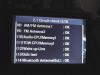
 Loading Navigation - system software
 .
.
MBWorld Fanatic!
Joined: Jul 2007
Posts: 1,904
Likes: 29
S350 BT 4MATIC
There were several Telematics updates. I remember that there was an update required to load data from newer NAV DVDs into 2007 vehicles. Best solution for you is to find a dealer that can install the latest Telematic update. This will cause all prerequisite updates to be installed. If your vehicle has never been updated, this could take several hours. There is very little labor involved. They simply connect your vehicle to the test equipment and answer some configuration questions and then wait for several hours for the update to complete. A fair cost for performing the update would be for one hour of labor.
CAUTION-- If they do not configure things properly, your air conditioner and/or your back-up camera will not work correctly.
CAUTION-- If they do not configure things properly, your air conditioner and/or your back-up camera will not work correctly.

MBWorld Fanatic!


Joined: Aug 2014
Posts: 5,330
Likes: 1,683
S500
[quote]After installation, it is a hit and miss if the "loading navigation" stays on or goes away when I use the navigation system. [It stays on more than it shows the map.[quote/]
I have a thought on this... mine never showed this on the original maps v2 but does after I updated it to v13
However its not always like that... and when it does display the pop up, its often only for a few seconds. I think a firmware update it did before installing the maps brought this feature to the fore. I think its really saying searching for position (as in where are the satellites) before its happy to display the map. If you live in a bad signal area or its been a while between starting the car so the last known view of the satellites is different to where they are now this nag takes a little longer to go away.
I have a thought on this... mine never showed this on the original maps v2 but does after I updated it to v13
However its not always like that... and when it does display the pop up, its often only for a few seconds. I think a firmware update it did before installing the maps brought this feature to the fore. I think its really saying searching for position (as in where are the satellites) before its happy to display the map. If you live in a bad signal area or its been a while between starting the car so the last known view of the satellites is different to where they are now this nag takes a little longer to go away.
MBWorld Fanatic!
Joined: Aug 2014
Posts: 5,330
Likes: 1,683
S500
UK forum.... experts advice
Your car uses the NTG 3.5 system which has maps loaded onto the hard drive via three DVD's. What can happen is the maps are loaded before the requisite firmware. This can lead to exactly the issues you are (were) seeing. The fix is to ensure the Comand has the latest firmware loaded.
Your car uses the NTG 3.5 system which has maps loaded onto the hard drive via three DVD's. What can happen is the maps are loaded before the requisite firmware. This can lead to exactly the issues you are (were) seeing. The fix is to ensure the Comand has the latest firmware loaded.

Junior Member
Joined: Jul 2011
Posts: 41
Likes: 4
From: NW France
W214 E300e
UK forum.... experts advice
Your car uses the NTG 3.5 system which has maps loaded onto the hard drive via three DVD's. What can happen is the maps are loaded before the requisite firmware. This can lead to exactly the issues you are (were) seeing. The fix is to ensure the Comand has the latest firmware loaded.
Your car uses the NTG 3.5 system which has maps loaded onto the hard drive via three DVD's. What can happen is the maps are loaded before the requisite firmware. This can lead to exactly the issues you are (were) seeing. The fix is to ensure the Comand has the latest firmware loaded.
Your quote concerns my 2011 W221, which has the NTG3.5. The update has to be done by Mercedes, since a Mercedes-generated code is needed to instal it.
I think the OP has the NTG 3.

Newbie
Joined: Nov 2014
Posts: 5
Likes: 0
w222
i can help with code for ntg 3.5 map update. and give you map for update. sent email or pm
navidaten14@gmail.com
navidaten14@gmail.com
Junior Member
Joined: Jul 2011
Posts: 41
Likes: 4
From: NW France
W214 E300e
i can help with code for ntg 3.5 map update. and give you map for update. sent email or pm
navidaten14@gmail.com
navidaten14@gmail.com
Now that's what I call real friendly !

Newbie
Joined: Nov 2014
Posts: 5
Likes: 0
w222
for other information in the PM or mail .


