When you click on links to various merchants on this site and make a purchase, this can result in this site earning a commission. Affiliate programs and affiliations include, but are not limited to, the eBay Partner Network.
I got mines from the vendor but still cant get it to work according to their instructions... im going to try & post the files on the forum so everybody can get them
I got mines from the vendor but still cant get it to work according to their instructions... im going to try & post the files on the forum so everybody can get them
Send them to me. I can make them available if you don't have any sharing options.
Ah, ok...I see. Should have just left it alone then..
So - I got the MB star back as "BOOT LOGO" in the general settings, but when trying to update start screen to get the "android" startup screen away(which appears after the MB star has been there for some seconds), going to "software version" then settings and code 12345678 and pressing the upper button in chinese, it just stays with the spinning "wait" icon forever. I waited at least 10 minutes before just powering off, and restarting. Then nothing was changed. Do I need to get the file and put it on a USB? I tried to google to find something, but couldn't find anything. Anyone have a link or something to the "Mercedes-Benz" and "AMG" startup screens, if that's what's needed?
PAALW, Did you fix the issue where the Original COMAND screen is showing the letters off your screen?
Did the firmware update fix the issue ? I am trying to get one of this units but I want to get it from a vendor that users have not reported any issues.
I have the iPod kit installed in my car with a Tune2Air bluetooth doo-hickey, if I installed this would I be able to set my audio to AUX and pair the Android tablet to the Tune2Air and all sound from the tablet would flow through the system in same way it does with my connected bluetooth phone?
Dear member did you get a response to your question ?
Fellow Members
i have a 2007 s550 with the ipod cable in the glove box ( no aux / no tv or rca )
can this unit be installed on my vehicle ?
Also - YES i do have the Aux option in command - currently i have attached a bluetooth dongle to the ipod connector and the phone streams thru the aux option
Chris the Swede is not responding to any of my messages / emails or responses even on the website / facebook
Mega- your advice and support on the above will be greatly appreciated
You need to remove the obsolete iPod kit. That will free up your AUX pins on the COMAND. The headunit is designed to take sound INPUT via Bluetooth and output it to the car speakers. It doesn't stream to anything as it's not a portable device/tablet.
So, to keep it short..Remove ipod kit -> connect headunit to AUX pins -> Stream music from your phone to the headunit via bluetooth if that's what you are trying to do.
You need to remove the obsolete iPod kit. That will free up your AUX pins on the COMAND. The headunit is designed to take sound INPUT via Bluetooth and output it to the car speakers. It doesn't stream to anything as it's not a portable device/tablet.
So, to keep it short..Remove ipod kit -> connect headunit to AUX pins -> Stream music from your phone to the headunit via bluetooth if that's what you are trying to do.
Hey Megacrazy, I just received my screen yesterday and I'm going to install it in my CL63 this weekend. My car has an AUX option in Command but no iPod connector came with my car. After reading the previous posts, I am still trying to understand what to do with the AUX harness they send you. It has two ends to it. Am I supposed to splice one end and take the red, white and black wires and connect it to these three pins (5,6,15) in the command unit?
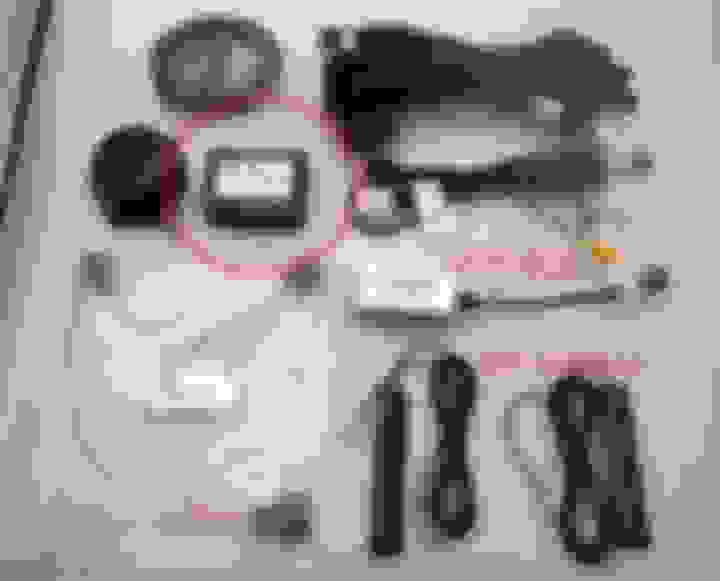
Also what are these two inputs in the Command unit in the second picture used for?
Does anybody know what the difference is between buying the touch screen from CKM Design (Chris the Swede) and buying it from Aliexpress or another vendor? Does the one from CKM Design have different cables, additional items for USA installation, etc? I don't mind paying the extra $ for a CKM Design unit if I also get support and a good warranty. I'm just a little hesitant of getting it from China and not getting any support?
Last edited by Ninamashr; Feb 20, 2019 at 09:42 AM.
Does anybody know what the difference is between buying the touch screen from CKM Design (Chris the Swede) and buying it from Aliexpress or another vendor? Does the one from CKM Design have different cables, addition items for USA installation, etc? I don't mind paying the extra $ for a CKM Design unit if I also get support and a good warranty. I'm just a little hesitant of getting it from China and not getting any support?
There is no difference. I bought from China and support has been good so far. I don't think there is an issue buying from either source.
Hey Megacrazy, I just received my screen yesterday and I'm going to install it in my CL63 this weekend. My car has an AUX option in Command but no iPod connector came with my car. After reading the previous posts, I am still trying to understand what to do with the AUX harness they send you. It has two ends to it. Am I supposed to splice one end and take the red, white and black wires and connect it to these three pins (5,6,15) in the command unit?
Also what are these two inputs in the Command unit in the second picture used for?
Looks about right. Try the AUX box they send you first. If that doesn't work proceed to connect the pins according to the diagram.
Don't overthink it. The Android unit outputs left/right/ground via one of the harnesses they send you. You need to connect it to the COMAND AUX pins. That's it.
One of those ports is LVDS for the stock display. The other...not sure. Seems to be the same LVDS connector though.
I bought mine from eBay. It was $800 with shipping. It is the same kit as the one on Chris's website. I bought it off eBay because of the eBay guarantee and I tacked on a 3 year Squaretrade warranty with it.
Here is the installation instructions that the company I bought from sent me. They're pretty rudimentary and has broken English, but it's here if anyone wants to see them. Of course this install is for the W221 sedan. C216 Coupes require slightly different instructions to remove the center piece.
I bought mine from eBay. It was $800 with shipping. It is the same kit as the one on Chris's website. I bought it off eBay because of the eBay guarantee and I tacked on a 3 year Squaretrade warranty with it.
did you also purchase yours from koason? if so im the one who purchased right after you lol. how long did it take you to get it? did you get it installed yet?
Yes that's the AUX box. People have had mixed luck with it. I couldn't get mine to work no matter what I tried. You can definitely tap the wires like you mentioned. The harness that comes with the unit is a 1 to 1 extension where not all pins are being used. If you trace it out you'll notice it uses very few of the pins. The AUX pins have no connection on the other side of the extension.
Also installation instructions are on the unit...in a PDF or something as far as I remember.
If you or anyone would like any help My name is Mark Garner and I work for Mercedes-Benz Toronto Retail Group Either email me on mark.garner@Mercedes-benz.ca or call me on 647-426-2673. Have a great day all
Yep I did! I ordered it on Monday 2/11 and it arrived 2/18 (yesterday). Insanely quick shipping from Hong Kong. It'll be shipped via DHL and will need a signature for delivery. If you're not available then DHL gives you an option to print out a form to sign to leave on your door the day of delivery.
Interesting, I thought based off the videos I watched online that the AUX box was just for cars with the TV option which I thought no US models had. Did you end up tapping the wires for your AUX to work?
Are the installation instructions the same as the one I posted? Lol hopefully they're helpful because mine aren't. In the instructions I got, it is telling me to wire the AUX harness up to the AUX connector in the passenger fuse box which doesn't seem right. I looked yesterday in my car and it doesn't appear to be an AUX connector there only the connector that powers up the fuse box.
Here is the installation instructions that the company I bought from sent me. They're pretty rudimentary and has broken English, but it's here if anyone wants to see them. Of course this install is for the W221 sedan. C216 Coupes require slightly different instructions to remove the center piece.
Thank you for all this information Dave! It's very helpful.
Mercedes SLR McLaren 722 S Is Extremely Rare Example Modified by McLaren
Slideshow: A one-of-one U.S.-spec Mercedes-Benz SLR McLaren Roadster became even rarer after a factory-backed transformation at McLaren's headquarters.