When you click on links to various merchants on this site and make a purchase, this can result in this site earning a commission. Affiliate programs and affiliations include, but are not limited to, the eBay Partner Network.
I have taken advantage of many posts here and I figured is about time I contribute. I wanted to share my experience with my recent installation of the Joyeauto carplay module (WJME-2S).
This all started with me looking for a better alternative than my OEM navigation on my 2012 s class since Mercedes decided to abandon the gps 3 years after my car was made which is terrible. I love their products but supporting the gps of a $100k+ car for only 3 years should be a crime in my opinion. To make matters worse the government in New England (where I live) has decided they need to change all the highway exit numbers to match mile markers making my gps near useless now.
Since I did not think Mercedes would care what I think as I bought the car second hand, I weight in all my options and decided to go with Joyeauto. I went with them since they seem to have a product that allows you to maintain the integrity of the car (aka not changing the look of the vehicle).
I purchased the kit, and it took about a week and a few days to arrive. The presentation of the packaging is nice and the connectors although a bit confusing are solid (there are some connections you will not use).
I should warn you the installation should be the same for any car with a build in aux or for cars that have the MDI connector. Owners of cars with the MDI Connector like mine will need to make sure you buy a MDI to aux preferably with a male 3.5mm aux connector to hook up to the radio. The way the module plays audio is using your auxiliary input. There are some models of the w221 (earlier than 2011) that may need a fiber optic adapter to work (I do not have any experience with the fiber optic adapter, but I wish you best of luck if that is your case).
To install it there are a couple things you will want to take apart for the install. First thing you will need to take out the cd changer/head unit. This is where the bulk of the connectors from the module will meet the factory radio connectors. Additionally, you will need to remove the glovebox. This will require you to at least loosen the dash wood trim (yes, the giant strip of wood, be very care full when losing it up. It is easier than it looks). I would also remove the cover that behind the mirror (the one that hides the rain sensor and cameras) to hide the mic. This sounds like a lot of work but there is no better way of doing this.
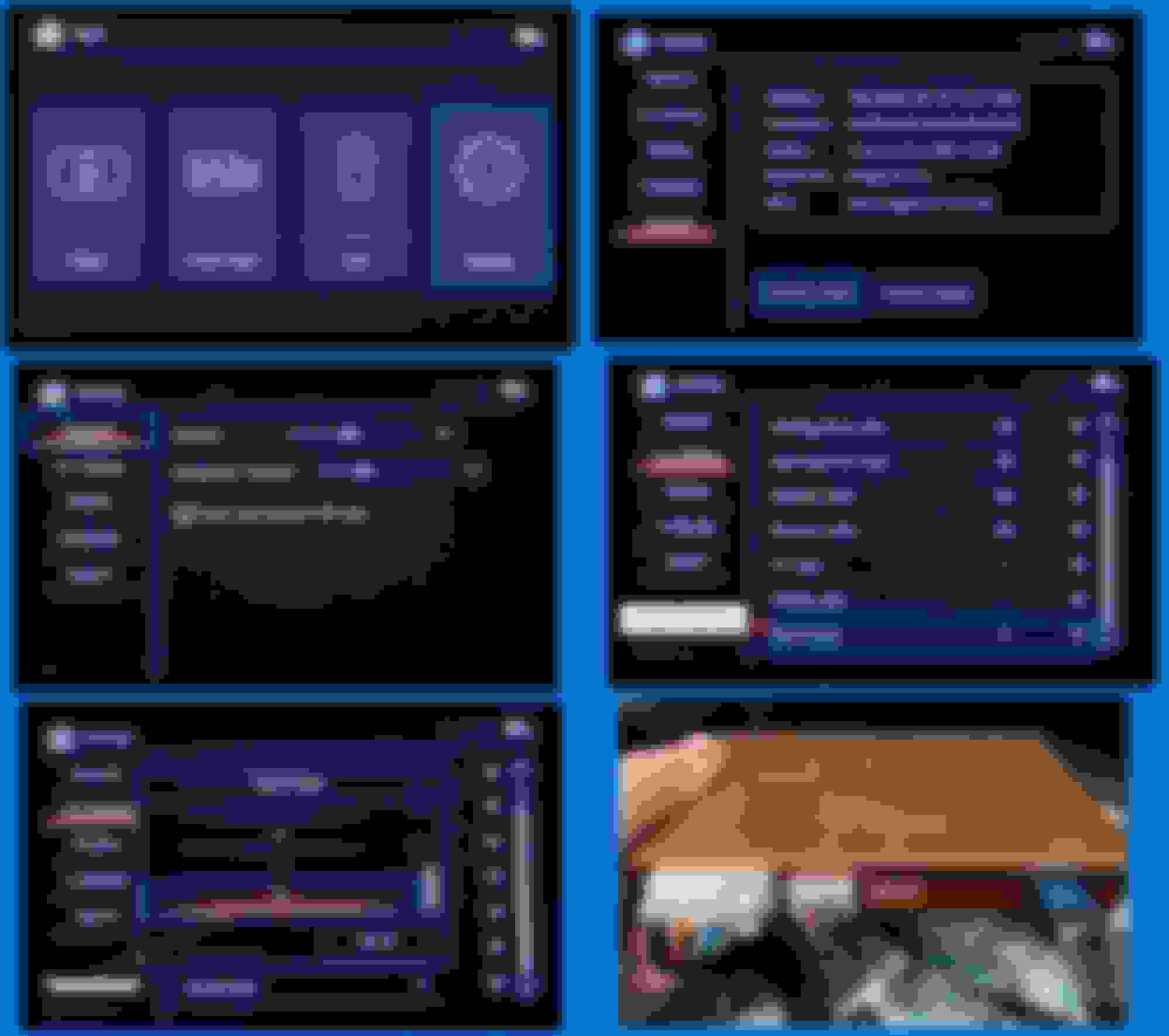
With the glovebox and cd changer out of the way is time to start hooking up your carplay module. Configure the module and connect all the cables and antenna to the module side (do not worry about the aux connections on both ends yet). Run the mic up to the area behind the cars center mirror and connect it directly to the module (behind the center mirror is best location I found to hide the mic and still get good mic quality; you can remove the clip thing from the mic and attach the mic with a small piece of tape). Once they are all connected you will want to put the module in place. In my opinion the best location is behind the glove box to the left there is a compartment/space between two modules. I placed my unit there since there is some space for ventilation and the unit fits there without needing to be force in (I do not think the module gets very hot but is never a bad idea to have some ventilation for a module). You will then want to run the cables over to the area where the cd changer/ head unit resides, you can to this neatly there is some spots that will allow you to run the cables between the glove box compartment and the radio compartment.
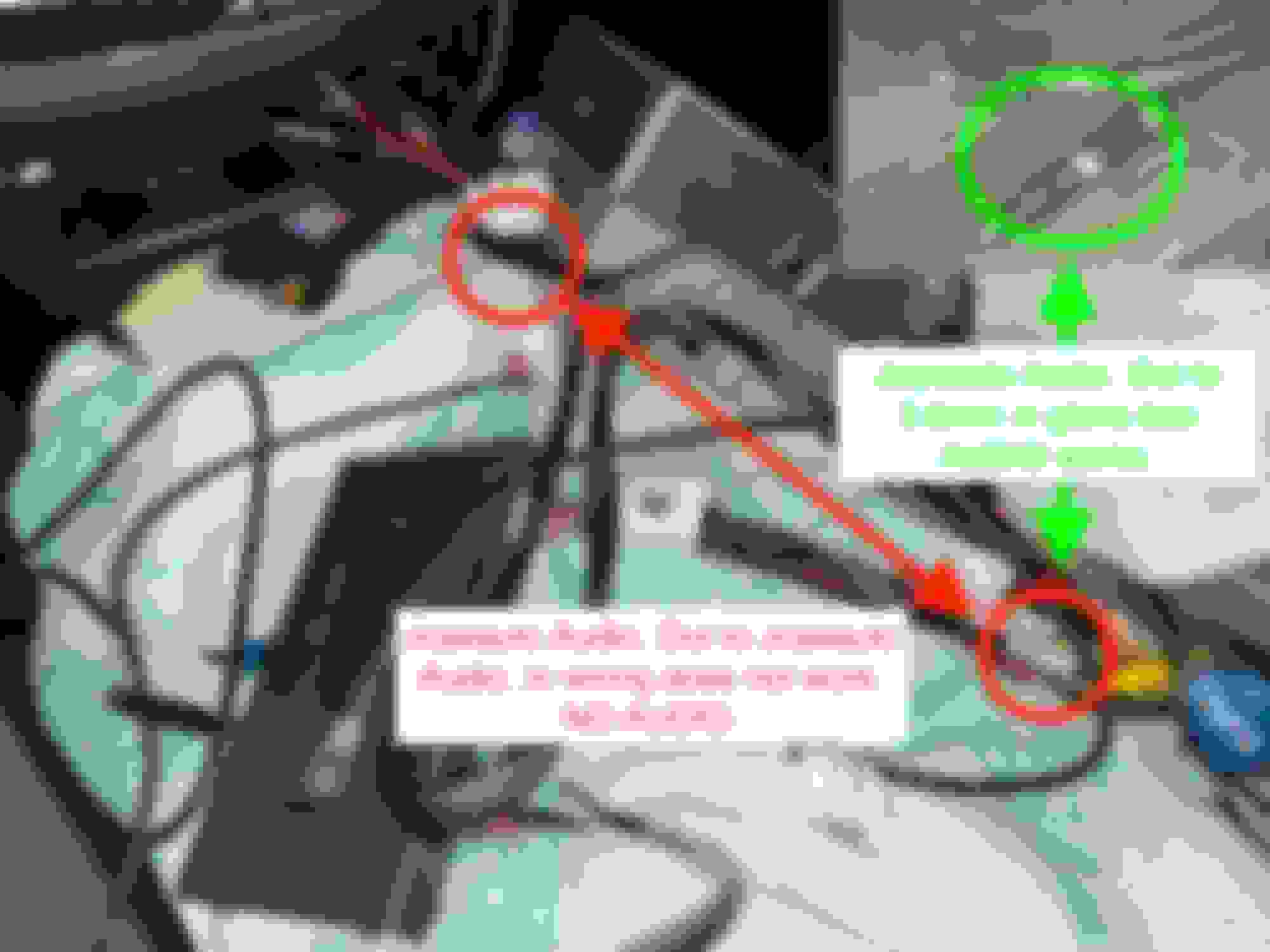
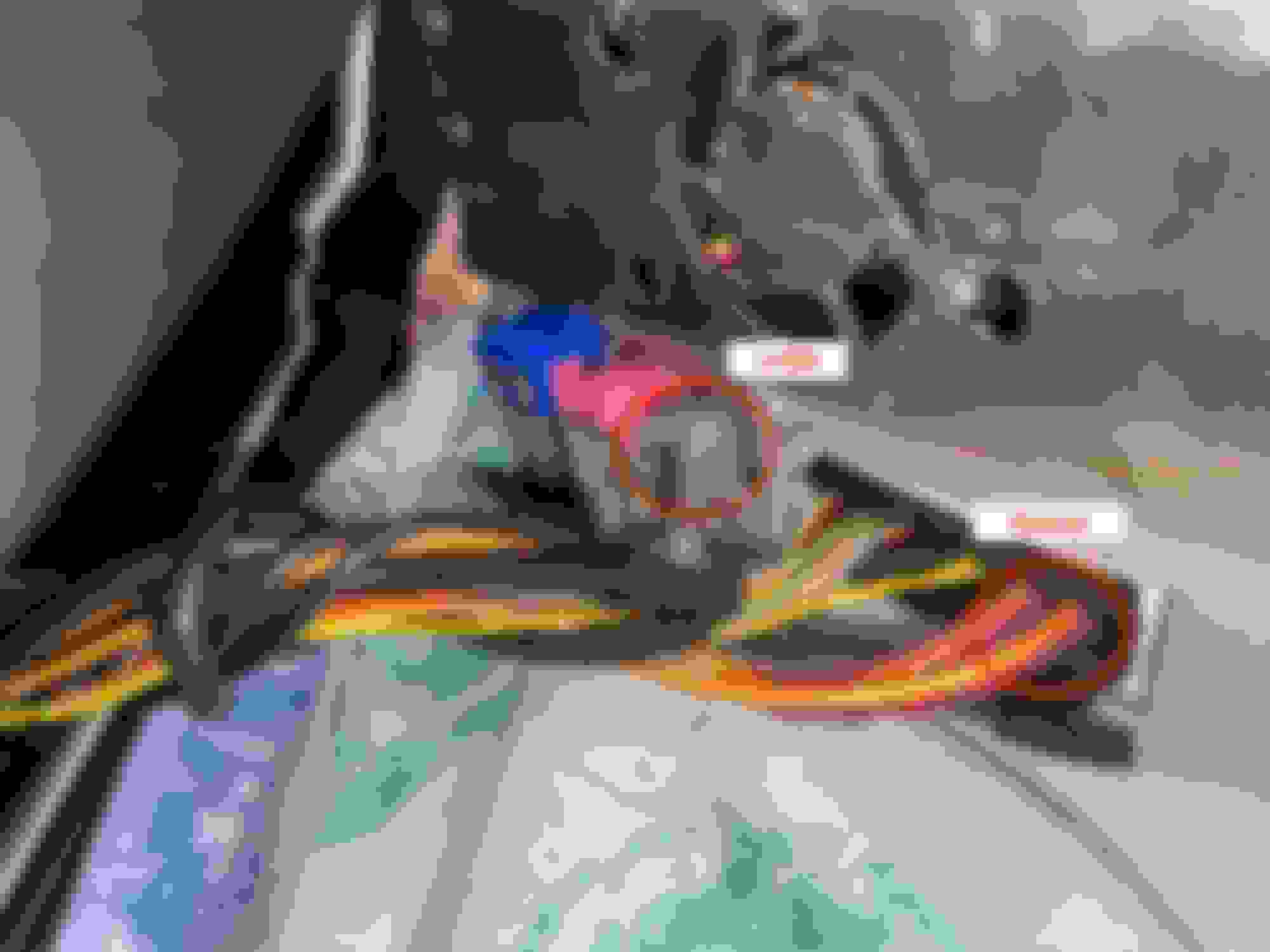
Next you will have to prepare your connections for the head unit. There’s only a couple that you will need to prepare prior to installing the cd change/head unit. One you will need to connect the pink OEM video connector to the gray bypass cable that goes to the module and use the pink bypass connector from the module to connect to the cd changer/head unit. The second connector will require you to remove the optical connection from the OEM square connector and install it in the square bypass connector supplied by Joyeauto. Once this is done connect the end with the optical cable to the cd changer/head unit and the opposite end to the OEM square connector.
At this point you should have end up with just the connectors you need to hook up to the cd change/head unit. You may now connect the cd changer/head unit back in, this time with all the module bypass cables installed. Once all that is plugged in the last thing to connect will be the auxiliary cord. Two important things to do at this point I would test the module make sure you can switch between the module and the cars infotainment system, connect to the module, and test all functions work, including the audio, mic, and rear-view camera. Once this is all set, re-assemble everything and enjoy!
I've had mine installed for a couple months now and no issues thus far.
Last edited by Zhyper13; May 18, 2021 at 03:43 PM.
Thank you for this! How did you route the microphone up behind the mirror? Did you go behind the a-pillar trim and headliner?
the headliner is the way I used, just hid it in the front part of it and ran it up to the mirror and to wher I stashed the module. I hid the mic under the cover behind the mirror. That cover hides the rain sensor and cameras it’s easy to remove since it has no screws.
I am trying to install this unit in my 2007 S600 (WJME-3S) for 06-09 MY. I have it all hooked up and I can switch to Carplay and connect my phone BUT no audio. My car did NOT come equipped with the AUX jack and my Command menu has no AUX setting in the menu. Do you know if this can be made to work? It may be I need to ge to MB and have them hook up STAR and enable AUX? Hopefully I don't have to buy the MB aux unit? Emailed Joyeauto but of course they are in China so that might take a few days.
aux is a menu that can be turned on inside 5 minutes of being plugged in to dealer diagnostic kit - you can turn it on first and add the wires / aux in afterwards
if it needs this then it won't work
no audio anywhere is a common failure mode on these cars
You need AUX enabled at minimum. I haven’t come across any installs that had zero aux connections in the glove box. Hopefully with AUX enabled, you’ll get audio from Joyeauto via the wiring loom/harness.
I’m using the Joyeauto WJME-2S in my 2013 S550 with iPod integration, so I have power, USB, 3.5mm, and 30-pin iPod connection in glove box. I can’t get audio using the audio-out to audio-in on the Joyeauto wiring harness, but that might work for you since you don’t have iPod integration. If that doesn’t work, not sure what your alternatives would be.
I’ve been looking at this setup for a few months now and have yet to pull the trigger because I’m intimidated by going into the dash and screw something up. I have a 08 S550 but the OEM leaves a lot to be desired and all my other vehicles have CarPlay so I feel like I’m stepping back in time when I get into this car. Audio wise of course.
As BOTUS said, there is a Joyeauto unit for pre-facelift (WJME-3S) and post-facelift NTG3.5 (WJME-2S). The pre-facelift unit has an extra adapter based on photos. Both units support wireless CarPlay, as well as wired (USB) CarPlay and Android Auto, and phone mirroring. P.S. I am not affiliated with Joyeauto, so check their website for full details/specs/pricing.
In terms of difficulty, Keagan-Z06, this is a fairly simple plug-n-play solution. In my opinion, the only thing that could accidentally break is the optical connection, but it's pretty sturdy at least on my 2013. The biggest challenge is getting all the additional wiring stuffed in behind the head unit.
The Joyeauto install video for 2006-2009 W221 here:
If you happen to be picky about audio quality, the Joyeauto unit may disappoint as it is noticeably inferior to OEM quality audio from various iPod integration/media ports (CD/SD/iPod/USB). I've posted my experiences along with settings for Joyeauto, head unit, and iPhone here. And with that being said, I've removed the Joyeauto WJME-2S/NTG3.5/2010-2013 W221 unit from my 2013 because the audio quality is a deal-breaker for me. If someone is looking for this unit and doesn't mind the audio quality, happy to sell mine for half price of what I paid (i.e. their current advertised price on their website). PM if interested.
I'm planning on taking the plunge and installing the Android unit and using an external DAC to get (hopefully) better, OEM quality audio.
As BOTUS said, there is a Joyeauto unit for pre-facelift (WJME-3S) and post-facelift NTG3.5 (WJME-2S). The pre-facelift unit has an extra adapter based on photos. Both units support wireless CarPlay, as well as wired (USB) CarPlay and Android Auto, and phone mirroring. P.S. I am not affiliated with Joyeauto, so check their website for full details/specs/pricing.
In terms of difficulty, Keagan-Z06, this is a fairly simple plug-n-play solution. In my opinion, the only thing that could accidentally break is the optical connection, but it's pretty sturdy at least on my 2013. The biggest challenge is getting all the additional wiring stuffed in behind the head unit.
The Joyeauto install video for 2006-2009 W221 here: 2006-2009 W221
If you happen to be picky about audio quality, the Joyeauto unit may disappoint as it is noticeably inferior to OEM quality audio from various iPod integration/media ports (CD/SD/iPod/USB). I've posted my experiences along with settings for Joyeauto, head unit, and iPhone here. And with that being said, I've removed the Joyeauto WJME-2S/NTG3.5/2010-2013 W221 unit from my 2013 because the audio quality is a deal-breaker for me. If someone is looking for this unit and doesn't mind the audio quality, happy to sell mine for half price of what I paid (i.e. their current advertised price on their website). PM if interested.
I'm planning on taking the plunge and installing the Android unit and using an external DAC to get (hopefully) better, OEM quality audio.
Thats something I did not want to hear. I thought the audio would remain the same. I’ve never used Bluetooth audio unless I really really need to, are u saying it may be on par with what Bluetooth audio is like or worse?
I wrote some fairly lengthy posts (linked above) testing a range of settings and music from rock, grunge, hip-hop, electronic, classical, jazz, smooth jazz, folk, progressive. Short answer: Out of the box, Joyeauto sounds like mediocre MP3s with distortion coming in at moderate volume. However, with settings tweaks I can get the Joyeauto to sound pretty decent even at high volume (within ~90% of the OEM audio quality).
I haven't tried Bluetooth audio in my 2013 as it doesn't support it without a Bovee Tune2Air (or similar) dongle for the MMI connection in my glove box. But whether I use WiFi or USB with the Joyeauto, the audio especially at higher volumes is lacking in quality compared to OEM audio quality. The Joyeauto even with the Loudness setting enabled is about -10dB lower than playing music from CD/SD/iPod (I'm just guessing at the -10dB value but I can tell you that the custom EQ frequency band settings I used to get the Joyeauto to be listenable were all between -12dB and -6dB adjustments from baseline). So if you have been listening to Joyeauto at a moderate to loud volume and then switch to any other OEM audio source without first reducing the main volume, you'll get a rude blast of extremely loud audio.
For audiophiles, Joyeauto is not a good solution for playing music. If you're not quite an audiophile but are picky like me, it's also not a good solution. Having said that, many people find that the wireless CarPlay integration, album art, ability to have the latest maps more than make up for the audio quality. I will admit it is cool to see CarPlay up on the OEM screen and seeing up-to-date maps and album art, but I'd probably default to the iPod for music and just use Joyeauto for occasional navigation.
I wrote some fairly lengthy posts (linked above) testing a range of settings and music from rock, grunge, hip-hop, electronic, classical, jazz, smooth jazz, folk, progressive. Short answer: Out of the box, Joyeauto sounds like mediocre MP3s with distortion coming in at moderate volume. However, with settings tweaks I can get the Joyeauto to sound pretty decent even at high volume (within ~90% of the OEM audio quality).
I haven't tried Bluetooth audio in my 2013 as it doesn't support it without a Bovee Tune2Air (or similar) dongle for the MMI connection in my glove box. But whether I use WiFi or USB with the Joyeauto, the audio especially at higher volumes is lacking in quality compared to OEM audio quality. The Joyeauto even with the Loudness setting enabled is about -10dB lower than playing music from CD/SD/iPod (I'm just guessing at the -10dB value but I can tell you that the custom EQ frequency band settings I used to get the Joyeauto to be listenable were all between -12dB and -6dB adjustments from baseline). So if you have been listening to Joyeauto at a moderate to loud volume and then switch to any other OEM audio source without first reducing the main volume, you'll get a rude blast of extremely loud audio.
For audiophiles, Joyeauto is not a good solution for playing music. If you're not quite an audiophile but are picky like me, it's also not a good solution. Having said that, many people find that the wireless CarPlay integration, album art, ability to have the latest maps more than make up for the audio quality. I will admit it is cool to see CarPlay up on the OEM screen and seeing up-to-date maps and album art, but I'd probably default to the iPod for music and just use Joyeauto for occasional navigation.
I wouldn’t say I’m an audiophile but I do have ears to pick out good quality audio. I rarely ever get my volume up to i would say 60%. I have an avalanche with two 10” subs if I wanna get rowdy but UI in the Benz leaves a lot to be desired. It’s a pity our cars are different or I’d take the one your selling.
If you enjoy primarily hip-hop or bass heavy music that doesn't require a lot of mid-range, you'll like the Joyeauto audio quality with the right settings. Kanye, Biggie, Tupac, Dre, NWA, real old school (Run DMC, LL Cool J), Daft Punk, Swedish House Mafia, Timberlake, Will.I.Am, a fair amount of 80s new wave and electronic music will sound pretty good. Lots of remastered older music sounds ok to very good. Newer music with the "wall of sound" production perform the best with Joyeauto. But I'm a hard rock/metal/grunge fan and listen to those genres most often and they just sound thin in the midrange from the Joyeauto when compared to CD/SD/iPod.
Thats something I did not want to hear. I thought the audio would remain the same. I’ve never used Bluetooth audio unless I really really need to, are u saying it may be on par with what Bluetooth audio is like or worse?
I bought one of those Bovee/Invery Tune2Air Bluetooth adapters that plug into my MMI port in the glove box. Streaming lossless files from my iPhone 12 Pro to the adapter worked flawlessly and all the steering wheel buttons worked and easy to navigate music catalog. Unfortunately, the audio is noticeably worse than the Joyeauto audio. I could easily hear clipping of high frequencies and low end wasn't as full using the Bluetooth adapter. It sounded like low quality MP3s. So if you're interested in Joyeauto, with the settings I share in the Android thread, you can have a listenable audio experience with Joyeauto that definitely outperforms Bluetooth streaming audio. But Kremersino's wireless CarPlay box is even better and has the audio quality that most closely matches my iPod audio and it's the unit I'm now using (see following post for lots of details).
Subject: How Kremersino Wireless CarPlay unit compares to Joyeauto Wireless CarPlay unit in my 2013 S550 (NTG3.5) and the settings needed to get near/CD-quality audio from the Kremersino (CarPlay BOX 5G Wi-Fi).
TL;DR: If audio quality is important to you, Kremersino delivers much better audio quality than Joyeauto (imho). These are the settings I feel get me to +95% of OEM iPod audio quality and good enough that I’ll stick with the Kremersino unit for now (these settings are good for Kremersino Wireless or Wired CarPlay):
* iPhone 12 Pro: ALAC files, EQ = Off, Sound Check = Off (turned these off in Music settings on the iPhone to eliminate volume adjustment or EQ/processing on the phone) * OEM Head Unit/AUX Sound Settings: Treble = -2, Bass = +2, Balance = Centered, Fader = -2, Logic7 = On * Kremersino Unit: Main Volume (0-32) = 16, Navigation Volume (0-32) = 16, Sound Type = 8
P.S. I am not affiliated with Kremersino or Joyeauto or Alibaba or AliExpress and make no recommendations on what you should buy or how to modify your vehicle.
Kremersino overall tries to get the instruction manual and details correct, the manual is a nice multi-page semi-gloss piece with nice diagrams and images despite the typos. However, the unit I purchased on AliExpress https://www.aliexpress.com/item/2255800863194291.html said in the lead image that it was for “W213” despite further down in the details saying they have units that work with W221 and NTG3/NTG3.5. I confirmed with them before ordering, they said their NTG4.5 unit (which is what they sent me) would work even though I selected “NTG3.5” on the order form on AliExpress. And true to their word, it works great in my 2013 S550. It took 7 days from order to arrival when choosing the DHL Express shipping. Very fast given all the news about supply chains.
Now for a quick recap of my Joyeauto experience. I started a conversation on page 25 of the Android Touchscreen thread asking about audio quality and @megacrazy gave me awesome input about audio, Android solution, his setup, and so on. I took a chance on the Joyeauto solution first as many people use it and I was initially too lazy to install the Android solution. And I wanted to keep things close to OEM look/feel if I could get CarPlay and acceptable audio quality. This led to a couple detailed posts I made in the Android Touchscreen thread of my experience with Joyeauto and running through numerous settings and testing 60+ albums. I just couldn’t get the Joyeauto unit to come close to my iPod audio quality (my 2013 has the iPod integration with MMI/30-pin/3.5mm jack in glove box). It was listenable quality, but the basic issue I had was that it was lacking the midrange and fullness that I’d get from CD or iPod, regardless of EQ settings. So I boxed up the Joyeauto (WJME-2S for 2010-2013 W221 NTG3.5 / pre-facelift W221 requires a different unit). If anyone would like to buy the Joyeauto for facelift W221 at steep discount, let me know.
With the Joyeauto unit boxed up, I was ready to pull the trigger on an Android unit from Navifly/Mekede, but somehow or other stumbled on @S550e Kremersino DIY thread for W212/NTG4. So rather than commit to the Android->USB->DAC->3.5mm solution (likely the best audio quality option), @S550e thread got me to look into Kremersino and eventually I landed on the Kremersino unit for my car.
Shoutout: It goes without saying, but DIY threads from folks like @S550e and @cadetdrivr and input from folks like @megacrazy are greatly appreciated and take a lot of the worry and guesswork out of DIY adventures.
Overall…
Kremersino gives me +95% of the sound quality of my iPod and volume output is consistent with the other OEM audio sources (no big spike in volume like there is when switching from Joyeauto to OEM source). After testing various settings, I’ve got the Kremersino dialed in to provide CD quality audio (as far as my ears are concerned). The one thing missing from the Kremersino is a multiband EQ. It does have 8 presets which I’ll get to, but I feel if I could simply boost the midrange just a tiny bit (bump 500hz, 1k, 2k frequencies up 1 or 2 dB) and drop the high frequencies down just a smidge, I could get it to sound just like the iPod audio (which is still my preference and the baseline audio quality I expect with my W221 with NTG3.5). As it stands I’ve made some adjustments in the OEM AUX Sound settings that take the edge off the highs and give a little extra midrange, making the Kremersino a keeper.
Unlike Joyeauto, Kremersino does not have a multiband EQ and doesn’t support custom EQ profiles. But it does have eight preset EQ profiles under the unlikely heading of “Sound Type.” Six of the eight profiles work pretty well and with “Sound Type” set to 8 offering a huge boost in volume and a great overall profile with resounding bass, punchy mids, and bright highs. To compensate (and what’s worked for the music I listen to), I’ve gone into the Sound settings for AUX and dropped treble -2 to reduce some brightness on the high frequencies, bumped the bass +2 and pushed the fader back -2 to try to fill in some of the midrange. Unlike the Joyeauto where most alternative/grunge and 80s rock sounded thin in the midrange, no problem now. With the Kremersino unit, all my 80s favorites sound very good (AC/DC, Crue, Ozzy, Scorpions, Van Halen). I tried a number of different genres and they all sound very good on the Kremersino (Hip-Hop, Old School Rap, Classical, Jazz, Progressive, Rock/Metal, 80s, 60s). In my Joyeauto testing, there were two albums in particular that suffered from “wall of sound” production and just overall poor production: Van Halen’s 2012 “A Different Kind of Truth” and Cage The Elephant’s debut album. Both of those just sounded muddy/muddled and way too much bass and I just could never make them sound good with Joyeauto no matter the settings. With Kremersino, they are much more listenable and if I drop the bass back to 0 in the AUX Sound settings they are fine to listen to.
Here’s how I’d describe Kremersino’s eight “Sound Type”/EQ Profile presets:
1 = Same as 8 but half the volume output, sounds like flat EQ with some high frequency boost. Actually sounds pretty good but volume too low like Joyeauto.
2 = Same as 1 with lower highs and more midrange.
3 = Sounds like 1 but with 5dB more volume, bias to high frequencies. Bit bright.
4 = Sounds like 2 but slightly muffled and 5dB more volume, though it does emphasize/bring vocals front and center.
5 = Rock sounds a bit weaker here like Joyeauto. This might be a classical EQ profile. Reasonable volume level.
6 = Like 5 with a bit more bass and with another couple dBs additional volume compared to 5.
7 = Like 6 but slightly lower volume output and a bit more mids and highs.
8 = Much louder boost like a 10-15dB higher than the rest of the profiles. Shocked me at first as I was already listening to the other profiles at moderate level and this profile took volume to “loud” lol. Highs and lows like a rock “V” EQ profile, sounds very good, closest to iPod (I have my iPod connected to MMI 30-pin connector with ALAC files and set to “Rock” EQ profile and AUX Sounds settings set to Treble = 0, Bass = 2, Balance/Fader = Centered, Logic7 = On).
That about covers the audio quality for Kremersino. They advertise that their unit has a “DSP Amplifier Chip” and “Using DSP chip, enjoy the lossless sound quality of the original car.” I’m not ready to proclaim that I’m hearing lossless audio from the Kremersino Wireless CarPlay (even though WiFi should support), but their “DSP Amplifier Chip” definitely makes a difference compared to Joyeauto audio quality. And I can definitively say I’m happy with Kremersino audio quality enough to keep it installed an use CarPlay as a primary audio source with all my lossless songs stored on my iPhone.
Stating The Obvious: Final note on CarPlay in general. Neither Kremersino nor Joyeauto are as finely tuned as OEM interfaces/experiences. Navigating a large 1000+ album/15,000 song collection is an absolute pain in the *** on CarPlay. If you don’t lean on Siri, you will find using the COMAND knob to scroll from A Flock of Seagulls down to Van Halen to be impossible for all practical purposes. Each twist of the knob will scroll between 4-6 artists or albums at a time. So do the math. Takes forever to go from one end of your library to another. Solution? Playlists are your friend. Also, you can navigate your music library with Siri or just quickly jump around on the phone itself. This takes some of the shine/novelty off of having CarPlay in a car that didn’t originally support CarPlay and has no touch interface. The fact that the Android solution comes with a touchscreen is the only reason I am still entertaining giving the Android solution a whirl later in the summer. When I had a GLB loaner from the dealer last month, it had the 10.25” touchscreen and Android auto worked pretty well. I used the touchscreen instead of the trackpad the entire time I was driving the GLB.
Now for some of the general differences I’ve noticed between the Kremersino and Joyeauto units.
* Kremersino unit volume level is on par with the other OEM sources, so there’s no volume spike when going from CarPlay to something else. WIth Joyeauto, I had to crank up the CarPlay audio volume, and if I was playing something at moderate volume with CarPlay and then switched to Sirius for example, the volume on Sirius would be very loud. So nice to not have to keep adjusting the volume down on CarPlay before I pop into another audio source.
* In addition to the “DSP Amplifier Chip” that apparently Kremersino has and Joyeauto lacks, Kremersino also provides 5Ghz WiFi and Bluetooth 5.0 and has two separate antennas. Joyeauto is 2.4GHz WiFi and Bluetooth 4.0 (iirc) with one antenna. Not sure if the wireless stuff makes a big difference or not as I didn’t feel that one was faster than the other and they both maintained connections without issue.
* Not that the Joyeauto unit ran hot (mildly warm at best), but after 3 hours of testing and listening to music and navigating, the Kremersino unit stayed cool to the touch. I was initially concerned as it has very few vents on the housing, but apparently doesn’t get hot enough to need more.
* Kremersino interface looks newer/sleeker than the Joyeauto interface (although +1 to Joyeauto for having graphical EQ profiles and ability to create custom EQ profiles).
* Kremersino lets you choose to use the Mercedes mic instead of the external mic provided. Call quality was acceptable, but I need to make more calls to say definitively that use of the MB mic is as good in CarPlay as it is with MB phone calls. Apple requires Siri to be enabled for CarPlay and Kremersino without using the external mic will respond to “Hey Siri” without having to press any buttons on the steering wheel (I had the phone in the center console so pretty sure the phone mic wasn’t picking up my voice). However, a few times if I asked Siri to do something it couldn’t, I would occasionally find that the audio was changed from AUX to radio, so not sure if it’s better to just use the external mic.
* The wiring is mostly the same for both.
* Kremersino and Joyeauto in my 2013 S550 both require me to route audio out using supplied cable and plug into the 3.5mm jack in the glove box. If you’re missing the MMI adapter, Kremersino provides one with their wiring (but it only has the 3.5mm jack, does not have the 30-pin iPod jack). Anyhow, if you already have iPod integration with MMI like I do, you can just use the 3.5mm jack you already have.
* Kremersino won’t switch tracks forward/backward by tilting the COMAND knob. On Joyeauto regardless of the app I was in, tilting the knob left or right would go to previous or next song if music was playing (another +1 for Joyeauto). Doesn’t seem to be a way to skip tracks on Kremersino other than using the CarPlay display buttons or the Music app directly on the iPhone or Siri.
* Kremersino mute just mutes it doesn’t pause the music. I recall Joyeauto mute+pause (another +1 for Joyeauto). So if you take a call or use the steering wheel mute button, the currently playing song will continue to play/advance and when you go back to music you could be on to a new song/album/playlist. Only way to pause is the CarPlay display buttons or the iPhone music app.
* The Joyeauto is a bit smoother integration/transition when getting into the car. With Joyeauto, you get the Mercedes boot screen then fairly quickly it switches over to CarPaly. The Kremersino takes about 15-20 seconds upon car start. And after Mercedes boot screen, there’s a “Starting CarPlay” screen that flashes on the OEM display for maybe five seconds. It’s not a big deal, just noticed the difference.
I think both these units do a great job bringing Wireless CarPlay to my 9 year old vehicle. And the fact that Mercedes left W221 owners a bit in the lurch by not offering map updates past 2015 means map data is at least 8 years old in my car. With Kremersino and Joyeauto and CarPlay, I now have up to date maps and that’s a great addition especially for roadtrips (and depending on where you live ever-changing routes due to construction).
For me, Kremersino is the clear winner just based on audio quality alone which is my primary focus. Having said that, Joyeauto I think narrowly edges out Kremersino in terms of boot up, song navigation, and mute/pause functionality. The ability of Kremersino to use the MB mic is nice since no need to route an external mic, but I’m holding off calling that an advantage until I’ve had more time to make test phone calls, etc. Otherwise both units deliver what they say they will. And if you aren’t as picky as I am regarding audio quality, buy whichever unit is on sale, you can’t really go wrong with either so long as you’re ok with some of the quirks and limitations of CarPlay.
That’s a great review of both units. I’m glad you ended up with something that’s to your liking in the audio quality department. What’s the difference with the 2013 and 2008 w221 Joyeauto unit why they won’t work the same? My w221 has the 30 pin iPod connector in the glove box.
My phone does identify it as having the better BT stuff so I also hope the DAC is superior. In any event, I have been pleased with the quality of it but I have not really done an A/B test compared to a CD source.
I bought one of those Bovee/Invery Tune2Air Bluetooth adapters that plug into my MMI port in the glove box. Streaming lossless files from my iPhone 12 Pro to the adapter worked flawlessly and all the steering wheel buttons worked and easy to navigate music catalog. Unfortunately, the audio is noticeably worse than the Joyeauto audio. I could easily hear clipping of high frequencies and low end wasn't as full using the Bluetooth adapter. It sounded like low quality MP3s. (see following post for lots of details).
tune2 air is only a2dp not later formats - is used in order to transfer stereo audio signals. It compresses the audio signals and always delivers these with a loss, although the high data transfer rate of up to 345 kilobits per second and the perfected algorithm ensure barely perceptible quality losses
you can put .wav on your apple device and play this into the car via wires for grown up quality
That’s a great review of both units. I’m glad you ended up with something that’s to your liking in the audio quality department. What’s the difference with the 2013 and 2008 w221 Joyeauto unit why they won’t work the same? My w221 has the 30 pin iPod connector in the glove box.
I don't know what all the differences are, but in some product photos it looks like the pre-facelift units come with an additional switch box of some sort that might be necessary. Also, it looks like the LVDS connections use different types of inputs between NTG3 and NTG3.5. Below is a screenshot I took of one of the product pages showing the connector differences.
Great review of both units. I don't think anyone put this much effort into getting the best sound out of these boxes before. You should do the Android units next
NTG 3.5 differs in the way the display connects to the control unit (both LVDS but different number of pins) as well as an SD card instead of a PCMCIA card...everything else is roughly the same.
Great review of both units. I don't think anyone put this much effort into getting the best sound out of these boxes before. You should do the Android units next
NTG 3.5 differs in the way the display connects to the control unit (both LVDS but different number of pins) as well as an SD card instead of a PCMCIA card...everything else is roughly the same.
Thanks, was hoping to get it from OP but I have an 08.
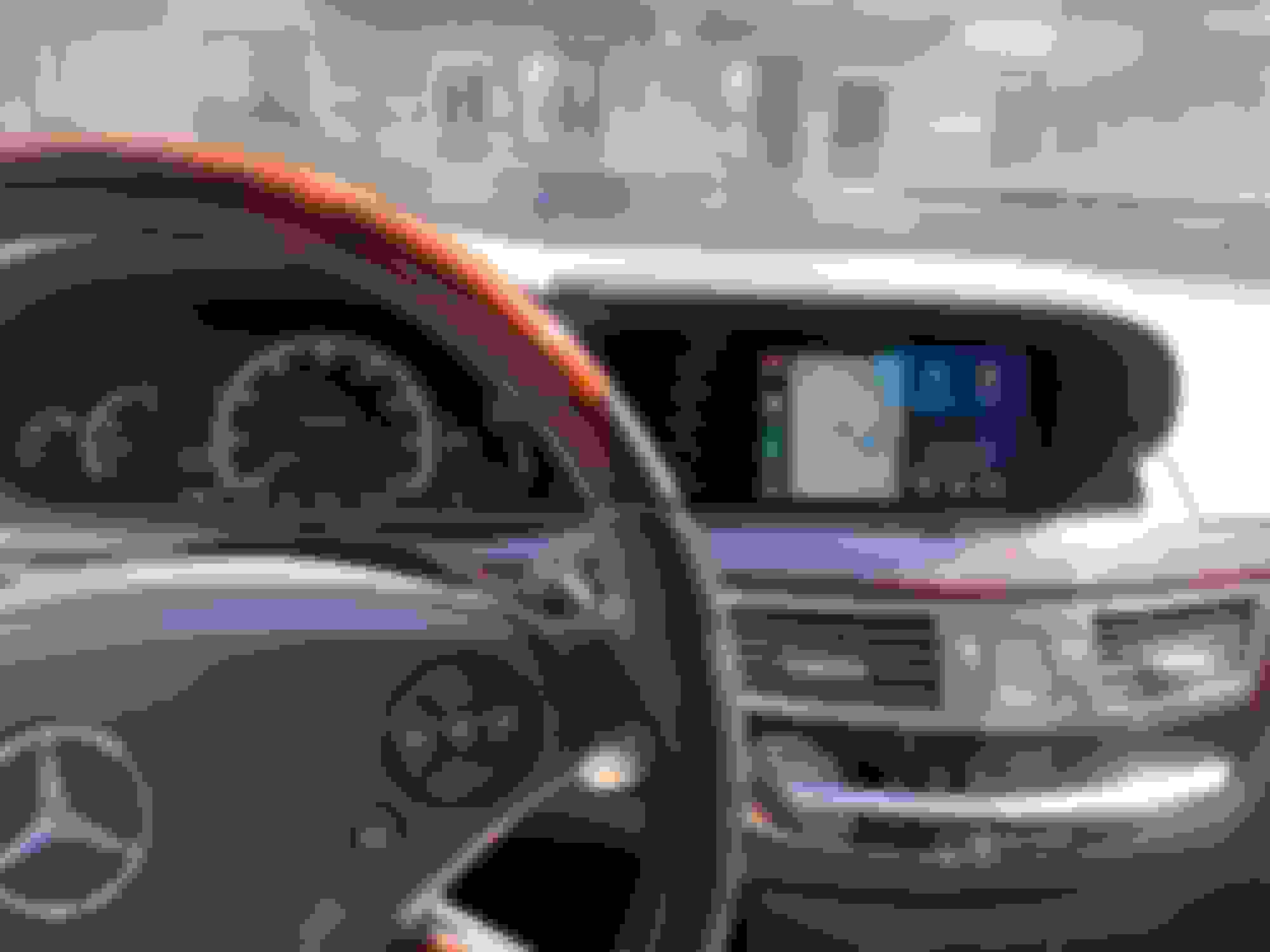
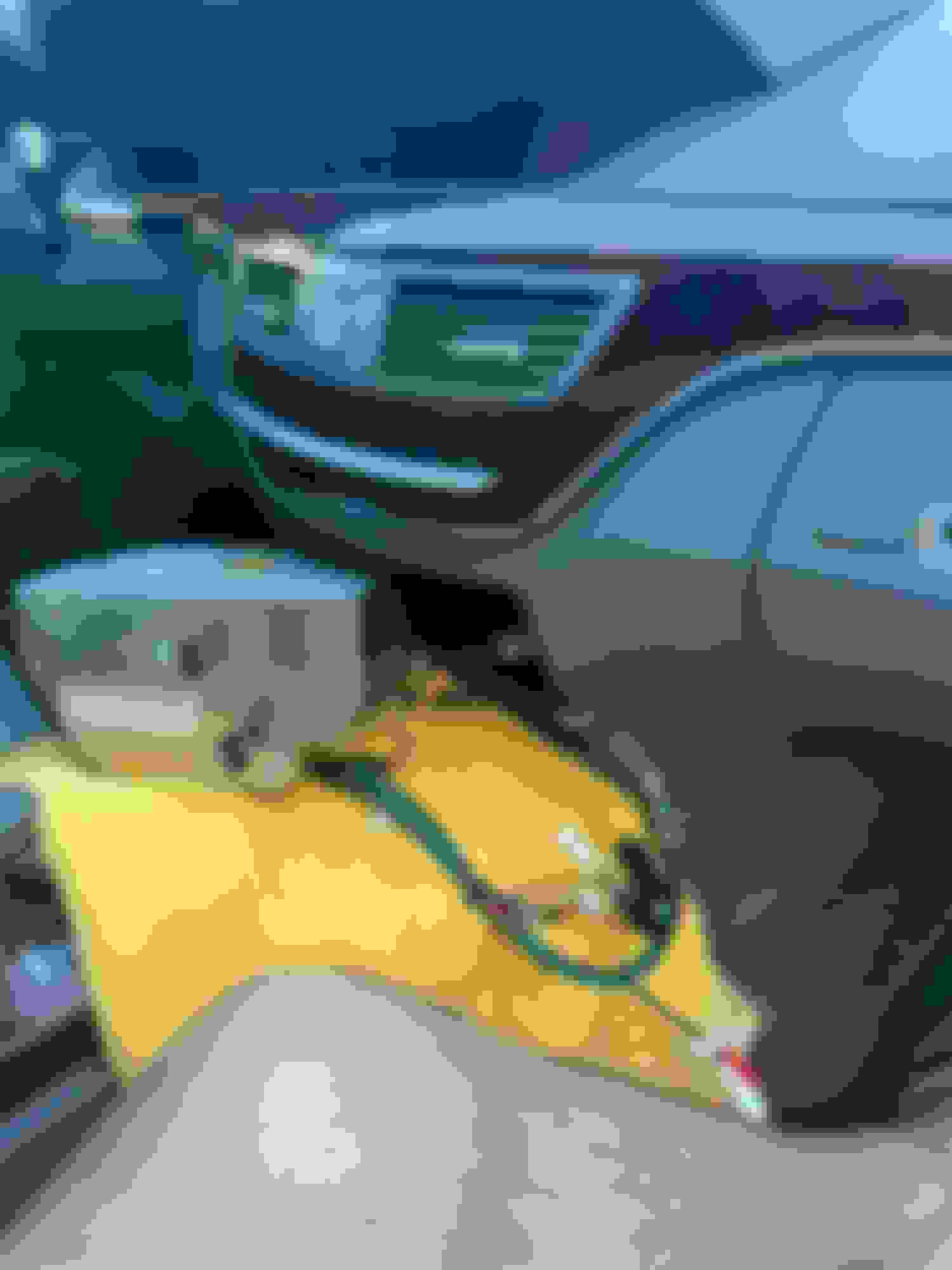
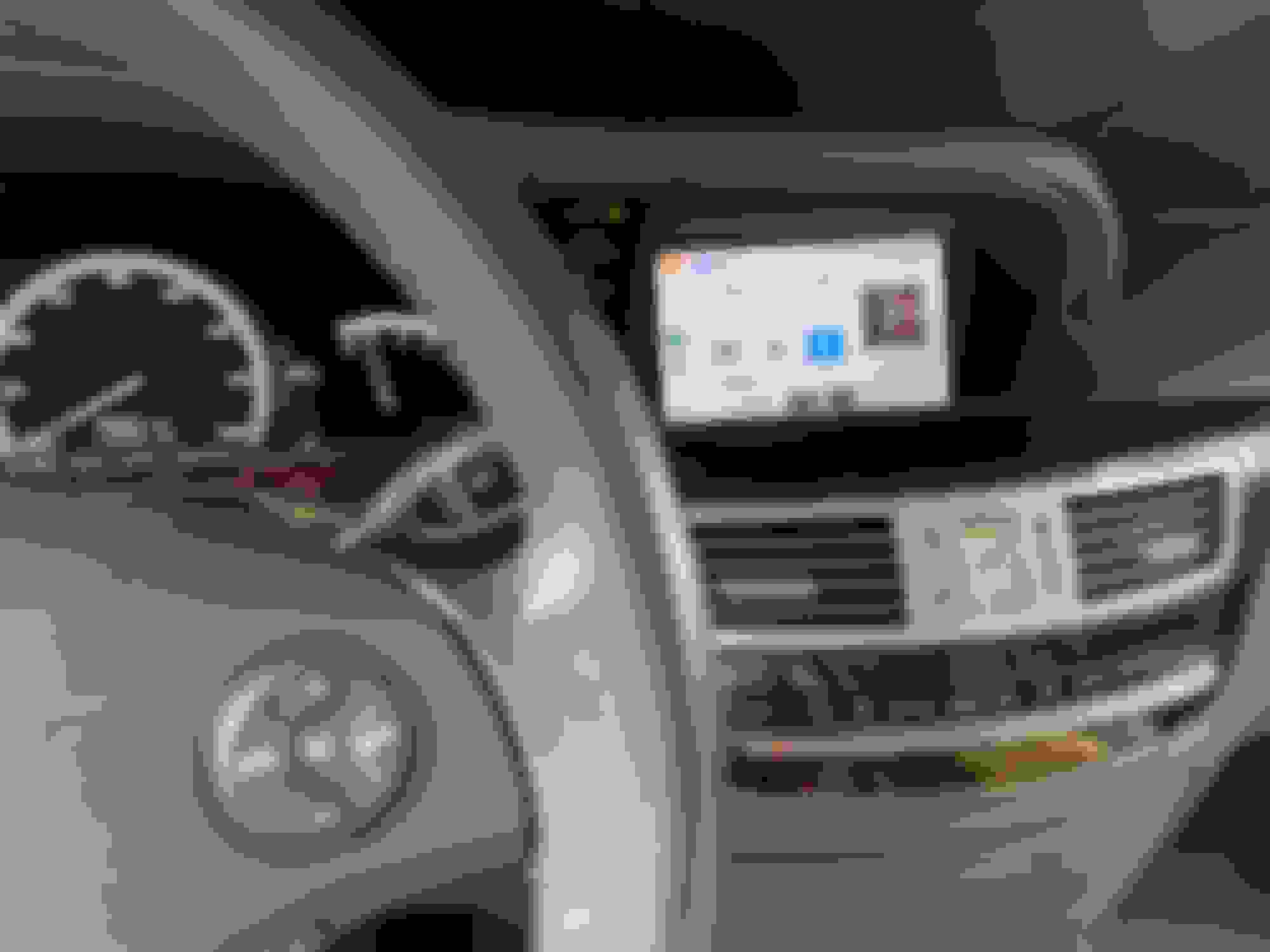
Hi all. Was linked here by someone on a 221 FB group. I was able to install CarPlay using an alternative ntg 3.0 kit on my 2007 S550. My S was built before the iPod integration/aux inputs in the glove box, so I was anxious to see if this unit could actually enable aux input for CarPlay/BT streaming audio. It was, after configuration of a couple "boxes" that come with the kit (these seem to run the HDMI/CarPlay interfaces), and a restart of the comand system. Once aux was enabled in comand, holding down the "back" button takes me right into a separate UI to switch between HDMI and CarPlay, or directly into CarPlay if the paired phone is in the vehicle. I don't want to take up too much of this thread with a full install guide as it's all plug and play like the joyeauto kit, but thought I'd pop in to let y'all know there are other options out there if you are in the same boat as I was; without aux input on comand and unable to retrofit the iPod integration kit. Attached the only photo I took during the install (sorry!) and the final result. If there's any questions I can answer, please let me know! P.S. Be very gentle pulling out your comand radio, I broke my keypad palm rest and now have to super glue it back together!
EDIT: not sure why my original title was blurred out, the kit I ordered was not from joyeauto but from another company with a similar product. I don't know if this company isn't allowed to be shared on here, but have removed all mention of it from my comment as to not be removed in the future.
Last edited by joshxkerrigan; Sep 10, 2022 at 02:08 PM.
Reason: Title and words are blurred out?
Mercedes SLR McLaren 722 S Is Extremely Rare Example Modified by McLaren
Slideshow: A one-of-one U.S.-spec Mercedes-Benz SLR McLaren Roadster became even rarer after a factory-backed transformation at McLaren's headquarters.






 Carplay on W221 (joyeauto WJME-2S)