When you click on links to various merchants on this site and make a purchase, this can result in this site earning a commission. Affiliate programs and affiliations include, but are not limited to, the eBay Partner Network.
We are ready to launch a new way to enjoy the MBWorld community from your desktop/iPad devices!
It's still a beta, but beginning today if you're logged in and visiting the Community from your iPad/desktop device, you can now choose a desktop dark mode theme in addition to the standard 'bright' theme we've always had 😎
We are looking to you for feedback about the experience. Being that you are one of the first communities we're trying this out on we appreciate any feedback you're able to provide in this thread.
Please enable dark mode using the toggle at the upper right, and let us know your feedback!
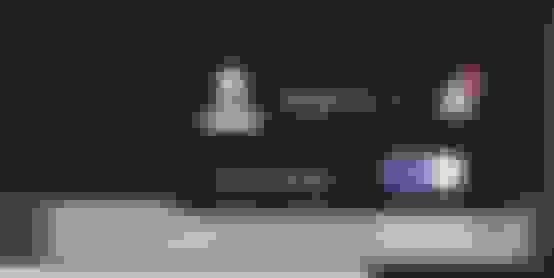
Along with the theme, we're also including a new iconset with dark mode to highlight thread status:
We are ready to launch a new way to enjoy the MBWorld community from your desktop/iPad devices!
It's still a beta, but beginning today if you're logged in and visiting the Community from your iPad/desktop device, you can now choose a desktop dark mode theme in addition to the standard 'bright' theme we've always had 😎
We are looking to you for feedback about the experience. Being that you are one of the first communities we're trying this out on we appreciate any feedback you're able to provide in this thread.
Please enable dark mode using the toggle at the upper right, and let us know your feedback!
Along with the theme, we're also including a new iconset with dark mode to highlight thread status:
It looks great. Much easier on the eyes, especially when the room is dark. I seem to have a bit of a hard time making out which are the unread/new threads when Dark Mode is on.
Still needs a "follow device theme" option so when the OS has dark mode on, it will use it and switch between modes automatically.
Should send this to your developer: https://developer.mozilla.org/en-US/...s-color-scheme
We are ready to launch a new way to enjoy the MBWorld community from your desktop/iPad devices!
It's still a beta, but beginning today if you're logged in and visiting the Community from your iPad/desktop device, you can now choose a desktop dark mode theme in addition to the standard 'bright' theme we've always had 😎
We are looking to you for feedback about the experience. Being that you are one of the first communities we're trying this out on we appreciate any feedback you're able to provide in this thread.
Please enable dark mode using the toggle at the upper right, and let us know your feedback!
Along with the theme, we're also including a new iconset with dark mode to highlight thread status:
I like it but prefer an auto mode. Light during day and dark at night
In your first example, the member has the black font color setting for their signature. In your second example, the member's post has the font color 1d1d1d. Both cases may have been the result of the member copying and pasting from a source that had hard-coded those dark font colors.
In short, you will find some content posted by members (either due to a copy/paste or manually set using the editor) that may not always display well in both light and dark mode. Right now, there is no easy solution or fix because it is working as intended. This is because the software gives the members the option to use color in their posts and signature and those custom font colors are being used.
Originally Posted by Tim_P
Not usable for me on MacOS Ventura. Signature lines and quoted text are both black and nearly illegible.
In your first example, the member has the black font color setting for their signature. In your second example, the member's post has the font color 1d1d1d. Both cases may have been the result of the member copying and pasting from a source that had hard-coded those dark font colors.
In short, you will find some content posted by members (either due to a copy/paste or manually set using the editor) that may not always display well in both light and dark mode. Right now, there is no easy solution or fix because it is working as intended. This is because the software gives the members the option to use color in their posts and signature and those custom font colors are being used.
Gotcha. Appreciate the response, and totally understand that it's not fixable yet. I'll stick with Light Mode for now, but will definitely be keeping an eye on the development of Dark Mode for sure!
Sorry, too hard to distinguish the Unread from the Read threads. The bolded grey font just gets blended-in to the dark background. Turned it off immediately!
Mercedes SLR McLaren 722 S Is Extremely Rare Example Modified by McLaren
Slideshow: A one-of-one U.S.-spec Mercedes-Benz SLR McLaren Roadster became even rarer after a factory-backed transformation at McLaren's headquarters.












 Desktop Dark Mode *beta* is here!