LOG IN
REGISTER
Forums
Getting Started
Site Announcements
New Members Check In!
MBWorld Featured Car of the Month Contest
Mercedes-Benz Hybrid / Electric Vehicles
CLA (EQ)
EQA
EQB (X243) SUV
EQC electric SUV
EQE (V295) Sedan
EQS
Mercedes-Benz AMG Vehicles
AMG Vendor Classifieds
A45, A35 AMG (W176, W177)
CLA 35, CLA 45 AMG (C117, C118)
C63, C43 AMG (W206)
C63s, C63 and C43 AMG (W205)
C63 AMG (W204)
C32 AMG, C55 AMG (W203)
C36 AMG, C43 AMG (W202)
CLK55 AMG, CLK63 AMG (W208, W209)
E55, E63, E53, E43 AMGs (W210, W211, W212, W213)
CLS63, CLS55, CLS53 AMG (C219, C218, C257)
S63 AMG, S63 AMG 4Matic, S65 AMG (W222, V222)
S63 AMG 4MATIC Coupe, S65 AMG Coupe (C217), Convert. (A217)
S55 AMG, S65 AMG , S63 AMG (W220, W221)
CL55 AMG, CL65 AMG, CL63 AMG (C215, C216)
SL55 AMG, SL63 AMG, SL65 AMG (R230)
SLS AMG Gullwing (C197, R197)
AMG GT: GT, GTS, GTC, GTR, GT-4door (C190 / R190)
AMG GT: GT, GTS, GTC, GTR, GT-4 door (C192 / R192)
SLK55 (R172)
SLK55 (R171)
SLK32 AMG (R170)
GLA45, GLA35 AMG (X156, H247)
GLC63s, GLC63, GLC43 AMG SUV and Coupe (X253, C253)
GLE63s, GLE63, GLE53 AMG SUV & Coupe (W166, W167)
GL63 AMG and GLS63 (X166, X167)
ML63 AMG (W166)
ML55 AMG, ML63 AMG (W163, W164)
G55 AMG (W463)
G63 AMG (W464)
R63 AMG (W251)
Mercedes-Benz Sedans
MB Sedan Vendor Classifieds
S-Class (W223)
S-Class (W222)
S-Class (W221)
S-Class (W220)
S-Class (W140)
S-Class (W126)
S-Class (W116)
E-Class (W214)
E-Class (W213)
E-Class (W212)
E-Class (W211)
E-Class (W210)
E-Class (W124)
E-Class (W123)
E-Class (W114/W115)
C-Class (W206)
C Class (W205)
C-Class (W204)
C-Class (W203)
C-Class (W202)
190E (W201)
B-Class (W245, W246)
A-class (W168, W169,W176,W177)
Mercedes-Benz Coupes & Cabriolets
MB Coupes & Cabriolets Vendor Classifieds
S/CL-Class (W140) Coupe
CL-Class (W215)
CL-Class (W216)
S-Class (C217) Coupe & (A217) Cabrio
CLS Coupe (C218)
CLS Coupe (C219)
CLS Coupe (C257)
C-Class Coupe (C204)
C-Class Coupe (C205)
CLK-Class (W209)
CLK-Class (W208)
E-Class Coupe (C207) & Cabrio (A207)
E-Class Coupe (C238) & Cabrio (A238)
CLA Coupe (C117)
CLA Coupe (C118)
CLE Class Coupe (C236) & Cabrio (A236)
Mercedes-Benz SLR & SL Roadsters
MB SLR & SL Roadsters Vendor Classifieds
SLR McLaren (C199)
SL-Class (R232)
SL-Class (R231)
SL-Class (R230)
SL-Class (R129)
SL/SLC-Class (R107)
SLK-Class (R172)
SLK-Class (R171)
SLK-Class (R170)
Mercedes-Benz SUVs, Trucks, Vans, Diesels, Other
MB SUVs, Trucks, Vans, Diesels Vendor Classfieds
G Class Electric (G580)
G Class (W465/W463A)
G Class (W460, W461, W463)
GL Class (X166)
GL Class (X164)
GLC Class (X254)
GLC Class (X253)
GLK-Class (X204)
M-Class (W166)
M-Class (W164)
M-Class (W163)
GLA Class (H247)
GLA Class (X156)
GLB Class (X247)
GLE Class (V167)
GLE Class (W166)
GLS Class (X167)
GLS Class (X166)
R-Class (W251)
Smart Car
Maybach (W240)
V-Class
Diesel Forum
X-Class
Classic, Vintage Mercedes-Benz Vehicles, Other Cars
Classic, Vintage MB Vehicles Vendor Classifieds
Vintage Mercedes-Benz Owner Registry
General Discussion of Mercedes-Benz Classics
Classic Mercedes DIY tips and hints
Other Cars
Technical & Vehicle Assistance Forums
Technical Assistance Vendor Classifieds
Mercedes Tech Talk
Wheels, Tires, Suspension & Brakes Forum
Audio & Electronics
Performance Upgrades & Tuning
Detailing & Automotive Care
Automotive Leasing & Financing
Extended Warranty Discussions
European Delivery of Your New Car
Vendor Market Place
Vendor Announcements
Vendor Specials
Vendor Group Buys
Vendor Classifieds
General Forums
General Mercedes Discussion
Safety & Testimonials
Marketplace
Collectibles, Models and Literature
Newsletter Archive
Mercedes-Benz Motorsports & Racing
Events & Gatherings
Kill Stories
Lifestyle
Regional areas
US
Asia-Oceania
Canada
Europe
Middle East
Site & Forum Support
Suggestions & Feedback
Questions about how MBWorld.org works...not for car questions.
Test
News
Marketplace
Mercedes AMG Cars For Sale
Mercedes Wheels and Tires For Sale
Mercedes AMG Wheels and Tires For Sale
Vendor Directory
Become a Vendor
Site Store
Marketplace
New Posts
Tools
Car Payment Calculator
Tire Rim Calculator
Vin Decoder
Recalls
Technical Service Bulletins (TSBs)
Members List
Live Feed
How-Tos
Gallery
About
View Dark Mode
Please register or login to enable Dark Mode.
Log In
Register
Threads
Google
Threads
Posts
Advanced
Dark Mode
Please register or login to enable Dark Mode.
Log In
Forgot your Password?
By logging into your account, you agree to our
Terms of Use
and
Privacy Policy
, and to the use of cookies as described therein.
or
Login with Google
Login with Facebook
Recent
Commented
Albums
My Pictures
My Post Pictures
561design
March 20, 2015
368
1
Sort:
Default
Default
Most Recent
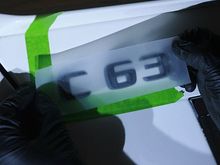
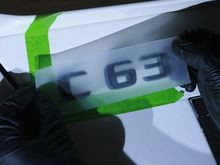
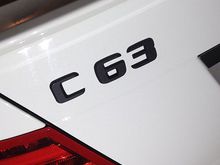
Utilize the guides to align your letters. I used the tape provided with the badges, however I would recommend using clear packing tape to make it easier to align.
0
2015/04/21 20:37:43
561design
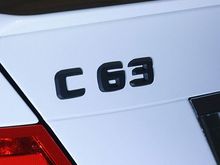
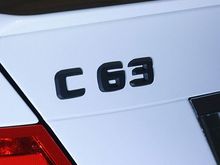
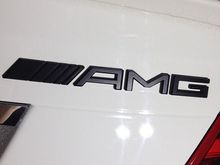
Shazaam! All done.
0
2015/04/21 20:37:45
561design
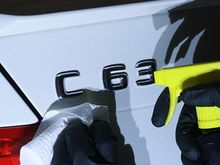
Clean area with detailing spray or window cleaner.
0
2015/04/21 21:42:40
561design
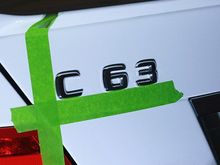
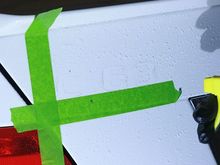
Apply tape to use as a guide. Be sure to align tape to the letters and not up under the letters.
0
2015/04/21 21:42:41
561design
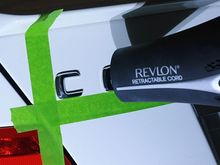
Apply heat to the badge to loosen adhesive and ease removal.
0
2015/04/21 21:42:42
561design
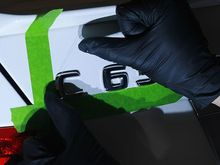
Use fishing line or dental floss and glide along the backside of the badge in a sawing motion.
0
2015/04/21 21:42:43
561design
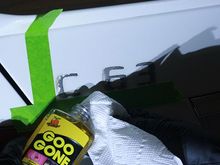
Saturate remaining adhesive with Goo Gone.
0
2015/04/21 21:42:44
561design
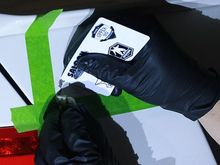
Use a credit card or something similar to scrape off excess residue and remaining adhesive.
0
2015/04/21 21:42:45
561design
Spray area with a mild cleaner to remove any additional contaminants and Goo Gone.
0
2015/04/21 21:42:47
561design
Align badge to the tape guides and press firmly. In hindsight, I would recommend using clear packing tape instead of the tape that was provided to me.
0
2015/04/21 21:42:48
561design
el fin...
0
2015/04/21 21:42:49
561design
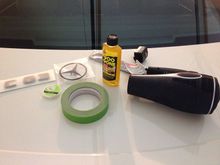
All the items you will need for this procedure. Utilize a manly hairdryer for additional HP. I used a matte black one which gained me an additional .0284 multiplier for HP.
0
2015/04/21 21:42:50
561design
0
2015/04/21 21:56:12
561design
0
2015/04/21 21:56:13
561design
0
2015/04/21 21:56:15
561design
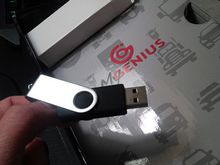
Install software found on this USB located in the box.
0
2015/04/22 19:54:01
561design
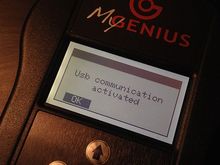
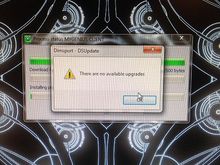
Upon plugging in your handheld, this screen will pop up. DO NOT HIT "OK". I discovered if I hit ok, it would put me on the main menu and I would have connectivity issues.
0
2015/04/22 19:54:03
561design
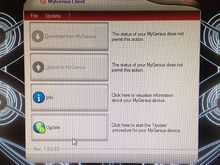
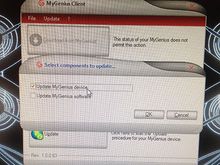
Click update button.
0
2015/04/22 19:54:06
561design
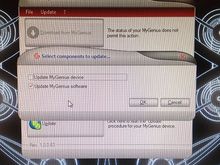
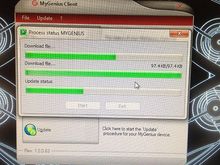
I decided to update each item individually. I went with updating the software first. Repeat this step 3 times to insure all updates are captured.
0
2015/04/22 19:54:08
561design
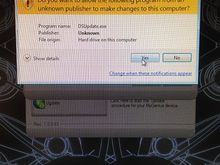
Select yes.
0
2015/04/22 19:54:10
561design
0
2015/04/22 19:54:11
561design
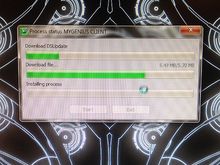
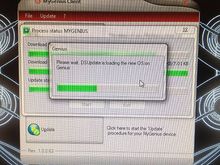
This screen should pop up pretty quickly after the third repeat of this stage of the process.
0
2015/04/22 19:54:13
561design
Select updating the device and repeat this step three times to insure all updates have been completed.
0
2015/04/22 19:54:15
561design
0
2015/04/22 19:54:17
561design
0
2015/04/22 19:54:19
561design
0
2015/04/22 19:54:21
561design
0
2015/04/22 19:54:22
561design
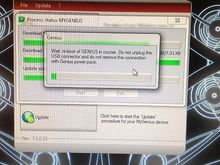
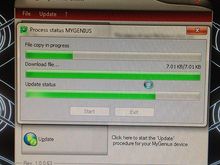
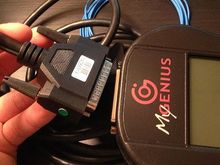
Upon completion of updates, unplug the USB cord and attach the serial/OBDII cord to the device. Onto the car!
0
2015/04/22 19:54:24
561design
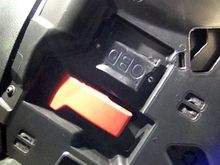
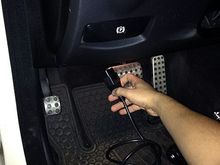
The OBDII port it protected by a flap, open flap located near the hood release under the steering column.
0
2015/04/22 19:54:25
561design
Plug in OBDII plug into OBDII port.
0
2015/04/22 19:54:27
561design
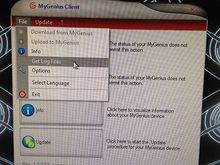
After plugging in your hand held, go to file and the "get log file".
0
2015/04/22 19:54:28
561design
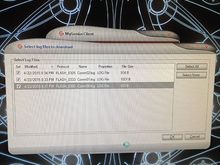
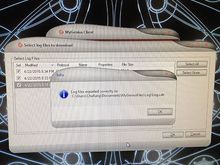
This is where I think I messed up. I believe I should have only one log file but I ended up with three. Anyhow, select the files and hit "ok".
0
2015/04/22 19:54:30
561design
0
2015/04/22 19:54:32
561design
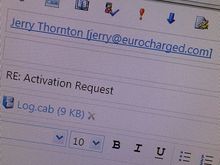
Take files and e-mail back Eurocharged.
0
2015/04/22 19:54:34
561design
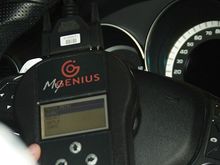
Upon plugging the device in the main menu should pop up. Select "WORK"
0
2015/04/22 19:54:35
561design
It will take you to an identification menu. Select "PRT INDENTIFY"
0
2015/04/22 19:54:37
561design
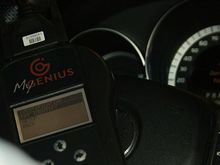
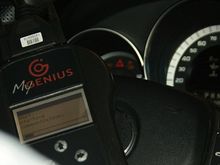
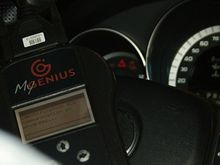
Your battery plugged in?!?! At this time, I pushed my push button twice to get it in position two. DO NOT HAVE YOUR FOOT ON THE BRAKE WHEN DOING THIS. If you have a key, turn key to position two. Do not start the vehicle.
0
2015/04/22 19:54:38
561design
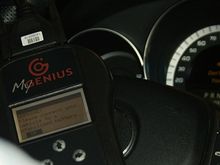
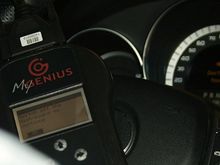
Upon confirming the battery message it will start communication.
0
2015/04/22 19:54:39
561design
0
2015/04/22 19:54:41
561design
Shut car off and then hit ok.
0
2015/04/22 19:54:42
561design
First
Page
2 of 10
Last
Go To
Page
1
2
3
4
5
6
7
...
10
2 of 10
Go To
GO
Go to page
of 10
pages
1
2
3
4
5
6
7
...
10