C-Class (W204) 2008 - 2014: C180K, C200K, C230, C280, C300, C350, C200CDI, C220CDI, C320CDI

Android 10.25 Screen Unit

Thread Tools
 
Search this Thread
 
Rate Thread
 
Old Mar 22, 2021 | 06:34 AM
  #451  
Chris The Swede's Avatar
MBWorld Fanatic!
15 Year Member
Photogenic
Photoriffic
Liked
 
Joined: Oct 2009
Posts: 3,433
Likes: 213
From: Sweden, Stockholm
W222 S63L, ML/GLE350
Originally Posted by Ninjadom
Good. I’m gonna buy one from you next month. W204, 2011 version, NTG 4.5, right hand drive. Thanks.
Thank you. Very kind of you.
Reply
Old Mar 23, 2021 | 07:14 AM
  #452  
Ninjadom's Avatar
Junior Member
 
Joined: Aug 2020
Posts: 63
Likes: 7
From: Essex, UK
C63 2011, 125 Edition
Hi everyone, I’ve just got a few questions on the Android screen before I get mine. Mainly regarding Apple CarPlay.

1) Can the Android screen run split screen between the Android system and CarPlay? Or is it one or the other?

2) Can CarPlay run in split screen? So that you’ve got two CarPlay’s (music & maps) on screen at once?

3) While your iPhone is connected for CarPlay is your iPhone disabled or can it it be used as normal, as well as using CarPlay?

4) If my phone is connected for CarPlay but my daughter wants to stream her music from her iPhone, what happens? Does CarPlay accept and save multiple iPhones?

Thanks to anyone that can answer those questions.
Reply
Old Mar 23, 2021 | 08:26 AM
  #453  
Chris The Swede's Avatar
MBWorld Fanatic!
15 Year Member
Photogenic
Photoriffic
Liked
 
Joined: Oct 2009
Posts: 3,433
Likes: 213
From: Sweden, Stockholm
W222 S63L, ML/GLE350

1--no
2--See pic, see if its like this, new ios system+update the zlink will
3--when use carplay, audio for the apk carplay will come directly from car, cellphone play anything but will not have sound from phone
4--Only one phone, need bt to be connected to android bt, then you can use carplay
Reply
Old Mar 23, 2021 | 10:23 AM
  #454  
Ninjadom's Avatar
Junior Member
 
Joined: Aug 2020
Posts: 63
Likes: 7
From: Essex, UK
C63 2011, 125 Edition
Thanks for those answers Chris!! Great help!!
Reply
Old Mar 28, 2021 | 10:07 AM
  #455  
Palom0's Avatar
Junior Member
 
Joined: Feb 2021
Posts: 23
Likes: 3
2014 GLK300
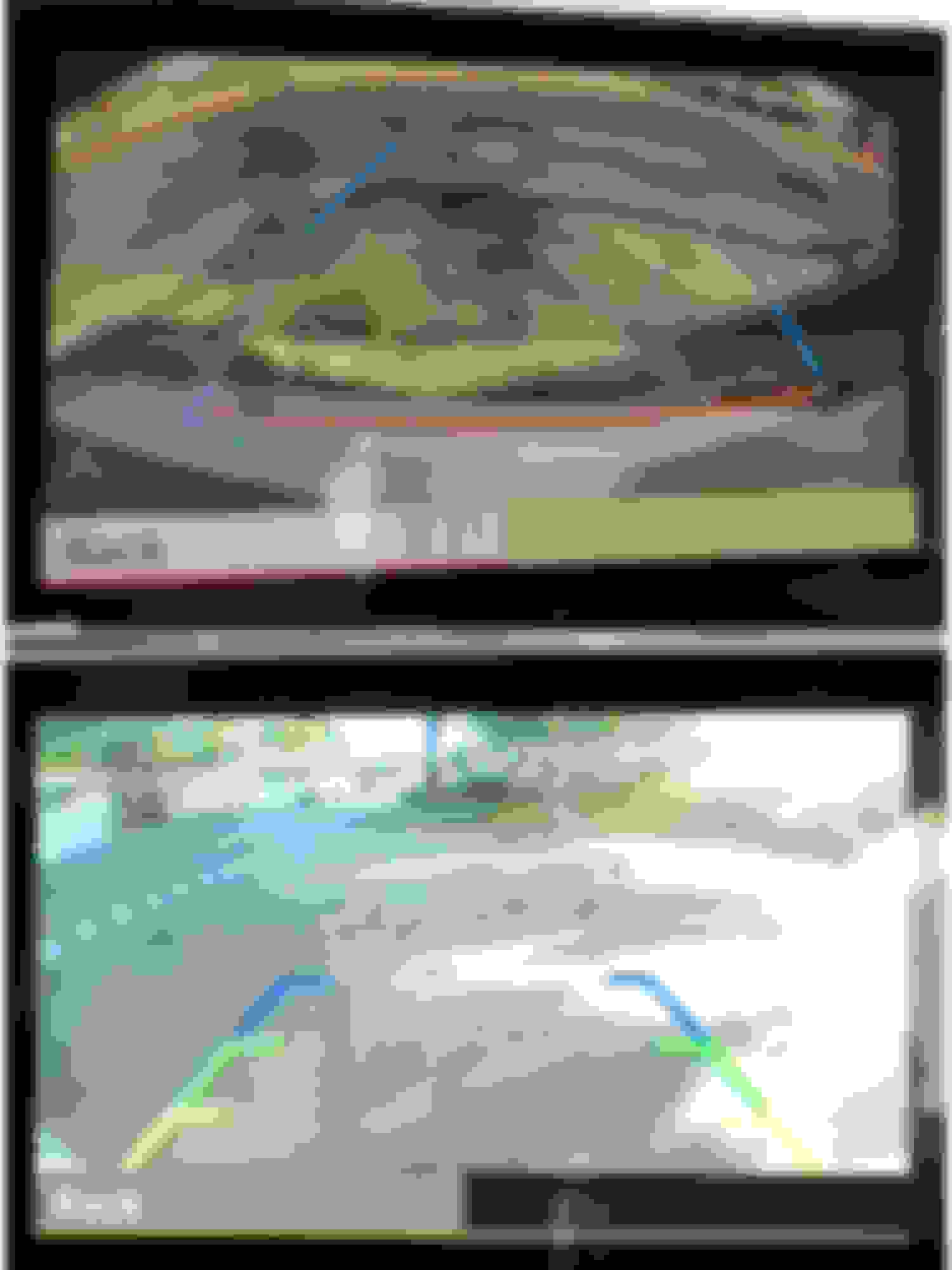
Backup Camera on Android 10.25" Screen

My aftermarket backup camera view has a menu on the side with three icons (a circle arrow, a brightness lamp, and a button to move the active guidelines).
The first two don't do anything and the guidelines adjustment is useless as it gets reset every time I turn on the car back again.

As far as I could find:
- The aftermarket backup Camera generates the video image and a set of fixed guidelines (the three-colored guides in the pic)
- The OEM radio generates the center yellow guidelines (that move with the steering) and the 3 left-side icons you can see in the pic.
- The Android 10.25" Screen (RoadTop) puts all the above together and adds the car's parking sensors proximity status (car image on the pic)

Any idea if the three side icons can be turned off and if there's a way to make the guidelines adjustment permanent?
Thank you.


Reply
Old May 1, 2021 | 02:04 PM
  #456  
aznmode's Avatar
Thread Starter
MBWorld Fanatic!
15 Year Member
Photogenic
Photoriffic
Liked
 
Joined: Aug 2007
Posts: 1,545
Likes: 87
From: San Jose, CA
2010 c300
Still looking for V2 square version that has 2gb/32gb, home and back on screen button on the top right. If you are getting rid of yours, please let me know. Thank you!
Reply
Old May 1, 2021 | 02:27 PM
  #457  
aznmode's Avatar
Thread Starter
MBWorld Fanatic!
15 Year Member
Photogenic
Photoriffic
Liked
 
Joined: Aug 2007
Posts: 1,545
Likes: 87
From: San Jose, CA
2010 c300
Originally Posted by Palom0
Any idea if the three side icons can be turned off and if there's a way to make the guidelines adjustment permanent?
Thank you.
Try going into the engineering menu by hitting the hangup + # + 1 buttons on the radio all at the same time with the car on the ON position. Hold it for 5 seconds or so til you get the engineering menu.

Then go to:
7 Hardware Setting
7.7 HU Parameter
7.7 SRVC Guide Line (go in this one)
Switich from x204 to none or the other way around
Exit out of engineering menu through the menus.
Test the backup camera.
You should only now have the grid lines from the aftermarket camera.

Reply
Old May 1, 2021 | 04:34 PM
  #458  
Palom0's Avatar
Junior Member
 
Joined: Feb 2021
Posts: 23
Likes: 3
2014 GLK300
Originally Posted by aznmode
Try going into the engineering menu by hitting the hangup + # + 1 buttons on the radio all at the same time with the car on the ON position. Hold it for 5 seconds or so til you get the engineering menu.

Then go to:
7 Hardware Setting
7.7 HU Parameter
7.7 SRVC Guide Line (go in this one)
Switich from x204 to none or the other way around
Exit out of engineering menu through the menus.
Test the backup camera.
You should only now have the grid lines from the aftermarket camera.
I tried it today, but my Engineering Menu does not have "HW Settings" or "HU Parameters" (check the pics)
But still, what I really want is to make the moving lines alignment permanent. I like the yellow moving lines. As long as they are centered.


Last edited by Palom0; May 1, 2021 at 08:50 PM.
Reply
MB World Stories

The Best of Mercedes & AMG

story-0

New Mercedes-AMG SUVs Arrive With NEW V8 Engine: 12 Things You Need to Know

 Verdad Gallardo
story-1

8 Oddball Mercedes Ideas That Actually Made it to Production

 Verdad Gallardo
story-2

Dubai Tuner Gives the Mercedes G-Class An Entirely New Look

 Verdad Gallardo
story-3

Six Gift Ideas Your AMG Loving Dad or Grad Will Cherish

 
story-4

7 Craziest Things AMG Gas Ever Built

 Verdad Gallardo
story-5

New Electric Mercedes-AMG GT 4-Door Coupe Unveiled: 10 Things You Need to Know

 Verdad Gallardo
story-6

6 Mercedes Models That Did NOT Age Well (But Are Somehow Still Cool)

 Verdad Gallardo
story-7

Manual Mercedes? 6 Times Sindelfingen Let Drivers Have All The Fun

 Verdad Gallardo
story-8

Mercedes SLR McLaren 722 S Is Extremely Rare Example Modified by McLaren

 Verdad Gallardo
story-9

8 Classic Boxy Mercedes Designs That Have Aged Like Fine Wine

 Verdad Gallardo
Old May 4, 2021 | 02:22 PM
  #459  
Ungarisch's Avatar
Senior Member
15 Year Member
Photogenic
Photoriffic
 
Joined: Mar 2010
Posts: 293
Likes: 53
From: Hollywood, CA
Tectitgrau S210
Originally Posted by aznmode
Still looking for V2 square version that has 2gb/32gb, home and back on screen button on the top right. If you are getting rid of yours, please let me know. Thank you!
I have the V2 version that I'd get rid of, PM me if your interested.
Reply
Old May 4, 2021 | 02:58 PM
  #460  
aznmode's Avatar
Thread Starter
MBWorld Fanatic!
15 Year Member
Photogenic
Photoriffic
Liked
 
Joined: Aug 2007
Posts: 1,545
Likes: 87
From: San Jose, CA
2010 c300
Originally Posted by Ungarisch
I have the V2 version that I'd get rid of, PM me if your interested.
PM sent. Thank you.
Reply
Old May 4, 2021 | 03:09 PM
  #461  
aznmode's Avatar
Thread Starter
MBWorld Fanatic!
15 Year Member
Photogenic
Photoriffic
Liked
 
Joined: Aug 2007
Posts: 1,545
Likes: 87
From: San Jose, CA
2010 c300
Originally Posted by Palom0
I tried it today, but my Engineering Menu does not have "HW Settings" or "HU Parameters" (check the pics)
But still, what I really want is to make the moving lines alignment permanent. I like the yellow moving lines. As long as they are centered.
I think in this case you'll need to reposition the camera as it is probably built into it. If you were for example bought an after market camera, some will have you cut a wire to remove the lines. Or reallign the camera to also move the guide lines.

That would be a 2nd option is to buy an aftermarket camera that is attached to the trunk release and so is much centered. Also it points higher so you can see a lot more of the rear view not just the floor. That's what I went with even though I have a OEM camera already. I didn't like how the OEM points down too much. However, the guide lines on mine is stationary.


Last edited by aznmode; May 4, 2021 at 03:26 PM.
Reply
Old May 9, 2021 | 07:23 PM
  #462  
stefcep's Avatar
Junior Member
 
Joined: Oct 2012
Posts: 34
Likes: 3
w202 c200 sport
I installed a universal DAB+ USB.

I managed to route the wiring inside the A-Pillar in and behind the glove box ( remove glove box) and out to the two USB cables that I keep in the cabin netting.

The DAB Z software worked but at first it asked me to scan but there was no obvious "scan" option in the DAB Z software. Turns out scan is performed by the magnifying glass search icon. Took me hours to work that out...

Some tips- the A-Pillar cover is held in place by metal clips: two at the base, one in the middle, and one at the top. It needs to slid up towards you about half an inch and then pried out. That last clip is held in place by thin plastic on the cover and the plastic breaks easily. Ask me how I know.

The antenna has a small adhesive copper strip on that must be stuck to bare metal to the A pillar for optimal reception. I scratched a tiny bit of paint off the painted A pillar and stuck the copper piece over it. I get 5 bars of reception.

After all the effort I am completely and utterly....underwhelmed. 32kbit/sec audio is rubbish no matter what the codec. This is on my HK too. FM sounds sooo much better. In your location the bit rate might be higher, but in Melbourne Aus, I would say DAB is waste of time and effort. Don't bother with it.
Reply
Old May 9, 2021 | 07:27 PM
  #463  
stefcep's Avatar
Junior Member
 
Joined: Oct 2012
Posts: 34
Likes: 3
w202 c200 sport
Originally Posted by aznmode
I think in this case you'll need to reposition the camera as it is probably built into it. If you were for example bought an after market camera, some will have you cut a wire to remove the lines. Or reallign the camera to also move the guide lines.

That would be a 2nd option is to buy an aftermarket camera that is attached to the trunk release and so is much centered. Also it points higher so you can see a lot more of the rear view not just the floor. That's what I went with even though I have a OEM camera already. I didn't like how the OEM points down too much. However, the guide lines on mine is stationary.

The Android unit can turn off the moving parking lines through Settings-->System--> untick parking lines. No cutting needed. Again makes me wonder if for sure the android unit is generating the moving parking lines or the OEM unit.

We both already have an aftermarket camera that is centred on the trunk release. The moving guidelines (generated by the OEM system ?) are off centre. I'm actually thinking of re-positioning the camera to the original off to the side position to see if this centres the guidelines, when I find the motivation.


Last edited by stefcep; May 9, 2021 at 07:47 PM.
Reply
Old May 9, 2021 | 07:46 PM
  #464  
stefcep's Avatar
Junior Member
 
Joined: Oct 2012
Posts: 34
Likes: 3
w202 c200 sport
I think this may be an Android software thing but I use both Here WeGo and Tom TomGo as my GPS apps because they both have offline maps, which for me was the main point of this unit.

I cannot get voice guidance to work unless I go in to Android Settings--> Accessibility-->Text To screen Output-->Google Text to Speech Service before i start the GPS app. Every single time I start the car.

Last Android I used was Android 5 and hated it so I am hoping someone knows how to fix it so that voice guidance "just works".
Reply
Old May 9, 2021 | 08:02 PM
  #465  
stefcep's Avatar
Junior Member
 
Joined: Oct 2012
Posts: 34
Likes: 3
w202 c200 sport
Does anyone know what this downloaded service in Chinese characters is.


android
Reply
Old Jul 7, 2021 | 05:00 PM
  #466  
Merc1992's Avatar
Newbie
 
Joined: Jul 2021
Posts: 2
Likes: 0
2012 Mercedes c180 Coupe
10.25 Android unit from RSNAV

Hey guys, a mate has a unit he bought for his Audi S5 that he doesn't want. Wondering if that will work in my 2012 C180 coupe, if I can source the bracket and cables? Also, anyone know where I can source the bracket and cables?

Cheers
Reply
Old Jul 8, 2021 | 10:42 PM
  #467  
antiguangenius's Avatar
Member
 
Joined: Dec 2017
Posts: 230
Likes: 38
From: NYC
2008 S550 4Matic, 2007 GL450, 2008 C300, 2018 GLE63 AMG
Originally Posted by Merc1992
Hey guys, a mate has a unit he bought for his Audi S5 that he doesn't want. Wondering if that will work in my 2012 C180 coupe, if I can source the bracket and cables? Also, anyone know where I can source the bracket and cables?

Cheers
cant, different canbus data, MB and AUDI canbus is different, the MCU on the unit is also different
Reply
Old Jul 8, 2021 | 10:57 PM
  #468  
Merc1992's Avatar
Newbie
 
Joined: Jul 2021
Posts: 2
Likes: 0
2012 Mercedes c180 Coupe
Originally Posted by antiguangenius
cant, different canbus data, MB and AUDI canbus is different, the MCU on the unit is also different
OK. Thanks mate
Reply
Old Jul 12, 2021 | 09:56 PM
  #469  
razors7703's Avatar
Newbie
 
Joined: Jul 2021
Posts: 4
Likes: 0
2016 Audi A4
Audi head unit

Originally Posted by aznmode
OP here. Anyone selling their older / used later revision of the square corner one with 2 or 3gb ram. My v1 is finally giving me persistent out of memory warning. And I think it's time for a slight upgrade but I prefer the square corner version. Let me know.
Hi I'd be willing to sell my old stock screen
Reply
Old Jul 13, 2021 | 12:34 AM
  #470  
aznmode's Avatar
Thread Starter
MBWorld Fanatic!
15 Year Member
Photogenic
Photoriffic
Liked
 
Joined: Aug 2007
Posts: 1,545
Likes: 87
From: San Jose, CA
2010 c300
Originally Posted by razors7703
Hi I'd be willing to sell my old stock screen
Do you know which version you have? Would like the 2nd revision with 2hg ram.

Last edited by aznmode; Jul 13, 2021 at 12:37 AM.
Reply
Old Jul 13, 2021 | 12:49 AM
  #471  
razors7703's Avatar
Newbie
 
Joined: Jul 2021
Posts: 4
Likes: 0
2016 Audi A4
Audi head unit

Originally Posted by aznmode
Do you know which version you have? Would like the 2nd revision with 2hg ram.
No idea not sure how to find out with it unhooked
Reply
Old Jul 13, 2021 | 01:03 AM
  #472  
aznmode's Avatar
Thread Starter
MBWorld Fanatic!
15 Year Member
Photogenic
Photoriffic
Liked
 
Joined: Aug 2007
Posts: 1,545
Likes: 87
From: San Jose, CA
2010 c300
Originally Posted by razors7703
No idea not sure how to find out with it unhooked
Do you recall if the home and back button was on the top right? Also were you able to switch to mph or was it only kmh?
Reply
Old Jul 13, 2021 | 01:15 AM
  #473  
razors7703's Avatar
Newbie
 
Joined: Jul 2021
Posts: 4
Likes: 0
2016 Audi A4
Audi head unit

Originally Posted by aznmode
Do you recall if the home and back button was on the top right? Also were you able to switch to mph or was it only kmh?
Not sure about the buttons. I know when setting up the mmi I could change mph. Are you talking about the screen? Attached a photo
Reply
Old Jul 13, 2021 | 01:18 AM
  #474  
aznmode's Avatar
Thread Starter
MBWorld Fanatic!
15 Year Member
Photogenic
Photoriffic
Liked
 
Joined: Aug 2007
Posts: 1,545
Likes: 87
From: San Jose, CA
2010 c300
Originally Posted by razors7703
Not sure about the buttons. I know when setting up the mmi I could change mph. Are you talking about the screen? Attached a photo
Ah you're taking about the stock screen. I was referring to the 2nd version of the Android screen.
Reply
Old Jul 13, 2021 | 01:21 AM
  #475  
razors7703's Avatar
Newbie
 
Joined: Jul 2021
Posts: 4
Likes: 0
2016 Audi A4
Audi head unit

Originally Posted by aznmode
Do you recall if the home and back button was on the top right? Also were you able to switch to mph or was it only kmh?
Originally Posted by aznmode
Ah you're taking about the stock screen. I was referring to the 2nd version of the Android screen.
n.sorry I was talking about the stock screen. No idea what the version is of the one I installed
Reply


You have already rated this thread Rating: Thread Rating: 1 votes, 5.00 average.


All times are GMT -4. The time now is 11:47 AM.

story-0
New Mercedes-AMG SUVs Arrive With NEW V8 Engine: 12 Things You Need to Know

Slideshow: Mercedes-AMG's updated GLE 63 S and GLS 63 bring a new-generation V8, subtle design revisions, and familiar supercar-rivaling performance figures.

By Verdad Gallardo | 2026-06-17 12:52:51


VIEW MORE
story-1
8 Oddball Mercedes Ideas That Actually Made it to Production

Slideshow: Mercedes has never been afraid to experiment, and some of its strangest ideas turned out to be surprisingly successful.

By Verdad Gallardo | 2026-06-10 17:43:40


VIEW MORE
story-2
Dubai Tuner Gives the Mercedes G-Class An Entirely New Look

Sideshow: A Middle Eastern tuner has transformed the Mercedes-AMG G 63 into an open-top special, replacing nearly every exterior panel in the process.

By Verdad Gallardo | 2026-06-10 15:29:50


VIEW MORE
story-3
Six Gift Ideas Your AMG Loving Dad or Grad Will Cherish

Slideshow: Six gift ideas your AMG loving dad or grad will cherish.

By | 2026-06-03 17:26:18


VIEW MORE
story-4
7 Craziest Things AMG Gas Ever Built

Slideshow: Sometimes AMG builds fast sedans. Other times, it builds twin-turbo V12 land missiles and six-wheeled off-road monsters.

By Verdad Gallardo | 2026-05-26 17:59:58


VIEW MORE
story-5
New Electric Mercedes-AMG GT 4-Door Coupe Unveiled: 10 Things You Need to Know

Slideshow: Mercedes-AMG's new electric GT 4-Door Coupe trades combustion for software, synthetic noise, and more than 1,100 horsepower.

By Verdad Gallardo | 2026-05-20 20:08:15


VIEW MORE
story-6
6 Mercedes Models That Did NOT Age Well (But Are Somehow Still Cool)

Slideshow: Not every Mercedes design becomes timeless, some feel stuck in the era they came from.

By Verdad Gallardo | 2026-05-12 18:09:07


VIEW MORE
story-7
Manual Mercedes? 6 Times Sindelfingen Let Drivers Have All The Fun

Slideshow: Yes, Mercedes built manual cars, and some of them are far more interesting than you'd expect.

By Verdad Gallardo | 2026-05-02 12:36:58


VIEW MORE
story-8
Mercedes SLR McLaren 722 S Is Extremely Rare Example Modified by McLaren

Slideshow: A one-of-one U.S.-spec Mercedes-Benz SLR McLaren Roadster became even rarer after a factory-backed transformation at McLaren's headquarters.

By Verdad Gallardo | 2026-04-29 11:19:28


VIEW MORE
story-9
8 Classic Boxy Mercedes Designs That Have Aged Like Fine Wine

Slideshow: Before curves took over, Mercedes mastered the art of the straight line, and some of those shapes still look right today.

By Verdad Gallardo | 2026-04-25 12:05:49


VIEW MORE