

Newbie
I thought that by now (November 2009) the dealers would be on board with this part but they are still clueless. I learned about it from an ad sent to me by MBUSA. When I called my SA he told me I needed the $1500 phone package. You can imagine my reaction when I read some of the early posts in this thread and realized it was as if my SA had read his script and was responding as programmed.
Anyway, I got the part, installed it myself, convinced my SA to get the system reprogrammed so it would recognize the phone, and BINGO, I've got a bluetooth phone capability in my car. Thanks to all who took the time to document their experience and to share their lessons learned.
Now for the question. When I use my phone with a bluetooth headset I can use voice actuated dialing. The phone asks me for a command and I say something like "Call Joe Mobile one" and it dials Joe's cell for me. I was expecting this capability with the in car system as well because I thought it was a feature of the phone and was independent of the bluetooth device. Does anyone know how to use this system to make the phone respond to voice actuated dialing like I described? Do I lose that capability with the puck?
Anyway, I got the part, installed it myself, convinced my SA to get the system reprogrammed so it would recognize the phone, and BINGO, I've got a bluetooth phone capability in my car. Thanks to all who took the time to document their experience and to share their lessons learned.
Now for the question. When I use my phone with a bluetooth headset I can use voice actuated dialing. The phone asks me for a command and I say something like "Call Joe Mobile one" and it dials Joe's cell for me. I was expecting this capability with the in car system as well because I thought it was a feature of the phone and was independent of the bluetooth device. Does anyone know how to use this system to make the phone respond to voice actuated dialing like I described? Do I lose that capability with the puck?

MJ50
Super Moderator
close


Yesterday
- Join DateJul 2003
- LocationMBworld
- Posts:22,032
-
iTrader Positive Feedback0
-
iTrader Feedback Score(0)
- Vehicle(s) I drivebone stock E55 AMG
-
Likes:569
-
Liked:969 Times in 940 Posts
u need VCM...
Quote:
Anyway, I got the part, installed it myself, convinced my SA to get the system reprogrammed so it would recognize the phone, and BINGO, I've got a bluetooth phone capability in my car. Thanks to all who took the time to document their experience and to share their lessons learned.
Now for the question. When I use my phone with a bluetooth headset I can use voice actuated dialing. The phone asks me for a command and I say something like "Call Joe Mobile one" and it dials Joe's cell for me. I was expecting this capability with the in car system as well because I thought it was a feature of the phone and was independent of the bluetooth device. Does anyone know how to use this system to make the phone respond to voice actuated dialing like I described? Do I lose that capability with the puck?
Originally Posted by bbsiming
I thought that by now (November 2009) the dealers would be on board with this part but they are still clueless. I learned about it from an ad sent to me by MBUSA. When I called my SA he told me I needed the $1500 phone package. You can imagine my reaction when I read some of the early posts in this thread and realized it was as if my SA had read his script and was responding as programmed.Anyway, I got the part, installed it myself, convinced my SA to get the system reprogrammed so it would recognize the phone, and BINGO, I've got a bluetooth phone capability in my car. Thanks to all who took the time to document their experience and to share their lessons learned.
Now for the question. When I use my phone with a bluetooth headset I can use voice actuated dialing. The phone asks me for a command and I say something like "Call Joe Mobile one" and it dials Joe's cell for me. I was expecting this capability with the in car system as well because I thought it was a feature of the phone and was independent of the bluetooth device. Does anyone know how to use this system to make the phone respond to voice actuated dialing like I described? Do I lose that capability with the puck?


Does anyone know of there being any refurb models of this item being available from MB? I'm choked by the cost of this item, even though slightly discounted prices can be obtained on ebay.
Newbie
I've misplaced my instructions that came with my puck. Can someone give me the pairing code in case I need to pair the puck with my phone again?


Junior Member
Quote:
I go with the instructions (page 10/11) to my local MB dealer (Alex Rodriguez LaPorte TX). Pick the car up, it doesn't work! Big story from the service manager and their electronic guru tech. "People just "think" they can get this piece out of the box and then all of a sudden, they have bluetooth!" Can't happen according to them, I need a new Audio Gateway, about $2,000.00. The service bulletin had disappeared from my car. Pleading didn't help. I have printed the pages again and I'll make another attempt shortly. I'll keep you posted
OK, dealer got it fixed now. Explained everything again, including the paperwork. It took a little convincing, but he finally tried it and it worked. Credit where credit is due: they didn't charge me anything for it. The pairing of the phonebook is not going good yet, does anybody have tips on that?Originally Posted by Robbie3015
This sounds familiar. '04 E500, no phone installed. I buy the puck with tail on Ebay ($250.00). Installation is supersimple (thanks other members). As stated prior, do NOT remove the clicked on false floor, as soon as you get the bottom cover of the upper tray off, you can access the connector. I go with the instructions (page 10/11) to my local MB dealer (Alex Rodriguez LaPorte TX). Pick the car up, it doesn't work! Big story from the service manager and their electronic guru tech. "People just "think" they can get this piece out of the box and then all of a sudden, they have bluetooth!" Can't happen according to them, I need a new Audio Gateway, about $2,000.00. The service bulletin had disappeared from my car. Pleading didn't help. I have printed the pages again and I'll make another attempt shortly. I'll keep you posted
Pretty happy camper regardless...

Banned
Quote:
Pretty happy camper regardless...
US or Euro COMAND in your car? Euro COMAND you won't be able to download the phonebook onto your COMAND. US COMAND the only tip I can give you is trial and error. Some users here in the forum told us they could do it others never got it to work.Originally Posted by Robbie3015
OK, dealer got it fixed now. Explained everything again, including the paperwork. It took a little convincing, but he finally tried it and it worked. Credit where credit is due: they didn't charge me anything for it. The pairing of the phonebook is not going good yet, does anybody have tips on that?Pretty happy camper regardless...
I enter my most important contacts manually as I need them (Euro COMAND user).


Quote:
I enter my most important contacts manually as I need them (Euro COMAND user).
Is this only personal experience, or do you have more references for this? I have a Euro COMAND, and I am unable to download the phonebook, but I was under the impression that this was due to incompatibility of the phone and puck, not anything having to do with the COMAND itself?Originally Posted by Mackhack
US or Euro COMAND in your car? Euro COMAND you won't be able to download the phonebook onto your COMAND. US COMAND the only tip I can give you is trial and error. Some users here in the forum told us they could do it others never got it to work.I enter my most important contacts manually as I need them (Euro COMAND user).
My COMAND does show the incoming number on it, and I can dial from it. I have a puck w/tail, and use a HTC Touch with Windows 6.5. I know a few people with the compatible BlackBerry 8830, so I'll try to test the phonebook transfer when I have an opportunity.
Banned
Steve from MBenzNL told me that I won't be able to download it and I can't. So it is personal as well as info from others. Other members here and in other MB forums tell the same. The reason is that in Europe we don't have TeleAid and therefore there is no such thing as the Puck with tail. So Puck and Euro COMAND don't quite work together in this matter. I don't always see the number in my COMAND if the number is not stored in the COMAND's phonebook. So this is something I never figured out why. Also the list of recent numbers is always empty so I can't use this feature either.
Junior Member
I have US comand, using the puck and I have a (very old) Blackberry 7730, about to get replaced. It downloads a few, random, numbers, from both regular address book and SIM address book and that's it. I can't find a synchronize button or anything. Every 3rd time I pair, the hooking up message on the command stays on forever and I have to shut it down. I'll try to let it go for a while on a longer trip, maybe that's the synchronization taking place.
Other thing, since the dealer upgraded the version code, the dial in the speedometer is off. The correct audio info gets rarely displayed and now with the phone that particular screen does not work either. It won't show the number dialed or the incoming number. The Comand screen does show all this correctly. Anybody have an idea?
Many thanks in advance.
Other thing, since the dealer upgraded the version code, the dial in the speedometer is off. The correct audio info gets rarely displayed and now with the phone that particular screen does not work either. It won't show the number dialed or the incoming number. The Comand screen does show all this correctly. Anybody have an idea?
Many thanks in advance.
Banned
Perphaps they messed up the order of the MOST devices? Not sure thought. Why did they version code your car?

Member
HI
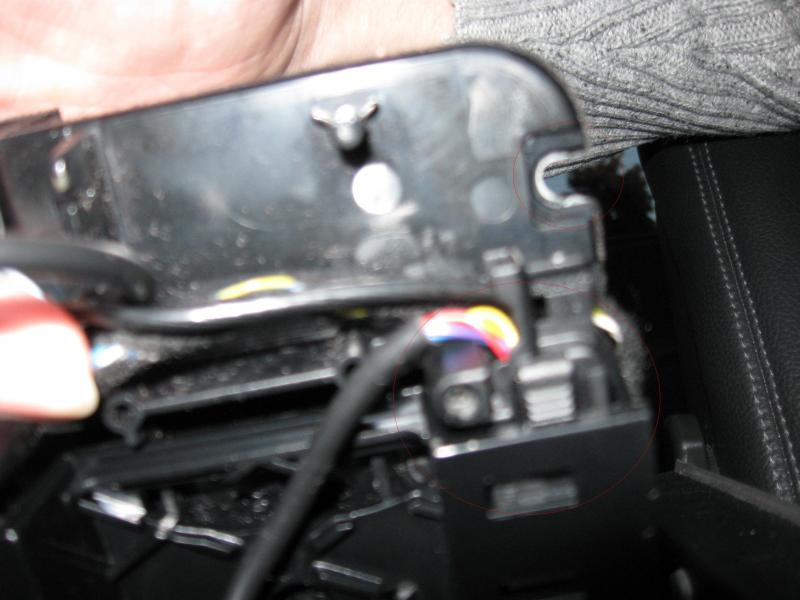
I checked my arm rest to find out if I can install a bluetooth and found one interesting cable with the end like a tv antenna or radio....or something.
Do you know what that is for???
also, just making sure, on the second pic - is it the place where I connect a cable with a bluetooth device??
thanks
I checked my arm rest to find out if I can install a bluetooth and found one interesting cable with the end like a tv antenna or radio....or something.
Do you know what that is for???
also, just making sure, on the second pic - is it the place where I connect a cable with a bluetooth device??
thanks
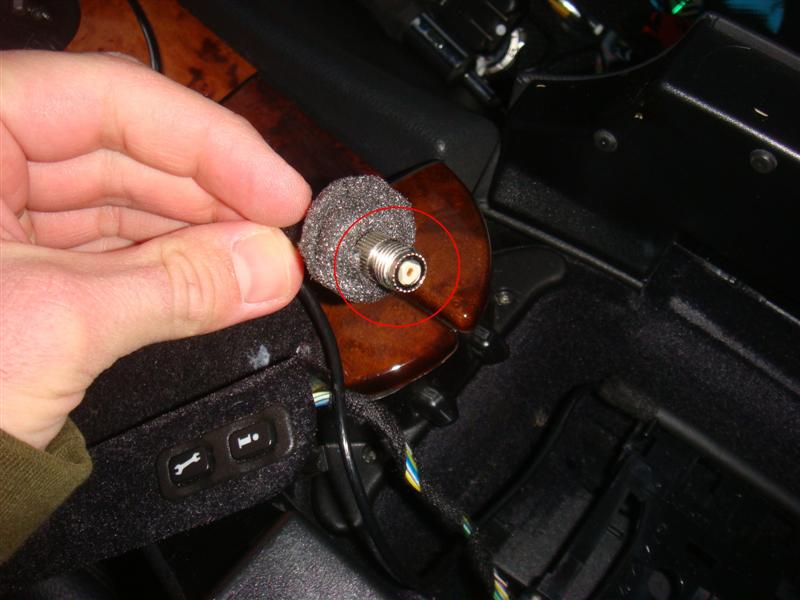
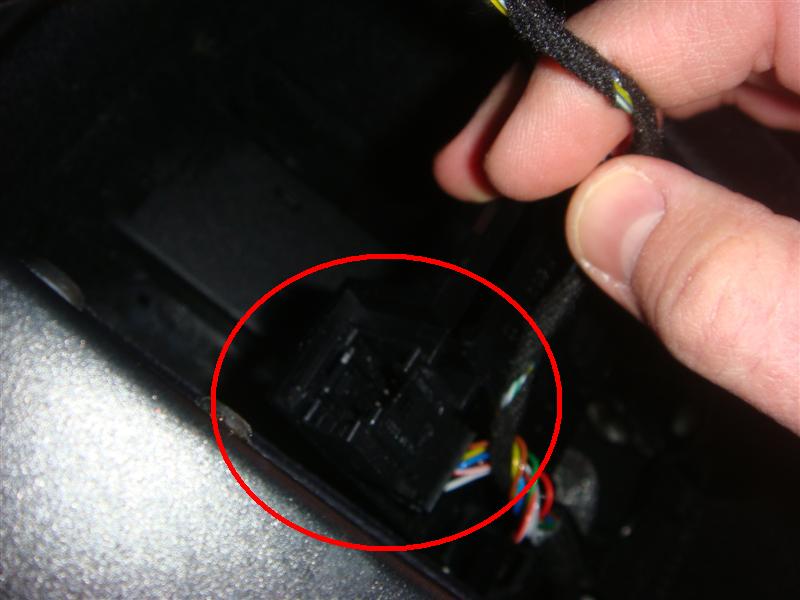
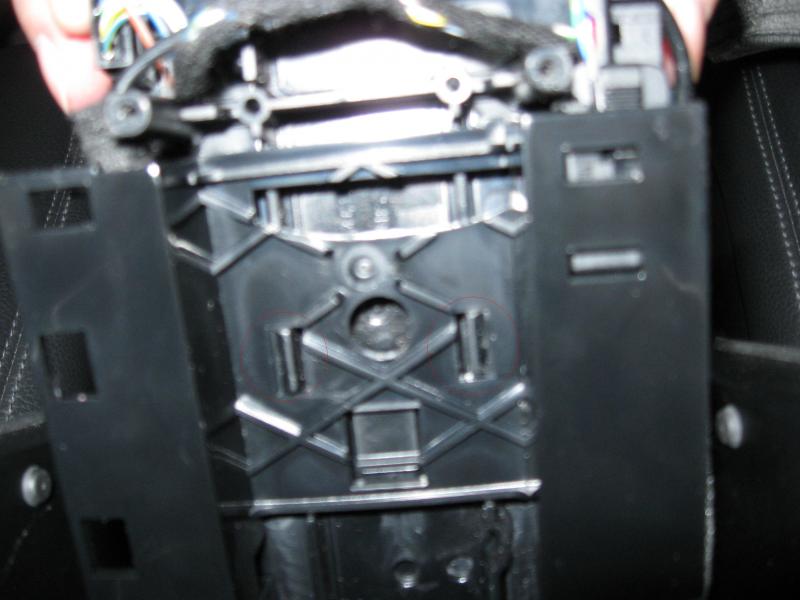
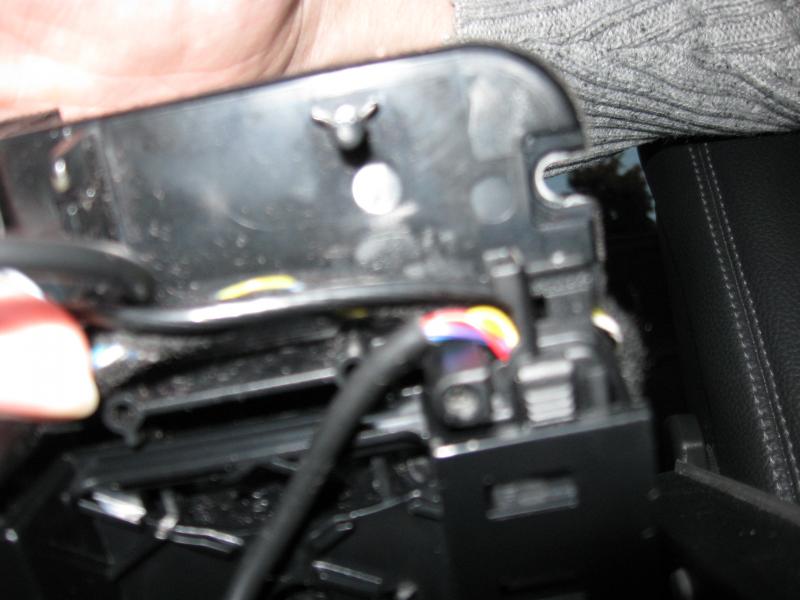
Member
Quote:
hiOriginally Posted by Mackhack
That's how it looks like in my car. I mad a whole series of pictures for a simple to install manual.
yeah, but do you know what is that connector onthe 1 pic for? is it for the antenna??
thanks
Banned
Have no idea since I don't see this one in my car... Could be a antenna cable since it is coaxial if I'm not wrong.

i want to see if i have phone connections under my console but have not strated digging though it -- any quick way to tell if the car is prewired for phone/bluetooth ?

Junior Member
Quote:
As one of the steps in the service bulletin it was mentioned to update the version code, so that's what they did. Accidentally he also put the NAV in the MOST, which I don't have. During this last turnaround he took the NAV out again, but I still have poor communication with both the radio (poor, very intermittently) and the Telephone (none).Originally Posted by Mackhack
Perphaps they messed up the order of the MOST devices? Not sure thought. Why did they version code your car?
Banned
Hm, that's messed up. Why would they do that? Oh in Steve's words: B/c they don't know what the f++++ they are doing. He is so true! I asked them to version code my cluster for my new OEM Nav drive and what did they do? Updated my COMAND and disabled Video in Motion. Well they paid me for their f+++ up afterwards big cash.  So if you don't do this kind of stuff yourself, you most likely get screwed up.
So if you don't do this kind of stuff yourself, you most likely get screwed up.
Senior Member
Quote:
Yes...what model year is your car?Originally Posted by hayseed
i want to see if i have phone connections under my console but have not strated digging though it -- any quick way to tell if the car is prewired for phone/bluetooth ?
Junior Member
It must be something in that MOST programming and that is something I cannot check myself. Even the two phone buttons on the steering wheel do not work. I am OK for now. I fool with it later
Junior Member
Is there however a little neater way to hook-up to phone to the charger and store it? Right now I have it sitting in the cupholder with the cigarette lighter plugged in. Kind of messy looking. I am sure there are more elegant ways available....
Quote:
I use the rear 12V outlet and pass the cable between the driver seat and the center console, its neat and out of the way unless you're a backseat passenger.Originally Posted by Robbie3015
Is there however a little neater way to hook-up to phone to the charger and store it? Right now I have it sitting in the cupholder with the cigarette lighter plugged in. Kind of messy looking. I am sure there are more elegant ways available....
It is fairly easy to get under the floor of the storage area and access the cable that leads to the outlet, so you could actually integrate a charge adapter and hide it down there.
Banned
Quote:
That's exactly how I do it. And it doesn't even look bad at all.Originally Posted by mekantor
I use the rear 12V outlet and pass the cable between the driver seat and the center console, its neat and out of the way unless you're a backseat passenger.


