When you click on links to various merchants on this site and make a purchase, this can result in this site earning a commission. Affiliate programs and affiliations include, but are not limited to, the eBay Partner Network.
Need help! Screen shows for a second and then goes black
Originally Posted by aibkaresz
So I could not wait till the weekend and did it in the dark garage haha.
Everything went pretty smooth, mainly because of all the posts here, thanks to @S550e , @cadetdrivr and @deeoh !
First I started with pulling everything apart, that was pretty easy and quick, made a picking tool for the vents from a hanger, and otherwise all you need is a T20 and a T10 in my case for the MMI (if you have one).
I almost gave up a couple of times, because I could not see clearly in the dark garage and told myself: "nah, I will wait till the weekend, just put it back together".
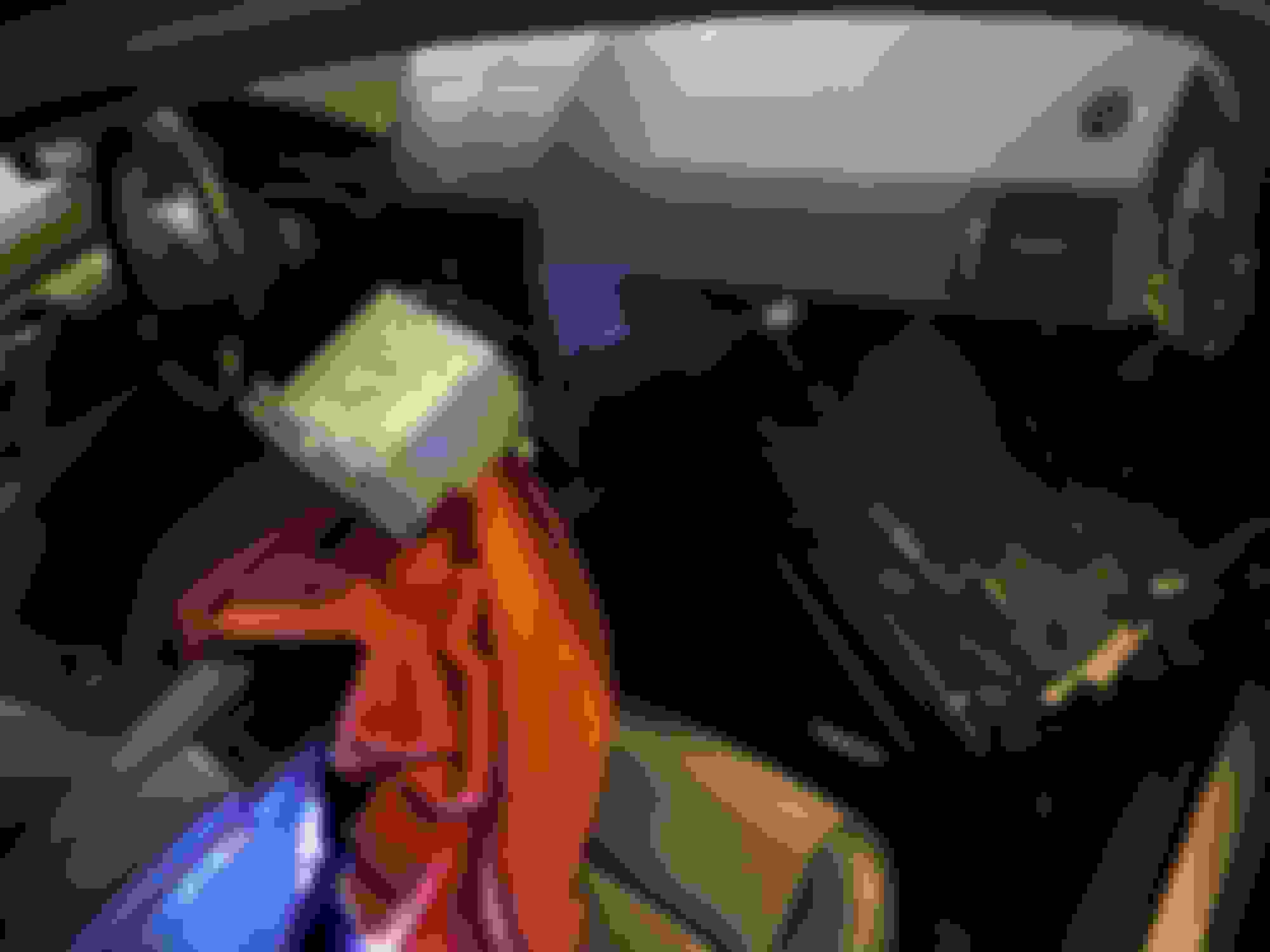
And suddenly I got this view:
From here there was no return!
The cabling is pretty straight forward based on the video, I have also used an other one where they are installing an Android screen for a W204.
I have to say that things were easy and flawless until the head unit is out. It is DEFINITELY the worst part of this job, to get the head unit back. I stuck the LVDS box and the harness behind the AC unit and somehow it is back flush, but I'm still not sure if the original cables and the harness getting a strong push downwards as the HU is sitting on it and might break them. I am thinking about checking on it when I have time, or the less touch the better?
So HU is back, glovebox still out, pushed the MMI connector into the glovebox, removed it's housing with the two T10, and there is a pretty big hole on the top of the glovebox, easy to fit in all the cables. I wanted to be smart and reroute the MMI cable (and all the Carplay cables) below the AC pipe, what goes to the glovebox, but soon I understood why it was that way: otherwise the glovebox does not fit back to it's place .
Right now my glovebox is a mess of cables, I have to arrange them, but did not have the nerves after installing it, I was happy to get everything back in place.
Turned on the radio, I have sound, that's a good sign, screen is flipping out, woohoo, time to long push the call ending button! The Carplay screen came on for a second, then it all went black, no worries, we know what to do, change the dip switch! Solved the problem perfectly! Paired the phone and bamm, there is the Carplay in my 10 years old Merc, could not believe it! Tried the sound quickly, there was none, so no worries again, we know what to do, entered engineering menu (did not exactly do as it was shown), turned off UCI in TGW Parameter, that turns off the MMI port and lets me enable AUX in HU Parameter, so the car thinks that a normal 3,5mm jack is installed (I guess the box is wired that way), and bamm, there was sound, everything worked as it should!
Ah almost forgot, clipped the microphone on the vent harness as advised, tried Siri once, it works perfectly! Much easier place to have the microphone, installed in no time, no need to tuck the wires etc!
Well that's where I am now, the installation took a bit more than 2 hours. In the next couple of days I will test it, but so far after a short drive I must say it is perfect, worth every penny! What I will keep an eye on now is the battery life with the navigation and the constant connection.
I really hope that this post is not a mess, tried to go step by step and type my experiences. All in one: BIG BIG thank you for @S550e , @cadetdrivr and @deeoh , you guys ROCK!
EDIT: I knew I will forget something... Regarding the connection time, my experience so far is that it depends when you unlock the car. I guess the box starts to boot up, and connects to your phone while you get it. In the garage it's pretty hard to get it, the other car is close so it takes more time, by the time I start the car Carplay is on the screen immediately. The other time I got in quicker and I saw the activating Carplay screen for about 2 seconds. Either way I would say it's an immediate connection
I need help, when I hold the put down phone button the screen come up for a second and then goes black.
I am subscribing to this thread. If anyone has any information on updating the software please let me know. Long story short CarPlay was working for me on my previous phone an iPhone 15 pro max on IOS 26 and now that I have upgraded to an iPhone 17 pro max on iOS 26 and the CarPlay cuts in and out and works intermittently.
This is my current CarPlay setup:
NTG 4.5
Software: Limcet-P305 V3.7.8.0225.1
Hardware: 02-0006-06-00-00-00-00-00
System: Limcet_2021-03-19
Bluetooth: BT825,v5.5.0
MCU: Limpet-V1.0-1125
I have emailed Kremersino on their website and provided them the information they asked for and I am still waiting on a response. its been two days.
I don't know that this is an issue with the device (I have the same issue). Ever since the iPhone 17 came out I've been reading similar reports from other people on a wide range of cars. Folks thought iOS 26.0.1 would fix it because it had wifi disconnect fixes. Some said it was an issue with wi-fi dropping out, some said it had to do with the watch, but ultimately I don't think anyone knows. I've tried powering off my watch and it still occurs. Sometimes it'll work great for 30 minutes until I get off a highway, and then as soon as I slow down it disconnects. Other times it disconnects a minute into my drive. Turning off wifi and Bluetooth, turning them back on, and then manually reconnecting Bluetooth will get things going again for some short amount of time. Sometimes it'll reconnect after 20 minutes if I do nothing. Bluetooth is connected during all of this (if I talk to Siri, it is responding through my car speakers), which makes me wonder if it's more of a wifi problem.
Has anyone had any luck getting Kremersino to send the update to fix the CarPlay issue? It seems like there is one available now, or should be one, as other makers of these boxes now have updates available. I see updates available to download for other models, but nothing that appears to work for NTG4.0 versions of the box. Trying to communicate with Kremersino is getting me nowhere. Even when I got my unit years ago I don't understand why they never wanted to provide updates for these (they always said I had the latest version when it was clear that newer versions were available).
So I've been going back and forth with Kremersino, and they refused to send any firmware updates, they claim they don't have them. I have a P305 box, and tried to flash the sofftware that's floating around online (I assumed all of these boxes are the same), and I ended up with what I thought was a bricked box as I was no longer able to use my Command knob to navigate (pressing and holding the Command knob will reboot the box, even in this locked state). What did work though was both wired Android Auto and wired Carplay (previously wired Carplay wasn't enabled on my device). I asked them for any software to restore my unit to what it was when I got it, and they said they didn't have any, it was too old. I reached out to Limcet directly and they sent me a file they said was for P305 hardware, but the configuration file said it's for P306 devices. When I pointed this out, they said it's the right firmware (it wasn't). Searching around online I finally found a site that had P305 firmware from around 2022 available (and the links still worked!), so I downloaded that, reflashed, and my unit was working again. So I started to compare what was different between the updated firmware for the P306 haredware that fixes the crashing, and the old firmware for the P305 hardware to see if I could flash the P306 firmware somehow. What I noticed was that in the MsnProductInfo.ini file in the msn_factory_configs there are four extra lines in the P306 firmware that don't exist in the P305. When I deleted them and flashed the P306 firmware the Command knob was working. So it seems all you have to do is remove these lines:
TouchScreen=1
MSNEryPortName="/dev/ttyS2"
MCUPortName="/dev/ttyHS0"
WLANType=4
It's possible all that has to be deleted is the first line, I haven't tested this (I was just glad to get it working again). I had originally tried changing it from 1 to 0, and that didn't fix it.
Mercedes SLR McLaren 722 S Is Extremely Rare Example Modified by McLaren
Slideshow: A one-of-one U.S.-spec Mercedes-Benz SLR McLaren Roadster became even rarer after a factory-backed transformation at McLaren's headquarters.




 .
. Tried the sound quickly, there was none, so no worries again, we know what to do, entered engineering menu (did not exactly do as it was shown), turned off UCI in TGW Parameter, that turns off the MMI port and lets me enable AUX in HU Parameter, so the car thinks that a normal 3,5mm jack is installed (I guess the box is wired that way), and bamm, there was sound, everything worked as it should!














