When you click on links to various merchants on this site and make a purchase, this can result in this site earning a commission. Affiliate programs and affiliations include, but are not limited to, the eBay Partner Network.
I can't get music organized and accessible on the E300. It plays fine on my PC using Media Monkey where it shows album art, album name, artist, title, track numbers, etc. The files are organized into folders by album title containing wav files and album art images. How should the folders and files be named and setup to work in the car?
Must I use 320kb mp3 or wma formats to get the tags to work? Flac does not work.
Edit - WAV format plays OK but with no tags displayed.
OK, I'll try that. Right now all my music is on an SD card. Everything works except album art.
I converted all of the wav files to mp3 @ 320 (557 albums). The sound isn't as good, but is OK in the car.
Does the album art need to go into a pictures folder?
OK, I'll try that. Right now all my music is on an SD card. Everything works except album art.
I converted all of the wav files to mp3 @ 320 (557 albums). The sound isn't as good, but is OK in the car.
Does the album art need to go into a pictures folder?
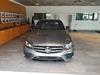
I suspect it's your files rather than the medium. The MP3 file is supposed to have the Album Art placed within it, not a separate directory. I was driving tonight and remembered you were having issues and snapped this photo. Works flawlessly on SD for me. I'll have to try throwing some stuff on a USB drive and see what happens with that tomorrow, although I suspect it'll probably work there as well. I'll PM you a copy of the file so you can see it and possibly figure out how this is different from your files.
BTW, if you're hearing audio degradation in a 320kbps MP3 file from its source, especially in a car, I'd highly suspect your MP3 encoder is to blame. iTunes has a terrible encoder from what I've been told. I've never used it myself. I've been an audio engineer for 25 years and would be hard-pressed to tell the difference between a 320kbps MP3 and 44.1KHz raw 16-bit audio unless it's a recording I'm very familiar with and am listening on a $20k+ stereo or $600+ headphones w/amplifier. Even then, I'm straining to hear any difference and I've been told that I can 'hear a rat **** on cotton.'
Update: Well, I tried PM'ing you, but it appears you can't receive private messages. Get ahold of me and I'll find a way to get it to you for testing.
Update 2: I copied the same file over to a crappy old USB 1.x pen drive and tried it in all 3 USB ports. Each time it showed the album art without issue. I even tried some MP3s that definitely wouldn't be in the GraceNote catalog, including some of my own personal recordings with album art inserted into the MP3s and they all showed fine.
Last edited by BeachBunny; Dec 20, 2017 at 02:14 AM.
I can't get music organized and accessible on the E300. It plays fine on my PC using Media Monkey where it shows album art, album name, artist, title, track numbers, etc. The files are organized into folders by album title containing wav files and album art images. How should the folders and files be named and setup to work in the car?
Must I use 320kb mp3 or wma formats to get the tags to work? Flac does not work.
Edit - WAV format plays OK but with no tags displayed.
Depending on which OS flavour you use this will change but I found that when iTunes fetches your album art it tags it and often times when the music moves from the Mac to say the iPhone the art is missing. If on the other hand you copy the image off Amazon or where ever you prefer to find it, 500x500 is good enough, and drop it into Song Info - Artwork, the icon for the song should change from iTunes logo to the actual CD cover image you just uploaded. This way no matter where you have your music on, be it USB, SD or phone the art will stick. Try that with an album or two. MediaMonkey is one of the best at this, but I suspect that they too simply tag the song with what file to fetch, so when you put the music on a USB stick the car does not fetch it and therefore shows it blank. It could be also cached on the PC, remember when it comes to IT - what seems is not what is more often than not. I hope this helps.
OK, I'll try that. Right now all my music is on an SD card. Everything works except album art.
I converted all of the wav files to mp3 @ 320 (557 albums). The sound isn't as good, but is OK in the car.
Does the album art need to go into a pictures folder?
I would say that if you don't need to compress the files, because storage is so cheap right now, run with wav or cda, both of which are uncompressed music files. FLAC is a lossless compressed format much like zip for example. I think that most of the issue people run into with FLAC is that whatever hardware you are playing this on has troubles uncompressing the file on the fly durning playback. If it is a hardware uncompressing it's not an issue but software is much more resource dependant. But like I said the storage is so cheap now that you can simply run with WAV or mp3 if you must.
I wouldn't get my knickers all in a knot over this. While there is indeed a difference between the sound quality of lossless FLAC audio files and MP3 audio files, the fact is that very few people can hear the difference, and those that are able to discern a difference generally can do so only when listen to an A-B comparison using high-quality headphones and audio equipment. Indeed, few people can tell the difference between a 192-bit and a 320-bit MP3 recordings of the same music. This is particularly true for older listeners — the ability to hear high frequencies begins to diminish in a person's mid-20s, and by the middle age most people can't hear frequencies above 10K. Factors other than age can also affect the ability to hear high frequencies, including disease and smoking. If you want to read more about the subject, Google age-related hearing loss or Presbyacusis.
Music played on a car stereo as you drive down the freeway is hardly an ideal setting, and the likelihood that anyone could tell accurately and consistently the difference between a FLAC and an MP3 played in such a setting is nil (which isn't to say that some people will think they hear the difference). Bottom line: don't sweat it, use FLAC files if you can get them to play on your car's audio system, or relax and use 320K MP3s knowing that you're not really missing a thing.
When I compare (classical) sound in my car it is with the engine off and windows closed while parked in my garage. That is also the environment where I make the sound distribution settings.
One of the struggles related the mp3 file challenges is actually getting to my folder on the usb stick. With the W212 interface getting to the folder was a breeze and backing out of a track brought you back to the previous destination such as; current track,file,folder etc. Now with the new interface there is no back out so to access my usb folder i have to start at the beginning for each new search, is there a faster way rather than 4 clicks?? If I'm in a track on the usb stick, to get to the folder I have to press main, then media, then right press to "search" then scroll down to folder, then find my way through my files. That amounts to a sure fire accident staring at the screen!
I suspect it's your files rather than the medium. The MP3 file is supposed to have the Album Art placed within it, not a separate directory. I was driving tonight and remembered you were having issues and snapped this photo. Works flawlessly on SD for me. I'll have to try throwing some stuff on a USB drive and see what happens with that tomorrow, although I suspect it'll probably work there as well. I'll PM you a copy of the file so you can see it and possibly figure out how this is different from your files.
BTW, if you're hearing audio degradation in a 320kbps MP3 file from its source, especially in a car, I'd highly suspect your MP3 encoder is to blame. iTunes has a terrible encoder from what I've been told. I've never used it myself. I've been an audio engineer for 25 years and would be hard-pressed to tell the difference between a 320kbps MP3 and 44.1KHz raw 16-bit audio unless it's a recording I'm very familiar with and am listening on a $20k+ stereo or $600+ headphones w/amplifier. Even then, I'm straining to hear any difference and I've been told that I can 'hear a rat **** on cotton.'
Update: Well, I tried PM'ing you, but it appears you can't receive private messages. Get ahold of me and I'll find a way to get it to you for testing.
Update 2: I copied the same file over to a crappy old USB 1.x pen drive and tried it in all 3 USB ports. Each time it showed the album art without issue. I even tried some MP3s that definitely wouldn't be in the GraceNote catalog, including some of my own personal recordings with album art inserted into the MP3s and they all showed fine.
I would like to ask one of you here a big favor: would you mind posting a step-by-step procedure for organizing numerous CDs onto a thumb drive for the 2019 E Class? Organized in a way that is easy to search and scroll through the albums and tracks using the cars' control system. Album art would be nice, but not a necessity for me. I have E450 4Matic on order and everything MB is new to me. (I came from years of Infiniti)
I currently have M3Unify on my iMac, but I am not apposed to downloading a better program for organizing.
I am sure there are others besides me that would benefit from such a tutorial. A guide for us less knowledgable would be great. Thanks in advance!
2019 Dune Silver Metallic E-450 Mercedes Cabriolet NEW Mercedes 2020 GLC300 graphite gray SUV
Originally Posted by ua549
Why not use voice commands to play music? The names of all available tracks, albums, artists, composers, genres or playlists are accepted.
The only media source this doesn't seem to work on is music on my iphone. I can use my voice commands until the cows come home, and I always get "this is not accessible". Apparently, it doesn't like bluetooth.
If I were in your position, I would just let iTunes do all this for you. It makes it dead simple to take music from a CD and put it in a library. IMO, the general file scheme of Artist/Album/Track Information is very versatile for how COMAND handles music. Once the music is in a library on your Mac it is a simple matter to just drag that whole music library over to a USB drive or Media card. You can also go into your iTunes library folder and drag over individual artists or albums as you add them. Once you see the file structure (which is very simple) you'll get it. Plus there are a zillion how-to's on the internet to help you.
Best I can tell, iTunes will also move over the album art in the .mp3 files (or ALAC if you choose). Others have posted on programs that help move playlists too. You can search it in this forum.
There are more dedicated or sophisticated ways to do this, but they all come with an increasingly steep learning curve. I will give kudos to Apple for making stuff like this functional and easy.
The only problem I have run into with COMAND is the inability to play tracks in the proper order if I play from Artists or Albums. In my experience COMAND seems to play tracks based on alphanumeric prioritization of tracks (i.e. it plays track 1, 10, 11, 12, 13, 14, 2, 3, 4, 5, 6, 7, 8, 9 instead of 1, 2, 3,...). It will play these tracks in the right order if you are in Folder view. Others have had success with this, but I have not. And I've tried hard!
Last edited by grossmsj; Jan 7, 2019 at 06:32 PM.
Reason: corrected Folder view from Album view
If I were in your position, I would just let iTunes do all this for you. It makes it dead simple to take music from a CD and put it in a library. IMO, the general file scheme of Artist/Album/Track Information is very versatile for how COMAND handles music. Once the music is in a library on your Mac it is a simple matter to just drag that whole music library over to a USB drive or Media card. You can also go into your iTunes library folder and drag over individual artists or albums as you add them. Once you see the file structure (which is very simple) you'll get it. Plus there are a zillion how-to's on the internet to help you.
Best I can tell, iTunes will also move over the album art in the .mp3 files (or ALAC if you choose). Others have posted on programs that help move playlists too. You can search it in this forum.
There are more dedicated or sophisticated ways to do this, but they all come with an increasingly steep learning curve. I will give kudos to Apple for making stuff like this functional and easy.
The only problem I have run into with COMAND is the inability to play tracks in the proper order if I play from Artists or Albums. In my experience COMAND seems to play tracks based on alphanumeric prioritization of tracks (i.e. it plays track 1, 10, 11, 12, 13, 14, 2, 3, 4, 5, 6, 7, 8, 9 instead of 1, 2, 3,...). It will play these tracks in the right order if you are in Folder view. Others have had success with this, but I have not. And I've tried hard!
The only other modification I would suggest is that you rip your CDs to a format 'better' than MP3. The ripping part is not hard work, but it is tedious. Once you've ripped to a lower fidelity format like MP3 you can't get any better than that level. But if you rip to AAC with a slightly larger file size, you can always batch rip to MP3 if you need the space (and once you've learned how to do that). Just my opinion, but AAC is a sweet spot for sound/size/ease of use tradeoffs. WAV is at the other extreme. Probably best for sound fidelity but really big and notorious for not being able to show album art (which was the OP's original problem).
To do that in iTunes go to Library/Edit/Preferences and move down to the box "Import Settings". Click on that and the top scroll box will let you select "AAC Encoder".
The only other modification I would suggest is that you rip your CDs to a format 'better' than MP3. The ripping part is not hard work, but it is tedious. Once you've ripped to a lower fidelity format like MP3 you can't get any better than that level. But if you rip to AAC with a slightly larger file size, you can always batch rip to MP3 if you need the space (and once you've learned how to do that). Just my opinion, but AAC is a sweet spot for sound/size/ease of use tradeoffs. WAV is at the other extreme. Probably best for sound fidelity but really big and notorious for not being able to show album art (which was the OP's original problem).
To do that in iTunes go to Library/Edit/Preferences and move down to the box "Import Settings". Click on that and the top scroll box will let you select "AAC Encoder".
The only problem I have run into with COMAND is the inability to play tracks in the proper order if I play from Artists or Albums. In my experience COMAND seems to play tracks based on alphanumeric prioritization of tracks (i.e. it plays track 1, 10, 11, 12, 13, 14, 2, 3, 4, 5, 6, 7, 8, 9 instead of 1, 2, 3,...). It will play these tracks in the right order if you are in Folder view. Others have had success with this, but I have not. And I've tried hard!
This is likely the result of iTunes not properly tagging the files. While Apple makes it easy, it makes it hard when you run into these issues. Instead, I rip using dbPoweramp. Full control of format, tags, and music info source. Or, if you have already ripped them, then try using MusicBrainz Picard. It'll fix your music very quickly once you get the hang of it.
FWIW, my music definitely plays in album order regardless of the view I'm in.
Originally Posted by grossmsj
The only other modification I would suggest is that you rip your CDs to a format 'better' than MP3. The ripping part is not hard work, but it is tedious. Once you've ripped to a lower fidelity format like MP3 you can't get any better than that level. But if you rip to AAC with a slightly larger file size, you can always batch rip to MP3 if you need the space (and once you've learned how to do that). Just my opinion, but AAC is a sweet spot for sound/size/ease of use tradeoffs. WAV is at the other extreme. Probably best for sound fidelity but really big and notorious for not being able to show album art (which was the OP's original problem).
To do that in iTunes go to Library/Edit/Preferences and move down to the box "Import Settings". Click on that and the top scroll box will let you select "AAC Encoder".
Candidly, I'd rip FLAC. Much more broadly accepted.
Hmmm, I'd love to know what we're doing different? I don't use iTunes, personally. I've used JRIver which gives full control of tagging. I also use a mix of formats, FLAC, ALAC, you name it. I have tried a zillion different ways to get my tracks played in the correct order, even tagging each track (with JRiver) so I could see exactly what is going on. But I keep getting the same messed up order. So, while I've been doing this a pretty long time, I'm not doing something right if you are getting the correct track order whether in Artist, Album, or Folder view. I know another person on this format that also hasn't had any problems, but he's outside the US and I don't know if GraceNote in the US is a complicating factor.
My suggestion for iTunes is for a person that doesn't have any idea where to start. But for sure, if you know the in's and out's of doing all this dBPowerAmp (which I've used), Picard (also used), etc. are incredibly versatile (at the expense of the learning curve).
Do you mind if I PM you off the forum to see if I can figure out what I'm doing wrong? It's really driving me crazy!
But, I think I remember why I don't have an issue...on the Mercedes. I did have one with my old Porsche and it drove me crazy. After a lot of experiments , I got the sense that the system didn't use the tags when searching on artist or genre, but used the file names.
Consequently, I used mp3tag to use the tags to rename all of the actual file names of the tracks by prepending the track number in 00 format. For example: Wish You Were Here.mpg becomes 03_Wish You Were Here.mp3.
Once I tested it on one album to success, I converted my entire music collection. Took no time at all.
Thank you nycebo. It is helpful to know there is a path out of this mess. I'll see what I can do today based on what you've shared here. I have wondered if it was file naming convention, since all my tags look fine.
In one example that did not work for me was, in fact, a digital download from the artist's site (Jeff Tweedy) so there was no ripping involved. Just a straight digital FLAC file. I'm going to start from square one this morning and see what I can accomplish.
Thanks again,
Scott
Mercedes SLR McLaren 722 S Is Extremely Rare Example Modified by McLaren
Slideshow: A one-of-one U.S.-spec Mercedes-Benz SLR McLaren Roadster became even rarer after a factory-backed transformation at McLaren's headquarters.