When you click on links to various merchants on this site and make a purchase, this can result in this site earning a commission. Affiliate programs and affiliations include, but are not limited to, the eBay Partner Network.
Can anyone walk me through what I need to do to charge at an EA station and get the free charging? I still haven't ventured out and tried this (been charging at home). I can't find the info on the MercedesMe app too.
Info I'm looking for: Step 1 - open app, step 2, click on specific button, 3, go to a charging station and click this button... (something like this). This is my first electric car so all this is new to me!
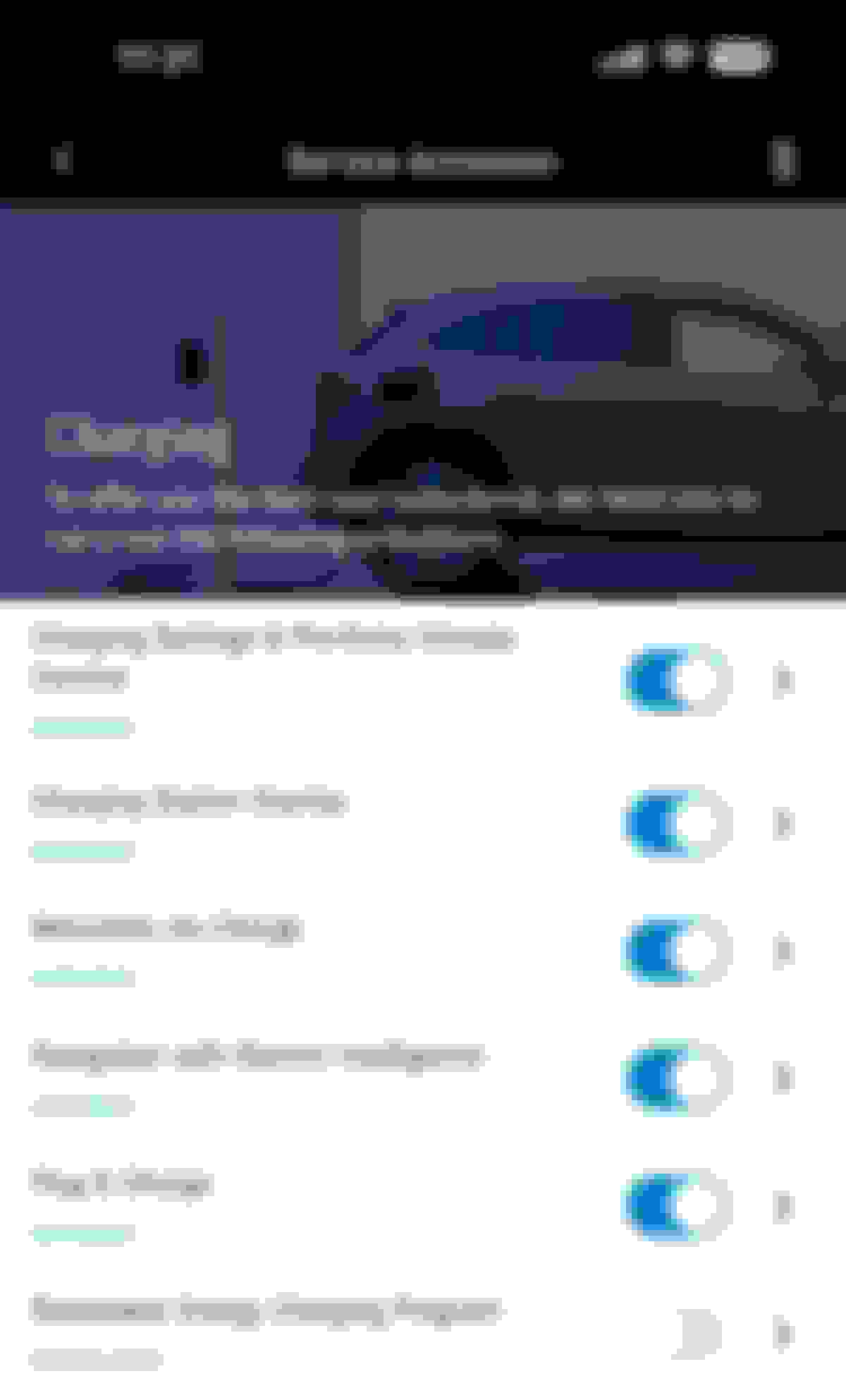
First, make sure you have activated all Mercedes me charging services. To access the following screen, tap on the three lines at the top left of the screen. Then tap the icon for your EQS SUV. Now tap Manage services and then tap Charging. Notice the next to last service is Plug & Charge. Once this is activated, you should be able to pull up to an EA station, plug in and begin charging immediately.
I am looking forward to trying the "plug and charge" service but the easiest method is to plug in to a EA station and start charging via the car MBUX interface. Mercedes me app is too cumbersome and you have to know which charger you are connect to and sometimes the number on the charger and the mobile apps don't match.
Do you actually need the ElectrifyAmerica app to use its chargers (once you've set up the free charging with MB)?
I haven't personally tried charging at an EA station yet but according to several MB videos, the EA app is not required. Just plug & charge, your Mercedes me account will handle the handshake between your EQS and the charging unit and if your charing session goes over 30 minutes, any billing. I plan to drive to an EA station (about 30 miles away) to give it a try.
Any EQS SUV owners who can verified Plug & Charge works without using the EA app?
I haven't personally tried charging at an EA station yet but according to several MB videos, the EA app is not required. Just plug & charge, your Mercedes me account will handle the handshake between your EQS and the charging unit and if your charing session goes over 30 minutes, any billing. I plan to drive to an EA station (about 30 miles away) to give it a try.
Any EQS SUV owners who can verified Plug & Charge works without using the EA app?
you do not need the EA app to charge, but you do need to make sure your RFID card that enables the free charging is actually tied to your Mercedes Me account. My RFID card was in the trunk and took me a few days to find. My sales guy was zero help.
Also since we only get 30 min free I do not know what happens if you do not set up an EA account before hand and go over the 30 min limit. I set up an EA account so if I went over (didn’t unplug quick enough) the process was easy and I was just charged the overages.
Plug Share is also included in the 30 min free charging, however the best I can tell the Plug Share charger has to be on their network. You pay the posted fee on non-networked Plug Share chargers.
I'm the OP and I was able to successfully charge at an EA station last night. It was plug and charge. The most challenging part of it was (for me) - getting the charging cable (is that what it's called?) to my car because the dang thing is so heavy. Also, figuring out that I needed to press the white "plug" button on the car to release the charging cable.
This is the first time we've ever charged at a public station and I'd say it was seamless! My husband has a Tesla and has always just charged at home. I think I prefer to go to a charging station as it's much much quicker. I went from 29 to 80% in less than 30 mins. The EA station was at a Walmart parking lot so I just wandered around Walmart while my car was charging and also got a notification from the app when my car reached 80%.
I'm the OP and I was able to successfully charge at an EA station last night. It was plug and charge. The most challenging part of it was (for me) - getting the charging cable (is that what it's called?) to my car because the dang thing is so heavy. Also, figuring out that I needed to press the white "plug" button on the car to release the charging cable.
This is the first time we've ever charged at a public station and I'd say it was seamless! My husband has a Tesla and has always just charged at home. I think I prefer to go to a charging station as it's much much quicker. I went from 29 to 80% in less than 30 mins. The EA station was at a Walmart parking lot so I just wandered around Walmart while my car was charging and also got a notification from the app when my car reached 80%.
That is good to hear.
FYI: Using a DC Fast charger can be quick and convenient but fast charging will shorten the life of the battery. Try to limit the use of DC Fast Chargers only when traveling out of the area or you have no other option. Charging at home using a wall box or at a public level 2 charger (9.6 kW or less) is healthier for the battery and will prolong its life.
you do not need the EA app to charge, but you do need to make sure your RFID card that enables the free charging is actually tied to your Mercedes Me account. My RFID card was in the trunk and took me a few days to find. My sales guy was zero help.
Also since we only get 30 min free I do not know what happens if you do not set up an EA account before hand and go over the 30 min limit. I set up an EA account so if I went over (didn’t unplug quick enough) the process was easy and I was just charged the overages.
Plug Share is also included in the 30 min free charging, however the best I can tell the Plug Share charger has to be on their network. You pay the posted fee on non-networked Plug Share chargers.
Where exactly in the trunk was your RFID card? I can't find one. Salesman said they are not giving them anymore, but MBUSA website shows a picture of an RFID so not sure I'm buying what salesman is saying.
Where exactly in the trunk was your RFID card? I can't find one. Salesman said they are not giving them anymore, but MBUSA website shows a picture of an RFID so not sure I'm buying what salesman is saying.
The concierge gave the RFID card to us during the initial walk-through and activation of our EQS SUV. I assume they activated the card at that time.
I was under the impression that once set up correctly all you had to do was plug in at the EA site and everything was automatic. Once you plug in your car is automatically recognized and charging starts…
So we picked up our car yesterday and I will write a detailed thread about the whole experience which has been great so far.
But on this question, the conceirge set everything up for us, which is an absolute must because all the clicks and info and accepting and linking in the app was way more than I could have figured out and I'm a software guy. Had to download Mercedes me connect and chargepoint apps and link the accounts together and enter the payment card somewhere and he asked me to accept a bunch of things, etc, etc...
Ultimately the charging was immediately activated and we drove from OKC to Denton Texas (outside of Dallas) and pulled into EA at Walmart to charge with 34% still left in the battery. We were going to try to get to Austin so we charged from 34% to 86% in 30 mins. But we ended staying the night in Dallas and are all set to get back to Austin today without charging again.
Here is what we did to charge because everything was setup by the dealer conceirge.
1. Pull up to EA charger
2. Plugged in charger to car
Yes that was it. Unbelievablely simple. Now the only question is that I went 1 min over so the screen showed $0.22 charge. But where is this charged?? I have not given any credit card during setup. Any ideas on this? Will I get a bill in the mail?
The RFID payment card is basically there if it does not work automatically (like a backup) so I'm just going to keep that in the car but hopefully won't need to use it since that app is properly configured
Last edited by abhansali; Nov 1, 2022 at 01:15 PM.
The concierge said you have to add it to the chargepoint app. The way he explained it was that chargepoint is the platform (e.g. iOS) and EA runs on the platform (e.g. Netflix running on iOS).
So if I go into the Chargepoint app I actually see the charging sessions that I did at EA. But I don't see any billing stuff in there.
It maybe because I saw something about a $10 credit so maybe it deducted from that until I put in my card.
I wanted take advantage of the free 2 years of EA charging with my new MB EQS 580. After several tries, I realized that is was too frustrating a vendor to use free or not. Too many inoperative chargers, and no fixes in sight. Upset wit MB fir partnering with them. Shame on them. They should offer compensation for offering a non operative service.
I wanted take advantage of the free 2 years of EA charging with my new MB EQS 580. After several tries, I realized that is was too frustrating a vendor to use free or not. Too many inoperative chargers, and no fixes in sight. Upset wit MB fir partnering with them. Shame on them. They should offer compensation for offering a non operative service.
Where are you located? Yes, their network isn't great but it is not as bad as you described it either.
I was under the impression that once set up correctly all you had to do was plug in at the EA site and everything was automatic. Once you plug in your car is automatically recognized and charging starts…
that’s how my setup is. I just plug it in and it recognizes the car
I wanted take advantage of the free 2 years of EA charging with my new MB EQS 580. After several tries, I realized that is was too frustrating a vendor to use free or not. Too many inoperative chargers, and no fixes in sight. Upset wit MB fir partnering with them. Shame on them. They should offer compensation for offering a non operative service.
I have a 2023 EQS 580 sedan and have had issues charging using the EA chargers. On a recent trip from southern California to Northern California I tried charging my car at several chargers in three different locations without success. The chargers would simply not recognize my car and start charging. At the forth charging location there was a technician working on a charging unit. After describing to him my experiences, he told me to use a regular credit card and IT WORKED. It worked every time the charger did not start. In addition, he told me I could call the EA support line and they can start the charging process remotely! After the trip, I contacted EA and told them about having to use a credit card, they sent me a complete reimbursement for all the times I had to use a credit card. The only time I use the EA chargers is on a trip. I find it much more convenient using my home charger.
Yes, that was my experience as well, but most times I simply could not find a working charger. If you have to use a credit card, and then need to apply for a refund, which is the best service you ca get, just how convenient is this free chargng MB includes in the sale. Best to skip to a more competent provider. MB should know better.
I experienced similar issues using EA charging stations on a trip from PA to Myrtle Beach last fall. The first station we stopped at below Washington DC did not start charging automatically and requested a credit card. I called the helpline listed on the charger and EA remotely rebooted the charger. After plugging in a second time, it recognized our Mercedes EQS and charged for free.
I would suggest anyone using an EA station that does not recognize your vehicle first call their support team before using a credit card.
Hopefully Mercedes offers two years of free 30 minute charging at Superchargers when they make the switch to NACS charging ports in the near future. They will likely offer CCS to NACS adapters when that happens.
I live in Long Island NY. I couldn't be more disappointed with EA charging system. From my experience, there are a number of issues with the current EA system:
1. Too few charging stations: there are less than 15 stations in the entire LI area, most of them are not super fast ones
2. There are always some of the stalls broken, and took a long time to get them back online
3. Quite often some of the stalls did not recognize the MB free charging agreement, or ask for payment info before charging
4. Customer support are basic non-exist and no help.
Mercedes SLR McLaren 722 S Is Extremely Rare Example Modified by McLaren
Slideshow: A one-of-one U.S.-spec Mercedes-Benz SLR McLaren Roadster became even rarer after a factory-backed transformation at McLaren's headquarters.