Sat Nav SD card (Garmin)

Thread Starter
Newbie
Joined: Feb 2017
Posts: 10
Likes: 1
Glc 220
Sat Nav SD card (Garmin)
Just received Glc 220
in ireland with basic Audio 20. Had read on some treads of people buying Garmin SD cards. Mine has the SD card slot in center cubby. They just insert and hey presto the Nav works. I have ordered a card. But on collection my dealer told me it won't work, he said the Nav needs to be activated by MB( sounded like not a big deal, but he said it would cost €500, I got the impression MB are wise to people buying cheap SD cards and have somehow put a stop to this). When I press the Nav button nothing happens. Any ideas or suggestion please.
in ireland with basic Audio 20. Had read on some treads of people buying Garmin SD cards. Mine has the SD card slot in center cubby. They just insert and hey presto the Nav works. I have ordered a card. But on collection my dealer told me it won't work, he said the Nav needs to be activated by MB( sounded like not a big deal, but he said it would cost €500, I got the impression MB are wise to people buying cheap SD cards and have somehow put a stop to this). When I press the Nav button nothing happens. Any ideas or suggestion please.
Junior Member
Joined: Apr 2010
Posts: 63
Likes: 22
From: SoCal
'17 GLC43, '18 STi Limited, '08 Evo MR
Just received Glc 220
in ireland with basic Audio 20. Had read on some treads of people buying Garmin SD cards. Mine has the SD card slot in center cubby. They just insert and hey presto the Nav works. I have ordered a card. But on collection my dealer told me it won't work, he said the Nav needs to be activated by MB( sounded like not a big deal, but he said it would cost €500, I got the impression MB are wise to people buying cheap SD cards and have somehow put a stop to this). When I press the Nav button nothing happens. Any ideas or suggestion please.
in ireland with basic Audio 20. Had read on some treads of people buying Garmin SD cards. Mine has the SD card slot in center cubby. They just insert and hey presto the Nav works. I have ordered a card. But on collection my dealer told me it won't work, he said the Nav needs to be activated by MB( sounded like not a big deal, but he said it would cost €500, I got the impression MB are wise to people buying cheap SD cards and have somehow put a stop to this). When I press the Nav button nothing happens. Any ideas or suggestion please.
Last edited by ajpogi24; Feb 18, 2017 at 09:01 AM.
Thread Starter
Newbie
Joined: Feb 2017
Posts: 10
Likes: 1
Glc 220
Thanks. Just a quick question. Before you inserted the SD card did anything appear on screen when you pressed the Sat Nav button ? Nothing happens on mine. I have ordered the SD card so should arrive in couple of days so I guess I'll soon find out.
Junior Member
Joined: Apr 2010
Posts: 63
Likes: 22
From: SoCal
'17 GLC43, '18 STi Limited, '08 Evo MR
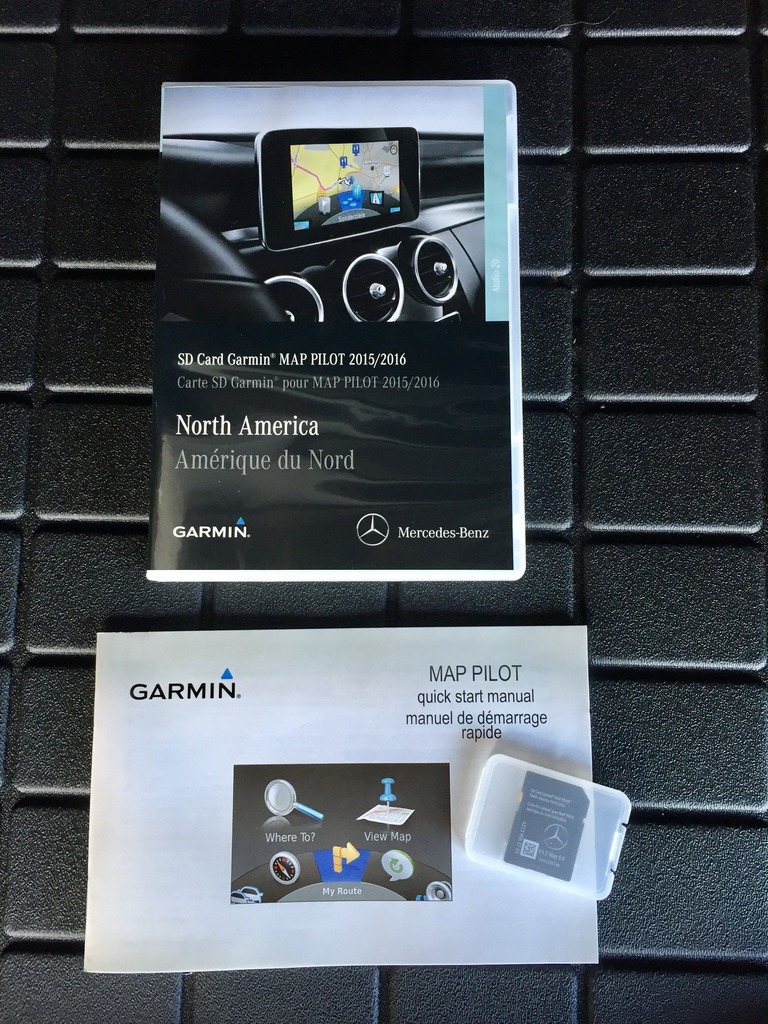
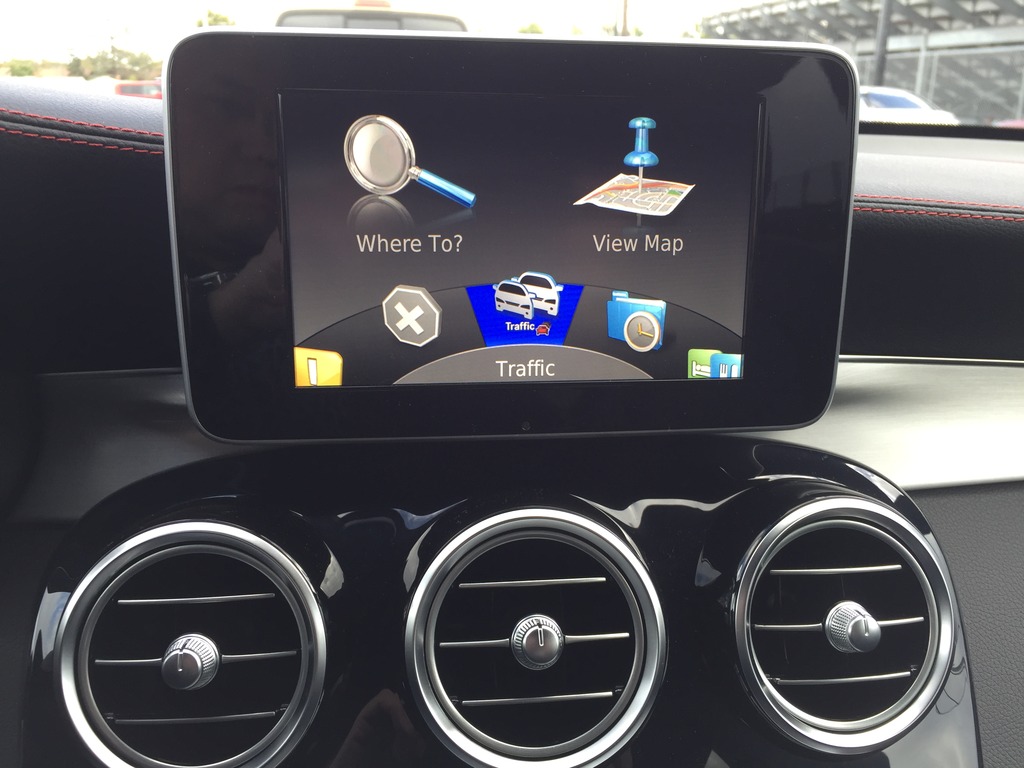
Before i purchased the garmin map pilot SD card, when i pressed the navi button, it will say "No SD card inserted".
Thread Starter
Newbie
Joined: Feb 2017
Posts: 10
Likes: 1
Glc 220
That's where I'm in trouble. Mine doesn't say this, so looks like I'll have to get the main deal to enable. Not to worry I got a SD cardwirh 2016-2017 updated maps from eBay for only €85 so won't be the end of the world if it won't work. Thanks a mill for the reply 👌👍

Banned
Joined: Jul 2016
Posts: 43
Likes: 2
From: Sweden
Mercedes GLC 250 4matic 2017 Iridium silver, with beige/brown interior.

Don't worry about the eBay sold cards not working.
I purchased one from Lithuania (65€) that was fine.
Even map update within 60 days of activation work.
I returned it though, due to the difficulties making the
speed camera files to work properly. Garmin makes it
almost impossible to implement the files without pain.
Your biggest concearn probably is that your car hasn't
got the necessary pre installed Garmin Map Pilot stuff?
Then you'll never get it to work without the MB dealer.
No big loss. I find my stand alone Nüvi far supreme...

I purchased one from Lithuania (65€) that was fine.
Even map update within 60 days of activation work.
I returned it though, due to the difficulties making the
speed camera files to work properly. Garmin makes it
almost impossible to implement the files without pain.
Your biggest concearn probably is that your car hasn't
got the necessary pre installed Garmin Map Pilot stuff?
Then you'll never get it to work without the MB dealer.
No big loss. I find my stand alone Nüvi far supreme...

Junior Member
Joined: Nov 2016
Posts: 29
Likes: 5
Mercedes GLC 250d
Just received Glc 220
in ireland with basic Audio 20. Had read on some treads of people buying Garmin SD cards. Mine has the SD card slot in center cubby. They just insert and hey presto the Nav works. I have ordered a card. But on collection my dealer told me it won't work, he said the Nav needs to be activated by MB( sounded like not a big deal, but he said it would cost €500, I got the impression MB are wise to people buying cheap SD cards and have somehow put a stop to this). When I press the Nav button nothing happens. Any ideas or suggestion please.
in ireland with basic Audio 20. Had read on some treads of people buying Garmin SD cards. Mine has the SD card slot in center cubby. They just insert and hey presto the Nav works. I have ordered a card. But on collection my dealer told me it won't work, he said the Nav needs to be activated by MB( sounded like not a big deal, but he said it would cost €500, I got the impression MB are wise to people buying cheap SD cards and have somehow put a stop to this). When I press the Nav button nothing happens. Any ideas or suggestion please.
Trending Topics
Thread Starter
Newbie
Joined: Feb 2017
Posts: 10
Likes: 1
Glc 220
Insert the card in the slot, press the navi button and wait up to 5 minutes or even more to activate. Also make sure the write protection isn't enabled. If the card is genuine, it should work. If not, you'll see a warning on the screen. I have a card purchased on ebay and works just fine. Didn't want to pay mercedes 600 euro.
MB World Stories
The Best of Mercedes & AMG

Manual Mercedes? 6 Times Sindelfingen Let Drivers Have All The Fun
Verdad Gallardo
Mercedes SLR McLaren 722 S Is Extremely Rare Example Modified by McLaren
Verdad Gallardo
8 Classic Boxy Mercedes Designs That Have Aged Like Fine Wine
Verdad Gallardo
Flawlessly Restored Mercedes 190E Evo II Heads to Auction
Verdad Gallardo
Electric Mercedes C-Class Unveiled: 11 Things You Need to Know
Verdad Gallardo
Mercedes EQS Gets A Major Update: Everything You Need to Know
Verdad Gallardo
5 Underrated Mercedes-Benz Models That Don't Get the Love They Deserve
Verdad Gallardo
Mercedes 300D Has Pushed Well Past 1 Million Miles and It Ain't Stopping
Verdad Gallardo
10 Most Reliable Mercedes-Benz Models You Can Buy Used
Verdad Gallardo
Banned
Joined: Jul 2016
Posts: 43
Likes: 2
From: Sweden
Mercedes GLC 250 4matic 2017 Iridium silver, with beige/brown interior.
Otherwise, you'll never get the navigation to work.
SD card slot has nothing to do with it.
MB doesn't need to "activate" it.

Junior Member
Joined: Nov 2016
Posts: 29
Likes: 5
Mercedes GLC 250d
Your car probably doesn't have garmin preinstallation. It's an option around 300 euros. In this case i don't know what to tell you.

Member
Joined: Mar 2013
Posts: 213
Likes: 29
From: Pennsylvania
2016 GLC300 4Matic
Just received Glc 220
in ireland with basic Audio 20. Had read on some treads of people buying Garmin SD cards. Mine has the SD card slot in center cubby. They just insert and hey presto the Nav works. I have ordered a card. But on collection my dealer told me it won't work, he said the Nav needs to be activated by MB( sounded like not a big deal, but he said it would cost €500, I got the impression MB are wise to people buying cheap SD cards and have somehow put a stop to this). When I press the Nav button nothing happens. Any ideas or suggestion please.
in ireland with basic Audio 20. Had read on some treads of people buying Garmin SD cards. Mine has the SD card slot in center cubby. They just insert and hey presto the Nav works. I have ordered a card. But on collection my dealer told me it won't work, he said the Nav needs to be activated by MB( sounded like not a big deal, but he said it would cost €500, I got the impression MB are wise to people buying cheap SD cards and have somehow put a stop to this). When I press the Nav button nothing happens. Any ideas or suggestion please.
270 GPS ANTENNA
522 AUDIO 20 RADIO NAVIGATION CAPABLE NTG5
Without these it's a non-starter. All 2016 U.S. models came standard with these. Don't know about Ireland or 2017.
Junior Member
Joined: Nov 2016
Posts: 29
Likes: 5
Mercedes GLC 250d
In Europe, we have somewhat different configuration options. For example, regardless of model, the gps and phone antennae are standard. However, there is an option called "pre-installation for garmin map-pilot" which is optional, depending on the base model. I think this is what's he's missing. He should check with his dealer if this is the case.


Junior Member
Joined: May 2017
Posts: 27
Likes: 1
Mercedes GLC 250d, Mercedes B200
I had to do it for my car and the dealer did the job in two hours charging me the equivalent of about US$750

Newbie
Joined: Oct 2017
Posts: 1
Likes: 0
C220d
Map Pilot
On a similar vein I have purchased a map pilot (in UK) from ebay all worked fine and download the new Europe update.
However at the end of the process its asking for a user name and password for activation from "mediacockpit" does anyone have any ideas where I get this as there is no resend password option ?
However at the end of the process its asking for a user name and password for activation from "mediacockpit" does anyone have any ideas where I get this as there is no resend password option ?

Member


Joined: Oct 2016
Posts: 78
Likes: 10
2018 GLC 300 4MATIC
Does anyone have experience with replacing the standard GPS system with the Garmin system, in their US GLC300?
We're very disappointed in the UI of the GPS system that came in our 2016. Can it be replaced with the Garmin SD card system?
EDIT: I'm assuming what came with the car is NOT the same Garmin system, as the first screen listed (such as the one on this thread in post #2) does not match what we see on the screen.
We're very disappointed in the UI of the GPS system that came in our 2016. Can it be replaced with the Garmin SD card system?
EDIT: I'm assuming what came with the car is NOT the same Garmin system, as the first screen listed (such as the one on this thread in post #2) does not match what we see on the screen.
Last edited by waylo; Oct 10, 2017 at 03:44 PM.

MBWorld Fanatic!

Joined: Nov 2012
Posts: 6,130
Likes: 1,117
A gaggle of MB's
If you have COMAND Navigation - with the larger LCD screen - no you cannot replace with Garmin System.
The COMAND system is integrated into that specific hardware.
Yes - you could trade/get new vehicle - or use a portable Nav unit - or use your cellphone navigation - you have options you might not prefer - but that can be used..
Keep the beat !
The COMAND system is integrated into that specific hardware.
Yes - you could trade/get new vehicle - or use a portable Nav unit - or use your cellphone navigation - you have options you might not prefer - but that can be used..
Keep the beat !

Newbie
Joined: Oct 2017
Posts: 3
Likes: 0
glc
Another SD card question...
I just picked up my 2018 GLC. New to MB. I’m confused about which SD card to purchase. I have the premium 1 package. The card I’m looking at on amazon says I must have audio 20 and option code 355. I have no idea what any of that means. Any help you can give me is greatly appreciated. I’m in the US if that makes a difference. Thank you!

Member
Joined: Mar 2013
Posts: 217
Likes: 22
From: Brooklyn, NY
2017 GLC Coupe
I just picked up my 2018 GLC. New to MB. I’m confused about which SD card to purchase. I have the premium 1 package. The card I’m looking at on amazon says I must have audio 20 and option code 355. I have no idea what any of that means. Any help you can give me is greatly appreciated. I’m in the US if that makes a difference. Thank you!

Junior Member
Joined: Mar 2017
Posts: 45
Likes: 3
GLC300 4Matic
My 2017 GLC300 with premium package 1 had the audio 20 and code 355 (I believe all US GLC's with premium package 1 come with it) . There is a way to enter your VIN number and get your build sheet to confirm you have those 2 items, but I can't remember it - found out how on this forum so you might search). That combo will allow you to have navigation via a Garmin Map Pilot SD card. It is as simple as getting the card and inserting it into your SD slot in the car.

Junior Member
Joined: Mar 2017
Posts: 45
Likes: 3
GLC300 4Matic
I originally got V5.2 for my 2017 and then updated it to V6.x via the MB download manager.. That card worked for 5 months, then stopped working. Dealer said it was corrupted and replaced it. The new card is V8.1. There is another recent thread on this forum that talks about the latest version.. I suggest you find it for more info.

Newbie
Joined: Mar 2018
Posts: 1
Likes: 0
Benz C Class
Mercedes-Benz Garmin Map Pilot
I bought mine and it worked immediately. See the link below where I bought mine via Amazon.
Check this out: 2018-2019 Genuine Mercedes GARMIN SD CARD MAP PILOT A B CLA E C... https://www.amazon.co.uk/dp/B07BHWMVN9/ref=cm_sw_r_wa_awdo_t1_X3rRAbQT6CP2C
Check this out: 2018-2019 Genuine Mercedes GARMIN SD CARD MAP PILOT A B CLA E C... https://www.amazon.co.uk/dp/B07BHWMVN9/ref=cm_sw_r_wa_awdo_t1_X3rRAbQT6CP2C