When you click on links to various merchants on this site and make a purchase, this can result in this site earning a commission. Affiliate programs and affiliations include, but are not limited to, the eBay Partner Network.
Touchpad select previous/ next track not working - GLC X253 2020
Hi everyone,
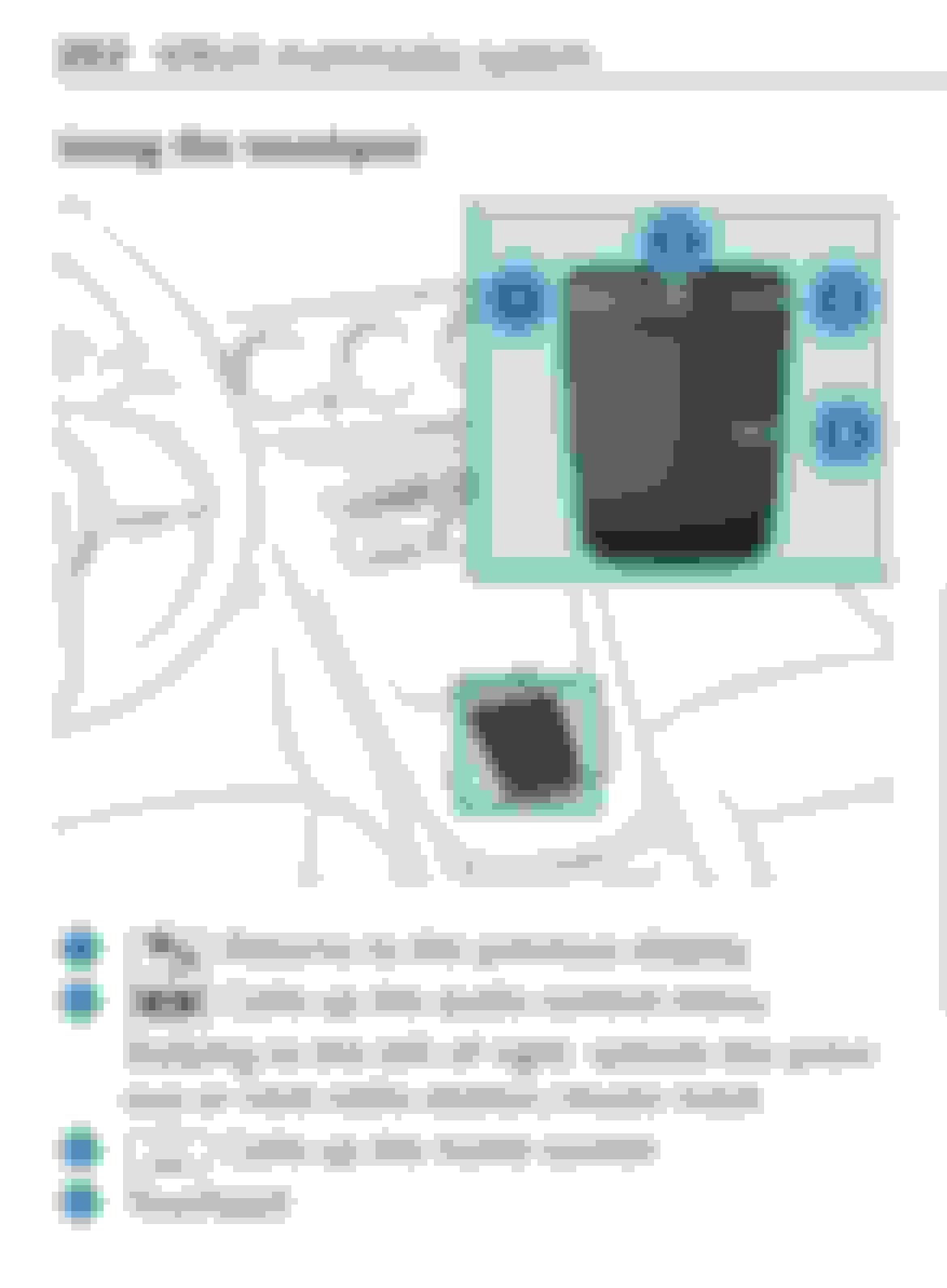
new to the forum. I purchased a 2020 x253 GLC a couple of weeks ago and have one issue with the touchpad. The function „select previous/ next track“ is not working in my GLC by swiping over the button in the top middle (pos. 2 in the picture attached). I found a few instances online where people mentioned similar behavior in their GLCs. I was wondering if this is a general problem for the model or maybe mine is defective. I have an appointment with my dealership in a couple of weeks they said they can perform a software check, but if it’s a general GLC problem they probably won’t be able to do anything about it. I was wondering if someone here in the forum can confirm if this function is available in their GLC or if also doesn’t work for some? Thanks!
Press down on the FF/RW button first, which brings up the popup menu on the bottom of the center screen. Then swipe left or right on the trackpad (or then press down on the trackpad, MBUX 1 and 2 changed the function, but you have to still press down on the FF/RW button first).
I am aware that I can press it and then swipe below, but I find this is too much work, if you are like me and you switch songs all the time. I want to be able to directly switch without multiple actions, just like it’s described in the user manual. According to the user manual there are two options - the one you describe, which brings the small overlay on the bottom by pressing the middle button, and the other option is to directly swipe on the top to switch songs (this would be my preferred method which unfortunately doesn’t work in my car, even though it should according to user manual). I’ve seen the function work as it should on other Mercedes models with MBUX. My question was if there‘s anyone out there, who’s GLC can skip tracks by just swiping over the top button.
I am aware that I can press it and then swipe below, but I find this is too much work, if you are like me and you switch songs all the time. I want to be able to directly switch without multiple actions, just like it’s described in the user manual. According to the user manual there are two options - the one you describe, which brings the small overlay on the bottom by pressing the middle button, and the other option is to directly swipe on the top to switch songs (this would be my preferred method which unfortunately doesn’t work in my car, even though it should according to user manual). I’ve seen the function work as it should on other Mercedes models with MBUX. My question was if there‘s anyone out there, who’s GLC can skip tracks by just swiping over the top button.
I have the EXACT same issue. GLC AMG43 2020 (facelift) and the FWD/RW swipes do nothing at all. I have another MB (EQA 2024) which works as it is supposed to so I am 100% confident that it is not a user error. The online manual for the GLC states that this function should work. All other aspects of the touchpad work just fine. .
Same issue with my '21 GLC43 purchased (new) during the pandemic. Was going to bring it up at my next service in 2-3 weeks. I'll post a reply with what they say.
Same issue with my '21 GLC43 purchased (new) during the pandemic. Was going to bring it up at my next service in 2-3 weeks. I'll post a reply with what they say.
Please keep us posted! Seems like it’s a GLC related issue. And it‘s good to know that not just mine behaves this way.
I am aware that I can press it and then swipe below, but I find this is too much work, if you are like me and you switch songs all the time. I want to be able to directly switch without multiple actions, just like it’s described in the user manual. According to the user manual there are two options - the one you describe, which brings the small overlay on the bottom by pressing the middle button, and the other option is to directly swipe on the top to switch songs (this would be my preferred method which unfortunately doesn’t work in my car, even though it should according to user manual). I’ve seen the function work as it should on other Mercedes models with MBUX. My question was if there‘s anyone out there, who’s GLC can skip tracks by just swiping over the top button.
I have no issues with my swipe. 2021 GLC63s. I also switch songs a lot and enjoy this feature. Check and make sure it is activated. So many settings and you might be able to turn it on and off.
I have no issues with my swipe. 2021 GLC63s. I also switch songs a lot and enjoy this feature. Check and make sure it is activated. So many settings and you might be able to turn it on and off.
Do you know where it can be activated? I couldn’t find a setting for this.
Next track / Prev track was not very well thought out with MBUX UI Engineers. Perhaps Germans just sit there and suffer through a terrible song. Or perhaps their albums are so good that every track is a banger.
My workaround for this (pardon me because I already sold me car as I'm going by memory) is to set up the left panel on the gauge cluster for media. Now you can use the steering wheel's left touch pad for next track / prev track by swiping up and down.
Mercedes SLR McLaren 722 S Is Extremely Rare Example Modified by McLaren
Slideshow: A one-of-one U.S.-spec Mercedes-Benz SLR McLaren Roadster became even rarer after a factory-backed transformation at McLaren's headquarters.