




Hi all- just picked up a 2015 ml350.
I have a couple of questions I am hoping someone can shed some light on.
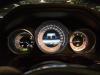
1. Attention assist- does the coffee cup on the dash stay on? Under the setting menu, the feature is "enabled" but not showing on the coffee cup on theinstrument cluster. Is that normal?
2. Parking assist- I have pulled up to a few spots that were suitable parking spots, but it seems like the car doesn't recognize the available spot. I'm thinking I'm doing something incorrect.
Any feed back would be a great help.
I have a couple of questions I am hoping someone can shed some light on.
1. Attention assist- does the coffee cup on the dash stay on? Under the setting menu, the feature is "enabled" but not showing on the coffee cup on theinstrument cluster. Is that normal?
2. Parking assist- I have pulled up to a few spots that were suitable parking spots, but it seems like the car doesn't recognize the available spot. I'm thinking I'm doing something incorrect.
Any feed back would be a great help.
MBWorld Fanatic!
Coffee cup will show only when the car detects that you need a coffee break after X hours of driving or your depending on your driving style....etc. It won't show up normally even if enabled.
I don't have any experience with parking assist, so can't answer.
I don't have any experience with parking assist, so can't answer.
There are a few posts about parking assist. I have the same issue. Ive only ever seen the little side arrow once or twice despite finding what I thought were great spots. I'm still trying to figure out the positioning and timing to get it to work consistently. So far, no luck.

Junior Member
With Park Assist I've found that you need tone further away from where you feel is right and also proceed beyond the space (feels wrong to go so far forward and out). This is the only way I've got it to work. But it does work a treat. Only found out a few weeks ago that Park Assist will also get you out of a park.
Does anyone know if you can use Park Assist to part in parallel parks (90 degrees) to kerb?
Does anyone know if you can use Park Assist to part in parallel parks (90 degrees) to kerb?

MBWorld Fanatic!
My Observations:
I have found that park assist will locate a space when they tend to be smaller, tighter, questionable fit spaces that the driver may have doubts about fitting in. You have to be driving kind of slowly while looking, and now that you mention it, maybe a bit further away from the curb or parked vehicle sides than you might normally be while looking for a space. (Perhaps it is only measuring off of the "street side" of the parked car, not including back bumper area and curb area?) It doesn't seem to locate a spot behind a single parked car after a long stretch of empty curb either... but mine has indicated a parking space as I pulled up to a traffic light in the middle lane (lane 2) with gaps in the lane of waiting cars to my right in lane 1!
If you want a spot on the driver side of the street, you must have that turn signal on that side to tell the car to look on that side.
Once it identifies a spot however, it will park flawlessly.
I have found that park assist will locate a space when they tend to be smaller, tighter, questionable fit spaces that the driver may have doubts about fitting in. You have to be driving kind of slowly while looking, and now that you mention it, maybe a bit further away from the curb or parked vehicle sides than you might normally be while looking for a space. (Perhaps it is only measuring off of the "street side" of the parked car, not including back bumper area and curb area?) It doesn't seem to locate a spot behind a single parked car after a long stretch of empty curb either... but mine has indicated a parking space as I pulled up to a traffic light in the middle lane (lane 2) with gaps in the lane of waiting cars to my right in lane 1!
If you want a spot on the driver side of the street, you must have that turn signal on that side to tell the car to look on that side.
Once it identifies a spot however, it will park flawlessly.
MBWorld Fanatic!
Quote:
I don't have any experience with parking assist, so can't answer.
I noticed that too. A few years ago in C class loaners, I noticed the cup icon was on to indicate the feature was active. Now I guess its on when it it suggesting a rest or coffee break in our MLs.Originally Posted by pamiboy
Coffee cup will show only when the car detects that you need a coffee break after X hours of driving or your depending on your driving style....etc. It won't show up normally even if enabled. I don't have any experience with parking assist, so can't answer.
Did you also notice (in KG equipped car like mine) When you touch the outer door handle to unlock, but don't pull the door open, there is a picture on the DIC of an ML driving towards you which appears for a few seconds until you pull the door open, when it is then replaced with a "Don't forget your key" statement.
If you unlock and pull the door open with no pause, the car icon never appears, and all you see is the key reminder. It should have been: see the car pic from the time you unlock until you get in and close the door behind you and then see the key reminder notice until you crank.
Great.. thank you!! I thought i was going crazy with the parking assist! I will be out hunting for a spot to test the feature out. Thanks again for all the feedback.
I did notice the ML picture on the cluster. If i am not mistaken, you can access that picture in the submenu. All is does is show you a picture of the ML.. Not even sure what the purpose it.
I did notice the ML picture on the cluster. If i am not mistaken, you can access that picture in the submenu. All is does is show you a picture of the ML.. Not even sure what the purpose it.
MBWorld Fanatic!
Quote:
I did notice the ML picture on the cluster. If i am not mistaken, you can access that picture in the submenu. All is does is show you a picture of the ML.. Not even sure what the purpose it.
When you set that option, if you wander across a road marking line, the line on that side of the picture changes color.Originally Posted by manjurino1
Great.. thank you!! I thought i was going crazy with the parking assist! I will be out hunting for a spot to test the feature out. Thanks again for all the feedback. I did notice the ML picture on the cluster. If i am not mistaken, you can access that picture in the submenu. All is does is show you a picture of the ML.. Not even sure what the purpose it.
MB World Stories
The Best of Mercedes & AMG
Explore

Manual Mercedes? 6 Times Sindelfingen Let Drivers Have All The Fun
Verdad Gallardo
Mercedes SLR McLaren 722 S Is Extremely Rare Example Modified by McLaren
Verdad Gallardo
8 Classic Boxy Mercedes Designs That Have Aged Like Fine Wine
Verdad Gallardo
Flawlessly Restored Mercedes 190E Evo II Heads to Auction
Verdad Gallardo
Electric Mercedes C-Class Unveiled: 11 Things You Need to Know
Verdad Gallardo
Mercedes EQS Gets A Major Update: Everything You Need to Know
Verdad Gallardo
5 Underrated Mercedes-Benz Models That Don't Get the Love They Deserve
Verdad Gallardo
Mercedes 300D Has Pushed Well Past 1 Million Miles and It Ain't Stopping
Verdad Gallardo


