Yeah, car was running, otherwise you can't operate the switch
But of course the disadvantage of a running car is the abundance of CAN messages, vs. when only the ignition is on.
I also think that the brown/red bus is the internal bus, because - according to the documentation - the internal bus runs on 125kbps and that's the only bus (that I found) on that speed.
BUT here's another thought
Are CAN gateways separating the same CAN bus into segments so only allow certain numbers of different CAN signals are on that part of the bus.
If that makes sense, maybe there's another location where I can tap into a different segment of the internal bus?
Just a stupid thought.
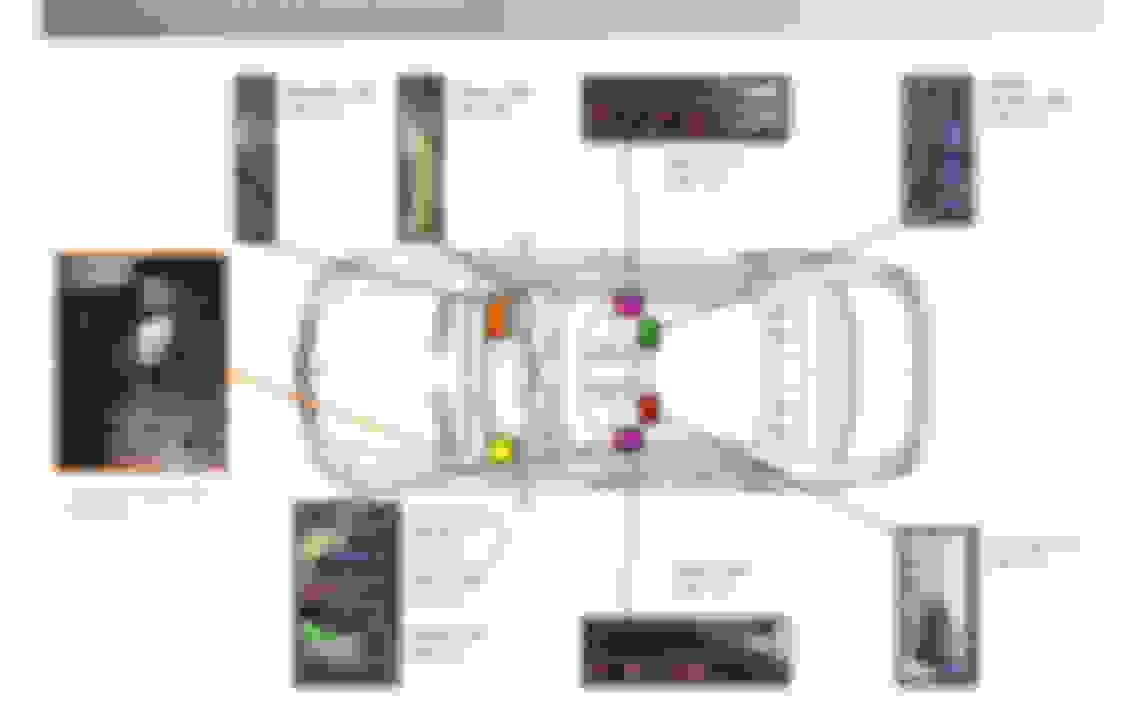
You are correct. Can B is the interior can. And yes, you are partly correct in your 2nd point. However keep in mind that android units control these functions and they only have access to whatever is available at the Comand plug. Comand sits on Can F which is the central can. Can F also goes to the CGW (obviously). If you are worried about tapping location, you can tap directly at the climate control switch.
OK, thanks that makes sense.
That would mean that either my methodology or my freeware tool is faulty.
probably won't be able to take a swing at it next weekend (need to rebuild the calipers on my Porsche)
Does anyone know any other Windows based CAN sniffer freeware tools?
I optimized the code in my CAN reader and took another swing at it over the weekend with the same results
I captured around 80 (or so) different CAN signals on the "brown/red bus" but none of them had the characteristics that would indicate it's the signal I'm looking for
I now think I would need to tap directly into the CAN bus wires at the back of the COMMAND unit (pins 1, 11, the yellow (!) wires next to the MOST cables), but I don't have the motivation to pull out the unit just for that.
Maybe I'll buy the Joyeauto CarPlay box and when I install it, I'll take another shot
Until then the project is sidelined.
There are plenty of things we can change and "break". Default starting sequence for Park Assist disabled would be a place where I would start as well. In addition to other ideas mentioned above I would disable the multi zone climate control "feature" which automatically overwrites all settings and sets the rest of the car to MAX or MIN when one zone is set to MAX or MIN. To me it defeats the purpose of multi zone climate control - occupants should be able to individually choose if they want MIN or MAX or something in between, just like in other Mercedes models I've used.
I think this is a more of a limitation of the "flaps" in the dash of the AAC system when on side demands MAX or MIN; when the flaps need to close other vents to make this happen, it cannot maintain the temperature set on the other side at the same time.
There is a CANTool installed on the Xentry Kit 3 which will allow you to capture packets on the CAN bus for diagnostics. The SDConnect has a slot for an SD Card where you can insert a memory card in there to do a long-term capture and download it to Xentry without the tablet; only the SDConnect, being in the car.
Most linux distros have a driver for CAN included - you just need to purchase an inexpensive interface to connect to the CAN network, and several open-source applications will allow you to record, filter, and play back messages on the CAN network.
I optimized the code in my CAN reader and took another swing at it over the weekend with the same results
I captured around 80 (or so) different CAN signals on the "brown/red bus" but none of them had the characteristics that would indicate it's the signal I'm looking for
I now think I would need to tap directly into the CAN bus wires at the back of the COMMAND unit (pins 1, 11, the yellow (!) wires next to the MOST cables), but I don't have the motivation to pull out the unit just for that.
Maybe I'll buy the Joyeauto CarPlay box and when I install it, I'll take another shot
Until then the project is sidelined.
You might need better software to highlight the changes in frames in real time. Otherwise it'll be hard to find anything just by looking at logs - or at least, a lot more annoying. Invest in an adapter that can work with software like CANPro. That way you can easily look at messages as they change, filter, put your own messages on the bus etc.
SDScan/Xentryscan is useful to get Frame IDs, if you know what you're doing, so you at least have a starting point.
The cockpit switch group, as MB calls the button group with the park button, sits on a LIN bus with the upper control unit (the climate control buttons). The climate control buttons in turn sit on CAN B (interior can), which is in the CAN distribution block you posted. Several other components are on CAN B and you should be able to tap anywhere.
Again for clarity: cockpit switch group/LIN - > upper control unit/CANB -> Central Gateway Control Unit.
Yeah, I implemented my old CAN-BUS scanner on an Arduino and the little CPU was overloaded.
So I bought a Raspberry PI 4 (much faster and more RAM) taught myself Python and wrote the whole thing again in Python (nice way to keep the brain free of cobb webs). The re-write also allowed me to improve my code.
My approach is easy: I filter all the "chatty" CAN channels (the ones which create a new reading every second, they report on all kind of stuff I'm currently not interested in)
This brings the number of channels in my live view down to a better manageable number
Then I press a button and look for channels which have a change in value immediately following the button press.
My code catches the change and highlights it on the screen.
Getting to the CAN-BUS wires at the back of the COMMAND unit is easy, so I'll tap in there next time.
Unfortunately now I'm chasing a battery drain again (I thought that I found and fixed it), so the CAN-BUS project is currently on the backburner
Maybe I don't know where to look, but I have not found a thread combining the W221 CAN bus knowledge, so here it is - if anyone has any information please contribute!
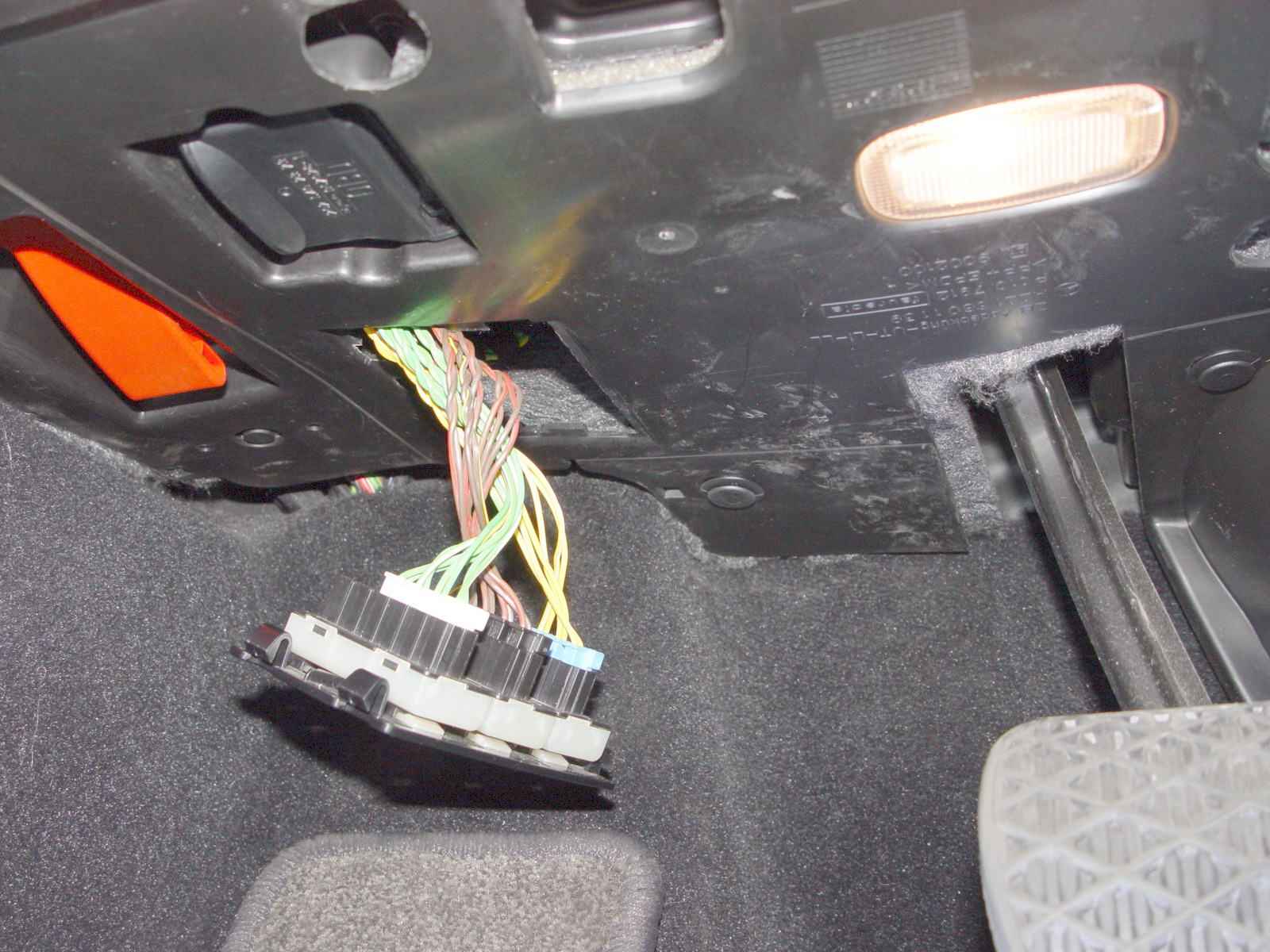
For starters, here is the access location under the dash, with 3 groups of wires: green, brown and yellow. Now the questions would be: which CAN bus serves which systems in the car, which signals are on which wires, what are corresponding messages on the CAN buses etc. Thanks!