When you click on links to various merchants on this site and make a purchase, this can result in this site earning a commission. Affiliate programs and affiliations include, but are not limited to, the eBay Partner Network.
Does anyone know if new maps are planned for R231? The most recent is 2020, 4 years old now. Hardly worth it to upgrade to a 4-year-old map. I wonder if MB or anyone else announces forthcoming maps.
It's my understanding that it's not only for the R231 but all models with the Comand System that is in our early model R231s. I bit the bullet and bought a V20 mapset off ebay. I haven't used it enough to see how many updates are actually on it. There are some newer roads in our area that I am hoping are on this version.
Last edited by rmorin49; Dec 29, 2023 at 05:01 PM.
Got one off the same Ebay vendor, USB stick. (This is after not getting a download from another vendor, discussed elsewhere here.) I got past the code entry so all that was fine. And then it didn't do anything. Yes, stuck it in and out several times. Nothing. Tried another USB stick I copied the contents to. Nada. Been communicating with the eBay vendor. He sent another USB, thinking the data was corrupted on the one I have, which arrived today. Left it in for an hour, then restarted. Nada. When I choose "navigation" it says "reading data". Which has been what it has said for several weeks now.
I originally went to my dealer, who said they didn't do the updates anymore and gave me the name of their vendor, who only sells to Benz dealers, so that was out. And yes, it's the 2019/2020 update, nothing more recent but my original one was 2013, which is kind of silly old. This is for a 2016 SL400, BTW.
So now I'm guessing the USB stick is fine. well, one of the two, but I need to tell it to restart updating. If anyone knows a way to go back to the start of the update process, please let me know. I've also asked the vendor, who has't responded yet.
The end result is there is no navigation at all now, locked on that 'reading data" screen. Yes, I can use Google maps, but I'd really like all the stuff on the car to work as well. And yes, you think Mercedes would make this easier but I'd like all politicians to get along too, and that hasn't happened either. Benz is still doing better building cars than they are at politics.
I GOT ONE THAT WORKED PERFECTLY, BUT WHEN I LOOKED FOR IT TODAY ON EBAY, EBAY AUTO-DIRECTED ME TO THE LINK ABOVE. NOT SURE IF IT IS THE SAME VENDOR I USED.
I ASSUME YOU ARE USING THE USB PORT IN THE CENTER CONSOLE, WITH ENGINE RUNNING, AND NAVI SELECTED ON THE DASH. IF SO, THEN PERHAPS INSERT THE USB DRIVE(S) YOU RECEIVED INTO A PC COMPUTER AND TAKE AT LOOK AT WHAT IS RECORDED ON THEM. IOW, ARE THEY BLANK? ANY MAP UPDATES WON'T OPEN WITHOUT THE 'CODE OR PASSWORD' BUT YOU CAN AT LEAST SEE IF ANYTHING IS SAVED ON THE USBs.
SORRY FOR YOUR TROUBLES; I WOULD HAVE THOUGHT MERCEDES AND THEIR DEALERS WOULD DO A BETTER JOB OF SUPPORTING THEIR CUSTOMERS WITH SOMETHING THIS SMALL, BUT IMPORTANT NEVERTHELESS. BUMMER.
Thanks, appreciate the suggestion, I thought of this, and don't mind paying for some remote consulting. Have one more thing to try first.
It's a crap shoot. I traded a 2011 SL550 for a 2016 SL400 in late November, and the maps were slow loading when I got the car, so I thought the issue was a somewhat corrupted database. Might be something deeper.
Yes, that's where I got the update and he has been fine. I'm not cranky. Yes, the Benz was running when I did the install, yes, it took the code, yes, it was the USB Port in the console, and yes, I've looked at the files and... there are files. (I'm a Mac guy but I can still read the format). It brought up the progress indicator except... there was no progress. Never moved off zero.
He's suggested I also attempt to load off the SD card reader, which I'll also try after I copy the files over. Will do that and report back if it works. He also suspects, because of the slowness, it's the HDD in the COMMAND unit, which means a replaced hard drive and/or unit. Hot damn! But this will make me crazy until I get it fixed, so it's worth it in that context.
I GOT ONE THAT WORKED PERFECTLY, BUT WHEN I LOOKED FOR IT TODAY ON EBAY, EBAY AUTO-DIRECTED ME TO THE LINK ABOVE. NOT SURE IF IT IS THE SAME VENDOR I USED.
I ASSUME YOU ARE USING THE USB PORT IN THE CENTER CONSOLE, WITH ENGINE RUNNING, AND NAVI SELECTED ON THE DASH. IF SO, THEN PERHAPS INSERT THE USB DRIVE(S) YOU RECEIVED INTO A PC COMPUTER AND TAKE AT LOOK AT WHAT IS RECORDED ON THEM. IOW, ARE THEY BLANK? ANY MAP UPDATES WON'T OPEN WITHOUT THE 'CODE OR PASSWORD' BUT YOU CAN AT LEAST SEE IF ANYTHING IS SAVED ON THE USBs.
SORRY FOR YOUR TROUBLES; I WOULD HAVE THOUGHT MERCEDES AND THEIR DEALERS WOULD DO A BETTER JOB OF SUPPORTING THEIR CUSTOMERS WITH SOMETHING THIS SMALL, BUT IMPORTANT NEVERTHELESS. BUMMER.
Try turning up your hearing aid so you don't have to SHOUT.
2015 SL400 (M276 Turbo), 2014 C350 Sport (M276 NA), 2004 SL500 (M113), 2004 Audi TT225 (BEA)
Originally Posted by Haz1
Yes, that's where I got the update and he has been fine. I'm not cranky. Yes, the Benz was running when I did the install, yes, it took the code, yes, it was the USB Port in the console, and yes, I've looked at the files and... there are files. (I'm a Mac guy but I can still read the format). It brought up the progress indicator except... there was no progress. Never moved off zero.
He's suggested I also attempt to load off the SD card reader, which I'll also try after I copy the files over. Will do that and report back if it works. He also suspects, because of the slowness, it's the HDD in the COMMAND unit, which means a replaced hard drive and/or unit. Hot damn! But this will make me crazy until I get it fixed, so it's worth it in that context.
OR....install the Road Top CarPlay unit and never worry about maps again. Then you can use CarPlay on your iPhone and Apple Maps.
Yea, thinking of doing that. It seems simpler and cheaper than replacing the whole COMMAND unit... and then getting 2020 maps that will never be updated. Just need to find someone to do it around Atlanta.
I know exactly what you mean. I changed the head unit in my last 2011 SL550. I did it myself after my nephew embarrassed me by telling me I should be smarter than a BestBuy installer. And, because they wouldn't do it and it was during Covid and I had nothing else to do. But the bottom line is I bought the best I could find but didn't like the backup camera and the radio never really worked. But it WAS a lot of work after a lot of exploring.
Glad to hear you're happy after the installation. That's encouraging and yes, it does seem like the smartest path.
I've now exhausted ways to update the resident GPS, stuck on "updating data" no matter what I try, so I think what makes sense is install the Road Top CarPlay/Android Auto instead. What model did you get? I've emailed them but haven't heard back. They don't list any SL's, including my 2016 and the NTG 4.5 they show has a Becker map module in the glove box, which I think is European spec. Mine doesn't have that and I don't think the Canadian cars have either. I think it's the inside the dash module. If you remember your Road Top model, please let me know., presuming there isn't any difference between the 2013 NTG 4.5 you have and the 2016 NTG 4.5 I have.
Mine is Apple so I'm afraid I'm not much help. BUT, if you take your time and use Dawg's step-by-step, photo-by-photo instructions that are stickied at the top of the R231 page you can do it!
2015 SL400 (M276 Turbo), 2014 C350 Sport (M276 NA), 2004 SL500 (M113), 2004 Audi TT225 (BEA)
Originally Posted by Haz1
I've now exhausted ways to update the resident GPS, stuck on "updating data" no matter what I try, so I think what makes sense is install the Road Top CarPlay/Android Auto instead. What model did you get? I've emailed them but haven't heard back. They don't list any SL's, including my 2016 and the NTG 4.5 they show has a Becker map module in the glove box, which I think is European spec. Mine doesn't have that and I don't think the Canadian cars have either. I think it's the inside the dash module. If you remember your Road Top model, please let me know., presuming there isn't any difference between the 2013 NTG 4.5 you have and the 2016 NTG 4.5 I have.
Basically, they are all the same for the navigation system you have (i.e., NTG 4.5). This is the one I put in my 2015 SL400. A few more bucks through Amazon than directly from Road Top ($219 vs. $239), but delivery is much faster AND no hassle returns.
Basically, they are all the same for the navigation system you have (i.e., NTG 4.5). This is the one I put in my 2015 SL400. A few more bucks through Amazon than directly from Road Top ($219 vs. $239), but delivery is much faster AND no hassle returns.
I understand your frustration with the outdated navigation in your 2015 SL400 and the hefty dealer charges for updates. While I haven't personally used the specific Facebook service you mentioned offering a $99 map update, here's a breakdown of the situation and some alternative options to consider:
Regarding the Facebook service:
Proceed with caution: The lack of reviews and comments raises a red flag. It's best to be cautious with unsolicited online services, especially those offering software downloads.
Potential risks: Downloading unauthorized software or updates can introduce malware or disrupt your car's navigation system.
Warranty concerns: Using unofficial updates might void your car's warranty if something goes wrong.
Alternative options:
Official Mercedes-Benz updates: Check with your local Mercedes-Benz dealership for official map updates. While they might be more expensive than $99, they are guaranteed to be safe and compatible with your car, preserving your warranty.
Third-party navigation apps: Consider using navigation apps on your smartphone like Waze or Google Maps. They offer real-time traffic updates and often have more comprehensive coverage than car's built-in systems.
OEM navigation update websites: Some manufacturers offer map updates directly on their websites for a purchase fee. Check the Mercedes-Benz website to see if they offer this option.
Recommendation:
Given the potential risks associated with the unknown Facebook service, I would advise against using it. It's safer to stick with official updates from Mercedes-Benz or explore alternative navigation options like smartphone apps. Remember, prioritizing your car's safety and warranty should be your top
$239 on Amazon, which I'm comfortable with. I sent Road Top a shot of the current screen. They said they checked and it.s 4.7 and compatible, so good to go. Short of ripping the dash apart. , but it looks a hell of a lot easier than the head unit change in the last SL550.
By the way, I've kept the ebay guy up on this saga. He thought it might be a bad hard drive or the Telematics need updating. We pretty much eliminated everything else. I got into the engineering menu (end call, #1 & # all at the same time for 10 seconds) and ran an HDD test and it says the HDD is fine. So next time I take it in, I'll have the dealer do a COMMAND update (which apparently only a dealer can do) and try the resident navigation update again, since I already bought it. I have read that some units do need the update of the firmware to take the nav update. In the meantime, I'll put in the Android Auto unit.
I understand your frustration with the outdated navigation in your 2015 SL400 and the hefty dealer charges for updates. While I haven't personally used the specific Facebook service you mentioned offering a $99 map update, here's a breakdown of the situation and some alternative options to consider:
Regarding the Facebook service:
Proceed with caution: The lack of reviews and comments raises a red flag. It's best to be cautious with unsolicited online services, especially those offering software downloads.
Potential risks: Downloading unauthorized software or updates can introduce malware or disrupt your car's navigation system.
Warranty concerns: Using unofficial updates might void your car's warranty if something goes wrong.
Alternative options:
Official Mercedes-Benz updates: Check with your local Mercedes-Benz dealership for official map updates. While they might be more expensive than $99, they are guaranteed to be safe and compatible with your car, preserving your warranty.
Third-party navigation apps: Consider using navigation apps on your smartphone like Waze or Google Maps. They offer real-time traffic updates and often have more comprehensive coverage than car's built-in systems.
OEM navigation update websites: Some manufacturers offer map updates directly on their websites for a purchase fee. Check the Mercedes-Benz website to see if they offer this option.
Recommendation:
Given the potential risks associated with the unknown Facebook service, I would advise against using it. It's safer to stick with official updates from Mercedes-Benz or explore alternative navigation options like smartphone apps. Remember, prioritizing your car's safety and warranty should be your top
$239 on Amazon, which I'm comfortable with. I sent Road Top a shot of the current screen. They said they checked and it.s 4.7 and compatible, so good to go. Short of ripping the dash apart. , but it looks a hell of a lot easier than the head unit change in the last SL550.
By the way, I've kept the ebay guy up on this saga. He thought it might be a bad hard drive or the Telematics need updating. We pretty much eliminated everything else. I got into the engineering menu (end call, #1 & # all at the same time for 10 seconds) and ran an HDD test and it says the HDD is fine. So next time I take it in, I'll have the dealer do a COMMAND update (which apparently only a dealer can do) and try the resident navigation update again, since I already bought it. I have read that some units do need the update of the firmware to take the nav update. In the meantime, I'll put in the Android Auto unit.
I have been following this thread, and I was ready to pull the trigger - especially with the $60 coupon that JettaRed pointed out. So, I log in to my Amazon account, and the $60 coupon that was there earlier is now gone (!) and replaced with a $30 coupon. Bummer.
I also noted on the FAQ from the manufacturer that with their device one cannot listen to Satellite Radio and use the Apple or Google Maps simultaneously! Something to do with both requiring AUX input. On a road trip that's the time I would most likely be using satellite radio and Apple maps at the same time. Another bummer.
I think I should just buy a SL450, which has Apple Play, etc, factory installed. And, if I did this (unlikely), I'd get another color than Mars Red! Another bummer.
But, I do love the car.
Last edited by docjoe; Jan 23, 2024 at 06:09 PM.
Reason: typo
JettaRed is right; it is not worth it to update the COMMAND maps at all. I have finished installing the RoadTop unit. These are my notes:
1. Bought it directly from them @ like $230. Good directions.
2. Tearing this dash apart is a LOT easier than on my 2011 R230. Much less stress.
3. The dip switch directions are wrong. Set up for the 7" screen and it will work fine. It's only one dip switch difference, so if you screw up, just change the one and presto, it will work, meaning getting the image on the COMMAND screen.
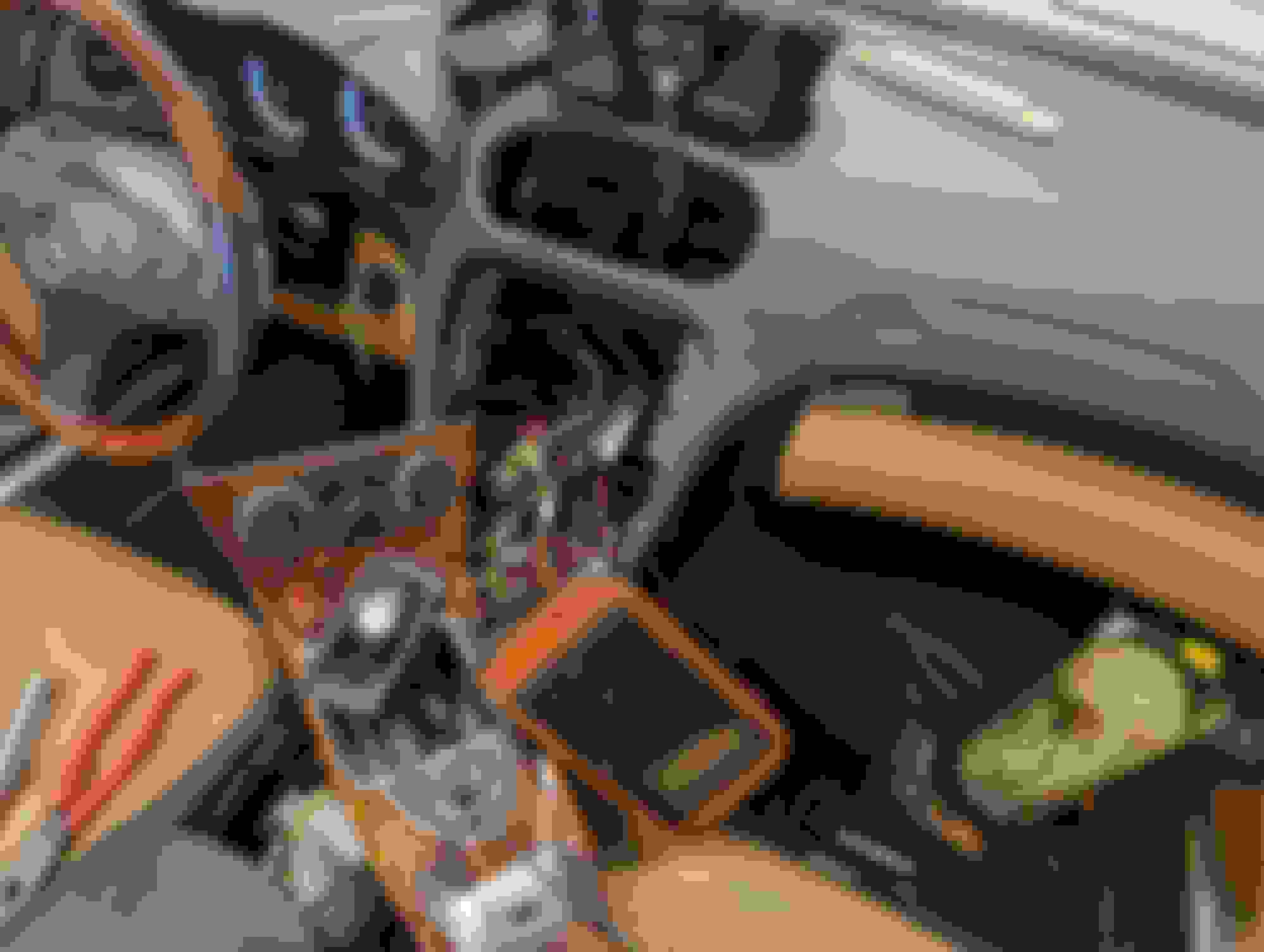
4. I had trouble fitting the actual unit in under the dash, so I put it in the glove box. There is a cutout to get the wiring in. I build a box to cover it and don't regret it. Pictures attached. Finished box RoadTop in glove box
5. THE biggest problem I had was getting the COMMAND unit back in. It was a half inch out and wouldn't seat. I figured I had the extra wiring behind preventing it but I was wrong. Screwed around with it for about an hour and figured it out. The tabs that hold in the radio in ... the things you unscrew so they wobble, need to be brought towards the rear. (This won't make sense until you try it.) Then the COMMAND unit slips right in.
6. Roadtop includes a connection to plug in to the MI interface (the iPod adapter in the center console) so that audio out goes to to "aux in" on the Command system. I tried this and never got audio out of it. I thought I might have pinched the wiring on install so I bought three more connectors. Never got it. However, I did get out out by changing a setting on the Roadtop box to enable "bluetooth audio". Now it works fine if you change the COMMAND unit source over to BT Audio.
7. So the bottom line is it is connected via wireless Android Auto (in my case) and BT audio.
8. I contacted RoadTop with my version of their software, got an update from them, and installed it. Not sure what changes there are as I don't see any difference, but they were good about getting me an update and telling me how to install.
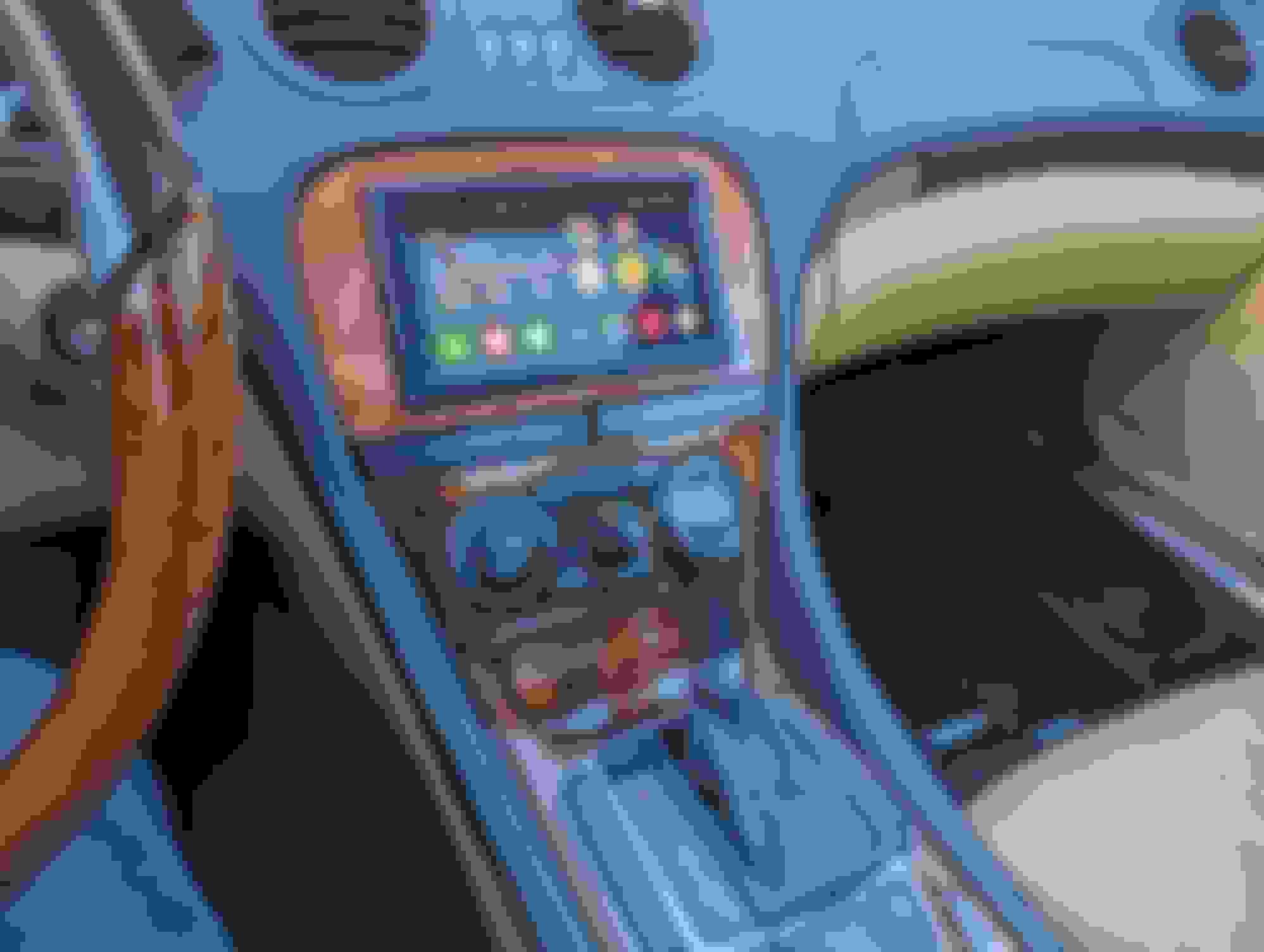
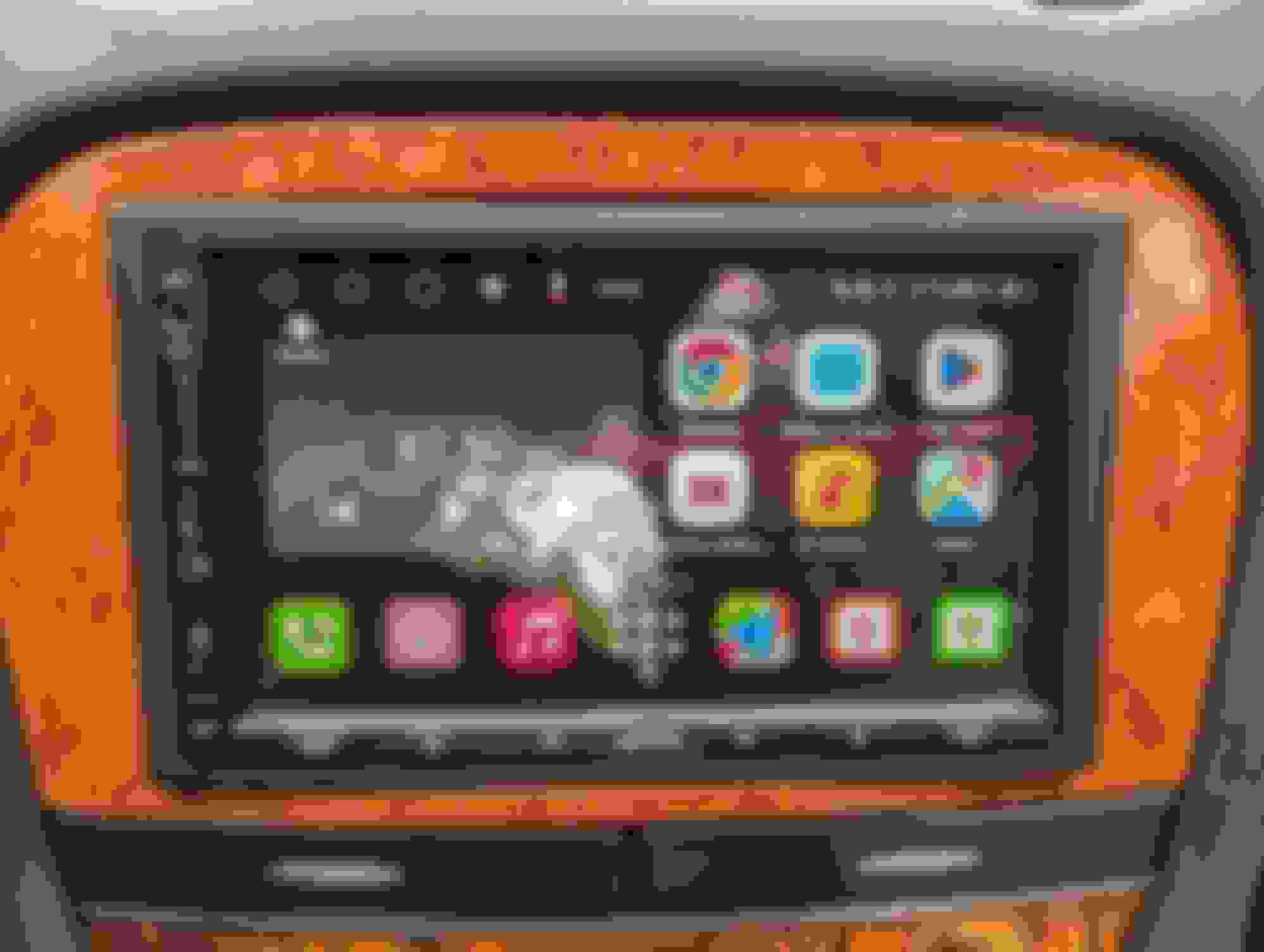
Works great. Maps are much better than the MB update and always current. Easy to navigate back and forth between Android Auto and the COMMAND system. It is THE way to do it to me.
Final note, I challenged the COMMAND map update guy ( BIMMERNAVIIUPDATE.COM) on my credit card for non-delivery, and was today credited with that money back. The ebay guy is fine. I never got it to update but he did everyting he could to make it right, so I have no issues with him. Still don't have the COMMAND maps update but now don't care.
Definitely worth the trouble though. I now have wireless Android Auto without any kinky moves to bring it up.
Mercedes SLR McLaren 722 S Is Extremely Rare Example Modified by McLaren
Slideshow: A one-of-one U.S.-spec Mercedes-Benz SLR McLaren Roadster became even rarer after a factory-backed transformation at McLaren's headquarters.


























 , but it looks a hell of a lot easier than the head unit change in the last SL550.
  completed new navigation