

--DIY Vented upgraded Seat Fans--

Thread Starter
MBWorld Fanatic!


Joined: May 2007
Posts: 6,403
Likes: 139
From: Clearwater Beach, Florida
2016 Cls63s AMG
--DIY Vented upgraded Seat Fans--
Well i did mine today and its a fairly decent process but let me tell you.. its WORTH the damm time, what an awesome mod!!
Plz refer to Timetoy's pictures as well, i didn't want to add them here without his permission but hes got some nice pictures too on the other thread!!
Link: https://mbworld.org/forums/w211-amg/...d-anymore.html
Some of the tools you will need

first thing first is order your fans :113:
link: http://www.cwc-group.com/efc0812dbf00.html
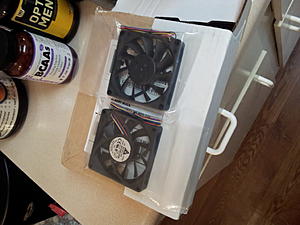
now this is were it gets messy
make sure you have a nice dremel cutter to cut the edges of the vans, it takes some time but its what you gotta do
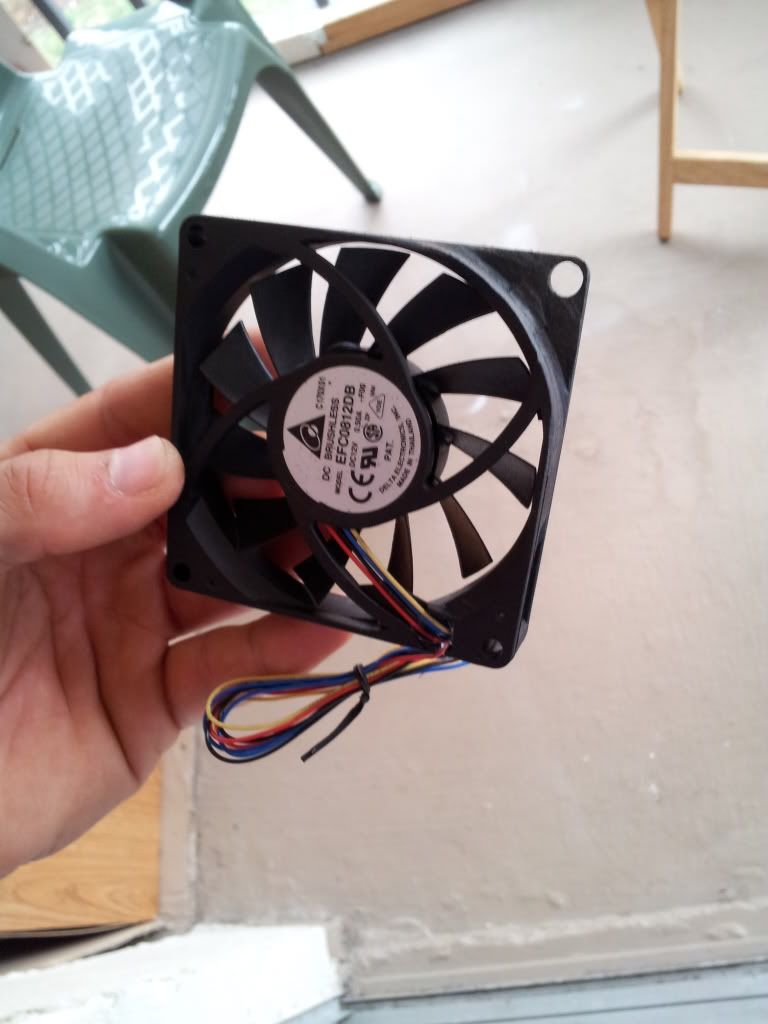
you can see one corner of it done and grinded nicely sorry am anel lol
Both fans done all 4 corners and ready to go... notice there is 4 wires on each fan so go ahead and clip the other two and leave the RED AND BLACK only

Now here we go
1. Move the seat all the way up front and raise it up so its easier to work on and there is two T15 torx screws on the bottom.. unscrew and the back cover of the seats comes off. Pull it gently
2. This is what your going to see when that cover comes off

here is a comparison between the two sets

3. Remove the two springs on each side of the seat to make work easier for your self

4. Disconnect the fans by un cliping the plug on the left and slide the whole thing out

5. Remove the fans by pulling them either to the side or upwards

This is what your left with ones the damm little fans are removed

6. Mark it with a sharpie so you can cut that fabric stuff whatever it is... its pretty annoying!! here is one side cut and fan placed in


7. Now the wiring process... its pretty much power and ground you can figure that out your self but here is a picture of how i did it... make sure you solder them together and than use electrical tape..

8. Both fans wired up put in place and fired up look at them go  I turned them on and put my hand in front of the seat... you can feel them blowing so much air its absolutely amazing
  sorry just a little excited

9. All wires tucked in put together and ready to close up.. this is after testing it multiple times

THE END hope you enjoyed it and trust me you will want to do this
Plz refer to Timetoy's pictures as well, i didn't want to add them here without his permission but hes got some nice pictures too on the other thread!!
Link: https://mbworld.org/forums/w211-amg/...d-anymore.html
Some of the tools you will need
first thing first is order your fans :113:
link: http://www.cwc-group.com/efc0812dbf00.html
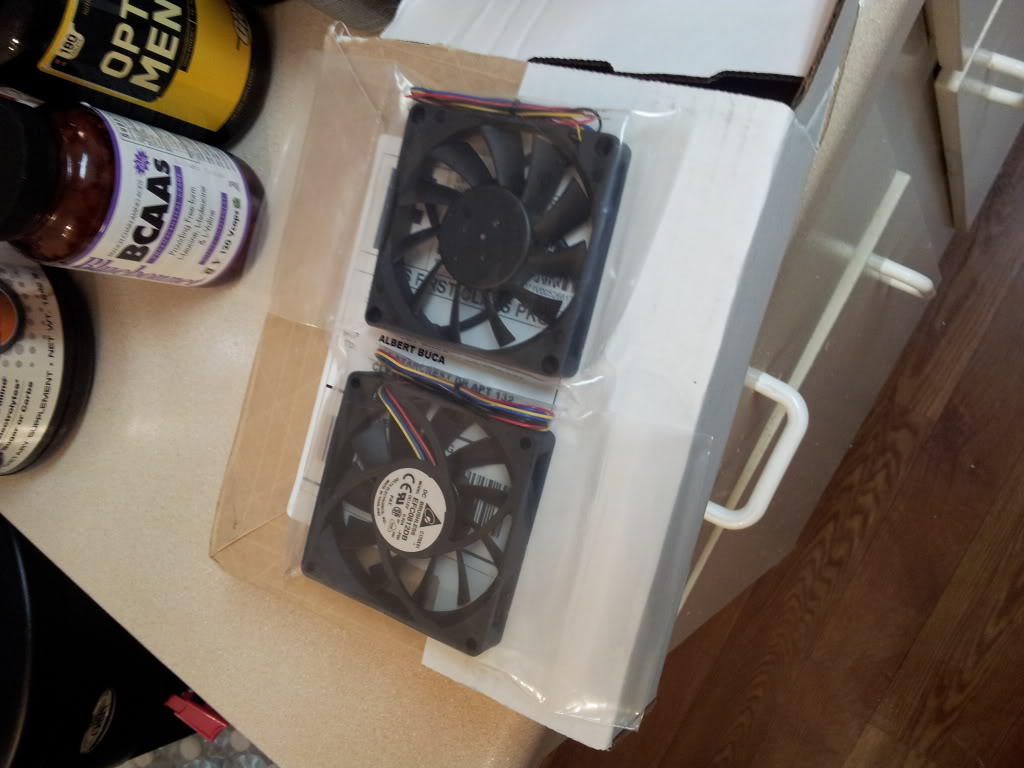
now this is were it gets messy
make sure you have a nice dremel cutter to cut the edges of the vans, it takes some time but its what you gotta do
you can see one corner of it done and grinded nicely
sorry am anel lol Both fans done all 4 corners and ready to go... notice there is 4 wires on each fan so go ahead and clip the other two and leave the RED AND BLACK only
Now here we go
1. Move the seat all the way up front and raise it up so its easier to work on and there is two T15 torx screws on the bottom.. unscrew and the back cover of the seats comes off. Pull it gently
2. This is what your going to see when that cover comes off
here is a comparison between the two sets
3. Remove the two springs on each side of the seat to make work easier for your self
4. Disconnect the fans by un cliping the plug on the left and slide the whole thing out
5. Remove the fans by pulling them either to the side or upwards
This is what your left with ones the damm little fans are removed
6. Mark it with a sharpie so you can cut that fabric stuff whatever it is... its pretty annoying!! here is one side cut and fan placed in
7. Now the wiring process... its pretty much power and ground you can figure that out your self but here is a picture of how i did it... make sure you solder them together and than use electrical tape..
8. Both fans wired up put in place and fired up
look at them go I turned them on and put my hand in front of the seat... you can feel them blowing so much air its absolutely amazing sorry just a little excited 9. All wires tucked in put together and ready to close up.. this is after testing it multiple times
THE END hope you enjoyed it and trust me you will want to do this
Last edited by berti_00; May 18, 2012 at 11:04 AM.

MBWorld Fanatic!
Joined: Oct 2011
Posts: 1,212
Likes: 5
From: Chicago
03 E55 AMG, 06 Harley Road King Custom 06 Ram 2500 Cummins, 97 Firebird Race Car, 88 Cutlass Supreme
Fantastic write up!
The message is from your battery running down some and the computer has disabled some of the convenience items inside your car temporarily like heated seats etc while it recharges the battery some. Probably from having your doors open or the radio on etc etc while you were working. I left my lights on for an hour by accident once and got this and let it idle for about 10-15 minutes and everything was back to normal again.
The message is from your battery running down some and the computer has disabled some of the convenience items inside your car temporarily like heated seats etc while it recharges the battery some. Probably from having your doors open or the radio on etc etc while you were working. I left my lights on for an hour by accident once and got this and let it idle for about 10-15 minutes and everything was back to normal again.
Thread Starter
MBWorld Fanatic!
Joined: May 2007
Posts: 6,403
Likes: 139
From: Clearwater Beach, Florida
2016 Cls63s AMG
Fantastic write up!
The message is from your battery running down some and the computer has disabled some of the convenience items inside your car temporarily like heated seats etc while it recharges the battery some. Probably from having your doors open or the radio on etc etc while you were working. I left my lights on for an hour by accident once and got this and let it idle for about 10-15 minutes and everything was back to normal again.
The message is from your battery running down some and the computer has disabled some of the convenience items inside your car temporarily like heated seats etc while it recharges the battery some. Probably from having your doors open or the radio on etc etc while you were working. I left my lights on for an hour by accident once and got this and let it idle for about 10-15 minutes and everything was back to normal again.
but i figured it would go away.. anyways thanks and hope this will help people on their process, i tried being as clear as i could**EDIT: so i went back turned the car back on and the computer said options are now available and everything works great
am a happy camper now
Last edited by berti_00; May 17, 2012 at 07:11 PM.

Senior Member
Joined: Jul 2006
Posts: 469
Likes: 11
From: Santa Clara, CA
2016 CLS63S AMG, 2017 GMC Sierra Denali Ultimate, 2019 KTM 1290 Super Adventure R
VERY nice writeup. Are you planning to do the seat base fans also? I gather that will require seat removal?
Thread Starter
MBWorld Fanatic!
Joined: May 2007
Posts: 6,403
Likes: 139
From: Clearwater Beach, Florida
2016 Cls63s AMG

MBWorld Fanatic!
Joined: Sep 2005
Posts: 1,558
Likes: 8
From: Sacramento, CA
Ducati
Sweet!
Ordering some fans to do this!
The seat base/bottom looks to be a bit more involved to remove... Appears to require removal of the seat. Attached a PDF of lower cushion removal.
Ordering some fans to do this!
The seat base/bottom looks to be a bit more involved to remove... Appears to require removal of the seat. Attached a PDF of lower cushion removal.
Trending Topics
MBWorld Fanatic!


Joined: Dec 2011
Posts: 4,066
Likes: 37
From: Folsom, CA
2005 E55 AMG
MB World Stories
The Best of Mercedes & AMG

Manual Mercedes? 6 Times Sindelfingen Let Drivers Have All The Fun
Verdad Gallardo
Mercedes SLR McLaren 722 S Is Extremely Rare Example Modified by McLaren
Verdad Gallardo
8 Classic Boxy Mercedes Designs That Have Aged Like Fine Wine
Verdad Gallardo
Flawlessly Restored Mercedes 190E Evo II Heads to Auction
Verdad Gallardo
Electric Mercedes C-Class Unveiled: 11 Things You Need to Know
Verdad Gallardo
Mercedes EQS Gets A Major Update: Everything You Need to Know
Verdad Gallardo
5 Underrated Mercedes-Benz Models That Don't Get the Love They Deserve
Verdad Gallardo
Mercedes 300D Has Pushed Well Past 1 Million Miles and It Ain't Stopping
Verdad Gallardo
10 Most Reliable Mercedes-Benz Models You Can Buy Used
Verdad Gallardo
Thread Starter
MBWorld Fanatic!
Joined: May 2007
Posts: 6,403
Likes: 139
From: Clearwater Beach, Florida
2016 Cls63s AMG
just a little update... i drove around for a bit today and i gotta say at one point i dropped the fan speed to 2 i could feel my back getting cold.. i have my ac on too ofcourse so the air that is being pushed to your back is actually the cool ac air that is being circulated around the cabin
Senior Member
Joined: Jul 2006
Posts: 469
Likes: 11
From: Santa Clara, CA
2016 CLS63S AMG, 2017 GMC Sierra Denali Ultimate, 2019 KTM 1290 Super Adventure R
If the entire front seat is unbolted and tilted back, are the lower fans readily accessible? Someone shine a mirror under there to see what's involved.
MBWorld Fanatic!
Joined: Dec 2008
Posts: 2,396
Likes: 38
From: Bay Area, CA
2007 SL55 AMG
its not visible. you have to remove the whole seat pan and cushion. The fans on the bottom are of small and rubbery to sustain "bigger" passengers."
Senior Member
Joined: Jun 2011
Posts: 385
Likes: 1
From: Dallas
'13 C63C
IIRC when I looked up the steps involved in doing the seat bottom, per MB's instructions is was extremely involved and required removing the entire seat from the car, and required STAR in order to be able to reset certain settings somewhere.. it wasn't worth it, but I would love to see someone find a quicker way.


MBWorld Fanatic!
Joined: Apr 2006
Posts: 8,137
Likes: 26
From: Maryland
Eurocharged 2004 E500, Eurocharged ECU/TCU 2005 SL600, 2010 Caddy SwaggerWagon
Nice write-up.


MBWorld Fanatic!
Joined: Sep 2005
Posts: 1,558
Likes: 8
From: Sacramento, CA
Ducati
IIRC when I looked up the steps involved in doing the seat bottom, per MB's instructions is was extremely involved and required removing the entire seat from the car, and required STAR in order to be able to reset certain settings somewhere.. it wasn't worth it, but I would love to see someone find a quicker way.
Im headed to LA today, but will be pulling my seat when I get back to check out the fans.

MBWorld Fanatic!
Joined: Oct 2006
Posts: 3,642
Likes: 13
From: Caribbean/Florida/Colorado
E-ZGO 53hp., 1999 E 430 sport, 2004 E 55, 2008 Tahoe LTZ on 24"s
Ok good job, I like bigger fans.
One question, originally these seats would suck the air from the perforated seating/back rest. Can you tell me why you changed it to blow?
Is there an advantage? Blow vrs suck....
One question, originally these seats would suck the air from the perforated seating/back rest. Can you tell me why you changed it to blow?
Is there an advantage? Blow vrs suck....