When you click on links to various merchants on this site and make a purchase, this can result in this site earning a commission. Affiliate programs and affiliations include, but are not limited to, the eBay Partner Network.
How is the audio output connected without AUX-IN being able to be activated? I don't have AUX-IN available in the Media menu of my Comand unit.
Before installing the screen, leave your existing monitor in place and then enter into Engineering mode from your command unit.
You'll have to go to the HW or SW settings options and look in that menu to "activate" your AUX port.
You'll have to Google how to enter into Engineering mode, I've forgotten one of the 3 buttons you're suppose to hold down simultaneously. I know button number 1 and # you use, but forgotten b
which 3rd button to use.
Hello,
also I I'm interested ti this product but I need some information about this:
-is that system compatible with comand MY 2017?
-is possibile to use it only as a display and use native function of the car like navigation,dynamic selection,engine information,car information,clima information?
- there are some warranty issue?
-is possible to add carplay interface?
Many thanks
Stefano.
Last edited by stefguaz; Jun 6, 2018 at 02:27 AM.
Reason: .
Before installing the screen, leave your existing monitor in place and then enter into Engineering mode from your command unit.
You'll have to go to the HW or SW settings options and look in that menu to "activate" your AUX port.
You'll have to Google how to enter into Engineering mode, I've forgotten one of the 3 buttons you're suppose to hold down simultaneously. I know button number 1 and # you use, but forgotten b
which 3rd button to use.
B.
Are these steps to use the screen with cars equipped with Burmester surround sound? I have Audio20 w/Burmester
Bought a GLC coupe and am very dissapointed with the infotainment system... feels old and not even touch screen... is there any proper alternative that would work properly? is there something non chinese? some proper aftermarket infotainment to replace this old screen?
Hi There
I bought and installed a Android 10,25" screen on my s205 Audio 20 with Burmeister and OEM Navigation, Backup camera.
I got my burmeister to work just to take the optical cabels and connected them in the CD player connector, have not had any issues.
Here is the link to the screen i bought https://www.aliexpress.com/item/10-2...89184c4dyt3Cyq
Hi There
I bought and installed a Android 10,25" screen on my s205 Audio 20 with Burmeister and OEM Navigation, Backup camera.
I got my burmeister to work just to take the optical cabels and connected them in the CD player connector, have not had any issues.
Here is the link to the screen i bought https://www.aliexpress.com/item/10-2...89184c4dyt3Cyq
Hello,
I've just ordered (I mean, few minutes ago ) the same device from the same vendor on Ali, and i own a S205 with Audio20 (but no Burmesteir).
I'm eager to receive the screen, which is look awesome. in particular because this system seems to keep all stock commands (software command, but also hardware button) and integrate them fine with the android interface.
Meanwhile, may i ask you some tips regarding how you install the screen ? cause I couldn't find any comprehensive guide, only youtube some videos which never showing the process from A to Z.
First, I'm wondering where you install the GPS antenna, as well as the wifi antenna. I assume the wifi antenna can be hide behind the console, but what about the gps one ? I assume is better to place it just behind the windshield ? Or maybe place it on the back of the screen itself (with double side adhesive for example) ? Or do you think is it possible to hide it somewhere, for exemple under the central loudspeaker cover without impacting performance ?
Regarding the rear cam, are there any specifics cable/connections ? Or is it integrated in the big main power cable ?
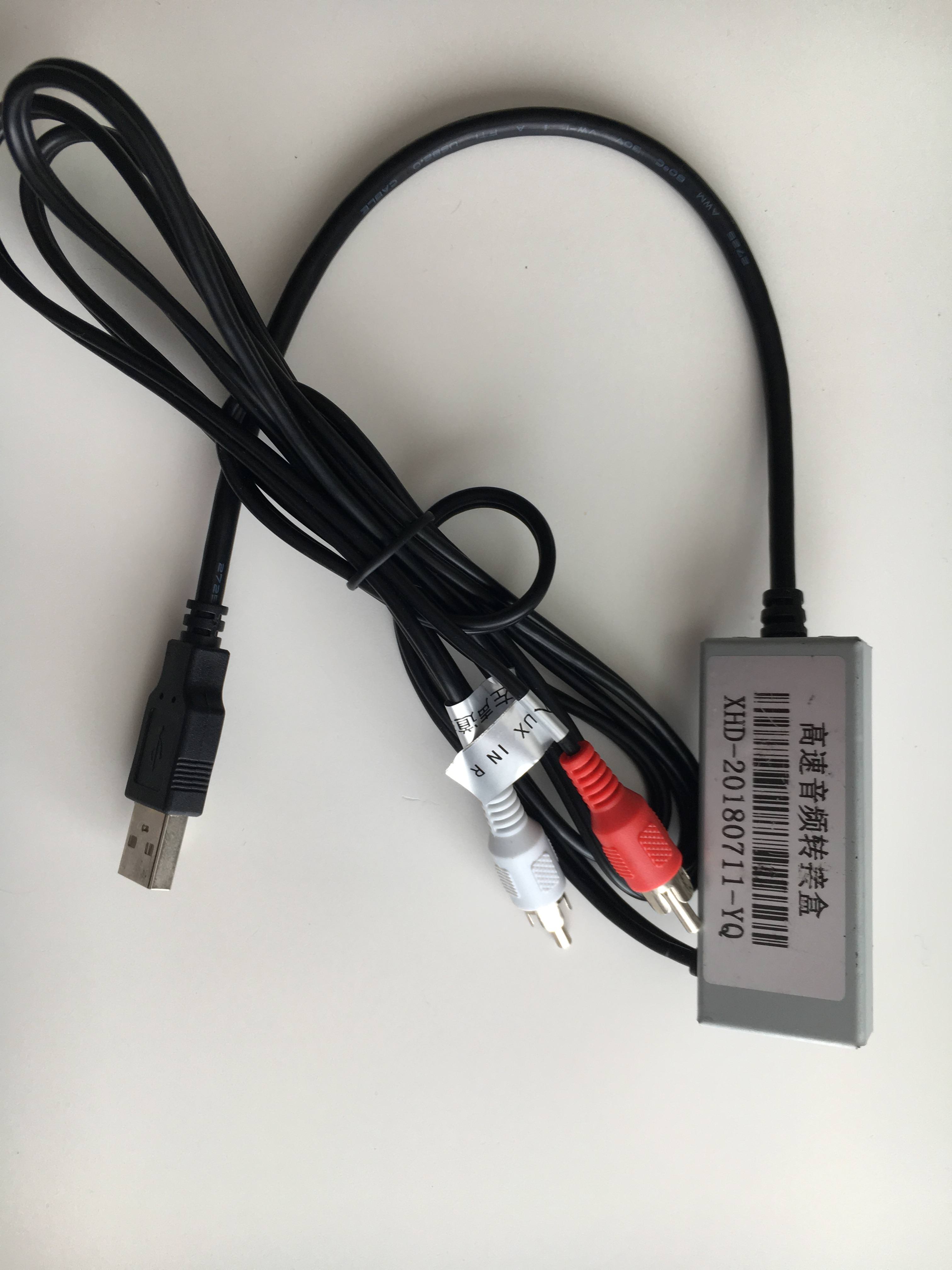
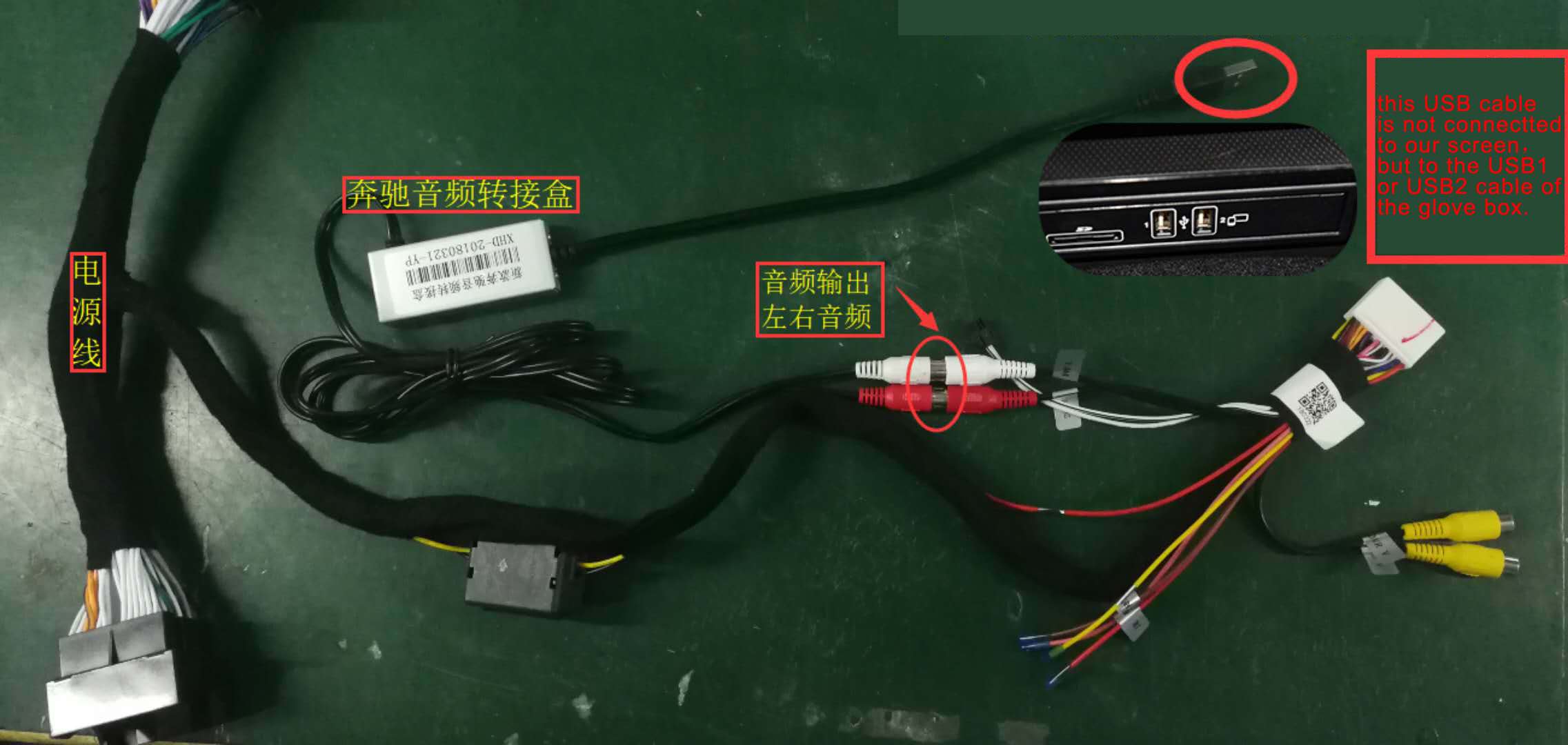
And I also see that there is a little white box with a male usb cable and two male rca cable. What is the aim of this one ?
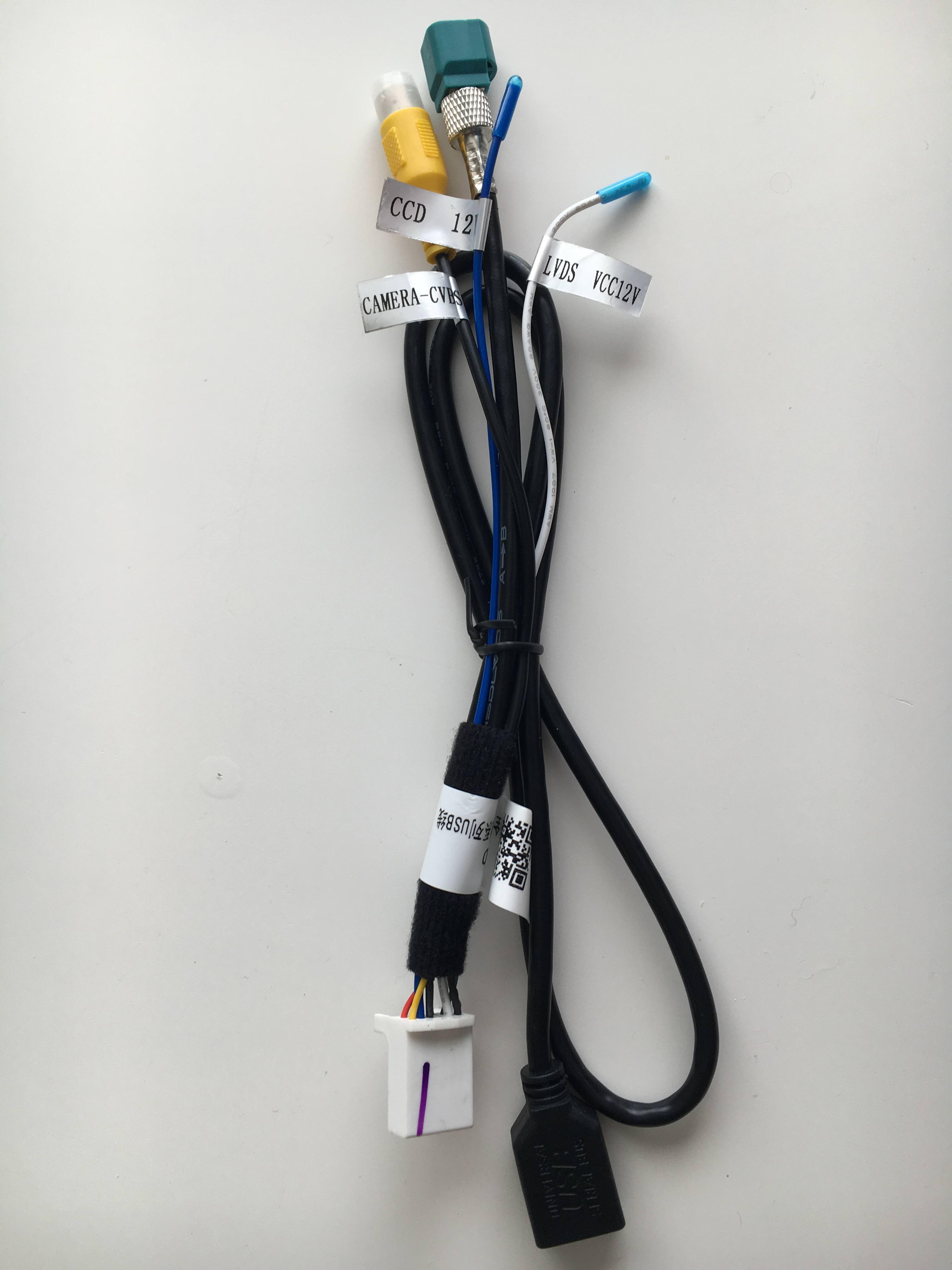
There is also another cable with a green female connector. What is it for?
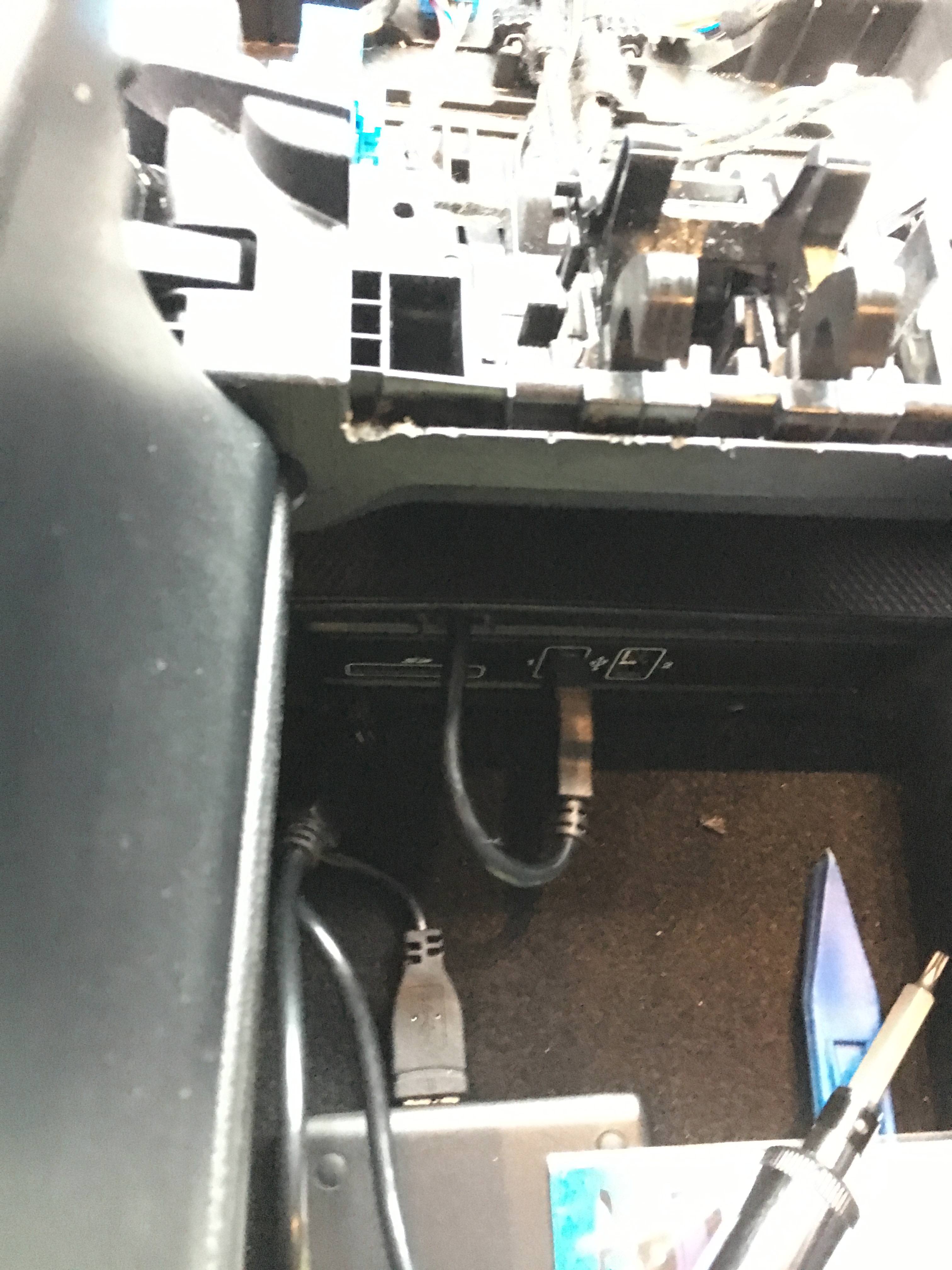
finally, I plan to place the USB female connexion (the one which is used for mirroring) just next to the cigar lighter socket (by cutting a little bit the back of the central console, or in the central armrest (where there are the 2 oem usb plugs and the sd socket). Do you think that the cable is long enough these 2 set up?
Sorry if I ask a lot. I would be nice if you can share some of your experience,
And if not, well, I'll experiment on my own
I've just ordered (I mean, few minutes ago ) the same device from the same vendor on Ali, and i own a S205 with Audio20 (but no Burmesteir).
I'm eager to receive the screen, which is look awesome. in particular because this system seems to keep all stock commands (software command, but also hardware button) and integrate them fine with the android interface.
Meanwhile, may i ask you some tips regarding how you install the screen ? cause I couldn't find any comprehensive guide, only youtube some videos which never showing the process from A to Z.
First, I'm wondering where you install the GPS antenna, as well as the wifi antenna. I assume the wifi antenna can be hide behind the console, but what about the gps one ? I assume is better to place it just behind the windshield ? Or maybe place it on the back of the screen itself (with double side adhesive for example) ? Or do you think is it possible to hide it somewhere, for exemple under the central loudspeaker cover without impacting performance ?
Regarding the rear cam, are there any specifics cable/connections ? Or is it integrated in the big main power cable ?
And I also see that there is a little white box with a male usb cable and two male rca cable. What is the aim of this one ?
There is also another cable with a green female connector. What is it for?
finally, I plan to place the USB female connexion (the one which is used for mirroring) just next to the cigar lighter socket (by cutting a little bit the back of the central console, or in the central armrest (where there are the 2 oem usb plugs and the sd socket). Do you think that the cable is long enough these 2 set up?
Sorry if I ask a lot. I would be nice if you can share some of your experience,
And if not, well, I'll experiment on my own
Hi
I will try my best to answer you questions.
First of all there is a bunch of youtube videos that i used, but i will try to explain.
First of all, take a look at this video, then you got a small feeling how this is done.
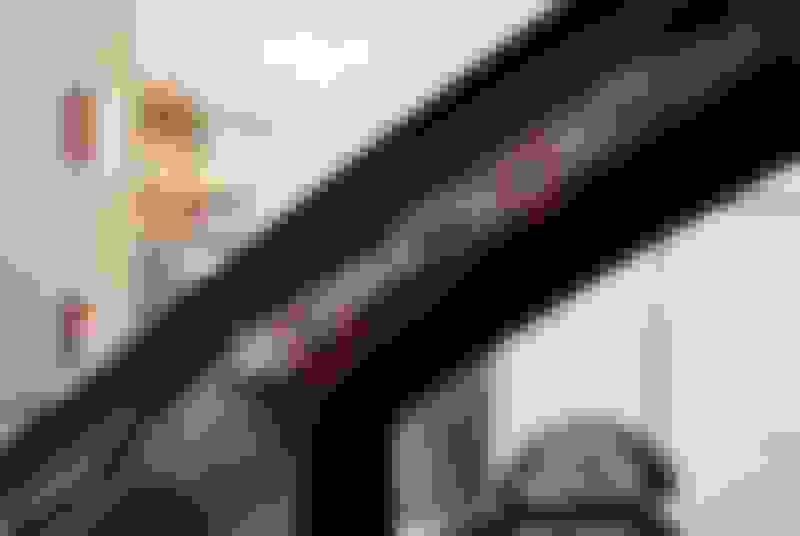
The GPS antenna i placed behind the cover of the A pillar left side, just take off the "Airbag Logo"and pull the pillar towards you.
The Wifi antennas i just put them behind the console, im not intent to use them.
Rear cam cables are included, but if you have OEM Camera, you do not use them
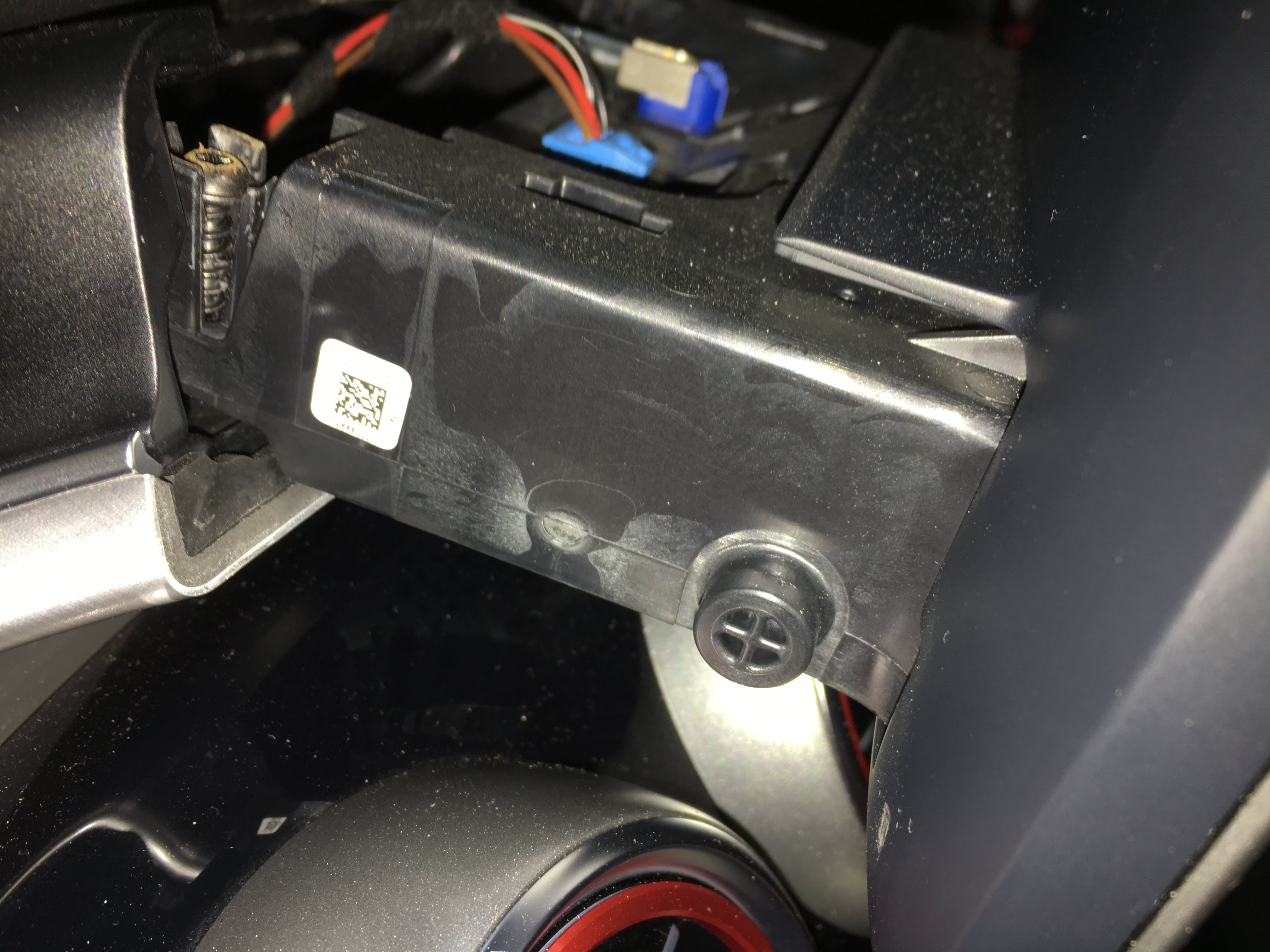
Cables from the screen
Little white box with a male usb cable and two male rca cable
Is for AUX sound from the 10,25 screen, connected from the screen cables to one of the USB ports under the Armrest.
i Also found a small spce under the USB connectors to place the box, and i made a small space for the cable
The green female connector is from the blue oem connector from the screen to the new screen
The right one on the picture, The left one :"DO NOT USE"
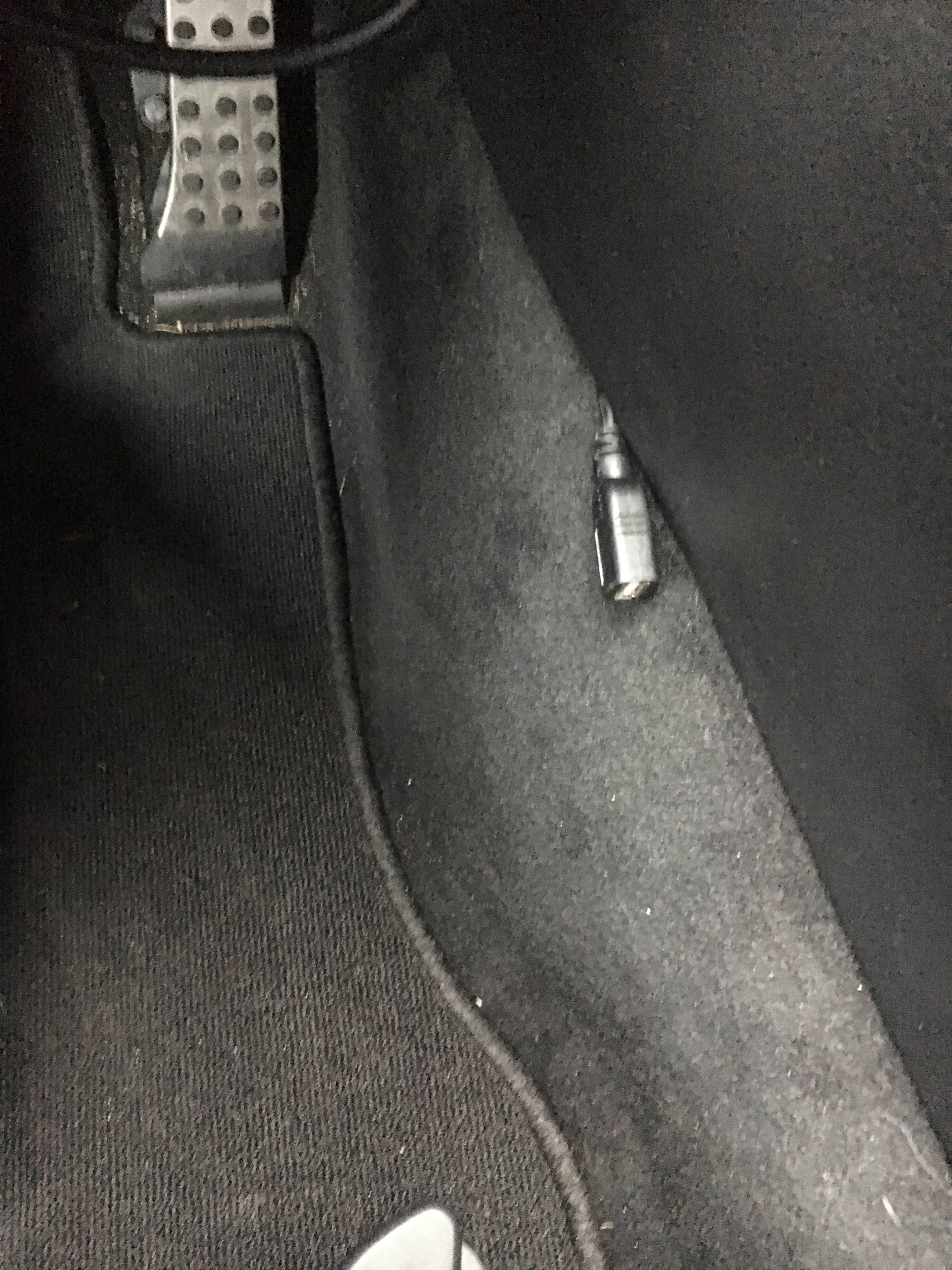
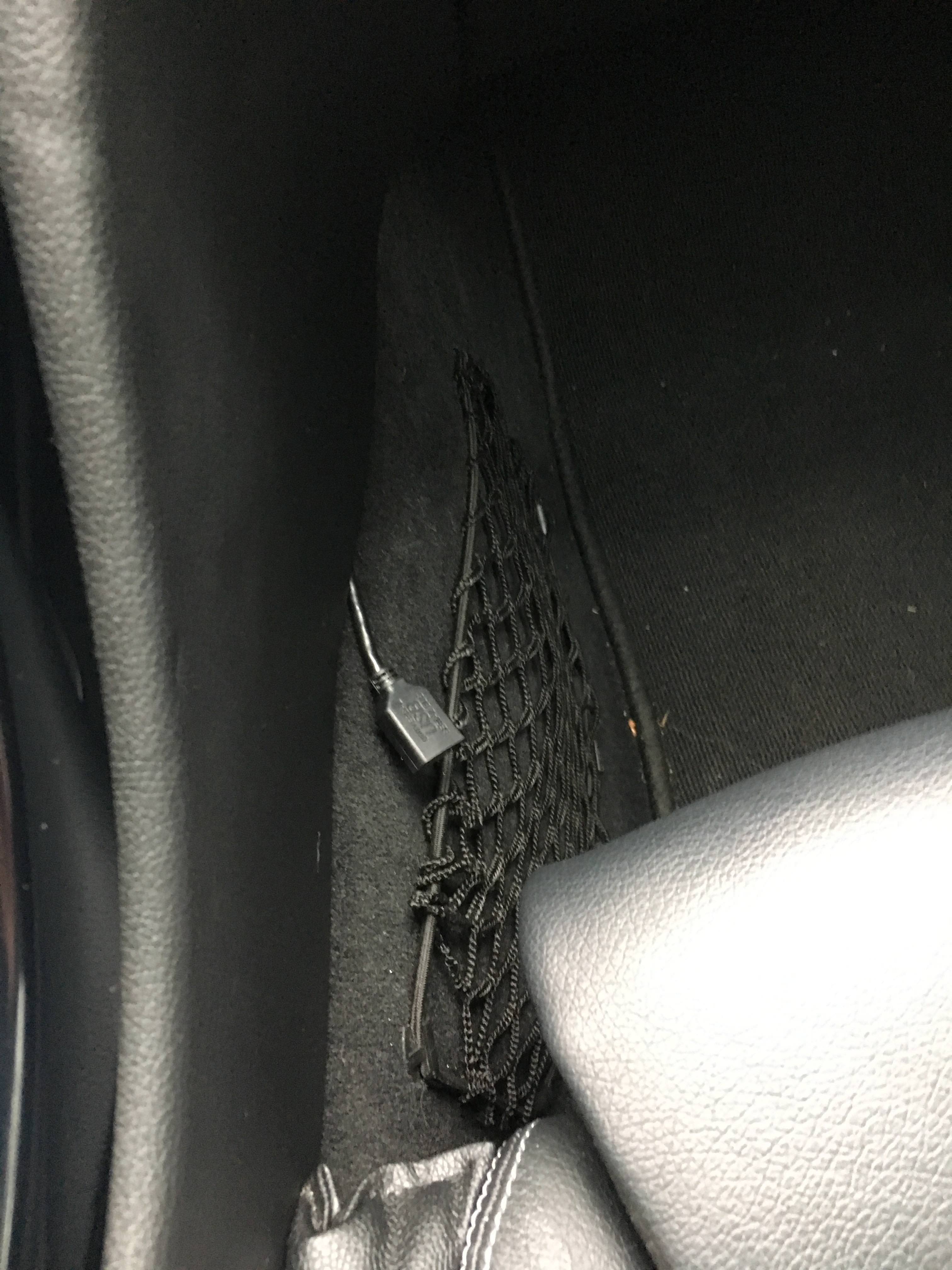
It is 2 usb from the system, one from the screen for mirroring and one from the main cable
I put one on each side
As far as i can remember i do not think the USB cables are long enough for your setup, but you can always try
I hope you can use my info, and understood some of it, im not that good in English but i try my best.
Just ask if something is not clear or i have missed something
Last edited by sentralfyr; Sep 6, 2018 at 02:13 AM.
@Sentralfyr
Thank you very much for your feedback.
It helps a lot !
I just don't understand where you exactly install the GPS antenna. But I understand that you figure out to hide it. Do you have a good gps signal?
And regarding the other antenna, I believed it was wifi but you seem to say that it is 3g antenna and you don't use it.
Did you plug the antenna to the screen or did you just leave the antenna behind the console ?
And does your wifi works?
Cheers.
Here is a picture of the right side A pillar, and my signal is just great
It was actually 2" Wifi" antennas but i think it is for 3G and 4G and i connected them both and just put them behind the console
I have not testet with a simcard, and to connect to the internet i just share internet connection from my Iphone
When i am at home it just connects automaticly to my home wifi network
You only need a T15 torx bit and its only 6 screws to lossen it all.
The screen
The console
the CD player
Last edited by sentralfyr; Sep 6, 2018 at 03:04 AM.
Thanks for the link to your album, it is very helpful too.
Actually, thanks to your help, I almost figure out the whole installation (at least, in my mind ).
However, I see on your photos that your interface doesn't look like the photos of road top on AliExpress.
Actually,
On your photo, the home button is on top left of the screen, and the back button is on the top right.
The vendor's photos shows the home and back buttons on the down left of the screen.
i prefer the interface from the vendor's photos.
Is it something that can be set in the parameters?
Thanks for the link to your album, it is very helpful too.
Actually, thanks to your help, I almost figure out the whole installation (at least, in my mind ).
However, I see on your photos that your interface doesn't look like the photos of road top on AliExpress.
Actually,
On your photo, the home button is on top left of the screen, and the back button is on the top right.
The vendor's photos shows the home and back buttons on the down left of the screen.
i prefer the interface from the vendor's photos.
Is it something that can be set in the parameters?
Hope it going to be a easy match for you.
The picures you can see on sellers page is the old one, Android 5.1 System,Quad 4-core CPU, 1G Ram, 16G Rom
I bought Android 7.1 System,Octa 8-core CPU, 2G Ram, 32G Rom
And i also have bought a 64 gig sd card,(got it just right now.
NEW 10.25” Android 7.0 Screen UPGRADE INSTALL VIDEO for 2015+ C CLASS (W205) POSTED!
Hi everyone!
I actually just purchased the newest version of this 10.25” unit from Carlife-mall.net. I put together this video to hopefully help anyone like me who purchased the unit accomplish a successful first install with minimum drama, if any. .
if you have any questions please feel free to ask.
If you looked at the last version of this unit but decided to wait then, This NEW AMG LIKE ANDROID SCREEN is worth a second look. I think you’ll be pleasantly surprised.
Screen Purchased From: www.carlife-mall.net
[Your satisfaction is their happiness]
Contact: Rock
Skype: rock_carlife-mall
Shenzhen,China
KD...
Last edited by Whurree; Sep 10, 2018 at 09:02 PM.
Reason: Revising txt... I have ADHD 🤔, so brace yourself 😂
Mercedes SLR McLaren 722 S Is Extremely Rare Example Modified by McLaren
Slideshow: A one-of-one U.S.-spec Mercedes-Benz SLR McLaren Roadster became even rarer after a factory-backed transformation at McLaren's headquarters.



















 ) the same device from the same vendor on Ali, and i own a S205 with Audio20 (but no Burmesteir).