When you click on links to various merchants on this site and make a purchase, this can result in this site earning a commission. Affiliate programs and affiliations include, but are not limited to, the eBay Partner Network.
For me I could only have either splash.img or bootanimation.zip in OEM folder. When I had both only the splash was loaded.
In addition try resetting unit while USB flash drive is in the cable. Then let Android start up and wait for boot animation loaded notice in lower portion of screen.
It claims to have a DSP processor (for better audio and prevent audio delay issues. no word on full specs)
it has 8GB ram and 128GB internal storage. Double that of the N600.
Android Auto and CarPlay built-in. (No word on what CPU is used.)
Looks nice. If it is the same price as N600 PLUS, I would give it a try.
Need more info.
My only fear is about the fact that the new model lacks the Qualcomm UI (do you think it changes the functionality and options or is it just a design?)
I understand the N600 has three UIs and the N8 I have only seen one.
And in addition how much does it matter that the processor is not a Qualcomm?
My only fear is about the fact that the new model lacks the Qualcomm UI (do you think it changes the functionality and options or is it just a design?)
I understand the N600 has three UIs and the N8 I have only seen one.
And in addition how much does it matter that the processor is not a Qualcomm?
IF you are not a risk taker, then go with what you know.
Or reach out to the seller. I sent a message about the cpu.
IF you are not a risk taker, then go with what you know.
Or reach out to the seller. I sent a message about the cpu.
Unfortunately I have already placed the order for the N8 PRO MAX, and I am considering canceling it,
the seller is not so responsive to questions,
so your opinion is important to me.
Please update if he responds to you and you can figure out which model is better.
Unfortunately I have already placed the order for the N8 PRO MAX, and I am considering canceling it,
the seller is not so responsive to questions,
so your opinion is important to me.
Please update if he responds to you and you can figure out which model is better.
Keep it and contribute to the thread. I am curious.
Hello Benzdude,
I allow myself to constact you because I have a problem on my GLC. I have ridden an N600 for 2 months. I brought updates and a new launcher to it. Today the 4 keys on the left side (dynamic, lifting, M, A) of the central console no longer work when I am on Android but work when I switch to NTG. Could you tell me, please, if you saw this problem because honestly I can't remember if these keys originally worked. ( I think that if) Excuse me, I am using a traduct thank you in advance Patrick
When in Android mode all controls should work except trackpad. Since it works in Mercedes OEM mode, it appears that unfortunately one of your updates broke this. If it was wiring or something else it would be the same in OEM mode.
The Analog to USB box sound quality is fine, not sure why people where complaining.
Also, to enable Auto AUX switching you have to find the USB input that says "USB AUX". Then press the favorites button and save it. Take note of the position in the favorites.
Then go to AUX switching in the menu and input the position number. The only downside is it doesn't auto switch back.
Example, if you were listening to Bluetooth audio on the "NTG Menu" side and then switched to Music on the android side, it will auto switch to USB AUX. But if you go back to the "NTG Menu" it remains on USB AUX.
Not sure what this extra Speaker is for, no sounds come out of it.
Also, my touch pad does not work with the screen. Not sure if that's expected.
Hi BenzDude,
I have another problem. related to the sound.
When i first switch the android Sound is coming, but if I do any other operation Like reversing, answering calls on NTG, the sound never comes back. even if I switch back to radio and then to USB AUX android applications are silent.
Is there a setting to rectify that? Why would it happen?
I have another problem. related to the sound.
When i first switch the android Sound is coming, but if I do any other operation Like reversing, answering calls on NTG, the sound never comes back. even if I switch back to radio and then to USB AUX android applications are silent.
Is there a setting to rectify that? Why would it happen?
Cheers
Try setting USB position #2 to the same number as USB position #1 or leave #2 at 0.
What i've noticed is that if you are in NTG mode playing MB radio or bluetooth and switch to Andriod. MB media will switch to MB AuX (if setup correctly)
Now if you switch back to NTG mode from android, I believe it tries to switch to USB position #2 setting.
Although I've never fully tested that theory
There are ODB-II devices you can purchase. They plug into the ODB port on the car and enable the AUX functionality in the head unit. I got mine on ebay. https://www.ebay.com/itm/AUX-In-Audi...EAAOSwNRdYBnUC
I didn't get from that seller, but that is the product I got. Works great with the CarPlay proxy device I have.
The labels on the harness indicate Audio Out and Audio In as mentioned. It does appear the wiring is done. I would need to unwrap it to trace wiring of Audio In to verify. I see wires on the head Unit connector pins that are for AUX IN. Will report back if it works. Otherwise I will default back to USB AUX.
Here is a photo with the labels. The Audio Out comes from the Android connector and Audio in is part of the Mercedes T harness.
I just received a 10.25" N600 Unit from the Navifly Factory Store this past Wednesday Feb 10th and i can confirm my Wiring Harness also came with the AUX pre-wired into the QuadLock. (The AUX cables, labeled AUX in and AUX out, we're already connected out of the box as well)
- I already had AUX enabled on my end for a previous Carplay unit that i was using with my factory 8.4" screen, so that was a bonus!
For any of those who are curious what this means, you do not need to use the AUX to USB converter and run the cables into the center glove box (USB ports) IF you have AUX enabled in your car.
Like mentioned previous AUX can be enabled via appropriate OBD AUX activator dongle, or someone with access to programming. If you have AUX enabled, you do not lose any of your previous media options either. All remains the same with the addition of AUX.
Can anyone help me, I am experiencing red vertical lines on my screen, I have the 12.5" navifly android screen installed on my w205. The screen works as in it is responding to touch and the physical buttons because the lines appear in different places, but just displays random red lines and no image. I have tried an MCU update to no success. :/
Can anyone help me, I am experiencing red vertical lines on my screen, I have the 12.5" e navifly android screen installed on my w205. The screen works as in it is responding to touch and the physical buttons because the lines appear in different places, but just displays random red lines and no image. I have tried an MCU update to no success. :/
Did you try pressing a paper clip in the top reset hole on the left side of the screen? Make sure its the top hole.
I have tried resetting a few times, no success. The top two images are the device booting, the 3rd is on the app screen and the last is when I press the radio button :/
I have tried resetting a few times, no success. The top two images are the device booting, the 3rd is on the app screen and the last is when I press the radio button :/
Was it ever working before? What did you do to break it?
Did'nt you test it before putting the center console back on?
I would check all the wires and connections.
Are you saying the red lines are there even during boot up??
Yep it worked for 3 months or so, then as soon as winter hit it started doing it randomly and now constantly. Yep the lines appear straight away on startup :/ I've checked all connections, the old stock display works perfectly fine :/
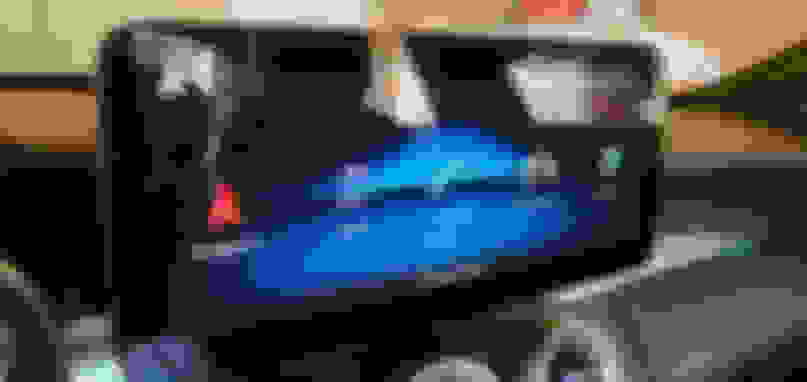
Here it is removed. I just peeled it off carefully.
Had to roll all the glue off with my finger.
The final product (clean, no defects or scratches). Rich deep blacks are back. I will look for another anti glare screen protector.
.
bluray is so uncomfortable.
I looked for it because it didn't seem to be in focus with a purple reflection or blur.
How about after tearing it off? Do I need another protective film?
Is it okay to use after tearing off the film?
Thank you.
Mercedes SLR McLaren 722 S Is Extremely Rare Example Modified by McLaren
Slideshow: A one-of-one U.S.-spec Mercedes-Benz SLR McLaren Roadster became even rarer after a factory-backed transformation at McLaren's headquarters.
























 Red Vertical Lines Covering the Screen