When you click on links to various merchants on this site and make a purchase, this can result in this site earning a commission. Affiliate programs and affiliations include, but are not limited to, the eBay Partner Network.
Glad you got the aux issue figured out. For the usb cable I routed it down through the passenger side trim between the leather/plastic trim and the carpet right before the transition to the center trim where the cup holders are, this way I can push it up and away from sight when not in use. The cls must have way more space in the back because I have a mods4cars tv in motion module back there and still fit everything. Not sure how similar it is behind the unit but for a lot of the longer cables I routed them up closer to where the screen is, leaving the head unit with only enough slack to pull it out and get my hand in there to disconnect it. Also do a stereo channel test and make sure you are getting proper left and right sound from the aux. The rca/aux cable that came with the unit was ****ty quality and the mmi cable reversed the left and right channels for some reason, so I switched backed to the oem mmi cable.
Glad you got the aux issue figured out. For the usb cable I routed it down through the passenger side trim between the leather/plastic trim and the carpet right before the transition to the center trim where the cup holders are, this way I can push it up and away from sight when not in use. The cls must have way more space in the back because I have a mods4cars tv in motion module back there and still fit everything. Not sure how similar it is behind the unit but for a lot of the longer cables I routed them up closer to where the screen is, leaving the head unit with only enough slack to pull it out and get my hand in there to disconnect it. Also do a stereo channel test and make sure you are getting proper left and right sound from the aux. The rca/aux cable that came with the unit was ****ty quality and the mmi cable reversed the left and right channels for some reason, so I switched backed to the oem mmi cable.
Another problem solved. I went to the store and just purchased a USB extender, fished the small end through a small hole at the rear of the glove box and was able to connect it to the main usb plug.
To andwer your question, the android sound was pretty good on YouTube videos. Sounded like I was watching a dvd. The only connection I have is the 3.5mm cable. I didn’t use the white/red cable since they errant included.
Final issue before I complete the install is the damn head unit. I wish the 212 had as much space other models. Please!!!!! Anyone with a 212 who achieved this miracle. How did you do it?
I dont get it..I have a w212 and no problem. What I use to get stuck on after tucking all cable into any hole there is is that often there is something comming inbetween the back top rear of the comand that goes in pretty much dead onto to the oem bracket wall. So have nothing to do with little space. Often hapen with oem cables as well. That is why they are from factory attached to the comand to not get inbetween the top back. Show me a pick of the install how you tucked all away..
Another problem solved. I went to the store and just purchased a USB extender, fished the small end through a small hole at the rear of the glove box and was able to connect it to the main usb plug.
To andwer your question, the android sound was pretty good on YouTube videos. Sounded like I was watching a dvd. The only connection I have is the 3.5mm cable. I didn’t use the white/red cable since they errant included.
Final issue before I complete the install is the damn head unit. I wish the 212 had as much space other models. Please!!!!! Anyone with a 212 who achieved this miracle. How did you do it?
Like you, I ended up with bloody knuckles, two weeks and a very angry wife LOL
I discovered the solve quite by accident. On a W212 - assuming you have nothing else other than this mod behind the COMAND (I had the ECO Off + VIM mod, that I had to remove) - you need to push the quadlock connector first, straight down the middle, towards the back. Bear with my description here, but if you look in that space, you will see two "butt-cheeks" .... and the quadlock connector needs to go in between first. Then, the rest of the cables need to be tucked sort of in the middle; lower the better. Two other things that helped are - one of the cables is attached to the back of the Comand unit with a black "peg" of some sort. Sliding that "peg" out (so that it is no longer tied to the back of the unit) helped tremendously. And finally, and this is a big one - when you slide the Comand back in, many a times, the locking mechanism (remember the two screws at the top of the Comand, that you had to loosen and pull up...so you could slide the Comand out?) ....slips back down. Meaning - you cant slide the unit back in. Use a screwdriver and lift those up a bit.... and voila! Hope this helps, my friend.... I could deal with the bloody knuckles, and the time ....but angry wife? Especially when she thought I'm just "monkeying around in the car on some nonsense".... ? I'm still paying for it. LOL
I am in opposite situation.
I have angry wife, only becouse I bought the car with no factory GPS and she is not good in using the suction-cup GPS, nor the android one.
But monitoring the android-conversion threads, this one is not going too well even with Chris chiming-in, where the other vendor just got devastating reviews.
So sinking hundreds of dollars for stuff that MIGHT work, but with my lack of programming skill is very questionable ?? Nope.
Get me a vendor who knows what he is selling and has pictures/videos to support? Is that too much to ask for several hundreds bucks?
What?? I have 9 videos and do 24/7 support and have a pdf file full of pictures and instructions. What is it you seek in a unit that dont work? Why would you say I dont know what I sell? I have 2 units my self in W166 and W212 and all works as far as I can see.
Last edited by Chris The Swede; Mar 25, 2018 at 04:39 PM.
Update: I finally got the head unit back far enough to screw it in place. Good thing i decided to test everything one more time before I re-install the dash trim because now the Android audio won't play. I got not sound from Spotify or YouTube anymore. I must have pinched a cable or something with all the wrestling I was doing.
Chris, you never offered me the PDF with instructions. Can you send it to me also?
Update: I finally got the head unit back far enough to screw it in place. Good thing i decided to test everything one more time before I re-install the dash trim because now the Android audio won't play. I got no sound from Spotify or YouTube anymore. I must have pinched a cable or something with all the wrestling I was doing.
Chris, you never offered me the PDF with instructions. Can you send it to me also?
Like you, I ended up with bloody knuckles, two weeks and a very angry wife LOL
I discovered the solve quite by accident. On a W212 - assuming you have nothing else other than this mod behind the COMAND (I had the ECO Off + VIM mod, that I had to remove) - you need to push the quadlock connector first, straight down the middle, towards the back. Bear with my description here, but if you look in that space, you will see two "butt-cheeks" .... and the quadlock connector needs to go in between first. Then, the rest of the cables need to be tucked sort of in the middle; lower the better. Two other things that helped are - one of the cables is attached to the back of the Comand unit with a black "peg" of some sort. Sliding that "peg" out (so that it is no longer tied to the back of the unit) helped tremendously. And finally, and this is a big one - when you slide the Comand back in, many a times, the locking mechanism (remember the two screws at the top of the Comand, that you had to loosen and pull up...so you could slide the Comand out?) ....slips back down. Meaning - you cant slide the unit back in. Use a screwdriver and lift those up a bit.... and voila! Hope this helps, my friend.... I could deal with the bloody knuckles, and the time ....but angry wife? Especially when she thought I'm just "monkeying around in the car on some nonsense".... ? I'm still paying for it. LOL
Thanks for the tips! This sounds like what I might have done. However, I did all blind...just by feel. Am I doing something wrong because you answer as well as Chris' sounds like you have a visual somehow. In regards to "locking mechanism," are you referring to the two screws on either side that attach to the frame? That's the only locking mechanism of sorts that I removed to pull the head unit out. Yeah, my wife thought this was cool for about a day, now she's just pissed! I got it back just enough to screw the head unit back down but no I get no android sound. Ideas?
Finally, it’s done!!!!! Thanks to deepthought66’s tip on going down the middle with connector first. I did this and the head unit slipped right in. I’lol post pics and instructions for the other folks later tonight dice to did things a bit differently since my unit came without instructions or aux cables. Thanks to everyone’s help!
In case anyone in interested, here are a few things I learned along the way to bloody knuckles, lots of cussing, and the final install.
1-my unit didn’t come with the red/white aux cables that are shown in the diy videos. The videos shows the cables in connected pairs. Turns out you don’t need them. Just connect the 3.5mm cable to the aux input in your armrest.
2-One thing the videos don’t tell you is that you have to remove half of the damn interior to run cables. I refused to do this so I was able to MacGuyver a few things as to not remove anything other than the dash trim and head unit.
3- run the usb connector over to the space above the glovebox. Do this buy snaking it thru behind the center vents and into a small opening into the area. Take your right arm and stick it thru the passenger side vent opening and pull the usb connector thru. You may need a hanger or pick tool to reach it. Buy a usb extender cable ($5) and stick it thru a small square hole in the roof of the inner lining of the glovebox, reach for it with your arm thru the vent again. Once you have both cables near the vent, connect them. Voila, the new usb plug should now be sitting comfortably in your glove box. My cable is 6 ft so I can comfortably pull it out to plug into anything/anytime. You can tuck the excess cable up into the crevice if you don’t need all the slack.
4-buy yourself a small right angle socket wrench ($3) to remove head unit screws. It’ll save you a lot of patience and yelling if your hands are larger like mine when loose mining head unit screws.
5-when you plug in the quad connector to the back of your head unit, really stick it in there. Don’t be afraid to really shove it in. You won’t break it. It wasn’t until I almost thought I’d break it that the contacts fit snugly and passed the video thru for the OEM screen and fictions. I took me 4 hours of yelling to figure this out.
6-you’re also supposed to somehow run the god antenna up your side pillar and over to where your mirror is. That’s crazy. I just plugged it in and shoved it into the new void left by the old screen. You have plenty of space there with the new mounting face. Mine works perfectly and doesn’t drop signal off when I’m driving and I live in Los Angeles.
7-since I didn’t remove the center console to run the aux cable...’cause that’s crazy, I dropped the aux cable down the passenger side wall and down to where glovebox trim meets side console wall. If you pull very carefully you can slide the cable out thru there. Then simply tuck it along the bottom of the center console side trim. A very simple push with our finger will hide he cable. Then run it up and into the armrest once it gets to the rear of the armrest. It’s pretty invisible without the need to take apart your interior.
8-perhaps the toughest part I encountered...sliding the head unit back in. Thanks to a tip for deepthoughts66 I was able to slide it in after 4 days of pushing, shoving and bloody knuckles.
Screen looks amazing and sounds great. I haven’t done any mods to the system per than download Spotify. Don’t forget to access the secret menu in settings by tapping at the top 4 times. Select your OEM version and select Aux.
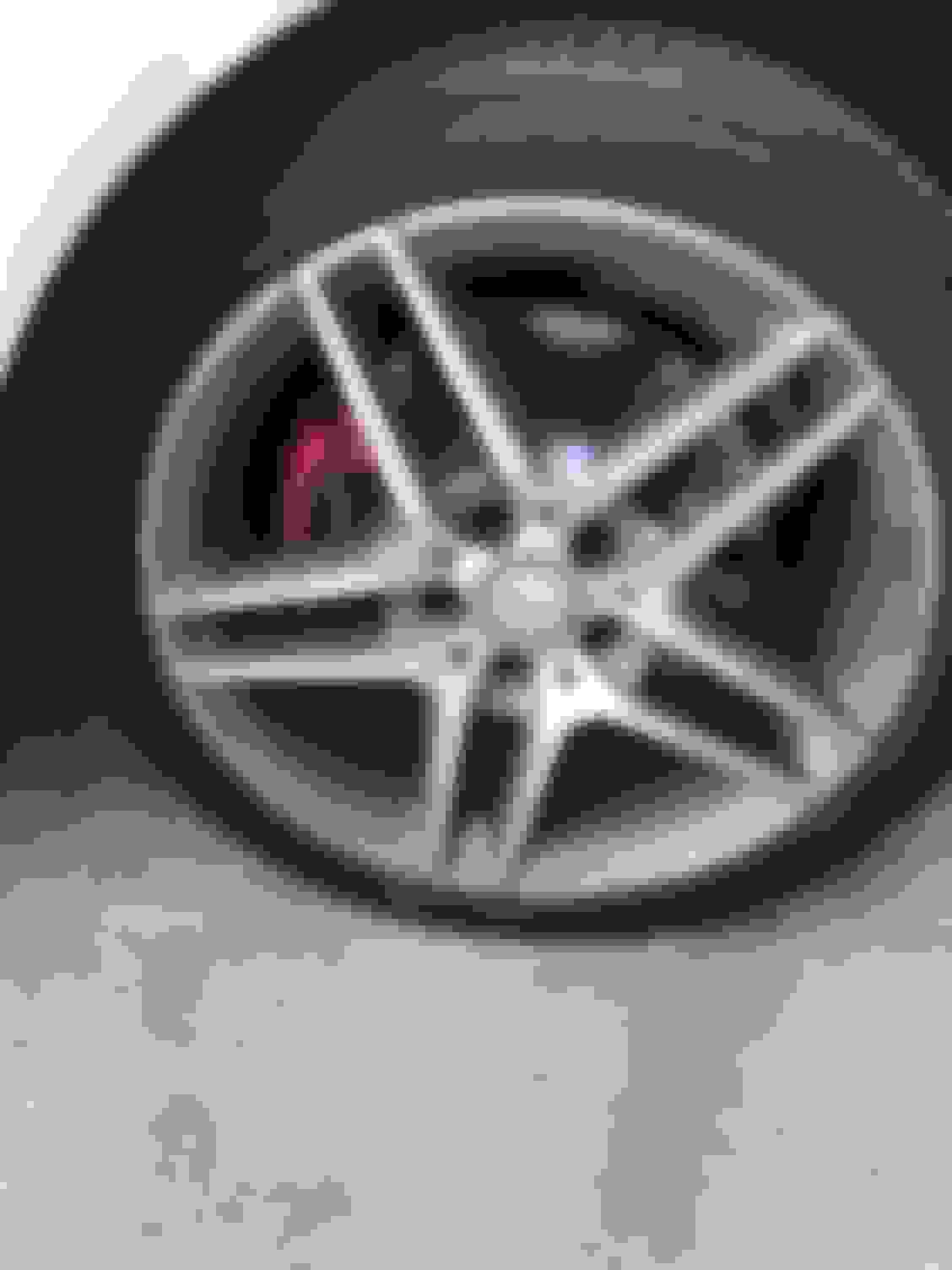
I’ve included some dirty daytime pics so you guys can see what it looks like. I also included some gratuitous pics of the plastidipped grill and red calipers.
Let me know if you have any questions and I’ll be happy to help you avoid the mistakes I made in trying to figure this out.
Total install time with aggravation and bloody knuckles: 20 hours.
Actual time it should have taken with better instructions and no self inflicted mistakes: 20 minutes.
Finally, it’s done!!!!! Thanks to deepthought66’s tip on going down the middle with connector first. I did this and the head unit slipped right in. I’lol post pics and instructions for the other folks later tonight dice to did things a bit differently since my unit came without instructions or aux cables. Thanks to everyone’s help!
Glad it all worked out! And happy that my tip helped Pics look amazing!
Like you, I ended up with bloody knuckles, two weeks and a very angry wife LOL
I discovered the solve quite by accident. On a W212 - assuming you have nothing else other than this mod behind the COMAND (I had the ECO Off + VIM mod, that I had to remove) ...... L
I think I have the same ECO Off + VIM mod as you do. It's a cable harness I got off ebay for around 100 bucks.
Are you saying that you had to remove it in order to fit the wiring harness for the Android unit in there?
No way the two can coexist?
That ECO off module also closes all my windows, doors, sunroof and 5th door (I have a wagon) when I lock the car and also allows me to play VIM for the kids. It's a great addition.
It would be pretty annoying to lose all that in order to install the Android screen.
.
.
.
Chris, thanks for the update regarding the RHD frame, I'll start saving for the Android unit.
Hi everyone,
I was able to finally work on getting the unit installed (2014 e350) and spent about 4 hours trying to get it working in the car. The main problem is that the OEM screen does not come on. Other functions on the Android side seem to work such as GPS, google maps, apps, the center wheel works, although I cannot get sound from the 3.5mm->MMI connection. I've tried to remove and reinsert the quad connector over and over again, as well as change the screen parameters going one by one from 1-10, as well as a complete system reset, and actually reconnecting the OEM screen and connections to make sure that was still working (it works perfectly fine on the old screen). Any other suggestions? I've included some pics to see if anyone can spot any issues.
In terms of the Android audio part, I have tried Spotify, Pandora, Youtube and get the auto switching notification come up, and disappear, but there is no sound. When I press the radio button on the Comand unit, I can hear my radio and such. I just cant' hear any sound from the Android side. Not sure if anyone has tips for getting this to work.
One question, I wanted to see if I could add a microphone, for Google now and voice commands, would it be the USB connector that would accept the microphone for the Android side?
Again, sorry for all the questions and I appreciate any help.
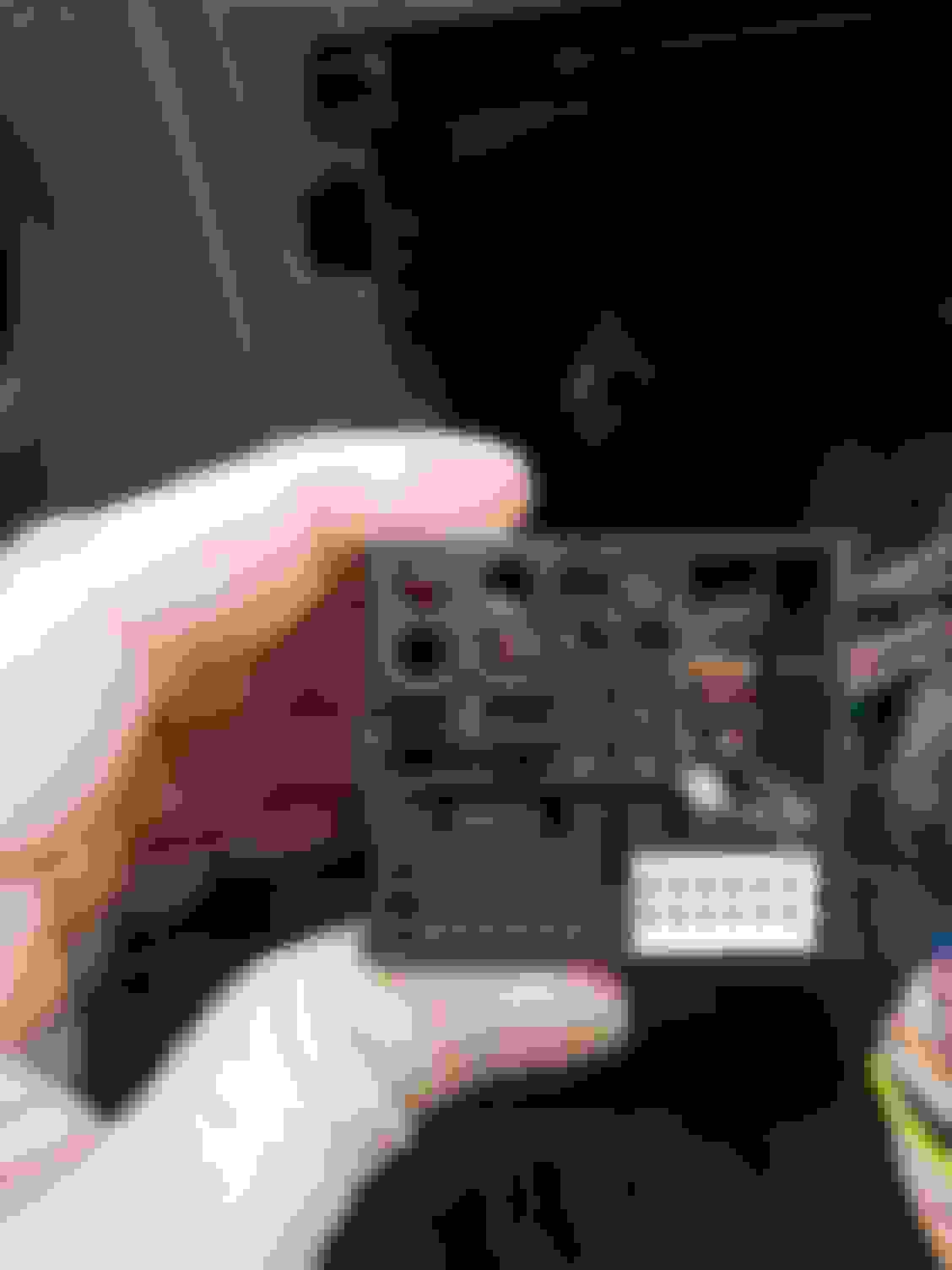
back of comand unit with quad connector. I seated this and pushed each connector in squarely.
OEM quad connector, with fiber optic cables moved to new connector
The bright side is that I was able to connect the usb connector to my laptop and was able to make an ADB connection, which is promising. Hopefully, this will lead to some pulling some config .xml files to see if some of the spelling and temp setting can be controlled.
Hi everyone,
I was able to finally work on getting the unit installed (2014 e350) and spent about 4 hours trying to get it working in the car. The main problem is that the OEM screen does not come on. Other functions on the Android side seem to work such as GPS, google maps, apps, the center wheel works, although I cannot get sound from the 3.5mm->MMI connection. I've tried to remove and reinsert the quad connector over and over again, as well as change the screen parameters going one by one from 1-10, as well as a complete system reset, and actually reconnecting the OEM screen and connections to make sure that was still working (it works perfectly fine on the old screen). Any other suggestions? I've included some pics to see if anyone can spot any issues.
In terms of the Android audio part, I have tried Spotify, Pandora, Youtube and get the auto switching notification come up, and disappear, but there is no sound. When I press the radio button on the Comand unit, I can hear my radio and such. I just cant' hear any sound from the Android side. Not sure if anyone has tips for getting this to work.
One question, I wanted to see if I could add a microphone, for Google now and voice commands, would it be the USB connector that would accept the microphone for the Android side?
Again, sorry for all the questions and I appreciate any help.
back of comand unit with quad connector. I seated this and pushed each connector in squarely.
OEM quad connector, with fiber optic cables moved to new connector
The bright side is that I was able to connect the usb connector to my laptop and was able to make an ADB connection, which is promising. Hopefully, this will lead to some pulling some config .xml files to see if some of the spelling and temp setting can be controlled.
I had the same issue with the OEM not showing. Does it do this even with the command pulled all the way out and all cables connected? My issue was the quad connector whatever that's called was getting squished when I put the command back in place. Try reconnecting it. If that's not the issue then make sure you have command video connector (smaller plug) completely plugged into the back of the screen. And as xmaximus posted, make sure you have the red wire coming from the video adapter spliced into the yellow 12v power wire of the harness from the kit. Also check the green fakra connectors are connected properly.
Hi everyone,
I was able to finally work on getting the unit installed (2014 e350) and spent about 4 hours trying to get it working in the car. The main problem is that the OEM screen does not come on. Other functions on the Android side seem to work such as GPS, google maps, apps, the center wheel works, although I cannot get sound from the 3.5mm->MMI connection. I've tried to remove and reinsert the quad connector over and over again, as well as change the screen parameters going one by one from 1-10, as well as a complete system reset, and actually reconnecting the OEM screen and connections to make sure that was still working (it works perfectly fine on the old screen). Any other suggestions? I've included some pics to see if anyone can spot any issues.
In terms of the Android audio part, I have tried Spotify, Pandora, Youtube and get the auto switching notification come up, and disappear, but there is no sound. When I press the radio button on the Comand unit, I can hear my radio and such. I just cant' hear any sound from the Android side. Not sure if anyone has tips for getting this to work.
One question, I wanted to see if I could add a microphone, for Google now and voice commands, would it be the USB connector that would accept the microphone for the Android side?
Again, sorry for all the questions and I appreciate any help.
back of comand unit with quad connector. I seated this and pushed each connector in squarely.
OEM quad connector, with fiber optic cables moved to new connector
The bright side is that I was able to connect the usb connector to my laptop and was able to make an ADB connection, which is promising. Hopefully, this will lead to some pulling some config .xml files to see if some of the spelling and temp setting can be controlled.
This is just settings and conectings. As said. If it is old comand ntg4 you need to hook up the red an yellow. If its newer comand thats not it. Then its AB or parameter settings. Bought from me? Them email me for support and instructions.
Hi everyone,
I was able to finally work on getting the unit installed (2014 e350) and spent about 4 hours trying to get it working in the car. The main problem is that the OEM screen does not come on. Other functions on the Android side seem to work such as GPS, google maps, apps, the center wheel works, although I cannot get sound from the 3.5mm->MMI connection. I've tried to remove and reinsert the quad connector over and over again, as well as change the screen parameters going one by one from 1-10, as well as a complete system reset, and actually reconnecting the OEM screen and connections to make sure that was still working (it works perfectly fine on the old screen). Any other suggestions? I've included some pics to see if anyone can spot any issues.
In terms of the Android audio part, I have tried Spotify, Pandora, Youtube and get the auto switching notification come up, and disappear, but there is no sound. When I press the radio button on the Comand unit, I can hear my radio and such. I just cant' hear any sound from the Android side. Not sure if anyone has tips for getting this to work.
One question, I wanted to see if I could add a microphone, for Google now and voice commands, would it be the USB connector that would accept the microphone for the Android side?
Again, sorry for all the questions and I appreciate any help.
back of comand unit with quad connector. I seated this and pushed each connector in squarely.
OEM quad connector, with fiber optic cables moved to new connector
The bright side is that I was able to connect the usb connector to my laptop and was able to make an ADB connection, which is promising. Hopefully, this will lead to some pulling some config .xml files to see if some of the spelling and temp setting can be controlled.
I had the same issue on first attempt. The OEM screens not showing up is due to the quad connector not being in all the way. You really have to push it in there. Push it with all your might. Promise you it will work.
Also make sure yor screen setting is #2 in the secret menu. I have the same model car.
In the same menu, select aux for audio. Don’t forget to connect the aux cable to the armrest aux input and select aux from your OEM audio menu. It may be tricky a few times but it will work. Also make sure your phone BT is off otherwise the system will constantly connect to your phone as default and won’t recognize the aux. after the first time it’ll do it automatically.
I think I have the same ECO Off + VIM mod as you do. It's a cable harness I got off ebay for around 100 bucks.
Are you saying that you had to remove it in order to fit the wiring harness for the Android unit in there?
No way the two can coexist?
That ECO off module also closes all my windows, doors, sunroof and 5th door (I have a wagon) when I lock the car and also allows me to play VIM for the kids. It's a great addition.
It would be pretty annoying to lose all that in order to install the Android screen.
.
.
.
Chris, thanks for the update regarding the RHD frame, I'll start saving for the Android unit.
Yup. The ECO off + VIM mod does not fit back there in the W212. When the COMAND unit is out, I tried connecting everything in serial, and the solution works. But there is no way it all fits back there. In cars other than the W212, it might, but on ours - there's just no way.
Now, I absolutely love the ECO-off feature, and Vlad (the guy who sold me the original ECO off + VIM mod on eBay) has created an OBD based ECO-off mod, which I just bought. Check it out here - https://www.ebay.com/itm/MERCEDES-ca...72.m2749.l2649 Re. auto-lock, my car does all of that - close windows, sunroof, doors incl. trunk - when I press and hold the lock button on the key fob. So while I'll miss the one-click feature, the press and hold isnt that bad IMO. Finally, re. VIM - well, the Android screen has no restrictions...so that works as well.
One question, I wanted to see if I could add a microphone, for Google now and voice commands, would it be the USB connector that would accept the microphone for the Android side?
I installed a microphone on mine (see post 125) using the USB port, and was able to install Google app (this is a huge app 120mb+) but not google assistant (not compatible with android 5.1.1). The problem I'm having is there is ample static that interferes with it. When car is idle or at a stop, its fine. Once I'm driving the static is more evident so it's difficult to get my voice command recognized by the unit. The mic I bought has great reviews so I can only assume this issue is on the unit itself.
To test static, download a voice recorded app and record while driving, idle, etc.
Chris, have you tried to use the built-in mic for Google Maps? Touching/clicking on the mic icon on the address bar on top of the map does nothing. Is there something we need to do to enable voice search?
I installed a microphone on mine (see post 125) using the USB port, and was able to install Google app (this is a huge app 120mb+) but not google assistant (not compatible with android 5.1.1). The problem I'm having is there is ample static that interferes with it. When car is idle or at a stop, its fine. Once I'm driving the static is more evident so it's difficult to get my voice command recognized by the unit. The mic I bought has great reviews so I can only assume this issue is on the unit itself.
To test static, download a voice recorded app and record while driving, idle, etc.
Have you tried using a ground loop noise isolator? Amazon has quite a few for like $10 or so.
Hi Chris, are you sure on this?? You told me the same when I asked on your YouTube channel but I got no response from the unit at all with any voice command or dictation response. So I bought a microphone. Only then it worked.
UPDATE:
Went on my sellers website (not Chris) and found this. Chris is right. But maybe it's disabled or just very very weak?
Mercedes SLR McLaren 722 S Is Extremely Rare Example Modified by McLaren
Slideshow: A one-of-one U.S.-spec Mercedes-Benz SLR McLaren Roadster became even rarer after a factory-backed transformation at McLaren's headquarters.










 LOL
LOL .... and the quadlock connector needs to go in between first. Then, the rest of the cables need to be tucked sort of in the middle; lower the better. Two other things that helped are - one of the cables is attached to the back of the Comand unit with a black "peg" of some sort. Sliding that "peg" out (so that it is no longer tied to the back of the unit) helped tremendously. And finally, and this is a big one - when you slide the Comand back in, many a times, the locking mechanism (remember the two screws at the top of the Comand, that you had to loosen and pull up...so you could slide the Comand out?) ....slips back down. Meaning - you cant slide the unit back in. Use a screwdriver and lift those up a bit.... and voila! Hope this helps, my friend.... I could deal with the bloody knuckles, and the time ....but angry wife? Especially when she thought I'm just "monkeying around in the car on some nonsense".... ? I'm still paying for it. LOL