When you click on links to various merchants on this site and make a purchase, this can result in this site earning a commission. Affiliate programs and affiliations include, but are not limited to, the eBay Partner Network.
E350/W212/2016 & C204/2012. Past E350 C207, W204 x2
Originally Posted by AndLarDK
First of all a world of thanks to cadetdrivr for starting this post and sharing so much knowledge and insight encouraging the rest of us to dig into the mod project. Also thanks to others sharing experiences as well. I want to pay it forward by sharing my succesful experience so far.
I have a C204/C200 Coupe 2012 with NTG 4.5/6CD/HK/AMI/MMI/USB. After having consumed all the posts in this thread and more I ordered the Road Top unit on Aliexpress last Monday the 21st. Seller contacted me to get confirmation (picture) that the HU is NTG 4.5 - good service! It was shipped the day after and I received it on Friday 25! I am impressed by the speediness, but suspect that they have a stock in the EU, excellent!
On Sunday I went ahead with the installation in my car and it went fairly smooth. Biggest challenge was to get the HU back in place as there isn't much room with the extra harness. Was about to give up after abt 3 hours of struggling but finally discovered that by pushing the connector down below the HU and making sure that none of the cables/harnesses crossed each other or folded in the back of the unit I managed to push it the last millimeters into place - phew! I have the Road Top unit sitting in the top shelf in the glove box and cut a small hole in the left side of the wall for the cabling. Power on and pairing with Iphone 11 Pro as well as Iphone 6s went smoothly but at first I had no sound. Only after connecting the adapter that came with the unit to the AMI port (in the console) and then the Aux jack from the unit I had sound. I will still need to figure out how to hide the Aux cable from the RT unit down to the console and guess I need to disassemble the console. Something for a rainy day.
I have noticed the posts from cadetdrivr and others that the actual connection to Aux should not be necessary (and I'd love to get rid of the Aux cable!). Yesterday I discovered that in Carplay mode you can actually get the sound through the OEM bluetooth connection, i.e. as a regular BT player. This means that the skip buttons on the HU also work (which they don't in AUX input on the HU). However, the solution is not at all seamless as you need first need to go into Carplay. Then switch back to HU (C button 3 secs) and change Audio input to BT. Stop/start playback and then go back to Carplay where playback hopefully is running. After ignition off and start again you need to repeat procedure, so not really workable. Maybe it is different on NTG 4.7, but leads me to think if any of you guys have ideas of how to make this work better? In conclusion I reckon that the Road Top units sound connection is only the analog Aux output, but some sources like Carplay and Phone may be able to send sound directly to HU via BT with varying user friendliness. Your comments and ideas are invited!
Thanks to cadetdrivr and badwolf for comments. Since last I have had the car at the workshop for softwareupgrade to HU, which it got, but they could not give any details to the upgrade apart from being a "Telematic" update. I have noticed one file version on HU to be 2015 dated, so I guess something was done. Nevertheless, it hasn't changed that the "activate AUX" option is not available - only External Player > UCI and Bluetooth Audio. UCI does not have the activate/deactivate option. I'm guessing that this option (AUX) is only available in NTG 4.5/4.7 Command Online and not NTG 4.5 Audio 20 like mine. Consequently the only option I have at present to get general sound from the Road Top unit is via AUX adapter to the AMI/MMI (UCI?) in the centre console. Though wondering if it shouldn't be possible to connect an adapter (with 3.5 mm jack) directly in the back of the HU instead of the cable to the AMI/MMI, although I don't know which one it is. Do any of you have ideas or suggestions?
All that being said I have noticed a significantly better/fuller sound connecting via BT directly to HU instead of AUX to Road Top (no EQ or boost)! When listening to music this is absolutely what I'd prefer, but it is kind of a hassle to switch back to BT after Carplay is runnning, so an option in Road Top to set Carplay sound via AUX or BT would be nice.
yes my C250e does the same thing, more noticable perhaps as it does it everytime it switches from electric to petrol. I worked in car audio 20 years ago and we would have called this electrical noise and fitted a small noise supressor from the altenator. Not sure if its the answer to this issue as Im still trying to get the phone to work properly so havent dived that deep into it
Last edited by OzWizzard; Oct 8, 2020 at 09:40 AM.
Reason: Got it wrong
yes my C250e does the same thing, more noticable perhaps as it does it everytime it switches from electric to petrol. I worked in car audio 20 years ago and we would have called this electrical noise and fitted a small noise supressor from the altenator. Not sure if its the answer to this issue as Im still trying to get the phone to work properly so havent dived that deep into it
In order to Android phone mirror you need a cable as well as Autolink App (for Android this only works when cable is connected)
When cable is connected I found out the phone charges slowly as the USB connection is intended for fw update.
I did find out that the USB connection also supports movies in mp4 format, which is another plus if you want to put stuff on USB stick (their video showed 32GB stick playing a movie) - this should work for both CarPlay and AndroidAuto
Also, he confirmed the skip track via joystick is not supported but I asked if it can be handled via firmware upgrade and will update here if changes.
I think the main issues for me even if wireless AA worked, would be the skip track function missing, no audio when switching to Comand, lack of fast charge via USB (as all the new phones can benefit from it including iphone).
Remaining Questions:
Confirmed there is no audio sent from Carplay once going back to Comand - is this true from folks who have this installed?
I asked the engineer about the volume change on Aux from Comand source and he said there is none but I would still like to hear from folks here using it if there is a significant difference in volume when switching to any Comand function or Radio/CD/DVD?
I have wireless Android Auto working but its very hit and miss to be honest with you and thats on my Google Pixel 4XL. My biggest frustration remains phonecalls. The maps and music (youtube music) work pretty well, I can use voice to tell it to play different music or artist but thats not a deal breaker. What is a deal breaker is how flaky the phone call interface is I would much prefer to route it all through the road top device but the echo for whoever im speaking to on that is terrible so Im stuck with this redirect calls to the factory kit and its just not reliable. After a few weeks of this, talking to support and as of this morning updating the firmware I may bite the bullet, rip it out and stick in a new android screen instead
Really struggling to get the unit back in! Tempted to start cutting bits now... 😓 Maybe on the LHS (I am RHD) to push the connector into.
W204 C Class
The box is in the passenger footwell so it is just the big connector and the existing wire harness struggling. I think I managed to put the wire harness under the head unit, but the other wire harness doesn't seem to give way... is it meant to go under the head unit or behind it? That wire harness has a plastic screw but I can't remember where it's meant to go....
2012 E550 Cabriolet 2011 VW Eos 1985 Pininfarina Spider
Originally Posted by wsc
Really struggling to get the unit back in! Tempted to start cutting bits now... 😓 Maybe on the LHS (I am RHD) to push the connector into.
W204 C Class
The box is in the passenger footwell so it is just the big connector and the existing wire harness struggling. I think I managed to put the wire harness under the head unit, but the other wire harness doesn't seem to give way... is it meant to go under the head unit or behind it? That wire harness has a plastic screw but I can't remember where it's meant to go....
I have a cab, so mine may be different, but I put the big plastic connector straight back and down. It took me several tries to get the harness to stay in place while I slide the HU in.
I have a cab, so mine may be different, but I put the big plastic connector straight back and down. It took me several tries to get the harness to stay in place while I slide the HU in.
Thanks so is the HU on top of the big plastic connector, is the plastic connector behind the HU? Thanks
Thanks so is the HU on top of the big plastic connector, is the plastic connector behind the HU? Thanks
I will pull mine apart again tomorrow, it might seem stupid reading you are even struggling with putting it back... As I remember mine is also at the back and under the HU (behind the AC unit in the hole). I am a bit afraid that the factory cables are under stress by the HU.
2012 E550 Cabriolet 2011 VW Eos 1985 Pininfarina Spider
Originally Posted by wsc
Thanks so is the HU on top of the big plastic connector, is the plastic connector behind the HU? Thanks
I'm not sure the HU is on top of the plastic connector, as I am not sure how far into the dash the HU goes. The only place I found the connector fit was all the way back into the opening and down. I think I had to work on which way the connector actually sat in that space and may have temporarily removed a piece of insulation. It took me a few days to get the HU back in.
The Aliexpress Seller sent me a new firmware and after the upgrade I can't open CarPlay. The first four icons no longer open.
I have requested him the old version but at the moment he didn't answer me
My old CUST Version was: v2.1.0.5.1.gpe.m2
My new wrong version is: v2.1.0.7.gpe.m4
More data about my MMI:
SDK Version: 25.0.5.6.0.0.0
MCU Version: 20.4.30.17
HW Version: BENZ2
Does anyone have a ISPBOOT.BIN file to try to make work my MMI like before?
I want to share these 2 videos
- Installation of the new wrong version:
I'm not sure the HU is on top of the plastic connector, as I am not sure how far into the dash the HU goes. The only place I found the connector fit was all the way back into the opening and down. I think I had to work on which way the connector actually sat in that space and may have temporarily removed a piece of insulation. It took me a few days to get the HU back in.
I did it! So I put HU on top of the connector, I had to flatten a lot of the cables slowly but got it done.
First impressions working great, also installed aftermarket reverse camera same time which just made the whole process feel like a lot of work. Tried CarPlay and Android Auto, both smooth.
The fwd/backward buttons on the Hu don't work, is that correct?
Siri and Google Assistant both working nicely.
And some discussion above, I didn't connect my Aux or MMI to anything, it works straight away (had to adjust the settings on the engineering menu - most off/on etc as per the page 1 of this thread which fixed it).
I did it! So I put HU on top of the connector, I had to flatten a lot of the cables slowly but got it done.
First impressions working great, also installed aftermarket reverse camera same time which just made the whole process feel like a lot of work. Tried CarPlay and Android Auto, both smooth.
The fwd/backward buttons on the Hu don't work, is that correct?
Siri and Google Assistant both working nicely.
And some discussion above, I didn't connect my Aux or MMI to anything, it works straight away (had to adjust the settings on the engineering menu - most off/on etc as per the page 1 of this thread which fixed it).
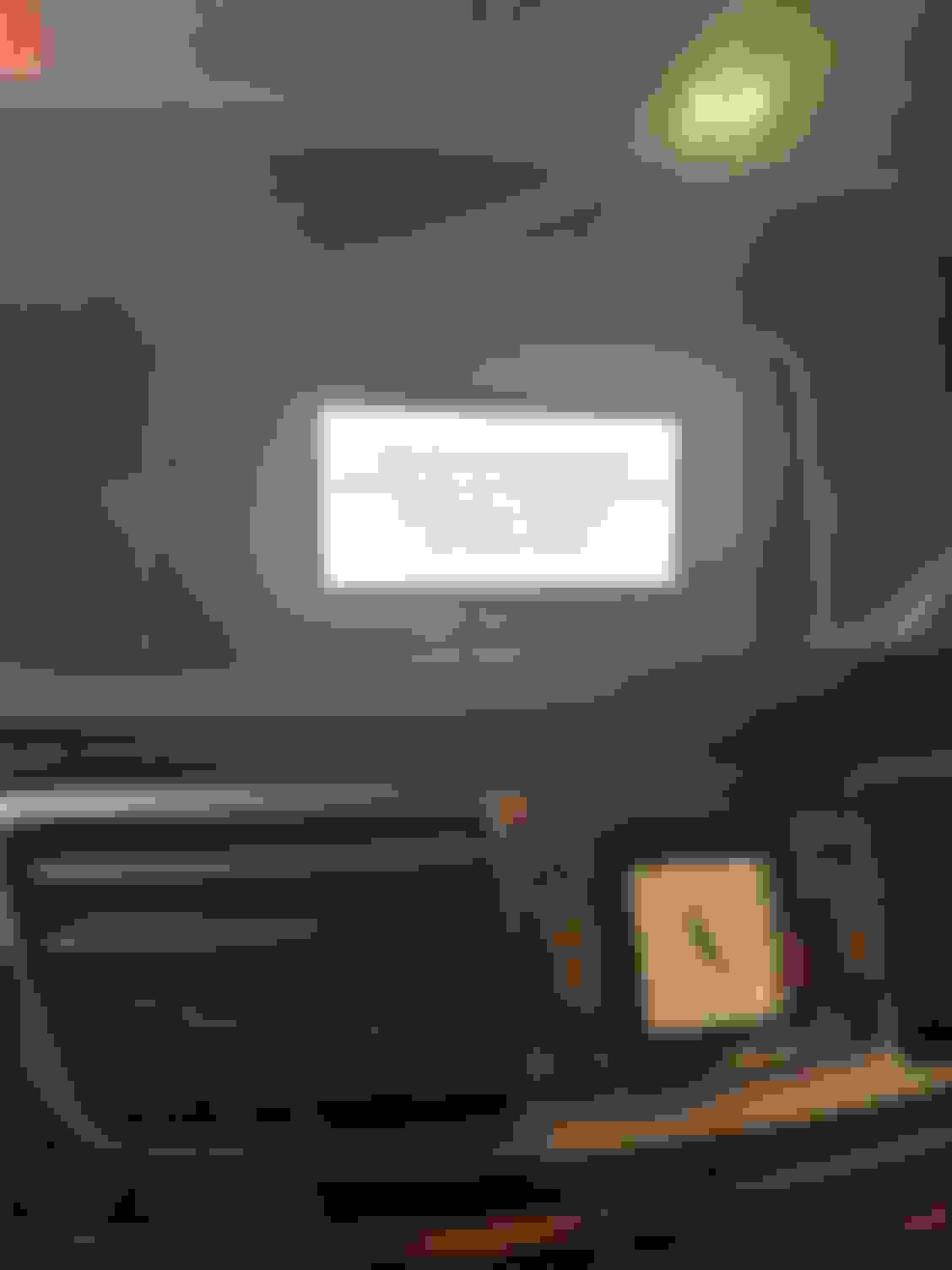
I just wanted to post a photo of mine how it’s sitting, but glad you solved it already!
i have no idea about yours, but for us for the NTG4 Kremersino it does not work either, you have to use the bottom scroll knob on the screen to change tracks while using Carplay.
E350/W212/2016 & C204/2012. Past E350 C207, W204 x2
HU skip buttons
Originally Posted by wsc
I did it! So I put HU on top of the connector, I had to flatten a lot of the cables slowly but got it done.
First impressions working great, also installed aftermarket reverse camera same time which just made the whole process feel like a lot of work. Tried CarPlay and Android Auto, both smooth.
The fwd/backward buttons on the Hu don't work, is that correct?
Siri and Google Assistant both working nicely.
And some discussion above, I didn't connect my Aux or MMI to anything, it works straight away (had to adjust the settings on the engineering menu - most off/on etc as per the page 1 of this thread which fixed it).
Congrats with the succesful installation. HU skip buttons have no function on AUX input.
As I have mentioned before I should like to have the option to use BT gateway for sound when in Carplay mode as the sound quality is better IMO. Secondly the skip buttons would work as well
Guess you have Command NTG since you don’t need Aux cable connected. Needed if you have Audio20 NTG.
Does anyone know what the “Active aux” option in setup menu does?
Three more questions I had:
1) To connect Android Auto / CarPlay via USB, I do it to the RoadTop box USB out, and I can't do it via the cars USB slot via MMI?
2) how much power does the RoadTop USB give, can I ditch my cigarette lighter charger (fast charge) and use that instead?
3) Aftermarket Reverse camera (being powered from 12V so always on) - when I take it out of reverse camera goes off immediately, how do I make it stay for a bit longer? I played with the time settings on the RoadTop max and put to max but didn't make any difference.
Have files for this version from road top of you want to try
Originally Posted by SCCoupe
Hi! I have CarSara MMI installed in my C204
The Aliexpress Seller sent me a new firmware and after the upgrade I can't open CarPlay. The first four icons no longer open.
I have requested him the old version but at the moment he didn't answer me
My old CUST Version was: v2.1.0.5.1.gpe.m2
My new wrong version is: v2.1.0.7.gpe.m4
More data about my MMI:
SDK Version: 25.0.5.6.0.0.0
MCU Version: 20.4.30.17
HW Version: BENZ2
Does anyone have a ISPBOOT.BIN file to try to make work my MMI like before?
Have files for this version from road top of you want to try
Please, could you share it with me?
I will make a video to show you the difference with RoadTop version
When I get CarSara new version I will share it with you
Does anyone else have the Joyeauto unit and having an issue with Waze? I have to manually change the day/night mode.
working on memory here.
did have this problem a bit, i think the solution was to set the auto day night in the phone (not for waze, but whole phone) and also set the day night modes on the joyeauto unit (I think I use 7am and 7pm), sorry for not more detail but im not near the car
How do you set the day/night mode in jayauto? Automatic doesn't work for me at all, can't use at night map is so Bright
Originally Posted by Aussiejase
working on memory here.
did have this problem a bit, i think the solution was to set the auto day night in the phone (not for waze, but whole phone) and also set the day night modes on the joyeauto unit (I think I use 7am and 7pm), sorry for not more detail but im not near the car
How do you set the day/night mode in jayauto? Automatic doesn't work for me at all, can't use at night map is so Bright
FWIW, this is one of the larger benefits of the newer units as CarPlay switches to night mode automatically when the headlights are on. Meanwhile the Joyeauto unit does this on a fixed schedule from 7pm to 7am.
One can adjust the brightness of the screen itself in Comand settings but 'dim enough' in the evening is probably also too dim for daytime if the unit is not in night mode.
sorry, jayauto, forgot im on roadtop, the auto day night isnt working for me on Android auto(tried diffarent options), ill check carplay(but i dont use carplay as im mostly on android
sorry, jayauto, forgot im on roadtop, the auto day night isnt working for me on Android auto(tried diffarent options), ill check carplay(but i dont use carplay as im mostly on android
OK, I'm sorry I can't offer any help with Android. However, on CarPlay the RoadTop unit switches to "night mode" (for lack of a better term) whenever the headlights are on, or at least they do on my X166 with the Bi-Xenon HID lighting packing with auto off/on.
Note that in CarPlay night mode is different than the user selectable light or dark themes. Even with the light theme everything goes dark when the headlights are turned on.
Newbie
Hey Guys,
think forum convinced me to take the action and buy the RoadTop unit for carplay/android auto.
All installed successfully and had to activate AUX and External AMP for the sound to work.
I am facing an issue now where no sound is working at all for BLUETOOTH and AUX.
I went back into the settings and did a reset for BLUETOOTH sound to work again however no AUX works.
BLUETOOTH is fine however when i want to put on navigations such as google and waze i get no sound for navigation.
Wonder if anyone has experienced this or know why the AUX all of a sudden stopped working
Mercedes SLR McLaren 722 S Is Extremely Rare Example Modified by McLaren
Slideshow: A one-of-one U.S.-spec Mercedes-Benz SLR McLaren Roadster became even rarer after a factory-backed transformation at McLaren's headquarters.